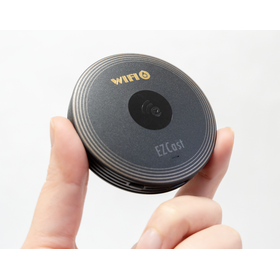
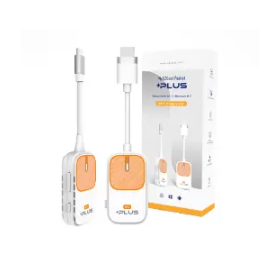
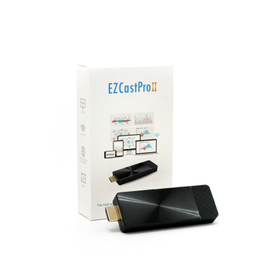
A must-have tool for beginners in mirroring that starts projecting automatically with just a touch.
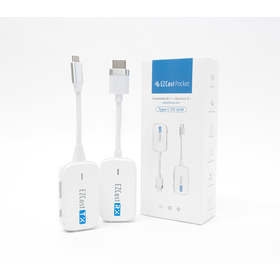
It automatically displays the screen of your PC or smartphone on a large screen. The receiver connects to a monitor (TV/monitor/projector, etc.) via HDMI and power connection to show the standby screen. After that, by plugging a DP-Alt compatible transmitter into the Type-C port of the sending device, it will automatically start mirroring after waiting for 10 seconds. It supports three resolutions: 720x480, 1280x720, and 1920x1080 (60P).
Inquire About This Product
basic information
Transmitter - Transmitter - Hardware Specifications Maximum Resolution: 1920x1080 (60p) Display Interface: Type-C with DP-Alt Wi-Fi: IEEE802.11n 5GHz 1T1R Power Interface: USB-C Female PD (Up to 60w) Recommended Temperature, Storage Temperature: Operating Temperature 0〜35℃ Storage Temperature -20〜70℃ Weight: Approximately 45.3g Size: Main Unit (excluding cable part): 70mmx40mmx16mm Cable Length Including Connector (non-detachable): 100mm Receiver - Receiver - Hardware Specifications Maximum Resolution: Up to 1920x1080 (60p) Display Interface: HDMI Wi-Fi: IEEE 802.11n 5GHz 1T1R Power: DC 5V/1A Operating Temperature, Storage Temperature: Operating Temperature 0〜35℃ Storage Temperature -20〜70℃ Weight: Approximately 43g Size: Main Unit (excluding cable part): 70mmx40mmx16mm Cable Length Including Connector (non-detachable): 100mm
Price information
15,000 yen (excluding tax)
Price range
P2
Delivery Time
P2
※The delivery time varies depending on the quantity, so please feel free to contact us.
Applications/Examples of results
I want to easily mirror multiple devices and multiple operating systems collectively in meetings and classes. With EZCast Pocket PD, you can achieve the optimal mirroring environment with 'just plug and project' from each OS. "I cannot introduce devices due to network and security restrictions. With 'just plug and project,' it is possible to project without integrating into the existing network, allowing for wide usage in educational settings (you can try it out in advance with a demo unit).
Detailed information
-
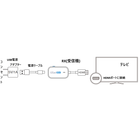
Projection Method: * Connect the EZCast Pocket PD to a monitor (TV/projector/monitor via HDMI) and a power outlet (5V1A). * Once the home screen appears, project from your mobile device (PC/tablet/smartphone). When the transmitter is connected to the mobile device (PC/tablet/smartphone), mirroring will start automatically. Please use a transmitting device that supports DP-Alt mode (video output).
Line up(1)
| Model number | overview |
|---|---|
| EZCast Pocket PD |
Company information

Our company operates as a solution provider for electronics engineering connecting Japan and Taiwan, developing businesses in high-tech fields such as IT equipment and semiconductors (ICs). Additionally, in Japan, we offer caregiving support services to meet the demands of the times. Please feel free to contact us if you have any inquiries.