
List of Design and production support products
- classification:Design and production support
721~750 item / All 12254 items


Reduce the workload from handling heavy objects! Here are five case studies that solved customer challenges! We are also accepting free consultations and tests tailored to your work!

- Other conveying machines


Presentation of explanatory materials on JIS and ISO standards. We propose suitable safety barriers from a rich product series! Free rental of demo kits.


- Other safety and hygiene products


Efficient roughing of deep cavity shapes! An explanation of "plunge machining" in 'BobCAD-CAM' | System Create
- 3D CAM
- Other CAM related software
- Other CAD related software

Automatically recognize multiple flat areas and create machining paths! Explanation of "Flat Area Machining" in 'BobCAD-CAM' | System Create
- 3D CAM
- Other CAM related software
- Other CAD related software

Easily perform wire electrical discharge machining with different shapes on the top and bottom! An explanation of "Wire EDM" in 'BobCAD-CAM' | System Create
- 3D CAM
- Other CAM related software
- Other CAD related software

Uniformly finish mixed steep and gentle slopes and curved surfaces! This explains the 'scallop machining' of 'overwhelmingly low price & rich features BobCAD-CAM'.
- 3D CAM
- Other CAM related software
- Other CAD related software

Create 2D machining drawings for turning processes from 3D models! We will explain the "Rotational Profile" of BobCAD-CAM, which offers overwhelming low prices and comprehensive features.
- 3D CAM
- Other CAM related software
- Other CAD related software

Improve quality by easily removing leftover material! An explanation of "leftover machining" in the overwhelmingly low-priced and feature-rich BobCAD-CAM.
- 3D CAM
- Other CAM related software
- Other CAD related software

Easily create gear drawings! An explanation of "GEAR+" from 'Overwhelmingly Low Price & Rich Features BobCAD-CAM'.
- 3D CAM
- Other CAM related software
- Other CAD related software

Automatically adjusts pitch according to shape & streamlines with automatic trim of paths: An explanation of the adaptive pitch and optimal trim of 'overwhelmingly low-priced BobCAD-CAM.'
- 3D CAM
- Other CAM related software
- Other CAD related software

Automatically calculate machining paths from DXF data! Unbeatable low price and comprehensive features. This explains BobCAD-CAM's "Hole Machining from 2D."
- 3D CAM
- Other CAM related software
- Other CAD related software

You can finish without interference using the shortest tool! Overwhelmingly low price and rich features. This explains BobCAD-CAM's "Dynamic Holder Check."
- 3D CAM
- Other CAM related software
- Other CAD related software

Completing surface chamfering through machining! This explains the "chamfering process" of 'BobCAD-CAM' with its overwhelming low price and rich features.
- 3D CAM
- Other CAM related software
- Other CAD related software

Easily convey processing technology! This explains the "template function" of BobCAD-CAM, which offers overwhelming low prices and rich features.
- 3D CAM
- Other CAM related software
- Other CAD related software

Automatically remove leftover material from corners! This explains the "Corner Peg Removal Function" of BobCAD-CAM, which offers overwhelming low prices and comprehensive features.
- 3D CAM
- Other CAM related software
- Other CAD related software

Instant automatic calculation of processing conditions for different materials based on hole shapes! An explanation of 'BobCAD-CAM's automatic tool path for hole shapes.'
- 3D CAM
- Other CAM related software
- Other CAD related software

MARSUGO: Automatic recognition of hole shapes from 3D CAD data! An explanation of the "BobCAD-CAM automatic hole shape recognition feature."
- 3D CAM
- Other CAM related software
- Other CAD related software

No need for tedious calculations; you can efficiently create programs! An explanation of the "BobCAD-CAM Contour Roughing and Side Roughing Functions."
- 3D CAM
- Other CAM related software
- Other CAD related software

Explaining the greatness of "BobCAD-CAM," which has a wide range of processing functions that exceed the price of Marsgo, by module!
- 3D CAM
- Other CAM related software
- 3D CAD
![[Marusugo] Open Edge Detection with...](https://image.mono.ipros.com/public/product/image/434/2000699973/IPROS69190623965126085359.jpeg?w=280&h=280)
Marsugo: 'Overwhelmingly low price! Yet packed with features! It's amazing.' Explaining BobCAD-CAM's 'Open Edge Detection Feature'!
- 3D CAM
- Other CAM related software
- 3D CAD
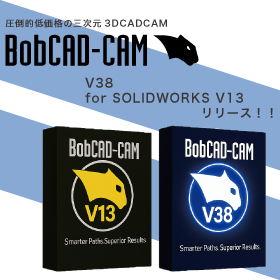
BobCAD-CAM V38/for SOLIDWORKS V13 Japanese version now available!!
The Japanese version of the latest V38 / BobCAM for SOLIDWORKS V13 has been officially released from BobCAD-CAM, which offers overwhelming low prices while being equipped with comprehensive features! This latest version achieves a more intuitive and flexible workflow. ■ Improved usability of the CAM wizard You can now set parameters while displaying the tool path. Automatic calculations and real-time visual feedback during feature creation enhance the speed and accuracy of setup. ■ Context help feature included Simply hovering over parameters will display images, descriptions, and help links, enabling smooth programming. ■ Standardization of work with CAD default settings Users can now save and restore their unique initial values, allowing for precision adjustments down to millimeters. Many other features have also been updated or added. If you would like a detailed introduction to the features or a demo, please feel free to contact us!

Low-cost, feature-rich CAD/CAM lathe processing module *Demo available
- 3D CAD
- 3D CAM
- 2D CAM
BobCAD-CAM V38/for SOLIDWORKS V13 Japanese version now available!!
The Japanese version of the latest V38 / BobCAM for SOLIDWORKS V13 has been officially released from BobCAD-CAM, which offers overwhelming low prices while being equipped with comprehensive features! This latest version achieves a more intuitive and flexible workflow. ■ Improved usability of the CAM wizard You can now set parameters while displaying the tool path. Automatic calculations and real-time visual feedback during feature creation enhance the speed and accuracy of setup. ■ Context help feature included Simply hovering over parameters will display images, descriptions, and help links, enabling smooth programming. ■ Standardization of work with CAD default settings Users can now save and restore their unique initial values, allowing for precision adjustments down to millimeters. Many other features have also been updated or added. If you would like a detailed introduction to the features or a demo, please feel free to contact us!

Easy, low-cost, feature-rich CAD/CAM wire electrical discharge machining module *Demo available

- 3D CAM
- 2D CAM
- Electric discharge machine
BobCAD-CAM V38/for SOLIDWORKS V13 Japanese version now available!!
The Japanese version of the latest V38 / BobCAM for SOLIDWORKS V13 has been officially released from BobCAD-CAM, which offers overwhelming low prices while being equipped with comprehensive features! This latest version achieves a more intuitive and flexible workflow. ■ Improved usability of the CAM wizard You can now set parameters while displaying the tool path. Automatic calculations and real-time visual feedback during feature creation enhance the speed and accuracy of setup. ■ Context help feature included Simply hovering over parameters will display images, descriptions, and help links, enabling smooth programming. ■ Standardization of work with CAD default settings Users can now save and restore their unique initial values, allowing for precision adjustments down to millimeters. Many other features have also been updated or added. If you would like a detailed introduction to the features or a demo, please feel free to contact us!

Low-cost CAD/CAM that supports machining from 2 axes to simultaneous 5 axes. Achieves high-quality machining and reduces tool path creation time and machining time. *Demo available.
- 3D CAM
- Other CAM related software
- 2D CAM
BobCAD-CAM V38/for SOLIDWORKS V13 Japanese version now available!!
The Japanese version of the latest V38 / BobCAM for SOLIDWORKS V13 has been officially released from BobCAD-CAM, which offers overwhelming low prices while being equipped with comprehensive features! This latest version achieves a more intuitive and flexible workflow. ■ Improved usability of the CAM wizard You can now set parameters while displaying the tool path. Automatic calculations and real-time visual feedback during feature creation enhance the speed and accuracy of setup. ■ Context help feature included Simply hovering over parameters will display images, descriptions, and help links, enabling smooth programming. ■ Standardization of work with CAD default settings Users can now save and restore their unique initial values, allowing for precision adjustments down to millimeters. Many other features have also been updated or added. If you would like a detailed introduction to the features or a demo, please feel free to contact us!

Achieve industrial-grade quality at ultra-high speed! Almost all formations are completed within 2 hours, significantly improving work efficiency!


- 3D Printer
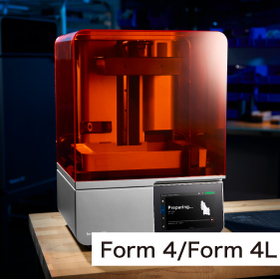
High-speed photopolymerization machine 'From 4/From 4L' that achieves ultra-high speed.
Ultra-fast 3D printing with the light-based "From 4/Form 4L." By utilizing proprietary technology, it achieves a maximum printing speed of 100mm/h (80mm/h for Form 4L). ■ High-speed printing that defies common sense By adopting the unique technology "LFD," surface-based printing is made possible. → By curing layer by layer, printing can be done without depending on the printing surface. ■ Delicate expressiveness Achieves high-resolution and precise 3D printing with an XY axis resolution of 50µm (46µm for Form 4L). ■ Automatic post-print cleaning With improved solvent agitation functionality, printed items can be quickly and thoroughly cleaned. ■ Use of a wide range of functional materials Materials can be selected according to purpose and application. Material replacement is completed simply by swapping out the cartridge and resin tank.


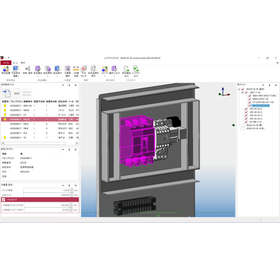
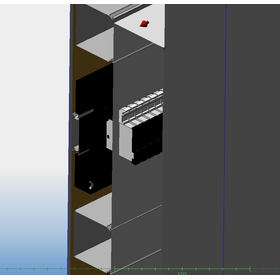
Eliminate the high threshold of 3D. Utilize the good operability of 2D for modeling!
- Other CAD
- Document and Data Management
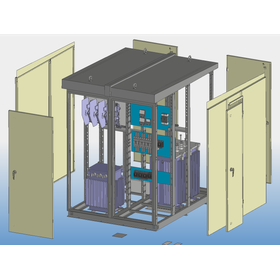
【New Product】3D Layout Tool for Panel Design ECAD 3D Released! Easily create 3D models of panels for anyone. Contributes to improving design quality.
The 3D layout tool for panel design "ECAD 3D" will be released on December 24, 2025. ECAD is a dedicated CAD solution for electrical design, equipped with a wealth of features for control design and switchgear design, developed for domestic electrical designers over the past 40 years. "ECAD 3D" is a modeling tool equipped with functions specialized for panel design, allowing anyone to easily create 3D models through modeling operations that leverage the excellent operability of 2D. By detecting layout issues such as component interference that cannot be fully grasped in 2D drawings and addressing them before outputting the drawings, it contributes to improving drawing quality. It is equipped with a 3D Viewer, which can be used for reviews and also assists in manufacturing by allowing assembly while viewing the 3D model. 【Features】 ● Modeling operations that leverage the excellent operability of 2D ● Simple functions specialized for panel design ● Collaboration with ECAD DCX to prevent component placement errors ● 3D component models are also available from the "ECAD Library" ● Equipped with a 3D Viewer, usable for manufacturing support
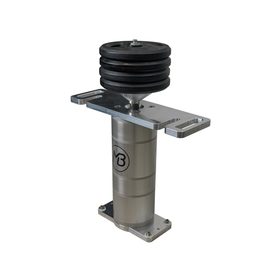

Contributing to the efficiency of ground surveys! Maximum vibration force of 1000N and lightweight design.
- Vibration Testing
- Other analyses
- Other machine elements
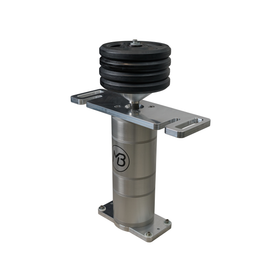
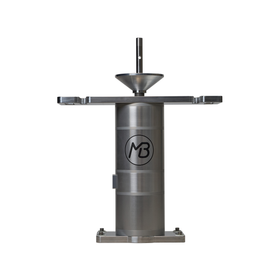
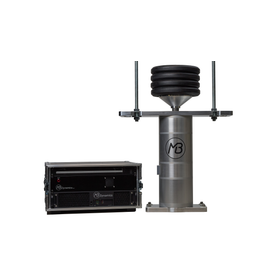
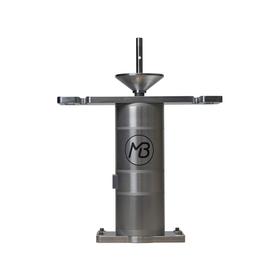
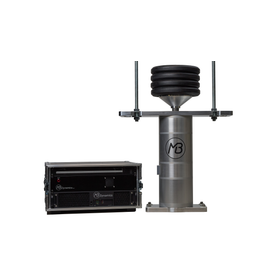
For structural evaluation in the aerospace field. Achieving powerful excitation and weight reduction.
- Vibration Testing
- Other analyses
- Other machine elements
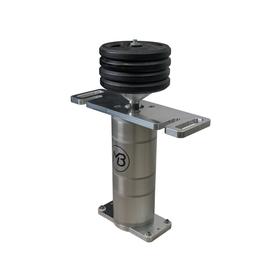
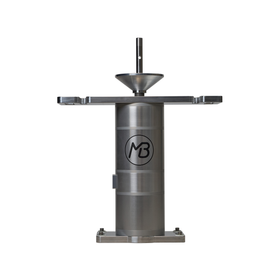
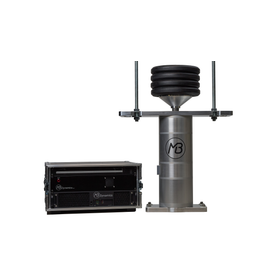
For durability testing of automotive parts! Achieving both powerful vibration and space-saving design.
- Vibration Testing
- Other analyses
- Other machine elements
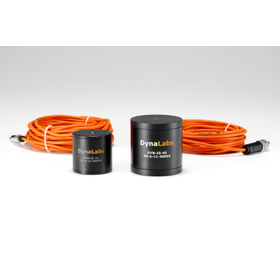
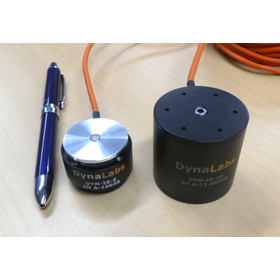
For evaluating the sound quality of audio equipment. A lightweight and compact small vibrator.
- Other analyses
- Other machine elements
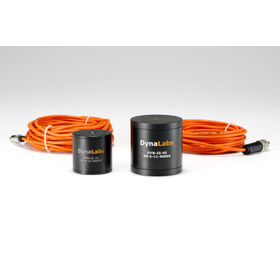
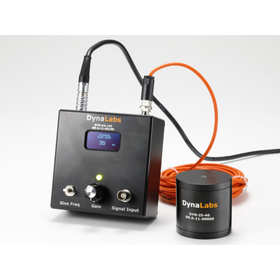
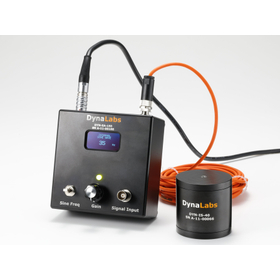
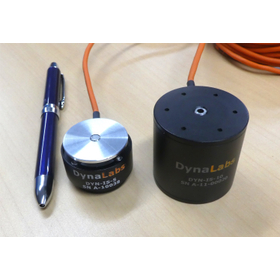
For durability testing of home appliances. Lightweight and compact small vibrator.
- Other analyses
- Other machine elements