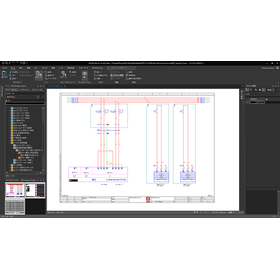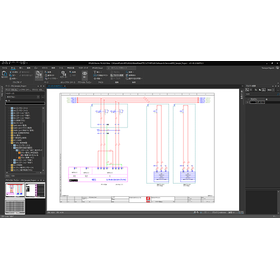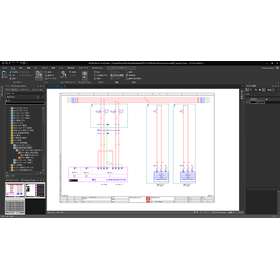
We have compiled a list of manufacturers, distributors, product information, reference prices, and rankings for 電気CAD.
ipros is IPROS GMS IPROS One of the largest technical database sites in Japan that collects information on.

電気CAD(回路) - List of Manufacturers, Suppliers, Companies and Products | IPROS GMS

電気CAD Product List

1~4 item / All 4 items

Displayed results

電気CAD 『ECAD DCXを使ってみた!』10

シンボルエディタを活用!!回路シンボルの作成

※製作協力:北菱電興株式会社  https://www.hokuryodenko.co.jp/ ECAD DCXの基本的な作図のうち、回路シンボルについてご紹介します。 回路図を作図する上で図記号は必須です。あらあじめ電気シンボルを作成・登録しておくことで 作図効率を向上させられる他、作図ミスが無くなります。 0:16~ シンボルエディタを起動 0:40~ シンボル管理情報を入力 1:36~ シンボル図形の作図 2:30~ 文字情報入力

  • 2次元CAD電気
  • 電気CAD

Added to bookmarks

Bookmarks list

Bookmark has been removed

Bookmarks list

You can't add any more bookmarks

By registering as a member, you can increase the number of bookmarks you can save and organize them with labels.

Free membership registration

電気CAD 『ECAD DCXを使ってみた!』1

ECAD DCX 作図手順のご紹介

※製作協力:北菱電興株式会社  https://www.hokuryodenko.co.jp/ ECAD DCXの基本的な悪図機能をご紹介します。 回路図への図記号の配置から部品の割り当て、外形図の作成までの基本的な操作の流れを確認できます。 0:10~ 基本作図(シンボル配置~結線作図) 1:22~ 部品の割り当て 1:49~ リファレンス枠シンボルを配置 2:15~ 外形図を配置

  • 2次元CAD電気
  • その他CAD関連ソフト
  • 電気CAD

Added to bookmarks

Bookmarks list

Bookmark has been removed

Bookmarks list

You can't add any more bookmarks

By registering as a member, you can increase the number of bookmarks you can save and organize them with labels.

Free membership registration

電気CAD 『ECAD DCXを使ってみた!』4

手動も自動もできる!渡り線番とシンボル入力

※製作協力:北菱電興株式会社  https://www.hokuryodenko.co.jp/ ECAD DCXの基本的な作図のうち、渡り線番に関係する機能についてご紹介します。 複数ページに渡る回路図も簡単操作で確実に情報を付加することが可能です。 0:29~ 渡り線番の入力 1:12~ 渡りシンボルの入力(手動) 2:11~ 渡りシンボルの入力(自動) 2:30~ 線番入力(自動)

  • 2次元CAD電気
  • その他CAD関連ソフト
  • 電気CAD

Added to bookmarks

Bookmarks list

Bookmark has been removed

Bookmarks list

You can't add any more bookmarks

By registering as a member, you can increase the number of bookmarks you can save and organize them with labels.

Free membership registration

電気CAD 『ECAD DCXを使ってみた!』13

パターンエディタを活用!作図をより効率的に

※製作協力:北菱電興株式会社  https://www.hokuryodenko.co.jp/ ECAD DCXの基本的な作図のうち、パターンについてご紹介します。 よく使う回路や図形を登録しておくことで作図操作を効率的に行うことができるほか、標準化を促進できます。 0:15~ パターンエディタを起動 1:03~ パターンに登録する図形の作成 1:33~ 図面からのパターン登録 2:42~ 図面にパターンを入力

  • 2次元CAD電気
  • 電気CAD

Added to bookmarks

Bookmarks list

Bookmark has been removed

Bookmarks list

You can't add any more bookmarks

By registering as a member, you can increase the number of bookmarks you can save and organize them with labels.

Free membership registration