CADのメーカーや取扱い企業、製品情報、参考価格、ランキングをまとめています。
イプロスは、 製造業 BtoB における情報を集めた国内最大級の技術データベースサイトです。

CAD(互換ソフト) - メーカー・企業と業務用製品 | イプロスものづくり

更新日: 集計期間:May 27, 2026~Jun 23, 2026
※当サイトの各ページの閲覧回数を元に算出したランキングです。

CADの製品一覧

1~15 件を表示 / 全 15 件

表示件数

Comprehensive cardboard design CAD system

The optimal CAD system for streamlining cardboard design.

It is an advanced CAD system equipped with a variety of cardboard packaging design solutions, achieving cutting-edge functionality and ease of use that is a step ahead.

  • Other FA equipment
  • CAD

ブックマークに追加いたしました

ブックマーク一覧

ブックマークを削除いたしました

ブックマーク一覧

これ以上ブックマークできません

会員登録すると、ブックマークできる件数が増えて、ラベルをつけて整理することもできます

無料会員登録

[User Report] Architectural Design and Drafting CAD DRA-CAD 1

DRA-CAD all the way. The key points are its simple functionality and sense of speed!

The engineers at Nisso Ken Co., Ltd. have been involved in the design of many large projects such as government offices, commercial buildings, and communication facilities. Most of their drawings are created using DRA-CAD. "We have been using DRA-CAD since the Structural Systems Group developed it, and its user-friendliness and suitability for expressing our work have led us to use it for the past 20 years. One of the main reasons DRA-CAD has become so widespread is its 'simple fundamental concept.' There are also opinions that it is pleasant to use because it feels like drawing by hand." "Nowadays, CAD has become more common, and there are increasing cases where it can be shared across different software. In the future, we hope to see how it can be compatible with DWG, Jw_Cad, and others." For more details, please contact us or refer to our catalog.

ブックマークに追加いたしました

ブックマーク一覧

ブックマークを削除いたしました

ブックマーク一覧

これ以上ブックマークできません

会員登録すると、ブックマークできる件数が増えて、ラベルをつけて整理することもできます

無料会員登録

2D CAD for Electrical Equipment Design and Construction in Architecture 'CADCity Electrical'

■Creation of illuminance distribution diagrams is also possible! ■Enhanced compatibility with drawings from other software! ■Integration with E-Calc◎

This is a CAD software for designing and creating construction electrical equipment installation drawings. 【Features】 ■ Capable of creating illuminance distribution diagrams! Through joint development with Panasonic Corporation, it is now possible to create and arrange illuminance distribution diagrams using the latest lighting fixtures. You can create your own illuminance distribution diagrams. If you feel that "it takes a bit of time to ask the manufacturer," please consider this. ■ Integration with E-Calc is also possible! (Optional) You can grasp the appropriate number of lighting fixtures and the size of the main line! This is perfect for those who feel that "it's a hassle to refer to different documents and drawings later after creating the drawings." ⇩ For more information about E-Calc, copy and paste this link ⇩ https://tanaksys.com/ecalcr3.html ■ Actively supports CAD data compatibility! Files created with other CAD software such as JWCAD and AutoCAD are also available! This is ideal for those who want to draw over the drawings received from customers. In the future, we will further support the smooth exchange of information in the electrical equipment industry with CAD as the core, providing features and offerings to enhance our customers' operational efficiency.

  • 2D CAD Electrical
  • CAD

ブックマークに追加いたしました

ブックマーク一覧

ブックマークを削除いたしました

ブックマーク一覧

これ以上ブックマークできません

会員登録すると、ブックマークできる件数が増えて、ラベルをつけて整理することもできます

無料会員登録

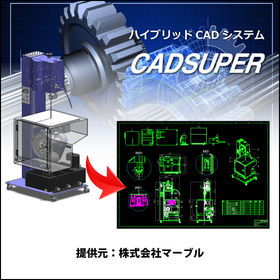
Domestic 2D CAD 'CADSUPER Lite' for mechanical drawings.

Outstanding usability of domestic 2D CAD!

CADSUPER Lite is a 2D CAD software limited to the drafting functions of the higher-end CAD software "CADSUPER FX2" from the CADSUPER series. It features the labor-saving operability and ease of use that the CADSUPER series is known for, a simple and intuitive menu structure, compatibility with the same data format as the higher-end CADSUPER FX2, data interchangeability with DXF/DWG and MICROCADAM, and drawing functions for JIS parts such as screws and bolts, allowing both beginners and experienced engineers to focus on their design work.

  • 2D CAD machine
  • CAD

ブックマークに追加いたしました

ブックマーク一覧

ブックマークを削除いたしました

ブックマーク一覧

これ以上ブックマークできません

会員登録すると、ブックマークできる件数が増えて、ラベルをつけて整理することもできます

無料会員登録

Utilizing rendering features for presentations: 3D CAD "VariCAD"

Utilizing CAD data in presentation materials with rendering features 3DCAD "VariCAD"

Features of 3D CAD VariCAD - It has an extensive rendering function, allowing for settings such as light positioning, smoothness of spheres, surface reflectivity, and perspective. - The rendered 3D view can be output in image file formats such as PNG or JPG. It can be easily incorporated into presentation software, enabling a more realistic conveyance of the product image to customers and business partners through the rendering function. In addition to the rendering function, VariCAD includes various basic tools such as BOM creation, sheet metal unfolding, calculations for mechanical parts, and assembly functions, all at a low price starting from around 130,000 yen including one year of support. Furthermore, for Ipros members who download the catalog, we are currently offering a discount coupon of 5,000 yen. *Download the 30-day free trial version here: https://varicad.add-soft.jp/download/

  • rendering2.png
  • 3D CAD
  • 2D CAD machine
  • CAD

ブックマークに追加いたしました

ブックマーク一覧

ブックマークを削除いたしました

ブックマーク一覧

これ以上ブックマークできません

会員登録すると、ブックマークできる件数が増えて、ラベルをつけて整理することもできます

無料会員登録

Design, Control, and Electrical CAD Software 'CADCity Series'

■A lineup tailored to your needs! ■Excellent compatibility with other CAD data! ■Increased work efficiency guaranteed!

【Contents】 ◆ CAD for electrical equipment design and construction ◆ CAD for electrical and control design ◆ CAD for air conditioning and sanitary piping equipment design and construction ◆ 2D CAD specifically for architecture This is a comprehensive catalog featuring a total of 14 types of products. The CADCity series comes standard with various functions necessary for creating CAD drawings! It enables beautiful drawing creation and improves work efficiency. 【Standard Functions of the CADCity Series】 ■ Binder Manage multiple drawings in one place. No need to "cross pages for each drawing"! ■ CAD Data Compatibility Standard equipped with various data compatibility functions such as "DWG," "DXF," "JWW," and "SXF." You can rest assured even if "the drawing received from the customer was in another file format"! ■ Drawing and Editing Functions You can create drawings with various expressions. It can also be configured for ease of use according to each customer's needs! ■ Output In addition to user-defined colors and extended color settings during output, PDF/TIFF output functions have been added. ■ CSB An interruptible (event-driven) operation system. It is unlikely that "edits are made automatically and cannot be reverted"!

ブックマークに追加いたしました

ブックマーク一覧

ブックマークを削除いたしました

ブックマーク一覧

これ以上ブックマークできません

会員登録すると、ブックマークできる件数が増えて、ラベルをつけて整理することもできます

無料会員登録

Solve the troubles of electrical designers! "Beginner's Webinar on CAD for Electrical Design"

What improvements in design operations can be achieved by introducing CAD for electrical design? We will answer such questions! Here’s an introduction using "ACAD-DENKI" as an example.

We will hold a webinar titled "Introduction to CAD for Electrical Design" to solve the problems faced by electrical designers. Dear electrical designers, "Checking drawings is done on paper. It takes time and is prone to errors..." "The way drawings are created varies by person in charge. There is a lack of consistency, which increases the effort needed for corrections..." "I manually extract parts. Ordering mistakes happen frequently..." Do you have any such challenges or concerns? This webinar will provide clear answers to the question, "What improvements in design operations can be achieved by introducing CAD for electrical design?" [Overview] ■ Date and Time: Please check this page for the next schedule. https://www.alfatech.jp/seminar/acad-denki_webinar.html ■ Method: Online via Zoom ■ Participation Fee: Free (Pre-registration required) ■ Capacity: 20 participants ■ Registration Deadline: Three days before the event date (Please note that registration may close before the deadline if capacity is reached) *For more details, please refer to the related links or feel free to contact us.

ブックマークに追加いたしました

ブックマーク一覧

ブックマークを削除いたしました

ブックマーク一覧

これ以上ブックマークできません

会員登録すると、ブックマークできる件数が増えて、ラベルをつけて整理することもできます

無料会員登録

Smooth data exchange with business partners 3DCAD VariCAD

VariCAD, with its rich features and easy operation, facilitates smooth exchanges of drawings with other departments and business partners.

VariCAD, a 3D CAD software, supports input and output in the intermediate STEP file format, output to image file formats, and input and output of AutoCAD's 2D DWG/DXF. It also allows for easy hiding of solids that you don't want your clients to see and simple output of cross-sectional data. In 2D, data can be output depending on the version of AutoCAD, and layer settings are straightforward. A free viewer is also distributed, allowing clients to check the data. VariCAD is the ideal CAD software for beginners seeking low-cost yet high-functionality 3D CAD. In addition to file compatibility, cross-sectional display, and hiding features, VariCAD includes various basic tools such as batch conversion from 3D to 2D drawings, creation of sheet metal development drawings, and calculation functions for mechanical parts, all at a low price starting from around 130,000 yen including one year of support. Furthermore, we are currently offering a 5,000 yen discount coupon exclusively for Ipros members who download the catalog. ■Download the 30-day free full-feature trial version here↓↓↓ https://varicad.add-soft.jp/download/

  • rendering2.png
  • 2D CAD machine
  • 3D CAD
  • CAD

ブックマークに追加いたしました

ブックマーク一覧

ブックマークを削除いたしました

ブックマーク一覧

これ以上ブックマークできません

会員登録すると、ブックマークできる件数が増えて、ラベルをつけて整理することもできます

無料会員登録

CADSUPER for Automotive and Body Design

Streamline vehicle body design with a domestic hybrid CAD system compatible with 3D data!

In the automotive industry, accuracy and efficiency in body design are essential. The utilization of 3D data, compatibility with other data formats, and flexible responses to design changes are crucial. CADSUPER has been developed as a domestic hybrid 2D CAD system that supports 3D data to meet these needs. With its intuitive operability and customization capabilities that respond to designers' requests, it strongly supports design work. 【Usage Scenarios】 * Creating body drawings * Creating part drawings * Utilizing 3D data * Collaborating with other data formats 【Benefits of Implementation】 * Reduced design time * Decreased design errors * Ensured data compatibility * Flexible customization support

ブックマークに追加いたしました

ブックマーク一覧

ブックマークを削除いたしました

ブックマーク一覧

これ以上ブックマークできません

会員登録すると、ブックマークできる件数が増えて、ラベルをつけて整理することもできます

無料会員登録

Low implementation costs and operational costs for small and medium-sized enterprises with 3D CAD VariCAD.

VariCAD, a 3D CAD software with low implementation costs and running costs for small and medium-sized enterprises.

The 3D CAD software VariCAD has an initial setup cost starting from around 130,000 yen (including tax) with one year of support and upgrades, making it affordable. The running costs from the second year onwards are in the 50,000 yen range, which includes one year of maintenance support and a license for upgrading to the latest version. Additionally, since it is a one-time purchase license, you can continue to use VariCAD even after one year from the purchase. VariCAD comes equipped with various basic tools such as batch conversion from 3D to 2D drawings, creation of sheet metal unfolding diagrams, calculation functions for machine parts, and a library of machine parts, all featuring a user-friendly interface. Furthermore, a viewer software is provided free of charge, allowing customers to directly check CAD data and design images, facilitating smooth meetings with clients. Additionally, a discount coupon of 5,000 yen is currently being offered exclusively to Ipros members who download the catalog. ■ Download the 30-day free full-feature trial version here: https://varicad.add-soft.jp/download/

  • rendering2.png
  • 2D CAD machine
  • 3D CAD
  • CAD

ブックマークに追加いたしました

ブックマーク一覧

ブックマークを削除いたしました

ブックマーク一覧

これ以上ブックマークできません

会員登録すると、ブックマークできる件数が増えて、ラベルをつけて整理することもできます

無料会員登録

3D CAD VariCAD that can create data for 3D printers.

VariCAD makes it easy to create data for 3D printers.

VariCAD, a 3D CAD software, can output data in the .STL format used by 3D printers. By loading the 3D data output from VariCAD into a 3D printer and printing it, you can complete a 3D printed item. VariCAD is the ideal CAD software for beginners looking for low-cost yet high-functionality 3D CAD. In addition to the data output function for 3D printers, VariCAD includes various basic tools such as batch conversion from 3D to 2D drawings, creation of sheet metal development drawings, and calculation functions for mechanical parts, all at a low price starting from around 130,000 yen including one year of support. Furthermore, for Ipros members who download the catalog, we are currently offering a discount coupon of 5,000 yen. ■ Download the 30-day free full-feature trial version here↓↓↓ *You can download it easily without registering customer information. https://varicad.add-soft.jp/download/

  • rendering2.png
  • 2D CAD machine
  • 3D CAD
  • CAD

ブックマークに追加いたしました

ブックマーク一覧

ブックマークを削除いたしました

ブックマーク一覧

これ以上ブックマークできません

会員登録すると、ブックマークできる件数が増えて、ラベルをつけて整理することもできます

無料会員登録

3DCAD VariCAD makes creating and editing assemblies easy.

VariCAD makes creating and editing assemblies easy.

VariCAD, a 3D CAD software, makes it easy to create and edit assemblies. It allows for simple linking of part files and assembly drawing files, enabling easy reflection of edits made in both on the drawing data. This can reduce work time and improve efficiency. VariCAD is the ideal CAD software for beginners looking for a low-cost yet high-functionality 3D CAD solution. In addition to assembly features, VariCAD includes various basic tools such as batch conversion from 3D to 2D drawings, creation of sheet metal unfolding drawings, and calculation functions for mechanical parts, all available at a low price starting from around 130,000 yen including one year of support. Additionally, for Ipros members who download the catalog, we are currently offering a discount coupon of 5,000 yen. ■ Download the 30-day free full-feature trial version here↓↓↓ *You can download it easily without registering customer information. https://varicad.add-soft.jp/download/

  • rendering2.png
  • 2D CAD machine
  • 3D CAD
  • CAD

ブックマークに追加いたしました

ブックマーク一覧

ブックマークを削除いたしました

ブックマーク一覧

これ以上ブックマークできません

会員登録すると、ブックマークできる件数が増えて、ラベルをつけて整理することもできます

無料会員登録

CADSUPER for Shipbuilding

A hybrid CAD system compatible with 3D data that streamlines hull design!

In the shipbuilding industry, hull design requires accurate representation of complex shapes and quick responses to design changes. In particular, the use of 3D data is essential for collaboration with strength calculations and structural analysis. CADSUPER supports 3D data and streamlines the design process with intuitive operations. With data conversion capabilities for other formats and customization options, it provides a flexible design environment tailored to customer needs. 【Usage Scenarios】 - Creation of hull structure drawings - Layout design of outfitting equipment - Interference checks using 3D models 【Benefits of Implementation】 - Reduction in design time - Decrease in design errors - Effective utilization of 3D data

ブックマークに追加いたしました

ブックマーク一覧

ブックマークを削除いたしました

ブックマーク一覧

これ以上ブックマークできません

会員登録すると、ブックマークできる件数が増えて、ラベルをつけて整理することもできます

無料会員登録

CADSUPER for Mold Manufacturing

Create value-added drawings with barcodes for product management! CADSUPER

In the mold manufacturing industry, accuracy in drawings and efficient management are essential. Particularly in the design of molds with complex shapes and dimensions, creating error-free drawings and managing drawing versions are crucial. Mistakes in drawings can lead to a decline in product quality, rework, and increased costs. CADSUPER is a domestic hybrid 2D CAD system that supports 3D data, providing intuitive drawing operations and data conversion functions for accurate drawing creation. Drawing management is also possible with the optional barcode command. 【Usage Scenarios】 - Creation of mold design drawings - Version management of drawings - Integration with other data formats - Response to design changes 【Benefits of Implementation】 - Reduction in drawing creation time - Decrease in design errors - Streamlining of drawing management - Cost reduction

ブックマークに追加いたしました

ブックマーク一覧

ブックマークを削除いたしました

ブックマーク一覧

これ以上ブックマークできません

会員登録すると、ブックマークできる件数が増えて、ラベルをつけて整理することもできます

無料会員登録

[User Report] Architectural Design and Drafting CAD DRA-CAD 4

From planning and design to detailed design, all drawings are created with DRA-CAD!

The staff of the Architectural Design Department at Daiho Construction Co., Ltd. handles a wide range of architectural design, primarily focusing on condominiums, as well as offices and factories. The design drawings created by the 20 engineers are all designed using DRA-CAD. "We introduced it around 1991-1992, when CAD was not yet widespread. At that time, I believe there were very few CAD software options available, but we decided to adopt DRA-CAD from Structural Systems, a leading manufacturer of architectural design drafting software, because we had confidence in it, and we have continued to use it to this day. There have been suggestions to switch to other companies' software several times, but each time, we concluded that we should maintain productivity with the user-friendly DRA-CAD, and we still use it now. Particularly, since DRA-CAD is a domestically produced CAD, I think it matches the drawing sensibilities of Japanese designers." "The drawings produced in-house range from general drawings to detailed drawings, all created using DRA-CAD. While it is mainly used for drafting tasks, I believe it is a CAD with very high expressive power. It is also very useful for creating planning drawings and is greatly utilized in planning and presentations." For more details, please contact us or refer to the catalog.

ブックマークに追加いたしました

ブックマーク一覧

ブックマークを削除いたしました

ブックマーク一覧

これ以上ブックマークできません

会員登録すると、ブックマークできる件数が増えて、ラベルをつけて整理することもできます

無料会員登録