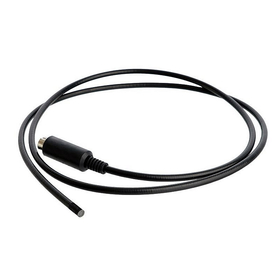
We have compiled a list of manufacturers, distributors, product information, reference prices, and rankings for CAM.
ipros is IPROS GMS IPROS One of the largest technical database sites in Japan that collects information on.

CAM Product List and Ranking from 44 Manufacturers, Suppliers and Companies

Last Updated: Aggregation Period:Jan 14, 2026~Feb 10, 2026
This ranking is based on the number of page views on our site.

CAM Manufacturer, Suppliers and Company Rankings

Last Updated: Aggregation Period:Jan 14, 2026~Feb 10, 2026
This ranking is based on the number of page views on our site.

  1. null/null
  2. ECAD Solutions Co., Ltd. Saitama//CAD/CAM
  3. システムクリエイト Osaka//Industrial Machinery
  4. 4 ソリッドキャムジャパン Tokyo//software
  5. 5 アルビテクノロジー 本社テクニカルセンター Gunma//CAD/CAM

CAM Product ranking

Last Updated: Aggregation Period:Jan 14, 2026~Feb 10, 2026
This ranking is based on the number of page views on our site.

  1. CAM Assist for Mastercam
  2. Board Manufacturing Support System "WIRE CAM DX" ECAD Solutions Co., Ltd.
  3. I tried converting the Mazatrol dialogue data into G-code! システムクリエイト
  4. 4 Particle shape evaluation and particle size distribution measurement device CAMSIZER X2
  5. 4 AI搭載ツール CAM Assist for Mastercam

CAM Product List

1~30 item / All 89 items

Displayed results

NAZCA5 CAM Mill for 2D CAM Machining

2D and 2.5D machining/milling CAM software that can create hole processing, flat processing, and complex three-dimensional shapes, along with various functions to increase work speed.

You can use all the features of hole processing, 2D, 2.5D, projection calculation, and processing instruction documents. ■ CAM Hole Processing Function - Excels in processing with a large number and variety of holes! The more you use it, the more convenient it becomes! - Hole information can be registered from CSV or existing patterns even without drawings! ■ CAM 2D Function - Enhances efficiency in 2D processing with a variety of operations! - Includes pocket processing, contour processing, text processing, chamfering, etc. - A rich variety of processing patterns is available! ■ CAM 2.5D Function - Easily create three-dimensional shapes based on 2D drawings! - Includes contour processing, kamaboko processing, rotational body processing, etc. - Equipped with convenient features such as the ability to add R/C without drawing in CAD! ■ CAM Projection Calculation Function - Deform shapes created with the 2.5D function to create complex shapes! - Includes projection escape, rotational transformation, cross-section projection, rotational surface projection, etc. ■ Processing Instruction Document - Outputs processing conditions and processing paths created in CAM in Excel format. *NAZCA5 CAM Mill is the successor product to Nazca Pro 2D/2.5D/hole processing. <Trial> We offer a trial version that allows you to try all the features of the full product as many times as you like within the usage period! Please feel free to contact us.

  • 2D CAM
  • CAM

Added to bookmarks

Bookmarks list

Bookmark has been removed

Bookmarks list

You can't add any more bookmarks

By registering as a member, you can increase the number of bookmarks you can save and organize them with labels.

Free membership registration

4 Tips for Choosing CAM to Avoid Failure

An explanation from four points: functionality, scalability, UI/usability, and support! Tips for selecting a CAM system that suits your company.

This document explains four points to consider when selecting a CAM system that fits your company's manufacturing process. From the perspectives of "function," "expandability," "UI/usability," and "support," it includes specific comparison points such as standard features, the customizability of databases, the clarity of screens, and the robustness of support systems. This book serves as a helpful resource for comparing products from multiple angles to avoid failures in CAM implementation, so please make use of it. [Contents] ■ Four Ways to Choose CAM ■ CAM Selection Checklist ■ Summary ■ What is GO2cam ■ About Seiro Japan *For more details, please download the PDF or feel free to contact us.

  • 2D CAM
  • 3D CAM
  • Other CAM related software
  • CAM

Added to bookmarks

Bookmarks list

Bookmark has been removed

Bookmarks list

You can't add any more bookmarks

By registering as a member, you can increase the number of bookmarks you can save and organize them with labels.

Free membership registration

φ2.9mm ultra-thin diameter worker M1129NL29S-1M-CAM120KS

φ2.9mm ultra-thin industrial endoscope camera / Model number M1129NL29S-1M-CAM120KS

This is a 2.9mm ultra-thin industrial endoscope that embodies (Simple, Precision, Innovation). It can be used for inspection applications in ultra-thin holes and inside pipes that cannot be seen with other endoscopes. (Note: Please avoid sharp bends of R30mm or less. The endoscope may not be insertable if the interior of the workpiece has right-angle bends or if the surface has irregularities.)

  • Microscope
  • CAM

Added to bookmarks

Bookmarks list

Bookmark has been removed

Bookmarks list

You can't add any more bookmarks

By registering as a member, you can increase the number of bookmarks you can save and organize them with labels.

Free membership registration

φ2.9mm ultra-thin industrial endoscope M1129NL29-CAM-35NS

φ2.9mm Ultra-thin Industrial Endoscope / Model Number M1129NL29-CAM-35NS

This is a 2.9mm ultra-thin industrial endoscope that embodies the product development concept of simplicity, precision, and innovation. It can be used for inspection purposes in ultra-fine holes and inside pipes that cannot be seen with other endoscopes.

  • Other microscopes
  • CAM

Added to bookmarks

Bookmarks list

Bookmark has been removed

Bookmarks list

You can't add any more bookmarks

By registering as a member, you can increase the number of bookmarks you can save and organize them with labels.

Free membership registration

4mm diameter industrial endoscope / M1129DV-40CAMS120TS

Side-view camera with a diameter of 4mm.

Since the camera is positioned sideways, you can see directly to the side in relation to the insertion direction.

  • Industrial Endoscope
  • CAM

Added to bookmarks

Bookmarks list

Bookmark has been removed

Bookmarks list

You can't add any more bookmarks

By registering as a member, you can increase the number of bookmarks you can save and organize them with labels.

Free membership registration

φ5.0 Industrial Endoscope Camera M1129NL-5.0CAM120KTS

φ5.0 Industrial Endoscope Camera (with camera tip protective protector) / Model number M1129NL-5.0CAM120KTS

The features of the M1129NL-5.0CAM120KTS include a protector at the tip of the camera. The protector can be attached and detached using M3 screws. It can be replaced if the metal tip wears down and gets damaged. It is recommended for cases where the end is likely to wear down due to frequent use of the endoscope.

  • Other microscopes
  • CAM

Added to bookmarks

Bookmarks list

Bookmark has been removed

Bookmarks list

You can't add any more bookmarks

By registering as a member, you can increase the number of bookmarks you can save and organize them with labels.

Free membership registration

Industrial endoscope camera M1129NL-46CAM90NTS with a small diameter of φ4.6.

Industrial endoscope camera with a diameter of φ4.6 / Model number M1129NL-46CAM90NTS

The M1129NL-46CAM90*** series of general-purpose industrial endoscopes is an industrial endoscope that boasts the same thinness and functionality as traditional fiber scopes, making it ideal for observing narrow spaces. You can choose between two types of focus: near and far. This endoscope does not use any fibers known as imaging bundles, which distinguishes it from fiber scopes. Instead, it features a structure that incorporates a super-small camera using an imaging sensor at the tip of the endoscope, which is structurally identical to industrial endoscopes commonly referred to as video scopes or video endoscopes. There are also medical endoscopes and gastroscopes with the same structure.

  • Microscope
  • CAM

Added to bookmarks

Bookmarks list

Bookmark has been removed

Bookmarks list

You can't add any more bookmarks

By registering as a member, you can increase the number of bookmarks you can save and organize them with labels.

Free membership registration

Endoscope camera M1129RU-7CAM120SQS for φ9.0 gas pipes

Endoscope camera for φ9.0 gas pipes (with camera tip protection protector) / Model number M1129RU-7CAM120SQS

The M1129RU-7CAM120SQS is a narrow-diameter endoscope developed for the purpose of easily inspecting nail penetration into gas pipes (indoor pipes). Due to its structure that employs a super small camera, there is no degradation in image quality compared to fiber scopes, and the honeycomb pattern characteristic of fibers does not appear on the screen. You can choose between two methods to view the endoscope images: using a dedicated 5.6-inch monitor or through an interface on your own PC. When a defect is discovered, it is also possible to capture an image of that location (in JPEG format).

  • Microscope
  • CAM

Added to bookmarks

Bookmarks list

Bookmark has been removed

Bookmarks list

You can't add any more bookmarks

By registering as a member, you can increase the number of bookmarks you can save and organize them with labels.

Free membership registration

CAM system 'ESPRIT' compatible with multi-tasking machines and 5-axis machining centers.

NC program creation support software compatible with multi-axis machining and composite lathes.

"ESPRIT" is a software that assists in creating NC programs for machining, lathes, and wire cutting. It is a mid-range CAM system capable of supporting multi-axis machining and complex lathes. "ESPRIT" can create NC programs for various machining processes, including 2.5-axis milling, 4/5-axis indexing tables, 3-axis freeform machining, lathes, multi-tasking machines, 5-axis machining centers, and wire cutting. It also comes standard with a post-processor that can control any machine tool, significantly reducing NC program creation time. 【Basic Features】 - Windows-compatible interface - Hybrid 3D CAM engine - Extended solid modeling (optional feature) - CAD 2D/3D modeling capabilities - CAD data conversion - High-end 3D CAD direct translator (optional feature) - Support for design changes and similar parts - Ability to perform solid simulation and verification *For more details, please refer to the materials available for download in PDF format or feel free to contact us.

  • Other CAM related software
  • CAM

Added to bookmarks

Bookmarks list

Bookmark has been removed

Bookmarks list

You can't add any more bookmarks

By registering as a member, you can increase the number of bookmarks you can save and organize them with labels.

Free membership registration

Low-cost 3D CAM system 'AceCAM'

A 3D CAM system that combines cost performance and high precision.

Based on the Parasolid, it adopts the same calculation system as the upper system "E's," enabling high-precision processing. The operability is made easy to understand with abundant illustrations in the manual and online help. It is designed to be user-friendly for beginners. A paid support contract is also available separately, so there is no need to worry about support after purchase.

  • Other CAM related software
  • CAM

Added to bookmarks

Bookmarks list

Bookmark has been removed

Bookmarks list

You can't add any more bookmarks

By registering as a member, you can increase the number of bookmarks you can save and organize them with labels.

Free membership registration

Low-cost CAM "VisualMill"

VisualMill is an affordable CAM software that supports 2D, 3D, as well as 4-axis and 5-axis machining.

A CAM software that offers excellent cost performance while catering to a wide range of needs, including molds, parts, jigs, wooden patterns, woodworking parts, and prototype parts. VisualMill can also be added to Rhinoceros and SolidWorks. You can choose from a minimum configuration for CAM to a configuration that supports 5-axis machining, depending on your needs. Please feel free to consult with us first.

  • Other CAM related software
  • 3D CAM
  • 2D CAM
  • CAM

Added to bookmarks

Bookmarks list

Bookmark has been removed

Bookmarks list

You can't add any more bookmarks

By registering as a member, you can increase the number of bookmarks you can save and organize them with labels.

Free membership registration

I tried converting the Mazatrol dialogue data into G-code!

I tried converting the dialogue data of Mazatrol into G-code!

【Mita Repo】I tried converting Mazatrol dialogue data to G-code! "Mita Repo" is a series based on the concept of "I tried doing this!" where we introduce various products and what can be done with them. Each time, we deliver a bit of useful information from the wide range of product categories handled by System Create. The theme of Vol. 9 is "I tried converting Mazatrol dialogue data to G-code." MazaCAM is a CAM system that can convert the dialogue programs characteristic of Mazatrol for both old and new Mazatrol machines, allowing for compatibility. In fact, it can also be converted to G-code. So, we actually tried the conversion. In the materials, we checked how the dialogue programs created with Mazatrol are converted into G-code data. "Isn't it a CAM specifically for Mazak?" "How does the dialogue program change into G-code?" We will explain these points of interest along with actual images and comments from our technical staff! *You can download the materials from the button below.

  • Milling machine
  • lathe
  • Other CAM related software
  • CAM

Added to bookmarks

Bookmarks list

Bookmark has been removed

Bookmarks list

You can't add any more bookmarks

By registering as a member, you can increase the number of bookmarks you can save and organize them with labels.

Free membership registration

BobCAD-CAM has a wide range of processing capabilities that exceed the price of 【Malsugo】.

Explaining the greatness of "BobCAD-CAM," which has a wide range of processing functions that exceed the price of Marsgo, by module!

Marsugo is a document that picks up the functions and features of various products and introduces the "amazing" aspects. The three-dimensional CAD/CAM system "BobCAD-CAM" offers comprehensive features at an overwhelmingly low price. This time, we will introduce the various functions that can be achieved with BobCAD-CAM, along with each module and its capabilities. In short, it is a low-cost three-dimensional CAD/CAM system, but many users are surprised and ask, "Is that price really correct?!" because it has many impressive features that exceed its price. Just because it is low-priced does not mean it has fewer functions. It supports a wide range of machining processes, from 2-axis to simultaneous 5-axis machining, turning, combined lathes, and wire processing. We believe you will feel the potential of BobCAD-CAM, which can perform ordinary machining as a matter of course and even beyond that, so please take a moment to read through it. *You can download the document from the button above.

  • 3D CAM
  • Other CAM related software
  • 3D CAD
  • CAM

Added to bookmarks

Bookmarks list

Bookmark has been removed

Bookmarks list

You can't add any more bookmarks

By registering as a member, you can increase the number of bookmarks you can save and organize them with labels.

Free membership registration

Fully integrated CAM in SOLIDWORKS - CAMWorks

The optimal CAM system for realizing automation and efficiency! Total support from 2-axis machining to 5-axis machining, lathes, and wire.

Automatic feature recognition and automation and efficiency through the database! In addition to 2D pockets, drilling, simultaneous 5-axis machining, and lathe processing, it also supports 4 and 5-axis machining centers, wire cutting, and composite lathes. It automatically recognizes and distinguishes various shape characteristics on 3D solid models, extracting common machining characteristics (pockets, bosses, holes, islands) and lathe processing characteristics (front, outer diameter, inner diameter) found within the solid model. 【Features】 ■ 2D processing is possible from 3D data ■ Automatic feature recognition is possible through database construction ■ Supports wire cutting (core-less processing) and composite lathes *For more details, please contact us or download the catalog.

  • 2D CAM
  • 3D CAM
  • Other CAM related software
  • CAM

Added to bookmarks

Bookmarks list

Bookmark has been removed

Bookmarks list

You can't add any more bookmarks

By registering as a member, you can increase the number of bookmarks you can save and organize them with labels.

Free membership registration

SOLIDWORKS 2019 CAM Datasheet

Currently presenting the latest data sheet!! "SOLIDWORKS 2019 CAM Data Sheet"

SOLIDWORKS CAM is a 2.5-axis milling and turning solution that operates with CAMWorks. SOLIDWORKS CAM supports all workflows for configuration, part, and assembly machining, along with 3+2 machining. The foundation of SOLIDWORKS CAM is rule-based machining. This means you can specify which standard machining methods are important to the system. These rules can then be automatically applied based on the type of material and the geometry of features. By utilizing the SOLIDWORKS parts and assembly interface, you can quickly and easily learn SOLIDWORKS CAM in a short period of time, minimizing tedious tasks while leveraging rule-based machining methods. *For more details, please refer to the materials. Feel free to contact us with any inquiries. \Free SOLIDWORKS trial seminar ongoing!/ ▼Please apply using the link below▼

  • 3D CAD
  • 2D CAD machine
  • Other CAD related software
  • CAM

Added to bookmarks

Bookmarks list

Bookmark has been removed

Bookmarks list

You can't add any more bookmarks

By registering as a member, you can increase the number of bookmarks you can save and organize them with labels.

Free membership registration

CAM for Solid Design Prog-Lesys

CAM for Solid Design Prog-Lesys

Automatically create NC data by expressing complex machining processes and know-how in diagrams! A CAM for NC program production that achieves standardization of processes without machining errors. 【Features】 ○ Directly reads Solid Data and automatically creates machining paths. ○ Diagram function enables reduction of program creation time. ○ Automatically determines shape recognition, tool selection, machining methods, and processes, eliminating human error. ○ Capable of creating programs that incorporate the knowledge and know-how of skilled technicians. ○ Easy to create even for beginners. ○ Fully customizable for individual users. ● For other features and details, please download the catalog.

  • Other CAM related software
  • 3D CAM
  • CAM

Added to bookmarks

Bookmarks list

Bookmark has been removed

Bookmarks list

You can't add any more bookmarks

By registering as a member, you can increase the number of bookmarks you can save and organize them with labels.

Free membership registration

High-speed calculation 3D CAM system DEPO CAM

High-speed calculation 3D CAM system DEPO CAM

Generate the ideal machining path! Achieve reduced tool load and shortened cutting time with a high-speed machining compatible, high-speed calculation 3D CAM system. 【Features】 ○ Fully compatible with high-speed, high-feed machining ○ Significant reduction in program creation time ○ Significant reduction in cutting time  An ideal path that maximizes the machine's capabilities to 100%  An ideal path that minimizes air cuts to the extreme ○ Significant reduction in consumable tool costs  A refined path that is gentle on tools and machines ○ Macro function reduces time during actual operation  Register processes created once and apply to other shapes ○ Immediately effective after implementation  Excellent operability. Can be operational after just one day of training ● For other features and details, please download the catalog.

  • Other CAM related software
  • 3D CAM
  • CAM

Added to bookmarks

Bookmarks list

Bookmark has been removed

Bookmarks list

You can't add any more bookmarks

By registering as a member, you can increase the number of bookmarks you can save and organize them with labels.

Free membership registration

Fully Automatic Hole and Pocket Machining CAM System【Prog-Lesys】

Fully Automatic Hole and Pocket Machining CAM System [Prog-Lesys]

◆Solid Data Import Formats◆ Solid Works Direct Interface Inventor Direct Interface CATIA V5 Direct Interface Solid Edge Direct Interface Pro ENGINEER Direct Interface Para Solid・ACIS Interface ◆Automatic Hole Feature Recognition◆ Automatically detects hole features from the imported solid shape. NC data is automatically generated from the detected hole features using the diagram function. ◆Diagram Function◆ The diagram function is a feature that succinctly represents the "complex processing steps and processing know-how" that customers actually perform in various hole machining processes in a diagrammatic form. By using the diagrammatic representation of the diagram function, NC data can be automatically generated without causing processing errors, allowing for standardization of the process. Additionally, the time required to create NC data can be significantly reduced.

  • Other CAM related software
  • 3D CAM
  • CAM

Added to bookmarks

Bookmarks list

Bookmark has been removed

Bookmarks list

You can't add any more bookmarks

By registering as a member, you can increase the number of bookmarks you can save and organize them with labels.

Free membership registration

CAM "hyperMILL" equipped with NC code simulation

CAD/CAM software 'hyperMILL' NC code-based simulation feature

The module product of the CAD/CAM software 'hyperMILL', called 'hyperMILL VIRTUAL Machining', performs safe NC code generation, optimization, and even NC code-based simulation. By using 'hyperMILL' and 'hyperMILL VIRTUAL Machining', it is possible to bridge the gap between CAM and the real machining environment, further elevating the level of process management and optimization. Additionally, by adding features such as 'Optimaizer', 'CONNECTED Machining', and 'BEST FIT', even more advanced processing becomes possible. 【Features】 ■ Generates safe NC code based on innovative CAD/CAM development experience ■ Ensures safety and consistency with NC code-based simulation ■ Optimizes tool avoidance actions that frequently occur in multi-axis machining ■ Users can centrally manage all processes with a single software *For more details, please refer to the PDF document or feel free to contact us.

Added to bookmarks

Bookmarks list

Bookmark has been removed

Bookmarks list

You can't add any more bookmarks

By registering as a member, you can increase the number of bookmarks you can save and organize them with labels.

Free membership registration

[Example] Instantly expand 3D models all at once! Improved operability with customization!

Instantly deploy three-dimensional models in bulk! Demonstrating excellent operability with customization tailored to the unique production needs of companies! Example of a company that manufactures currency processing machines *Case study provided.

The software implementation case study collection "iFACTORY vol.01" features interviews with companies that are actually using the 3D sheet metal CADCAM "ROZA (RADAN)"! It includes full-color articles from 12 companies. 【Implementation Case】 ■Company Name: Glory Products Co., Ltd. ■Business Description: Manufacturing of currency processing machines, information processing machines, vending machines, card systems, and service equipment. ■Implemented Software: - 3D sheet metal CADCAM system "ROZA (RADAN)" ■Reason for Implementation 1: Proven operational results within the group companies. Reason for Implementation 2: Customization capabilities to accommodate unique production needs of each company. Reason for Implementation 3: Ability to utilize 3D models. *If you would like a case study collection using the CADCAM system "ROZA (RADAN)", please feel free to download it or contact us.

  • Production Management System
  • 3D CAD
  • 3D CAM
  • CAM

Added to bookmarks

Bookmarks list

Bookmark has been removed

Bookmarks list

You can't add any more bookmarks

By registering as a member, you can increase the number of bookmarks you can save and organize them with labels.

Free membership registration

Embedded CAM SolidCAM [Integrated CAM Engine]

【Free trial available!】A CAM engine fully integrated with Solid CAM. Uniting design and machining with powerful features and ease of use!

Solid CAM provides machining capabilities integrated with SolidWorks, enabling efficient and profitable CNC programming. 【Features】 ● Selection of machining operators ● Complete integration and associativity ● Latest CAM software technology ● Display and machining of leftover material throughout the entire machining process 【SolidCAM is a complete set of machining functionalities that works with SolidWorks】 ○ 2.5D milling ○ 3D milling ○ Turning/driven tools ○ 2/4 axis wire electrical discharge machining ○ 3+2 axis multi-surface machining ○ Simultaneous 5-axis milling * A free trial version is available at the link below. * For other features and details, please refer to the PDF.

Added to bookmarks

Bookmarks list

Bookmark has been removed

Bookmarks list

You can't add any more bookmarks

By registering as a member, you can increase the number of bookmarks you can save and organize them with labels.

Free membership registration

3D CAM for Streamlining Manufacturing Operations 'ZW3D 3X Machining'

CAD and CAM are fully integrated! It is possible to create machining paths for 2-axis lathes, holes, 2-axis, and 3-axis cutting.

"ZW3D 3X Machining" is a product designed for those who only want to utilize CAD and CAM functionalities. It fully integrates CAD features such as modeling, healing, and drawing, including direct translator functionality, along with CAM capabilities like creating machining paths for 2-axis lathes, holes, and 2-axis and 3-axis milling, allowing you to maximize its characteristics. 【Features】 ■ Stylish UI and easy-to-understand workflow ■ Powerful data conversion and enhanced collaborative design ■ Hybrid modeling that boosts productivity and comfortable design ■ Efficient sketching and drafting, accurate 2D documentation ■ Powerful healing capabilities *For more details, please refer to the PDF materials or feel free to contact us.

  • Other CAM related software
  • 3D CAD
  • 3D CAM
  • CAM

Added to bookmarks

Bookmarks list

Bookmark has been removed

Bookmarks list

You can't add any more bookmarks

By registering as a member, you can increase the number of bookmarks you can save and organize them with labels.

Free membership registration

3D CAM 'ZW3D 3X Machining' for Streamlining Manufacturing Operations

Powerful healing features! Efficient sketching and drafting, accurate 2D documentation.

"ZW3D 3X Machining" offers CAD functionality along with 3-axis machining, 2-axis machining, core and cavity parts machining using 3-axis QuickMillTM. QuickMillTM technology provides optimized machining methods for users, including automatic identification of part features and optimization of feed rates. 【Features】 ■ Stylish UI and easy-to-understand workflow ■ Powerful data conversion and enhanced collaborative design ■ Hybrid modeling that boosts productivity and comfortable design ■ Efficient sketching and drafting, accurate 2D documentation ■ Powerful healing capabilities *For more details, please refer to the PDF document or feel free to contact us.

  • Other CAD related software
  • 3D CAM
  • 2D CAD machine
  • CAM

Added to bookmarks

Bookmarks list

Bookmark has been removed

Bookmarks list

You can't add any more bookmarks

By registering as a member, you can increase the number of bookmarks you can save and organize them with labels.

Free membership registration

Industrial Instant Endoscope HNL-3.6CAM

Industrial Instant Endoscope HNL-3.6CAM

Endoscope diameter 3.6mm! An instant endoscope using an imaging sensor 【Features】 ○ Color CMOS imaging sensor, 80,000 pixels ○ Dedicated aspheric plastic lens for endoscopes ○ Built-in two white LEDs ○ Compatible with the HNL-4.6 series ○ Effective length of the endoscope is 1m (can support up to 100m) ● For other functions and details, please download the catalog.

  • Industrial Endoscope
  • CAM

Added to bookmarks

Bookmarks list

Bookmark has been removed

Bookmarks list

You can't add any more bookmarks

By registering as a member, you can increase the number of bookmarks you can save and organize them with labels.

Free membership registration

Lathe CADCAM 'G-Skill'

By simply entering various conditions into the dialog based on the type of processing, it is easy to create processing data!

"G-Skill" is a lathe-specific CADCAM software that allows you to switch between the simple drawing and processing data creation screens with a single pick, making it easy and hassle-free. The CAD section enables the creation of general simple drawings and the reading and editing of CAD data (DXF), while the CAM section supports rough cutting of contour lines from round materials, rough cutting of forged products, and various finishing processes. It also supports various lathe operations such as grooving, threading, drilling, and end face processing. [Features] - CAD section: Emphasizes the standardization of operability with the TURNCAM side - CAM section: Supports 18 types of processing operations - Simply input various conditions into the dialog based on the type of processing - Easily create processing data *For more details, please refer to the PDF materials or feel free to contact us.

  • Other CAD related software
  • Other CAM related software
  • CAM

Added to bookmarks

Bookmarks list

Bookmark has been removed

Bookmarks list

You can't add any more bookmarks

By registering as a member, you can increase the number of bookmarks you can save and organize them with labels.

Free membership registration

Sony Pregius-equipped low pixel Camera Link series

This is a compact camera with a 29mm square size that adopts VGA and SXGA resolution with Camera Link.

The CIS Camera Link camera series has introduced new cameras with VGA and SXGA resolutions. Despite its compact size of 29mm square, the VCC-VCL5M can achieve high-speed image transfer at 578fps (3tap at VGA), while the VCC-SXCL5M can reach 136fps (3tap). Additionally, it features global trigger shutter operation, the ability to select the target screen area with ROI functionality, defect pixel correction, shading correction, one-push white balance, PoCL automatic switching, 1/2/3tap switching, 8bit/10bit/12bit output, cursor display, horizontal and vertical inversion, and pixel frequency switching (74.25MHz/64.969MHz/37.125MHz). These diverse features make it suitable for applications such as board inspection, AOI, PTP inspection, FPD inspection, inspection of tiny components, food and pharmaceutical inspection, dimensional inspection, foreign matter and appearance inspection, robot vision, and drone-mounted applications.

  • Color camera
  • CAM

Added to bookmarks

Bookmarks list

Bookmark has been removed

Bookmarks list

You can't add any more bookmarks

By registering as a member, you can increase the number of bookmarks you can save and organize them with labels.

Free membership registration

Choosing a CAM that won't fail! The differences between hyperMILL and other 5-axis CAMs.

Easy even for beginners! The smoothing function minimizes backlash with smooth operation!

This document is intended for those who are about to start 5-axis machining, those who are currently using other CAM software for 5-axis machining, and customers considering 5-axis compatible CAM software. "What makes the 5-axis functionality of 'hyperMILL' different from other CAM software?" "Why does it boast high evaluations and achievements worldwide?" We will introduce the benefits of using it. We hope this will be helpful in your consideration of the software. [Contents] ■ Simultaneous 5-axis functionality that can be learned in 10 minutes ■ hyperMILL's unique automatic mode ■ Automatic elimination of unnecessary axis movements ■ Smooth simultaneous 5-axis machining ■ Machine simulation based on NC *For more details, please refer to the PDF document or feel free to contact us.

Added to bookmarks

Bookmarks list

Bookmark has been removed

Bookmarks list

You can't add any more bookmarks

By registering as a member, you can increase the number of bookmarks you can save and organize them with labels.

Free membership registration