We have compiled a list of manufacturers, distributors, product information, reference prices, and rankings for Printer.
ipros is IPROS GMS IPROS One of the largest technical database sites in Japan that collects information on.

Printer Product List and Ranking from 644 Manufacturers, Suppliers and Companies

Last Updated: Aggregation Period:Dec 17, 2025~Jan 13, 2026
This ranking is based on the number of page views on our site.

Printer Manufacturer, Suppliers and Company Rankings

Last Updated: Aggregation Period:Dec 17, 2025~Jan 13, 2026
This ranking is based on the number of page views on our site.

  1. null/null
  2. 沖電気工業 産業営業本部 産業営業統括室 Tokyo//Information and Communications
  3. システムクリエイト Osaka//Industrial Machinery
  4. 4 null/null
  5. 5 ミマキエンジニアリング Nagano//Industrial Electrical Equipment

Printer Product ranking

Last Updated: Aggregation Period:Dec 17, 2025~Jan 13, 2026
This ranking is based on the number of page views on our site.

  1. Cost reduction with invoice printers!? Costs resonate in logistics and manufacturing sites. 沖電気工業 産業営業本部 産業営業統括室
  2. 3D Printer for Manufacturing Sites 'GX-1000 Series'
  3. Industrial Inkjet Printer MK-G Series
  4. 4 SLA (3D Printing / Stereolithography) 南デザイン
  5. 4 Continuous Paper High-Speed LED Printer PP Series

Printer Product List

2806~2820 item / All 2884 items

Displayed results

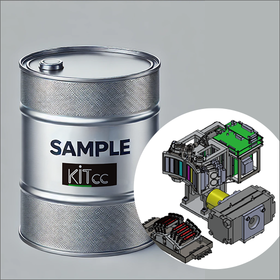
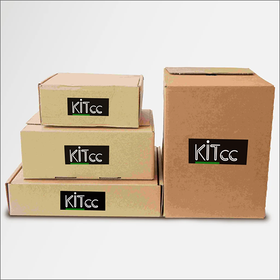
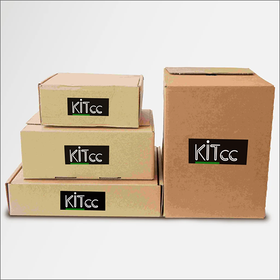
Inkjet printer for food and beverages for the seafood industry

Supports printing on food and circular materials. Contributes to freshness management.

In the seafood industry, freshness management is extremely important, and it is essential to accurately display information such as dates and lot numbers to maintain product quality. Particularly, since seafood deteriorates quickly, accurate information display is crucial for gaining consumer trust. Inkjet printers, using edible ink, enable direct printing on food, thereby improving product traceability and strengthening quality management by printing the necessary information for freshness management. 【Usage Scenarios】 - Printing dates on seafood packaging - Printing lot numbers on seafood - Compliance with food labeling 【Benefits of Implementation】 - Strengthened freshness management - Improved traceability - Enhanced accuracy of food labeling

  • s1.png
  • s2.png
  • Inkjet printer

Added to bookmarks

Bookmarks list

Bookmark has been removed

Bookmarks list

You can't add any more bookmarks

By registering as a member, you can increase the number of bookmarks you can save and organize them with labels.

Free membership registration

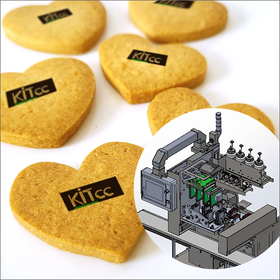
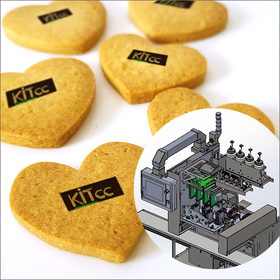
Food printing printer for dining out

Printing on food and circular materials. Supporting the improvement of menu quality.

In the food service industry, there is a demand for menu diversification and high-quality visual representation. Particularly, as food safety is emphasized, direct printing on food is important for enhancing the appeal and reliability of menus. Our food printing printer uses edible ink to achieve direct printing on food, contributing to the improvement of menu quality. 【Usage Scenarios】 - Printing photos or illustrations on menus - Printing logos or messages on event foods - Printing on round materials 【Benefits of Implementation】 - Enhancing the visual appeal of menus - Increasing the added value of food - Differentiation at events

  • s1.png
  • s2.png
  • Inkjet printer

Added to bookmarks

Bookmarks list

Bookmark has been removed

Bookmarks list

You can't add any more bookmarks

By registering as a member, you can increase the number of bookmarks you can save and organize them with labels.

Free membership registration

Improvement of mold life: LASERTEC 65 DED hybrid

Shorten lead time! Solve concerns such as "worry about damage to the base material due to excessive welding!"

Have you ever thought that wear after welding corrections occurs quickly? It is said to be caused by thermal fatigue and thermal cracks. The "LASERTEC 65 DED hybrid" is a metal 3D printer that contributes to increased productivity by extending maintenance cycles. With five process monitoring systems, it thoroughly manages the manufacturing process to achieve stable quality. The processes of "removal processing" → "laser welding" → "machining finish" can be performed with one chucking on a single machine, enabling complete automation without the need for setup changes. 【Features】 ■ Extended maintenance cycles contribute to increased productivity ■ Thorough management of the manufacturing process ensures stable quality ■ Just set it up and start ■ Fully automated 24 hours *For more details, please refer to the related links or feel free to contact us.

  • 3D Printer

Added to bookmarks

Bookmarks list

Bookmark has been removed

Bookmarks list

You can't add any more bookmarks

By registering as a member, you can increase the number of bookmarks you can save and organize them with labels.

Free membership registration

[Data] Thorough Review of "FUNMAT PRO410"

How powerful is the industrial 2-head model? Introducing the review of 'FUNMAT PRO410'.

In this document, we introduce a review of the "PEEK compatible" dual-head model 'FUNMAT PRO 410'. The review includes specifications of the "FUNMAT PRO410" and the materials it supports, covering everything from pre-print preparation to the experience of using the dual heads. With a user-friendly interface operated via a touch panel, the slicer can be finely adjusted, allowing for savings on expensive support materials. [Contents (excerpt)] ■ About INTAMSYS ■ Specifications of FUNMAT PRO410 ■ Supported materials (1) General-purpose plastics and engineering plastics (2) Super engineering plastics (3) Support filaments *For more details, please refer to the PDF document or feel free to contact us.

Added to bookmarks

Bookmarks list

Bookmark has been removed

Bookmarks list

You can't add any more bookmarks

By registering as a member, you can increase the number of bookmarks you can save and organize them with labels.

Free membership registration

3D Printer 'FUNMAT PRO610' *Video Available

We were introduced on YouTube! PEEK compatible and capable of small lot production【Exhibiting at the Next Generation 3D Printer Exhibition】

We are introducing a 3D printer on YouTube this time. Please take a look at the video at the bottom of the page! The "FUNMAT Series" is a 3D printer that enables stable printing of super engineering plastics thanks to its internal temperature heating function. It can stably print large engineering plastics such as ABS, PC, nylon, PEEK, ULTEM, and PPSU, which have been difficult to print due to thermal shrinkage and distortion. 【Features】 - High-temperature nozzle with a maximum temperature of 500℃ - Chamber heater that maintains an internal temperature of 300℃ - Dual heads allow for easy removal of support materials - Water-soluble support materials are available - Minimum layer pitch of 0.1mm - Oven filament system We will be showcasing the actual machine at the "Next Generation 3D Printer Exhibition," so please come visit us. For more details, please refer to the PDF document or feel free to contact us.

  • Other machine tools
  • Other processing machines

Added to bookmarks

Bookmarks list

Bookmark has been removed

Bookmarks list

You can't add any more bookmarks

By registering as a member, you can increase the number of bookmarks you can save and organize them with labels.

Free membership registration

Differences between "Boden type" and "Direct type" FDM 3D printers.

For those considering implementation! An explanation of the differences between the "Boden type" and "Direct type" of FDM method.

When considering the introduction of a 3D printer and trying to choose a product, many people find themselves surprisingly overwhelmed by the variety available. For example, when researching FDM (Fused Deposition Modeling) 3D printers, you may notice that there are two types: "Bowden" and "Direct Drive." In this column, we will explain the characteristics of Bowden and Direct Drive systems in FDM printers, discussing their advantages and disadvantages. By reading this article, you should be able to determine which type of 3D printer your company should adopt. [Contents] ■ What is Bowden? ■ What is Direct Drive? ■ Understanding the fundamentals of FDM is important ■ Let's clarify the differences between the two *You can view the detailed content of the column through the related links. For more information, please feel free to contact us.

Added to bookmarks

Bookmarks list

Bookmark has been removed

Bookmarks list

You can't add any more bookmarks

By registering as a member, you can increase the number of bookmarks you can save and organize them with labels.

Free membership registration

Requirements and application methods for the "Monozukuri Subsidy" that helps with the introduction of 3D printers.

Introducing the "Monozukuri Subsidy" that can be utilized in businesses using 3D printers!

By utilizing 3D printers, it should be possible to reduce costs in manufacturing and aim for improved operational efficiency. In the future, there may be those considering implementation, but what is likely to be a concern is the cost of implementation, isn't it? Even though it can be used in the long term, it is natural to want to minimize the initial costs of implementation. In this column, we will introduce the "Manufacturing Subsidy" that can be utilized in the 3D printer business. By reading the article, you should be able to understand the amount of subsidies available for 3D printer implementation, points to note, and methods for application. [Contents (partial)] ■ What is the "Manufacturing Subsidy"? ■ The process until the manufacturing subsidy application is approved ■ Points to be reviewed when applying for the manufacturing subsidy ■ Precautions when applying for the manufacturing subsidy *For detailed content of the column, you can view it through the related links. For more information, please feel free to contact us.

Added to bookmarks

Bookmarks list

Bookmark has been removed

Bookmarks list

You can't add any more bookmarks

By registering as a member, you can increase the number of bookmarks you can save and organize them with labels.

Free membership registration

How to Choose a 3D Printer and Key Points to Know

The manufacturer's support system is also an important factor! Here are some points to check when choosing a 3D printer.

To replicate three-dimensional objects or construct them from blueprints, the use of a 3D printer is recommended. In recent years, there has been a wide variety of 3D printer products available, with various manufacturers releasing products that have different features. As a result, among those who are actually considering implementation, there may be some who feel, "I don't know which one is good." In this column, we will introduce how to choose a 3D printer. If you are having trouble selecting a 3D printer, we hope you find this helpful. [Content] ■ Criteria for choosing a 3D printer ■ Check if there is support after implementation ■ Fusion Technology Co., Ltd. also provides support after implementation *For detailed content of the column, you can view it through the related links. For more information, please feel free to contact us.

Added to bookmarks

Bookmarks list

Bookmark has been removed

Bookmarks list

You can't add any more bookmarks

By registering as a member, you can increase the number of bookmarks you can save and organize them with labels.

Free membership registration

Introducing the uses of 3D printers, from typical to surprising.

The uses of 3D printers are diverse! We offer a variety of 3D printers.

With the advancement of technology, the performance and precision of 3D printers have dramatically improved, and their practicality in business has also increased. The fields in which they can be used are broader than we can imagine, and it is believed that there are many industries that can be transformed by 3D printers. However, when hearing such discussions, many people might wonder, "What specific uses are there?" and "In which industries are they being used?" In this column, we will introduce representative as well as surprising uses of 3D printers. [Contents] ■ Applications of 3D printers ■ Let's grasp the basic knowledge about 3D printers ■ The uses of 3D printers are diverse! *For detailed content of the column, you can view it through the related links. For more information, please feel free to contact us.

Added to bookmarks

Bookmarks list

Bookmark has been removed

Bookmarks list

You can't add any more bookmarks

By registering as a member, you can increase the number of bookmarks you can save and organize them with labels.

Free membership registration

UP300 D 1 Nozzle Dual Filament Compatible FDM

Even with one nozzle, it is possible to use different filaments with two heaters. Compatible filaments: ABS/ABS+/PLA/TPU.

Shape size: 255 width, 205 depth, 225 height mm Main body size: 500 width, 523 depth, 460 height mm Main body weight: 30kg

  • Other processing machines

Added to bookmarks

Bookmarks list

Bookmark has been removed

Bookmarks list

You can't add any more bookmarks

By registering as a member, you can increase the number of bookmarks you can save and organize them with labels.

Free membership registration

Nameplate printer Toshiba Tec B-EX4T3-HS13-R

High precision, high density, high-speed printer capable of printing small and delicate nameplates. Accuracy is ±0.3 mm with high positional precision. Heat-resistant, light-resistant, and abrasion-resistant.

■Equipped with high functionality to achieve clear printing... Automatic control of printing speed and ribbon rotation prevents distortion in printing with a wrinkle-free mechanism. ■Features designed with usability in mind... Large display improves visibility and operability. Includes a help function to notify about paper replacement and other issues. ■Enhanced expandability with rich connectivity options... In addition to LAN, USB, and serial interfaces, optional central boards and expansion I/O boards are available.

  • Commercial printers

Added to bookmarks

Bookmarks list

Bookmark has been removed

Bookmarks list

You can't add any more bookmarks

By registering as a member, you can increase the number of bookmarks you can save and organize them with labels.

Free membership registration

[Case Study of Corporate Implementation] Abundant operational experience with 3D printers up to the final product.

Insoles with complex shapes that could not have been created without craftsmen and engineers, in order to solve product development challenges.

We spoke with Mr. Yamakawa from Japan Healthcare Co., Ltd., which sells custom-made insoles produced by a 3D printer using the country's first smartphone! Insoles with complex shapes that could not have been created without artisans or engineers have been developed, and we consulted DMM.make to solve the challenges in product development. ■ Use Cases We are utilizing 3D CAD data for a wide range of applications, including extrusion molding, casting, machining, and as alternative methods for injection molding, molds, and formwork, as well as for molding small parts of IoT products and finished goods.

Added to bookmarks

Bookmarks list

Bookmark has been removed

Bookmarks list

You can't add any more bookmarks

By registering as a member, you can increase the number of bookmarks you can save and organize them with labels.

Free membership registration

[Case Study] Using a 3D printer to iterate prototypes and create the final product.

During the prototyping stage, we used a 3D printer to verify the shape and strength while fabricating the final product with PA12 material.

We spoke with Mr. Kishi, the representative director of Kishitec Co., Ltd., which has been specializing in mechanical design using 3D CAD since its establishment. They are capable of creating 3D data from clay models and similar shapes, as well as reverse engineering, and they produce high-precision models, jigs, measuring instruments, and industrial products from 3D data. They consulted DMM.make for manufacturing using Jet Fusion during the prototyping stage of bicycle accessories. ■ Use Cases 3D CAD data is utilized for a wide range of applications, including as alternative methods for extrusion molding, casting, machining, injection molding, molds, and formwork, as well as for molding small parts of IoT products and finished goods.

Added to bookmarks

Bookmarks list

Bookmark has been removed

Bookmarks list

You can't add any more bookmarks

By registering as a member, you can increase the number of bookmarks you can save and organize them with labels.

Free membership registration

ZEBRA ZD621 Label Printer with LCD Monitor

You can tell the printer's status by the color on the monitor.

■ The printer's status is represented by the color of the monitor. ■ The ribbon is compatible with dual-core.

  • label

Added to bookmarks

Bookmarks list

Bookmark has been removed

Bookmarks list

You can't add any more bookmarks

By registering as a member, you can increase the number of bookmarks you can save and organize them with labels.

Free membership registration

Ultimate machine for "makers": Da Vinci 1.0 Pro 3in1

Professional 3D printer compatible with third-party filaments and G-code.

The Da Vinci 1.0 Pro 3-in-1 is a professional-grade 3D printer compatible with third-party filaments and G-code. It features a built-in 3D scanner and can perform laser engraving by attaching an optional laser module. It has all the functions in one unit, making it ideal for small offices. With the 3D scanner included in the Da Vinci 1.0 Pro 3-in-1, you can duplicate objects at home. It allows for easy 3D scanning and also includes editing features.

  • 3D Printer

Added to bookmarks

Bookmarks list

Bookmark has been removed

Bookmarks list

You can't add any more bookmarks

By registering as a member, you can increase the number of bookmarks you can save and organize them with labels.

Free membership registration