We have compiled a list of manufacturers, distributors, product information, reference prices, and rankings for soft.
ipros is IPROS GMS IPROS One of the largest technical database sites in Japan that collects information on.

soft(cam) - List of Manufacturers, Suppliers, Companies and Products | IPROS GMS

Last Updated: Aggregation Period:Jul 29, 2026~Aug 25, 2026
This ranking is based on the number of page views on our site.

soft Product List

391~420 item / All 794 items

Displayed results

File media preview software "FP-300"

Multi-format compatible! File media preview software.

The "FP-300" is a Windows OS-exclusive software suitable for preview purposes such as program production. It can superimpose still images (TIFF) onto playback videos and can also be used as a logo inserter. 【Features】 ■ Supports network drives and removable disks ■ Focuses on essential functions to achieve a low price (no recording function) ■ Plays back in HD resolution ■ Simultaneous output of HD-SDI and HDMI ■ Supports XDCAM HD formats (50MB/35MB/25MB) ■ Superimposes still images onto videos ■ Seamless playback between clips (continuous playback) *Varies depending on PC specifications and network environment *For more details, please refer to the PDF materials or related links. We also offer a trial version, so please feel free to contact us.

  • Image Processing Software
  • Image Transmission Equipment
  • Other image-related equipment
  • soft

Added to bookmarks

Bookmarks list

Bookmark has been removed

Bookmarks list

You can't add any more bookmarks

By registering as a member, you can increase the number of bookmarks you can save and organize them with labels.

Free membership registration

System support

Digital/analog circuit design. Development of applications and firmware.

With the 'ADAMS = Advanced Design and Manufacturing Solutions' system, we achieve short TAT and turn our customers' ideas into 'forms' through a one-stop service. We promise a smooth transition from prototyping to mass production with our comprehensive capabilities. Thanks to our integrated system at PWB, we can assist you from any stage of the process!

  • Printed Circuit Board
  • Other machine tools
  • Prototype Services
  • soft

Added to bookmarks

Bookmarks list

Bookmark has been removed

Bookmarks list

You can't add any more bookmarks

By registering as a member, you can increase the number of bookmarks you can save and organize them with labels.

Free membership registration

3D CAD data creation software "Geomagic Design X"

This is reverse engineering software that can create 3D CAD from 3D scan data. It also allows for the design of freeform surfaces and deviation checks. *Demo available.

Geomagic Design X is a reverse engineering software that allows 3D modeling from 3D scan data. It reads point cloud data and mesh data to create CAD data. The created data can be used to check deviations from the original scan data, design freeform surfaces, and output to other CAD software. [Features] ■ Easy Design and Modification Feature-based 3D modeling makes design and modification easy. ■ Accurate Modeling Modeling can be done while checking deviations between scan data and CAD data using color mapping. ■ Efficient Design of Freeform Surfaces Modeling of freeform surfaces, which typically requires a lot of time, can be efficiently accomplished through solid extrusion that matches the mesh surface and surface creation in specified areas. ■ High Compatibility for Input and Output Input from various scanners and output to other CAD software is also possible. *For more details, please request a catalog or view the PDF data from the download button below.

  • s1.jpg
  • s2.jpg
  • designx_format_ipros.jpg
  • 3D measuring device
  • Other CAD related software
  • Image analysis software
  • soft

Added to bookmarks

Bookmarks list

Bookmark has been removed

Bookmarks list

You can't add any more bookmarks

By registering as a member, you can increase the number of bookmarks you can save and organize them with labels.

Free membership registration

Spectral Data Processing Software "Peak Spectroscopy"

Library search that allows the use of user libraries created with Spectral ID, OMNIC, PE, Sadtler, etc.

"Peak Spectroscopy" is a data processing software for spectroscopy that supports FT-IR, Raman, NIR, and UV-vis data analysis. It is equipped with a rich set of data processing functions, including ATR and Advanced ATR, and features powerful peak separation capabilities as well as library creation and search functions. Additionally, it supports writing and exporting various data formats and can be utilized for correlation analysis using regression analysis (PLS, PCA, CLS). 【Features】 ■ Equipped with ATR/Advanced ATR and peak fitting functions ■ Supports creation and search of spectral libraries ■ Enables correlation analysis using regression analysis (PLS, PCA, CLS) ■ Supports a variety of data formats *For more details, please refer to the materials. Feel free to contact us as well.

  • Software (middle, driver, security, etc.)
  • soft

Added to bookmarks

Bookmarks list

Bookmark has been removed

Bookmarks list

You can't add any more bookmarks

By registering as a member, you can increase the number of bookmarks you can save and organize them with labels.

Free membership registration

Configuration and diagnostic tool "EtherCAT Workbench"

Export ENI configuration file! Introducing EtherCAT network configuration and diagnostic tools.

"EtherCAT Workbench" is a comprehensive EtherCAT configuration tool that creates network configuration files and initializes and monitors EtherCAT networks. It features a built-in EtherCAT master that supports online topology scanning, exports ENI configuration files, and configures based on the device's EEPROM ESI files or ESI data. The application supports both offline and online modes. 【Features】 ■ Creates network configuration files and initializes and monitors EtherCAT networks ■ Built-in EtherCAT master that supports online topology scanning ■ Configuration based on the device's EEPROM ESI files or ESI data ■ Application supports both offline and online modes *For more details, please refer to the PDF materials or feel free to contact us. *You can download the English version of the catalog.

  • Company:Renas
  • Price:Other
  • Other network tools
  • Server monitoring and network management tools
  • soft

Added to bookmarks

Bookmarks list

Bookmark has been removed

Bookmarks list

You can't add any more bookmarks

By registering as a member, you can increase the number of bookmarks you can save and organize them with labels.

Free membership registration

MP-CAD8 Calculation System Options <Extreme> <Essential>

Quick structural calculations can be performed based on pre-cut data. It offers excellent operability and is equipped with various safety features.

We offer three lineups tailored to your calculation needs. Investment in equipment is possible according to the calculation purpose. A screen is provided for entering the minimum necessary information before calculations. It includes graphical and easy-to-understand explanations, allowing for smooth initial setup. Error checking and help features are comprehensive, and you can check how to address any errors that occur simply by double-clicking on them. There are various features focused on safety, such as "real cross-section loss," "deflection accumulation," and "direct rate display." "Extreme" requires STRDESIGN V15 or higher, while "Essential" requires STRDESIGN V15 or higher or BEAMCALC V3 or higher to be installed. *STRDESIGN and BEAMCALC are registered trademarks of Fujitsu FIP Corporation.

  • 2D CAD Construction
  • soft

Added to bookmarks

Bookmarks list

Bookmark has been removed

Bookmarks list

You can't add any more bookmarks

By registering as a member, you can increase the number of bookmarks you can save and organize them with labels.

Free membership registration

[Example] Efficient Optimization through Morphing 'CAESES'

Only the modified parts of the existing shape are defined by parameters! Various shapes can be created.

We will introduce efficient optimization using morphing with "CAESES," which we provide. It is mainly used in the shipbuilding and maritime industry, but the majority of users focus on full parametric modeling. In morphing (partial parametric modeling), the deformation of imported existing geometry is performed. Therefore, only the modified parts of the existing shape are defined by parameters, allowing for the creation of various shapes. 【Previous Morphing Features】 ■ Shift transformations ■ Lackenby shift ■ Free-Foam deformation (FFD) ■ Cartesian shifts ■ Spot transformations *For more details, please download the PDF or feel free to contact us.

  • 1.PNG
  • 2.PNG
  • 3.PNG
  • 4.PNG
  • 5.PNG
  • 6.PNG
  • 7.PNG
  • 8.PNG
  • 9.PNG
  • Other analysis software
  • soft

Added to bookmarks

Bookmarks list

Bookmark has been removed

Bookmarks list

You can't add any more bookmarks

By registering as a member, you can increase the number of bookmarks you can save and organize them with labels.

Free membership registration

Analyze Stampack Xpress

Press analysis that can be used with surprisingly simple operations, requiring no FEM knowledge. Reduces the need for trial runs with actual machines, lowering the time and cost for creating press molds.

【Easy Operation】 Preparation for executing analysis involves only the operation of setting up a blank and assembling the process. 【High-Speed Calculation】 The calculation speed is extremely fast due to unique methods in addition to general computational acceleration. 【From Rough to Detailed】 In shell element analysis, a rough understanding of phenomena occurring in the forming process is obtained. This is followed by solid element analysis, which accurately predicts the details of the molding process. 【Springback and Springforward】 Calculations are performed not only for springback due to forming but also for springback caused by trimming and cutting processes. Springforward calculations are also performed to determine mold shapes that take springback deformation into account. 【Trimming Optimization】 A function to properly adjust the material extraction of the blank. By inputting the initial shape of the blank and the target shape after forming, an appropriate blank shape is calculated. 【CAD Interface】 The mold shape required for forming utilizes CAD data. In addition to industry-standard formats like Para Solid and Step, it can also read Siemens NX and Dassault CatiaV5.

  • Other analyses
  • soft

Added to bookmarks

Bookmarks list

Bookmark has been removed

Bookmarks list

You can't add any more bookmarks

By registering as a member, you can increase the number of bookmarks you can save and organize them with labels.

Free membership registration

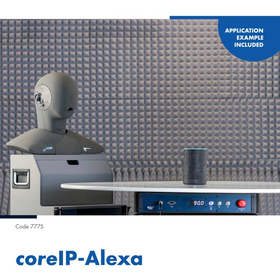
Alexa-to-Alexa call quality test frontend extension

As an Alexa reference client, it enables Alexa-to-Alexa calls with other Alexa devices.

coreIP-Alexa is a software extension for labCORE. This allows labCORE to be used as a reference client for Amazon Alexa. As a result, the hardware platform can operate as an Amazon Alexa-enabled device and make Alexa-to-Alexa calls. labCORE sends the voice data from these calls to ACQUA, which performs voice quality analysis. coreIP-Alexa is ideal for evaluating the voice quality of Alexa-enabled devices capable of Alexa-to-Alexa calls. The testing requirements are outlined in the "Alexa Communications Audio Requirements" (ACAR) issued by Amazon. This specification provides testing for devices that support Alexa-to-Alexa calls, ensuring optimal call quality from the customer's perspective. coreIP-Alexa has access to all the features of a standard Alexa client, including options for language selection, confirmation sounds at startup, and enabling "Do Not Disturb" mode.

  • Acoustic Analysis
  • Other measurement, recording and measuring instruments
  • Other electronic measuring instruments
  • soft

Added to bookmarks

Bookmarks list

Bookmark has been removed

Bookmarks list

You can't add any more bookmarks

By registering as a member, you can increase the number of bookmarks you can save and organize them with labels.

Free membership registration

Software "X-Analyser3"

Easy project sharing! CAN/LIN X-Analyser that enables the realization of unique CAN analysis software.

"X-Analyser3" is a software tool used for analyzing CAN and LIN-based systems on hardware equipped with either or both interfaces. By using X-Analyser, you can display network traffic and log data in various ways. It also allows for data generation and simple simulation of CAN or LIN devices, and is designed to operate on Windows 7 or Vista PC platforms. 【Features】 ■ User-friendly GUI suitable for Windows PCs and tablets ■ Onboard diagnostic scan tool functions for exhaust system ECUs ■ Reverse engineering of CAN and LIN signals ■ Usable for ECU and network simulation ■ Integration of over 4000 PGNs and signals with the SAE J1939 database *For more details, please refer to the related link page or feel free to contact us.

  • Company:Renas
  • Price:Other
  • Other network tools
  • Software (middle, driver, security, etc.)
  • soft

Added to bookmarks

Bookmarks list

Bookmark has been removed

Bookmarks list

You can't add any more bookmarks

By registering as a member, you can increase the number of bookmarks you can save and organize them with labels.

Free membership registration

"SimGlycan" Glycan & Glycopeptide Structure Analysis Software

Tools for glycomics using mass spectrometry data of glycan chains and glycopeptides.

It automatically reads MS/MS and MSn data obtained from major manufacturers' mass spectrometers to predict glycan structures. Furthermore, it comprehensively supports glycopeptide analysis using LC-MS/MS data. SimGlycan matches the experimentally obtained MS/MS data with its proprietary database and ultimately generates a ranked list of candidate structures.

  • Separation device
  • Analytical Equipment and Devices
  • Other environmental analysis equipment
  • soft

Added to bookmarks

Bookmarks list

Bookmark has been removed

Bookmarks list

You can't add any more bookmarks

By registering as a member, you can increase the number of bookmarks you can save and organize them with labels.

Free membership registration

NC tabletop machining program creation software 'Vectric' series

The ideal program creation software for first-time NC machining. You can start router processing and engraving processing with easy operation and low pricing. *Demo available.

The "Vectric" series is NC programming software that allows beginners to easily set up machining. It eliminates the hurdles of learning operations and the costs associated with introduction and operation during initial NC machining, enabling users to easily create programs for the main applications of desktop machining, such as router machining and engraving. [Features] ■ Easy operation for program creation Simply select items according to the on-screen display to complete machining settings, allowing beginners to create programs without confusion. 3D simulation is also available to check machining paths and results. ■ Affordable and easy to introduce Offered at a low price that significantly reduces costs during introduction and operation, making it easy to start NC machining. ■ Software for router machining "Cut2D" Easily create programs while reducing various setup hassles, including settings for rough to finish machining and creating programs for multiple parts. ■ Software for engraving "VCarve" Using V-shaped tools, this machining program allows for easy creation of three-dimensional engraving expressions from 2D data. *You can download the PDF catalog from the button below.

  • Cut2D.jpg
  • VCarve.jpg
  • 2D CAM
  • Other CAM related software
  • Other CAD
  • soft

Added to bookmarks

Bookmarks list

Bookmark has been removed

Bookmarks list

You can't add any more bookmarks

By registering as a member, you can increase the number of bookmarks you can save and organize them with labels.

Free membership registration

Vector/Image Conv PloCompAuto

Overlap files, or find change areas and convert continuously.

PloCompAuto stacks multiple drawing files, such as those for printed boards, into one drawing and automatically converts it into files such as PDF and TIFF at high speed. It also compares the drawings of two drawing files and automatically and continuously determines the areas to be changed. PloCompAuto will be a very effective tool for electronic library, PDM system construction, or design change management.

  • Data conversion software
  • soft

Added to bookmarks

Bookmarks list

Bookmark has been removed

Bookmarks list

You can't add any more bookmarks

By registering as a member, you can increase the number of bookmarks you can save and organize them with labels.

Free membership registration

Powered Blue Server Private CA

Can be operated exclusively for our company! It can significantly reduce the cost of issuing certificates.

"Powered Blue Server Private CA" is an appliance product that allows users to build a PKI infrastructure on their side and issue, manage, and operate electronic certificates. Since it can be operated exclusively for the company, it significantly reduces the cost of issuing certificates. Additionally, it enables flexible operations tailored to user needs, such as rapid issuance and revocation of certificates. 【Features】 ■ Build a PKI infrastructure on the user side ■ Capable of issuing, managing, and operating electronic certificates ■ Can be operated exclusively for the company ■ Significantly reduces the cost of issuing certificates ■ Enables flexible operations tailored to user needs *For more details, please refer to the PDF document or feel free to contact us.

  • Other server related
  • soft

Added to bookmarks

Bookmarks list

Bookmark has been removed

Bookmarks list

You can't add any more bookmarks

By registering as a member, you can increase the number of bookmarks you can save and organize them with labels.

Free membership registration

Genome analysis software "PREMIER Biosoft"

Highly specialized mass spectrometry software! A lineup including PCR primer design software.

"PREMIER Biosoft" is a highly specialized software for mass spectrometry and genome analysis. We offer "GlycanExplorer," which enables high-throughput characterization of biotherapeutic glycans, and "SimGlycan," which predicts glycan structures from mass spectrometry data. Please feel free to contact us for inquiries. 【Partial Lineup】 ■SimLipid ■AlleleID ■Beacon Designer ■LAMP Designer ■PrimerPlex *For more details, please refer to the related links or feel free to contact us.

  • Company:B7
  • Price:Other
  • Software (middle, driver, security, etc.)
  • soft

Added to bookmarks

Bookmarks list

Bookmark has been removed

Bookmarks list

You can't add any more bookmarks

By registering as a member, you can increase the number of bookmarks you can save and organize them with labels.

Free membership registration

Design tools for next-generation device developers [START] CAM case study

Diverse CAM examples tailored to different situations.

◆ You can add your own inspection rules in a timely manner. (SeF programming feature) ◆ You can establish data transfer with new manufacturing equipment. You can create/output an output format that conforms to new manufacturing methods. ◆ Examples of CAM-type automation construction Panel automation system... Automate based on the user's manufacturing rules. Wafer layout system... Bulk creation of data specified by an Excel sheet. Bulk creation of manufacturing drawings... Bulk creation of a complete set of drawings for subsequent processes. *For details, please refer to the catalog available for download below "PDF Download."

  • 2D CAD Electrical
  • soft

Added to bookmarks

Bookmarks list

Bookmark has been removed

Bookmarks list

You can't add any more bookmarks

By registering as a member, you can increase the number of bookmarks you can save and organize them with labels.

Free membership registration

Optimization of the rear wing shape

Utilizing CAESES for the optimization of the rear wing shape attached to racing cars!

FRIENDSHIP SYSTEMS, the developer of CAESES, has actively supported student racing teams such as FaSTTUBe and the Ryerson Formula Racing Team. Among these, CAESES was utilized for the optimization of the rear wing shape of racing cars in the Formula Student Germany (FSG) contest, which gathers students from all over Germany. This case study will introduce the optimization of the rear wing and its results. *For more detailed information, please refer to the related links. For further inquiries, feel free to download the PDF or contact us.*

  • 9-2.png
  • 9-3.gif
  • 9-4.png
  • 9-5.png
  • 9-6.png
  • 9-7.png
  • Other analysis software
  • soft

Added to bookmarks

Bookmarks list

Bookmark has been removed

Bookmarks list

You can't add any more bookmarks

By registering as a member, you can increase the number of bookmarks you can save and organize them with labels.

Free membership registration

Fixture design software "EZ Jig for Rhino"

It is characterized by the ability to intuitively design jigs. *Demo available.

The "EZ Jig for Rhino" is a plugin software specifically for "Rhinoceros" that allows you to easily design jigs without the need for 3D CAD skills. Complex tasks are unnecessary, and you can proceed with data creation through intuitive operations. By 3D printing, you can quickly create jigs at the necessary timing, enabling further efficiency in your operations. [Features] ■ Can read various CAD data In addition to common 3D data file formats like IGES and STEP, it also supports reading specialized files such as those from Solidworks. ■ Interactive modeling You can simply select the necessary operations according to the guidance displayed on the panel, allowing you to create data without considering the next steps. ■ Easy clearance adjustment Optimal clearance can be easily set according to the precision of the 3D printer and the materials used. ■ Rich output formats The created data supports various output formats, including STL data for 3D printers, as well as IGES, STEP, and DXF.

  • Other CAD related software
  • Inspection fixture
  • Assembly Jig
  • soft

Added to bookmarks

Bookmarks list

Bookmark has been removed

Bookmarks list

You can't add any more bookmarks

By registering as a member, you can increase the number of bookmarks you can save and organize them with labels.

Free membership registration

【ANSA/META】Powertrain

Minimize costs and time required for productization! Easy handling of composite models is possible.

"ANSA," which has a complete solution for mesh creation, assembly, contact definition, and boundary condition setup, is an effective and efficient software for powertrain pre-processing. Its easy setup and rapid, robust meshing algorithms accurately reproduce the features of the geometry. "META" provides a complete solution for post-processing in various analysis fields. It includes tools for displaying assembly model configurations, various tools for result evaluation, features for detecting critical areas and hotspots, tools for direct calculations based on solver results, options for result communication, and automation functions. [Features (ANSA)] - Geometry simplification - Fillet, tube, and flange processing - More accurate representation of second-order elements - Mesh quality improvement - Automatic contact definition *For more details, please refer to the PDF materials or feel free to contact us.*

  • Other network tools
  • Development support tools (ICE, emulators, debuggers, etc.)
  • Other analyses
  • soft

Added to bookmarks

Bookmarks list

Bookmark has been removed

Bookmarks list

You can't add any more bookmarks

By registering as a member, you can increase the number of bookmarks you can save and organize them with labels.

Free membership registration

CAE-specialized PLM solution 'CATIA V5'

Innovation from "simple design" to "performance design" utilizing CAE technology.

CATIA V5 is a high-end 3D CAD program developed by Dassault Systèmes and released in 1981, which can be considered a representative of this category. It has been widely used in the automotive and aerospace industries for many years, and is also extensively utilized in industries such as industrial machinery, electronics, shipbuilding, plant design, and consumer goods. The development of CAE technology based on the CATIA platform allows for performance design that takes product performance into consideration, moving beyond simple design tasks. Particularly in handling assemblies, the performance of the solid kernel, which enables advanced geometric data handling (including libraries for surface data necessary for modeling, topological data, and editing history management), is extremely high. This capability not only facilitates the handling of complex curved shapes and assemblies with numerous parts but also significantly reduces the effort required for simpler operations, such as generating interpolation surfaces between surfaces and creating fillet surfaces for surfaces that touch at points. *For more details, please refer to the PDF materials or feel free to contact us.*

  • Company:IDAJ
  • Price:Other
  • 3D CAD
  • Thermo-fluid analysis
  • Structural Analysis
  • soft

Added to bookmarks

Bookmarks list

Bookmark has been removed

Bookmarks list

You can't add any more bookmarks

By registering as a member, you can increase the number of bookmarks you can save and organize them with labels.

Free membership registration

Optical evaluation software for optical fibers "Lighting Simulator CAD"

Recommended for performance evaluation of optical fiber optical systems! Aims to improve design efficiency.

Entry-level model for lighting and optical analysis! A simulation software that is purely domestically produced and offered at a reasonable price. This purely domestic lighting optical analysis software features a Japanese interface, making it easy for developers in non-optical fields to use. Leveraging the strengths of in-house development, it achieves low pricing while maintaining high computational accuracy and reliability based on optical theory, resulting in a cost-effective simulation software. 【Benefits of Implementation】 - Reduction in prototype costs - Validation of experimental results - Shortening of design time - Formation of analytical methods - Acquisition of design knowledge 【User Experience (Strengths)】 - The user interface is good, allowing for quick mastery after implementation - Operations and analyses can be performed immediately without special knowledge - After importing 3D CAD data, analysis models can be easily constructed - Ease of use and quick results enable early reflection in design - Short analysis time is convenient for considering multiple cases - Results are relatively consistent with experimental outcomes, smoothing the development process - Predictions from results have reduced the number of sample productions - By handling light sources other than visible light, the analysis results are beneficial for design.

  • Company:Camerium
  • Price:500,000 yen-1 million yen
  • simulator
  • Other optical parts
  • Endoscopes and fiberscopes
  • soft

Added to bookmarks

Bookmarks list

Bookmark has been removed

Bookmarks list

You can't add any more bookmarks

By registering as a member, you can increase the number of bookmarks you can save and organize them with labels.

Free membership registration

TurboCAD Windows

Comprehensive 2D/3D CAD software with excellent visualization capabilities.

A highly versatile CAD software equipped with the latest physics-based rendering engine, TurboLux. It combines speed in both CPU and GPU rendering with ease of use and high productivity. It is well-known for its excellent visualization capabilities that achieve photorealism. It offers high cost performance and is compatible with AutoCAD. **Advantages of TurboCAD:** - Short learning curve: Setup wizard, help, snap, handle-based editing - 2D/3D design: Drafting, modeling, editing, dimensioning, annotation - Surface modeling: Features such as 2D/3D Boolean operations, extrusion, rotation, and sweeping - Parametric architectural tools: Powerful physics-based rendering that enables realistic design.

  • 3D CAD
  • soft

Added to bookmarks

Bookmarks list

Bookmark has been removed

Bookmarks list

You can't add any more bookmarks

By registering as a member, you can increase the number of bookmarks you can save and organize them with labels.

Free membership registration

High-precision self-location estimation SLAM solution

Middleware for self-position estimation necessary for mobile entities. It enables stable self-position estimation even in factory and indoor environments!

Are there any challenges related to "self-localization and environmental recognition (SLAM)" in manufacturing sites and autonomous systems? ● Unable to determine self-location in factory or indoor environments where GPS cannot be used ● Decreased localization accuracy due to environmental changes (lighting, layout changes) ● High-precision self-localization is computationally intensive and cannot operate in real-time ● Difficulties in integrating multiple sensors such as cameras, IMUs, and odometry              ▼ Leave it to our SLAM solution! ――― Features ―――――――――――――――――――――― ◆ Visual SLAM that operates with low resources ◆ Improved accuracy and robustness through sensor fusion ◆ Recognition of the surrounding environment using surrounding map generation functionality ――――――――――――――――――――――――――― SLAM is a technology that allows mobile entities (AGVs and autonomous systems) to map their surrounding environment while moving and to identify their own location. It observes features in the environment, estimates self-location based on that information, and simultaneously creates an environmental map. Our company primarily develops self-localization technology/SLAM using cameras.

  • スライド10.PNG
  • スライド11.PNG
  • スライド12.PNG
  • スライド6.PNG
  • スライド14.PNG
  • Software (middle, driver, security, etc.)
  • Transport and handling robots
  • Other conveying machines
  • soft

Added to bookmarks

Bookmarks list

Bookmark has been removed

Bookmarks list

You can't add any more bookmarks

By registering as a member, you can increase the number of bookmarks you can save and organize them with labels.

Free membership registration

Easy, low-cost, high-performance "Camest Machining 2.5DCAM"

Create NC data of various shapes with simple operations.

Based on the floor plans and cross-sectional views, you can create NC data for roughing and finishing various 3D shapes. Quick operations are possible through 2D processing instructions. - Contour machining - Camber machining - Rulled machining - Rotational body machining - Spiral machining - Chamfering - 3D display of tool paths - Display of cutting profiles - Automatic creation of tool usage lists - Post-processing - Free trial version available (http://camest.com/trial/index.html) - Videos available *Software for Windows XP, Windows Vista, Windows 7, Windows 8, Windows 8.1 *You will need a license for both Camest 2D CAD and Machining 2D CAM to use it.

  • Milling machine
  • Mold Design
  • 2D CAM
  • soft

Added to bookmarks

Bookmarks list

Bookmark has been removed

Bookmarks list

You can't add any more bookmarks

By registering as a member, you can increase the number of bookmarks you can save and organize them with labels.

Free membership registration

ZIA MOVE Integrated Software for Autonomous Driving

An integrated software platform for autonomous driving that incorporates SLAM technology.

"ZIA MOVE" is a product that encompasses the SLAM software "ZIA SALM," which simultaneously performs self-position estimation and environmental mapping using cameras and LiDAR. It packages the necessary functions for autonomous driving, from perception and self-position estimation to decision-making and control, into a software package. It is ideal for applications that require low-speed autonomous driving in indoor environments such as warehouses or private properties like farms, where map information is not pre-prepared. Product introduction manufacturer website: https://www.dmprof.com/ja/products-and-services/ai-products/software/zia-slam.html

Added to bookmarks

Bookmarks list

Bookmark has been removed

Bookmarks list

You can't add any more bookmarks

By registering as a member, you can increase the number of bookmarks you can save and organize them with labels.

Free membership registration

Structural optimization design software 'HiramekiWorks'

One-click generation of solid models! Responding to practical needs in the design field.

"HiramekiWorks" is a structural optimization design software that boasts a proven track record in the manufacturing industry, equipped with both "Topology Optimization" and "Shape Optimization" functions as an add-in product for the 3D CAD SOLIDWORKS. Using the analysis conditions set in SOLIDWORKS, you can complete everything from running the analysis to importing the result model with just one click. Why not try designing in a way that has never been done before with our software, which incorporates unique know-how? 【Features】 ■ Easy optimization in a familiar environment ■ Addresses practical needs such as weight reduction and stress reduction under various conditions ■ Automatically generates solid models of optimization results ■ Use the geometry editor to create solid models more suitable for analysis *For more details, please refer to the related links or feel free to contact us.

  • Structural Analysis
  • soft

Added to bookmarks

Bookmarks list

Bookmark has been removed

Bookmarks list

You can't add any more bookmarks

By registering as a member, you can increase the number of bookmarks you can save and organize them with labels.

Free membership registration