iPROS Manufacturing
  • Search for products by classification category

    • Electronic Components and Modules
      Electronic Components and Modules
      59214items
    • Machinery Parts
      Machinery Parts
      74827items
    • Manufacturing and processing machinery
      Manufacturing and processing machinery
      99622items
    • Scientific and Physics Equipment
      Scientific and Physics Equipment
      34773items
    • Materials
      Materials
      37083items
    • Measurement and Analysis
      Measurement and Analysis
      54715items
    • Image Processing
      Image Processing
      15042items
    • Control and Electrical Equipment
      Control and Electrical Equipment
      53141items
    • Tools, consumables, and supplies
      Tools, consumables, and supplies
      64350items
    • Design and production support
      Design and production support
      12465items
    • IT/Network
      IT/Network
      43475items
    • Office
      Office
      13773items
    • Business support services
      Business support services
      33211items
    • Seminars and Skill Development
      Seminars and Skill Development
      6293items
    • Pharmaceutical and food related
      Pharmaceutical and food related
      30064items
    • others
      73520items
  • Search for companies by industry

    • Manufacturing and processing contract
      7338
    • others
      4993
    • Industrial Machinery
      4418
    • Machine elements and parts
      3284
    • Other manufacturing
      2890
    • IT/Telecommunications
      2549
    • Trading company/Wholesale
      2470
    • Industrial Electrical Equipment
      2297
    • Building materials, supplies and fixtures
      1810
    • software
      1633
    • Electronic Components and Semiconductors
      1569
    • Resin/Plastic
      1491
    • Service Industry
      1447
    • Testing, Analysis and Measurement
      1128
    • Ferrous/Non-ferrous metals
      983
    • environment
      699
    • Chemical
      629
    • Automobiles and Transportation Equipment
      563
    • Printing Industry
      508
    • Information and Communications
      455
    • Consumer Electronics
      416
    • Energy
      327
    • Rubber products
      313
    • Food Machinery
      307
    • Optical Instruments
      277
    • robot
      271
    • fiber
      250
    • Paper and pulp
      232
    • Electricity, Gas and Water Industry
      169
    • Pharmaceuticals and Biotechnology
      167
    • Warehousing and transport related industries
      145
    • Glass and clay products
      141
    • Food and Beverage
      129
    • CAD/CAM
      125
    • retail
      109
    • Educational and Research Institutions
      105
    • Medical Devices
      103
    • Ceramics
      98
    • wood
      88
    • Transportation
      84
    • Medical and Welfare
      63
    • Petroleum and coal products
      62
    • Shipbuilding and heavy machinery
      51
    • Aviation & Aerospace
      48
    • Fisheries, Agriculture and Forestry
      42
    • Public interest/special/independent administrative agency
      31
    • equipment
      30
    • self-employed
      24
    • Research and development equipment and devices
      24
    • Government
      23
    • Materials
      22
    • Mining
      17
    • Finance, securities and insurance
      13
    • cosmetics
      11
    • Individual
      10
    • Restaurants and accommodations
      9
    • Police, Fire Department, Self-Defense Forces
      7
    • Raw materials for reagents and chemicals
      3
    • Laboratory Equipment and Consumables
      3
    • Contracted research
      3
  • Special Features
  • Ranking

    • Overall Products Ranking
    • Overall Company Ranking
Search for Products
  • Search for products by classification category

  • Electronic Components and Modules
  • Machinery Parts
  • Manufacturing and processing machinery
  • Scientific and Physics Equipment
  • Materials
  • Measurement and Analysis
  • Image Processing
  • Control and Electrical Equipment
  • Tools, consumables, and supplies
  • Design and production support
  • IT/Network
  • Office
  • Business support services
  • Seminars and Skill Development
  • Pharmaceutical and food related
  • others
Search for Companies
  • Search for companies by industry

  • Manufacturing and processing contract
  • others
  • Industrial Machinery
  • Machine elements and parts
  • Other manufacturing
  • IT/Telecommunications
  • Trading company/Wholesale
  • Industrial Electrical Equipment
  • Building materials, supplies and fixtures
  • software
  • Electronic Components and Semiconductors
  • Resin/Plastic
  • Service Industry
  • Testing, Analysis and Measurement
  • Ferrous/Non-ferrous metals
  • environment
  • Chemical
  • Automobiles and Transportation Equipment
  • Printing Industry
  • Information and Communications
  • Consumer Electronics
  • Energy
  • Rubber products
  • Food Machinery
  • Optical Instruments
  • robot
  • fiber
  • Paper and pulp
  • Electricity, Gas and Water Industry
  • Pharmaceuticals and Biotechnology
  • Warehousing and transport related industries
  • Glass and clay products
  • Food and Beverage
  • CAD/CAM
  • retail
  • Educational and Research Institutions
  • Medical Devices
  • Ceramics
  • wood
  • Transportation
  • Medical and Welfare
  • Petroleum and coal products
  • Shipbuilding and heavy machinery
  • Aviation & Aerospace
  • Fisheries, Agriculture and Forestry
  • Public interest/special/independent administrative agency
  • equipment
  • self-employed
  • Research and development equipment and devices
  • Government
  • Materials
  • Mining
  • Finance, securities and insurance
  • cosmetics
  • Individual
  • Restaurants and accommodations
  • Police, Fire Department, Self-Defense Forces
  • Raw materials for reagents and chemicals
  • Laboratory Equipment and Consumables
  • Contracted research
Special Features
Ranking
  • Overall Products Ranking
  • Overall Company Ranking
  • privacy policy
  • terms of service
  • About Us
  • Careers
  • Advertising
  1. Home
  2. IT/Telecommunications
  3. マーブル  エンベデッドプロダクト事業本部 プロダクト事業部
  4. Product/Service List
IT/Telecommunications
  • Added to bookmarks

    Bookmarks list

    Bookmark has been removed

    Bookmarks list

    You can't add any more bookmarks

    By registering as a member, you can increase the number of bookmarks you can save and organize them with labels.

    Free membership registration

マーブル  エンベデッドプロダクト事業本部 プロダクト事業部

EstablishmentSeptember 9, 1974
capital10000Ten thousand
number of employees8700
addressTokyo/Setagaya-ku/3-1-3 Ikejiri, MUTOH Ikejiri Building
phone03-3419-6011
  • Special site
  • Official site
last updated:Aug 30, 2025
マーブル logo
  • Contact this company

    Inquiry Form
  • Company information
  • Products/Services(104)
  • catalog(39)
  • news(15)

マーブル  Product Lineup

  • category

1~26 item / All 26 items

Displayed results

Filter by category

Quality Management DX - Inspection Report Quality Management DX - Inspection Report
Contract development, CAD customization, digitalization services Contract development, CAD customization, digitalization services
3D CAD 3D CAD
2D CAD 2D CAD
CAM and peripheral equipment for machine tools CAM and peripheral equipment for machine tools
Drawing management and manual creation Drawing management and manual creation
Structural analysis, structural calculation, technical calculation software Structural analysis, structural calculation, technical calculation software
Resin flow analysis Resin flow analysis
Seismic isolation system and environmental measures Seismic isolation system and environmental measures
Data conversion software Data conversion software
Web application development tools Web application development tools
AGV / Edge AI AGV / Edge AI
3D printer and education-related 3D printer and education-related
2D

2D CAD

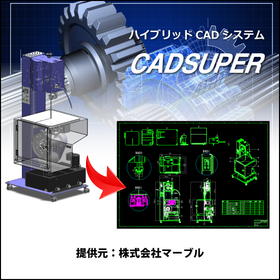
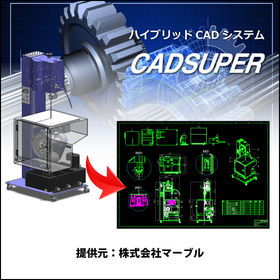
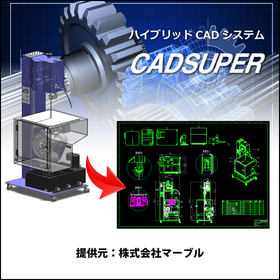
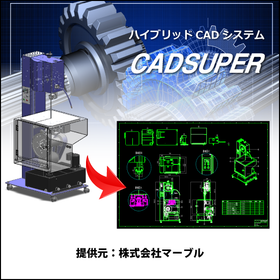
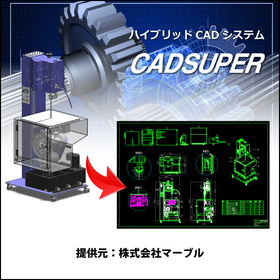
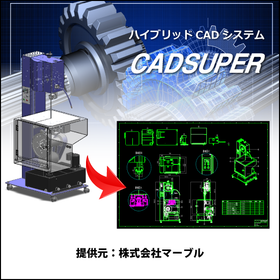
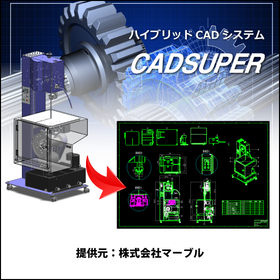
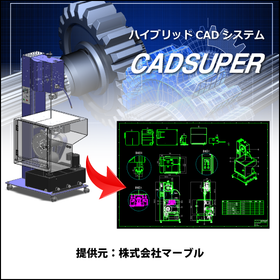
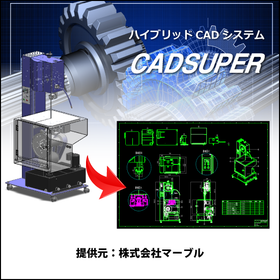
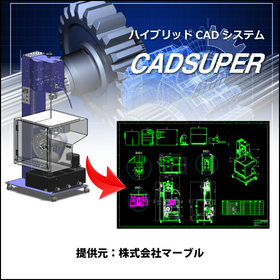
Introducing a hybrid CAD system developed by prioritizing the requests of designers to leverage the strengths of domestic development, allowing for easy and convenient design, as well as a 2D CAD system specialized in drawing functions that supports DXF/DWG data!

CAD Drawing Viewer CADSUPER Viewer

The definitive version of the drawing viewer!

A CAD viewer with robust features such as in-drawing search, support for different scale data, and extensive data loading capabilities! For other features and details, please feel free to download the catalog or contact us with any questions. Marble Inc. Embedded Products Division, Product Business Department Phone: (03) 3419-6011

Added to bookmarks

Bookmarks list

Bookmark has been removed

Bookmarks list

You can't add any more bookmarks

By registering as a member, you can increase the number of bookmarks you can save and organize them with labels.

Free membership registration

[Free] CADSUPER Mobile Viewer

A mobile viewer that can be accessed on tablets and smartphones.

CADSUPER Viewer is a drawing viewer specifically for CADSUPER format data (CSD, CSP). You can view CADSUPER drawing data on tablets and smartphones such as the iPad.

Added to bookmarks

Bookmarks list

Bookmark has been removed

Bookmarks list

You can't add any more bookmarks

By registering as a member, you can increase the number of bookmarks you can save and organize them with labels.

Free membership registration

CADSUPER integration for SOLIDWORKS

Batch processing from SOLIDWORKS 3D assembly data to assembly drawings/part drawings! Easily add dimensions to accurately represent arc and line segment elements!

When converting to 2D: - The data size is too large to operate... - I had to rewrite it because I couldn't take the dimensions of the arc... - I want to make the conversion to 2D smoother and utilize it further! For those who feel this way, 'CADSUPER Link for SOLIDWORKS' is the ideal solution. It is a collaborative application designed to efficiently utilize SOLIDWORKS and 2D drawings. 【Features】 - Batch creation of assembly drawings/part drawings from 3D assemblies - Direct projection of high-quality, low-element 2D drawings from 3D data - Easy operation for 3D modeling from existing drawings - 3D design verification for each part from 2D structural drawings - Supports not only stock saving but also saving as imported parts - Facilitates capacity improvement and dimension entry for 2D drawings created from 3D CAD data - Equipped with a drawing projection update function If you are struggling with the integration between 2D drawings and 3D models, please feel free to contact us! * "SOLIDWORKS" and "CADSUPER" are required.

Added to bookmarks

Bookmarks list

Bookmark has been removed

Bookmarks list

You can't add any more bookmarks

By registering as a member, you can increase the number of bookmarks you can save and organize them with labels.

Free membership registration

CADSUPER version option 'Inspection Dimension Table Tool'

Automatically create inspection sheets from CAD drawings! Just select by enclosing the shapes. Significant reduction in inspection labor.

The CADSUPER version of the "Inspection Dimension Table Tool" allows you to simply select multiple shapes, automatically extracting dimension line attributes for each shape and creating an inspection table. Furthermore, by clicking the inspection start button, the "OK/NG judgment" is also executed automatically. With very simple operations, you can significantly improve the efficiency of the inspection process. ■Features■ - Shapes are color-coded for easy identification and visibility - Number confirmation and number drawing buttons enhance usability and clarity - Easy output of dimension line lists (Microsoft Excel / Word) *For more details, please refer to the catalog. Feel free to contact us for inquiries. A "free trial version" is also available (try it free for 30 days). ■If you would like detailed materials, please contact us at the information below. Marble Inc. Embedded Products Division, Product Business Department Phone: (03) 3419-6011

Added to bookmarks

Bookmarks list

Bookmark has been removed

Bookmarks list

You can't add any more bookmarks

By registering as a member, you can increase the number of bookmarks you can save and organize them with labels.

Free membership registration

CADSUPER for Mechanical Parts Design

Create value-added drawings with barcodes for product management! CADSUPER

In the field of mechanical component design, it is essential to respond to design changes and manage drawings accurately. Particularly in the efficiency and quality control of manufacturing processes, the accuracy of drawings is crucial. Errors in drawings can lead to non-conformance of parts and manufacturing delays. CADSUPER is a domestically produced hybrid 2D CAD system that also supports 3D data. It offers intuitive drawing operations, data conversion functions for other formats, mechanical elements, dedicated pro commands, layers, projection drawings, and batch changes, edits, and automatic processing for all tasks, providing indispensable features for designers. This leads to improved design efficiency and streamlined drawing management. 【Usage Scenarios】 - Design of mechanical components - Modification and editing of drawings - Data conversion from other formats - Collaboration with manufacturing sites 【Benefits of Implementation】 - Reduction in design time - Streamlining of drawing management - Decrease in design errors - Increased efficiency in manufacturing processes

Added to bookmarks

Bookmarks list

Bookmark has been removed

Bookmarks list

You can't add any more bookmarks

By registering as a member, you can increase the number of bookmarks you can save and organize them with labels.

Free membership registration

CADSUPER for Automotive and Body Design

Streamline vehicle body design with a domestic hybrid CAD system compatible with 3D data!

In the automotive industry, accuracy and efficiency in body design are essential. The utilization of 3D data, compatibility with other data formats, and flexible responses to design changes are crucial. CADSUPER has been developed as a domestic hybrid 2D CAD system that supports 3D data to meet these needs. With its intuitive operability and customization capabilities that respond to designers' requests, it strongly supports design work. 【Usage Scenarios】 * Creating body drawings * Creating part drawings * Utilizing 3D data * Collaborating with other data formats 【Benefits of Implementation】 * Reduced design time * Decreased design errors * Ensured data compatibility * Flexible customization support

Added to bookmarks

Bookmarks list

Bookmark has been removed

Bookmarks list

You can't add any more bookmarks

By registering as a member, you can increase the number of bookmarks you can save and organize them with labels.

Free membership registration

Aerospace CADSUPER

Streamline aircraft design with a hybrid CAD system compatible with 3D data!

In the aerospace industry, aircraft design requires high precision and efficiency. Due to the complexity of shapes and structures, reducing design errors and shortening design periods are crucial. CADSUPER supports design work with intuitive operations and is compatible with 3D data. Its data conversion capabilities for other formats and customization options enable effective utilization of existing design assets and optimization of the design process. 【Usage Scenarios】 * Aircraft structural design * Parts design * Drawing management 【Benefits of Implementation】 * Reduction in design time * Decrease in design errors * Improved data management efficiency

Added to bookmarks

Bookmarks list

Bookmark has been removed

Bookmarks list

You can't add any more bookmarks

By registering as a member, you can increase the number of bookmarks you can save and organize them with labels.

Free membership registration

CADSUPER for Shipbuilding

A hybrid CAD system compatible with 3D data that streamlines hull design!

In the shipbuilding industry, hull design requires accurate representation of complex shapes and quick responses to design changes. In particular, the use of 3D data is essential for collaboration with strength calculations and structural analysis. CADSUPER supports 3D data and streamlines the design process with intuitive operations. With data conversion capabilities for other formats and customization options, it provides a flexible design environment tailored to customer needs. 【Usage Scenarios】 - Creation of hull structure drawings - Layout design of outfitting equipment - Interference checks using 3D models 【Benefits of Implementation】 - Reduction in design time - Decrease in design errors - Effective utilization of 3D data

Added to bookmarks

Bookmarks list

Bookmark has been removed

Bookmarks list

You can't add any more bookmarks

By registering as a member, you can increase the number of bookmarks you can save and organize them with labels.

Free membership registration

CADSUPER for Mold Manufacturing

Create value-added drawings with barcodes for product management! CADSUPER

In the mold manufacturing industry, accuracy in drawings and efficient management are essential. Particularly in the design of molds with complex shapes and dimensions, creating error-free drawings and managing drawing versions are crucial. Mistakes in drawings can lead to a decline in product quality, rework, and increased costs. CADSUPER is a domestic hybrid 2D CAD system that supports 3D data, providing intuitive drawing operations and data conversion functions for accurate drawing creation. Drawing management is also possible with the optional barcode command. 【Usage Scenarios】 - Creation of mold design drawings - Version management of drawings - Integration with other data formats - Response to design changes 【Benefits of Implementation】 - Reduction in drawing creation time - Decrease in design errors - Streamlining of drawing management - Cost reduction

Added to bookmarks

Bookmarks list

Bookmark has been removed

Bookmarks list

You can't add any more bookmarks

By registering as a member, you can increase the number of bookmarks you can save and organize them with labels.

Free membership registration

CADSUPER for Furniture Design

Create value-added drawings with barcodes! CADSUPER

In the furniture design industry, accuracy in design and efficient drawing management are essential. Flexibility is particularly important to accommodate diverse designs and respond quickly to changes. CADSUPER supports 3D data and enhances design efficiency through intuitive drawing operations and data conversion functions for other formats. The barcode command option also makes drawing management easier. 【Usage Scenarios】 - Creating design drawings for furniture - Responding to design changes - Managing drawing data 【Benefits of Implementation】 - Reduced design time - Fewer mistakes - Improved efficiency in drawing management

Added to bookmarks

Bookmarks list

Bookmark has been removed

Bookmarks list

You can't add any more bookmarks

By registering as a member, you can increase the number of bookmarks you can save and organize them with labels.

Free membership registration

CADSUPER for Toy Prototyping

Manage drawings with barcodes! CADSUPER streamlines toy prototyping.

In the toy industry’s prototyping stage, a quick response to design changes and accurate drawing creation are required. The accuracy of the drawings, which influences the quality of prototypes, significantly affects the final product and mass production system. CADSUPER facilitates easy design changes with intuitive operations and supports the creation of accurate drawings. The barcode command option also streamlines drawing management. 【Usage Scenarios】 - Creation of design drawings for prototypes - Response to design changes - Streamlining of drawing management 【Benefits of Implementation】 - Reduction of prototyping time - Decrease in design errors - Reduction of drawing management costs

Added to bookmarks

Bookmarks list

Bookmark has been removed

Bookmarks list

You can't add any more bookmarks

By registering as a member, you can increase the number of bookmarks you can save and organize them with labels.

Free membership registration

CADSUPER for Furniture

CADSUPER for streamlining furniture strength design.

In the furniture industry, strength calculations and accurate drawing creation at the design stage are essential to ensure product durability and safety. Especially for furniture that is used repeatedly, even a slight mistake in design can lead to product damage or accidents. CADSUPER facilitates intuitive operations for easy design changes and supports accurate drawing creation. This allows for efficient design based on strength calculations, enhancing product safety. 【Application Scenarios】 - Strength design of furniture - Response to design changes - Streamlining drawing management 【Benefits of Implementation】 - Reduced design time - Decreased design errors - Improved product safety

Added to bookmarks

Bookmarks list

Bookmark has been removed

Bookmarks list

You can't add any more bookmarks

By registering as a member, you can increase the number of bookmarks you can save and organize them with labels.

Free membership registration

CADSUPER for Home Appliances

Streamline miniaturization design! Quickly implement design changes with CADSUPER.

In the home appliance industry, miniaturization design requires flexibility in design and precise drawing creation to achieve optimal product performance within limited space. Frequent design changes necessitate accurate drawings. CADSUPER facilitates easy design modifications with intuitive operations and supports precise drawing creation. The barcode command option also streamlines drawing management, contributing to the overall efficiency of the design process. 【Usage Scenarios】 - Housing design for home appliances - Optimization of component placement - Quick response to design changes 【Benefits of Implementation】 - Reduction in design time - Decrease in design errors - Lower drawing management costs

Added to bookmarks

Bookmarks list

Bookmark has been removed

Bookmarks list

You can't add any more bookmarks

By registering as a member, you can increase the number of bookmarks you can save and organize them with labels.

Free membership registration

CADSUPER for Medical Devices

CADSUPER supporting the design of precision medical devices.

In the medical device industry, precise product design and accurate drawing creation are essential. The accuracy of drawings, which affects the safety and performance of medical devices, directly impacts product quality and patient safety. CADSUPER facilitates design changes with intuitive operations and supports accurate drawing creation. The barcode command option also streamlines drawing management. 【Usage Scenarios】 - Creation of design drawings for medical devices - Response to design changes - Streamlining of drawing management 【Benefits of Implementation】 - Reduction of prototyping time - Decrease in design errors - Reduction of drawing management costs

Added to bookmarks

Bookmarks list

Bookmark has been removed

Bookmarks list

You can't add any more bookmarks

By registering as a member, you can increase the number of bookmarks you can save and organize them with labels.

Free membership registration

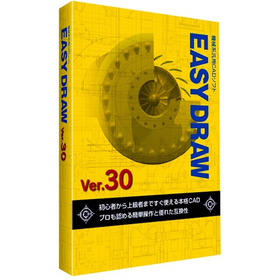
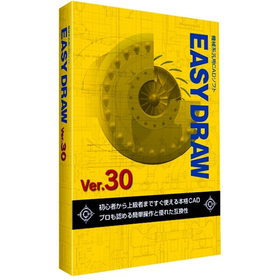
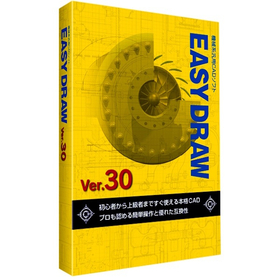
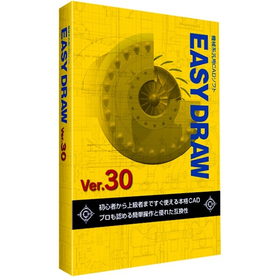
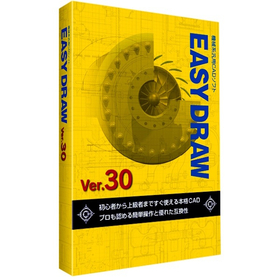
EASYDRAW Ver30 for Automotive Design

A genuine 2D CAD that can be used from the day of purchase!

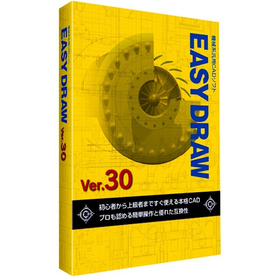
In the field of automotive design, precise drawing creation and quick responses to design changes are required. Particularly in automotive design, which involves a large number of parts, managing drawings and tracking change histories are crucial. Errors in drawings or missed changes can lead to problems in the manufacturing process and increased costs. EASYDRAW Ver.30 is equipped with features for editing large drawings and comparing drawings, enhancing design efficiency. 【Usage Scenarios】 - Design of automotive parts - Body design - Drawing comparison during design changes 【Benefits of Implementation】 - Reduction in design time - Decrease in design errors - Cost savings

Added to bookmarks

Bookmarks list

Bookmark has been removed

Bookmarks list

You can't add any more bookmarks

By registering as a member, you can increase the number of bookmarks you can save and organize them with labels.

Free membership registration

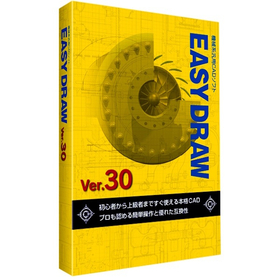
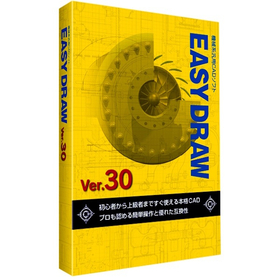
Aerospace Version 30 EASYDRAW

Streamline your analysis work with 2D CAD that you can use from the day of purchase!

In the aerospace industry, the analysis tasks require accuracy and efficient utilization of design data. Particularly in aircraft design and component strength analysis, the compatibility of CAD data and ease of editing are crucial. If data conversion between different CAD systems or editing complex shapes takes too much time, it can lead to delays and errors in analysis. EASYDRAW Ver.30 is equipped with a PDF drawing import function, allowing it to read drawings output from widely used CAD systems in the CAD industry. This supports effective utilization of design data and improves the efficiency of analysis tasks. 【Usage Scenarios】 * Creation of aircraft design drawings * Strength analysis of components * Ensuring compatibility of CAD data * Drawing modification tasks 【Benefits of Implementation】 * Increased efficiency of analysis tasks * Reduction of design errors * Cost savings * Improved data compatibility

Added to bookmarks

Bookmarks list

Bookmark has been removed

Bookmarks list

You can't add any more bookmarks

By registering as a member, you can increase the number of bookmarks you can save and organize them with labels.

Free membership registration

[EASYDRAW for Shipbuilding] Ver30

Streamline drawing creation! 2D CAD that meets the needs of the shipbuilding industry.

In the shipbuilding industry, it is essential to create accurate and efficient design drawings for complex structures. In particular, precision in details such as hull strength calculations and the arrangement of outfitting is crucial. Errors in drawings can lead to rework during the manufacturing process and increased costs. EASYDRAW Ver.30 is equipped with features for editing large drawings and reading PDF drawings, supporting the efficiency of drawing creation in the shipbuilding industry. 【Usage Scenarios】 - Creation of hull structure drawings - Creation of outfitting arrangement drawings - Modification and changes to drawings 【Benefits of Implementation】 - Reduction in drawing creation time - Decrease in design errors - Cost savings

Added to bookmarks

Bookmarks list

Bookmark has been removed

Bookmarks list

You can't add any more bookmarks

By registering as a member, you can increase the number of bookmarks you can save and organize them with labels.

Free membership registration

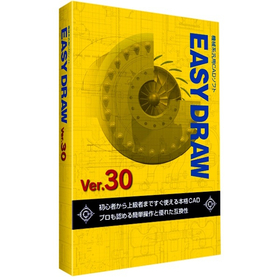
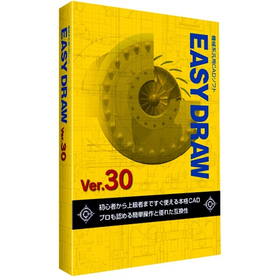
EASYDRAW Ver30 for Machine Tools

2D CAD software that can be used from the day of purchase.

In the machine tool industry, modeling work requires accurate drawing creation and efficient design changes. Particularly when dealing with complex shapes and precise parts, the performance of CAD software greatly influences work efficiency. Compatibility of drawings and responsiveness to design changes are also important factors. EASYDRAW Ver.30 has enhanced its capabilities to meet these needs by strengthening large-capacity drawing editing and drawing comparison functions, as well as incorporating PDF drawing import functionality. 【Usage Scenarios】 - Design of machine tools - Modeling of parts - Modification of drawings - Design changes 【Benefits of Implementation】 - Efficient drawing creation - Reduction in design change time - Utilization of PDF drawings - Improved cost performance

Added to bookmarks

Bookmarks list

Bookmark has been removed

Bookmarks list

You can't add any more bookmarks

By registering as a member, you can increase the number of bookmarks you can save and organize them with labels.

Free membership registration

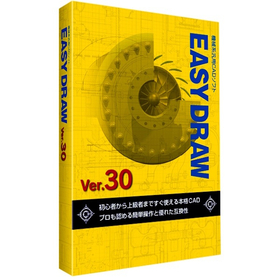
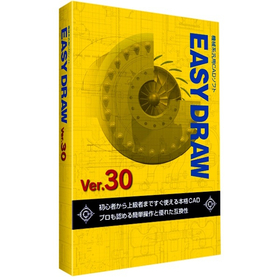
EASYDRAW Ver30 for Home Appliance Enclosures

A professional 2D CAD that you can use from the day you purchase it!

In the design of home appliance enclosures, the complexity of design is increasing due to the miniaturization and enhancement of product functionality. Changes in the enclosure design have a significant impact on the overall design and functionality of the product, necessitating accurate and efficient CAD software. EASYDRAW Ver.30 is equipped with features for comparing drawings before and after design changes, as well as the ability to read PDF drawings, thereby improving design efficiency. 【Usage Scenarios】 - Design of home appliance enclosures - Comparison of drawings during design changes - Utilization of PDF drawings 【Benefits of Implementation】 - Reduction in design time - Decrease in design errors - Improvement in design quality

Added to bookmarks

Bookmarks list

Bookmark has been removed

Bookmarks list

You can't add any more bookmarks

By registering as a member, you can increase the number of bookmarks you can save and organize them with labels.

Free membership registration

EASYDRAW Ver30 for Medical Devices

2D CAD supporting precision medical device design

In the medical device industry, precise design is required. Especially for medical devices that involve human lives, the accuracy of the design is crucial. If the usability of CAD software is poor, it can take longer to complete designs and mistakes are more likely to occur. EASYDRAW Ver.30 supports the design of precise medical devices with an interface that is easy for beginners to use. 【Usage Scenarios】 - Design of medical device components - Design of medical device enclosures - Modification of design drawings 【Benefits of Implementation】 - Reduction in design time - Decrease in design errors - Cost savings

Added to bookmarks

Bookmarks list

Bookmark has been removed

Bookmarks list

You can't add any more bookmarks

By registering as a member, you can increase the number of bookmarks you can save and organize them with labels.

Free membership registration

EASYDRAW Ver30 for Semiconductor Manufacturing Equipment

Strongly supports the layout design of semiconductor manufacturing equipment!

In the semiconductor manufacturing equipment industry, the miniaturization and high density of devices are progressing, making the accuracy of layout design crucial. In particular, optimizing component placement, securing wiring paths, and conducting interference checks are required within limited space. EASYDRAW Ver.30 addresses these challenges by providing large-capacity drawing editing, drawing comparison functions, and PDF drawing import capabilities, thereby supporting efficient and accurate layout design. 【Usage Scenarios】 * Layout design for semiconductor manufacturing equipment * Consideration of component placement * Design of wiring paths * Drawing revisions and change management 【Benefits of Implementation】 * Reduction in design time * Decrease in design errors * Cost savings * Improvement in design quality

Added to bookmarks

Bookmarks list

Bookmark has been removed

Bookmarks list

You can't add any more bookmarks

By registering as a member, you can increase the number of bookmarks you can save and organize them with labels.

Free membership registration

EASYDRAW Ver30 for Robot Simulation

2D CAD software that accelerates robot design.

In the robotics industry, accurate drawing data is essential for simulations. Creating precise drawings using 2D CAD significantly affects the efficiency of design when verifying robot movements and checking for interferences. EASYDRAW Ver.30 is equipped with features for editing large drawings and importing PDF drawings, streamlining the design process. 【Usage Scenarios】 - Creating design drawings for robots - Generating 2D data for simulations - Verifying the range of motion for robotic arms 【Benefits of Implementation】 - Reduced design time - Improved simulation accuracy - Cost savings

Added to bookmarks

Bookmarks list

Bookmark has been removed

Bookmarks list

You can't add any more bookmarks

By registering as a member, you can increase the number of bookmarks you can save and organize them with labels.

Free membership registration

[Energetics Industry] EASYDRAW Ver30

A genuine 2D CAD that can be used from the day of purchase! Perfect for piping design.

In the energy industry, piping design requires safety and efficiency. Particularly, designs that can withstand complex piping layouts and changes in pressure and temperature are crucial. Inadequate design can lead to interruptions in energy supply or accidents. EASYDRAW Ver.30 allows for editing large-scale drawings and displaying multiple drawings simultaneously, making it easy to compare designs before and after changes. This contributes to the efficiency and quality improvement of piping design. 【Usage Scenarios】 - Plant piping design - Gas and water piping design - Design of energy supply facilities 【Benefits of Implementation】 - Reduction in design time - Decrease in design errors - Cost savings

Added to bookmarks

Bookmarks list

Bookmark has been removed

Bookmarks list

You can't add any more bookmarks

By registering as a member, you can increase the number of bookmarks you can save and organize them with labels.

Free membership registration

EASYDRAW Ver30 for Plants

2D CAD that streamlines plant layout design.

In the plant industry, accurate drawing creation and responsiveness to changes are required in equipment layout design. Particularly, efficient arrangement within limited space and compliance with regulations are important. Improper layout can lead to decreased work efficiency and safety issues. EASYDRAW Ver.30, equipped with large-capacity drawing editing and comparison functions, supports solving challenges in plant layout design. 【Usage Scenarios】 - Plant equipment layout design - Consideration of piping and equipment layout - Drawing modifications and version management 【Benefits of Implementation】 - Reduction in design time - Decrease in errors - Realization of efficient space utilization

Added to bookmarks

Bookmarks list

Bookmark has been removed

Bookmarks list

You can't add any more bookmarks

By registering as a member, you can increase the number of bookmarks you can save and organize them with labels.

Free membership registration

EASYDRAW Ver30 for Mold Processing

A genuine 2D CAD that you can use from the day you purchase it!

In the mold processing industry, accuracy in design drawings and efficient processing are required. Particularly for molds that demand complex shapes and high precision, the usability and functionality of CAD software are crucial. If modifications and comparisons of drawings cannot be performed smoothly, it may lead to increased processing time and decreased accuracy. EASYDRAW Ver.30 is equipped with large-capacity drawing editing and comparison functions, enhancing design efficiency in mold processing. 【Usage Scenarios】 - Creation of mold design drawings - Comparison of drawings before and after design changes - Importing PDF drawings 【Benefits of Implementation】 - Reduction in design time - Decrease in errors - Cost savings

Added to bookmarks

Bookmarks list

Bookmark has been removed

Bookmarks list

You can't add any more bookmarks

By registering as a member, you can increase the number of bookmarks you can save and organize them with labels.

Free membership registration

EASYDRAW Ver30 for Packaging Machinery

A genuine 2D CAD that can be used from the day of purchase! Perfect for mechanical design.

In the field of mechanical design for packaging machinery, precise drawing creation and rapid response to design changes are essential to balance product quality and production efficiency. In particular, the interference of high-speed moving machine parts and the need to accommodate various product sizes increase the complexity of design and raise the risk of design errors. EASYDRAW Ver.30 addresses these challenges by providing large-capacity drawing editing, drawing comparison functions, and PDF drawing import capabilities, thereby improving design efficiency and contributing to enhanced design quality. 【Usage Scenarios】 - Mechanical design of packaging machinery - Creation of part drawings - Drawing comparison during design changes - Utilization of PDF drawings 【Benefits of Implementation】 - Reduction in design time - Decrease in design errors - Improvement in design quality - Cost reduction

Added to bookmarks

Bookmarks list

Bookmark has been removed

Bookmarks list

You can't add any more bookmarks

By registering as a member, you can increase the number of bookmarks you can save and organize them with labels.

Free membership registration
Prev 1 Next
  • 金属・化学・窯業・食品・医療品などのほぐし・解砕・ふるい分けがこれ一台 解砕機構付き佐藤式振動ふるい機 つばさ デモ実施中!
  • あなたの設計時間 CADに奪われていませんか? 制約から解放される新たな設計環境へ
    • Contact this company

      Inquiry Form

    Products

    • Search for Products

    Company

    • Search for Companies

    Special Features

    • Special Features

    Ranking

    • Overall Products Ranking
    • Overall Company Ranking

    support

    • site map
    IPROS
    • privacy policy Regarding external transmission of information
    • terms of service
    • About Us
    • Careers
    • Advertising
    COPYRIGHT © 2001-2026 IPROS CORPORATION ALL RIGHTS RESERVED.
    Please note that the English text on this page is automatically translated and may contain inaccuracies.