iPROS Manufacturing
  • Search for products by classification category

    • Electronic Components and Modules
      Electronic Components and Modules
      58377items
    • Machinery Parts
      Machinery Parts
      73592items
    • Manufacturing and processing machinery
      Manufacturing and processing machinery
      98142items
    • Scientific and Physics Equipment
      Scientific and Physics Equipment
      34018items
    • Materials
      Materials
      36449items
    • Measurement and Analysis
      Measurement and Analysis
      53458items
    • Image Processing
      Image Processing
      14876items
    • Control and Electrical Equipment
      Control and Electrical Equipment
      51879items
    • Tools, consumables, and supplies
      Tools, consumables, and supplies
      63914items
    • Design and production support
      Design and production support
      12248items
    • IT/Network
      IT/Network
      42354items
    • Office
      Office
      13528items
    • Business support services
      Business support services
      32883items
    • Seminars and Skill Development
      Seminars and Skill Development
      5988items
    • Pharmaceutical and food related
      Pharmaceutical and food related
      27556items
    • others
      72280items
  • Search for companies by industry

    • Manufacturing and processing contract
      7344
    • others
      5010
    • Industrial Machinery
      4425
    • Machine elements and parts
      3278
    • Other manufacturing
      2877
    • IT/Telecommunications
      2541
    • Trading company/Wholesale
      2467
    • Industrial Electrical Equipment
      2307
    • Building materials, supplies and fixtures
      1812
    • software
      1635
    • Electronic Components and Semiconductors
      1560
    • Resin/Plastic
      1486
    • Service Industry
      1438
    • Testing, Analysis and Measurement
      1130
    • Ferrous/Non-ferrous metals
      978
    • environment
      704
    • Chemical
      630
    • Automobiles and Transportation Equipment
      559
    • Printing Industry
      509
    • Information and Communications
      451
    • Consumer Electronics
      419
    • Energy
      326
    • Rubber products
      313
    • Food Machinery
      304
    • Optical Instruments
      280
    • robot
      271
    • fiber
      251
    • Paper and pulp
      232
    • Electricity, Gas and Water Industry
      169
    • Pharmaceuticals and Biotechnology
      167
    • Warehousing and transport related industries
      146
    • Glass and clay products
      141
    • Food and Beverage
      129
    • CAD/CAM
      120
    • retail
      109
    • Educational and Research Institutions
      107
    • Medical Devices
      102
    • Ceramics
      96
    • wood
      89
    • Transportation
      83
    • Medical and Welfare
      63
    • Petroleum and coal products
      62
    • Shipbuilding and heavy machinery
      52
    • Aviation & Aerospace
      47
    • Fisheries, Agriculture and Forestry
      41
    • Public interest/special/independent administrative agency
      29
    • equipment
      29
    • self-employed
      24
    • Government
      21
    • Research and development equipment and devices
      20
    • Materials
      20
    • Mining
      17
    • Finance, securities and insurance
      13
    • Individual
      10
    • cosmetics
      10
    • Restaurants and accommodations
      9
    • Police, Fire Department, Self-Defense Forces
      7
    • Laboratory Equipment and Consumables
      3
    • Contracted research
      3
    • Raw materials for reagents and chemicals
      2
  • Special Features
  • Ranking

    • Overall Products Ranking
    • Overall Company Ranking
Search for Products
  • Search for products by classification category

  • Electronic Components and Modules
  • Machinery Parts
  • Manufacturing and processing machinery
  • Scientific and Physics Equipment
  • Materials
  • Measurement and Analysis
  • Image Processing
  • Control and Electrical Equipment
  • Tools, consumables, and supplies
  • Design and production support
  • IT/Network
  • Office
  • Business support services
  • Seminars and Skill Development
  • Pharmaceutical and food related
  • others
Search for Companies
  • Search for companies by industry

  • Manufacturing and processing contract
  • others
  • Industrial Machinery
  • Machine elements and parts
  • Other manufacturing
  • IT/Telecommunications
  • Trading company/Wholesale
  • Industrial Electrical Equipment
  • Building materials, supplies and fixtures
  • software
  • Electronic Components and Semiconductors
  • Resin/Plastic
  • Service Industry
  • Testing, Analysis and Measurement
  • Ferrous/Non-ferrous metals
  • environment
  • Chemical
  • Automobiles and Transportation Equipment
  • Printing Industry
  • Information and Communications
  • Consumer Electronics
  • Energy
  • Rubber products
  • Food Machinery
  • Optical Instruments
  • robot
  • fiber
  • Paper and pulp
  • Electricity, Gas and Water Industry
  • Pharmaceuticals and Biotechnology
  • Warehousing and transport related industries
  • Glass and clay products
  • Food and Beverage
  • CAD/CAM
  • retail
  • Educational and Research Institutions
  • Medical Devices
  • Ceramics
  • wood
  • Transportation
  • Medical and Welfare
  • Petroleum and coal products
  • Shipbuilding and heavy machinery
  • Aviation & Aerospace
  • Fisheries, Agriculture and Forestry
  • Public interest/special/independent administrative agency
  • equipment
  • self-employed
  • Government
  • Research and development equipment and devices
  • Materials
  • Mining
  • Finance, securities and insurance
  • Individual
  • cosmetics
  • Restaurants and accommodations
  • Police, Fire Department, Self-Defense Forces
  • Laboratory Equipment and Consumables
  • Contracted research
  • Raw materials for reagents and chemicals
Special Features
Ranking
  • Overall Products Ranking
  • Overall Company Ranking
  • privacy policy
  • terms of service
  • About Us
  • Careers
  • Advertising
  1. Home
  2. software
  3. 株式会社サン・プラニング・システムズ DX事業部
  4. Product/Service List
software
  • Added to bookmarks

    Bookmarks list

    Bookmark has been removed

    Bookmarks list

    You can't add any more bookmarks

    By registering as a member, you can increase the number of bookmarks you can save and organize them with labels.

    Free membership registration

株式会社サン・プラニング・システムズ DX事業部

EstablishmentJanuary 14, 1980
capital20000Ten thousand
number of employees154
addressTokyo/Minato-ku/Mita Sumitomo Realty Mita Twin Building West Wing (7th floor)
phone03-5778-1242
  • Special site
  • Official site
last updated:Nov 07, 2025
株式会社サン・プラニング・システムズlogo
  • Contact this company

    Contact Us Online
  • Company information
  • Products/Services(69)
  • catalog(13)
  • news(17)

株式会社サン・プラニング・システムズ List of Products and Services

  • category

46~69 item / All 69 items

Displayed results

Filter by category

Business Visualization and Improvement Tool Business Visualization and Improvement Tool
Seminar Seminar
Business Visualization Note Business Visualization Note
業務改善・システム刷新プロジェクト支援/コンサルティングサービス 業務改善・システム刷新プロジェクト支援/コンサルティングサービス
食品安全規格  食品安全規格 
内部統制・リスクマネジメント 内部統制・リスクマネジメント
DX・業務改善・改革 DX・業務改善・改革
業務プロセス可視化・分析 業務プロセス可視化・分析
Products for other system compliance, etc. Products for other system compliance, etc.
Related products Related products
class="retina-image"

"Introduction to the specialized tool HACCP Creator" [Catalog available]

Many charts and graphs! Clearly introducing the functions and examples of "HACCP Creator."

The introduction to the specialized tool "HACCP Creator" is a catalog for the HACCP documentation tool that enables "anyone to create quickly and easily." This catalog provides an overview of the benefits of using "HACCP Creator," along with detailed features and case studies, presented in an easy-to-understand manner using illustrations and charts. You can download a digest version. Please make use of it. [Contents (excerpt)] ■ Overview of HACCP Creator ■ Detailed features of HACCP Creator ■ Operational and construction images ■ Customer feedback (case studies) *This PDF document is a digest version. Please contact us if you need the full version.

  • Document and Data Management

Added to bookmarks

Bookmarks list

Bookmark has been removed

Bookmarks list

You can't add any more bookmarks

By registering as a member, you can increase the number of bookmarks you can save and organize them with labels.

Free membership registration

Three Key Points for Efficient HACCP-Related Document Creation

Introducing points for efficiently creating HACCP-related documents [Catalog available].

This document is aimed at companies seeking early certification for FSSC22000 / ISO22000, and it summarizes three key points on the theme of "What to consider before efficiently creating HACCP-related documents." It clearly introduces an overview before building HACCP and the challenges faced during the implementation of ISO22000. You can view the document by downloading the PDF. Please make use of it if you are having trouble with HACCP document creation. 【Contents (Excerpt)】 ■ Before building HACCP ■ Regarding the implementation of ISO22000 ■ Three points for efficient HACCP-related document creation ■ Summary ■ Reference materials *For more details, please refer to the PDF document or feel free to contact us.

  • Patent/Copyright related services
  • Other services
  • others

Added to bookmarks

Bookmarks list

Bookmark has been removed

Bookmarks list

You can't add any more bookmarks

By registering as a member, you can increase the number of bookmarks you can save and organize them with labels.

Free membership registration

[Video] Understand in 90 seconds! The power of the FSSC 22000 construction specialized tool.

Efficiently create and maintain HACCP documents! Introducing the tool's capabilities in a 90-second video.

The "HACCP Creator" is a tool that allows anyone to efficiently create and maintain consistent HACCP documents "quickly and easily." With templates prepared for various purposes, you can immediately start documenting, and since only one document (the flow diagram) is needed for certification, there is no need for consistency checks, enabling efficient document management. In this video, we clearly introduce the actual usage screen of the "HACCP Creator." 【Features】 ■ Flow diagram drawing function that achieves overwhelming productivity ■ Automatic output and import functions for consistent management tables ■ Centralization of HACCP information into the flow diagram *For more details, please refer to the external link page or feel free to contact us.

  • Patent/Copyright related services

Added to bookmarks

Bookmarks list

Bookmark has been removed

Bookmarks list

You can't add any more bookmarks

By registering as a member, you can increase the number of bookmarks you can save and organize them with labels.

Free membership registration

Explaining specific approaches to improving operational efficiency in the energy industry.

Visualize business processes and maximize operational efficiency.

In the energy industry, there is always a demand for the streamlining of business processes and cost reduction. Particularly in the effective utilization of resources and the introduction of renewable energy, optimizing operations is essential. When business processes are not visualized, inefficient parts may be overlooked, leading to unnecessary costs. This document explains a specific approach to visualize business processes in "seven steps." From project initiation to inventory, visualization, improvement, operation, and establishment, it outlines how to proceed to prevent failures and ensure results. Please use it as a guide to grasp the overall picture. 【Usage Scenarios】 - Optimization of energy supply processes - Efficiency in equipment maintenance - Improvement of resource procurement processes 【Benefits of Implementation】 - Enhanced operational efficiency - Cost reduction - Strengthened risk management

  • Other services

Added to bookmarks

Bookmarks list

Bookmark has been removed

Bookmarks list

You can't add any more bookmarks

By registering as a member, you can increase the number of bookmarks you can save and organize them with labels.

Free membership registration

7 Steps to Ensure the Success of Business Visualization Projects for Government Agencies

How to advance a visualization project that accelerates the efficiency of business processes.

In public offices, accuracy and efficiency are required in business procedures. The complexity of procedures and personalized responses can lead to increased burdens on staff and a decline in the quality of services provided to residents. By visualizing business processes, it is important to identify challenges and implement improvements. This document explains a specific approach to visualizing business processes in "seven steps." From project initiation to inventory, visualization, improvement, operation, and establishment, it outlines how to proceed to prevent failures and ensure results. Please use this as a guide to grasp the overall picture. 【Usage Scenarios】 - Streamlining counter services - Standardizing internal operations - Responding to information disclosure requests 【Effects of Implementation】 - Discovery of issues through visualization of business processes - Improvement of operational efficiency - Reduction of staff burdens - Enhancement of the quality of resident services

  • Other services

Added to bookmarks

Bookmarks list

Bookmark has been removed

Bookmarks list

You can't add any more bookmarks

By registering as a member, you can increase the number of bookmarks you can save and organize them with labels.

Free membership registration

Explaining the specific steps to improve efficiency in real estate management in seven steps.

Improve efficiency and risk management in real estate management through business visualization.

Real estate management requires the efficiency of various tasks such as property maintenance, tenant communication, and contract management. In particular, the complexity of business processes can lead to delays, mistakes, and challenges in information sharing, often relying on individual responses. These issues can result in decreased customer satisfaction and potential compliance risks. This document explains a specific approach to visualizing business processes in "seven steps." It serves as a guide on how to proceed from project initiation through inventory, visualization, improvement, operation, and establishment to prevent failures and ensure results. 【Usage Scenarios】 - Streamlining property management tasks - Accelerating tenant communication - Standardizing contract management 【Benefits of Implementation】 - Improved business efficiency through process visualization - Reduction of mistakes and enhanced risk management - Increased customer satisfaction through smoother information sharing

  • Other services

Added to bookmarks

Bookmarks list

Bookmark has been removed

Bookmarks list

You can't add any more bookmarks

By registering as a member, you can increase the number of bookmarks you can save and organize them with labels.

Free membership registration

A 7-Step Guide to Improving Business Efficiency for IT Development

Seven Steps to Successfully Lead a Business Visualization Project

In the field of IT development, progress management of projects, clarification of requirements, and efficiency of the development process are always required. By visualizing business processes, we can find concrete solutions to these challenges. This document explains seven steps to successfully carry out a business visualization project. From project initiation to visualization, improvement, operation, and establishment, it serves as a guide on how to proceed to prevent failures and ensure results. 【Usage Scenarios】 - Progress management of development projects - Clarification of requirements - Efficiency of the development process 【Benefits of Implementation】 - Reducing the risk of project delays - Decreasing rework due to misunderstandings of requirements - Improving overall productivity of the development team

  • Other services

Added to bookmarks

Bookmarks list

Bookmark has been removed

Bookmarks list

You can't add any more bookmarks

By registering as a member, you can increase the number of bookmarks you can save and organize them with labels.

Free membership registration

A 7-Step Guide to Improving Operational Efficiency for Logistics

Improving logistics tracking in the business visualization project.

In the logistics industry, accurate tracking is essential for improving customer satisfaction and operational efficiency. In particular, being able to grasp the real-time location and condition of cargo during transportation reduces the risks of delays and loss, enabling prompt responses. The business visualization project contributes to solving the challenges of this tracking operation. By visualizing business processes, it becomes possible to identify bottlenecks and implement improvements. This document explains the seven steps to successfully execute a business visualization project. 【Use Cases】 - Tracking cargo during transportation - Inventory management within warehouses - Optimization of delivery routes 【Benefits of Implementation】 - Improved tracking accuracy - Enhanced operational efficiency - Increased customer satisfaction

  • Other services

Added to bookmarks

Bookmarks list

Bookmark has been removed

Bookmarks list

You can't add any more bookmarks

By registering as a member, you can increase the number of bookmarks you can save and organize them with labels.

Free membership registration

Explaining the specific steps to streamline retail inventory management in seven steps.

Explaining the solution to inventory management challenges in seven steps.

In inventory management within the retail industry, it is important to minimize product loss and optimize the balance between supply and demand. Particularly in retail businesses that handle a wide variety of products, excess or insufficient inventory can significantly impact profits. By visualizing business processes, it becomes possible to identify challenges in inventory management and implement improvement measures. This document explains a specific approach to visualizing business processes in "seven steps." From project initiation to inventory counting, visualization, improvement, operation, and establishment, it outlines how to proceed to prevent failures and ensure results. Please use it as a guide to grasp the overall picture. 【Usage Scenarios】 - Visualization of inventory management processes - Streamlining ordering operations - Improving inventory counting tasks 【Benefits of Implementation】 - Cost reduction through inventory optimization - Prevention of lost sales opportunities due to stockouts - Improvement of operational efficiency

  • Other services

Added to bookmarks

Bookmarks list

Bookmark has been removed

Bookmarks list

You can't add any more bookmarks

By registering as a member, you can increase the number of bookmarks you can save and organize them with labels.

Free membership registration

A 7-Step Guide to Improving Operational Efficiency for Medical Collaboration

Seven Steps to Successfully Achieve Medical Collaboration through Business Visualization

In the healthcare industry, it is important for information sharing between departments and medical institutions to be conducted smoothly. Delays or errors in communication can negatively impact patient care. By visualizing and standardizing business processes, we can enhance the accuracy of information sharing and facilitate collaboration. This document explains a specific approach to visualizing business processes in "seven steps." It serves as a guide on how to proceed from project initiation to inventory, visualization, improvement, operation, and establishment, ensuring that failures are prevented and results are reliably achieved. 【Usage Scenarios】 - Information collaboration between medical institutions - Information sharing between departments - Collaboration in clinical processes 【Benefits of Implementation】 - Increased efficiency in information sharing - Reduction of collaboration errors - Improvement in the quality of patient care

  • Other services

Added to bookmarks

Bookmarks list

Bookmark has been removed

Bookmarks list

You can't add any more bookmarks

By registering as a member, you can increase the number of bookmarks you can save and organize them with labels.

Free membership registration

A Detailed Explanation of How to Improve Operational Efficiency for Financial Institutions in Seven Steps

Enhancing risk management in financial institutions through business visualization.

In the financial industry, compliance and risk management are the top priorities. When business processes are not visualized, the risk of losses due to fraud or system errors increases. Additionally, the response to changing regulations tends to lag. This document explains a concrete approach to visualizing business processes in "seven steps." From project initiation to inventory, visualization, improvement, operation, and establishment, it outlines how to proceed in order to prevent failures and ensure results. Please use it as a guide to grasp the overall picture. 【Usage Scenarios】 - Visualization of risks in the credit examination process - Visualization of business processes in internal controls - Risk management in the sales process of financial products 【Benefits of Implementation】 - Early detection and response to risks - Strengthening of compliance - Improvement of operational efficiency

  • Other services

Added to bookmarks

Bookmarks list

Bookmark has been removed

Bookmarks list

You can't add any more bookmarks

By registering as a member, you can increase the number of bookmarks you can save and organize them with labels.

Free membership registration

A 7-Step Guide to Improving Operational Efficiency for the Manufacturing Industry

Seven Steps to Accelerate Efficiency in Manufacturing Operations

In the manufacturing industry, improving productivity and reducing costs are always required. By visualizing business processes, it is important to identify unnecessary steps and bottlenecks, leading to improvements. This document explains a specific approach to visualizing business processes in "seven steps." From project initiation to inventory, visualization, improvement, operation, and establishment, it outlines how to proceed to prevent failures and ensure results. Please use it as a guide to grasp the overall picture. It is recommended for those who want to promote business improvement and digital transformation but do not know where to start, those who have implemented business visualization but did not achieve results or improvements, and those in charge of promoting cross-departmental business organization and standardization. 【Usage Scenarios】 - Streamlining production processes - Optimizing inventory management - Improving quality control 【Benefits of Implementation】 - Identifying issues through the visualization of business processes - Identifying and improving bottlenecks - Enhancing business efficiency and reducing costs

  • Other services

Added to bookmarks

Bookmarks list

Bookmark has been removed

Bookmarks list

You can't add any more bookmarks

By registering as a member, you can increase the number of bookmarks you can save and organize them with labels.

Free membership registration

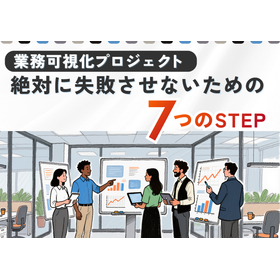
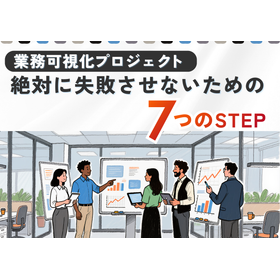
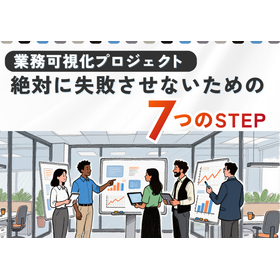
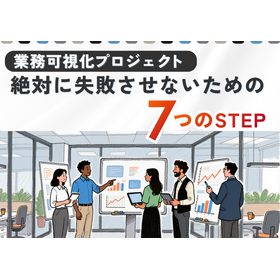
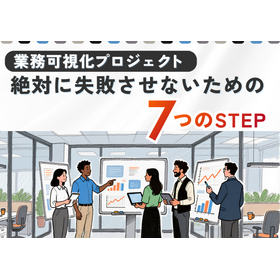
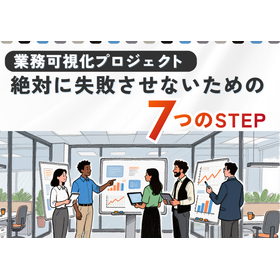
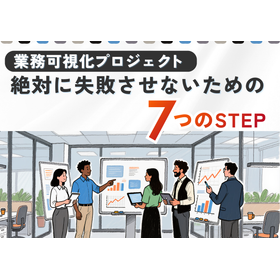
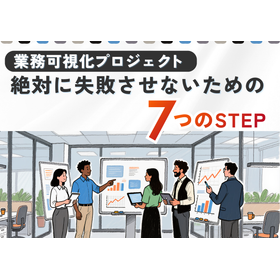
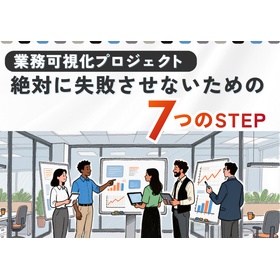
Seven Steps to Ensure Your Visualization Project Does Not Fail

Introducing the main points of the visualization project divided into seven basic steps.

"The 7 Steps to Ensure Your Visualization Project Does Not Fail" is a resource for those in charge of promoting and managing the visualization of business processes. Since this initiative requires time and cost investment, it is crucial for those in a position to promote the visualization project to grasp the key points in advance and maintain a mindset of ensuring absolute success in smoothly progressing through each step. The document clearly explains these key points by dividing them into seven basic steps. *The document can be downloaded from the external link page. For details, please refer to the document or feel free to contact us.*

  • Other services

Added to bookmarks

Bookmarks list

Bookmark has been removed

Bookmarks list

You can't add any more bookmarks

By registering as a member, you can increase the number of bookmarks you can save and organize them with labels.

Free membership registration

Key points for creating operational flow manuals used on-site.

Introduction to the Key Points of Creating a Business Flow Manual: "User-Friendly System Edition"

"The points for creating a business flow manual utilized on-site" is a document that introduces how companies can establish an "easy-to-use system" for developing their business flow manuals without imposing a burden. This can be useful for: - Those considering creating a business flowchart. - Those who want to utilize flowcharts in the creation of business manuals. - Those who have created business flowcharts but are not fully utilizing them within the company. - Those who want to visualize administrative procedures and thoroughly enforce steps to eliminate clerical errors. - Those who want to use business flowcharts as an internal training tool. *The document can be downloaded from the external link page. For details, please refer to the document or feel free to contact us.*

  • Other services

Added to bookmarks

Bookmarks list

Bookmark has been removed

Bookmarks list

You can't add any more bookmarks

By registering as a member, you can increase the number of bookmarks you can save and organize them with labels.

Free membership registration

Good Flowcharts and Bad Flowcharts (Technique Explanation)

Explaining techniques for those who are considering creating a business flowchart from now on.

In this document, we define a flowchart that aligns with its purpose as a "good flow" and a flowchart that makes achieving the objective difficult as a "bad flow." We will explain the differences between the two and introduce some techniques for transforming a bad flowchart into a good one. This can be useful for those who are: - Considering creating a business flowchart - Wanting to write a clear and easy-to-understand business flowchart - Looking to create a business flow systematically You can download the document from the external link page. For more details, please refer to the document or feel free to contact us.

  • Other services

Added to bookmarks

Bookmarks list

Bookmark has been removed

Bookmarks list

You can't add any more bookmarks

By registering as a member, you can increase the number of bookmarks you can save and organize them with labels.

Free membership registration

HACCP document creation tool 'HACCP Creator' *Evaluation version available for distribution.

Smooth creation and modification. Consistency between documents is also maintained. Presentation of explanatory materials and case studies.

"HACCP Creator" is a dedicated tool specialized in the creation and modification of HACCP documents. It allows for easy creation and modification of flow diagrams, contributing to increased efficiency in work. It also maintains consistency between documents and helps prevent errors in modifications. Currently, in addition to case studies of implementation in food manufacturers, we are offering materials that clearly explain key points related to the creation of HACCP-related documents for beginners. [Contents of the explanatory materials] ■ Shortening the time to start creating ■ Reducing unnecessary work time to ensure consistency ■ Creating a system that considers operational aspects *For more details, please refer to the materials available for download in PDF format.

  • Document and Data Management

Added to bookmarks

Bookmarks list

Bookmark has been removed

Bookmarks list

You can't add any more bookmarks

By registering as a member, you can increase the number of bookmarks you can save and organize them with labels.

Free membership registration

iGrafx Case Studies

Case studies of tools that promote business improvement, with achievements in 14 countries and 100,000 licenses!

iGrafx is an excellent business improvement tool equipped with the capability to quantitatively evaluate issues and effects in business processes. This case study collection includes examples such as that of Shinkin Card, which has achieved the elimination of dependency on individuals, improvement of business quality, and the realization of risk visibility. It also features the case of Yokohama National University’s Graduate School of Urban Innovation, which has organically linked business flows and related documents to visualize business processes in a practical way that directly leads to improvements. [Featured Cases (Excerpt)] - Shinkin Card - Yokohama National University Graduate School of Urban Innovation - Kitasato Institute Kitasato University Hospital - Orient Corporation - Royal Hotel Co., Ltd. and others *For more details, please refer to the PDF materials or feel free to contact us.

  • Document and Data Management
  • Other operation management software
  • Other embedded systems (software and hardware)

Added to bookmarks

Bookmarks list

Bookmark has been removed

Bookmarks list

You can't add any more bookmarks

By registering as a member, you can increase the number of bookmarks you can save and organize them with labels.

Free membership registration

HACCP Document Creation Tool 'HACCP Creator' *Trial version available

Streamlining HACCP documentation for the institutionalization of the HACCP system and the revision of ISO 22000. Presentation of explanatory materials and case studies.

Creating and modifying flow diagrams is easy, contributing to work efficiency. In particular, features such as automatic redrawing of connection lines, automatic insertion of jump symbols at connection points, and automatic renumbering of process numbers significantly enhance the efficiency of flow diagram creation. Additionally, by registering HACCP-related information in the flow diagram, various HACCP documents are automatically generated. Since only the flow diagram is created or modified, consistency between documents is maintained, which also helps prevent errors in modifications. It complies with various certification standards (ISO 22000, FSSC 22000, JFS). Currently, in addition to case studies of implementation in food manufacturers, we are offering materials that clearly explain key points related to HACCP document creation for beginners. [Contents of the explanatory materials] ■ Shortening the time to start creation ■ Reducing unnecessary work time to ensure consistency ■ Creating a system that considers operational aspects *For more details, please refer to the materials available for download in PDF format.

  • Document and Data Management

Added to bookmarks

Bookmarks list

Bookmark has been removed

Bookmarks list

You can't add any more bookmarks

By registering as a member, you can increase the number of bookmarks you can save and organize them with labels.

Free membership registration

"Proposal for Flow-type Manuals Utilizing Business Visualization Tools" *Presentation of materials*

The work procedures are clearly visible in flowchart format! It's easy to refer to related documents and previous and subsequent processes.

Our company provides support for the introduction of a "flow-type manual" that clearly shows the relationship between business processes and various regulations and formats through the sale of the business visualization tool "iGrafx," as well as services for creating business flows. By confirming work procedures in flowchart format, even those with little work experience can quickly become capable of performing their tasks. Forms, sample entries, and procedure manuals can be linked to each step within the flowchart, eliminating the hassle of searching for related documents that need to be referenced. 【We solve the following issues】 1. Work procedures are complex and difficult to understand with text alone... 2. Business processes are dependent on specific individuals, making it difficult for anyone other than veteran employees to handle... 3. Documents related to business are scattered, making them time-consuming to locate... ★ We are currently offering materials that introduce the benefits of implementation and comic-style documents summarizing features. You can view them immediately from "PDF Download."

  • others

Added to bookmarks

Bookmarks list

Bookmark has been removed

Bookmarks list

You can't add any more bookmarks

By registering as a member, you can increase the number of bookmarks you can save and organize them with labels.

Free membership registration

[Free Seminar] RPA Tools

UiPath Practical Explanation Seminar (Tokyo Event)

We will hold a practical seminar on the RPA tool "UiPath." This seminar is recommended for those who are struggling with: "I don't know the criteria for selecting RPA tools," "I want to see how user-friendly UiPath is," "I want to know the secrets to successfully implementing RPA," and more. We are offering a free download of the "Capable UiPath Special Edition" below. Please feel free to download and take a look. 【Overview】 ■ Date: There are multiple dates, so please check the external link page. ■ Time: 15:00 - 17:00 (Registration starts at 14:30) ■ Capacity: 20 participants (Registration will close once capacity is reached) ■ Participation fee: Free ■ Venue: Sun Planning Systems Co., Ltd., 12th Floor, Headquarters Seminar Room *For more details, please refer to the PDF document or feel free to contact us.

  • Technical Seminar
  • Business Skills Seminar

Added to bookmarks

Bookmarks list

Bookmark has been removed

Bookmarks list

You can't add any more bookmarks

By registering as a member, you can increase the number of bookmarks you can save and organize them with labels.

Free membership registration

[90-second video] 7 Steps Necessary for Business Process Analysis and Improvement

[Seminar Introduction] Preview of the Business Analysis Webinar! Introducing the methods of SPS consultants.

Third installment of the business visualization webinar series. The instructor will introduce the highlights of the business analysis webinar in 90 seconds. You can check it out from the related videos below. Please take a look. 【Instructor Information】 ■ Sun Planning Systems Co., Ltd. ■ Digital Transformation Department ■ BPM Unit ■ Hiroshi Suzuki *For more details, please refer to the related link page or feel free to contact us.

  • Other services

Added to bookmarks

Bookmarks list

Bookmark has been removed

Bookmarks list

You can't add any more bookmarks

By registering as a member, you can increase the number of bookmarks you can save and organize them with labels.

Free membership registration

[90-second video] Six steps to successfully implement RPA without failure.

Introducing the overall flow of RPA implementation, divided into six main steps!

With the changes in social conditions, RPA is gaining increasing attention and expectations. Taking into account the points to consider for a successful implementation, I will discuss the overall flow of RPA implementation, divided into six main steps. You can check the related video below. It's a 90-second video, so please take a look. 【Instructor Information】 ■ Kenji Ishi ■ Sun Planning Systems ■ Digital Transformation Department ■ RPA Unit *For more details, please refer to the related links or feel free to contact us.

  • Other services

Added to bookmarks

Bookmarks list

Bookmark has been removed

Bookmarks list

You can't add any more bookmarks

By registering as a member, you can increase the number of bookmarks you can save and organize them with labels.

Free membership registration

[For Retail] UiPath Implementation Case Study: Streamlining Price Revision Operations

Automate POS data analysis and expedite price revisions!

In the retail industry, quickly grasping market trends and making appropriate price adjustments is crucial for maintaining competitiveness. In particular, analyzing POS data often requires a significant amount of time and effort. By implementing UiPath, the collection and analysis of POS data can be automated, speeding up decision-making for price adjustments. 【Use Cases】 - Pricing based on POS data - Competitor price research - Seasonal demand forecasting 【Benefits of Implementation】 - Reduced time to price adjustments - Maximized sales opportunities - Improved accuracy of data analysis

  • Other information systems
  • Software (middle, driver, security, etc.)
  • Other embedded systems (software and hardware)

Added to bookmarks

Bookmarks list

Bookmark has been removed

Bookmarks list

You can't add any more bookmarks

By registering as a member, you can increase the number of bookmarks you can save and organize them with labels.

Free membership registration

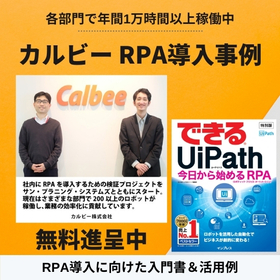
RPA Tool "UiPath" Implementation Case Study: Calbee, Inc.

Over 200 robots are in operation, contributing to the efficiency of business operations! Here are examples from three departments that have implemented RPA. *A beginner's guide to RPA implementation is also available as a gift!

We would like to introduce a case study of Calbee, Inc., which implemented the RPA tool "UiPath." In the company's sales department, manual work previously limited the downloading of POS data to once every week. Therefore, they introduced our product. After implementation, robots automatically perform the tasks daily, allowing them to grasp POS trends in almost real-time. There are also cases of implementation in the production management and accounting departments. 【Implementation Effects】 < Sales Department > ■ Robots were prepared for each client to automate the download process ■ They are now able to grasp POS trends in almost real-time ■ The momentum for proposal activities has significantly increased * We are currently offering an easy-to-understand official guidebook from UiPath (not for sale) for beginners. For more details on Calbee's case, please refer to the PDF materials or feel free to contact us.

  • Other information systems
  • Software (middle, driver, security, etc.)
  • Other embedded systems (software and hardware)

Added to bookmarks

Bookmarks list

Bookmark has been removed

Bookmarks list

You can't add any more bookmarks

By registering as a member, you can increase the number of bookmarks you can save and organize them with labels.

Free membership registration
Prev 12 Next
  • 少量~量産 精密~通常溶接 金属の溶接・接合はお任せください! 太陽イービーテックは、電子ビーム溶接、TIG溶接、真空ろう付け、トーチろう付けなど様々な加工に対応します。
  • あなたの設計時間 CADに奪われていませんか? 制約から解放される新たな設計環境へ
    • Contact this company

      Contact Us Online

    Products

    • Search for Products

    Company

    • Search for Companies

    Special Features

    • Special Features

    Ranking

    • Overall Products Ranking
    • Overall Company Ranking

    support

    • site map
    IPROS
    • privacy policy Regarding external transmission of information
    • terms of service
    • About Us
    • Careers
    • Advertising
    COPYRIGHT © 2001-2026 IPROS CORPORATION ALL RIGHTS RESERVED.
    Please note that the English text on this page is automatically translated and may contain inaccuracies.