A comprehensive tool for Teams management that fulfills desired features in Microsoft Teams management.
**TeamFactory: A Collection of Management Features for Teams** Provides four features for managing Microsoft Teams. It is also useful for managing teams with external users (guest users). **Introduction of the Four Features** - **SHINSEI**: A workflow that can be used on Teams when creating or changing settings for Teams teams. - **BUNSEKI**: Visualization of the usage and activity status of Teams teams. Audit logs related to team operations can also be checked. - **SHIWAKE**: Inventory of Teams teams. Checking the usage status of teams on the tenant and automating team processing. - **IDOU**: Automatic maintenance of Teams team members. Synchronizes with various Microsoft 365 groups to keep members updated. Supports the setup of the Teams usage environment and enhances the comfortable use of Teams. *For more details, please refer to the PDF document or feel free to contact us.*

Inquire About This Product
basic information
【Function Details】 <APPLICATION> ■Request to create or change Teams ■Automatically reflected in Teams ■Can change approver based on application content <ANALYSIS> ■Report on Teams usage status ■Can check Teams audit logs ■Can verify file operations in Teams <SORTING> ■Visualize team usage status ■Filter function for narrowed display ■Automate processing of unused teams <TRANSFER> ■Automatic maintenance of team members ■Sync settings for Microsoft 365 various groups and Teams members ■Automatic cleanup of team members for updates *For more details, please refer to the PDF document or feel free to contact us.
Price range
Delivery Time
Applications/Examples of results
For more details, please refer to the PDF document or feel free to contact us.
Detailed information
-
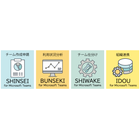
TeamFactory's four features
-
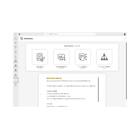
TeamFactory TOP screen. You can contract only the necessary functions from the four available features.
-
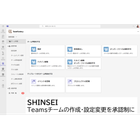
A workflow feature that allows the creation and modification of SHINSEI Teams to be subject to approval. Applications and approvals can be conducted within the Teams app. Once approved, changes are automatically reflected.
-
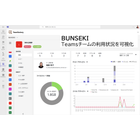
You can check the usage and settings information of the BUNSEKI Teams team. You can also obtain audit logs and visualize operations on the team.
-
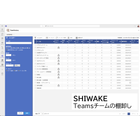
SHIWAKE displays a list of the usage status of Teams teams on tenants. It is also possible to manage teams that are not in use. There is an automatic processing feature for teams, which helps prevent the proliferation of teams.
-
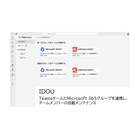
IDOU Teams automatic maintenance feature for team members. You can update members by synchronizing settings with each Microsoft 365 group.
catalog(1)
Download All Catalogs
Company information

Our company continues to engage in application development and system construction, and is currently providing cloud services that are in line with the cloud era. Additionally, focusing on the fields of communication and information processing, we are identifying new industries while striving to build a new era where "employees," "customers," "humanity," and "all living beings" can be happy, both now and in the future. Please feel free to contact us if you have any requests.



![[Case Study of Store Manager Introduction] Tokyu Store Co., Ltd.](https://image.mono.ipros.com/public/product/image/cbd/2000609913/IPROS07868594645489698955.png?w=280&h=280)