We have compiled a list of manufacturers, distributors, product information, reference prices, and rankings for CAD.
ipros is IPROS GMS IPROS One of the largest technical database sites in Japan that collects information on.

CAD(図面) - List of Manufacturers, Suppliers, Companies and Products | IPROS GMS

Last Updated: Aggregation Period:Mar 18, 2026~Apr 14, 2026
This ranking is based on the number of page views on our site.

CAD Product List

91~120 item / All 170 items

Displayed results

Steel Frame CAD "S/F REAL4"

A powerful steel frame CAD aimed at streamlining the entire process!

"S/F REAL4" is a CAD system specifically designed for steel structures, aiming to be more user-friendly, faster, and capable of handling a greater variety of cases. It manages all architectural steel structures in a three-dimensional model and can automatically generate general drawings, detailed drawings, processing drawings, and NC data related to steel fabrication. Additionally, this product series has a proven track record of implementation in many companies, contributing to the production of steel buildings, integration with production management systems, and cost reduction. 【Features】 ■ Automation of construction drawings ■ Optimization of the entire manufacturing process ■ Avoidance of mistakes during the design phase ■ Efficiency in communication and coordination among stakeholders *For more details, please refer to the catalog or feel free to contact us.

  • 3D CAD
  • Other CAD related software
  • CAD

Added to bookmarks

Bookmarks list

Bookmark has been removed

Bookmarks list

You can't add any more bookmarks

By registering as a member, you can increase the number of bookmarks you can save and organize them with labels.

Free membership registration

Plant CAD "Brain Gear Supra" free trial version available.

Introducing a cutting-edge intelligent design environment! A presentation of the plant design CAD system.

"Brain Gear Supra" is a plant design CAD system that operates on AutoCAD Architecture. It efficiently creates design documents through basic design of process plants, piping modeling, and material aggregation functions. It significantly improves work efficiency and provides a cutting-edge intelligent design environment. 【Features】 ■ Operates on AutoCAD Architecture ■ Efficiently creates design documents ■ Significantly improves work efficiency ■ Provides a cutting-edge intelligent design environment *For more details, please refer to the PDF materials. ★ A free trial version is available. Please feel free to contact us ★

  • Other CAD
  • CAD

Added to bookmarks

Bookmarks list

Bookmark has been removed

Bookmarks list

You can't add any more bookmarks

By registering as a member, you can increase the number of bookmarks you can save and organize them with labels.

Free membership registration

Until when will we differentiate between 2D CAD and 3D CAD?

"TopSolid" eliminates hassle with complete integration of 2D and 3D CAD.

Your 2D CAD and 3D CAD, [Do you have these frustrations?] ■ The endless loop between 2D CAD and 3D CAD Fixing this and fixing that, Design work doesn't progress at all, yet is 3D CAD really that convenient? ...With TopSolid, if you design in 3D, both the drawings and parts lists are "done!" So there's no need to buy 2D CAD, learn it, or hire someone—it's all OK. ■ Data is too heavy and work doesn't progress Even if opening the assembly is quick, processing it causes it to freeze. It takes time. We no longer need unwanted break times. ...With TopSolid, not only does it quickly project large assemblies, but it also responds immediately during modification work. ■ CAD operability What designers need is the realization of their ideas. There's no time to be tossed around by tools. ...With intuitive operation, learning is a breeze. The operation is simple, but this is a seminar on 3D CAD that can also handle automotive, aerospace, marine, and medical applications. It might just be the opportunity to change your common sense. We will introduce it in a free seminar.

Added to bookmarks

Bookmarks list

Bookmark has been removed

Bookmarks list

You can't add any more bookmarks

By registering as a member, you can increase the number of bookmarks you can save and organize them with labels.

Free membership registration

3DCAD『Mastercam Design』

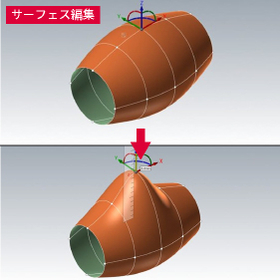
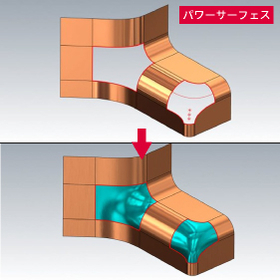
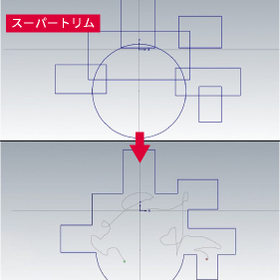
Equipped with various CAD features such as 2D wireframe and 3D surface and solid modeling.

■Design (2D/3D CAD) Equipped with various CAD functions ranging from 2D wireframe drawing to 3D modeling using surfaces and solids. Additionally, it includes analysis functions that take processing steps into consideration.

  • ipros_mastercam_design_1.jpg
  • ipros_mastercam_design_2.jpg
  • ipros_mastercam_design_3.jpg
  • 3D CAD
  • Modeler
  • Other CAD
  • CAD

Added to bookmarks

Bookmarks list

Bookmark has been removed

Bookmarks list

You can't add any more bookmarks

By registering as a member, you can increase the number of bookmarks you can save and organize them with labels.

Free membership registration

3D CAD Packaging Design Simulation 'Box-module'

3D CAD/CAM solution equipped with a direct translator standard!

The "Box-module" is developed with a consistent architecture based on ZWsoft's unique kernel, providing many features for manufacturing high-quality products in a short period, along with easy operability and flexible modeling capabilities. It can directly read not only general intermediate format files but also the unique format data (native data) of each CAD system. We offer smooth CAD editing and cutting solutions that are well-suited for cardboard packaging manufacturers. 【Features】 ■ Agile operability and advanced functions through hybrid modeling ■ Effective definition, operation, and management for assembly modeling ■ Realization of quick drawing and quick dimensioning through the fusion of drawing creation from 3D models and 2D CAD technology ■ Strong support for reducing rework losses due to design changes through the integration of CAD and CAM *For more details, please refer to the PDF materials or feel free to contact us.

Added to bookmarks

Bookmarks list

Bookmark has been removed

Bookmarks list

You can't add any more bookmarks

By registering as a member, you can increase the number of bookmarks you can save and organize them with labels.

Free membership registration

3D CAD for Aluminum Products 'apdX'

"Free of charge for use" Dedicated 3D CAD tool for SUS frames (compatible with SF and GF listed in our catalog)

Our aluminum structural materials (square bars) "SF" and aluminum pipe structural materials (pipe materials) "GF" series are both supported. The aluminum product designer "apdX" allows you to simply trace the desired shape with a mouse like a continuous line, automatically connecting frames and parts to complete the model. You can easily and quickly bring the image in your mind into shape. It is also linked with our online store "WebSus," achieving a reduction in man-hours through coordinated estimates and orders.

  • Company:SUS
  • Price:Other
  • 3D CAD
  • CAD

Added to bookmarks

Bookmarks list

Bookmark has been removed

Bookmarks list

You can't add any more bookmarks

By registering as a member, you can increase the number of bookmarks you can save and organize them with labels.

Free membership registration

New Product! Seamlessly integrate 2D and 3D CADPAC NewWorld

Shape your ideas as you wish!

"CADPAC NewWorld" is a CAD system designed for companies to thrive in the new world ahead. It realizes an efficient design environment through a total management system with stable security and smooth communication. It serves as a powerful tool that enables the efficient and smooth creation of "products" from "ideas." [Features] ■ Share accurately integrated information across various locations ■ Efficiently operate in an optimal state among departments such as design development, manufacturing, sales, quality control, and maintenance ■ Support for various file formats ■ Assist in the online transformation of companies *For more details, please download the PDF below or contact us.

Added to bookmarks

Bookmarks list

Bookmark has been removed

Bookmarks list

You can't add any more bookmarks

By registering as a member, you can increase the number of bookmarks you can save and organize them with labels.

Free membership registration

Point cloud, STL processing, 3D CAD, ZW3D

Point cloud, surface creation function from STL, tessellation of complex point cloud data, easy measurement of errors between shapes and point cloud, STL data.

● Surfaces can be created from point clouds and STL! - (Using point cloud and STL data from 3D measuring devices, we enable the direct creation of smooth surfaces. It is possible to create surfaces that consider not only point cloud information but also continuity with adjacent surfaces. This is effective not only for creating surface models from mock-ups but also for reverse engineering of pressed molded products.) ● Measure the errors between shapes and point cloud/STL data and execute gradient processing with a command! (By specifying the allowable range, we can instantly provide the average value and maximum error value.)

  • 3D CAD
  • Data conversion software
  • CAD

Added to bookmarks

Bookmarks list

Bookmark has been removed

Bookmarks list

You can't add any more bookmarks

By registering as a member, you can increase the number of bookmarks you can save and organize them with labels.

Free membership registration

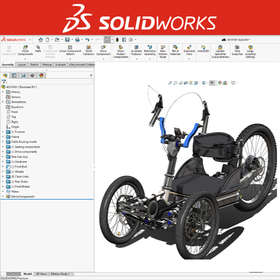
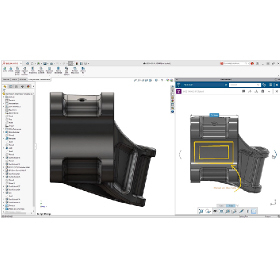
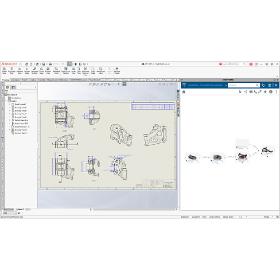
3D CAD system 'SolidWorks'

Solidworks is a 3D CAD software designed from the perspective of designers. It enables ideal design and modeling.

Solidworks analyzes the various features of each CAD based on customer requirements and proposes the optimal system.

  • solidworks_ipros_2.jpg
  • solidworks_ipros_3.jpg
  • Other CAD
  • 3D CAD
  • Other CAD related software
  • CAD

Added to bookmarks

Bookmarks list

Bookmark has been removed

Bookmarks list

You can't add any more bookmarks

By registering as a member, you can increase the number of bookmarks you can save and organize them with labels.

Free membership registration

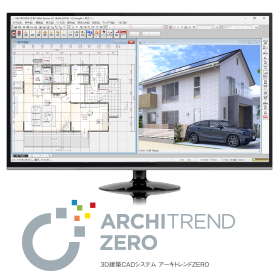
3D Architectural CAD System "ARCHITREND ZERO"

From design to presentation and application, everything in one go! The No. 1 residential design 3D CAD in Japan. Compliant with the revised Energy Conservation Act for Buildings effective April 1, 2021!

The first generation "ARCHITREND," released in 1987, has been adopted by over 38,000 companies, establishing itself as the standard domestic architectural CAD software, the "ARCHITREND series." The fifth installment, "ARCHITREND ZERO," pursues improved operability and functionality with a simple interface. It supports domestic housing design (traditional construction methods, 2x4 construction, S/RC construction). This 3D architectural design system provides total support for design work, from design to presentation, various applications, cost estimation, and after-management. 《ZEH Design》《Compliant with the new energy-saving standards of 2016!》《VR Integration》 ------------------------------------ ◎ Catalog data can be downloaded from the product site below. ◎ A 30-day "free trial version" is available! ◎ Events and seminars are being held nationwide! ▼ For applications and details, click here.

Added to bookmarks

Bookmarks list

Bookmark has been removed

Bookmarks list

You can't add any more bookmarks

By registering as a member, you can increase the number of bookmarks you can save and organize them with labels.

Free membership registration

The definitive integrated engineering CAD! 'SchemELECT'

Flexible response to work associated with frequent changes in electrical control system design and enclosure design. *Free demo available!

"SchemELECT" integrates and manages various information related to electrical control systems in a unified database. By combining dedicated functions for electrical control design and enclosure design with intuitive operability, it maximizes the automation of the core "drawing" tasks, allowing engineers to focus on the essence of design. It promotes standardization and automation across design areas, contributing to significant reductions in man-hours and lead times for overall product development. *Free demos are available! For more information, please contact us using the form below. 【Features】 ■ Standard equipped with a project design information integration database ■ Standard equipped with dedicated functions specialized for circuit and layout design ■ Automatically generates terminal layout diagrams, cable manufacturing instructions, and more from circuit and layout information ■ Automatically creates bill of materials and wiring diagrams, enabling information utilization in subsequent processes of procurement and manufacturing ■ Achieves real-time integration with 3D panel models For more details, please contact us or download the catalog to view.

  • 2D CAD Electrical
  • Other CAD
  • 3D CAD
  • CAD

Added to bookmarks

Bookmarks list

Bookmark has been removed

Bookmarks list

You can't add any more bookmarks

By registering as a member, you can increase the number of bookmarks you can save and organize them with labels.

Free membership registration

The definitive integrated engineering CAD! 'SchemELECT'

Flexible response to changes in electrical control system design and enclosure design! *Free demo available!

"SchemELECT" integrates and manages various information related to electrical control systems in a unified database. By combining dedicated functions for electrical control design and enclosure design with intuitive operability, it maximizes the automation of the fundamental "drawing" tasks, allowing engineers to focus on the essence of design. It promotes standardization and automation across design areas, contributing to significant reductions in man-hours and lead times for overall product development. *Free demos are available! For more details, please contact us using the form below. 【Features】 ■ Standard integration of project design information database ■ Dedicated functions specialized for circuit and layout design included as standard ■ Automatic generation of terminal layout diagrams, cable manufacturing instructions, etc., from circuit and layout information ■ Automatic creation of bill of materials and wiring diagrams, enabling information utilization in subsequent processes of procurement and manufacturing ■ Real-time integration with 3D panel models For more information, please contact us or download the catalog to view.

  • 2D CAD Electrical
  • Other CAD
  • 3D CAD
  • CAD

Added to bookmarks

Bookmarks list

Bookmark has been removed

Bookmarks list

You can't add any more bookmarks

By registering as a member, you can increase the number of bookmarks you can save and organize them with labels.

Free membership registration

Easy, low-cost, high-performance 2D CAD "Cameo 2D CAD"

Easy, low-cost, high-performance 2D CAD. With intuitive operability, even beginners can quickly and easily create CAD drawings for NC.

When creating drawings in CAD based on blueprints, it is unavoidable to deal with cumbersome coordinate calculations. Camest has various features designed to alleviate this complexity. It is capable of reading DXF, DWG, IGES, and NC data. During the reading process, it automatically connects the endpoints that are apart. - Unlimited Undo/Redo - Auxiliary line function - Printing function - A free trial version is available for use (http://camest.com/trial/index.html) - Videos are currently available.

  • Milling machine
  • 2D CAD machine
  • 2D CAD Construction
  • CAD

Added to bookmarks

Bookmarks list

Bookmark has been removed

Bookmarks list

You can't add any more bookmarks

By registering as a member, you can increase the number of bookmarks you can save and organize them with labels.

Free membership registration

2D CAD (design tool) 'CADSUPER Lite'

The definitive 2D CAD specialized for drawing functions! Rich data compatibility with simple operability.

"CADSUPER Lite" is a newly developed design tool based on the concept of easy-to-use, reliable, and abundant data compatibility. With its simple operability, it separates the drawing window from the CADSUPER mainframe, allowing it to be used outside the CADSUPER framework. Command execution through mouse operations reduces the amount of mouse movement. Additionally, it has rich data compatibility, allowing direct reading of data from the Windows version of the CADSUPER series, and comes standard with converters for DXF/DWG and MICROCADAM data. [Features] ■ Simple operability ■ Abundant data compatibility ■ CAD specialized for drafting *For more details, please refer to the PDF materials or feel free to contact us.

  • Other CAD
  • 2D CAD machine
  • CAD

Added to bookmarks

Bookmarks list

Bookmark has been removed

Bookmarks list

You can't add any more bookmarks

By registering as a member, you can increase the number of bookmarks you can save and organize them with labels.

Free membership registration

Application CAD system "Kenshin-kun Print Sample"

One-click! A simple application CAD system that can be easily created without specialized knowledge or time for learning.

The "Kenshin-kun Print Sample" is a CAD application system that allows anyone to create everything from the application set to the breakdown of the estimate in just 20 minutes for new applications and 5 minutes for modifications. By simply selecting the municipality to apply to, everything from the application form to the colors and symbols of local piping specifications is automatically set. It is packed with automatic creation and automatic linkage features that make it easy to use, even for those who are new to application tasks or are not skilled in CAD. 【Features】 ■ Ultra-fast finishing ■ Same operability as familiar Office applications ■ Easily created with a single click, no specialized knowledge or learning time required *For more details, please refer to the PDF materials or feel free to contact us.

  • 3D CAD
  • Other CAD
  • Other CAD related software
  • CAD

Added to bookmarks

Bookmarks list

Bookmark has been removed

Bookmarks list

You can't add any more bookmarks

By registering as a member, you can increase the number of bookmarks you can save and organize them with labels.

Free membership registration

【Significant Reduction in Work Hours】 Drainage Main CAD 'Kenshin-kun'

We introduce a reliable automatic drainage main pipe drawing system that is compatible with AutoCAD, so you can use it without hesitation.

"Kenshin-kun" is a drainage main pipe CAD that significantly reduces work time with 3D input, packed with design office know-how, and offers outstanding ease of use. Design drawings from clients can be used as is. It has abundant automatic functions, allowing for the creation of daily reports and completion drawings from standard drawings in one go. Additionally, inquiries about operations are completely free, and we also provide reliable remote services. 【Features】 ■ A main pipe CAD system compatible with AutoCAD ■ Significant reduction in work time with our unique input system (standard drawings) ■ Packed with automatic functions such as centralized management of daily reports and completion drawings, as well as part cutting features ■ Comprehensive after-sales support *For more details, please refer to the PDF materials or feel free to contact us.

  • 3D CAD
  • Other CAD
  • Other CAD related software
  • CAD

Added to bookmarks

Bookmarks list

Bookmark has been removed

Bookmarks list

You can't add any more bookmarks

By registering as a member, you can increase the number of bookmarks you can save and organize them with labels.

Free membership registration

[Overseas Case Study] ATK Corporation

Significantly improve QLC by automating design and eliminating verification through mockups!

ATK (now Orbital ATK), which is responsible for the design of the wire harness for the booster rocket to be mounted on the successor to the Space Shuttle from NASA, has introduced our "E3.series." Before the introduction, wire harness layout considerations were conducted using full-scale mock-ups, leading to significant costs in equipment and labor. After the introduction of "E3.series," layout considerations can be performed in CAD, eliminating the need for physical verification through mock-ups, resulting in substantial cost reductions. 【Challenges Before Introduction】 ■ Conducting wire harness layout considerations using full-scale mock-ups incurred enormous costs in equipment and labor. ■ Creating wiring diagrams and other drawings using Microsoft Visio took a lot of time for design changes and verification, and the quality was poor. *For more details, please refer to the PDF document or feel free to contact us.

Added to bookmarks

Bookmarks list

Bookmark has been removed

Bookmarks list

You can't add any more bookmarks

By registering as a member, you can increase the number of bookmarks you can save and organize them with labels.

Free membership registration

For Electrical Designers: CAD 'IJCAD Electrical'

Supporting the realization of efficiency! A full-fledged electrical design CAD equipped with essential features for board design as standard.

"IJCAD Electrical" is a full-fledged electrical design CAD that comes standard with essential features for electrical design, such as "page management," "symbols," "wire numbering," "reference management," and "report creation." Not only can you perform circuit design with simple operations, but various error-checking functions also prevent omissions and duplications of device numbers and wire numbers, which often lead to rework, allowing for the quick creation of high-quality drawings. The wiring function allows for wiring that matches the design content, including standard wiring and angled wiring, and for multi-phase wiring, it is easy to create drawings for 2-phase to 4-phase wiring. 【Features】 ■ Industry-standard .dwg-based, allowing for handling AutoCAD data ■ Excellent operability ・Significantly reduces startup time ■ Overwhelmingly low price *For more details, please refer to the PDF materials or feel free to contact us.

  • Other CAD
  • Data conversion software
  • CAD

Added to bookmarks

Bookmarks list

Bookmark has been removed

Bookmarks list

You can't add any more bookmarks

By registering as a member, you can increase the number of bookmarks you can save and organize them with labels.

Free membership registration

Hybrid CAD System CADSUPER2025

Create value-added drawings with barcodes for product management! CADSUPER2025

In CADSUPER 2025, we have enhanced the "Barcode Command" for creating barcodes and QR codes for product management, the "Layer Name Import/Export Function" for outputting and modifying layer names to external files and re-importing them, the "Image Display Function" that clearly shows the results of modified dimension attributes, and the "PDF File Compression Function" for outputting drawings to PDF. Main Features of CADSUPER 2025: 1. Barcode Command (Optional) 2. Layer Name Import/Export Function 3. Image Display of Dimension Attributes 4. Default File Name Settings 5. Image Settings for Printer/Plotter Output For detailed materials and demos, please contact: Marble Co., Ltd. Embedded Products Division, Product Business Department Phone: (03) 3419-6011

Added to bookmarks

Bookmarks list

Bookmark has been removed

Bookmarks list

You can't add any more bookmarks

By registering as a member, you can increase the number of bookmarks you can save and organize them with labels.

Free membership registration

CAD System Development

Total support from consulting to system development and implementation assistance!

Our "CAD System Development" has over 30 years of extensive customization experience with Autodesk products, and we assist in building specialized CAD systems tailored to our customers' needs. Our experienced dedicated engineers provide total support from consulting to system development and implementation assistance. 【Features】 ■ Capable of planning and creating layouts for kitchens and furniture ■ Conducts material arrangement, allocation, and estimation for key components of single-family homes ■ Aids in consensus building among construction stakeholders and future maintenance management *For more details, please refer to the PDF document or feel free to contact us.

  • Software (middle, driver, security, etc.)
  • CAD

Added to bookmarks

Bookmarks list

Bookmark has been removed

Bookmarks list

You can't add any more bookmarks

By registering as a member, you can increase the number of bookmarks you can save and organize them with labels.

Free membership registration

Design Connect Service "ARCHITREND ONE"

Manage the latest data by integrating ARCHITREND ZERO with the cloud!

ARCHITREND ONE is a 3D architectural CAD system that seamlessly integrates with the data of "ARCHITREND ZERO," allowing for the management of always up-to-date data in the cloud. By setting viewing restrictions and editing permissions on an account basis, users can utilize the latest data from various devices regardless of location or time, enabling the sharing of consistent design information, progress checks, and remote work instructions with a sense of "connecting ARCHITREND," significantly improving productivity. ◎ Request for catalog materials ◎ A free trial version is available. ▼ For more details, click here.

Added to bookmarks

Bookmarks list

Bookmark has been removed

Bookmarks list

You can't add any more bookmarks

By registering as a member, you can increase the number of bookmarks you can save and organize them with labels.

Free membership registration

Mid-range 3D CAD 'Autodesk Inventor'

Establish a 3D design environment early at low cost. We are offering materials that introduce case studies from machinery manufacturers.

"Autodesk Inventor" is a mid-range 3D CAD software equipped with numerous tools necessary for mechanical design, drafting, and product simulation. It supports various design methods, including parametric modeling, direct modeling, and rule-based modeling. The cloud-based design review feature allows for smooth collaboration with stakeholders, contributing to improved efficiency and quality in design and related tasks. As a subscription service that can be used for the required duration and number of accounts, it has been adopted by many companies aiming for cost optimization and reduction. 【Features】 ■ Capable of importing 3D CAD data created with various software ■ Smooth processing of assembly data for a large number of components ■ Capable of creating data for BIM ■ Plans that include a variety of compatible software are also available *Why did a machinery manufacturer that successfully utilized and established 3D design choose this product? You can view materials introducing case studies and product features from the <PDF download>.

Added to bookmarks

Bookmarks list

Bookmark has been removed

Bookmarks list

You can't add any more bookmarks

By registering as a member, you can increase the number of bookmarks you can save and organize them with labels.

Free membership registration

2D3D Integrated CAD CADPAC-CREATOR [Free Trial Version]

You can use the trial version of CADPAC-CREATOR for free.

CADPAC-CREATOR is the latest 2D/3D hybrid CAD that combines the highly rated 2D CAD in the manufacturing sector with powerful data exchange and direct editing features of a new sensation 3D CAD. With CADPAC-CREATOR, you can experience its excellent operability and data compatibility through a free trial version.

  • 2D CAD machine
  • 3D CAD
  • Other CAD
  • CAD

Added to bookmarks

Bookmarks list

Bookmark has been removed

Bookmarks list

You can't add any more bookmarks

By registering as a member, you can increase the number of bookmarks you can save and organize them with labels.

Free membership registration

3D CAD CADSUPERWorks Mini/Lite

A 3D CAD with intuitive operations that allows for smooth componentization.

【Features】 ■ Suitable for 3D printing applications ■ Equipped with interference check function between parts ■ Excellent compatibility with other CAD software ■ Capable of converting 3D information to 2D You can choose from two types: the "Mini model," which has the basic functions necessary for 3D modeling of parts, and the "Lite model," which includes assembly design functions. *For more details, please refer to the PDF catalog. If you would like detailed materials, please contact us at the information below. ■ Contact Marble Co., Ltd. Embedded Product Division, Product Business Department Phone: (03) 3419-6011

Added to bookmarks

Bookmarks list

Bookmark has been removed

Bookmarks list

You can't add any more bookmarks

By registering as a member, you can increase the number of bookmarks you can save and organize them with labels.

Free membership registration

Thorough Explanation of the New Features in SOLIDWORKS 2025 [Video Release]

= SOLIDWORKS 2025 = Explanation of new features in a video!

You can watch a video where our SOLIDWORKS certified engineers explain the new features included in the new version "SOLIDWORKS 2025," released in November 2024. SOLIDWORKS 2025 includes enhancements such as specifying templates in the Z upward direction, interference checks in large design review mode, silhouette Defeature methods for parts, SpeedPak instances, creating DimXpert dimensions from sketch dimensions, patterning visualization reference geometry in assemblies, and repairing geometric constraints with unknown references, among many other feature enhancements. If you are interested in the latest SOLIDWORKS 2025, please be sure to watch the video. ■ Application for Viewing If you would like to watch the video, please apply through the related link or the URL below. https://www.ccube.co.jp/cadstation/seminar/whats-new-in-solidworks2025

  • 3D CAD
  • Structural Analysis
  • CAD

Added to bookmarks

Bookmarks list

Bookmark has been removed

Bookmarks list

You can't add any more bookmarks

By registering as a member, you can increase the number of bookmarks you can save and organize them with labels.

Free membership registration

2D3D Integrated Design CAD 'CADPAC-CREATOR'

Shape freely, new freestyle 2D/3D CAD.

CADPAC-CREATOR is the latest 2D-3D integrated CAD that combines a high-performance and user-friendly 2D CAD with a new sensation 3D CAD function that allows users to freely generate and edit shapes without being hindered by constraints, history, or features, while being able to read any shape data. Additionally, it is equipped with interfaces for 3D measurement, CAM, and processing equipment, enabling creative manufacturing from design to production based on innovative ideas.

  • cadpac-creator_02.png
  • 2D CAD machine
  • 3D CAD
  • Other CAD
  • CAD

Added to bookmarks

Bookmarks list

Bookmark has been removed

Bookmarks list

You can't add any more bookmarks

By registering as a member, you can increase the number of bookmarks you can save and organize them with labels.

Free membership registration

Domestic 2D CAD 'CADSUPER Lite' for mechanical drawings.

Outstanding usability of domestic 2D CAD!

CADSUPER Lite is a 2D CAD software limited to the drafting functions of the higher-end CAD software "CADSUPER FX2" from the CADSUPER series. It features the labor-saving operability and ease of use that the CADSUPER series is known for, a simple and intuitive menu structure, compatibility with the same data format as the higher-end CADSUPER FX2, data interchangeability with DXF/DWG and MICROCADAM, and drawing functions for JIS parts such as screws and bolts, allowing both beginners and experienced engineers to focus on their design work.

  • 2D CAD machine
  • CAD

Added to bookmarks

Bookmarks list

Bookmark has been removed

Bookmarks list

You can't add any more bookmarks

By registering as a member, you can increase the number of bookmarks you can save and organize them with labels.

Free membership registration

Building Equipment CAD "ARCADE NEO" Size Stamp Function

It is equipped with a convenient piping drawing feature. Please try it out with the free trial version.

"ARCADE NEO" is a cost-effective ARES-based architectural equipment CAD. We have now made it compatible with ARES Commander 2024 SP2 (build 24.2.1.3136). This product eliminates complex operations and achieves a unified, simple operation, allowing for the creation of drawings and summary tables with minimal training. Below, we introduce the wiring drawing function of "ARCADE NEO." Size Stamp Function - This function allows you to add sizes to pipes or ducts when drawing a route. Sizes can be added even after the drawing is completed, making it easier to make corrections and improving drawing efficiency. *For more details, please refer to the PDF materials. ★ A free trial version is available. Please feel free to contact us! ★

  • 2D CAD Construction
  • CAD

Added to bookmarks

Bookmarks list

Bookmark has been removed

Bookmarks list

You can't add any more bookmarks

By registering as a member, you can increase the number of bookmarks you can save and organize them with labels.

Free membership registration

ThinkDesign 【3D CAD with excellent freeform surface capabilities】

Achieving high-quality reverse engineering through full hybrid modeling.

"ThinkDesign" is a hybrid 3D CAD that allows designers to create 3D models exactly as they envision. With the innovative design approach "Target-Driven Design," users can create freeform 3D models without complex operations or mathematical knowledge. The hybrid 3D modeling environment that merges surfaces and solids is exceptionally effective for creating and editing product shapes. ThinkDesign is utilized for various applications, including the creation of high-quality curved 3D models, generating CAD models from scan data, deforming 3D models that include meshes, automatic deformation prediction for press molds, and countermeasures for springback.

  • Other CAD
  • 3D CAD
  • CAD

Added to bookmarks

Bookmarks list

Bookmark has been removed

Bookmarks list

You can't add any more bookmarks

By registering as a member, you can increase the number of bookmarks you can save and organize them with labels.

Free membership registration

Mid-range 3D CAD for mechanical design 'IRONCAD'

3D CAD suitable for mechanical design of devices and jigs.

"IronCAD" is a 3D CAD that boasts exceptional operability. With unique features such as drag-and-drop from the "catalog" and the constraint-free placement tool "TriBall," quick modeling is possible. It allows for treating parts and assemblies the same, making it suitable for conceptual design and enabling ideas to be quickly realized. Its simplicity means that it doesn't take long to learn. In mechanical design for devices and jigs, it enables a significant speed-up in design and a substantial reduction in man-hours. <IronCAD's 7 Strengths> ● Feature-based direct modeling ● No constraints needed for assembly work ● Easy top-down design ● Smooth handling of large assemblies ● High data compatibility ● Editable intermediate files ● Equipped with DWG-compatible 2D CAD

Added to bookmarks

Bookmarks list

Bookmark has been removed

Bookmarks list

You can't add any more bookmarks

By registering as a member, you can increase the number of bookmarks you can save and organize them with labels.

Free membership registration