We have compiled a list of manufacturers, distributors, product information, reference prices, and rankings for CAD.
ipros is IPROS GMS IPROS One of the largest technical database sites in Japan that collects information on.

CAD(扉 3d) - List of Manufacturers, Suppliers, Companies and Products | IPROS GMS

Last Updated: Aggregation Period:Feb 25, 2026~Mar 24, 2026
This ranking is based on the number of page views on our site.

CAD Product List

31~60 item / All 215 items

Displayed results

Explanation material "How to Choose the Right CAD"

What are the reasons for the unsuccessful implementation of 3D CAD? Here are some key points to prevent mismatches.

Is the introduction and utilization of 3D CAD progressing without issues? ● Stuck in 2D design as the mainstream ● Using 3D only for presentation modeling ● Unable to create conceptual designs from scratch in 3D ● Veteran users accustomed to 2D are not using it ● 3D design is difficult. Even with effort, it takes too much time If you have ever felt any of these concerns, please refer to this document to reconsider your CAD choices. "How to Choose the Right CAD" is available for free. Why do many companies experience mismatches in CAD selection? This document delves into the reasons. ● Ipros Product Ranking: Highest 3rd place ● Apelza Download Ranking: Highest 1st place

  • 3D CAD
  • 2D CAD machine
  • Other CAD related software
  • CAD

Added to bookmarks

Bookmarks list

Bookmark has been removed

Bookmarks list

You can't add any more bookmarks

By registering as a member, you can increase the number of bookmarks you can save and organize them with labels.

Free membership registration

Mid-range 3D CAD 'Autodesk Inventor'

Establish a 3D design environment early at low cost. We are offering materials that introduce case studies from machinery manufacturers.

"Autodesk Inventor" is a mid-range 3D CAD software equipped with numerous tools necessary for mechanical design, drafting, and product simulation. It supports various design methods, including parametric modeling, direct modeling, and rule-based modeling. The cloud-based design review feature allows for smooth collaboration with stakeholders, contributing to improved efficiency and quality in design and related tasks. As a subscription service that can be used for the required duration and number of accounts, it has been adopted by many companies aiming for cost optimization and reduction. 【Features】 ■ Capable of importing 3D CAD data created with various software ■ Smooth processing of assembly data for a large number of components ■ Capable of creating data for BIM ■ Plans that include a variety of compatible software are also available *Why did a machinery manufacturer that successfully utilized and established 3D design choose this product? You can view materials introducing case studies and product features from the <PDF download>.

Added to bookmarks

Bookmarks list

Bookmark has been removed

Bookmarks list

You can't add any more bookmarks

By registering as a member, you can increase the number of bookmarks you can save and organize them with labels.

Free membership registration

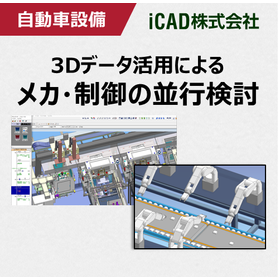
Realizing parallel examination of mechanics and control! 3D CAD suitable for automotive equipment design.

Achieving front-loading in automotive equipment development, including control and robot verification! Ultra-fast response 3D CAD that smoothly handles large-scale data.

In the automotive industry, there is a demand for the rapid market introduction of new vehicles, which requires the development of automotive production equipment with short delivery times and high quality. Additionally, not only mechanical design but also PLC simulation of equipment and welding robot simulation are becoming more complex, leading to the use of simulators for pre-validation. However, general simulation software requires the conversion of 3D CAD data, necessitating the reconfiguration of mechanisms and IO information with each design change. This makes it difficult to conduct parallel considerations in line with design progress, and many customers may have given up on this approach. To solve this issue, it is important to achieve control debugging and robot simulation directly on the 3D CAD platform. iCAD SX offers ultra-fast response by processing 3 million parts in 0.2 seconds, allowing it to handle vast amounts of data, including the operation and control information of large-scale models, and enables control debugging and robot simulation directly on the 3D CAD. This facilitates an earlier start to control design, shortening the equipment development period and achieving front-loading. ▶ A special site is currently showcasing limited case studies!    ↓↓↓

Added to bookmarks

Bookmarks list

Bookmark has been removed

Bookmarks list

You can't add any more bookmarks

By registering as a member, you can increase the number of bookmarks you can save and organize them with labels.

Free membership registration

Cloud-based 3D CAD 'Fusion 360'

3D CAD utilizing cloud technology! Seamless modeling is possible without the need to launch each software individually.

"Fusion 360" is a new 3D CAD software that has all the necessary features for manufacturing. It is equipped with T-Spline modeling, solid modeling, surface modeling, assembly, and drawing creation functions, allowing you to create 3D models that meet design requirements. Additionally, it enables behavior checks through animations and interference checks. You can also apply the appearance of actual materials and consider aesthetics before creating prototype models. [Features] - 3D CAD utilizing cloud technology - Compatible with Mac & Windows - Updates approximately every two weeks - Major updates every three months - Update content determined based on customer feedback (Idea Station) - Hybrid modeling (solid, surface, polygon, mesh) - All-in-one (3D modeling, visualization, CAM, CAE, PLM) *Please feel free to contact us for more details.

  • Software (middle, driver, security, etc.)
  • Other CAM related software
  • CAD

Added to bookmarks

Bookmarks list

Bookmark has been removed

Bookmarks list

You can't add any more bookmarks

By registering as a member, you can increase the number of bookmarks you can save and organize them with labels.

Free membership registration

Utilizing rendering features for presentations: 3D CAD "VariCAD"

Utilizing CAD data in presentation materials with rendering features 3DCAD "VariCAD"

Features of 3D CAD VariCAD - It has an extensive rendering function, allowing for settings such as light positioning, smoothness of spheres, surface reflectivity, and perspective. - The rendered 3D view can be output in image file formats such as PNG or JPG. It can be easily incorporated into presentation software, enabling a more realistic conveyance of the product image to customers and business partners through the rendering function. In addition to the rendering function, VariCAD includes various basic tools such as BOM creation, sheet metal unfolding, calculations for mechanical parts, and assembly functions, all at a low price starting from around 130,000 yen including one year of support. Furthermore, for Ipros members who download the catalog, we are currently offering a discount coupon of 5,000 yen. *Download the 30-day free trial version here: https://varicad.add-soft.jp/download/

  • rendering2.png
  • 3D CAD
  • 2D CAD machine
  • CAD

Added to bookmarks

Bookmarks list

Bookmark has been removed

Bookmarks list

You can't add any more bookmarks

By registering as a member, you can increase the number of bookmarks you can save and organize them with labels.

Free membership registration

3D CAD for Manufacturing Industry【Autodesk Inventor】

What if a client in the construction industry requests BIM support...?

In the construction industry, a new design concept known as BIM (Building Information Modeling) is becoming widespread. In the design of buildings using BIM, it is essential to have BIM-compatible 3D models that include not only shape information of elements such as doors and windows, but also attribute information such as performance and specifications for equipment like HVAC systems, lighting fixtures, and elevators. Manufacturers of these elements and equipment are also required to adopt BIM practices as part of the manufacturing industry. With Autodesk's 3D CAD "Inventor," not only can efficient 3D design be achieved, but it is also easy to output BIM-compatible models from the designed 3D models.

  • 3D CAD
  • CAD

Added to bookmarks

Bookmarks list

Bookmark has been removed

Bookmarks list

You can't add any more bookmarks

By registering as a member, you can increase the number of bookmarks you can save and organize them with labels.

Free membership registration

IHI Corporation [iCAD] 3D CAD Implementation Case Study

Reduce design time for large industrial machinery by 30%! Significant reduction in rework through business reform using 3D CAD!

We would like to introduce a case study of business improvement using the 3D CAD "iCAD SX," which is specialized in mechanical design. IHI Corporation was using 2D CAD for the design of large industrial machinery, but the 2D drawings could only be understood by the designers, leading to a constant struggle with meetings and document preparation for various stakeholders. In order to improve the increasingly burdensome working environment for designers, they decided to transition to 3D design. After searching for a 3D CAD that could flexibly respond to customer needs, they selected "iCAD SX." As a result, they successfully built a design environment that minimizes design rework to the utmost by early disclosure of design information through 3D models and enhancing design reviews with customers and internal related departments. [Main Effects of Implementation] - Enhanced design reviews (DR) with customers and stakeholders, leading to reduced rework. - Successful improvement of work efficiency in piping design, which was difficult with 2D. - Achieved a 30% reduction in design time compared to what was estimated with 2D CAD. [Download Materials] - Currently available for limited viewing on the special site. Please click the link below.    ▼▼▼ Click here ▼▼▼

Added to bookmarks

Bookmarks list

Bookmark has been removed

Bookmarks list

You can't add any more bookmarks

By registering as a member, you can increase the number of bookmarks you can save and organize them with labels.

Free membership registration

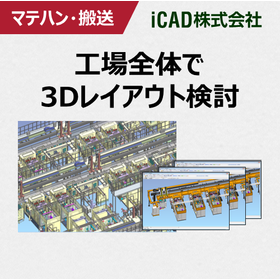
Presentation of case studies. What is the 3D CAD required for the design of material handling and transportation equipment?

3D CAD that achieves a reduction in lead time for transportation equipment development! Realizing ultra-fast response capable of handling 3 million parts in 0.2 seconds.

In the design of conveying equipment, the requirements vary for each customer due to factors such as the conveyed items and factory layout, necessitating a unique and quick turnaround design for each case. To achieve a vertical startup of the equipment, it is crucial to extract detailed customer requirements at an early stage of specification discussions and to help them quickly understand the structure and operability of the equipment. For mechanical designers, the 3D CAD iCAD SX achieves high-speed response, handling 3 million parts in 0.2 seconds. You can manage the entire conveying equipment, including material handling devices like conveyors and AGVs, on 3D CAD without stress. Since the movements of the machinery can be simulated in advance for the entire system, there is no worry about damaging the machinery or causing harm to people. This leads to improved design quality and reduced development lead times. \\Customer case studies that have realized manufacturing DX are exclusively available on the 【special site】/ /                     ^^^^^^^^^^^^^ ▶ Click on the special site to download the case studies now!  ↓↓↓

Added to bookmarks

Bookmarks list

Bookmark has been removed

Bookmarks list

You can't add any more bookmarks

By registering as a member, you can increase the number of bookmarks you can save and organize them with labels.

Free membership registration

[Product] Interoperability Software "3D_Evolution"

"3D_Evolution" is an "interoperability software" that has many features for streamlining CAD, CAE, and CAM processes.

Recently, many companies are routinely using computers for design and manufacturing. However, since different industries and companies utilize various IT systems, there are inevitably some obstacles when transferring data to other systems. Our company, Core Technology Asia, offers "3D_Evolution," which goes beyond being just a CAD translator. By combining many of the functions listed below, it allows for the pursuit of results in new areas. Additionally, these functions are part of a selection system, enabling you to acquire only the truly necessary features at a low cost. Main functions: - Multi-CAD data reading and conversion - Multi-output conversion of features - 3D data lightweighting and confidentiality protection - 3D data simplification - Verification of 3D data such as wall thickness and draft angles - Data quality correction and optimization - Enterprise Data Manager processing (batch processing) - DMU verification such as interference and clearance ~~~~~~~~~~~~~~~~~~~~ 1-Month Free Trial Available! ~~~~~~~~~~~~~~~~~~~~ *For more details, please download the PDF or contact us.

  • Other CAD related software
  • Data conversion software
  • CAD

Added to bookmarks

Bookmarks list

Bookmark has been removed

Bookmarks list

You can't add any more bookmarks

By registering as a member, you can increase the number of bookmarks you can save and organize them with labels.

Free membership registration

Industrial Design 3D CAD ThinkDesign Styling

3D CAD suitable for industrial design through 3D modeling.

"Think Design Styling" is the ideal 3D modeling tool for industrial design work involving products with complex freeform surfaces. It supports surface features including GSM with highlight control, high-quality still image rendering, and drawing creation.

  • 3D CAD
  • Rendering software
  • Other CAD
  • CAD

Added to bookmarks

Bookmarks list

Bookmark has been removed

Bookmarks list

You can't add any more bookmarks

By registering as a member, you can increase the number of bookmarks you can save and organize them with labels.

Free membership registration

Komatsu NTC Co., Ltd. 【iCAD】3D CAD Implementation Case Study

Thoroughly analyze the hidden issues in design engineering and significantly reduce design man-hours and lead time in three steps!

We will introduce a case study of business improvement using the specialized 3D CAD "iCAD SX" for mechanical design. At Komatsu NTC Corporation, the design process of transfer machines was thoroughly analyzed, and it was identified that the dedicated design of some modules was a major cause of increased man-hours. (There were covers of both 1500mm and 1510mm.) In order to standardize and regulate the components that require dedicated design, the company decided to transition to 3D design and utilized "iCAD SX," which has lightweight data and easy modifications. In addition to successfully halving the lead time for module design, they have further reduced design man-hours by establishing an automatic drawing system for tooling diagrams. [Main Effects of Implementation] - By converting each part drawing to 3D and standardizing and regulating components, lead time was halved. - The 3D conversion of piping design reduced the total man-hours for piping design and manufacturing by nearly 30%. [Download Materials] - Currently available for limited access on the special site. Please click the link below. ▼▼▼ Download from here ▼▼▼

Added to bookmarks

Bookmarks list

Bookmark has been removed

Bookmarks list

You can't add any more bookmarks

By registering as a member, you can increase the number of bookmarks you can save and organize them with labels.

Free membership registration

[Case Presentation] Reducing Design Rework! What 3D CAD is Suitable for Packaging Machine Design?

By advancing the consideration of assembly and mechanical operations, we reduce rework! Achieve front-loading with ultra-fast response 3D CAD.

In the packaging machine industry, there is always a demand to quickly launch new models into the market, and the design period is getting shorter year by year. Additionally, to achieve higher performance, the structure of the machines is becoming more complex, and the difficulty of design is also increasing. To address these challenges, it has become urgent to implement front-loading efforts aimed at identifying and resolving defects that emerge in later stages as early as possible during the design phase, thereby shortening development lead times. iCAD SX offers high-speed response capable of handling 3D CAD data with 3 million parts in just 0.2 seconds, allowing for smooth design discussions without delays in processing, even for complex packaging machines with a vast number of components. Furthermore, since assembly feasibility studies and operational verifications can be conducted for the entire system, it not only allows for early resolution of issues during startup but also facilitates smooth communication with customers and on-site personnel through specification meetings using 3D models, enabling efficient identification of requirements. iCAD enhances design quality in packaging machine design and reduces development lead times. ◎ Customer case studies are currently available for limited viewing on the <special site>! ▶ Click on the special site to download now!   ↓↓↓

Added to bookmarks

Bookmarks list

Bookmark has been removed

Bookmarks list

You can't add any more bookmarks

By registering as a member, you can increase the number of bookmarks you can save and organize them with labels.

Free membership registration

Sheet Metal 3D CAD ZW3D (Sheet Metal)

Are you suddenly struggling with receiving 3D CAD data? High functionality! Easy to use! Low price! Solve it with ZW3D, the definitive CAD for sheet metal unfolding!

"I want to introduce 3D CAD, but I don't know which one to choose," "I have already implemented it, but it's difficult to operate and hard to use," "The data formats I can receive are limited," "I can't afford expensive CAD" ... If you have such concerns or challenges, please try ZW3D.

  • 3D CAD
  • Data conversion software
  • Modeler
  • CAD

Added to bookmarks

Bookmarks list

Bookmark has been removed

Bookmarks list

You can't add any more bookmarks

By registering as a member, you can increase the number of bookmarks you can save and organize them with labels.

Free membership registration

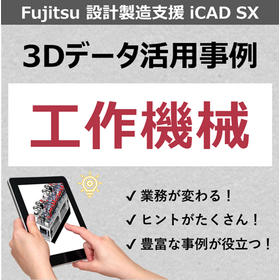
What is 3D CAD that realizes shorter delivery times and higher quality for machine tools and processing machines?

Reduce rework in the later stages! 3D CAD that can detect and correct issues during the design phase.

Currently, in the market for machine tools and processing machines, there is an increasing demand for high-quality products with short delivery times. Instead of repeatedly prototyping to ensure quality, it is important to identify and correct issues during the design phase to reduce rework. iCAD achieves high-speed response capable of handling 3 million parts in 0.2 seconds. Even with large machine tools, it can manage the entire assembly on 3D CAD, allowing for the accumulation and utilization of various information, including movement and electrical/control data. For example, confirming movements using device models and utilizing electrical circuit diagrams for automatic wiring routing make it possible to conduct considerations that were previously done on actual machines during the design phase. This prevents damage to actual machines due to dynamic interference and increases in man-hours due to on-site wiring path adjustments, enabling the production of high-quality machines with short delivery times. \ Customer case studies are exclusively available on the <Special Site>! /  ▶ Click on the Special Site and download now!   ↓↓↓

Added to bookmarks

Bookmarks list

Bookmark has been removed

Bookmarks list

You can't add any more bookmarks

By registering as a member, you can increase the number of bookmarks you can save and organize them with labels.

Free membership registration

[Manufacturer Case Studies Available] 3D CAD Required for Press Machine Design

Improving design quality through operational considerations of the press machine and entire conveying equipment in 3DCAD.

In the design of press machines, it is essential to efficiently carry out work processing and transportation to each stage. Therefore, it is important to deepen the consideration of "movement" in addition to the structure and configuration of the press machine from the conceptual design stage. However, when progressing with design in 3D CAD, the following problems arise, and it is often reported that the consideration of "movement" is abandoned: - The 3D model becomes heavy, making it difficult to apply movement. - It takes time to convert for simulation. The cause of this is that data becomes heavy due to the history and constraints of general 3D CAD. With iCAD SX, the examination of the device's operation and the confirmation of related interferences can be performed with a single tool. This feature, along with ultra-fast response, allows for the design to progress while experimenting with the device's movements. Furthermore, based on the set movements and the ladder program created by the control designer, the verification of the control program can be conducted on the 3D CAD. By integrating mechanics and control, it is possible to shorten development lead times and improve design quality. ▶ Click on the special site and download the <Case Studies> now!   ↓↓↓

Added to bookmarks

Bookmarks list

Bookmark has been removed

Bookmarks list

You can't add any more bookmarks

By registering as a member, you can increase the number of bookmarks you can save and organize them with labels.

Free membership registration

"ACAD-DENKI 2023" New Feature Introduction Part 1

The drawing management feature "Denki Cabin" of ACAD-DENKI has evolved.

Do you have any of these concerns? - Setting up hierarchy for drawing management is troublesome. - Manually moving/copying subfolders/files during hierarchy setup. By using the new features of ACAD-DENKI's drawing management function "Denkiabi," you can reduce such manual tasks and streamline your work. For more details, please check our company website or the downloadable document "New Features Detailed Explanation."

  • 2D CAD Electrical
  • CAD

Added to bookmarks

Bookmarks list

Bookmark has been removed

Bookmarks list

You can't add any more bookmarks

By registering as a member, you can increase the number of bookmarks you can save and organize them with labels.

Free membership registration

[Video Explanation] Basic Knowledge of Electrical CAD - ACAD-DENKI Operation Explanation

"I want to eliminate omissions in circuit diagrams, layout diagrams, and parts lists." "I want to streamline the creation of equipment deployment tables." We will solve such challenges.

=【Features Being Introduced】=== 1. ACAD-Parts Component Aggregation (Playback Time: 3:30) ■Solving the following issues: - Want to streamline component aggregation - Want to streamline the verification of circuit diagrams, layout diagrams, and parts lists 2. Relay Processing (Playback Time: 4:25) ■Solving the following issues: - Want to streamline relay processing - Want to streamline the creation of equipment deployment tables ================== To watch the video, please download the PDF document below. File name: "Solving Issues with 'Component Aggregation' and 'Relay Processing' ACAD-DENKI Introduction Movie [Watch the video from the link in the PDF]"

  • 2D CAD Electrical
  • CAD

Added to bookmarks

Bookmarks list

Bookmark has been removed

Bookmarks list

You can't add any more bookmarks

By registering as a member, you can increase the number of bookmarks you can save and organize them with labels.

Free membership registration

[Presentation of Materials] How to Transition to 3D Design [Supervised by the Developer]

Explaining how to move beyond partial use of 3D CAD and apply three-dimensional design to business operations.

Click the black button [Download Catalog] to get it now. While many companies understand the benefits of 3D design, they seem unable to transition, using 3DCAD only for analysis and presentations. This document is supervised by the developer of the 3D CAD "iCAD SX" for mechanical design. It explains methods for promoting 3D design and how to utilize 3D in digital transformation for those who are starting 3D design or have repeatedly failed to launch it. 【Do you have any of these concerns?】 ■ Appointed as a promoter but unsure of what to do ■ Only one person is doing 3D design, causing communication issues within the department ■ Transitioned to 3D design on my own, but unsure of its effectiveness → Here are the solutions to the above issues. \PR: Get success stories of 3D promotion right now! No registration required for Ipros members/ ↓ ↓ ↓

Added to bookmarks

Bookmarks list

Bookmark has been removed

Bookmarks list

You can't add any more bookmarks

By registering as a member, you can increase the number of bookmarks you can save and organize them with labels.

Free membership registration

3D printer software 'VoxelDance Additive'

"VoxelDance Additive" is software that can maximize the productivity of industrial 3D printers. *Demo available.

[Features] ■ One-click automatic repair function During data conversion, if surfaces are inverted or triangular patch errors occur, the system can automatically identify and repair errors even in situations where repair is needed. VoxelDance can instantly repair even the smallest or most complex errors that are difficult to identify, resolving issues with just one click. ■ Rich editing capabilities When various edits are needed during modeling, such as splitting models, shelling, or creating labels, there is no need to return to the CAD system for re-editing if you have VoxelDance. You can utilize many editing functions for 3D modeling, such as support creation and lattice/honeycomb structuring. ■ Diverse formats without conversion work In addition to standard formats compatible with 3D printers like STL, OBJ, and 3MF, it can also read slice data formats such as CLI and SLC. Furthermore, it supports a variety of formats including native CAD data like CATpart, Prt, and sldprt. *For more details, please request a catalog or view the PDF data via the download button below.

  • 3D Printer
  • Data conversion software
  • Other CAD related software
  • CAD

Added to bookmarks

Bookmarks list

Bookmark has been removed

Bookmarks list

You can't add any more bookmarks

By registering as a member, you can increase the number of bookmarks you can save and organize them with labels.

Free membership registration

What is the 3D CAD required for semiconductor manufacturing equipment design?

3D CAD that achieves a reduction in lead time for semiconductor equipment development! Realizing ultra-fast response handling of 3 million parts in 0.2 seconds.

In recent years, the development of semiconductor manufacturing equipment has seen a tremendous increase in the number of components due to the complexity of the required functions. Therefore, the biggest challenge is how to efficiently arrange various mechanical devices within a limited space. 'iCAD SX V8' is a domestically developed 3D CAD specialized for mechanical design, created to support Japanese manufacturing. iCAD achieves high-speed response, handling 3 million components in 0.2 seconds, allowing for stress-free design consideration and verification of the entire semiconductor manufacturing equipment, which can involve tens of thousands of parts. Leveraging its ability to handle vast amounts of information, it is possible to accumulate and utilize design information necessary for equipment development, including piping, wiring, and control (movement), all within a single CAD data file. This data can be used across various scenarios and departments, from design to manufacturing, assembly, and maintenance. *Case studies from semiconductor manufacturing equipment manufacturers are currently available for limited viewing on a special website. Please click the link below to download.

Added to bookmarks

Bookmarks list

Bookmark has been removed

Bookmarks list

You can't add any more bookmarks

By registering as a member, you can increase the number of bookmarks you can save and organize them with labels.

Free membership registration

I want 3D data of the design and surface shape! -CAD

We provide 3D data that matches each stage with a diverse range of approaches!

It is possible to create 3D data from various sources such as images, physical objects, 2D data, and drawings. By consulting with us from the initial stages, you can easily make changes to shapes and designs on the data, allowing for efficient progress in your work. Please feel free to reach out to us for a consultation. If you need 3D data creation, please consult with us.

  • Inspection fixture
  • Plastic utensils and containers
  • 3D CAD
  • CAD

Added to bookmarks

Bookmarks list

Bookmark has been removed

Bookmarks list

You can't add any more bookmarks

By registering as a member, you can increase the number of bookmarks you can save and organize them with labels.

Free membership registration

3D CAD for Sheet Metal Specialized Development Drawing 'alfa CAD'

Since it is dedicated to sheet metal, there are few commands to use, and the operation is very simple. It will change your perception of 3D CAD!

"alfa CAD" is a 3D CAD specifically designed for sheet metal that allows you to manage unfolded drawings by linking them to each drawing in the cloud. Similar to 2D CAD, you can create drawings by first drawing the base and then selecting the sides with arrows and entering the dimensions. Selecting bends and joints is also easy. Additionally, after creating a box shape, there is a method to modify the shape on the drawing as if you were carving it. 【Features】 ■ Various drawing methods ■ Easy selection of bends and joints ■ Manage unfolded drawings by linking them to each drawing in the cloud *For more details, please download the PDF or feel free to contact us.

Added to bookmarks

Bookmarks list

Bookmark has been removed

Bookmarks list

You can't add any more bookmarks

By registering as a member, you can increase the number of bookmarks you can save and organize them with labels.

Free membership registration

Astraea Software Inc. Company Profile

Automating the CAE and CAM model creation process! Utilizing AI and deep learning technology in the design field.

Our company is engaged in research and development of 3D shape recognition technology using AI and deep learning, aiming to make better use of 3D CAD data in the manufacturing industry. Based on new AI research results, we have successfully developed a 3D AI model capable of recognizing 3D shape data. Our goal is to integrate CAE, AI, and cloud technology, promoting technological penetration from large corporations to small and medium-sized enterprises. We will advance research and development in 3D AI, contributing to the improvement of QCD not only in the manufacturing industry but also across many other sectors. 【Business Content】 ■ Manufacturing, sales, technical support, and education of technical support software *For more details, please refer to the PDF document or feel free to contact us.

Added to bookmarks

Bookmarks list

Bookmark has been removed

Bookmarks list

You can't add any more bookmarks

By registering as a member, you can increase the number of bookmarks you can save and organize them with labels.

Free membership registration

Mid-range 3D CAD for mechanical design 'IRONCAD'

3D CAD suitable for mechanical design of devices and jigs.

"IronCAD" is a 3D CAD that boasts exceptional operability. With unique features such as drag-and-drop from the "catalog" and the constraint-free placement tool "TriBall," quick modeling is possible. It allows for treating parts and assemblies the same, making it suitable for conceptual design and enabling ideas to be quickly realized. Its simplicity means that it doesn't take long to learn. In mechanical design for devices and jigs, it enables a significant speed-up in design and a substantial reduction in man-hours. <IronCAD's 7 Strengths> ● Feature-based direct modeling ● No constraints needed for assembly work ● Easy top-down design ● Smooth handling of large assemblies ● High data compatibility ● Editable intermediate files ● Equipped with DWG-compatible 2D CAD

Added to bookmarks

Bookmarks list

Bookmark has been removed

Bookmarks list

You can't add any more bookmarks

By registering as a member, you can increase the number of bookmarks you can save and organize them with labels.

Free membership registration

3D CAD "KEYCREATOR"

Fusion of 3D functionality and 2D drawing capabilities! Comprehensive support for the design trial and error process.

"KEYCREATOR" is a system that allows anyone to easily create 3D models with the feeling of drawing three-view drawings in 2D design. By avoiding careless mistakes during 2D design, it achieves a reduction in design time. By effectively utilizing existing 2D data, it eliminates the hassle of re-entering shapes while referring to 2D drawings, and thanks to interfaces with various 3D CAD systems, smooth work can be done without the need for intermediate file data compatibility. [Features] ■ Direct editing is possible even with data converted from other CAD systems. ■ 2D drawings, 3D wires, surfaces, and solids can all be used together in the same space. ■ Direct shape changes can be made simply by changing the dimension numbers. *For more details, please refer to the PDF materials or feel free to contact us.

Added to bookmarks

Bookmarks list

Bookmark has been removed

Bookmarks list

You can't add any more bookmarks

By registering as a member, you can increase the number of bookmarks you can save and organize them with labels.

Free membership registration

3DCAD [Fusion design, manufacturing, analysis, rendering, etc.]

Leave your 3D data utilization for manufacturing to Pronoharts.

■Product Overview Fusion is a cloud-based software that encompasses a wide range of functions required in the manufacturing industry, including 3D CAD modeling, drawing creation, visualization, CAM, and CAE. ■Sketch In sketch creation, it is possible to efficiently create sketches using dimensioning and constraint features. ■Features In addition to basic feature commands such as extrusion and rotation, there are many powerful commands available, including hole creation commands. It also allows for seamless switching between parametric modeling and direct modeling. There are robust features such as freeform modeling and generative design, enabling quick modeling of design ideas and concepts. ■Drawings It is possible to create drawings from the generated 3D data. You can create balloons, bill of materials, and even custom drawing frames. ■Analysis, CAM, Animation, Rendering A variety of necessary functions are provided, including analysis, CAM, animation creation, and rendering. With Fusion, you can perform all tasks consistently within the software, eliminating the need to switch between various programs based on your objectives.

  • Software (middle, driver, security, etc.)
  • CAD

Added to bookmarks

Bookmarks list

Bookmark has been removed

Bookmarks list

You can't add any more bookmarks

By registering as a member, you can increase the number of bookmarks you can save and organize them with labels.

Free membership registration

[Case Presentation] Reduced design time by 30%! 3D CAD suitable for plant design.

Revolutionizing design operations with 3DCAD has drastically reduced design rework! Achieving ultra-fast responses for piping considerations across the entire factory.

In plant design, it is necessary to consider the space for piping routes, workability, and maintainability based on the customer's industry, factory layout, and other factors. Therefore, a unique and short-term design is required. To meet the high demands of customers, it is important to conduct preliminary verification of the entire plant, including surrounding equipment and work areas, rather than just focusing on the piping alone. This helps to reduce rework that may occur during the on-site startup. iCAD SX achieves high-speed response, handling 3 million parts in 0.2 seconds. Not only can you manage mechanical equipment, but you can also handle the entire factory, including plant piping, on 3D CAD without stress. Since you can consider the space for piping routes, workability, and maintainability during the design phase, it allows for the identification and resolution of issues and mistakes during the review process. Additionally, by conducting specification meetings using a three-dimensional model, you can improve communication with customers. This leads to enhanced design quality and reduced development lead times. ◎ Customer case studies are currently available for limited viewing on a special site! ▶ Click on the special site and download now!   ↓↓↓

Added to bookmarks

Bookmarks list

Bookmark has been removed

Bookmarks list

You can't add any more bookmarks

By registering as a member, you can increase the number of bookmarks you can save and organize them with labels.

Free membership registration