We have compiled a list of manufacturers, distributors, product information, reference prices, and rankings for CAD.
ipros is IPROS GMS IPROS One of the largest technical database sites in Japan that collects information on.

CAD(3dモデリング) - List of Manufacturers, Suppliers, Companies and Products | IPROS GMS

Last Updated: Aggregation Period:Apr 08, 2026~May 05, 2026
This ranking is based on the number of page views on our site.

CAD Product List

31~59 item / All 59 items

Displayed results

Proposal for the Utilization of CAD: BIM

Compatible with IFC4.0! It is possible to utilize DWG data directly for 3D data and BIM.

In the architecture and civil engineering industry, there are various challenges faced when adopting BIM. Challenges related to the design process, infrastructure, and costs are noted, and 'BricsCAD' is capable of addressing these issues. The BIM option of this product is low-cost compared to typical BIM software, making it affordable for companies supporting the field. It can accommodate BIM modeling. 【Reasons and Benefits of Introducing BIM】 ■ Design documents can be consolidated into a single model. ■ Consistency across drawings is maintained, and design changes can be reflected in all related drawings. ■ High-accuracy feasibility studies can be conducted from the planning stage. *For more details, please refer to the related links or feel free to contact us.

Added to bookmarks

Bookmarks list

Bookmark has been removed

Bookmarks list

You can't add any more bookmarks

By registering as a member, you can increase the number of bookmarks you can save and organize them with labels.

Free membership registration

Free trial version of electrical equipment CAD "Brain Gear Supra" available.

Significantly improve work efficiency and create value from CAD data! Introduction to the architectural equipment CAD system.

"Brain Gear Supra Electric Equipment" is a building equipment CAD system that operates on AutoCAD. It standardly supports efficient equipment layout, conduit and wiring routing functions, 3D modeling, material aggregation functions, and interfaces with other CAD systems. It significantly improves work efficiency and creates value for CAD data. 【Features】 ■ Operates on AutoCAD ■ Standard support for efficient equipment layout, conduit and wiring routing functions, 3D modeling, material aggregation functions, and interfaces with other CAD systems ■ Significantly improves work efficiency ■ Creates value for CAD data *For more details, please refer to the PDF document. ★ A trial version is available. Please feel free to contact us. ★

  • 2D CAD Electrical
  • CAD

Added to bookmarks

Bookmarks list

Bookmark has been removed

Bookmarks list

You can't add any more bookmarks

By registering as a member, you can increase the number of bookmarks you can save and organize them with labels.

Free membership registration

3D CAD for the sheet metal industry 'Exhibited at JIMTOF 2018'

Streamline modeling and help with effective selection of molds and bending sequences! No need for skilled craftsmen, making the sheet metal manufacturing process smooth. Actual machines will be displayed at the exhibition venue.

We are pleased to announce our participation in the "JIMTOF 2018 - 29th Japan International Machine Tool Fair," where we will showcase our 3D CAD software products developed for the sheet metal industry! At our exhibition booth, in addition to introducing our 3D CAD software, we will also display a live demonstration of "GoRoBo," which enables offline simulation of robotic operations. If you are facing challenges such as wanting to make modeling (unfolding) smoother, eliminating nesting waste, or improving issues in the bending process, please feel free to consult with us! ★ If you would like an invitation, please do not hesitate to contact us. 【Exhibited Products】 ■ 3D Design CAD for Sheet Metal 'MACsheet SEG5' ■ Robot Simulation Software 'GoRoBo' ■ CAD/CAM Software 'MACsheet IST' ■ Bending Simulation 'MACsheet BEND' ■ Cloud-based Production Management Software 'Taktory' *You can view the catalogs of the exhibited products by clicking the "PDF Download" button below.

Added to bookmarks

Bookmarks list

Bookmark has been removed

Bookmarks list

You can't add any more bookmarks

By registering as a member, you can increase the number of bookmarks you can save and organize them with labels.

Free membership registration

[Case Study Presentation] Ebara Corporation BricsCAD Implementation Case

We will introduce a case study filled with key points for replacing from major general-purpose CAD systems.

■Do you have any of these concerns? - I want to switch to a DWG-compatible CAD, but I don't know where to start. - I want the new CAD to be accepted and used by the field after the switch. - I don't know what evaluation points to consider during the switch. Many companies are considering replacing their CAD with a DWG-compatible one to reduce costs and improve CAD operations. However, even though it may seem simple to switch, there are surprisingly many factors to consider, such as how to proceed with the project and coordinate with the field. By looking at this case study, you can gain a concrete image of what the switch entails. Please feel free to download it. ■For CAD-related inquiries, please leave it to Zuken Alpha Tech. With 35 years of experience as a CAD developer, our company is committed to providing our customers with "value-added solutions" by tackling various challenges every day. We will not only assist with the replacement of DWG-compatible CAD but also combine our own products and customizations to offer optimal proposals. If you have any concerns regarding CAD, please consult with us.

Added to bookmarks

Bookmarks list

Bookmark has been removed

Bookmarks list

You can't add any more bookmarks

By registering as a member, you can increase the number of bookmarks you can save and organize them with labels.

Free membership registration

AutoCAD-compatible CAD BRICSCAD trial version

【Free trial available】You can open AutoCAD files directly, and the usability is outstanding! Achieve overwhelming cost performance!

Are there any issues such as not being able to read your client's AutoCAD drawings or the high cost of AutoCAD? BRICSCAD is the No. 1 AutoCAD-compatible CAD that has been adopted by major construction companies, known for its reliability and usability. ■ Please apply for the free trial version from the link below.

  • 2D CAD Construction
  • 2D CAD machine
  • 2D CAD Electrical
  • CAD

Added to bookmarks

Bookmarks list

Bookmark has been removed

Bookmarks list

You can't add any more bookmarks

By registering as a member, you can increase the number of bookmarks you can save and organize them with labels.

Free membership registration

2D3D Integrated CAD CADPAC-CREATOR [Free Trial Version]

You can use the trial version of CADPAC-CREATOR for free.

CADPAC-CREATOR is the latest 2D/3D hybrid CAD that combines the highly rated 2D CAD in the manufacturing sector with powerful data exchange and direct editing features of a new sensation 3D CAD. With CADPAC-CREATOR, you can experience its excellent operability and data compatibility through a free trial version.

  • 2D CAD machine
  • 3D CAD
  • Other CAD
  • CAD

Added to bookmarks

Bookmarks list

Bookmark has been removed

Bookmarks list

You can't add any more bookmarks

By registering as a member, you can increase the number of bookmarks you can save and organize them with labels.

Free membership registration

Proposal for the Use of CAD: 3D CAD

Two major barriers hindering adoption? Introducing a future expanded by BricsCAD and 3D data!

With 3D data, it becomes possible to collaborate with various processes involved in design and manufacturing. You can create illustrations for work procedures and user manuals, conduct simulations, and use the data for additive manufacturing or machining. Additionally, since the shapes are easy to understand for anyone, it becomes easier to involve stakeholders who cannot read drawings in the review process. 【Features】 ■ Collaboration with various processes involved in design and manufacturing is possible ■ Ability to create illustrations for work procedures and user manuals ■ Usable for simulations, additive manufacturing, and machining data ■ Easier to involve stakeholders who cannot read drawings in the review process *For more details, please refer to the related links or feel free to contact us.

Added to bookmarks

Bookmarks list

Bookmark has been removed

Bookmarks list

You can't add any more bookmarks

By registering as a member, you can increase the number of bookmarks you can save and organize them with labels.

Free membership registration

2D3D Integrated Design CAD 'CADPAC-CREATOR'

Shape freely, new freestyle 2D/3D CAD.

CADPAC-CREATOR is the latest 2D-3D integrated CAD that combines a high-performance and user-friendly 2D CAD with a new sensation 3D CAD function that allows users to freely generate and edit shapes without being hindered by constraints, history, or features, while being able to read any shape data. Additionally, it is equipped with interfaces for 3D measurement, CAM, and processing equipment, enabling creative manufacturing from design to production based on innovative ideas.

  • cadpac-creator_02.png
  • 2D CAD machine
  • 3D CAD
  • Other CAD
  • CAD

Added to bookmarks

Bookmarks list

Bookmark has been removed

Bookmarks list

You can't add any more bookmarks

By registering as a member, you can increase the number of bookmarks you can save and organize them with labels.

Free membership registration

Easy and fast device and jig design! "IRONCAD Case Study Collection"

We bring you the voices of IRONCAD users!

"IronCAD" is a 3D CAD that boasts exceptional operability. With unique features such as drag-and-drop from the "catalog" and the constraint-free placement tool "TriBall," rapid modeling is possible. It allows for treating parts and assemblies the same, making it suitable for conceptual design and enabling quick realization of ideas. Its simplicity means that it doesn't take long to learn. In mechanical design for devices and jigs, it enables speedier design and significant reductions in man-hours. ● Feature-based direct modeling ● No constraints needed for assembly work ● Easy top-down design ● Smooth handling of large assemblies ● High data compatibility ● Editable intermediate files ● Equipped with DWG-compatible 2D CAD

Added to bookmarks

Bookmarks list

Bookmark has been removed

Bookmarks list

You can't add any more bookmarks

By registering as a member, you can increase the number of bookmarks you can save and organize them with labels.

Free membership registration

Point cloud, STL processing, 3D CAD, ZW3D

Point cloud, surface creation function from STL, tessellation of complex point cloud data, easy measurement of errors between shapes and point cloud, STL data.

● Surfaces can be created from point clouds and STL! - (Using point cloud and STL data from 3D measuring devices, we enable the direct creation of smooth surfaces. It is possible to create surfaces that consider not only point cloud information but also continuity with adjacent surfaces. This is effective not only for creating surface models from mock-ups but also for reverse engineering of pressed molded products.) ● Measure the errors between shapes and point cloud/STL data and execute gradient processing with a command! (By specifying the allowable range, we can instantly provide the average value and maximum error value.)

  • 3D CAD
  • Data conversion software
  • CAD

Added to bookmarks

Bookmarks list

Bookmark has been removed

Bookmarks list

You can't add any more bookmarks

By registering as a member, you can increase the number of bookmarks you can save and organize them with labels.

Free membership registration

[User Case] 3D Design CAD System - Electrical Component Design

Reduce the design period for electrical components by 80%!

Solid Edge is a mid-range 3D CAD system developed and provided by Siemens PLM Software, a leading company in the PLM (Product Lifecycle Management) software industry, achieving top-class operability. At Elektroschit, a company primarily engaged in electrical engineering services and manufacturing, the use of synchronous technology has resulted in an 80% reduction in design time compared to traditional history-based modeling. This has enhanced the company's reputation and allowed it to stand out from competitors. For more details, please download the catalog or contact us.

  • Company:TAC
  • Price:Other
  • 3D CAD
  • CAD

Added to bookmarks

Bookmarks list

Bookmark has been removed

Bookmarks list

You can't add any more bookmarks

By registering as a member, you can increase the number of bookmarks you can save and organize them with labels.

Free membership registration

3D printer/AM software '4D_Additive'

"4D_Additive" can read various formats of 3D data and output optimized 3D printer data in a short time.

Based on our years of experience and achievements cultivated through our "3D_Evolution" and "3D_Analyzer," we have developed "4D_Additive," a software for 3D printers that offers overwhelming convenience and functionality. It can directly read various forms of 3D data in B-Rep format, allowing for easy data modification and modeling. The following features will strongly support your company's use of additive manufacturing (AM). ■ Healing Function ■ Automatic/manual error correction of imported data. ■ Support Generation Function ■ Automatic/manual generation of supports suitable for each fabrication method. ■ Advanced Lattice Function ■ Application of advanced lattice structures to parts. ■ 3D Automatic Placement Function ■ Optimal 3D automatic placement of parts, with verification of placement density from the x, y, and z directions. ■ Advanced Texturing Function ■ With Adobe Substance integration, we achieve overwhelming convenience that is easy for anyone to use, dramatically expanding the possibilities of texturing in your 3D printing. ■ Communication with 3D Printers ■ Direct transmission of sliced data to 3D printers from EOS and HP.   ◇◇◇ Free Trial Available ◇◇◇

  • Other CAD related software
  • Data conversion software
  • Other machine tools
  • CAD

Added to bookmarks

Bookmarks list

Bookmark has been removed

Bookmarks list

You can't add any more bookmarks

By registering as a member, you can increase the number of bookmarks you can save and organize them with labels.

Free membership registration

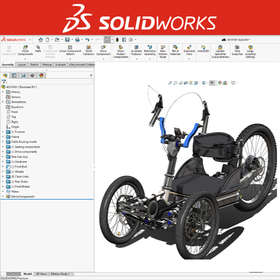
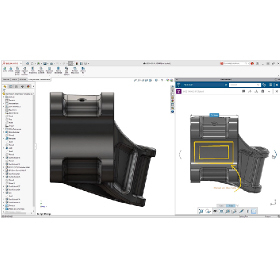
3D CAD system 'SolidWorks'

Solidworks is a 3D CAD software designed from the perspective of designers. It enables ideal design and modeling.

Solidworks analyzes the various features of each CAD based on customer requirements and proposes the optimal system.

  • solidworks_ipros_2.jpg
  • solidworks_ipros_3.jpg
  • Other CAD
  • 3D CAD
  • Other CAD related software
  • CAD

Added to bookmarks

Bookmarks list

Bookmark has been removed

Bookmarks list

You can't add any more bookmarks

By registering as a member, you can increase the number of bookmarks you can save and organize them with labels.

Free membership registration

[BIM Software Implementation Case Study] Lamprell Company (Marine Structures)

Significant improvement in the efficiency of the structural design department! Introducing the case of Lamprell, which achieved high precision.

Lamprell, a company engaged in the engineering of marine structures, chose "Tekla Structures" with a good understanding of the speed, accuracy, consistency of detailed design, and the interference checking function between steel components, as well as the benefits of visualization. Initially, there were some doubts about the plan to use Tekla software for the fabrication of the barge, but considering the accuracy of the software, it was unanimously decided that utilizing 3D modeling would be the better approach. The modeled barge was able to extract various detailed information, such as platforms and handrails, within approximately 4 to 5 months. The team has a strong trust in the support system of this product and expresses great satisfaction with the ease of managing documentation on the software and the functionality for keeping records of drawing changes. *For more details, please refer to the PDF materials or feel free to contact us. (If the PDF button is not displayed) ⇩The catalog can be downloaded from the special website below⇩

  • Other CAD related software
  • 2D CAD Construction
  • Modeler
  • CAD

Added to bookmarks

Bookmarks list

Bookmark has been removed

Bookmarks list

You can't add any more bookmarks

By registering as a member, you can increase the number of bookmarks you can save and organize them with labels.

Free membership registration

[BIM Software Implementation Case] Pepper Tree Quarry

Conducted 3D laser scanning and integrated it as a point cloud on the reconstructed Tekla model!

In 2013, Sandvik received a project from their client Boral for a quarry located in Pepper Tree. The factory, located in Sydney, Australia, is equipped with six crushers, nine screening machines (vibrating screens), a conveyor belt approximately 3.4 km long, and a fully automated loading system. This project was one of the more complex ones undertaken by the company. The main challenge was integrating the complex new equipment into the existing factory, which had not been designed for it, and not all existing blueprints were available. By importing from other applications, utilizing past Tekla models, and performing rough modeling of the remaining parts, a complete three-dimensional model of the factory was reconstructed in "Tekla Structure" using the existing model and drawing information. Scanning the existing factory with Trimble's 3D laser scanner made it possible to compare the model with the actual factory, serving as the foundation for the design of the new equipment. *For more details, please feel free to contact us. ⇩ The catalog can be downloaded from the special website below ⇩

  • 3D CAD
  • antenna
  • 2D CAD Construction
  • CAD

Added to bookmarks

Bookmarks list

Bookmark has been removed

Bookmarks list

You can't add any more bookmarks

By registering as a member, you can increase the number of bookmarks you can save and organize them with labels.

Free membership registration

"Six Things to Check When Introducing BIM" Basic Knowledge Materials Provided!

A must-read before introducing new BIM or replacing existing ones! A compilation of checkpoints to consider for selecting the appropriate BIM solution!

Choosing which BIM software to select is a very important factor related to a company's competitiveness. There are many points to consider when selecting a BIM solution and many things to confirm with each vendor, but we have summarized the six most important points in a checklist. Please make use of this when implementing BIM. 【Content (Excerpt)】 《check1》Sharing BIM information among project participants 《check2》Efficient modeling and flexible response to design changes 《check3》Smooth editing of BIM models for large projects ⇩ You can download the continuation of the checklist and details from the special site or the PDF button below ⇩

  • 2D CAD Construction
  • CAD

Added to bookmarks

Bookmarks list

Bookmark has been removed

Bookmarks list

You can't add any more bookmarks

By registering as a member, you can increase the number of bookmarks you can save and organize them with labels.

Free membership registration

BIM tools for architecture, civil engineering, and construction execution [AEC Collection]

Reduce construction costs with BIM and enhance productivity and competitiveness - Let's start with Revit.

◆What is the AEC Collection? The AEC Collection is a group of products offered by Autodesk, a company well-known for AutoCAD. Centered around the BIM software Revit, it provides several essential software tools for projects, including 2D CAD and 3D CAD, at an affordable price. As the name "Architecture, Engineering & Construction Collection" suggests, one of its attractions is the wide range of applications, covering civil engineering, architecture, facilities, structures, construction, and related manufacturing fields. It is also effective in scenarios requiring simulation and visualization. ◆Benefits of Using the AEC Collection - Projects can be visualized with BIM models Quick responses to planning, multiple proposals, and revisions are facilitated, promoting consensus. - Improved understanding of projects and decision-making Utilizing mobile devices makes communication even easier. - Original data can be shared both internally and externally In addition to cloud usage, all project participants from different fields can use the AEC Collection, reducing compatibility issues and enabling smoother collaboration.

  • 3D CAD
  • 2D CAD Construction
  • CAD

Added to bookmarks

Bookmarks list

Bookmark has been removed

Bookmarks list

You can't add any more bookmarks

By registering as a member, you can increase the number of bookmarks you can save and organize them with labels.

Free membership registration

[BIM Software Implementation Case Study] Agora Evry Arena

Even when faced with unexpected challenges, it became possible to continue working by utilizing Tekla Model Sharing.

This construction is a renovation project for the Agora Evry Arena, which was built as an auditorium in 1970. At that time, it was a complex project that required high technical skills, and the expertise of the Bordan Châtauneuf team was necessary for the construction. The first challenge of this project was to recreate the design model of the existing building from scratch in order to add a new structure. The modeling was based on a manual created by Bordan Châtauneuf in 1970. Using point cloud data obtained from a 3D scan of the existing structure, the components were adjusted by a few centimeters. It was confirmed that the measured point cloud data had position information very close to that of the actual building. This "research" faced several unexpected challenges, but despite the difficulties, it became possible to continue working by utilizing Tekla ModelSharing.

  • 3D CAD
  • 2D CAD Construction
  • antenna
  • CAD

Added to bookmarks

Bookmarks list

Bookmark has been removed

Bookmarks list

You can't add any more bookmarks

By registering as a member, you can increase the number of bookmarks you can save and organize them with labels.

Free membership registration

Efficiency improvement of routine tasks such as CAD, drawings, and printing - "Software Development"

Improvement of work efficiency, enhancement of productivity, prevention of mistakes, and improvement of quality! We will fulfill a variety of requests.

In Toyohashi's software development, we conduct design and development based on the individual requirements defined by our customers. <Development Examples> - Automation of CAD routine tasks - Standard modeling work - Drafting work - Printing processes, etc. We realize various requests such as improving work efficiency, enhancing productivity, preventing errors, and improving quality. We propose suitable solutions such as original development through advanced programming and customization of packaged software. ■Features - Once a 3D model is created, all types of production drawings and site deployment drawings can be fully automated. - We provide AI and development design together to streamline on-site work. - Automation is possible even without RPA. *For more details, please refer to the related link page or feel free to contact us.

  • Embedded system design service
  • Software (middle, driver, security, etc.)
  • Other contract services
  • CAD

Added to bookmarks

Bookmarks list

Bookmark has been removed

Bookmarks list

You can't add any more bookmarks

By registering as a member, you can increase the number of bookmarks you can save and organize them with labels.

Free membership registration

[BIM Software Implementation Case] AFAS Stadium

An example of minimizing miscommunication and work-related errors!

In August 2019, part of the roof of the Morenaar Stand at AFAS Stadium collapsed due to strong winds. Fortunately, there were no matches taking place, and no injuries were reported, but the damage was significant. There was a design flaw in the structural joints, with insufficient thickness in the welds, and damage from strong winds experienced in the past contributed to the collapse. At the end of 2019, ASK Romein was selected for the design and structural engineering, and they began collaborating with BAM Bouw en Techniek. BIM was maximally utilized throughout the engineering process, enabling clear communication among project stakeholders and seamless interaction between different software. Since there are many points of contact between the existing structure and the new structure, point cloud data measured with a 3D scanner is being used in the engineering and assembly processes. *For more details, please refer to the PDF materials or feel free to contact us. (If the PDF button is not displayed) ⇩ The catalog can be downloaded from the special website below ⇩

  • 3D CAD
  • antenna
  • 2D CAD Construction
  • CAD

Added to bookmarks

Bookmarks list

Bookmark has been removed

Bookmarks list

You can't add any more bookmarks

By registering as a member, you can increase the number of bookmarks you can save and organize them with labels.

Free membership registration

[BIM Software Implementation Case Study] Sutter Medical Center

Dramatically reduce on-site errors with a single 3D model! Reduce time and costs with BIM technology!

Sutter Medical Center, located in Castro Valley, California, had a schedule that was 30% shorter than comparable healthcare projects in California. This required the introduction of construction principles and technologies from lean production methods, such as BIM. "Tekla Structures" is one of the tools that enabled the integration of Harris Rebar into this process. By using Tekla, it became possible to quickly and accurately identify design and constructability issues and discrepancies, as well as to communicate with other contractors. *For more details, please refer to the PDF materials or feel free to contact us. (If the PDF button is not displayed) ⇩ The catalog can be downloaded from the special website below ⇩

  • Software (middle, driver, security, etc.)
  • 3D CAD
  • CAD

Added to bookmarks

Bookmarks list

Bookmark has been removed

Bookmarks list

You can't add any more bookmarks

By registering as a member, you can increase the number of bookmarks you can save and organize them with labels.

Free membership registration

SOLIDWORKS Free Trial Seminar [Held Every Wednesday]

*…..*…Free SOLIDWORKS Trial Seminar*…..*….. Every Wednesday from 13:30 to 16:00!! (Osaka Prefecture)

Digital Design Services is a primary sales agent for product design tools that combine usability, functionality, and implementation costs, specifically 3D CAD/SOLIDWORKS. We are holding free trial seminars at our office in Dojima, Kita-ku, Osaka. You can experience the operation and excellent features of SOLIDWORKS on actual machines. The seminar is limited to a small group of up to four participants, allowing us to respond to questions in detail. This seminar is aimed at companies (including individual business owners) considering the purchase of SOLIDWORKS products, to evaluate the products. It is not a training session for mastering operations. We kindly ask students and those seeking to improve their skills to refrain from applying. ◆ How to apply - Please apply for the trial seminar from our website https://www.digitaldesign-s.co.jp/seminar/freeseminar/ * We also offer separate training for users. https://www.digitaldesign-s.co.jp/products/products/3dcad/solidworks/training/

Added to bookmarks

Bookmarks list

Bookmark has been removed

Bookmarks list

You can't add any more bookmarks

By registering as a member, you can increase the number of bookmarks you can save and organize them with labels.

Free membership registration

BIM software [Revit] world standard tool

BIM software that excels in all aspects such as design, structure, equipment, and construction is 'Autodesk Revit'.

◆What is BIM? An abbreviation for Building Information Modeling. It is a "concept" aimed at improving the productivity of building design and construction. The Ministry of Land, Infrastructure, Transport and Tourism is promoting the BIM acceleration project for architecture in 2023 and the application of BIM/CIM principles for civil engineering, leading to the adoption of BIM not only by large general contractors but also by small and medium-sized enterprises. ◆Main Features of Autodesk Revit - A world-standard BIM tool for structural design - Active in all processes including design, structure, equipment, and construction - Prevents rework by creating building models that closely resemble the actual structure - Enables collaboration and modifications anytime and anywhere by utilizing cloud features There are various other functions and benefits! *For more details, please refer to the materials or feel free to contact us.

  • 3D CAD
  • Modeler
  • Workflow System
  • CAD

Added to bookmarks

Bookmarks list

Bookmark has been removed

Bookmarks list

You can't add any more bookmarks

By registering as a member, you can increase the number of bookmarks you can save and organize them with labels.

Free membership registration

Basic 3D CAD "ZW3D2024 LITE"

Perfect for stepping up from 2D CAD! A 3D CAD specialized in mechanical design functions. Now available for 298,000 yen (excluding tax)!

A basic 3D CAD that implements the popular direct converter in ZW3D and achieves a low price of 298,000 yen (excluding tax). By focusing on essential functions, it prioritizes ease of use and memorability. It is ideal for those considering stepping up from 2D design to 3D design, as well as for those seeking an affordable and usable 3D CAD to complement expensive core CAD systems. It can directly read native data from CATIA v4, CATIA v5, NX, Pro/E, Solidworks, Inventor, etc., without converting to intermediate files, making it suitable not only for basic modeling tasks but also for data conversion and viewer-like usage, such as reading client data and coexisting with CAD assets used in-house.

  • 3D CAD
  • CAD

Added to bookmarks

Bookmarks list

Bookmark has been removed

Bookmarks list

You can't add any more bookmarks

By registering as a member, you can increase the number of bookmarks you can save and organize them with labels.

Free membership registration

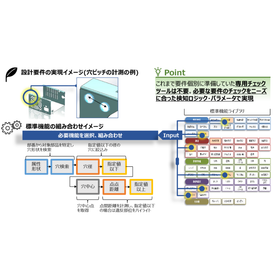
Awareness Support CAD System for the Gaming Industry

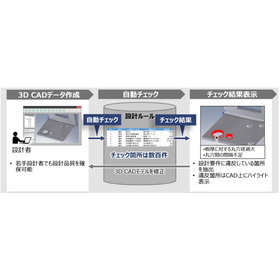
Automated checks of design rules shorten the lead time for character modeling!

In the game industry, character modeling requires the efficient production of high-quality 3D models. In particular, the quality of character design and animation is a crucial factor that influences the enjoyment of the game. However, increasing model complexity and overlooking design rules can lead to more rework and a decline in quality. A cognitive support CAD system analyzes design data and the designer's operation history to detect potential issues and inefficient processes in real-time during the design process. By leveraging past design data and best practices, it provides designers with specific improvement suggestions. 【Usage Scenarios】 - Design rule checks in character modeling - Improvement of 3D model quality - Reduction of rework 【Effects of Implementation】 - Shortening of design lead time - Reduction of checking workload - Efficient production of high-quality 3D models

Added to bookmarks

Bookmarks list

Bookmark has been removed

Bookmarks list

You can't add any more bookmarks

By registering as a member, you can increase the number of bookmarks you can save and organize them with labels.

Free membership registration

All-in-One Package SHARK FX Ver8.0

A low-cost CAD focused on essential features. Suitable for everyone from students experiencing CAD for the first time to veterans. Please feel free to contact us for pricing.

Competition among companies is intensifying, and how quickly products can be brought to market is becoming increasingly important. However, in product design using 3D CAD software, detailed design CAD systems have been utilized from the conceptual design stage, resulting in many designers spending significant time and effort on system operation and learning to use the software rather than on actual design work. To address this issue, the 3D solid modeler "SHARK FX" for conceptual design was created. By integrating a clean user interface, intuitive input methods, photorealistic rendering, and animation into a single package, "SHARK FX" allows designers to focus on the design itself, improving design efficiency and enabling them to freely express their ideas. It is a new tool born for conceptual design.

Added to bookmarks

Bookmarks list

Bookmark has been removed

Bookmarks list

You can't add any more bookmarks

By registering as a member, you can increase the number of bookmarks you can save and organize them with labels.

Free membership registration

3D Design CAD System Solid Edge

[45-Day Free Trial] Try out all features! Trial guide and case studies available!

Solid Edge is a mid-range 3D CAD system developed and provided by Siemens PLM Software, a leading company in the PLM (Product Lifecycle Management) software industry, which offers top-class operability. By using Solid Edge's modeling/assembly tools, a wide range of products can be easily developed, from individual parts to assemblies composed of thousands of components. [Key Points for Choosing Solid Edge] ■ Solid Edge can be implemented and set up in a short period of time ■ Solid Edge operates at a low cost ■ Intuitive operation allows anyone to use it (Solid Edge ST) ■ Features focused on design ○ Tools to assist in transitioning from 2D to 3D ○ Support for large assemblies ○ Tools specifically for sheet metal and drawings ○ Highly reliable analysis (NX Nastran) ■ Scalable design data management product line You can try the latest version of Solid Edge for free. Right now, we are offering a trial guide and case studies that make it easy to use the trial features! For more details, please download the catalog or contact us.

  • Company:TAC
  • Price:Other
  • 3D CAD
  • CAD

Added to bookmarks

Bookmarks list

Bookmark has been removed

Bookmarks list

You can't add any more bookmarks

By registering as a member, you can increase the number of bookmarks you can save and organize them with labels.

Free membership registration

Ebara Production Co., Ltd. [3D CAD Implementation Case] i CAD SX

The introduction of iCAD SX has achieved a dramatic increase in the speed and efficiency of design work, promoting the long-standing challenge of reforming design operations through 3D CAD.

We will introduce a case study of business improvement using the 3D CAD specialized in mechanical design, "iCAD SX." "Ebara Corporation" decided to transition to 3D design in order to aim for further compactness and high functionality in the design of semiconductor manufacturing equipment. However, due to a mismatch with the 3D CAD, issues arose such as an increase in design man-hours, enormous infrastructure investment, and frequent defects during equipment assembly that should have been reduced. The company made the decision to review their 3D CAD. After analyzing and quantitatively evaluating their design operations, they selected "iCAD SX," achieving a dramatic increase in the speed and efficiency of their design work. [Main Effects of Implementation] - Efficiency of design operations through simplification of modeling rules - Cost reduction effects (due to advancing production preparation and preventing rework) - Realization of digital collaboration and true top-down design [Download Materials] - Currently available for limited access on the special site. Please click the link below.    ▼▼▼ Click here ▼▼▼

Added to bookmarks

Bookmarks list

Bookmark has been removed

Bookmarks list

You can't add any more bookmarks

By registering as a member, you can increase the number of bookmarks you can save and organize them with labels.

Free membership registration