We have compiled a list of manufacturers, distributors, product information, reference prices, and rankings for Viewer.
ipros is IPROS GMS IPROS One of the largest technical database sites in Japan that collects information on.

Viewer Product List and Ranking from 59 Manufacturers, Suppliers and Companies

Last Updated: Aggregation Period:Nov 05, 2025~Dec 02, 2025
This ranking is based on the number of page views on our site.

Viewer Manufacturer, Suppliers and Company Rankings

Last Updated: Aggregation Period:Nov 05, 2025~Dec 02, 2025
This ranking is based on the number of page views on our site.

  1. 東朋テクノロジー Aichi//Industrial Electrical Equipment
  2. null/null
  3. Tsubosaka Electric Co., Ltd. Hachioji Main Office Tokyo//Industrial Electrical Equipment
  4. 4 ダイナトロン Tokyo//CAD/CAM
  5. 5 Design Creation Inc. Tokyo//software

Viewer Product ranking

Last Updated: Aggregation Period:Nov 05, 2025~Dec 02, 2025
This ranking is based on the number of page views on our site.

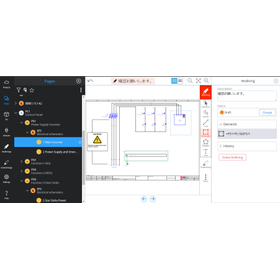
  1. Matrix Web Viewer 東朋テクノロジー
  2. Thermal Mapping Viewer Compact "TMV Compact"
  3. CADPAC-2D Drawing Viewer 'CADPAC-PRINT' Design Creation Inc.
  4. 4 Garbage Data Viewer "DynaViewer" *Free Distribution ダイナトロン
  5. 5 Air Leak Discharge Viewer "MK-770" SANKO ELECTRONIC LABORATORY CO.,LTD.

Viewer Product List

16~30 item / All 135 items

Displayed results

Half-integrated spherical LED viewer 'VLBH-93FBC-CRI'

Multiple brightness values can be registered and selected! A semi-integrating sphere LED viewer suitable for evaluating wide-angle lenses.

The "VLBH-93FBC-CRI" is a semi-integrating sphere type LED viewer that uses a semi-integrating sphere with a diameter of Φ93mm. With automatic brightness correction (FB control), the brightness value remains constant at all times. Multiple brightness values can be registered and selected. It thoroughly pursues a broad spectral sensitivity, making it suitable for evaluating wide-angle lenses. 【Features】 ■ Uses a semi-integrating sphere with a diameter of Φ93mm ■ Multiple brightness values can be registered and selected ■ High uniformity of brightness across the surface ■ Long lifespan ■ Suitable for evaluating wide-angle lenses *For more details, please refer to the PDF materials or feel free to contact us.

  • VLBH-93FBC-CRI_1.jpg
  • Lighting for image processing

Added to bookmarks

Bookmarks list

Bookmark has been removed

Bookmarks list

You can't add any more bookmarks

By registering as a member, you can increase the number of bookmarks you can save and organize them with labels.

Free membership registration

HD Multi Viewer (16 Split)

This is a device that reduces up to 16 high-definition or D1 serial signals into a single screen divided into 16, 12, 9, and 4 sections for composite display.

1. Supports mixed input of asynchronous HD and SD (D1) SDI signals. 2. Capable of displaying on overscan monitor. 3. Can display embedded audio signal levels on screen in 2, 4, or 8 channels as bar graphs (level colors fixed at 3 colors). 4. Each reduced screen can display full-width kanji characters, up to 16 characters (32 half-width characters) in 2 lines. Characters can be displayed in any color and in 7 different sizes, with adjustable horizontal and vertical display positions. 5. Capable of displaying arbitrary portions in enlarged view. 6. TALLY frame can be added to the edge of the reduced screen. 7. When TALLY overlaps, it is displayed in two colors vertically. 8. The display format of the input image can be preset in 64 types, and setting data can be registered and switched. 9. The display position of the input image can be changed. 10. Character display/audio level display can be shown outside and inside the image frame. 11. Text and frames can be input using a PC for settings (setting software provided). 12. Capable of outputting 2 channels of HD serial signals and DVI. 13. Can select 2 channels of audio from a single video signal and output it as a video signal with embedded audio. 14. Can detect VITC/LTC packets from each input and display time codes on each channel. 15. Capable of displaying an analog clock using LTC input.

  • Other image-related equipment
  • Other security and surveillance systems

Added to bookmarks

Bookmarks list

Bookmark has been removed

Bookmarks list

You can't add any more bookmarks

By registering as a member, you can increase the number of bookmarks you can save and organize them with labels.

Free membership registration

4K Multi Viewer HDM528

It is a multi-viewer that displays 4K/HD/SD-SDI video in a free layout on a 4K monitor.

1. Supports 1.4K 60p input, allowing four 3G-SDI signals to be treated as a single 4K signal input. 2. Supports mixed input of 4K/HD/SD. 3. Capable of outputting 4K 60p / HD, with four 3G-SDI signal outputs or four HD-SDI signal outputs. 4. Can display up to 100 input systems via cascade connection. 5. Capable of upscaling from HD to 4K. 6. Each screen can display full-width kanji characters, up to 16 characters (or 32 half-width characters) in 2 lines. 7. Can display the signal levels of embedded audio on-screen in 2, 4, or 8 channel bar graphs. 8. TALLY frames can be added to the edges of the screen. 9. The display format for input video can be preset in 64 types, with the ability to register and switch setting data. 10. Text and frames can be configured on a PC (configuration application provided) (Ethernet, RS-232C/RS-422 connection). 11. Can display the time code or timer detected from the VITC/LTC packets of each input. 12. Can display an analog clock using LTC input. 13. 1U size.

  • Other image-related equipment
  • Other security and surveillance systems

Added to bookmarks

Bookmarks list

Bookmark has been removed

Bookmarks list

You can't add any more bookmarks

By registering as a member, you can increase the number of bookmarks you can save and organize them with labels.

Free membership registration

High-Speed Layout Viewer "SView・SView-PC"

A high-speed layout viewer that allows for immediate confirmation of the contents of existing layout data.

"SView・SView-PC" is a layout viewer that allows for the fast display and easy verification of large-scale GDS2 stream data. It makes it easy to check the details of pseudo-errors that occur in DRC, allowing you to determine whether they are real errors or not. Additionally, it enables the verification of layout data content independently and easily, without the need for frequently used layout design CAD programs, thereby improving the efficiency of using design CAD programs. 【Features】 ■ Immediate verification of existing layout data content ■ Easy discovery of necessary data ■ Immediate confirmation of points of interest in GDS2 stream data ■ Easy verification of the details of pseudo-errors that occur in DRC ■ Increased efficiency in the use of design CAD programs *For more details, please refer to the PDF materials or feel free to contact us.

  • Software (middle, driver, security, etc.)

Added to bookmarks

Bookmarks list

Bookmark has been removed

Bookmarks list

You can't add any more bookmarks

By registering as a member, you can increase the number of bookmarks you can save and organize them with labels.

Free membership registration

NDB_PCB LightViewer Option Differential Display Function

NDB_PCB LightViewer Option - Difference Display Function

It has the ability to automatically extract the differences between two files. This allows for easy verification of the old and new changes during design modifications, enabling an improvement in design quality.

  • Other CAD
  • Other electronic parts
  • Other contract services

Added to bookmarks

Bookmarks list

Bookmark has been removed

Bookmarks list

You can't add any more bookmarks

By registering as a member, you can increase the number of bookmarks you can save and organize them with labels.

Free membership registration

NDB_PCB LightViewer Option Network Watcher Function

NDB_PCB LightViewr Option Network Watcher Function

By referring to the network color status, it is possible to view the color status in the same way on any device, allowing for an intuitive understanding of the network layout, similar to CAD. Additionally, by setting a check status for each network to confirm the connection state and referencing that status, the responsible person can determine how far they have checked the network.

  • others
  • Printed Circuit Board
  • Other contract services

Added to bookmarks

Bookmarks list

Bookmark has been removed

Bookmarks list

You can't add any more bookmarks

By registering as a member, you can increase the number of bookmarks you can save and organize them with labels.

Free membership registration

NDB_PCB LightViewer Option Copper Residual Rate Calculation Function

NDB_PCB LightViewer Option Remaining Copper Rate Calculation Function

The purpose of effectively utilizing this feature varies among customers. It can primarily be used as a reference for EMC evaluation results in printed circuit boards (locations of dominant factors). 1. Noise reduction (EMI reduction, improved immunity, improved transmission characteristics) 2. Improved thermal conductivity (enhanced heat dissipation)

  • Other CAD
  • Other electronic parts
  • Other contract services

Added to bookmarks

Bookmarks list

Bookmark has been removed

Bookmarks list

You can't add any more bookmarks

By registering as a member, you can increase the number of bookmarks you can save and organize them with labels.

Free membership registration

NDB_PCB LightViewer Option Cream Solder Application Amount Calculation Function

NDB_PCB LightViewer Option Cream Solder Application Amount Calculation Function

This function allows you to calculate the amount of cream solder applied per board. Based on that result, it can be used as information on material usage (including inventory management, etc.) for products (such as during mass production).

  • Other CAD
  • Other electronic parts
  • Other contract services

Added to bookmarks

Bookmarks list

Bookmark has been removed

Bookmarks list

You can't add any more bookmarks

By registering as a member, you can increase the number of bookmarks you can save and organize them with labels.

Free membership registration

Introduction to the Web 3D CAD Viewer System

Display drawing information and 3D models designed with 3D CAD in a browser. Since no downloads are required, it enables secure information sharing in a safe environment.

By utilizing the Web 3D CAD Viewer System, inter-departmental collaboration in the manufacturing industry can be streamlined, enabling integration with the business systems of each process. ~Expected Effects~ [Effect 1] As long as there is a browser, 3D design information can be accessed from any device without the need for CAD software or CAD viewers. [Effect 2] There is no need to directly download file data during viewing, as with original CAD data or 3DPDFs, making it easier to implement data leakage prevention measures and achieve cost reductions. [Effect 3] Data can be lightweight, allowing for the distribution of 3D drawings without worrying too much about network bandwidth or data capacity.

  • 3D CAD
  • Other CAD
  • Other CAD related software

Added to bookmarks

Bookmarks list

Bookmark has been removed

Bookmarks list

You can't add any more bookmarks

By registering as a member, you can increase the number of bookmarks you can save and organize them with labels.

Free membership registration

3DCAD Viewer STOCK 3D ※Trial Campaign

No need for data downloads, preventing information leaks! Achieving company-wide information sharing using only a browser!

The 3DCAD Viewer "AKTIE 3D" is a plugin-free 3D CAD viewer solution that operates solely in a browser. It enables company-wide information sharing of design data via the browser! Since there is no need to download data, it is ideal for preventing data leakage. It is also possible to integrate viewer functionality into other systems such as design support systems like PDM and PLM, or parts information distribution systems, and to build connected systems. It is license-free, allowing for easy implementation without worrying about the number of users! You can simply upload 3DCAD data (JT files) to display CAD data in HTML5-compatible browsers. *Currently running a free trial campaign! For more details, please contact us using the form below! 【Features】 ■ Fast viewing through data lightweighting! ■ Not just displaying 3D images, but offering various convenient features! ■ Functionality expansion through plugins and other options is also available for consultation! ■ Integration and expansion into other systems can also be discussed! *For more details, please refer to the catalog or feel free to contact us.

  • 3D CAD
  • Other CAD related software

Added to bookmarks

Bookmarks list

Bookmark has been removed

Bookmarks list

You can't add any more bookmarks

By registering as a member, you can increase the number of bookmarks you can save and organize them with labels.

Free membership registration

High-Spec 3D Viewer & Translator "3DTascalX"

High-spec 3D viewer software equipped with powerful translation features.

3DTascalX is a new 3D data handling tool that allows for high-precision conversion and various displays, measurements, and verifications necessary for manufacturing, even without CAD/CAM software corresponding to the created 3D data. ■ Conversion Function Equipped with powerful conversion capabilities, it can handle intermediate files such as STEP, IGES, and Parasolid, and with options, it can also input and output native data from CATIA and JT. ■ Viewer Function This tool can import various 3D data from the manufacturing industry, allowing for measurements (absolute and relative) while confirming shapes, as well as solidification and translation from 3D to 2D drawing data. It also includes features for easily color-coding surfaces of the same height and slope angles, making it useful for processing verification. ★☆★ A trial version is available ★☆★ You can experience the conversion, various measurement, and verification functions of '3DTascalX'. ★☆★ New Feature: "Thickness Color-Coding Function" ★☆★ It allows for color-coding areas of solid data that are thicker or thinner than a specified value.

  • Other CAD
  • Data conversion software
  • Other CAD related software

Added to bookmarks

Bookmarks list

Bookmark has been removed

Bookmarks list

You can't add any more bookmarks

By registering as a member, you can increase the number of bookmarks you can save and organize them with labels.

Free membership registration

High-spec 3D viewer "3DTascalX/Light"

A 3D viewer that allows you to easily "check," "measure," and "create drawings" from 3D data.

3DTascalX Light is a 3D viewer that allows you to easily display and verify various 3D data without the need for 3DCAD. 【Features】 ■ Wide range of 3D data verification It can read not only major intermediate data such as IGES and Parasolid but also various native data from CATIA, NX, SOLIDWORKS, and more as standard. You can verify 3D data immediately without changing it to an intermediate file. ■ Various measurement functions In addition to dimension measurement, it allows you to check weight, maximum outer shape, undercut, and slope angle, which are necessary for understanding material costs and manufacturing methods. This helps improve the efficiency of sales and manufacturing by enabling immediate processing instructions and estimate creation. ■ Drawing support You can create drawings from 3D to 2D, including three-view drawings, isometric drawings, and cross-sectional views. You can add comments and annotations to drawings and 3D data, enabling clear image sharing and streamlining processing instructions within the company, as well as aligning processing requirements and change requests with business partners.

  • Other CAD
  • Technical Seminar
  • Other CAD related software

Added to bookmarks

Bookmarks list

Bookmark has been removed

Bookmarks list

You can't add any more bookmarks

By registering as a member, you can increase the number of bookmarks you can save and organize them with labels.

Free membership registration

Mazatrol Program Offline Viewer "MazView"

It is an offline viewer for effectively and efficiently managing and organizing Mazatrol programs.

[Features] ■ Easy management and organization of Mazatrol programs It is possible to manage various types of Mazatrol programs, including those imported via Ethernet, those imported from USB memory or floppy disks, and programs captured with MazView. ■ Preview programs offline It supports the display of Mazatrol programs for all Mazak conversational controllers. You can preview Mazatrol programs with different formats from older generation controllers like T2/T3 and M32 to the latest Smooth, tailored to the corresponding controller. ■ Save and transfer old generation Mazatrol programs By establishing communication with old generation Mazatrol controllers using the PC's RS-232C serial port or a USB-to-serial adapter, you can save programs from the controller to the PC or transfer programs from the PC to the controller. *For more details, please request a catalog or view the PDF data from the download button above.

  • 一括管理.jpg
  • 3D CAM
  • 3D CAD
  • Other CAM related software

Added to bookmarks

Bookmarks list

Bookmark has been removed

Bookmarks list

You can't add any more bookmarks

By registering as a member, you can increase the number of bookmarks you can save and organize them with labels.

Free membership registration

Bottom Viewer for Multi-Well Plates

Introducing a bottom viewer for photography that allows you to see the entire bottom of the multi-well plate!

The "Bottom Viewer" is a product for photography. Simply place it over a multi-well plate. Even when photographed with a digital camera, the bottoms of all the wells will be completely captured. It features a transparent frame that allows for accurate counting in all wells and enables reflected fluorescence observation, allowing for accurate observation of fluorescence levels with uniform excitation. Please check it with the demo unit. 【Features】 ■ Accurate counting in all wells ■ Transparent frame that allows for reflected fluorescence observation ■ Accurate observation of fluorescence levels with uniform excitation ■ Can be photographed from a distance of over 35 cm ■ Size: W152 x D108 x H25 mm *For more details, please refer to the PDF document or feel free to contact us.

  • Image Processing Equipment
  • Other image-related equipment

Added to bookmarks

Bookmarks list

Bookmark has been removed

Bookmarks list

You can't add any more bookmarks

By registering as a member, you can increase the number of bookmarks you can save and organize them with labels.

Free membership registration

Corona Discharge Viewer "MK-760"

We will analyze the ultrasonic frequency specific to corona discharge and determine if it is caused by the discharge!

The "MK-760" is a corona discharge viewer that visualizes corona discharge and can diagnose a wide area in a short time. It detects the ultrasound generated by corona discharge and identifies the sound source direction using beamforming technology. This portable viewer is easy to carry and features a high-speed mode that displays 5 frames of images per second, as well as a detailed mode that shows ultrasound waveforms. 【Features】 ■ Detects ultrasound generated by corona discharge ■ Identifies sound source direction using beamforming technology ■ Analyzes the specific ultrasound frequency of corona discharge to determine if it is discharge-related ■ Wide view with a camera angle of approximately 49° horizontally and 49° vertically ■ Easy-to-carry portable viewer *For more details, please refer to the related link page or feel free to contact us.

  • Testing Equipment and Devices
  • Vibration Inspection

Added to bookmarks

Bookmarks list

Bookmark has been removed

Bookmarks list

You can't add any more bookmarks

By registering as a member, you can increase the number of bookmarks you can save and organize them with labels.

Free membership registration