We have compiled a list of manufacturers, distributors, product information, reference prices, and rankings for soft.
ipros is IPROS GMS IPROS One of the largest technical database sites in Japan that collects information on.

soft(cam) - List of Manufacturers, Suppliers, Companies and Products | IPROS GMS

Last Updated: Aggregation Period:Jan 21, 2026~Feb 17, 2026
This ranking is based on the number of page views on our site.

soft Product List

181~210 item / All 753 items

Displayed results

CNC simulation software『Vericut 9.6』

AI MEETS PRECISION

CGTech Releases the Latest Japanese Version of Vericut Software – Version 9.6! Vericut is the industry leader in machine simulation, verification, and optimization for various types of CNC machining, additive, and hybrid manufacturing processes. While Vericut operates as a standalone application, it also supports integration with major CAM and tool management systems. In addition to core product enhancements, Vericut V9.6 introduces two groundbreaking AI-powered features: ・ Vericut Assistant provides integrated AI support within the Vericut software. ・ Vericut Intelligence offers an easily accessible and user-friendly intelligent knowledge hub for Vericut. Highlights of Vericut V9.6: ・ AI Integration Features ・ Enhanced Reviewer Functionality ・ Support for PMI (Product Manufacturing Information) For more details, please refer to the PDF document or feel free to contact us.

  • Milling machine
  • lathe
  • Other machine tools
  • soft

Added to bookmarks

Bookmarks list

Bookmark has been removed

Bookmarks list

You can't add any more bookmarks

By registering as a member, you can increase the number of bookmarks you can save and organize them with labels.

Free membership registration

Shorten robot implementation! Offline teaching software OCTOPUZ

Significantly reduce the time and cost of implementing complex robots for welding, painting, and deburring with offline teaching and factory simulation!

The offline teaching software for robots, "OCTOPUZ," has a wealth of implementation experience and solves complex and tedious robot programming issues offline, from layout design to robot programming. For welding and transportation, it is an offline teaching and simulation software that eliminates the need for CAD/CAM, significantly reducing teaching time, which has been a major challenge during robot implementation, and greatly lowering implementation costs! For the introduction, Kyoni Robot Promotion, specializing in robots and automation, will provide proposals. *For more details, please refer to the catalog or feel free to contact us.

  • kyoni_オクトパス機能簡易説明.jpg
  • kyoni_オクトパス写真1.jpg
  • kyoni_オクトパス写真2.jpg
  • kyoni_オクトパス写真3.jpg
  • kyoni_オクトパス写真4.jpg
  • kyoni_オクトパス写真5.jpg
  • kyoni_オクトパス写真6.jpg
  • Other industrial robots
  • soft

Added to bookmarks

Bookmarks list

Bookmark has been removed

Bookmarks list

You can't add any more bookmarks

By registering as a member, you can increase the number of bookmarks you can save and organize them with labels.

Free membership registration

CAM module "SolidCAM iMachining"

[With user case studies] 70% reduction in processing time! We can process small tools and hard materials that require special techniques.

"SolidCAM iMachining" is a new machining method provided by SolidCAM that allows for deep cutting with tools while maintaining high feed rates. It adjusts the tool's motion and speed for all tool paths, achieving faster and deeper finishes than traditional machining times. The "Technology Wizard," which automatically calculates the appropriate machining speed, spindle speed, depth, and width of machining, along with the "Step Over Control," which automatically adjusts for tool overload, are unique features exclusive to iMachining. 【Features】 ■ 70% reduction in cycle time ■ Tool life increased by 2 to 3 times ■ Easy machining of high-hardness materials with small diameter tools ■ 2D and 3D iMachining modules ■ 4-axis and multi-tasking lathe machining ■ Very short learning time ■ Advanced high productivity programming *Numerous application example videos are available on YouTube. https://www.youtube.com/watch?v=Zde9GEcDlPo&t=14s For more details, please download the PDF or feel free to contact us.

  • Other CAM related software
  • Other CAD related software
  • soft

Added to bookmarks

Bookmarks list

Bookmark has been removed

Bookmarks list

You can't add any more bookmarks

By registering as a member, you can increase the number of bookmarks you can save and organize them with labels.

Free membership registration

Analysis case: Machining simulation targeting vehicle impellers.

Introduction of the deformation analysis results of the workpiece using cutting forces calculated by cutting simulation.

This is a case where the tool deflection was evaluated from the cutting force assessed in the cutting simulation of the "Production Module." By applying the analysis results from AdvantEdge to the geometric simulation on the CAD/CAM model, the cutting force during machining was calculated. The cutting force, which is the analysis result, can also be utilized for strain deformation analysis during machining. Additionally, in a case where mesh generation was performed on the shape of the workpiece during machining, and strain deformation analysis due to cutting force was conducted, it was found that the strain deformation on the workpiece side is not determined solely by the cutting force, but that the contribution of the rigidity on the workpiece side is also significant. 【Tool Path Analysis】 ■ Operation equivalent to CAM using GUI ■ Supports importing chatter stability limit curve diagrams ■ Navigator function ・Tool position ・Target NC line *For more details, please refer to the PDF document or feel free to contact us.

Added to bookmarks

Bookmarks list

Bookmark has been removed

Bookmarks list

You can't add any more bookmarks

By registering as a member, you can increase the number of bookmarks you can save and organize them with labels.

Free membership registration

3DCAD/CAM『Mastercam Mill』

2-axis, 2.5-axis, and simple 3-axis machining compatible 'Mill', also compatible with complex surface 3-axis machining 'Mill3D'

■Mill (2-axis/2.5-axis/Simple 3-axis machining) You can create 2/2.5-axis machining tool paths for contours, pockets, and hole shapes not only from wireframes but also from 3D solid models. Additionally, you can also create 3-axis machining data for a single surface. ■Mill3D (3-axis milling) In addition to the functions of Mill, it is equipped with a variety of simultaneous 3-axis tool paths for roughing to finishing processes on complex surfaces, enabling milling of various shapes and materials. Moreover, by combining modules such as 'Lathe', 'Multi-Axis', and 'Mill-Turn', it can accommodate various complex machining. - 'Mill' + 'Lathe' → Lathe + indexed fixed milling - 'Mill3D' + 'Lathe' → Lathe + indexed milling for three-dimensional machining - 'Mill3D' + 'Multi-Axis' + 'Mill-Turn' → Lathe + simultaneous multi-axis milling

  • mastercam_mill_1.jpg
  • mastercam_mill_2.jpg
  • mastercam_mill_3.jpg
  • mastercam_mill_4.jpg
  • mastercam_mill3d_1.jpg
  • mastercam_mill3d_2.jpg
  • mastercam_mill3d_3.jpg
  • mastercam_mill3d_4.jpg
  • 3D CAD
  • 3D CAM
  • Other CAM related software
  • soft

Added to bookmarks

Bookmarks list

Bookmark has been removed

Bookmarks list

You can't add any more bookmarks

By registering as a member, you can increase the number of bookmarks you can save and organize them with labels.

Free membership registration

CAD/CAM system freely links 3D and 2D.

Specify multiple projection views at once to streamline the transition from 3D modeling to drafting work.

KEYCREATOR "Modeling Mode and Layout Mode" refers to two system modes called Modeling Mode and Layout Mode. The two modes are separate, but both the model and the layout are included in a single design file and share the same parts. In Layout Mode, you can place multiple views of the parts created in Modeling Mode, that is, projection views, on a 2D drawing as needed, and add dimensions and annotations to create the drawing. Additionally, when the model is modified, the 2D drawing is automatically updated. For more details, please download the catalog.

  • Other CAD
  • Other CAM related software
  • Structural Analysis
  • soft

Added to bookmarks

Bookmarks list

Bookmark has been removed

Bookmarks list

You can't add any more bookmarks

By registering as a member, you can increase the number of bookmarks you can save and organize them with labels.

Free membership registration

Easily process tubes! 【hyperMILL】

CAD/CAM software 'hyperMILL' dedicated module for tube processing

The module product of the CAD/CAM software 'hyperMILL', called 'hyperMILL Tube Module', offers dedicated machining methods that allow for very easy program creation for tube shapes with extreme undercuts. There is no need to perform labor-intensive CAD tasks such as creating auxiliary surfaces or correcting gaps on the CAD model used. Additionally, by simply selecting a simple guide curve, tool paths can be created for roughing to finishing using three different machining methods. 【Features】 ■ Easy programming due to dedicated machining methods for tube processing ■ Minimization of labor-intensive CAD tasks ■ Fully integrated with hyperMILL, allowing for combination with traditional machining and simulation functions *For more details, please refer to the PDF document or feel free to contact us.

Added to bookmarks

Bookmarks list

Bookmark has been removed

Bookmarks list

You can't add any more bookmarks

By registering as a member, you can increase the number of bookmarks you can save and organize them with labels.

Free membership registration

CAM solution "2.5-axis machining"

Creating 2.5D CNC machining tool paths is the most powerful and easy!

The combination of the most intuitive, user-friendly interface, seamless integration with SolidWorks, and the latest tool path technology creates the most powerful and easiest way to generate 2.5D tool paths. Working with parts, assemblies, and sketch shapes to define CNC machining jobs is simple. You can quickly and visually place fixtures and components. 【Features】 - Intuitive and user-friendly interface - Seamless integration with SolidWorks, combined with the latest tool path technology, allows for fast, powerful, and easy creation of 2.5D CNC milling tool paths - Easy work with parts, assemblies, and sketch shapes to define CNC machining jobs - Quick and visual placement of fixtures and components For more information, please contact us or download the catalog.

  • Other CAM related software
  • soft

Added to bookmarks

Bookmarks list

Bookmark has been removed

Bookmarks list

You can't add any more bookmarks

By registering as a member, you can increase the number of bookmarks you can save and organize them with labels.

Free membership registration

Offline programming software "Robotmaster"

Two selectable editions! Equipped with numerous features to simplify tasks and generate programs in a short time.

"Robotmaster" is an offline programming software that maximizes robot productivity and creates new added value. With a powerful and user-friendly UI, it allows for the creation of complex and error-free programs in a short time, even without specialized knowledge of robot programming. You can choose between two editions: a standalone version that generates trajectories directly from CAD models and a bridge version that imports tool paths from CAM. 【Features】 ■ Maximizes robot productivity ■ Powerful and user-friendly UI ■ Achieves an average reduction of 70% in work time ■ Includes numerous features that simplify tasks and enable quick program generation for those starting to use robots *For more details, please refer to the PDF document or feel free to contact us.

  • Software (middle, driver, security, etc.)
  • Other industrial robots
  • Other embedded systems (software and hardware)
  • soft

Added to bookmarks

Bookmarks list

Bookmark has been removed

Bookmarks list

You can't add any more bookmarks

By registering as a member, you can increase the number of bookmarks you can save and organize them with labels.

Free membership registration

Autodesk Manufacturing Software Collection "PD&M Collection"

Contributing to solving various challenges in the manufacturing industry with a single package. Aggregating software suitable for sales, design, processing, and manufacturing.

The "Product Design & Manufacturing Collection (PD&M Collection)" is a product that combines approximately 20 software and tools corresponding to each process, from planning and design to analysis, plant design, manufacturing, and the creation of promotional tools, along with online storage. It enables the streamlining of each process, improvement of quality, and promotion of digitization and data integration. Please utilize it for efforts towards labor reduction and cost savings. 【We respond to the following needs】 ■ Want to create hidden lines quickly and accurately ■ Want to manage and share parts lists easily ■ Want to shorten the time for electrical design ■ Want to perform control design in compliance with standards ■ Want to reflect changes in design data to other data *For more details, please refer to the materials available for download in PDF format. Feel free to contact us as well.

  • Software (middle, driver, security, etc.)
  • soft

Added to bookmarks

Bookmarks list

Bookmark has been removed

Bookmarks list

You can't add any more bookmarks

By registering as a member, you can increase the number of bookmarks you can save and organize them with labels.

Free membership registration

Software @PartsLink

We will realize a one-of-a-kind system tailored to your business and needs.

We will automatically create order slips from CAD/CAM part data, thoroughly streamlining the input process on the PC.

  • Other operation management software
  • soft

Added to bookmarks

Bookmarks list

Bookmark has been removed

Bookmarks list

You can't add any more bookmarks

By registering as a member, you can increase the number of bookmarks you can save and organize them with labels.

Free membership registration

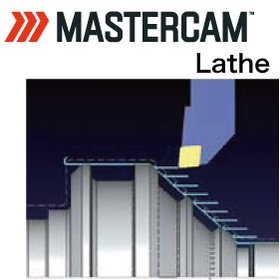
3DCAD/CAM『Mastercam Lathe』

Supports lathe machining with a rich tool path and detailed settings.

■Lathe (Turning) Turning operations are possible with a rich variety of tool paths and detailed settings. The definition of cutting materials and shapes is also extensive, allowing for the creation of efficient paths with minimal air cutting. Additionally, by combining modules such as 'Mill', 'Mill3D', and 'Multi-Axis', it supports various complex machining operations. - 'Mill' + 'Lathe' → Turning + indexed fixed milling - 'Mill3D' + 'Lathe' → Turning + indexed milling for three-dimensional machining - 'Mill3D' + 'Multi-Axis' + 'Mill-Turn' → Turning + simultaneous multi-axis milling

  • mastercam_lathe_1.jpg
  • mastercam_lathe_2.jpg
  • mastercam_lathe_3.jpg
  • mastercam_lathe_4.jpg
  • 3D CAD
  • 3D CAM
  • Other CAM related software
  • soft

Added to bookmarks

Bookmarks list

Bookmark has been removed

Bookmarks list

You can't add any more bookmarks

By registering as a member, you can increase the number of bookmarks you can save and organize them with labels.

Free membership registration

300,000 yen! PCB design CAD [CADLUS One 2L]

By limiting the full-scale circuit board design CAD/CAM system to 2-layer boards, we offer it at a low price!

CADLUS One 2L for professional design! A CAD/CAM system compatible with 2-layer PCBs. It features an assist function that allows anyone to easily create PCBs. By limiting the layers to 2, we can offer it at a low price. CADLUS One is a long-established CAD software that has been around for over 30 years since its release. The simultaneous design feature is a pioneer in computer history, and it continues to evolve even today. Additionally, CADLUS One, developed by a printed circuit board design company, is equipped with the essential functions needed for printed circuit boards, and in terms of support, we can provide not only software explanations but also direct data transmission for advice.

  • 2D CAD Electrical
  • Data conversion software
  • 2D CAM
  • soft

Added to bookmarks

Bookmarks list

Bookmark has been removed

Bookmarks list

You can't add any more bookmarks

By registering as a member, you can increase the number of bookmarks you can save and organize them with labels.

Free membership registration

[Case Study] Kyowa Precision Industry Co., Ltd. Akita Factory

Quickly and beautifully process 3D shaped parts with SolidCAM options!

We would like to introduce a case study of Kyowa Seimitsu Kogyo Co., Ltd.'s Akita Factory, which has implemented SolidCAM. The company, which manufactures dedicated equipment, precision parts, and prototypes, faced challenges in creating NC data in-house for 3D shape processing requests. As a result, they considered the introduction of CAD/CAM for 3D machining. After conducting a demonstration, they decided to implement the solution. With the introduction of SolidCAM and the optional iMachining, they have reported several benefits: reduced machining time, automatic suggestions for cutting conditions eliminating the need for manual consideration each time, and less programming time due to fewer input points. [Case Study] - Company: Kyowa Seimitsu Kogyo Co., Ltd. Akita Factory (Daisen City, Akita Prefecture) - Products: Manufacturing of dedicated equipment, precision parts, and prototypes - Certifications: ISO9001, ISO14001 - Products Implemented: SolidCAM, iMachining (optional) - Implementation Date: 2005 *For more details, please refer to the PDF document or feel free to contact us.

  • Other CAM related software
  • Other CAD related software
  • soft

Added to bookmarks

Bookmarks list

Bookmark has been removed

Bookmarks list

You can't add any more bookmarks

By registering as a member, you can increase the number of bookmarks you can save and organize them with labels.

Free membership registration

NC drawing and editing software [CIMCO Edit]

NC editing, drawing, and communication system that can draw FANUC, Heidenhain, and Siemens for 2-axis to 5-axis milling and lathes.

The NC drawing and editing software "CIMCO Edit" allows for smooth reading, drawing, editing, and verification of tool paths even with large NC data. It has a sales record of over 80,000 licenses worldwide and is equipped with basic NC data editing tools and drawing functions. It supports high-speed drawing of FANUC, Heidenhain, Siemens, and ISO codes, with trajectory and solid display for 3-axis paths, and trajectory display for 5-axis paths. It can import CAD models in STL format and overlay them with the trajectory. It can be used as a standalone system or integrated with CAD/CAM as a data verification system.

  • Other CAM related software
  • soft

Added to bookmarks

Bookmarks list

Bookmark has been removed

Bookmarks list

You can't add any more bookmarks

By registering as a member, you can increase the number of bookmarks you can save and organize them with labels.

Free membership registration

Conversational design

Conversational design

The foundation of our design style is "interactive" design, based on the company philosophy of always putting the customer first. We utilize the latest 3D CAD for design development and program creation, striving to improve the consistency of our drawings.

Added to bookmarks

Bookmarks list

Bookmark has been removed

Bookmarks list

You can't add any more bookmarks

By registering as a member, you can increase the number of bookmarks you can save and organize them with labels.

Free membership registration

Solid Edge

SolidEdge

The core of the mid-range class 3D CAD in the "Velocity Series" integrated PLM system developed and provided by Siemens PLM Software is Solid Edge. By using Solid Edge, it is possible to improve design efficiency through synchronous technology, reuse data in a multi-CAD environment using the JT data format, and reduce documentation costs with top-class drafting capabilities.

  • Other CAD
  • Structural Analysis
  • others
  • soft

Added to bookmarks

Bookmarks list

Bookmark has been removed

Bookmarks list

You can't add any more bookmarks

By registering as a member, you can increase the number of bookmarks you can save and organize them with labels.

Free membership registration

20-layer substrate! PCB design CAD 【CADLUS One std】

Designing 20-layer substrates is possible! A fully Japanese-made standard model of CAD/CAM for genuine substrate design developed by a printed circuit board design company.

CADLUS One Std is a CAD/CAM system compatible with 20-layer boards designed for professionals. It features an assist function that makes it easy for anyone to create circuit boards. With simultaneous parallel design capabilities, work efficiency is significantly improved! It is a highly popular product that meets various needs. CADLUS One is a long-established CAD software that has been around for over 30 years since its release. The simultaneous parallel design feature is the original in computer history, and it continues to evolve even today. Moreover, CADLUS One, developed by a printed circuit board design company, is equipped with truly necessary functions for printed circuit boards. In terms of support, it not only provides explanations of the software but also allows for direct data submission for advice.

  • Other CAD related software
  • Data conversion software
  • 2D CAD Electrical
  • soft

Added to bookmarks

Bookmarks list

Bookmark has been removed

Bookmarks list

You can't add any more bookmarks

By registering as a member, you can increase the number of bookmarks you can save and organize them with labels.

Free membership registration

Overwhelming time savings from program creation to processing. More than 50 machine manufacturers supported.

ESPRIT [Exhibition at Suwa Industrial Messe] A rich lineup centered around basic modules, including simultaneous 3-axis and 5-axis machining, as well as 2-axis lathe machining.

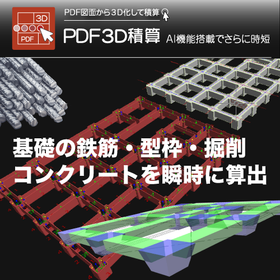
We would like to introduce the high-functionality and high-performance CAD/CAM software 'ESPRIT' handled by Ace Shimana Co., Ltd. 'ESPRIT' features a modular structure, including basic modules, machining 2.5-axis processing, simultaneous 4-axis processing, indexing 5-axis processing, and 2.5-axis milling for complex processing/automatic lathes. This product is a powerful CAM system for optimized NC data generation and accurate machine simulation, supporting the entire manufacturing process from CAD models. [Contents (Excerpt)] ■ Module structure of ESPRIT ■ Machining 2.5-axis processing, simultaneous 4-axis processing, indexing 5-axis processing ■ Simultaneous 3-axis and 5-axis processing ■ 2-axis lathe processing ■ We will be exhibiting at the "Suwa Industrial Fair" ■ Date and Time: October 13-15, 2022, 10:00 AM - 4:00 PM (Ends at 3:00 PM on the final day) Booth Number: C-21 We look forward to your visit. *For more details, please refer to the PDF document or feel free to contact us.
  • Other CAM related software
  • soft

Added to bookmarks

Bookmarks list

Bookmark has been removed

Bookmarks list

You can't add any more bookmarks

By registering as a member, you can increase the number of bookmarks you can save and organize them with labels.

Free membership registration

Purely made in Japan! PCB design CAD 【CADLUS One Pro】

Designing 64-layer PCBs is possible! A professional-grade PCB design CAD/CAM system that meets various needs.

CADLUS One Pro is a CAD/CAM system compatible with 64-layer boards designed for professionals. It features an assist function that allows anyone to easily create circuit boards. With its simultaneous parallel design capability, work efficiency is significantly improved! It is a very popular product that meets various needs. CADLUS One is a long-established CAD software that has been on the market for over 30 years. The simultaneous parallel design feature is a pioneer in computer history, and it continues to evolve even today. Moreover, CADLUS One, developed by a printed circuit board design company, is equipped with truly necessary functions for printed circuit boards. In terms of support, it not only provides software explanations but also allows for direct data submission for advice.

  • Other CAD related software
  • Data conversion software
  • 2D CAD Electrical
  • soft

Added to bookmarks

Bookmarks list

Bookmark has been removed

Bookmarks list

You can't add any more bookmarks

By registering as a member, you can increase the number of bookmarks you can save and organize them with labels.

Free membership registration

Purely made in Japan! PCB design CAD 【CADLUS One Lite】

A genuine Japanese PCB design CAD/CAM system developed by a printed circuit board design company is offered at a low price!!

CADLUS One Lite is a CAD/CAM system designed for professionals, supporting up to 12-layer printed circuit boards. It features an assist function that allows anyone to easily create circuit boards. By limiting the layers to a maximum of 12, we can offer it at a low price. It is possible to create a 4-layer board by routing signal patterns on part of the power and ground layers. The Gerber import function is standard. CADLUS One is a long-established CAD software that has been on the market for over 30 years. Its simultaneous design feature is the original in computer history and continues to evolve. Developed by a printed circuit board design company, CADLUS One is equipped with the essential functions needed for printed circuit boards, and in terms of support, we can provide advice not only through software explanations but also by directly sending data.

  • Other CAD related software
  • Data conversion software
  • 2D CAD Electrical
  • soft

Added to bookmarks

Bookmarks list

Bookmark has been removed

Bookmarks list

You can't add any more bookmarks

By registering as a member, you can increase the number of bookmarks you can save and organize them with labels.

Free membership registration

SolidWorks Quick Reference MAP *Free materials available!

Materials for understanding SolidWorks! Quick overview of general-purpose mechanical design 3D CAD!

This is a product map centered around the 3D CAD "SolidWorks" proposed by Techno Solutions. It features SolidWorks partner products focused on "3D design," such as "structural analysis," "product data management," and "product documentation creation." It also includes add-on products for "surface modeling," "resin flow analysis," "CAM," and "mold design." Additionally, we introduce reverse engineering products for "prototyping" and "shape measurement." *For more details, please download the catalog or contact us directly.*

  • 3D CAD
  • Structural Analysis
  • 3D Printer
  • soft

Added to bookmarks

Bookmarks list

Bookmark has been removed

Bookmarks list

You can't add any more bookmarks

By registering as a member, you can increase the number of bookmarks you can save and organize them with labels.

Free membership registration

[Example] Simulation Support

Simulation support functions for analysis engineers.

Command functions for CAD design analysis, model creation with attribute restoration. One-point analysis through programming (pre-simulation) before full-scale simulation. Direct interface integration with EDA tools.

  • 2D CAD Electrical
  • Modeler
  • simulator
  • soft

Added to bookmarks

Bookmarks list

Bookmark has been removed

Bookmarks list

You can't add any more bookmarks

By registering as a member, you can increase the number of bookmarks you can save and organize them with labels.

Free membership registration

[Case Study] Enomoto B.A. Co., Ltd.

Improving production efficiency! Reducing human burden! Case study presentation!

We would like to introduce the case of Enomoto B.A. Co., Ltd., which implemented the CAD/CAM software 'SigmaNEST' for sheet metal and cutting. At the company, all tasks were done manually, consuming a significant amount of time. Therefore, they introduced 'SigmaNEST' for the nesting of laser parts. As a result, everything was automated, achieving significant time savings and reductions. [Effects] ■ Achieved significant time savings and reductions ■ Established an environment where nesting can be executed on-site *For more details, please refer to the PDF document or feel free to contact us.

Added to bookmarks

Bookmarks list

Bookmark has been removed

Bookmarks list

You can't add any more bookmarks

By registering as a member, you can increase the number of bookmarks you can save and organize them with labels.

Free membership registration

[Example] Utilization in optical fusion substrates

Support for the development of new optical electronics devices.

Supports waveguide layer configurations such as clad/core layers. Allows mixed design of optical waveguide wiring and electrical wiring (compatible with nano to millimeter wiring). Recognizes electrical connections for LSI chips, silicon photonics interposers, and hybrid circuit boards.

  • 2D CAD Electrical
  • Other CAD
  • Modeler
  • soft

Added to bookmarks

Bookmarks list

Bookmark has been removed

Bookmarks list

You can't add any more bookmarks

By registering as a member, you can increase the number of bookmarks you can save and organize them with labels.

Free membership registration

[Example] Custom DRC Construction

Providing an environment for users to independently build and execute custom DRC in bulk.

Rule parameter specification is managed in an Excel sheet. [START] On this, individual or bulk checks are executed with the rule parameters. Each DRC result is displayed on the layer, and output can be generated in the form of a list of results or image files. We also provide support for building, such as adding check items.

  • 2D CAD Electrical
  • 2D CAM
  • 3D CAD
  • soft

Added to bookmarks

Bookmarks list

Bookmark has been removed

Bookmarks list

You can't add any more bookmarks

By registering as a member, you can increase the number of bookmarks you can save and organize them with labels.

Free membership registration

Simulation software NCVIEW

Eliminate mistakes in NC data and avoid any obstacles during machining.

A small mistake in NC data can cause a tremendous collision during machining, instantly ruining expensive machinery. "NCVIEW" accurately and quickly simulates NC data on a computer as if performing a dry run, detecting all issues and allowing for improvements to the NC data before it is run on the actual machine. It eliminates mistakes in the NC data and avoids any obstacles during machining.

  • Software (middle, driver, security, etc.)
  • soft

Added to bookmarks

Bookmarks list

Bookmark has been removed

Bookmarks list

You can't add any more bookmarks

By registering as a member, you can increase the number of bookmarks you can save and organize them with labels.

Free membership registration

[Solution] Inventor HSM

2.5-axis to 5-axis milling, lathe processing, and compound lathe processing! Other tasks can be performed during calculations.

We would like to introduce the solutions of our "Product Design & Manufacturing Collection." "Inventor HSM" is an integrated CAM for 2.5-axis to 5-axis milling, lathe machining, and complex lathe machining. It features a simple UI and easy-to-remember operability, with excellent computation capabilities, including calculations on other PCs, allowing for multitasking during operations. Additionally, load control machining was implemented in 2003. 【Features】 ■ Easy operability - Simple UI, easy-to-remember operability ■ Excellent computation - Calculations on other PCs (other tasks can be performed during computation) ■ Load control machining - Gentle machining for machines and tools (implemented in 2003) *For more details, please refer to the PDF materials or feel free to contact us.

Added to bookmarks

Bookmarks list

Bookmark has been removed

Bookmarks list

You can't add any more bookmarks

By registering as a member, you can increase the number of bookmarks you can save and organize them with labels.

Free membership registration

Sigma NEST Information Management and Collaboration

We will dramatically improve production management capabilities and work efficiency!

"Sigma NEST" is a CAD/CAM nesting software compatible with various machine manufacturers and cutting types. It can integrate with management systems such as order and sales management, MRP-ERP, production planning, and product data management (PDM), allowing for bidirectional data communication to streamline all information. Additionally, this product is available for demo testing. Please feel free to contact us. 【Features】 ■ Importing order information and material information / delivery processing and shipping ■ Input and output of all data related to cutting processes ■ Real-time monitoring of all conditions on the shop floor ■ Determining optimal cutting and processing schedules / progress tracking ■ Rapid information transmission for primary and secondary process tasks *For more details, please refer to the PDF materials or feel free to contact us.

  • Other embedded systems (software and hardware)
  • soft

Added to bookmarks

Bookmarks list

Bookmark has been removed

Bookmarks list

You can't add any more bookmarks

By registering as a member, you can increase the number of bookmarks you can save and organize them with labels.

Free membership registration

List of cutting machines compatible with high yield automatic nesting 'Sigma NEST'

Over 20,000 companies have implemented it! Average material cost reduction of 5%! *Case studies available for free.

"Sigma NEST" is a CAD/CAM software that supports all cutting machine manufacturers and types, both domestically and internationally. Machines not listed below can also be supported. *For more details, please refer to the PDF document or feel free to contact us. [List of Supported Manufacturers] Nissin TANKA Kotaki Seiki Koike Sanso Kogyo Sugino Machine Amada Murata Machinery Yamazaki Mazak TRUMPF Mitsubishi Electric Komatsu Industries Bystronic Shibuya Kogyo Messer Shintec Hypertherm Kikukawa Enterprise Shoda Iron Works Heian Corporation

  • Other embedded systems (software and hardware)
  • soft

Added to bookmarks

Bookmarks list

Bookmark has been removed

Bookmarks list

You can't add any more bookmarks

By registering as a member, you can increase the number of bookmarks you can save and organize them with labels.

Free membership registration