We have compiled a list of manufacturers, distributors, product information, reference prices, and rankings for Conversion software.
ipros is IPROS GMS IPROS One of the largest technical database sites in Japan that collects information on.

Conversion software Product List and Ranking from 46 Manufacturers, Suppliers and Companies | IPROS GMS

Last Updated: Aggregation Period:Mar 04, 2026~Mar 31, 2026
This ranking is based on the number of page views on our site.

Conversion software Manufacturer, Suppliers and Company Rankings

Last Updated: Aggregation Period:Mar 04, 2026~Mar 31, 2026
This ranking is based on the number of page views on our site.

  1. システムクリエイト Osaka//Industrial Machinery
  2. B7 Tokyo//software
  3. ARMONICOS CO., LTD. Shizuoka//CAD/CAM
  4. 4 Sohwa & Sophia Technologies 本社 Kanagawa//Industrial Electrical Equipment
  5. 5 株式会社USTAGE Kanagawa//IT/Telecommunications

Conversion software Product ranking

Last Updated: Aggregation Period:Mar 04, 2026~Mar 31, 2026
This ranking is based on the number of page views on our site.

  1. Interactive program creation and conversion software "MazaCAM" システムクリエイト
  2. New Release of ProTRANS2026, CAD Mutual Conversion Software with Proven Results 株式会社USTAGE
  3. Video to DICOM conversion software 'LamVideoToDcm' ラムテック
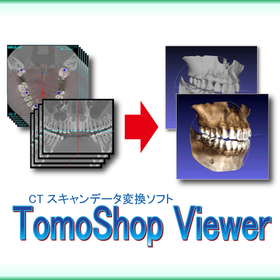
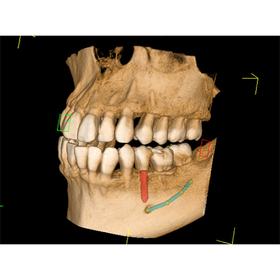
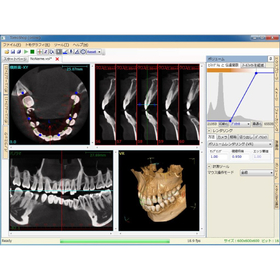
  4. 4 CT scan data conversion software "TomoShop Viewer" システムクリエイト
  5. 4 Data conversion software IRONCAD Translator クリエイティブマシン

Conversion software Product List

61~90 item / All 110 items

Displayed results

ServerShared Folder Monitoring 9

Set version of multiple IN/OUT folder monitoring process + high-speed automatic PDF generation engine.

This product is implemented as a Windows service that monitors (polls) a designated folder for the addition of Office documents and PDF files. When document files are added to the monitored folder, it executes conversion commands (actions) based on the file extension and performs PDF conversion. By placing document files such as Office files into the monitored folder, users can achieve batch automatic conversion with security settings applied, enhancing both security and operational efficiency. *Please note that the contents may change without prior notice for product improvements. For the latest information, please check the product page. [Product Page] https://www.skycom.jp/product/skypdf/server_shared_folder_monitoring_9/

  • Software (middle, driver, security, etc.)
  • ERP Package
  • Other core systems
  • Conversion software

Added to bookmarks

Bookmarks list

Bookmark has been removed

Bookmarks list

You can't add any more bookmarks

By registering as a member, you can increase the number of bookmarks you can save and organize them with labels.

Free membership registration

SkyPDF Converter 8

PDFをOfficeやテキストファイルにカンタン逆変換

PDF内の文字や画像、表などを高精度に認識し、元のレイアウトを保持したままカンタン操作でMicrosoft Officeファイル(Word/Excel/PowerPoint)や、テキストファイルなどへ変換します。 スキャナー等で読み取ったPDFや画像化されたPDFもOCR処理で文字部分を認識し、編集が可能な文書データに変換することができます。 ※記載内容は、製品の改良等のために予告なく変更する場合がございます。最新の情報は製品ページにてご確認ください。 【製品ページ】https://www.skycom.jp/product/skypdf/converter_8/

  • Software (middle, driver, security, etc.)
  • Conversion software

Added to bookmarks

Bookmarks list

Bookmark has been removed

Bookmarks list

You can't add any more bookmarks

By registering as a member, you can increase the number of bookmarks you can save and organize them with labels.

Free membership registration

HPGL/Vector/Image File Conversion PloCompAuto

It automatically overlays multiple drawing files into one drawing and performs continuous conversion. It automatically compares the drawings of two drawing files and identifies the areas of change.

PloCompAuto overlays multiple drawing files, such as printed circuit board files, into a single drawing and automatically converts them in a continuous and high-speed manner into files like PDF and TIFF. Additionally, it performs drawing comparisons between two drawing files and automatically identifies the changed areas continuously. PloCompAuto will be a highly effective tool for building electronic document repositories, PDM systems, or managing design changes. PloCompAuto is also available in an English version.

  • Data conversion software
  • Conversion software

Added to bookmarks

Bookmarks list

Bookmark has been removed

Bookmarks list

You can't add any more bookmarks

By registering as a member, you can increase the number of bookmarks you can save and organize them with labels.

Free membership registration

NC Data Conversion Software "NC Conversion"

With this one shot, even the most labor-intensive tasks become easy!

"NC Coversion" is an NC data conversion software that allows for easy data transformation with simple operations. It is equipped with numerous flexible conversion features that do not require awareness of the machine tools, enabling complex conversions to be executed with a single click. You can also split files by program for conversion. Customization of features can be accommodated upon request. Please feel free to contact us. 【Features】 ■ Abundant and flexible conversion capabilities ■ Simple operation ■ Convert multiple NC files into a single file *For more details, please refer to the catalog or feel free to contact us.

  • Data conversion software
  • Conversion software

Added to bookmarks

Bookmarks list

Bookmark has been removed

Bookmarks list

You can't add any more bookmarks

By registering as a member, you can increase the number of bookmarks you can save and organize them with labels.

Free membership registration

Multi-data conversion software 'spGate' for utilizing STL data in CAD

Freely manipulate STL data with CAD!

The STL data obtained from 3D printers, 3D scanners, and CAE software poses a challenge as it is difficult to edit directly in CAD systems. CAD systems excel at handling surface data in formats like IGES and are not suited for direct processing of STL data. The solution to this challenge is the CAD data multi-conversion software "spGate." By converting STL data to IGES data, spGate enables free editing of STL data within existing CAD systems. This allows for processes that CAD systems excel at, such as creating cross-sectional shapes and extracting contours, to be performed on STL data. 【Features and Benefits】 - Converts STL data to IGES data, enabling editing in existing CAD environments. - Equipped with a rich set of STL editing functions, including polygon reduction, smoothing, hole filling, and partial deletion. *For more details, please visit the page below or feel free to contact us.

  • gat07_3.png
  • Data conversion software
  • Conversion software

Added to bookmarks

Bookmarks list

Bookmark has been removed

Bookmarks list

You can't add any more bookmarks

By registering as a member, you can increase the number of bookmarks you can save and organize them with labels.

Free membership registration

Multi-data conversion software 'spGate' achieves cost reduction and efficiency!

Consolidate maintenance and operational costs of multiple CAD systems with spGate! 85% reduction in annual costs!

When a company introduces multiple CAD software, there is the challenge of increasing maintenance costs and the complexity of operational management for each software. Expensive maintenance contracts and software update costs can become a financial burden. "spGate" addresses this issue by supporting various CAD formats with a single software, significantly reducing these costs and efforts. For example, there have been cases where the maintenance cost for multiple CAD systems, which was 2.71 million yen annually, was reduced to 380,000 yen per year with just one spGate, achieving a reduction of about 85%. 【Features and Benefits】 - Consolidation of maintenance costs: Aggregating the maintenance costs of multiple CAD licenses into spGate. - Simplification of operational management: Addressing various CAD formats with just one spGate, reducing the effort required for managing and operating multiple software. - Wide format support: Standard support for major 3D CAD data formats such as CATIA, NX, Creo, ALIAS, Rhinoceros, Maya, CAM-TOOL, IGES, STEP, STL, etc. *For more details, please download the PDF or feel free to contact us.
  • spGate2.png
  • Data conversion software
  • Conversion software

Added to bookmarks

Bookmarks list

Bookmark has been removed

Bookmarks list

You can't add any more bookmarks

By registering as a member, you can increase the number of bookmarks you can save and organize them with labels.

Free membership registration

Utilization of the multi-data conversion software 'spGate' in packaging design.

Roughly simplify the shape. Support data lightweighting, confidentiality measures, and packaging design through voxelization.

The voxelization feature of spGate converts complex and heavy CAD data into rough cube (voxel) models, serving as a useful function for confidentiality and data lightweighting. However, its applications do not stop there. By applying this method of intentionally simplifying shapes, it is possible to grasp the general form of the contents and develop packaging material designs accordingly.

  • spGate説明資料.png
  • Data conversion software
  • Conversion software

Added to bookmarks

Bookmarks list

Bookmark has been removed

Bookmarks list

You can't add any more bookmarks

By registering as a member, you can increase the number of bookmarks you can save and organize them with labels.

Free membership registration

CAD data conversion software for molds 'spGate'

Supporting the improvement of precision in mold design and manufacturing! Solving the challenges of data conversion.

In the mold industry, the accuracy of design data significantly affects product quality. Particularly for molds that require complex shapes or high precision, errors and inconsistencies during data conversion can adversely impact the entire design and manufacturing process. Issues with CAD data compatibility can lead to delays in design changes and increased costs. The CAD data conversion software 'spGate' supports a wide range of file formats, enabling smooth collaboration from design to manufacturing. [Usage Scenarios] - Conversion of mold design data - Data collaboration between different CAD systems - Data modifications due to design changes [Benefits of Implementation] - Reduction of data conversion errors - Streamlining of design and manufacturing processes - Improvement in product quality

  • spgate_ad1.png
  • Other CAD related software
  • Conversion software

Added to bookmarks

Bookmarks list

Bookmark has been removed

Bookmarks list

You can't add any more bookmarks

By registering as a member, you can increase the number of bookmarks you can save and organize them with labels.

Free membership registration

Image Capture System "Image DCMate"

Create DICOM data by adding subject information to JPEG/Bitmap! The subject information will be stored in a database.

"Image DCMate" is software that creates DICOM data based on JPEG/Bitmap and the inputted subject information. Once the subject information is entered, it can be stored in a database for reuse. In addition to performing DICOM conversion and automatically sending DICOM to a specified destination, it is also possible to send DICOM to other devices. 【Features (excerpt)】 ■ Database creation of subject information ■ Thumbnail display of images scheduled for conversion ■ DICOM conversion of JPEG/Bitmap/Tiff (optional) ■ DICOM transmission of captured images *For more details, please refer to the PDF document or feel free to contact us.

  • Data conversion software
  • Image Processing Software
  • Conversion software

Added to bookmarks

Bookmarks list

Bookmark has been removed

Bookmarks list

You can't add any more bookmarks

By registering as a member, you can increase the number of bookmarks you can save and organize them with labels.

Free membership registration

Paper to DICOM conversion software "LamFlatScan"

It is possible to create DICOM data from manuscripts and materials scanned by a scanner and digitize them!

"LamFlatScan" is software that creates DICOM data based on image data obtained from TWAIN-compatible scanners and the inputted subject information. It is also possible to send DICOM data to other devices. You can switch between an auto mode that allows for easy setup and a manual mode that lets you customize the scanner settings. 【Features】 ■ Reuse subject information that has been entered once by creating a database ■ Automatically send DICOM data to the specified destination after conversion ■ Customize scanner-specific functions to enable image capture tailored to the document ■ Easy setup for first-time users, with the ability to edit captured images using original functions ■ DICOM worklist search (optional) ■ Sending DICOM images (optional) *For more details, please refer to the PDF materials or feel free to contact us.

  • Data conversion software
  • Image Processing Software
  • Conversion software

Added to bookmarks

Bookmarks list

Bookmark has been removed

Bookmarks list

You can't add any more bookmarks

By registering as a member, you can increase the number of bookmarks you can save and organize them with labels.

Free membership registration

DICOM to JPEG conversion software 'DcmToJpg'

For image data distribution! It is possible to save JPEG/Bitmap after removing subject information from DICOM data.

"DcmToJpg" is software that automatically converts received DICOM data into JPEG/Bitmap and saves it to a specified folder. Folders on network-connected PCs can also be specified. It supports three types of DICOM data for photometric interpretation (Photometric Interpretation [0028: 0004]): MONOCHROME1, MONOCHROME2, and RGB. Additionally, it will newly support the conversion of compressed images as an optional feature. 【Features】 ■ Automatically converts received DICOM data to JPEG/Bitmap ■ Up to 8 folders can be specified for saving converted images ■ Conversion image types can be set per folder ■ The save folder can create subfolders based on patient ID, examination date, patient name, modality, and processing date *For more details, please refer to the PDF document or feel free to contact us.

  • Data conversion software
  • Image Processing Software
  • Conversion software

Added to bookmarks

Bookmarks list

Bookmark has been removed

Bookmarks list

You can't add any more bookmarks

By registering as a member, you can increase the number of bookmarks you can save and organize them with labels.

Free membership registration

PDF to HTML conversion software - BuildVu

Did you know that PDFs published on websites are actually not suitable for viewing? Documents for the smartphone era are with BuildVu!

"BuildVu" is a conversion software that accurately reproduces complex layouts of PDF, Word, Excel, and PowerPoint documents containing various designs, diagrams, and tables into HTML5. It faithfully reproduces elements that previous software could not convert from PDF to HTML, including text within tables, graphs, and diagrams, architectural drawings, designed magazines and catalogs, as well as books. 【Features】 ■ No software required ■ Real text implementation, excellent compatibility with search engines ■ Truly high quality, indistinguishable from the original PDF ■ Fast display, directly shows the desired page ■ Platform-independent, works on smartphones, tablets, PCs, etc. *For more details, please download the PDF or feel free to contact us.

  • Software (middle, driver, security, etc.)
  • Development support tools (ICE, emulators, debuggers, etc.)
  • Conversion software

Added to bookmarks

Bookmarks list

Bookmark has been removed

Bookmarks list

You can't add any more bookmarks

By registering as a member, you can increase the number of bookmarks you can save and organize them with labels.

Free membership registration

Kodak Prosper Series IJPDS compatible features

Convert PDF and IJPDS files to each other!

The "Kodak Prosper Series IJPDS Compatible Function" allows PDFs converted from IJPDS to be output on various printers. Compatible models include Prosper S, Versamark, and Scitex 6240 (compatible controllers: CS410 and later). Additionally, it is possible to directly output the submitted PDF. 【Features】 ■ Easy operation for mutual conversion between PDF and IJPDS ■ Supports 4-inch and 9-inch heads ■ Supports resolutions of 240, 300, and 600 ■ Intuitive head placement settings via GUI ■ Equipped with an ink reduction function ■ Supports color RIP separation/integration ■ Compatible with Read & Print function *For more details, please download the PDF or feel free to contact us.

  • Software (middle, driver, security, etc.)
  • Conversion software

Added to bookmarks

Bookmarks list

Bookmark has been removed

Bookmarks list

You can't add any more bookmarks

By registering as a member, you can increase the number of bookmarks you can save and organize them with labels.

Free membership registration

Spin 3D 3D Image File Conversion Software (Plus Version)

There are various uses! Quickly convert 3D models and 3D images into the necessary formats.

We would like to introduce our product, "Spin 3D 3D Image File Conversion Software (Plus Version)." Quickly convert STL, 3DS, 3DP, 3MF, OBJ, and PLY mesh files. It can be used to convert to formats compatible with video games and other 3D editing software, or to convert to client-specified formats, making it useful in various scenarios. 【Features】 ■ Useful in various scenarios ■ Preview 3D models before conversion ■ Work with peace of mind ■ Easily and quickly convert files with batch conversion ■ Equipped with a batch conversion tool *For more details, please refer to the related links or feel free to contact us.

  • Company:B7
  • Price:Other
  • Image Processing Software
  • Conversion software

Added to bookmarks

Bookmarks list

Bookmark has been removed

Bookmarks list

You can't add any more bookmarks

By registering as a member, you can increase the number of bookmarks you can save and organize them with labels.

Free membership registration

Shareware tool "3D Object Converter"

No need for DLL! Can export to various industry-standard 3D file formats.

"3D Object Converter" is an interactive shareware tool for translating 3D polygon models and importing arbitrary 3D models and data from external sources. With dynamic memory allocation, the program uses only the memory it needs. Additionally, DLLs are not required. It features various functions, including automatic polygon checking and correction during loading, as well as automatic virus scanning at startup. 【Features (partial)】 ■ Automatic installation utility ■ Automatic file format recognition ■ Automatic polygon checking and correction during loading ■ Automatic virus scanning at startup ■ Supports drag-and-drop for loading objects *For more details, please refer to the related links or feel free to contact us.

  • Company:B7
  • Price:Other
  • Software (middle, driver, security, etc.)
  • 3D CAD
  • Conversion software

Added to bookmarks

Bookmarks list

Bookmark has been removed

Bookmarks list

You can't add any more bookmarks

By registering as a member, you can increase the number of bookmarks you can save and organize them with labels.

Free membership registration

LinkCAD

It features an intuitive user interface that guides you through each step of the conversion process!

"LinkCAD" is software that converts mask and PCB layouts between many formats such as DXF, Gerber RS-274X, GDSII, CIF, PDF, PostScript, SVG, and PNG. It is possible to import raster image files and convert them into vector formats. Additionally, using layer operations, you can perform calculations such as addition, subtraction, intersection, and union between layers. 【Features (partial)】 ■ View - It is possible to display the layouts before and after conversion in 2D or 3D. - Operations such as zooming, panning, and rotating are possible. ■ Transform - You can change the size and position of the layout, as well as rotate, flip, or mirror it. *For more details, please refer to the related links or feel free to contact us.

  • Company:B7
  • Price:Other
  • Data conversion software
  • Conversion software

Added to bookmarks

Bookmarks list

Bookmark has been removed

Bookmarks list

You can't add any more bookmarks

By registering as a member, you can increase the number of bookmarks you can save and organize them with labels.

Free membership registration

Audio file conversion software "Switch" <Plus version>

Convert and encode audio files on your PC! Extract audio from various media files such as videos.

The 『Switch』<Plus version> is a powerful and easy-to-use audio file conversion software that supports numerous file formats. It is a universal software that supports almost all file formats, allowing you to complete file conversion and compression in just a few minutes from download with its simple interface. Equipped with a batch conversion feature that can convert thousands of files at once, it extracts audio from various media files such as videos. 【Features (partial)】 ■ Supports over 40 formats ■ Extracts audio (avi, mov, mpeg) from imported video files ■ Retains tag information according to each format (mp3, wav, wma, flac, and ogg) ■ Imports and converts playlists (m3u and PLS) *For more details, please refer to the related links or feel free to contact us.

  • Company:B7
  • Price:Other
  • Voice Recognition Software
  • Conversion software

Added to bookmarks

Bookmarks list

Bookmark has been removed

Bookmarks list

You can't add any more bookmarks

By registering as a member, you can increase the number of bookmarks you can save and organize them with labels.

Free membership registration

Prism Video File Conversion Software Plus Version (Windows Version)

With the batch conversion feature, it's even more convenient! Easily and quickly change almost all video file formats.

We would like to introduce our product, "Prism Video File Conversion Software Plus Version (Windows Version)." It allows you to easily and quickly change video files in almost all formats, and it also has a batch conversion feature for added convenience. You can upload and share the converted videos directly to platforms such as YouTube, Vimeo, Dropbox, Google Drive, OneDrive, Flickr, and Twitter (X). 【Features】 ■ Supports numerous formats ■ Effect insertion ■ Trim unwanted parts ■ Preview function ■ Lossless encoding ■ Compatible with a variety of devices *For more details, please refer to the PDF document or feel free to contact us.

  • Company:B7
  • Price:Other
  • Data conversion software
  • Conversion software

Added to bookmarks

Bookmarks list

Bookmark has been removed

Bookmarks list

You can't add any more bookmarks

By registering as a member, you can increase the number of bookmarks you can save and organize them with labels.

Free membership registration

Able2Extract Professional

Equipped with various functions such as PDF conversion, PDF creation, and OCR technology! Compatible with Windows environment.

"Able2Extract Professional" is a comprehensive PDF tool. It offers a wide range of features that enable users to convert, edit, and create PDFs, including PDF conversion through Windows Explorer extensions and upgraded OCR technology. Additionally, the extension integrates with the Windows environment, providing a quick solution for efficiently converting PDFs directly from the desktop. [Main Features (Excerpt)] ■ PDF Conversion ■ PDF Creation ■ PDF Editing ■ OCR Technology ■ PDF Conversion via Windows Explorer Extension *For more details, please refer to the related links or feel free to contact us.

  • Company:B7
  • Price:Other
  • Other network tools
  • Conversion software

Added to bookmarks

Bookmarks list

Bookmark has been removed

Bookmarks list

You can't add any more bookmarks

By registering as a member, you can increase the number of bookmarks you can save and organize them with labels.

Free membership registration

Vector Magic

It is a world-class automatic tracer used by professionals for printing, cutting, embroidery, and more!

"Vector Magic" is a powerful tool for converting bitmap images into vector art. It can distinguish between three fundamentally different types of input images: photographs, artwork with blends along color boundaries, and artwork without blends along color boundaries. It can align and correct almost every element in the image (including complex ones like polygons, clipping planes, text, and normal map data). 【Features】 ■ Fully automatic vectorization ■ Suitable for pre-printing ■ Artistic effects ■ Snap to grid functionality ■ Support for various image types *For more details, please refer to the related links or feel free to contact us.

  • Company:B7
  • Price:Other
  • Other information systems
  • Image Processing Software
  • Image analysis software
  • Conversion software

Added to bookmarks

Bookmarks list

Bookmark has been removed

Bookmarks list

You can't add any more bookmarks

By registering as a member, you can increase the number of bookmarks you can save and organize them with labels.

Free membership registration

Word2Tex and TeX2Word

Save Microsoft Word files in LaTeX (TeX) format! Introducing two converters.

We handle "Word2Tex and TeX2Word" at our company. "Word2TeX" is a tool that converts Microsoft Word documents into LaTeX format, equipped with numerous features including text, equations, references, and colors. "TeX2Word" is a tool that allows you to import TeX documents into Microsoft Word. Please feel free to contact us when you need assistance. 【TeX2Word Features】 ■ Unique technology that can accommodate any Tex/LaTeX package ■ Open architecture allows for customization to meet individual or business needs ■ Conversion of equations using MathType objects ■ Built-in pseudo-compiler for converting LaTeX/TeX documents ■ Definition/redefinition of all document classes and packages distributed in source code *For more details, please refer to the related links or feel free to contact us.

  • Company:B7
  • Price:Other
  • Software (middle, driver, security, etc.)
  • Other information systems
  • Conversion software

Added to bookmarks

Bookmarks list

Bookmark has been removed

Bookmarks list

You can't add any more bookmarks

By registering as a member, you can increase the number of bookmarks you can save and organize them with labels.

Free membership registration

VeryPDF

A variety of products are lined up, including PDF to Word Converter and Document Printer (docPrint)!

VeryPDF offers a wide range of products for manipulating PDF and other document formats. We provide productivity software, development kits, and custom solutions focused on Portable Document Format (PDF) and electronic forms. Additionally, we have users worldwide and are widely used. 【Product Lineup (Partial)】 ■PDF Editor ■PDF to Word Converter ■PDF to Word OCR Converter ■PDF to Excel Converter ■PDFcamp Printer *For more details, please refer to the related links or feel free to contact us.

  • Company:B7
  • Price:Other
  • Software (middle, driver, security, etc.)
  • Conversion software

Added to bookmarks

Bookmarks list

Bookmark has been removed

Bookmarks list

You can't add any more bookmarks

By registering as a member, you can increase the number of bookmarks you can save and organize them with labels.

Free membership registration

Protocol conversion software 'iM-Connect'

A browser interface that provides data collection, data processing, and protocol conversion capabilities.

"iM-Connect" is a web page-type protocol conversion software. It supports various industrial communication protocols, PLC drives from major manufacturers, various databases, and IoT cloud protocols. Additionally, it provides reliable connections to industrial devices and fields, offering simple operations while supporting protocol conversion and data acquisition. 【Smart Software Features】 ■ Data Logger ■ Data Backup ■ Macro ■ Permission Settings ■ PLC Drives and Industrial Communication Protocols, etc. *For more details, please download the PDF or feel free to contact us.

  • others
  • Conversion software

Added to bookmarks

Bookmarks list

Bookmark has been removed

Bookmarks list

You can't add any more bookmarks

By registering as a member, you can increase the number of bookmarks you can save and organize them with labels.

Free membership registration

DesignFlowExtractor for Manufacturing Industry

3D data to 2D drawings! Significantly improve work efficiency.

In the manufacturing industry, the creation of part drawings is essential for product design and manufacturing processes. The conversion from 3D CAD data to 2D drawings has required a lot of time and effort, leading to decreased work efficiency. Particularly in the mold industry, a significant amount of time has been spent on shape verification and angle correction of 3D data, making the transition to 2D drawings challenging. DesignFlowExtractor performs shape verification and angle correction of three-dimensional data, allowing for conversion to two-dimensional data in just 10 clicks. This achieves a reduction in work time and increased efficiency. 【Use Cases】 - Creation of 2D drawings in the mold industry - Modification and updating of part drawings - Shape verification of 3D data 【Benefits of Implementation】 - Reduction in work time - Improvement in operational efficiency - Reduction of errors

Added to bookmarks

Bookmarks list

Bookmark has been removed

Bookmarks list

You can't add any more bookmarks

By registering as a member, you can increase the number of bookmarks you can save and organize them with labels.

Free membership registration

DesignFlowExtractor for Medical Devices

Convert 3D data into 2D drawings to streamline the creation of manuals.

In the medical device industry, accurate information transmission of products is essential, and the quality of manuals is important. Manuals based on 3D models are visually easy to understand and can clearly convey how to operate the product and important precautions. However, converting 3D data into 2D drawings can be time-consuming and labor-intensive. DesignFlowExtractor assists in converting three-dimensional data into two-dimensional data, streamlining the manual creation process. 【Use Cases】 - Creation of manuals for medical devices - Development of product operation manuals - Creation of part drawings 【Benefits of Implementation】 - Reduction in manual creation time - Creation of manuals that are less likely to cause misunderstandings - Promotion of product understanding

Added to bookmarks

Bookmarks list

Bookmark has been removed

Bookmarks list

You can't add any more bookmarks

By registering as a member, you can increase the number of bookmarks you can save and organize them with labels.

Free membership registration

DesignFlowExtractor for Plants

Convert 3D data into 2D piping diagrams! Improve work efficiency.

In the plant industry, the creation and management of piping diagrams are essential for efficient project execution. Converting 3D models into 2D drawings is crucial for quickly implementing design changes and modifications on-site. DesignFlowExtractor converts three-dimensional data into "light" and "usable" two-dimensional data compatible with existing CAD systems, contributing to the efficiency of piping diagram creation. 【Usage Scenarios】 - Creating 2D drawings from 3D piping models - Modifying drawings during design changes - On-site drawing verification 【Benefits of Implementation】 - Reduced drawing creation time - Decreased design errors - Increased efficiency of on-site work

Added to bookmarks

Bookmarks list

Bookmark has been removed

Bookmarks list

You can't add any more bookmarks

By registering as a member, you can increase the number of bookmarks you can save and organize them with labels.

Free membership registration

CR5000/BD Viewer Data Conversion Software

CR5000/BD Viewer Data Conversion Software

The viewer is free to use, so anyone can utilize it. It allows for online tracking, gap investigations through layer overlays, and more. The search for individual parts and the coordinate jump function improve the efficiency of inspection.

  • Other CAD
  • Process Control System
  • others
  • Conversion software

Added to bookmarks

Bookmarks list

Bookmark has been removed

Bookmarks list

You can't add any more bookmarks

By registering as a member, you can increase the number of bookmarks you can save and organize them with labels.

Free membership registration

CADVANCE-α Viewer Data Conversion Software

CADVANCE-α Viewer Data Conversion Software

Even those who do not have CADVANCE-α can perform electronic inspections. With PDF, you cannot check the layering, and with paper, it takes time to print and manage. By simply converting the ASCII data output from CR5000/PWS, anyone can perform CAD-like inspections anytime, anywhere. The viewer software is free. Additionally, we can provide a free loan for evaluation, so please contact us.

  • Other CAD
  • Process Control System
  • Data conversion software
  • Conversion software

Added to bookmarks

Bookmarks list

Bookmark has been removed

Bookmarks list

You can't add any more bookmarks

By registering as a member, you can increase the number of bookmarks you can save and organize them with labels.

Free membership registration

Gerber data (RS274D) viewer data conversion software

Gerber data (RS274D) viewer data conversion software

You can perform electronic inspection of Gerber (RS274D) data. With PDF, you cannot confirm layer overlaps, and printing on paper takes time and is cumbersome to manage. By simply converting Gerber data output from CAD, anyone can perform CAD-like inspections anytime, anywhere. The viewer software is free. Additionally, we can provide a free trial for evaluation, so please contact us.

  • Other CAD
  • Process Control System
  • others
  • Conversion software

Added to bookmarks

Bookmarks list

Bookmark has been removed

Bookmarks list

You can't add any more bookmarks

By registering as a member, you can increase the number of bookmarks you can save and organize them with labels.

Free membership registration

Gerber data (RS274X) viewer data conversion software

Gerber data (RS274X) viewer data conversion software

You can perform electronic inspection of Gerber (RS274X) data. With PDF, you cannot check the layer overlaps, and printing on paper takes time and is cumbersome to manage. By simply converting the Gerber data output from CAD, anyone can perform CAD-like inspections anytime, anywhere. The viewer software is free. Additionally, we can provide a free trial for evaluation, so please contact us.

  • Other CAD
  • Process Control System
  • others
  • Conversion software

Added to bookmarks

Bookmarks list

Bookmark has been removed

Bookmarks list

You can't add any more bookmarks

By registering as a member, you can increase the number of bookmarks you can save and organize them with labels.

Free membership registration

Search Keywords Related to Conversion software