PSToPDF
Convert PS to PDF
Convert PostScript to PDF
- Company:ソールテック
- Price:1 million yen-5 million yen
Last Updated: Aggregation Period:Jan 14, 2026~Feb 10, 2026
This ranking is based on the number of page views on our site.
Last Updated: Aggregation Period:Jan 14, 2026~Feb 10, 2026
This ranking is based on the number of page views on our site.
Last Updated: Aggregation Period:Jan 14, 2026~Feb 10, 2026
This ranking is based on the number of page views on our site.
91~102 item / All 102 items
Convert PS to PDF
Convert PostScript to PDF
Data conversion and modification software to assist in data exchange with business partners.
When exchanging CAD data with business partners, it is important to pay attention to the differences in the types and versions of CAD being used. If you do not have the CAD that corresponds to the format of the data received from your partner, you will not be able to open the data as is. Furthermore, even if the format is compatible, inconsistencies may occur, such as surfaces being divided into finer segments when loaded. In such cases, it is necessary to use translator software to convert the data into a readable format or to correct (heal) inconsistencies within the CAD software. spGate is a powerful software that supports data conversion and correction between CAD software. It supports a wide range of formats as standard, so there is no need to purchase expensive additional options to accommodate multiple business partners. Additionally, enhanced healing features improve conversion quality and significantly reduce correction work. We have introduced examples of cases where spGate was implemented to solve data transfer challenges on the following page. Please take a look.
Are you having trouble with support for various types of CAD data?
There are truly various CAD systems, software, and many different file types (extensions) in the world. However, we often receive inquiries from those who are having trouble because they cannot easily read files with their company's CAD system. Our software not only has a translator function that instantly resolves such issues, but it also allows for verification and editing of any defects in the imported data. Please take a moment to check out our software, which has garnered a lot of customer satisfaction! ~~~~~~~~~~~~~~~~ 1-Month Free Trial Available! ~~~~~~~~~~~~~~~~ Our software is not only appealing to end users but also to trading companies, so we would be grateful if you could contact us.
Multiple clients on the network can convert MICRO CADAM and DXF/DWG.
With the know-how accumulated over many years as a conversion software manufacturer, we have achieved high-precision conversions. The latest version now supports Windows 8.1 and the 64-bit version of MICRO CADAM Helix.
Conversion between MICRO CADAM and IGES is possible with multiple clients on the network.
With the know-how accumulated over many years as a conversion software manufacturer, we have achieved high-precision conversions. The latest version now supports Windows 8.1 and the 64-bit version of MICRO CADAM Helix.
We convert 3D data into 2D data while retaining 3D information.
On the Camest CAD/CAM platform, it is possible to simplify processing instructions such as inputting Z information, prevent input errors for Z values, and significantly reduce CAD/CAM working time. ■ Convert 3D data to 2D data [Read 3D data] ・Z information ・Processing feature information ・Attribute information ↓ [Automatic recognition of 2-axis machining parts] ・Pockets and islands ・Holes (counterbore/chamfer) ↓ [2D conversion for CAM] ・Z information ・Processing feature information ・Attribute information ■ Free trial version available (http://camest.com/trial/index.html) ■ Video currently available *Software for Windows XP, Windows Vista, Windows 7, Windows 8, Windows 8.1
Anytime, anywhere, anyone can perform CAD-like inspections! Free viewer software.
The viewer is free to use, so anyone can utilize it. It allows for online tracking and gap analysis through layer overlays. It improves drawing inspection efficiency with features such as searching for component placement positions and jumping to coordinates.
OrCAD Capture R10 Viewer Data Conversion Software
The viewer is free to use, so anyone can access it. It allows for online tracking and symbol searching, among other features. These functions improve the efficiency of checking drawings.
Generate CAD from 3D scan data to streamline furniture customization.
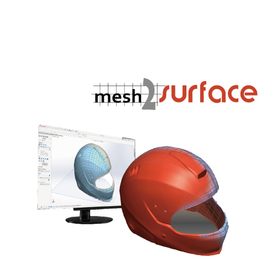
In the furniture industry, rapid realization of customized designs is essential to meet the diverse needs of customers. In particular, accurate 3D data is indispensable for customizing based on existing furniture and creating complex-shaped parts. Manual measuring and modeling not only take time and cost but also tend to lead to precision issues. Mesh2Surface for Rhinoceros addresses these challenges by directly generating CAD models from 3D scan data. 【Usage Scenarios】 - Digitizing the shapes of existing furniture into 3D data for customized design - 3D scanning complex-shaped parts to create CAD data - Efficiently realizing one-of-a-kind furniture designs tailored to customer requests 【Benefits of Implementation】 - Reducing the production time for customized designs - Cutting design costs - Improving customer satisfaction
Easily create CAD from 3D scan data.
In the toy industry, the prototyping stage requires rapid realization and modification of designs. Particularly when dealing with complex shapes or organic designs, converting 3D scan data into CAD models is key to efficient prototyping. Mesh2Surface for Rhinoceros reduces the time required for prototyping and lowers design costs by converting 3D scanned mesh data into CAD models. 【Use Cases】 - Toy design prototyping - Shape modification of existing toys - Creation of data for 3D printers 【Benefits of Implementation】 - Shortened prototyping period - Reduced design costs - Flexible response to design changes
Utilizing 3D scan data to streamline furniture design.
In the field of furniture design, there is an increasing demand for diverse designs and high-quality products. By utilizing 3D scanning technology, it is necessary to accurately digitize the shapes of existing furniture and objects, thereby streamlining the design process. Accurate data acquisition is particularly important in the design of furniture with complex shapes and curves. Geomagic Wrap is software that allows for the quick, accurate, and easy conversion of 3D scan data and mesh data. It enables data modifications beyond what is possible with the correction software included with 3D scanners. 【Use Cases】 - Digitizing the shapes of existing furniture into 3D data for design purposes - Designing furniture with complex shapes - Modifying 3D scan data and converting it into CAD data 【Benefits of Implementation】 - Reduction in design time - Increased design freedom - Decrease in the number of prototypes needed
Can be introduced at low cost! Easy to operate, supports import and export of over 20 types of 3D CAD files and intermediate files!
Our company provides sales and support for CAD/CAM, proposing systems tailored to user needs and supporting manufacturing. The 3D viewer software 'CADbro', capable of converting 3D CAD data for the mold manufacturing industry, supports the import of native data from CATIA and SolidWorks, as well as the import and export of Parasolid and STEP formats. Additionally, it now supports the import of CATIA 2D data ".CATDrawing". It can read data from most CAD software used in the manufacturing industry and convert it to other CAD data formats. With CADbro, which features 3D data viewing, measurement, easy-to-understand 3D annotations, and advanced analysis functions, workflows can be carried out very efficiently, significantly reducing product development time and costs. The conversion rate of CAD data with 'CADbro' is higher compared to other systems, and the price is 165,000 yen (excluding tax), making it affordable to implement. *Free trial available! *All features can be used without restrictions for 15 days.