We have compiled a list of manufacturers, distributors, product information, reference prices, and rankings for Editing software.
ipros is IPROS GMS ・ IPROS One of the largest technical database sites in Japan that collects information on.

Editing software Product List and Ranking from 59 Manufacturers, Suppliers and Companies | IPROS GMS

Last Updated: Aggregation Period:Sep 02, 2026~Sep 29, 2026
This ranking is based on the number of page views on our site.

Editing software Manufacturer, Suppliers and Company Rankings

Last Updated: Aggregation Period:Sep 02, 2026~Sep 29, 2026
This ranking is based on the number of page views on our site.

  1. ワンダーシェアーソフトウエアー Tokyo//software
  2. きもと Mie//Other manufacturing
  3. システムクリエイト Osaka//Industrial Machinery
  4. 4 B7 Tokyo//software
  5. 4 プレミアムアーツ Tokyo//IT/Telecommunications

Editing software Product ranking

Last Updated: Aggregation Period:Sep 02, 2026~Sep 29, 2026
This ranking is based on the number of page views on our site.

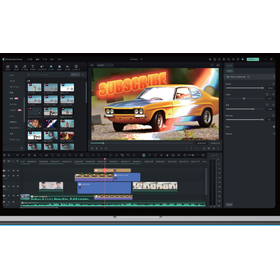
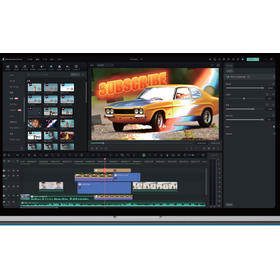
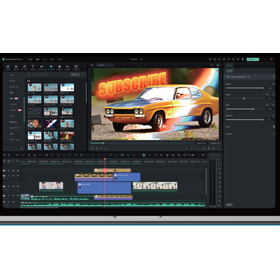
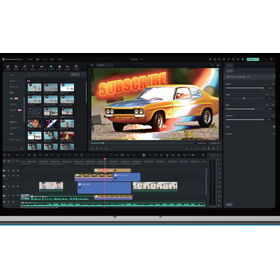
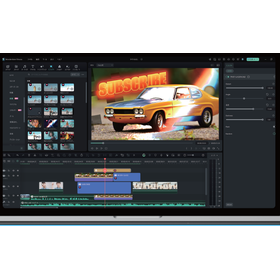
  1. Video editing software 'Filmora' for manufacturing sites ワンダーシェアーソフトウエアー
  2. Image editing software 'KIMOTO360 EDITOR & VIEWER' きもと
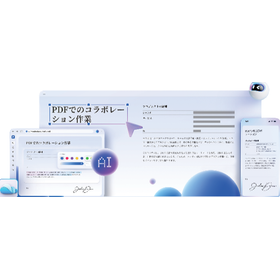
  3. Start with a one-time purchase without a subscription! Utilizing PDF operations × AI. ワンダーシェアーソフトウエアー
  4. 4 NC drawing and editing software [CIMCO Edit] Aiソリューションズ 本社
  5. 5 PDF editing software 'PDFelement' 【Including tax: 12,680 yen】 ワンダーシェアーソフトウエアー

Editing software Product List

151~171 item / All 171 items

Displayed results

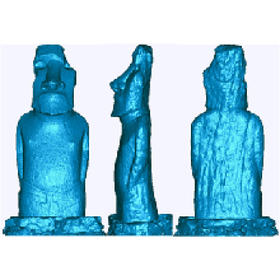
【アート造形向け】STL工房2

簡単操作でSTLデータを簡略化!造形制作を効率化。

アート業界における造形制作では、3Dプリンターやその他のデジタルファブリケーション技術を用いた作品制作が一般的です。STLデータは、これらの技術で利用される標準的なファイル形式ですが、ファイルサイズが大きくなりがちで、編集や修正に手間がかかることがあります。STL工房2は、このような課題に対し、STLデータの軽量化と編集の容易さを提供します。これにより、アーティストはよりスムーズに作品制作を進めることができます。 【活用シーン】 ・3Dプリンターでの造形 ・3Dスキャナーで取り込んだデータの修正 ・デジタル彫刻作品の制作 【導入の効果】 ・データ容量の削減による編集時間の短縮 ・造形データの品質向上 ・試作回数の削減

Added to bookmarks

Bookmarks list

Bookmark has been removed

Bookmarks list

You can't add any more bookmarks

By registering as a member, you can increase the number of bookmarks you can save and organize them with labels.

Free membership registration

【玩具向け】STL工房2

簡単操作でSTLデータを簡略化!玩具のカスタマイズを容易に。

玩具業界において、カスタマイズは、顧客の多様なニーズに応えるために重要です。3Dプリンターで出力する玩具のSTLデータは、ファイル容量が大きくなりがちで、編集に手間がかかることがあります。STL工房2は、STLデータの軽量化を実現し、その後のデータ編集を容易にします。 【活用シーン】 ・3Dプリンターで出力する玩具のSTLデータの編集 ・玩具の形状変更、パーツの追加 ・顧客からの要望に応じたカスタマイズ 【導入の効果】 ・STLデータの編集時間の短縮 ・カスタマイズにかかるコストの削減 ・顧客満足度の向上

Added to bookmarks

Bookmarks list

Bookmark has been removed

Bookmarks list

You can't add any more bookmarks

By registering as a member, you can increase the number of bookmarks you can save and organize them with labels.

Free membership registration

Geomagic Wrap for Manufacturing Industry

Easily edit 3D scan data. Accelerate reverse engineering.

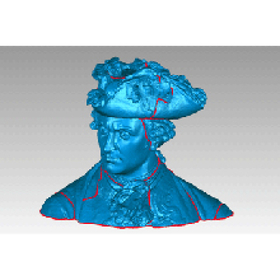
In reverse engineering within the manufacturing industry, it is essential to digitize existing products and parts into 3D data to facilitate design changes and remanufacturing. Particularly, accurately digitizing products with complex shapes and dimensions for use as CAD data is crucial. Inaccurate data and the complexity of editing can lead to design delays and increased costs. Geomagic Wrap is software that allows for the quick, accurate, and easy conversion of 3D scan data and mesh data. It enables smooth utilization in subsequent processes. 【Usage Scenarios】 - 3D digitization of existing products - Duplication of damaged parts - Data creation for design changes - Mold manufacturing 【Benefits of Implementation】 - Creation of accurate 3D data - Reduction of design time - Cost savings - Effective utilization of existing assets

  • wrap_2.jpg
  • wrap_3.jpg
  • Other CAD related software
  • Image analysis software
  • others
  • Editing software

Added to bookmarks

Bookmarks list

Bookmark has been removed

Bookmarks list

You can't add any more bookmarks

By registering as a member, you can increase the number of bookmarks you can save and organize them with labels.

Free membership registration

GS Yuasa Corporation Environmental Science Research Institute Soil Survey and Sediment Survey

Please leave the soil and sediment surveys to GS Yuasa Environmental Science Institute Co., Ltd.

While the Soil Contamination Countermeasures Act and various regulations mandate soil contamination investigations, there has been an increase in cases where individuals voluntarily conduct soil contamination surveys to determine the presence of contamination or to assess real estate value during land transactions. By conducting soil contamination investigations in advance, we can ensure safe, secure, and smooth land transactions, preventing issues such as lawsuits that may arise if contamination is discovered after the sale. Our company is a designated investigation agency under the Soil Contamination Countermeasures Act, and we provide comprehensive investigation results, from historical research and investigation planning to soil sampling and highly accurate analysis results.

  • Soil testing
  • Contract measurement
  • Contract Inspection
  • Editing software

Added to bookmarks

Bookmarks list

Bookmark has been removed

Bookmarks list

You can't add any more bookmarks

By registering as a member, you can increase the number of bookmarks you can save and organize them with labels.

Free membership registration

Advantages and disadvantages of video content

I will explain the advantages such as "increased user understanding" and the disadvantages such as "the need for personnel who can produce videos"!

What are the advantages and disadvantages of using video content? We will introduce the merits and demerits of video content in detail. Videos have the appeal of being able to convey information through both visuals and audio. This means that users can capture information from various perspectives such as "sight," "hearing," and "language." For example, it is certainly not easy to convey the appeal of recommended headphones to users who are looking for headphones using only text. In that regard, with video, it becomes possible to compare aspects such as "how much sound leakage can be prevented" and "how stable they are during movement" for each headphone. *You can view the detailed content of the column through the related links. For more information, please feel free to contact us.*

  • Other Media
  • Editing software

Added to bookmarks

Bookmarks list

Bookmark has been removed

Bookmarks list

You can't add any more bookmarks

By registering as a member, you can increase the number of bookmarks you can save and organize them with labels.

Free membership registration

Maintenance and support work assistance solution

~Utilization of Video Manuals and AR/VR for Technical Knowledge Transfer and Work Efficiency Improvement~

■ Realizing the efficiency of maintenance work and the transmission of technology This is a next-generation solution that effectively conveys "movements" and "know-how" that cannot be fully communicated through traditional manuals. By combining video manuals with AR/VR technology, it addresses the challenges of improving the quality of maintenance work and passing on skills. ■ Visualization of work procedures through video manuals - Video content that helps understand specific operational parts such as maintenance, installation, and parts replacement - Captures the subtle movements that workers naturally perform, beyond the text displayed in subtitles - Produces "viewable videos" that clearly explain key points and summarize them compactly ■ Real-time support at the work site using GRACE VISION (AR) - Wearing AR glasses, content such as manuals and videos is projected while performing tasks based on actual equipment - Provides a work support environment - Visually clarifies complex internal equipment and highlights work points ■ Skill training using GRACE VISION (VR) - Offers VR content utilizing 360° cameras - Provides an environment where users can experience a more realistic experience close to the actual site - Achieves efficient mastery of work practices

Added to bookmarks

Bookmarks list

Bookmark has been removed

Bookmarks list

You can't add any more bookmarks

By registering as a member, you can increase the number of bookmarks you can save and organize them with labels.

Free membership registration

Make video editing smoother! Introduction of tools to improve work efficiency.

Let's choose something that matches our skills and is suitable for the work environment!

When doing video editing, do you encounter these concerns? - It takes a lot of time, and working for long periods puts a strain on your body and eyes. - I want to work in a more comfortable environment. - I want to edit efficiently. Due to the nature of video editing, it often involves sitting for long hours and continuously looking at a display. When editing for extended periods, the following concerns may gradually arise: - Video editing takes more time than expected. - Working continuously can lead to eye and body pain. These issues might be resolved by equipping yourself with the right accessories. *You can view the detailed content of the blog through the related links. For more information, please feel free to contact us.*

  • Other services
  • Editing software

Added to bookmarks

Bookmarks list

Bookmark has been removed

Bookmarks list

You can't add any more bookmarks

By registering as a member, you can increase the number of bookmarks you can save and organize them with labels.

Free membership registration

Safe for beginners! 7 recommended video editing software for Windows!

A detailed explanation of each feature! Please find the software that suits you best.

Video editing has now become a widely used skill, ranging from personal hobbies to business applications. There are many software options for video editing, from those that are easy for beginners to use to high-functionality ones aimed at professionals. In this article, we will introduce recommended video editing software that can be used on Windows. We will explain the features of each in detail, so please find the software that suits you best. *For more detailed information, you can view it through the related links. Feel free to contact us for more details.*

  • Other services
  • Editing software

Added to bookmarks

Bookmarks list

Bookmark has been removed

Bookmarks list

You can't add any more bookmarks

By registering as a member, you can increase the number of bookmarks you can save and organize them with labels.

Free membership registration

Explaining common mistakes, failures, and setbacks that beginners in video editing often encounter!

Common mistakes that beginners often make when starting video editing! I will explain them one by one.

What do you pay attention to when editing videos? It is said that the spread of the term "video editing" in society is largely due to the popularity of YouTube. Compared to a decade ago, smartphones and computers are no longer that expensive, and anyone can easily create high-quality videos. I would like to introduce common mistakes, failures, and pitfalls that beginners who are considering starting video editing or those who have already begun studying video editing are likely to encounter. *For more details about the blog, you can view it through the related links. Please feel free to contact us for more information.*

  • Other services
  • Editing software

Added to bookmarks

Bookmarks list

Bookmark has been removed

Bookmarks list

You can't add any more bookmarks

By registering as a member, you can increase the number of bookmarks you can save and organize them with labels.

Free membership registration

【Benefits of Introducing Filmora】Video Production Industry

Enhance your video style and strengthen your creative expression by utilizing a wealth of effects, templates, and AI features!

"Filmora" is an all-in-one, professional video production platform equipped with AI. As a benefit of its introduction in the video production industry, it allows for the efficient creation of vlogs, reviews, tutorials, and story videos using intuitive tools that simplify the editing process from start to finish. It can also export videos optimized for various platforms such as YouTube, TikTok, and Instagram, accommodating different formats and aspect ratios for distribution across multiple media. [Benefits of Introduction] ■ Streamlines content creation ■ Enhances creative expression ■ Supports distribution across multiple media *For more details, please download the PDF or feel free to contact us.

  • Other information systems
  • Editing software

Added to bookmarks

Bookmarks list

Bookmark has been removed

Bookmarks list

You can't add any more bookmarks

By registering as a member, you can increase the number of bookmarks you can save and organize them with labels.

Free membership registration

[Filmora Case Study] Social Insurance Labor Consultant Kamimura Office

Introducing a case where the introduction of the office through video has increased consultations and requests from clients!

We would like to introduce a case where "Filmora" was implemented for creating customer introduction videos for our company’s website at the Sharo-shi Kamimura Office. At this office, it was felt that relying solely on text information made it difficult to convey trust and limited the appeal to customers. However, outsourcing was costly and producing videos in-house was challenging, which posed a problem. After the implementation, cost reduction was achieved through in-house video production. The lightweight software is also appreciated for its low PC load and ease of use. 【Case Overview】 ■ Challenges - Relying only on text information made it difficult to convey trust and limited appeal to customers. - Outsourcing was costly, and in-house production was challenging. ■ Effects after Implementation - Increased consultations and requests from customers through office introduction videos. - Cost reduction achieved through in-house video production. *For more details, please download the PDF or feel free to contact us.

  • Other information systems
  • Editing software

Added to bookmarks

Bookmarks list

Bookmark has been removed

Bookmarks list

You can't add any more bookmarks

By registering as a member, you can increase the number of bookmarks you can save and organize them with labels.

Free membership registration

PDF editing software 'PDFelement' for the manufacturing industry

Smartly revise specifications. Improve business efficiency with AI-equipped PDF software.

In the manufacturing industry, revisions of specifications require accuracy and rapid information transmission. In particular, changes to specifications that include drawings and technical documents necessitate a clear and efficient process to prevent misunderstandings among stakeholders and maintain product quality. Tasks such as extracting information from old specifications or paper documents, collaborating with multiple departments, and managing change histories can become cumbersome and lead to decreased productivity. PDFelement addresses these challenges by consolidating PDF editing, conversion, and OCR functions to support the specification revision process. 【Use Cases】 - Digitizing paper specifications with OCR and converting them into an editable format - Adding feedback from multiple departments directly as comments and annotations in the PDF - Facilitating version control of specifications and identifying changes easily - Providing summaries and proofreading assistance for specifications with AI assistance 【Benefits of Implementation】 - Reducing the time required for creating and revising specifications - Smoothing information sharing among stakeholders and reducing discrepancies in understanding - Achieving paperless operations and improving business efficiency through digital transformation (DX) initiatives.

  • Other information systems
  • Editing software

Added to bookmarks

Bookmarks list

Bookmark has been removed

Bookmarks list

You can't add any more bookmarks

By registering as a member, you can increase the number of bookmarks you can save and organize them with labels.

Free membership registration

PDF editing software 'PDFelement' for the IT industry

PDF software that streamlines the creation and management of technical documents using AI.

In the IT industry, the creation and management of technical documents such as specifications, design documents, and manuals form the core of business operations. These documents require accuracy, consistency, and quick sharing, and change management and version control can become particularly complex. Incorrect information transmission can directly lead to development delays and product defects. The AI-powered 'PDFelement' addresses these challenges by supporting the entire lifecycle of technical documents with features such as editing, conversion, digitization through OCR, and summarization and proofreading by an AI assistant, contributing to improved business efficiency. 【Use Cases】 - Creation and editing of specifications and design documents - Creation and updating of manuals - Digitization of scanned technical materials - Translation and sharing of technical documents in multiple languages - Searching and summarizing document content using AI 【Benefits of Implementation】 - Reduction in time for creating and editing technical documents - Improvement in document consistency and accuracy - Promotion of the use of scanned materials - Facilitation of global information sharing - Rapid information acquisition through AI

  • Other information systems
  • Editing software

Added to bookmarks

Bookmarks list

Bookmark has been removed

Bookmarks list

You can't add any more bookmarks

By registering as a member, you can increase the number of bookmarks you can save and organize them with labels.

Free membership registration

PDF editing software 'PDFelement' for HR

Smart management and editing of recruitment documents. AI-equipped PDF software.

In the human resources department, the handling of documents is crucial across a wide range of tasks, including managing application materials, streamlining the selection process, and communicating with candidates. In particular, quick and accurate document work is required for standardizing application formats, verifying content, and preparing interview materials. Documents with deficiencies or those that take time to verify can lead to delays in the selection process and a decline in the candidate experience. PDFelement addresses these challenges by providing a comprehensive solution for creating, editing, converting, and performing OCR on PDFs, thereby supporting the efficiency of recruitment operations. 【Usage Scenarios】 - Standardizing and editing application formats - Creating and sharing interview materials - Creating and managing documents such as offer letters - Converting scanned resumes into text 【Benefits of Implementation】 - Accelerating recruitment operations - Reducing errors in document creation and management - Enabling prompt responses to candidates - Promoting a paperless environment

  • Other information systems
  • Editing software

Added to bookmarks

Bookmarks list

Bookmark has been removed

Bookmarks list

You can't add any more bookmarks

By registering as a member, you can increase the number of bookmarks you can save and organize them with labels.

Free membership registration

PDF editing software for design: 'PDFelement'

Smart design proofing. AI-equipped PDF software.

In the design industry, precise verification and correction down to the smallest detail are required. Especially before submitting to clients or during proofreading work among multiple people, quickly and accurately identifying typos, layout discrepancies, and image deficiencies is essential for maintaining quality. Oversights can lead to rework and a decrease in client trust. PDFelement, with the AI assistant Lumi, supports proofreading tasks and enables efficient verification processes. 【Usage Scenarios】 - Proofreading design proposals - Sharing feedback among multiple team members - Identifying and instructing on corrections 【Benefits of Implementation】 - Increased efficiency in proofreading tasks - Reduction of errors - Smooth decision-making

  • Other information systems
  • Editing software

Added to bookmarks

Bookmarks list

Bookmark has been removed

Bookmarks list

You can't add any more bookmarks

By registering as a member, you can increase the number of bookmarks you can save and organize them with labels.

Free membership registration

Video editing software 'Filmora' for creating travel Vlogs

Create captivating Vlogs of your travel memories with AI.

Creating a Vlog to record and share travel memories requires effective video editing to convey the emotions and enjoyment of the journey. In particular, it is essential to balance intuitive usability with advanced editing features to organize the captured footage and turn it into visually appealing content. Our product, 'Filmora', combines AI-driven automation with professional-grade editing capabilities, enabling the creation of high-quality Vlogs without hassle. 【Usage Scenarios】 - Cutting and editing footage shot during the trip - Adding background music and captions to memorable scenes - Color correction to enhance the appeal of landscapes and people - Applying effects to convey the emotions of the journey 【Benefits of Implementation】 - Intuitive operation allows even beginners to easily create Vlogs - AI features streamline tasks such as cropping and transcription - Professional-grade functions improve the quality of videos - Complete and share attractive travel Vlogs in a short time

  • Other information systems
  • Editing software

Added to bookmarks

Bookmarks list

Bookmark has been removed

Bookmarks list

You can't add any more bookmarks

By registering as a member, you can increase the number of bookmarks you can save and organize them with labels.

Free membership registration

Video editing software 'Filmora' for game streamers

Make your game streaming videos even more appealing with AI!

In the production of game commentary videos, editing that captures the viewer's interest and prevents boredom is essential. It is particularly important to convey the excitement of gameplay while effectively incorporating commentary and reactions. To increase viewer retention rates and grow subscriber counts, well-paced cuts, text overlays, and background music are indispensable. However, advanced editing requires time and skill, posing a challenge for many commentators. "Filmora" is equipped with over 30 AI features that address these challenges. With AI handling tasks such as cropping, color adjustment, transcription, and audio separation automatically, the entire process from creation to finishing can be completed smartly. In addition to basic functions that even beginners can intuitively operate, it also includes professional-grade editing features, enhancing both video quality and work efficiency. [Usage Scenarios] - Cut editing for gameplay videos - Inserting commentary text and reaction videos - Adding and adjusting background music and sound effects - Creating highlight scenes for game commentary [Effects of Implementation] - Reduction in editing time - Improvement in video quality - Creation of engaging content that attracts viewers - Increased work efficiency leading to more video uploads

  • Other information systems
  • Editing software

Added to bookmarks

Bookmarks list

Bookmark has been removed

Bookmarks list

You can't add any more bookmarks

By registering as a member, you can increase the number of bookmarks you can save and organize them with labels.

Free membership registration

Video editing "Filmora" for business presentations.

Create impactful presentation videos smartly with AI.

In business presentations and material creation, the use of video content to convey information clearly and effectively is becoming increasingly important. Especially when visually explaining complex data or processes, videos that assist the audience's understanding and capture their interest are in demand. Our product, 'Filmora', supports video editing with AI features, allowing for the creation of high-quality presentation videos without hassle, thereby contributing to the efficiency of material creation and the enhancement of presentation effectiveness. 【Usage Scenarios】 - Explanatory materials for meetings and reports - Training and e-learning materials - Introduction of products and services 【Benefits of Implementation】 - Promotion of visual understanding - Efficiency in information transmission - Improvement in the persuasive power of presentations

  • Other information systems
  • Editing software

Added to bookmarks

Bookmarks list

Bookmark has been removed

Bookmarks list

You can't add any more bookmarks

By registering as a member, you can increase the number of bookmarks you can save and organize them with labels.

Free membership registration

Video editing software 'Filmora' for news and journalism.

Smart news editing with AI.

In the news and journalism industry, quick and accurate video editing is crucial in situations where timeliness is required. Especially to deliver footage from the scene to viewers as quickly as possible, streamlining the editing process is essential. An inadequate editing system can increase the risk of delays in information transmission and editing errors. The video editing software 'Filmora' is equipped with over 30 AI features, allowing AI to automatically handle advanced editing tasks such as cropping, color adjustment, transcription, and audio separation, thereby smartly completing the process from generation to finalization. 【Usage Scenarios】 - Editing breaking news reports - Creating highlights of press conferences and events - Rapid insertion of captions into on-site footage - Transcribing interview audio and creating captions 【Benefits of Implementation】 - Reduction in editing time - Improvement in real-time capabilities - Decrease in workload - Reduction in editing errors

  • Other information systems
  • Editing software

Added to bookmarks

Bookmarks list

Bookmark has been removed

Bookmarks list

You can't add any more bookmarks

By registering as a member, you can increase the number of bookmarks you can save and organize them with labels.

Free membership registration

Real Estate Property Introduction Video Editing Software 'Filmora'

Editing property introduction videos that highlight the appeal of properties using AI.

In the real estate industry, the importance of property introduction videos that effectively convey the appeal of properties and attract the interest of potential buyers is increasing. In particular, visually communicating aspects such as the property's location, interior, and surrounding environment clearly can lead to increased viewings and higher closing rates. However, due to the need for specialized editing skills and time, there are often cases where the production feels like a hurdle. "Filmora" supports video editing that maximizes the appeal of properties by utilizing over 30 types of AI features. With AI-driven automatic cropping, color adjustments, and subtitle insertion, you can create professional-quality property introduction videos without the hassle. 【Usage Scenarios】 - Introduction of the property's exterior and interior - Explanation of the surrounding environment and access - Introduction of model rooms and showrooms - Creation of customer testimonials and interview videos 【Benefits of Implementation】 - Clearly convey the appeal of properties visually - Lead to an increase in viewings and inquiries - Shorten production time through efficient editing processes - Enhance brand image with professional-quality videos

  • Other information systems
  • Editing software

Added to bookmarks

Bookmarks list

Bookmark has been removed

Bookmarks list

You can't add any more bookmarks

By registering as a member, you can increase the number of bookmarks you can save and organize them with labels.

Free membership registration