We have compiled a list of manufacturers, distributors, product information, reference prices, and rankings for 3D CAD.
ipros is IPROS GMS IPROS One of the largest technical database sites in Japan that collects information on.

3D CAD Product List and Ranking from 13 Manufacturers, Suppliers and Companies | IPROS GMS

Last Updated: Aggregation Period:Jan 14, 2026~Feb 10, 2026
This ranking is based on the number of page views on our site.

3D CAD Manufacturer, Suppliers and Company Rankings

Last Updated: Aggregation Period:Jan 14, 2026~Feb 10, 2026
This ranking is based on the number of page views on our site.

  1. シーキューブ Niigata//CAD/CAM
  2. null/null
  3. コダマコーポレーション 本社、大阪営業所、名古屋営業所 Kanagawa//CAD/CAM
  4. 4 マーブル  エンベデッドプロダクト事業本部 プロダクト事業部 Tokyo//IT/Telecommunications
  5. 5 i CAD - 機械設計向け3DCAD(3次元CAD)開発元 - Tokyo//CAD/CAM

3D CAD Product ranking

Last Updated: Aggregation Period:Jan 14, 2026~Feb 10, 2026
This ranking is based on the number of page views on our site.

  1. ThinkDesign 【3D CAD with excellent freeform surface capabilities】 シーキューブ
  2. White Paper "Five Changes in Product Development with AI-Enabled CAD"
  3. [Case Study] Eliminating concerns about part interference with overall machine interference checks! コダマコーポレーション 本社、大阪営業所、名古屋営業所
  4. 4 3D CAD CADSUPERWorks Mini/Lite マーブル  エンベデッドプロダクト事業本部 プロダクト事業部
  5. 5 Until when will we differentiate between 2D CAD and 3D CAD? コダマコーポレーション 本社、大阪営業所、名古屋営業所

3D CAD Product List

1~30 item / All 31 items

Displayed results

ThinkDesign 【3D CAD with excellent freeform surface capabilities】

Achieving high-quality reverse engineering through full hybrid modeling.

"ThinkDesign" is a hybrid 3D CAD that allows designers to create 3D models exactly as they envision. With the innovative design approach "Target-Driven Design," users can create freeform 3D models without complex operations or mathematical knowledge. The hybrid 3D modeling environment that merges surfaces and solids is exceptionally effective for creating and editing product shapes. ThinkDesign is utilized for various applications, including the creation of high-quality curved 3D models, generating CAD models from scan data, deforming 3D models that include meshes, automatic deformation prediction for press molds, and countermeasures for springback.

  • Other CAD
  • 3D CAD
  • 3D CAD

Added to bookmarks

Bookmarks list

Bookmark has been removed

Bookmarks list

You can't add any more bookmarks

By registering as a member, you can increase the number of bookmarks you can save and organize them with labels.

Free membership registration

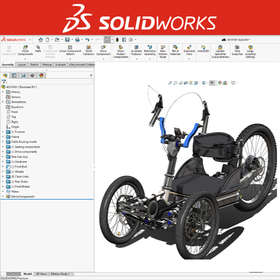
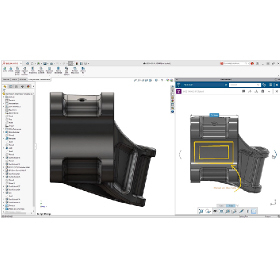
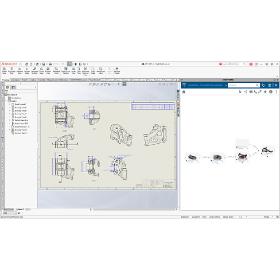
3D CAD "SolidWorks Standard"

A wide range of achievements in machinery, home appliances, precision equipment, industrial machinery, and machine tools!

The 3D CAD "SolidWorks Standard" is a fully Windows-compliant 3D CAD software equipped with industry-leading features and usability. It is used across a wide range of industries, including machine tools, industrial equipment, home appliances, industrial design, electronics, and precision instruments. The interface and technological innovations developed with a focus on usability achieve unparalleled "excellent operability" and "highly reliable features." For more details, please contact us.

  • 3D CAD
  • 3D CAD

Added to bookmarks

Bookmarks list

Bookmark has been removed

Bookmarks list

You can't add any more bookmarks

By registering as a member, you can increase the number of bookmarks you can save and organize them with labels.

Free membership registration

SOLIDWORKS Basic Operation Training (On-site)

Training service to master the basic operations of SOLIDWORKS.

This is a curriculum consisting of four sessions, each lasting six hours, aimed at mastering a series of basic operations related to parts, assemblies, and drawings, in accordance with the text.

  • 3D CAD
  • 3D CAD

Added to bookmarks

Bookmarks list

Bookmark has been removed

Bookmarks list

You can't add any more bookmarks

By registering as a member, you can increase the number of bookmarks you can save and organize them with labels.

Free membership registration

Until when will we differentiate between 2D CAD and 3D CAD?

"TopSolid" eliminates hassle with complete integration of 2D and 3D CAD.

Your 2D CAD and 3D CAD, [Do you have these frustrations?] ■ The endless loop between 2D CAD and 3D CAD Fixing this and fixing that, Design work doesn't progress at all, yet is 3D CAD really that convenient? ...With TopSolid, if you design in 3D, both the drawings and parts lists are "done!" So there's no need to buy 2D CAD, learn it, or hire someone—it's all OK. ■ Data is too heavy and work doesn't progress Even if opening the assembly is quick, processing it causes it to freeze. It takes time. We no longer need unwanted break times. ...With TopSolid, not only does it quickly project large assemblies, but it also responds immediately during modification work. ■ CAD operability What designers need is the realization of their ideas. There's no time to be tossed around by tools. ...With intuitive operation, learning is a breeze. The operation is simple, but this is a seminar on 3D CAD that can also handle automotive, aerospace, marine, and medical applications. It might just be the opportunity to change your common sense. We will introduce it in a free seminar.

Added to bookmarks

Bookmarks list

Bookmark has been removed

Bookmarks list

You can't add any more bookmarks

By registering as a member, you can increase the number of bookmarks you can save and organize them with labels.

Free membership registration

BIM compatible. Free 3D CAD seminar for the construction, equipment, and plant industries.

We introduced 3D CAD for efficiency, but the workload keeps increasing... Many companies share the same concern. Shall we uncover this contradiction?

Are you facing problems like these? - We introduced 2D CAD for drafting because we can't create drawings with 3D CAD. - Every time we modify the 3D model, we have to update the drawings, which is a hassle. We can't keep up with the changes. - We're managing somehow with 'on-site adjustments' because we can't keep up with the drawing revisions. - There are many missed revisions and mistakes in the drawings, leading to numerous complaints from the field. TopSolid is here to solve all of these issues. You might find it surprising, but for companies thinking this way, here's your chance for a solution. Experience a 3D CAD system that contributes to solving your company's challenges. In the seminar, you will get a taste of the smooth operability and the seamless workflow from 'planning and design to the creation of construction drawings.' Feel free to join our free seminar.

Added to bookmarks

Bookmarks list

Bookmark has been removed

Bookmarks list

You can't add any more bookmarks

By registering as a member, you can increase the number of bookmarks you can save and organize them with labels.

Free membership registration

BIM compatible. Free 3D CAD seminar for the construction, equipment, and plant industries.

We introduced 3D CAD for efficiency, but the workload keeps increasing... Many companies share the same concern. Shall we unravel this contradiction?

Are you facing problems like these? - I introduced 2D CAD because I couldn't create drawings with 3D CAD. - Every time I modify the 3D data, I have to update the drawings, which is a hassle. I can't keep up with the revisions. - There are many missed or incorrect modifications in the drawings, so I'm managing to get by with 'on-site adjustments.' The BIM-compatible 3D CAD system 'TopSolid’Design7' that we will introduce in this seminar solves the issues faced by the construction, equipment, and plant industries. - It can handle the entire workflow from planning and design to the creation of construction drawings within a single system. - The 3D data and 2D drawings are linked, so when there are design changes, you only need to modify the 3D data, and all drawings will be automatically updated, eliminating mistakes and omissions, significantly improving productivity. - It is compatible with BIM, the industry-standard format, allowing you to share 3D data with partner companies.

Added to bookmarks

Bookmarks list

Bookmark has been removed

Bookmarks list

You can't add any more bookmarks

By registering as a member, you can increase the number of bookmarks you can save and organize them with labels.

Free membership registration

[Part 2] Utilization of 3D Data in Manufacturing Sites [Materials Provided]

Introduction of issues and solutions for the utilization of 3D CAD data in processing and assembly.

\Part 2 Available! Click the black "Download" button to get it now/ Supervised by the developer of the 3D CAD "iCAD SX" for mechanical design, we are currently offering a free explanatory document on "3D manufacturing" in the manufacturing field (processing and assembly). If you are an Ipros member, please click the black "Download" button to obtain it. 【Part 1: Processing】 ■ Benefits of utilizing 3D in processing (without part drawings) ■ Common issues in utilizing 3D in processing planning ■ Methods for detecting geometric tolerance surfaces and dimensions with narrow tolerance ranges in 3D ■ Examples of initiatives aimed at solving the above issues 【Part 2: Assembly】 ■ Problems arising from the combined use of 3D and 2D data during the assembly stage ■ Importance of design reviews from an assembly perspective ■ Challenges such as inquiries to designers and time-consuming drafting tasks ■ Contribution to shortening lead times and knowledge transfer through parallel consideration of design and assembly \For a limited time only! A webinar showcasing examples of 3D utilization in manufacturing is being held (until 2025/4/3)/

Added to bookmarks

Bookmarks list

Bookmark has been removed

Bookmarks list

You can't add any more bookmarks

By registering as a member, you can increase the number of bookmarks you can save and organize them with labels.

Free membership registration

Mechanical Design Division

Designing dedicated machines and transport equipment for improving productivity and reducing costs, as well as semi-automatic small devices and jig improvements to accommodate small quantities and a variety of products.

To meet the diverse needs of modern times, we are advancing our efforts in new technologies. However, there are specific design rules unique to our customers, so it may take some time to learn them. This is to ensure smooth business operations and to eliminate unnecessary revisions to drawings. We kindly ask for your understanding as needed. By progressing our work more quickly and accurately, we believe we can reduce costs for our customers and are committed to being of service to them through our daily efforts.

  • 3D CAD
  • 2D CAD machine
  • 3D Printer
  • 3D CAD

Added to bookmarks

Bookmarks list

Bookmark has been removed

Bookmarks list

You can't add any more bookmarks

By registering as a member, you can increase the number of bookmarks you can save and organize them with labels.

Free membership registration

3D CAD System SheetPartner 3DSW

SheetPartner 3DSW: 3D CAD system for sheet metal use

This is a top-tier 3D sheet metal unfolding and design tool that leads the sheet metal industry, taking into account years of expertise in sheet metal design and processing. <Features> - It provides improvements in the workflow leading to the product for both designers and manufacturers. As a result, it achieves cost reduction and shorter design times. - Unfolding can be easily done even if the bend areas do not have corner radii added. - In addition to the unfolding calculation methods used for unfolding (such as stretch value tables, K-factors, and formulas [DIN standards]), it is also possible to specify individual stretch values and bend radii for each bend area. - Bend lines are automatically output during unfolding. - The positions of parts to be welded can be pre-indicated and output as marking lines. It is easy to specify by simply selecting one edge of the part to be welded. - Information such as material, plate thickness, and bend angles can be noted on the bend lines of the unfolding diagram, and a bend table can be created. *For more details, please download the PDF or feel free to contact us. *We are currently offering on-site and online demonstrations!

  • 3D CAD
  • 3D CAD

Added to bookmarks

Bookmarks list

Bookmark has been removed

Bookmarks list

You can't add any more bookmarks

By registering as a member, you can increase the number of bookmarks you can save and organize them with labels.

Free membership registration

3D CAD SOLIDWORKS

Leave everything related to the sales, support, and development of SOLIDWORKS to us!

We provide reliable, prompt, and courteous support/training/services for SOLIDWORKS products.

Added to bookmarks

Bookmarks list

Bookmark has been removed

Bookmarks list

You can't add any more bookmarks

By registering as a member, you can increase the number of bookmarks you can save and organize them with labels.

Free membership registration

Until when will we differentiate between 2D CAD and 3D CAD?

Eliminate hassle with the linkage between drawings and models 'CADPAC'

Are you currently using both 2D CAD and 3D CAD and experiencing any of these frustrations? - Going back and forth between 2D CAD and 3D CAD - There's no time on-site, so only the drawings are modified. The drawings are left to stand alone. - You went through the trouble of implementing 3D CAD, but... - You've ended up going back to 2D CAD. With CADPAC3D, models and drawings are linked in real-time. When the model is created, the drawing is also created! ■ CAD Usability What designers need is the realization of their ideas. There's no time to be tossed around by CAD. With intuitive operations, learning is a breeze. You no longer need unwanted breaks. With CADPAC, even modification tasks respond immediately. This could be the opportunity to change your common sense.

  • nws_05.png
  • 3D CAD
  • 2D CAD machine
  • Other CAD
  • 3D CAD

Added to bookmarks

Bookmarks list

Bookmark has been removed

Bookmarks list

You can't add any more bookmarks

By registering as a member, you can increase the number of bookmarks you can save and organize them with labels.

Free membership registration

3D CAD CADSUPERWorks Mini/Lite

A 3D CAD with intuitive operations that allows for smooth componentization.

【Features】 ■ Suitable for 3D printing applications ■ Equipped with interference check function between parts ■ Excellent compatibility with other CAD software ■ Capable of converting 3D information to 2D You can choose from two types: the "Mini model," which has the basic functions necessary for 3D modeling of parts, and the "Lite model," which includes assembly design functions. *For more details, please refer to the PDF catalog. If you would like detailed materials, please contact us at the information below. ■ Contact Marble Co., Ltd. Embedded Product Division, Product Business Department Phone: (03) 3419-6011

Added to bookmarks

Bookmarks list

Bookmark has been removed

Bookmarks list

You can't add any more bookmarks

By registering as a member, you can increase the number of bookmarks you can save and organize them with labels.

Free membership registration

Case studies of product design and analysis using 3DEXPERIENCE [Video Distribution]

Introducing specific examples of analysis utilization that should be conducted in product design! The latest design development tools that can broadly cover the fundamentals to applications of structural analysis!

We have started offering on-demand streaming of the popular presentations from the "SOLIDWORKS / 3DEXPERIENCE Works Simulation Seminar" held in December 2024, free of charge. In recent years, the use of analysis in product development has become increasingly important. Utilizing analysis is essential for shortening development time, reducing development costs, improving design quality, and ensuring safety evaluations in manufacturing. If you are interested in the basic knowledge of stress/strain/displacement in structural analysis, the characteristics and points of caution for various static analyses, and the settings related to SOLIDWORKS Simulation, please watch the presentation videos below. ■ Application for Viewing If you would like to watch the video, please apply via the related link or the URL below. https://www.ccube.co.jp/cadstation/seminar/solidworks-2024-12-movie

  • Technical Seminar
  • Structural Analysis
  • 3D CAD
  • 3D CAD

Added to bookmarks

Bookmarks list

Bookmark has been removed

Bookmarks list

You can't add any more bookmarks

By registering as a member, you can increase the number of bookmarks you can save and organize them with labels.

Free membership registration

Thorough Explanation of the New Features in SOLIDWORKS 2025 [Video Release]

= SOLIDWORKS 2025 = Explanation of new features in a video!

You can watch a video where our SOLIDWORKS certified engineers explain the new features included in the new version "SOLIDWORKS 2025," released in November 2024. SOLIDWORKS 2025 includes enhancements such as specifying templates in the Z upward direction, interference checks in large design review mode, silhouette Defeature methods for parts, SpeedPak instances, creating DimXpert dimensions from sketch dimensions, patterning visualization reference geometry in assemblies, and repairing geometric constraints with unknown references, among many other feature enhancements. If you are interested in the latest SOLIDWORKS 2025, please be sure to watch the video. ■ Application for Viewing If you would like to watch the video, please apply through the related link or the URL below. https://www.ccube.co.jp/cadstation/seminar/whats-new-in-solidworks2025

  • 3D CAD
  • Structural Analysis
  • 3D CAD

Added to bookmarks

Bookmarks list

Bookmark has been removed

Bookmarks list

You can't add any more bookmarks

By registering as a member, you can increase the number of bookmarks you can save and organize them with labels.

Free membership registration

3D CAD ZW3D Professional

Mold design functionality, point cloud necessary for reverse engineering, importing STL, surface creation, equipped with part library.

ZW3D Professional is designed for mold design and reverse engineering. In addition to standard features, it includes modules necessary for mold design, such as slope analysis, cavity-core splitting, parting lines & surfaces, and electrode design. It also encompasses point cloud and STL import, as well as surface creation needed for reverse engineering, allowing for the scanning of handmade models and old molds to replicate them as digital data.

  • 3D CAD
  • Data conversion software
  • Modeler
  • 3D CAD

Added to bookmarks

Bookmarks list

Bookmark has been removed

Bookmarks list

You can't add any more bookmarks

By registering as a member, you can increase the number of bookmarks you can save and organize them with labels.

Free membership registration

3D CAD system "BIM compatible for the construction, equipment, and plant industries"

Bringing significant results to overall management! A tool for management! 3D CAD system TopSolid.

In the construction industry, tools such as CAD and CG systems have become widespread to improve the efficiency of individual tasks. However, many companies have not implemented systems to comprehensively streamline the entire process from planning and design to the creation of construction drawings. The TopSolid series is a system developed to solve the problems faced in manufacturing and to comprehensively enhance the efficiency of the entire workflow. TopSolid’Design 7 is a BIM-compatible 3D design support system that allows designers to handle the entire process from planning and design to the creation of construction drawings without division of labor. Additionally, by unifying the series of tasks until a project is completed into "one engineering database," it becomes possible to carry out team-based work seamlessly and efficiently. *We also offer a "CAD seminar for the construction, equipment, and plant industries." 【TopSolidDesign Features】 ■ Perfect CAD tool ■ Easy to use, easy to learn ■ Overwhelming processing speed ■ Built-in PDM ■ Support for various assembly designs

Added to bookmarks

Bookmarks list

Bookmark has been removed

Bookmarks list

You can't add any more bookmarks

By registering as a member, you can increase the number of bookmarks you can save and organize them with labels.

Free membership registration

[Case Study] Eliminating concerns about part interference with overall machine interference checks!

Aim for zero waste design with TopSolid! Introducing a case study of efficient manufacturing realized by Fujikikai Co., Ltd.

Our company provides sales, support, and consulting for the "TopSolid 7" series aimed at customers in the manufacturing and construction industries. Thanks to our efforts, over 4,000 customers have adopted the "TopSolid 7" series to date. This time, we would like to introduce a case study of a company that implemented the 3D CAD system "TopSolid 7" and achieved significant improvements in operational efficiency. Case Study: Fujikikai Co., Ltd. The company is a packaging machinery manufacturer that primarily deals with packaging machines for food factories both domestically and internationally, holding a top-class market share in the industry (with over 400 domestic clients). They adopted 132 licenses of our proposed 3D CAD system "TopSolid 7," achieving centralized data management with the built-in PDM functionality. Additionally, by conducting interference checks on the entire assembly, they significantly reduced design errors and losses, resulting in no delays in delivery.

Added to bookmarks

Bookmarks list

Bookmark has been removed

Bookmarks list

You can't add any more bookmarks

By registering as a member, you can increase the number of bookmarks you can save and organize them with labels.

Free membership registration

3D CAD system 'SolidWorks'

Solidworks is a 3D CAD software designed from the perspective of designers. It enables ideal design and modeling.

Solidworks analyzes the various features of each CAD based on customer requirements and proposes the optimal system.

  • solidworks_ipros_2.jpg
  • solidworks_ipros_3.jpg
  • Other CAD
  • 3D CAD
  • Other CAD related software
  • 3D CAD

Added to bookmarks

Bookmarks list

Bookmark has been removed

Bookmarks list

You can't add any more bookmarks

By registering as a member, you can increase the number of bookmarks you can save and organize them with labels.

Free membership registration

3D CAD "KEYCREATOR"

Fusion of 3D functionality and 2D drawing capabilities! Comprehensive support for the design trial and error process.

"KEYCREATOR" is a system that allows anyone to easily create 3D models with the feeling of drawing three-view drawings in 2D design. By avoiding careless mistakes during 2D design, it achieves a reduction in design time. By effectively utilizing existing 2D data, it eliminates the hassle of re-entering shapes while referring to 2D drawings, and thanks to interfaces with various 3D CAD systems, smooth work can be done without the need for intermediate file data compatibility. [Features] ■ Direct editing is possible even with data converted from other CAD systems. ■ 2D drawings, 3D wires, surfaces, and solids can all be used together in the same space. ■ Direct shape changes can be made simply by changing the dimension numbers. *For more details, please refer to the PDF materials or feel free to contact us.

Added to bookmarks

Bookmarks list

Bookmark has been removed

Bookmarks list

You can't add any more bookmarks

By registering as a member, you can increase the number of bookmarks you can save and organize them with labels.

Free membership registration

[User Case] 3D Design CAD System - Household Appliance Design

Achieving shorter delivery times for high-quality products through the digitalization of the development process!

Solid Edge is a mid-range 3D CAD system developed and provided by Siemens PLM Software, a leading company in the PLM (Product Lifecycle Management) software industry, which achieves top-class operability. Esmaltec, a Brazilian manufacturer of household appliances such as washing machines and gas stoves, utilized Solid Edge to reduce prototype production by 40%. Furthermore, design rework was reduced by 80%! By implementing a development platform combined with Teamcenter, they achieved a 90% reduction in mid-project changes. For more details, please download the catalog or contact us.

  • Company:TAC
  • Price:Other
  • 3D CAD
  • 3D CAD

Added to bookmarks

Bookmarks list

Bookmark has been removed

Bookmarks list

You can't add any more bookmarks

By registering as a member, you can increase the number of bookmarks you can save and organize them with labels.

Free membership registration

Product Design Collection Product Catalog

Autodesk's industry-specific collection for manufacturing, which allows you to use more value, more flexibly, and more simply.

Product Design Collection supports product design, visualization, simulation, and manufacturing. It covers everything from factory layout design. You can now use it to create more value, more flexibly, and more simply. The Product Design Collection consolidates all the tools necessary for innovative manufacturing into one. Start by picking up the catalog and experiencing the appeal of the collection products.

  • 3D CAD
  • Stress Analysis
  • 2D CAD machine
  • 3D CAD

Added to bookmarks

Bookmarks list

Bookmark has been removed

Bookmarks list

You can't add any more bookmarks

By registering as a member, you can increase the number of bookmarks you can save and organize them with labels.

Free membership registration

Nine Criteria for Selecting a 3D CAD System [Basic Knowledge]

By using an appropriate 3D CAD system, it is possible to lead the project to success and lay the foundation for future growth and innovation.

Whether you are a CAD beginner or an experienced designer, it is essential to choose the right 3D CAD system for the success and efficiency of your project. CAD solutions significantly impact productivity, collaboration, and overall business growth. You can obtain a document explaining "9 criteria for selecting a 3D CAD system" by downloading the catalog below. 【Contents (excerpt)】 ■ Industry-standard solutions ■ Ease of use and intuitive UI ■ CAD data accessible to anyone ■ Centralized management of information in cloud storage ■ Drawings for manufacturing ■ Integrated simulation, etc. \ For more details, please check the "Download Catalog" /

  • 3D CAD
  • Other CAD
  • Other CAD related software
  • 3D CAD

Added to bookmarks

Bookmarks list

Bookmark has been removed

Bookmarks list

You can't add any more bookmarks

By registering as a member, you can increase the number of bookmarks you can save and organize them with labels.

Free membership registration

BIM-Compatible 3D CAD Seminar for the Construction, Equipment, and Plant Industry

With TopSolid'Design, your designs can be communicated effectively to construction engineers and customers. As a result, there are fewer returns, reduced man-hours, and shorter delivery times are possible.

"Don't you have such worries?" ■ Changes in the design plans not being reflected in the interior, forgetting to change equipment or recount parts, causing a scare. ■ Subtle nuances like color tones and lighting differences, discrepancies in image with the customer. ■ Small differences appearing close to completion, delaying the delivery. ⇒ With TopSolid’Design, you don't have to worry about such things. Additionally: - After intuitively operating in 3D, you can directly output 2D design plans. - If you change a cross-section, it is reflected in the 3D design as well. - Fully integrated built-in PDM, capable of handling large-scale designs with 300,000 parts. You may find it surprising. In other words, it is a perfect CAD system. Some customers even ask us not to sell to our rival companies. This could be the opportunity that changes your common sense. By participating in the seminar, you will get a glimpse of the smooth operability and the seamless workflow from "planning and design to construction drawing creation." Feel free to join our free seminar.

Added to bookmarks

Bookmarks list

Bookmark has been removed

Bookmarks list

You can't add any more bookmarks

By registering as a member, you can increase the number of bookmarks you can save and organize them with labels.

Free membership registration

BIM compatible. Free 3D CAD seminar for the construction, equipment, and plant industries.

We introduced 3D CAD for efficiency, but the workload keeps increasing... Many companies share the same concern. Shall we uncover this contradiction?

Are you struggling with problems like these? ■ We introduced 2D CAD for drafting because we can't create drawings with 3D CAD. ■ Every time we modify the 3D model, we have to update the drawings, which is a hassle. We can't keep up with the revisions. ■ Since we can't keep up with the drawing updates, we're managing by making on-site adjustments. ■ There are many missed revisions and mistakes in the updates, leading to numerous complaints from the field. TopSolid solves all of these issues. You may find it surprising, but for companies that feel this way, here's your chance for a solution. Experience a 3D CAD system that contributes to solving your company's challenges. In the seminar, you will get a taste of the smooth operability and the seamless workflow from 'planning and design to the creation of construction drawings.' Feel free to join our free seminar.

Added to bookmarks

Bookmarks list

Bookmark has been removed

Bookmarks list

You can't add any more bookmarks

By registering as a member, you can increase the number of bookmarks you can save and organize them with labels.

Free membership registration

BIM-Compatible 3D CAD Seminar for the Construction, Equipment, and Plant Industry

With TopSolid'Design, your designs can be communicated effectively to construction engineers and customers. As a result, there are fewer returns, reduced man-hours, and shorter delivery times are possible.

"Don't you have such worries?" ■ Changes in the design plans not being reflected in the interior, forgetting to change equipment or recount parts, causing a scare. ■ Subtle nuances like color tones and lighting adjustments, differences in image with the customer. ■ Small discrepancies appearing close to completion, delaying the deadline. ⇒ With TopSolid’Design, you don't have to worry about that. Additionally: - After intuitively operating in 3D, you can directly output 2D design plans. - If you change a cross-section, it is reflected in the 3D design as well. - Fully integrated built-in PDM, capable of handling large-scale designs with 300,000 parts. You may find it surprising. In other words, it is a perfect CAD system. Some of our customers have even asked us not to sell to our rival companies. This could be the opportunity that changes your common sense. By participating in the seminar, you will get a glimpse of the smooth operability and the seamless workflow from "planning and design to the creation of construction drawings." Feel free to join our free seminar.

Added to bookmarks

Bookmarks list

Bookmark has been removed

Bookmarks list

You can't add any more bookmarks

By registering as a member, you can increase the number of bookmarks you can save and organize them with labels.

Free membership registration

3D CAD "SolidWorks Professional"

Estimates are welcome! Please feel free to consult with us. SolidWorks has a wide range of achievements in industries such as machinery, home appliances, precision equipment, industrial machinery, and machine tools.

The 3D CAD "SolidWorks Professional" is a bundled product that includes the 3D modeler "SolidWorks Standard" along with a total of 11 products, including design communication tools, CAD productivity tools, and data management tools. For more details, please contact us.

  • 3D CAD
  • 3D CAD

Added to bookmarks

Bookmarks list

Bookmark has been removed

Bookmarks list

You can't add any more bookmarks

By registering as a member, you can increase the number of bookmarks you can save and organize them with labels.

Free membership registration

BIM-Compatible 3D CAD Seminar for the Construction, Equipment, and Plant Industry

With TopSolid'Design, your designs can be communicated effectively to construction engineers and customers. As a result, there are fewer returns, reduced man-hours, and shorter delivery times are possible.

"Don't you have such worries?" ■ Changes in the design plans not reflecting in the interior, forgetting to change equipment or recount parts, leading to a scare. ■ Subtle nuances like color tones and lighting adjustments, differences in image with the customer. ■ Minor differences appearing close to completion, causing delays in delivery. ⇒ With TopSolid’Design, you don't have to worry about that. Additionally: - After intuitively operating in 3D, you can directly output 2D design plans. - Changing a cross-section reflects in the 3D design as well. - Fully integrated built-in PDM, capable of handling large-scale designs with 300,000 parts. It may seem strange. In other words, it is a perfect CAD system. Some customers have even asked us not to sell to our rival companies. This could be the opportunity that changes your common sense. By participating in the seminar, you will get a glimpse of the smooth operability and the seamless progression of tasks from "planning and design to the creation of construction drawings." Feel free to join our free seminar.

Added to bookmarks

Bookmarks list

Bookmark has been removed

Bookmarks list

You can't add any more bookmarks

By registering as a member, you can increase the number of bookmarks you can save and organize them with labels.

Free membership registration

Until when will we differentiate between 2D CAD and 3D CAD?

Eliminate hassle with complete integration of 2D and 3D CAD 'TopSolid' *Free seminar available.

Do you have any frustrations with your 2D CAD or 3D CAD? ■ The endless cycle of 2D CAD and 3D CAD Fixing this, fixing that Design work isn’t progressing at all, is 3D CAD really that convenient? …With TopSolid, if you design in 3D, both the drawings and parts lists are "done!" So you don’t need to buy 2D CAD, learn it, or hire someone. It’s all good. ■ Data is too heavy and work isn’t progressing Opening assemblies may be quick, but processing takes time and it freezes. We don’t need unwanted break times anymore. …With TopSolid, it responds quickly not only for projecting large assemblies but also for modification tasks. ■ Usability of CAD What designers need is the realization of ideas. There’s no time to be tossed around by tools. …With intuitive operations, learning is a breeze. The operation is simple, but this is a seminar on 3D CAD that can also handle automotive, aerospace, marine, and medical applications. It might be the opportunity to change your common sense. We will introduce it in a free seminar. *Please check the basic information section below for registration to the free seminar.

Added to bookmarks

Bookmarks list

Bookmark has been removed

Bookmarks list

You can't add any more bookmarks

By registering as a member, you can increase the number of bookmarks you can save and organize them with labels.

Free membership registration