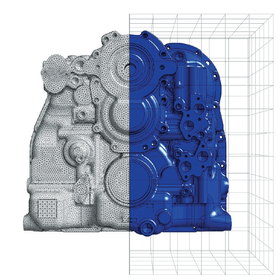
We have compiled a list of manufacturers, distributors, product information, reference prices, and rankings for CAE software.
ipros is IPROS GMS IPROS One of the largest technical database sites in Japan that collects information on.

CAE software Product List and Ranking from 12 Manufacturers, Suppliers and Companies | IPROS GMS

Last Updated: Aggregation Period:Jan 14, 2026~Feb 10, 2026
This ranking is based on the number of page views on our site.

CAE software Manufacturer, Suppliers and Company Rankings

Last Updated: Aggregation Period:Jan 14, 2026~Feb 10, 2026
This ranking is based on the number of page views on our site.

  1. エヌ・エス・ティ Tokyo//software
  2. テクノスター Tokyo//software
  3. テラバイト Tokyo//software
  4. 4 null/null
  5. 5 DEP Japan Kanagawa//software

CAE software Product ranking

Last Updated: Aggregation Period:Jan 14, 2026~Feb 10, 2026
This ranking is based on the number of page views on our site.

  1. [Example] Analysis of Aluminum Frame Structure エヌ・エス・ティ
  2. General-purpose CAE software "Jupiter" [ domestically developed in-house ] テクノスター
  3. Resin Molding and Rheology, 17th Session: "Viscosity Model of Thermosetting Resins" テラバイト
  4. General-purpose CAE solver "SunShine-Solver" テクノスター
  5. 4 [Analysis Case] Nonlinear Transient Analysis of Brake Rotors エヌ・エス・ティ

CAE software Product List

61~90 item / All 174 items

Displayed results

[Case Study] Large-Scale Finite Element Analysis of Train Vehicle Dynamics

Perform eigenvalue analysis of a 10-car train model using Simcenter Femap with Nastran, calculating the natural frequencies up to 20 Hz.

**Case Summary** ■Product Name: Simcenter Femap with Nastran ■Analysis: Modal Analysis ■Industry: Railways and Shipping Since railway vehicles operate in a coupled manner, it is necessary to analyze the motion characteristics of the entire train when considering the dynamics of the vehicles. To accurately predict the vibrations generated in various parts of the moving vehicles, a vehicle simulation using a FEM model that closely resembles the actual structure, rather than a uniform beam or equivalent plate structure, is required. On the other hand, such analyses heavily depend on the computational environment, model creation, and result display capabilities, necessitating parallel computing solutions and efficient pre/post-processing software. In this example, a vehicle body was created using Simcenter Femap, and a modal analysis of a 10-car train model was conducted using Simcenter Nastran to determine the natural frequencies up to 20 Hz.

  • Other analyses
  • CAE software

Added to bookmarks

Bookmarks list

Bookmark has been removed

Bookmarks list

You can't add any more bookmarks

By registering as a member, you can increase the number of bookmarks you can save and organize them with labels.

Free membership registration

[Example] Analysis of Aluminum Frame Structure

Automatically calculate beam cross-section performance from CAD data!!!

**Case Summary** ■Product Name: Simcenter Femap with Nastran ■Industry: Architecture Using high-rigidity lightweight aluminum extrusion materials, various frame structures can be assembled. When designing these structures, it is necessary to investigate the deformations, stresses, and vibration characteristics that occur during use to ensure functionality and safety. In FEM analysis of frame structures, it is common to model using beam elements; however, the cross-section of aluminum extrusion materials is complex, and traditional beam element outputs cannot display the characteristics of detailed sections. On the other hand, modeling thin-walled structures with solid elements is challenging, and creating high-quality meshes results in large models that require significant computational resources and high-performance post-processing. This example demonstrates the applicability of Simcenter Femap with Nastran for such analyses. For more detailed information, please refer to the catalog or contact us directly.

  • Structural Analysis
  • CAE software

Added to bookmarks

Bookmarks list

Bookmark has been removed

Bookmarks list

You can't add any more bookmarks

By registering as a member, you can increase the number of bookmarks you can save and organize them with labels.

Free membership registration

Collection of Case Studies on Automotive Analysis

A collection of analysis cases related to automobiles! There are various examples, so please take a look.

This is a collection of analysis examples including shape optimization analysis, nonlinear transient analysis of brake rotors, pressure distribution analysis of brake pads, and behavior analysis of diaphragm springs through nonlinear static analysis. Additionally, there are analysis cases not included in the collection, so please contact us if you are interested in any specific analysis cases.

  • Structural Analysis
  • Thermo-fluid analysis
  • Stress Analysis
  • CAE software

Added to bookmarks

Bookmarks list

Bookmark has been removed

Bookmarks list

You can't add any more bookmarks

By registering as a member, you can increase the number of bookmarks you can save and organize them with labels.

Free membership registration

[Case Study] Thermal Fluid Analysis of a Muffler

Introducing thermal fluid analysis that combines "Femap Thermal" and "Femap Flow"!

We would like to introduce the "Thermal Fluid Analysis of Mufflers" conducted by our company. By combining "Femap Thermal" and "Femap Flow," we calculated the flow of exhaust gases within the muffler and the temperature distribution of the muffler due to high-temperature exhaust. We performed thermal fluid analysis focused on the muffler, determining the temperature difference of the exhaust at the inlet and outlet, the flow of exhaust gases within the muffler, and the temperature of the surface of the muffler structure, confirming that we could obtain the parameters necessary for design. 【Case Overview】 ■ Products Used - Femap Thermal - Femap Flow ■ Analysis Content - Thermal fluid analysis focused on the muffler *For more detailed information about the case, please refer to the related links. For further inquiries, please feel free to contact us.

  • Contract Analysis
  • CAE software

Added to bookmarks

Bookmarks list

Bookmark has been removed

Bookmarks list

You can't add any more bookmarks

By registering as a member, you can increase the number of bookmarks you can save and organize them with labels.

Free membership registration

[Analysis Case] Nonlinear Transient Analysis of Brake Rotors

Introducing the excessive stress analysis of automotive disc brake rotating rotors!

We would like to introduce the "Nonlinear Transient Analysis of Brake Rotors" conducted by our company. The coupling of thermal and structural analysis is necessary due to the heat transfer that occurs when the rotating rotor and pads come into contact. Friction generates heat, leading to stress due to uneven thermal expansion. In this case, we fully constrained the nodes around the holes of the rotating rotor and performed thermal stress analysis by applying heat flux and heat transfer coefficients to the inner and outer surfaces of the rotating rotor, as well as heat transfer coefficients to the surfaces of the fins and hats. [Analysis Overview] - Fully constrained the nodes around the holes of the rotating rotor - Applied heat flux and heat transfer coefficients to the inner and outer surfaces of the rotating rotor, as well as heat transfer coefficients to the surfaces of the fins and hats *For detailed information about this case, please refer to the related links. For more details, feel free to contact us.

  • Contract Analysis
  • CAE software

Added to bookmarks

Bookmarks list

Bookmark has been removed

Bookmarks list

You can't add any more bookmarks

By registering as a member, you can increase the number of bookmarks you can save and organize them with labels.

Free membership registration

[Musculoskeletal Analysis Case] Musculoskeletal analysis using posture estimation by AI.

Acquisition of marker data with the Vicon system! Introducing the results of musculoskeletal analysis using posture estimation results.

This article introduces a case study using AI-based 3D posture estimation data obtained solely from videos shot with a general digital camera to perform musculoskeletal analysis with Anybody. At our Terabyte Lab, we conducted a lifting motion with heavy objects. Simultaneously, while filming the video with a digital camera, we also collected marker data using our Vicon system for comparative validation. As a result, although the movements during transportation were unfortunately defined as unnatural, the joint compressive forces occurring between the lumbar vertebrae showed almost the same results. [Contents] ■ Application examples ■ Utilization of posture estimation results from VisionPose ■ Analysis procedures ■ Analysis results *Detailed information about the case study can be viewed through the related links. For more information, please feel free to contact us.

  • Mechanism Analysis
  • CAE software

Added to bookmarks

Bookmarks list

Bookmark has been removed

Bookmarks list

You can't add any more bookmarks

By registering as a member, you can increase the number of bookmarks you can save and organize them with labels.

Free membership registration

[Musculoskeletal Analysis Case] Comparison of Measured Data (MoCap) and Created Model

Compare the analysis results of the model created solely by the driver and the model based on motion capture!

Standing on one leg is a posture where one foot is lifted off the ground, causing an unstable balance, which activates the muscles to maintain stability. AnyBody incorporates a mannequin that models the musculoskeletal system, allowing the simulation of human movements to analyze the loads on the human body. This article compares the analysis results of a model created solely by a driver without using motion capture to those based on motion capture, and presents a case where the model created by the driver was linked to a parameter study. [Contents] ■ Model Creation ■ Comparison of Results ■ Parameter Study ■ Summary *For detailed information about the case, please refer to the related links. For more information, feel free to contact us.

  • Mechanism Analysis
  • CAE software

Added to bookmarks

Bookmarks list

Bookmark has been removed

Bookmarks list

You can't add any more bookmarks

By registering as a member, you can increase the number of bookmarks you can save and organize them with labels.

Free membership registration

[Heat Fluid Case] Container Cleaning Analysis

We conducted a cleaning analysis of the container using the general-purpose fluid analysis software AcuSolve!

This article introduces a case study on the cleaning analysis of containers. Using the general-purpose fluid analysis software AcuSolve, we conducted a cleaning analysis of the containers. Multiple containers were placed in a cleaning tank filled with water, flowing in one direction. Cleaning nozzles were positioned to discharge water from the sides and top of the containers, and we investigated the process of wastewater flowing out of the containers. [Contents] ■ Overview ■ Analysis Results *Detailed information about the case study can be viewed through the related links. For more information, please feel free to contact us.

  • Software (middle, driver, security, etc.)
  • CAE software

Added to bookmarks

Bookmarks list

Bookmark has been removed

Bookmarks list

You can't add any more bookmarks

By registering as a member, you can increase the number of bookmarks you can save and organize them with labels.

Free membership registration

Resin Molding and Rheology: Session 1 "What is Rheology?"

Published on the basics of rheology and its combination technology with CAE! An explanation of the positioning of rheology is provided with diagrams.

Rheology is a compound word derived from the Greek words Rheo (flow, deformation) and logos (law), named by American scientists. It now means "the science of the flow and deformation of materials." On the other hand, with the remarkable improvement in computer capabilities, CAE (Computer Aided Engineering), a computer-aided design support technology, has developed, and the desktop examination of anticipated issues and their solutions during new product development has become an important role in design work. In this column, we will explain the basics of rheology focused on plastic molding processing and the combination technology with CAE. [Contents] ■ Introduction ■ Rheology deals with the properties of materials in the intermediate region between solids and liquids ■ Trivia *For detailed content of the column, please refer to the related links. For more information, feel free to contact us.

  • Other analyses
  • CAE software

Added to bookmarks

Bookmarks list

Bookmark has been removed

Bookmarks list

You can't add any more bookmarks

By registering as a member, you can increase the number of bookmarks you can save and organize them with labels.

Free membership registration

CAE Analysis Business Basic Course [2] Command Prompt

Utilize effectively to improve work efficiency! We will explore the differences in input data between the two calculation models!

In the CAE analysis business basic course, we introduce tips and techniques that are useful for those who are responsible for CAE analysis for the first time. When performing analysis, it can be frustrating to encounter situations where the analysis results differ even though you believe you are calculating under the same conditions. The cause is usually due to differences in input data or conditions, and it is necessary to compare the two calculation models to identify the discrepancies. In this column, we will introduce how to utilize the command prompt. [Contents] ■ Issue 2: Utilizing the Command Prompt - Work Steps 1-3 *For detailed content of the column, you can view it through the related links. Please feel free to contact us for more information.

  • Other analyses
  • CAE software

Added to bookmarks

Bookmarks list

Bookmark has been removed

Bookmarks list

You can't add any more bookmarks

By registering as a member, you can increase the number of bookmarks you can save and organize them with labels.

Free membership registration

CAE Analysis Business Basic Course [5] Useful Functions of Excel

Excel has many convenient macros that improve work efficiency! Here are some useful features.

In numerical analysis work, I believe it is often the case that results are explained using graphs. In this context, I would like to introduce some useful Excel features that are good to know. This includes explanations of the "If function," as well as "Add-in settings" and "Data preparation" for "Fitting." This column can be viewed through the related links. Please take a moment to read it. [Contents] ■ Issue 5: Useful Excel Features ・1. If Function ・2. Fitting 2-1. Add-in Settings 2-2. Data Preparation 2-3. Executing Fitting *For detailed content of the column, please refer to the related links. If you have any questions, feel free to contact us.

  • Other analyses
  • CAE software

Added to bookmarks

Bookmarks list

Bookmark has been removed

Bookmarks list

You can't add any more bookmarks

By registering as a member, you can increase the number of bookmarks you can save and organize them with labels.

Free membership registration

CAE Analysis Business Basic Course [6] Simplex Method

The simplex method is a deterministic algorithm for solving general linear programming problems!

In the previous basic course, we explained how to fit unknown parameters in a formula using Excel's analysis tools to minimize the error between experimental data and the arbitrary formula. This time, we will briefly explain the simplex method, which is fundamental to fitting. For more details, please refer to the related links. We encourage you to read it. [Contents] ■ Episode 6: Overview of the Simplex Method  ・1. Introduction  ・2. Explanation of Example Problems  ・3. Operating Procedures *Detailed content of the column can be viewed through the related links. For more information, please feel free to contact us.

  • Other analyses
  • CAE software

Added to bookmarks

Bookmarks list

Bookmark has been removed

Bookmarks list

You can't add any more bookmarks

By registering as a member, you can increase the number of bookmarks you can save and organize them with labels.

Free membership registration

[Technical Column] Solving Particles in a Flow

Implement a method to represent the motion of multiple particles with a single representative particle! This can shorten computation time!

This column introduces the topic of "solving particles in a flow." OpenFOAM (Open source Field Operation And Manipulation) is primarily a numerical analysis software that uses the Euler method for fluid calculations, as its name suggests, to observe changes in fields. While it includes various solvers of different methods in its standard version, the majority of them are classified as Euler method solvers. However, there are also some solvers that use the Lagrangian method to track the trajectories of particles. For more details, please refer to the related links. We encourage you to read it. *The detailed content of the column can be viewed through the related links. For more information, please feel free to contact us.*

  • Other analyses
  • CAE software

Added to bookmarks

Bookmarks list

Bookmark has been removed

Bookmarks list

You can't add any more bookmarks

By registering as a member, you can increase the number of bookmarks you can save and organize them with labels.

Free membership registration

[Technical Column] OpenFOAM Documentation

OpenFOAM is an object-oriented program laid bare! It's like an airplane without a cockpit.

OpenFOAM is often said to be difficult to use. In this column, I would like to explain the reasons for this below. OpenFOAM is written in C++ and adopts an object-oriented coding style. This is one of the reasons that makes using OpenFOAM difficult. However, there are also advantages to the object-oriented coding style. For more details, please refer to the related links. I encourage you to read it. *The detailed content of the column can be viewed from the related links. For more information, please feel free to contact us.

  • Other analyses
  • CAE software

Added to bookmarks

Bookmarks list

Bookmark has been removed

Bookmarks list

You can't add any more bookmarks

By registering as a member, you can increase the number of bookmarks you can save and organize them with labels.

Free membership registration

AnyBody Communication Vol. 2 Human Body Activity and Muscle Synergy

We have developed an analysis method that combines AnyBody and muscle synergy! We will introduce our efforts!

In the previous column, we introduced how AnyBody is utilized in the field of occupational health. In this column, we will explain "human physical activity and muscle synergy," along with an introduction to our initiatives. We are developing an analytical method that integrates AnyBody and muscle synergy, and we are currently nearing the completion of the implementation of this analytical method, while conducting validity verification. For more details, please refer to the related links. We encourage you to read it. [Contents] ■ How is human physical activity controlled? ■ The muscle synergy hypothesis solves the Bernstein problem ■ The potential of AnyBody to expand muscle synergy analysis *For detailed content of the column, please refer to the related links. If you have any questions, feel free to contact us.

  • Other analyses
  • CAE software

Added to bookmarks

Bookmarks list

Bookmark has been removed

Bookmarks list

You can't add any more bookmarks

By registering as a member, you can increase the number of bookmarks you can save and organize them with labels.

Free membership registration

AnyBody Communication Vol. 4 Machine Learning Using Muscle Activity Information

Explaining an example of applying machine learning to muscle activity information obtained from AnyBody using image judgment!

AI (artificial intelligence) is said to be in its "third boom" and is currently developing remarkably. In this column, we will introduce an example of applying machine learning to muscle activity information obtained from AnyBody, using image recognition, which is one of the representative examples of machine learning. In AnyBody communications, we will continue to provide information on biomechanics analysis and related topics. For more details, please check the related links. We hope you will take a moment to read it. [Contents] ■ AI and machine learning libraries ■ Image recognition using machine learning ■ AI estimating the age of pedestrians ■ Future developments and challenges *For more detailed content of the column, you can view it through the related links. Please feel free to contact us for more information.

  • Other analyses
  • CAE software

Added to bookmarks

Bookmarks list

Bookmark has been removed

Bookmarks list

You can't add any more bookmarks

By registering as a member, you can increase the number of bookmarks you can save and organize them with labels.

Free membership registration

[Event] AnyScript Case Study Meeting First Session Report

We have focused on the theme of "knee," which has many examples of musculoskeletal analysis and modeling!

We held the first AnyScript case study meeting as part of a modeling study group for the AnyBody musculoskeletal analysis software. This study group is an information exchange meeting for AnyBody users, aimed at regularly providing a venue for case studies to learn AnyScript (the model description language of AnyBody) using actual user cases. This time, we focused on the knee and received user presentations on knee biomechanics research from teachers at Kurume University Medical Center Rehabilitation Center and Kobe University Graduate School of Human Development and Environment. You can view the report on the meeting at the related links below. *For more details, please refer to the related links or feel free to contact us.*

  • Structural Analysis
  • CAE software

Added to bookmarks

Bookmarks list

Bookmark has been removed

Bookmarks list

You can't add any more bookmarks

By registering as a member, you can increase the number of bookmarks you can save and organize them with labels.

Free membership registration

[Event] AnyScript Case Study Meeting Report - Third Session

Held with the theme of motion settings and modeling verification (example of the shoulder joint)! Interesting cases were introduced.

We held the "AnyScript Case Study Meeting, Third Session" for the musculoskeletal analysis software AnyBody on July 26, 2022 (Tuesday). This time, we welcomed guest speakers from Matsudo Orthopedic Hospital and Kyushu Nutrition Welfare University, who presented interesting case studies. You can view the report on the meeting at the related links below. *For more details, please refer to the related links or feel free to contact us.

  • Structural Analysis
  • CAE software

Added to bookmarks

Bookmarks list

Bookmark has been removed

Bookmarks list

You can't add any more bookmarks

By registering as a member, you can increase the number of bookmarks you can save and organize them with labels.

Free membership registration

OpenFOAM dedicated GUI 'GUI-FOAM'

You can configure input files based on a GUI (Graphical User Interface)!

"GUI-FOAM" is software for creating input files for "OpenFOAM" (produced by OpenFOAM Foundation Ltd.). Instead of creating input files with an editor, this software allows you to configure input files using a GUI (Graphical User Interface). Please feel free to contact us if you have any inquiries. 【Features】 ■ Creates input files (excluding mesh-related files) ■ Allows configuration of input files using a GUI (Graphical User Interface) *For more details, please refer to the related links or feel free to contact us.

  • Software (middle, driver, security, etc.)
  • CAE software

Added to bookmarks

Bookmarks list

Bookmark has been removed

Bookmarks list

You can't add any more bookmarks

By registering as a member, you can increase the number of bookmarks you can save and organize them with labels.

Free membership registration

What GUI-FOAM enables

You can check the mesh surface with the 3D view screen! Setting up the input file will also be easier.

The software "GUI-FOAM" that we handle makes various calculation settings easier. "OpenFOAM" has numerous solvers, and it is necessary to choose one that matches the calculations you want to perform. This product presents suitable solver candidates by specifying the characteristics of the calculations (steady or unsteady, compressible or incompressible fluid, etc.). Additionally, you can check the mesh surface through a 3D view screen, making the input file settings easier. 【Features】 ■ Solver Selection - By specifying the characteristics of the calculations to be performed, suitable solver candidates are presented. - Descriptions of the solvers are also displayed. - Users can easily select a solver by reading the descriptions from the candidates. *For more details, please refer to the related links or feel free to contact us.

  • Software (middle, driver, security, etc.)
  • CAE software

Added to bookmarks

Bookmarks list

Bookmark has been removed

Bookmarks list

You can't add any more bookmarks

By registering as a member, you can increase the number of bookmarks you can save and organize them with labels.

Free membership registration

White Paper Presentation: "Drop Test Analysis Using SOLIDWORKS"

White Paper Presentation!! "Drop Test Analysis with SOLIDWORKS"

White Paper Available Now!! With SolidWorks software, designers can easily and quickly conduct drop tests in the early stages of design, despite the need for calculations that require tens of thousands of steps to achieve results in microseconds for impact analysis. This white paper outlines the techniques for users to perform the necessary tests, obtain results, and conduct simulations. Users can execute drop tests with a similar interface and feel as with other analyses in SolidWorks. *For more details, please refer to the materials. Feel free to contact us with any inquiries. ▼The white paper can be downloaded from the link below▼

  • 3D CAD
  • Other CAD
  • Other CAD related software
  • CAE software

Added to bookmarks

Bookmarks list

Bookmark has been removed

Bookmarks list

You can't add any more bookmarks

By registering as a member, you can increase the number of bookmarks you can save and organize them with labels.

Free membership registration

Real-time VR solution 'IC.IDO' <Event Announcement>

On-demand distribution of the seminar featuring Volvo Trucks! A VR tool that allows for virtual verification of product behavior and interference without waiting for prototypes.

"IC.IDO" is a VR tool that enables real-time verification of the product development process through virtual error detection. VR has already entered the "implementation" stage after going through the phase of being a "promising emerging technology," and its utilization in the product development processes of the manufacturing industry is progressing. Additionally, as remote meetings become more common, communication tends to become "sparse." By utilizing this tool, it is expected that "close" communication can be achieved even from remote locations. An online seminar will be held on January 27, 2022. Volvo Group Trucks will demonstrate how they are using this tool to reform their product development process aimed at achieving zero prototypes in a collaborative virtual workspace. ★ The seminar content will be available for on-demand viewing. If you are involved in design and manufacturing or responsible for DX, or if you are interested in industrial VR, please take this opportunity to watch. 【How to View】 Please check the details on the "ESI IC.IDO Blog" after January 28, 2022 (Friday).

  • simulator
  • Other analyses
  • CAE software

Added to bookmarks

Bookmarks list

Bookmark has been removed

Bookmarks list

You can't add any more bookmarks

By registering as a member, you can increase the number of bookmarks you can save and organize them with labels.

Free membership registration

Altair Partner Alliance

A groundbreaking program that allows third-party applications to be used in the Altair Partner Alliance.

Altair's enterprise platform adopts a registration-based licensing model that allows software licenses to be shared across the entire organization. Customers can use shared licenses to access a variety of software developed by Altair and third-party software as needed. The Altair Partner Alliance offers over 120 diverse software applications on demand by adding partner company applications to its own developed solutions. Users can utilize all applications, including third-party ones, without additional fees using their already acquired Altair software licenses. Users of Altair products can leverage this comprehensive suite of all-in-one software tools to reduce time to market, achieve superior product design, and accelerate smarter decision-making.

  • Magnetic field analysis/electromagnetic wave analysis
  • CAE software

Added to bookmarks

Bookmarks list

Bookmark has been removed

Bookmarks list

You can't add any more bookmarks

By registering as a member, you can increase the number of bookmarks you can save and organize them with labels.

Free membership registration

TEK Corporation Business Overview

We will optimize and support your product development operations with CAD/CAM/CAE!

Our company was established in 2004 and is engaged in the sales, education, support, and consulting related to CAE. We offer a variety of product sales operations supported by engineers in various industries such as automotive, machine tools, industrial equipment, home appliances, industrial design, electronics, precision instruments, medical devices, and others. 【Business Activities】 ■ Sales, education, support, and consulting related to CAD/CAM/CAE ■ Contract analysis (structural, impact, thermal, electromagnetic fields, thermal fluid) *For more details, please refer to our catalog or feel free to contact us.

  • Company:TEK
  • Price:Other
  • Other CAD related software
  • Contract Analysis
  • CAE software

Added to bookmarks

Bookmarks list

Bookmark has been removed

Bookmarks list

You can't add any more bookmarks

By registering as a member, you can increase the number of bookmarks you can save and organize them with labels.

Free membership registration

[Data] Automotive-related Solutions

Introduction to automotive-related solutions utilizing the MeshWorks platform.

This document presents the "Automotive-related Solutions" proposed by DEP Japan Co., Ltd. It introduces various functions such as concept engineering, topology optimization (non-parametric model-based), and optimization based on parametric models. Please feel free to download and take a look. [Contents] ■ Concept Engineering ■ Topology Optimization (Non-parametric Model-Based) ■ Parametric Model-Based Optimization ■ High-End Engineering *For more details, please refer to the PDF document or feel free to contact us.

  • Modeler
  • Other CAD related software
  • CAE software

Added to bookmarks

Bookmarks list

Bookmark has been removed

Bookmarks list

You can't add any more bookmarks

By registering as a member, you can increase the number of bookmarks you can save and organize them with labels.

Free membership registration

『DEP MeshWorks』

Next-generation CAE platform

"DEP MeshWorks" is an all-in-one CAE platform equipped with various features such as high-speed concept CAE and CAD model generation, parameterization and optimization/design exploration, and advanced mesh creation. Since its release, it has simplified the cumbersome processes associated with design changes and contributed to shortening product development times for companies around the world. 【Features】 ■ High-speed concept CAE and CAD model generation ■ Parameterization and optimization/design exploration ■ Advanced mesh creation ■ Process automation ■ Pre/post-processing including concept modeling and CAD morphing *For more details, please refer to the PDF materials or feel free to contact us.

  • Modeler
  • Other CAD related software
  • Structural Analysis
  • CAE software

Added to bookmarks

Bookmarks list

Bookmark has been removed

Bookmarks list

You can't add any more bookmarks

By registering as a member, you can increase the number of bookmarks you can save and organize them with labels.

Free membership registration

Technical Document "Flowers and Uncle 'Stress'"

This is a technical document (educational material) on CAE created by a former CAE manager, linking practical application with theory.

Featuring a veteran and a young employee as characters, we will advance the discussion on design and CAE through a dialogue format of questions and debates. The content is made easy to read and understand by using illustrations of the characters, diagrams, and photographs. Please feel free to use it for new employee training and practical reference. [Published Content] Second Edition: "Stress" ############################################################################ For technical materials, please inquire through the document download page linked in the related links.

  • Thermo-fluid analysis
  • Stress Analysis
  • Contract Analysis
  • CAE software

Added to bookmarks

Bookmarks list

Bookmark has been removed

Bookmarks list

You can't add any more bookmarks

By registering as a member, you can increase the number of bookmarks you can save and organize them with labels.

Free membership registration

Technical Document "Flowers and Uncle: Linear and Nonlinear"

This is a technical document (educational material) on CAE created by a former CAE manager, linking practical application with theory.

Featuring a veteran and a young employee as characters, we will advance the discussion on design and CAE through a dialogue format of questions and debates. The content is made easy to read and understand by using illustrations of the characters, diagrams, and photos. Please feel free to utilize this for new employee training and practical reference. [Published Content] 5th Edition: "Linear and Nonlinear" ############################################################################ For technical materials, please inquire through the document download page linked above.

  • Thermo-fluid analysis
  • Stress Analysis
  • Contract Analysis
  • CAE software

Added to bookmarks

Bookmarks list

Bookmark has been removed

Bookmarks list

You can't add any more bookmarks

By registering as a member, you can increase the number of bookmarks you can save and organize them with labels.

Free membership registration

Technical Document on Hull Structural Mechanics: "What is Buckling? (Part 1)"

This is a technical document on hull structural mechanics by Mr. Tetsuya Yao.

Mr. Tetsuya Yao (Emeritus Professor of Hiroshima University / Emeritus Professor of Osaka University / Special Technical Advisor of TechnoStar) provided an explanation on various topics related to structural issues as a technical topic. [Published Content] First Session: "What is Buckling? (Part 1)" ############################################################################ For technical materials, please contact us through the document download page linked above.

  • Thermo-fluid analysis
  • Stress Analysis
  • Contract Analysis
  • CAE software

Added to bookmarks

Bookmarks list

Bookmark has been removed

Bookmarks list

You can't add any more bookmarks

By registering as a member, you can increase the number of bookmarks you can save and organize them with labels.

Free membership registration

Technical documentation on hull structural mechanics: "What is buckling? (Part 4) What is secondary buckling?"

This is a technical document on hull structural mechanics by Professor Tetsuya Yao (Emeritus Professor of Hiroshima University / Emeritus Professor of Osaka University).

Mr. Tetsuya Yao (Emeritus Professor of Hiroshima University / Emeritus Professor of Osaka University / Special Technical Advisor at TechnoStar) provided an explanation on various topics related to structural issues as a technical topic. [Published Content] 4th Edition: "What is Buckling? (Part 4) What is Secondary Buckling?" ############################################################################ For technical materials, please contact us through the document download page in the related links.

  • Thermo-fluid analysis
  • Stress Analysis
  • Contract Analysis
  • CAE software

Added to bookmarks

Bookmarks list

Bookmark has been removed

Bookmarks list

You can't add any more bookmarks

By registering as a member, you can increase the number of bookmarks you can save and organize them with labels.

Free membership registration