iPROS Manufacturing
  • Search for products by classification category

    • Electronic Components and Modules
      Electronic Components and Modules
      57758items
    • Machinery Parts
      Machinery Parts
      72817items
    • Manufacturing and processing machinery
      Manufacturing and processing machinery
      97322items
    • Scientific and Physics Equipment
      Scientific and Physics Equipment
      33663items
    • Materials
      Materials
      35693items
    • Measurement and Analysis
      Measurement and Analysis
      53061items
    • Image Processing
      Image Processing
      14878items
    • Control and Electrical Equipment
      Control and Electrical Equipment
      51340items
    • Tools, consumables, and supplies
      Tools, consumables, and supplies
      63450items
    • Design and production support
      Design and production support
      12045items
    • IT/Network
      IT/Network
      41851items
    • Office
      Office
      13577items
    • Business support services
      Business support services
      32465items
    • Seminars and Skill Development
      Seminars and Skill Development
      5753items
    • Pharmaceutical and food related
      Pharmaceutical and food related
      26575items
    • others
      64120items
  • Search for companies by industry

    • Manufacturing and processing contract
      7347
    • others
      5027
    • Industrial Machinery
      4427
    • Machine elements and parts
      3280
    • Other manufacturing
      2878
    • IT/Telecommunications
      2539
    • Trading company/Wholesale
      2464
    • Industrial Electrical Equipment
      2313
    • Building materials, supplies and fixtures
      1811
    • software
      1641
    • Electronic Components and Semiconductors
      1562
    • Resin/Plastic
      1484
    • Service Industry
      1435
    • Testing, Analysis and Measurement
      1132
    • Ferrous/Non-ferrous metals
      977
    • environment
      703
    • Chemical
      629
    • Automobiles and Transportation Equipment
      559
    • Printing Industry
      509
    • Information and Communications
      451
    • Consumer Electronics
      419
    • Energy
      326
    • Rubber products
      313
    • Food Machinery
      304
    • Optical Instruments
      279
    • robot
      272
    • fiber
      251
    • Paper and pulp
      232
    • Electricity, Gas and Water Industry
      170
    • Pharmaceuticals and Biotechnology
      166
    • Warehousing and transport related industries
      146
    • Glass and clay products
      141
    • Food and Beverage
      131
    • CAD/CAM
      120
    • retail
      109
    • Educational and Research Institutions
      107
    • Medical Devices
      101
    • Ceramics
      95
    • wood
      89
    • Transportation
      83
    • Medical and Welfare
      62
    • Petroleum and coal products
      61
    • Shipbuilding and heavy machinery
      52
    • Aviation & Aerospace
      48
    • Fisheries, Agriculture and Forestry
      41
    • Public interest/special/independent administrative agency
      29
    • equipment
      25
    • self-employed
      23
    • Government
      21
    • Materials
      20
    • Research and development equipment and devices
      18
    • Mining
      17
    • Finance, securities and insurance
      13
    • Individual
      10
    • Restaurants and accommodations
      9
    • cosmetics
      9
    • Police, Fire Department, Self-Defense Forces
      7
    • Laboratory Equipment and Consumables
      3
    • Contracted research
      3
    • Raw materials for reagents and chemicals
      2
  • Special Features
  • Ranking

    • Overall Products Ranking
    • Overall Company Ranking
Search for Products
  • Search for products by classification category

  • Electronic Components and Modules
  • Machinery Parts
  • Manufacturing and processing machinery
  • Scientific and Physics Equipment
  • Materials
  • Measurement and Analysis
  • Image Processing
  • Control and Electrical Equipment
  • Tools, consumables, and supplies
  • Design and production support
  • IT/Network
  • Office
  • Business support services
  • Seminars and Skill Development
  • Pharmaceutical and food related
  • others
Search for Companies
  • Search for companies by industry

  • Manufacturing and processing contract
  • others
  • Industrial Machinery
  • Machine elements and parts
  • Other manufacturing
  • IT/Telecommunications
  • Trading company/Wholesale
  • Industrial Electrical Equipment
  • Building materials, supplies and fixtures
  • software
  • Electronic Components and Semiconductors
  • Resin/Plastic
  • Service Industry
  • Testing, Analysis and Measurement
  • Ferrous/Non-ferrous metals
  • environment
  • Chemical
  • Automobiles and Transportation Equipment
  • Printing Industry
  • Information and Communications
  • Consumer Electronics
  • Energy
  • Rubber products
  • Food Machinery
  • Optical Instruments
  • robot
  • fiber
  • Paper and pulp
  • Electricity, Gas and Water Industry
  • Pharmaceuticals and Biotechnology
  • Warehousing and transport related industries
  • Glass and clay products
  • Food and Beverage
  • CAD/CAM
  • retail
  • Educational and Research Institutions
  • Medical Devices
  • Ceramics
  • wood
  • Transportation
  • Medical and Welfare
  • Petroleum and coal products
  • Shipbuilding and heavy machinery
  • Aviation & Aerospace
  • Fisheries, Agriculture and Forestry
  • Public interest/special/independent administrative agency
  • equipment
  • self-employed
  • Government
  • Materials
  • Research and development equipment and devices
  • Mining
  • Finance, securities and insurance
  • Individual
  • Restaurants and accommodations
  • cosmetics
  • Police, Fire Department, Self-Defense Forces
  • Laboratory Equipment and Consumables
  • Contracted research
  • Raw materials for reagents and chemicals
Special Features
Ranking
  • Overall Products Ranking
  • Overall Company Ranking
  • privacy policy
  • terms of service
  • About Us
  • Careers
  • Advertising
  1. Home
  2. CAD/CAM
  3. ECAD Solutions Co., Ltd.
  4. Product/Service List
CAD/CAM
  • Added to bookmarks

    Bookmarks list

    Bookmark has been removed

    Bookmarks list

    You can't add any more bookmarks

    By registering as a member, you can increase the number of bookmarks you can save and organize them with labels.

    Free membership registration

ECAD Solutions Co., Ltd.

Establishment2017/12/01
addressSaitama/Chuo-ku, Saitama-shi/6th floor, Welc Building, 4-3 Shintoshin
phone048-615-6350
  • Special site
  • Official site
last updated:Mar 25, 2025
ECAD Solutions Co., Ltd.logo
  • Contact this company

    Contact Us Online
  • Company information
  • Products/Services(41)
  • catalog(28)
  • news(7)

ECAD Solutions Co., Ltd. List of Products and Services

  • category

1~41 item / All 41 items

Displayed results

Filter by category

Electrical Design CAD "ECAD" Product Information Electrical Design CAD "ECAD" Product Information
盤製造の課題を解決!盤製造支援システム製品情報 盤製造の課題を解決!盤製造支援システム製品情報
Examples of Efficiency Improvement in Electrical Design Examples of Efficiency Improvement in Electrical Design
Examples of efficiency improvement in plate manufacturing Examples of efficiency improvement in plate manufacturing
Guidebook Guidebook
Service Service
Electric Design CAD (ECAD) Explanation Video Collection Electric Design CAD (ECAD) Explanation Video Collection
class="retina-image"

Electric design dedicated CAD solution 'ECAD DCX 2025'

ECAD DCX 2025 Released An electrical design CAD solution equipped with a wealth of features for electrical design, including control panels and power distribution boards.

The electrical design CAD "ECAD DCX" is a database-type CAD software dedicated to electrical design that not only enables electrical design but also integrates with manufacturing support systems, purchasing systems, and production management systems, combining design information and component information. 【Features】 ■ Real-time information updates and error detection ■ Automatic creation of reports such as bill of materials, terminal block tables, and wiring tables from drawing data ■ Ability to upload created hole processing drawings to "Cabista," making cabinet arrangements easier ■ Search for necessary components from the cloud-based component catalog database 'ECAD Library' and register them in your own master ■ Design data is linked with purchasing systems and production management systems. The "ECAD series" has supported the design of control panels and power distribution panels in Japan for approximately 40 years. The cumulative implementation record exceeds 29,000 licenses, promoting business reform utilizing data from design, procurement, and manufacturing. *For more details, please download the materials below. Feel free to contact us with any inquiries.

  • 2D CAD Electrical
  • Other CAD related software

Added to bookmarks

Bookmarks list

Bookmark has been removed

Bookmarks list

You can't add any more bookmarks

By registering as a member, you can increase the number of bookmarks you can save and organize them with labels.

Free membership registration

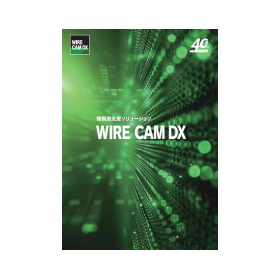
Board Manufacturing Support System "WIRE CAM DX"

By utilizing IT, we significantly enhance the productivity of board manufacturing! We support the reduction of lead times, prevention of variability, and reforms in work styles as well as the resolution of labor shortages.

WIRE CAM DX is a simulation software that can create manufacturing information for panels from design drawings. By digitizing the know-how of engineers, it is an IT solution that transforms the wire processing, component installation, and wiring tasks in the panel manufacturing process, which are often reliant on individual expertise, into tasks that anyone can perform, even without specialized skills. 【Features】 ■ Wiring design can be done using various files in addition to CAD data. * Files such as ECAD, DWG, PDF, TIFF, etc. are available. ■ In wiring design, wiring length measurement can be performed with automatic route selection. ■ Data for mark tube processing can be output to processing machines, and wiring length measurement data can be output to wire processing machines, allowing for pre-processing of wires. * Partner processing machine manufacturers: Lion Power, Kodera Electronics Manufacturing, CTK, Mibu Electric Manufacturing, Max, etc. ■ By preparing wires in advance and performing parallel tasks, manufacturing lead time can be shortened. ■ A function that guides component installation positions and wiring routes enables non-technical personnel to achieve high-quality work in a short period. ■ By introducing optional products, it is also possible to manage screw tightening torque. * For more details, please download the materials from the link below. Feel free to contact us with any inquiries.

  • 2D CAD Electrical
  • Other CAD related software

Added to bookmarks

Bookmarks list

Bookmark has been removed

Bookmarks list

You can't add any more bookmarks

By registering as a member, you can increase the number of bookmarks you can save and organize them with labels.

Free membership registration

ECAD-related solutions

The standard of the electrical design industry 'ECAD'

The electrical design CAD "ECAD," which has led the design of control panels in Japan, has incorporated the latest technology as a comprehensive "manufacturing support tool" covering everything from electrical design to procurement and manufacturing, achieving further evolution. ECAD is a dedicated CAD solution for electrical design that strongly supports manufacturing reform.

  • 2D CAD Electrical
  • Other CAD related software

Added to bookmarks

Bookmarks list

Bookmark has been removed

Bookmarks list

You can't add any more bookmarks

By registering as a member, you can increase the number of bookmarks you can save and organize them with labels.

Free membership registration

Cloud Component Database "ECAD Library"

Approximately 2 million registered parts! Necessary part information can be accessed directly from the cloud, speeding up the process from design to manufacturing.

The "ECAD Library" is one of the largest cloud-based component databases in Japan, allowing for the search and use of component information while creating drawings with the electrical design-specific CAD "ECAD DCX." (Support contract required) By utilizing the IMM (Immediately Making Master data) method with the "ECAD Library," you can progress with building the component master while designing, without dedicating time and personnel to pre-registering the component master. Incorporating the standardization process through the IMM method allows for immediate creation of parts lists and seamless information transfer up to purchasing. 【Features】 ◆ Registration of approximately 2 million component information ◆ Search and use of component information during drawing creation ◆ Provision of component type, ratings, manufacturer name, name, and outline symbol data ◆ Providing component information from over 60 companies, including sponsoring manufacturers (IDEC, Omron, Kimura Electric, Toyo Giken, Nitto Kohki, Fuji Electric, Mitsubishi Electric). (As of March 2025) *For more details, please refer to the materials. Feel free to contact us with any inquiries.

  • 2D CAD Electrical
  • Other CAD related software

Added to bookmarks

Bookmarks list

Bookmark has been removed

Bookmarks list

You can't add any more bookmarks

By registering as a member, you can increase the number of bookmarks you can save and organize them with labels.

Free membership registration

List of ECAD Implementation Examples

This is a list of examples of using the electrical design CAD 'ECAD'.

We have compiled an overview of case studies from companies that have used our electrical design CAD 'ECAD' so far. Please check the overview and download the materials from the page of the company you wish to view.

  • 2D CAD Electrical

Added to bookmarks

Bookmarks list

Bookmark has been removed

Bookmarks list

You can't add any more bookmarks

By registering as a member, you can increase the number of bookmarks you can save and organize them with labels.

Free membership registration

WIRE CAM DX Introduction Case Study <Meito Panel Co., Ltd.>

Introducing a case where a system was built that allows beginners to perform wiring work in a short period of time, even without prior experience in electrical CAD!

Since its establishment in 1980, Meito Panel Co., Ltd., a "specialized manufacturer of panel production" that assembles control panels, distribution boards, and cubicles, has introduced 'WIRE CAM DX' to focus on the digitalization of panel assembly by implementing various innovations without sticking to traditional methods. Here are the effects of this implementation. ■ Reasons for adopting WIRE CAM DX We considered that by displaying work instructions on a monitor and having employees follow them, even those with little experience could perform wiring tasks, and that the transfer of skills from veteran employees to younger ones could be smoother. Thus, we aimed to create an environment where anyone could perform wiring tasks. ■ Effects after implementation - Significantly reduced the man-hours required to create manufacturing data, as the results of wiring design can be easily converted into Excel data. - Directly imported wire number data into the marking tube printer for printing processing. - Successfully reduced material waste by about 30-40% by producing wires for doors and other components in exact sizes. - Outsourced wires and ducts to improve efficiency. - Increased the number of personnel responsible for wiring. - Shortened wiring work from 80 hours to approximately 60 hours. - Unified wiring routes, leading to improved product quality.

  • Other CAD

Added to bookmarks

Bookmarks list

Bookmark has been removed

Bookmarks list

You can't add any more bookmarks

By registering as a member, you can increase the number of bookmarks you can save and organize them with labels.

Free membership registration

WIRE CAM DX Introduction Case Study <Asahi Corporation>

Introducing a case where an environment was established within one month from the introduction, allowing anyone to perform wiring work on control panels!

At Asahi Co., Ltd., which operates its business with two pillars: the design and manufacturing of control panels and the design and manufacturing of medical devices (ISO 13485 certified), there was a sense of crisis regarding the dependence on veteran workers for assembly and wiring tasks and the intensifying competition among control panel manufacturers. As a result, they introduced "WIRE CAM DX." Here, we will introduce the effects of this implementation. ■ Background of Implementation - A sense of crisis regarding the production system's dependence on veteran workers for assembly and wiring tasks and the intensifying competition among control panel manufacturers. - Promotion of standardization of tasks to improve the work efficiency of younger and novice workers. ■ Reasons for Adopting WIRE CAM DX - Demands from various departments for the introduction of dedicated electrical CAD and automatic wire processing machines led to the selection of ECAD DCX and WIRE CAM DX, which enable collaboration between design and manufacturing. ■ Effects After Implementation - Over 90% of orders are processed using data created with WIRE CAM DX. - Manufacturing of custom items has become possible for anyone. - The assembly and wiring workforce in the manufacturing department has been increased by 10 new employees. - Wire usage has been reduced by 30%. - Easier inventory management due to the ability to understand wire usage before wiring. - A significant reduction in inquiries from manufacturing to design.

  • Other CAD

Added to bookmarks

Bookmarks list

Bookmark has been removed

Bookmarks list

You can't add any more bookmarks

By registering as a member, you can increase the number of bookmarks you can save and organize them with labels.

Free membership registration

ECAD DCX Implementation Case Study <Nakasaku Co., Ltd.>

Introducing examples of successful work style reforms achieved through the efficiency and standardization of electrical design!

We would like to introduce the issues that were challenges at Nakazaku Co., Ltd., an industrial machinery manufacturer, and the points and effects that were resolved through the introduction of the electrical design CAD 'ECAD DCX.' ■ Background of Introduction - In 2020, amid the uncertainty caused by the COVID-19 pandemic, management instructed each department to "set important medium-term initiatives for their own department and establish goals and action plans." - There were significant differences in work and technical proficiency among members, leading to a concentration of work on a few individuals, which resulted in long working hours becoming a problem. ■ Reasons for Adopting ECAD DCX - ECAD DCX was adopted as a new electrical CAD because it has abundant design support functions and its operability is similar to the previously used ECAD dio, allowing for a smooth implementation. ■ Effects After Introduction - Automatic checks for missing components and consistency between drawings eliminated inquiries from control panel manufacturers, significantly reducing overtime hours. - Using the cabinet collaboration function completely eliminated mistakes, making the arrangement of cabinets much easier. - By standardizing the parts master and operational rules, designers could focus on creating drawings, and the maintenance of the parts master was also managed smoothly.

  • Other CAD

Added to bookmarks

Bookmarks list

Bookmark has been removed

Bookmarks list

You can't add any more bookmarks

By registering as a member, you can increase the number of bookmarks you can save and organize them with labels.

Free membership registration

ECAD DCX Implementation Case Study <Meiden Corporation>

Reduced design man-hours by approximately 50% through the resolution of discrepancies in drawings and automatic generation of parts lists.

Since its establishment in 1975, Meiden Co., Ltd. has developed by leveraging its strength in providing a consistent response from precision sheet metal processing to painting and assembly. We would like to introduce the points and effects of solving the challenges of inspection and parts list creation through the introduction of "ECAD DCX." ■ Background of the Introduction - Resolution of inconsistencies between circuit diagrams, outline drawings, and parts lists - The desire to spend more time on core design tasks - Establishment of a system to automatically create parts lists by extracting component information from drawings ■ Reasons for Adopting ECAD DCX - Real-time error notifications from ECAD DCX allow for corrections during the design phase - Circuit symbols and outline symbols can be registered in the parts master, resolving contradictions between circuit diagrams and outline drawings - Changes in drawings are reflected in related areas ■ Effects After Implementation - Parts list creation, which used to take a full day, can now be completed with the push of a button, reducing the labor involved in design tasks by 50%. - Optimization of delivery times and costs through the utilization of ECAD-Cabista collaboration - Standardization of design ensures consistent quality regardless of who performs the design - Significant improvement in design accuracy, creating an environment where focus can be placed on essential tasks.

  • Other CAD

Added to bookmarks

Bookmarks list

Bookmark has been removed

Bookmarks list

You can't add any more bookmarks

By registering as a member, you can increase the number of bookmarks you can save and organize them with labels.

Free membership registration

WIRE CAM DX Introduction Case Study <Dainichi Seisakusho Co., Ltd.>

Even unskilled workers can become immediately productive! Achieving efficiency in board manufacturing!

We would like to introduce how the introduction of "WIRE CAM DX" has addressed the strong sense of crisis regarding the aging of wiring workers at Daiichi Seisakusho Co., Ltd., which broadly engages in equipment design and system design, centered on the manufacturing of distribution boards, control panels, and sub-distribution boards. ■ Background of Introduction - A strong sense of crisis regarding the aging of wiring workers - Creating a system where anyone can manufacture products with the same quality - Simultaneously aiming for standardization ■ Reasons for Adopting WIRE CAM DX - Adopted WIRE CAM DX, which allows for wiring length measurement not only from ECAD DCX drawings but also from AutoCAD drawings, enabling manufacturing and data linkage. ■ Effects After Introduction - Approximately 15% reduction in overall man-hours from design to manufacturing within about a year and a half after introduction. - Changed to wiring design based on standardized rules by digitizing wiring routes and know-how. - After about six months of training post-implementation, individuals can independently view drawings and perform wiring tasks. - Data linkage to wire processing machines has mechanized manual tasks, reducing work hours and improving quality. - Overall quality level of products has also improved.

  • Other CAD

Added to bookmarks

Bookmarks list

Bookmark has been removed

Bookmarks list

You can't add any more bookmarks

By registering as a member, you can increase the number of bookmarks you can save and organize them with labels.

Free membership registration

Electric CAD "Tried ECAD DCX!" 1

Introduction to ECAD DCX Drawing Procedures

*Production Cooperation: Hokuryodenko Co., Ltd. https://www.hokuryodenko.co.jp/ We will introduce the basic bad diagram functions of ECAD DCX. You can check the basic flow of operations from placing symbols on the circuit diagram to assigning components and creating the outline diagram. 0:10~ Basic drawing (symbol placement to wiring drawing) 1:22~ Assigning components 1:49~ Placing reference frame symbols 2:15~ Placing the outline diagram

  • 2D CAD Electrical
  • Other CAD related software

Added to bookmarks

Bookmarks list

Bookmark has been removed

Bookmarks list

You can't add any more bookmarks

By registering as a member, you can increase the number of bookmarks you can save and organize them with labels.

Free membership registration

Electric CAD "Tried ECAD DCX!" 2

Supports up to 9999 pages in one file! ECAD from the perspective of drawing and page management information.

*Production Cooperation: Hokuryodenko Co., Ltd. https://www.hokuryodenko.co.jp/ We will introduce the basic drawing management functions of ECAD DCX. You can confirm the steps for entering drawing information. Since it is automatically transcribed to the drawing frame, you can manage information without errors. 0:13 - Creating a new drawing and entering drawing management information 0:53 - Professional input of management information 1:20 - Entering page management information 1:59 - Confirming the drawing frame (automatic transcription of input information) 2:13 - Editing input information 2:27 - Transferring information from past drawings

  • 2D CAD Electrical
  • Other CAD related software

Added to bookmarks

Bookmarks list

Bookmark has been removed

Bookmarks list

You can't add any more bookmarks

By registering as a member, you can increase the number of bookmarks you can save and organize them with labels.

Free membership registration

Electric CAD "Tried ECAD DCX!" 3

Multi-connection and line number input made easy in bulk! Automatic wiring cuts with ECAD.

*Production Cooperation: Hokuryodenko Co., Ltd. https://www.hokuryodenko.co.jp/ We will introduce the functions related to wiring in the basic drawing of ECAD DCX. You will understand how to draw wiring, which is a fundamental element of the drawing, and how to input line numbers. The operation is very simple. 0:10 - Multi-phase wiring 1:20 - Symbol placement 1:47 - Line number input (manual) 2:30 - Line number input (automatic)

  • 2D CAD Electrical
  • Other CAD related software

Added to bookmarks

Bookmarks list

Bookmark has been removed

Bookmarks list

You can't add any more bookmarks

By registering as a member, you can increase the number of bookmarks you can save and organize them with labels.

Free membership registration

Electric CAD "Tried ECAD DCX!" 4

Both manual and automatic! Switchboard number and symbol input.

*Production Cooperation: Hokuryodenko Co., Ltd. https://www.hokuryodenko.co.jp/ This introduces functions related to wire numbers in the basic drawing of ECAD DCX. It is possible to reliably add information to circuit diagrams that span multiple pages with simple operations. 0:29 - Inputting wire numbers 1:12 - Inputting wire symbols (manual) 2:11 - Inputting wire symbols (automatic) 2:30 - Inputting line numbers (automatic)

  • 2D CAD Electrical
  • Other CAD related software

Added to bookmarks

Bookmarks list

Bookmark has been removed

Bookmarks list

You can't add any more bookmarks

By registering as a member, you can increase the number of bookmarks you can save and organize them with labels.

Free membership registration

Electric CAD 'Tried ECAD DCX!' 5

Efficiency UP! Execute shortcut key commands.

*Production Cooperation: Hokuryodenko Co., Ltd.* https://www.hokuryodenko.co.jp/ This is an introduction to the shortcut keys in the basic drawing functions of ECAD DCX. Mastering the shortcut keys will allow you to perform drawing operations more efficiently. 0:31 - Confirming shortcut key assignments 1:28 - Confirming operations (copy) 1:39 - Confirming operations (delete) 1:49 - Confirming operations (display shape information) 1:59 - Confirming operations (symbol input) 2:11 - Customizing key assignments

  • 2D CAD Electrical

Added to bookmarks

Bookmarks list

Bookmark has been removed

Bookmarks list

You can't add any more bookmarks

By registering as a member, you can increase the number of bookmarks you can save and organize them with labels.

Free membership registration

Electric CAD "Tried ECAD DCX!" 7

Free layout! Creating a tool palette.

*Production Cooperation: Hokuryodenko Co., Ltd. https://www.hokuryodenko.co.jp/ This introduces the tool palette among the basic drawing functions of ECAD DCX. By registering frequently used commands in the tool palette, you can efficiently proceed with drawing operations. 0:18 - User tab settings 1:58 - Checking the configured tool palette 2:23 - Additional settings for the user tab 3:11 - Checking the configured tool palette*

  • 2D CAD Electrical

Added to bookmarks

Bookmarks list

Bookmark has been removed

Bookmarks list

You can't add any more bookmarks

By registering as a member, you can increase the number of bookmarks you can save and organize them with labels.

Free membership registration

Electric CAD "Tried ECAD DCX!" 8

Convenient for creating manuals! Easy to paste into Word or Excel.

*Production cooperation: Hokuryodenko Co., Ltd. https://www.hokuryodenko.co.jp/ This introduces the basic drawing operations of ECAD DCX, specifically regarding integration with Office products. You can perform operations between ECAD and Office products, and vice versa, via the clipboard. 0:15 - Quick Access Toolbar 0:56 - Copy 1:37 - Paste into Word 2:01 - Paste into Excel 2:19 - Copy/Paste from Excel to ECAD

  • 2D CAD Electrical

Added to bookmarks

Bookmarks list

Bookmark has been removed

Bookmarks list

You can't add any more bookmarks

By registering as a member, you can increase the number of bookmarks you can save and organize them with labels.

Free membership registration

Electric CAD "Tried ECAD DCX!" 9

Utilize the symbol editor! Creating outline symbols.

*Production Cooperation: Hokuryodenko Co., Ltd. https://www.hokuryodenko.co.jp/ This introduces the outer shape symbols in the basic drawing of ECAD DCX. By using symbols, not only can drawing mistakes be eliminated, but standardization can also be promoted. 0:13 - Launching the symbol editor 0:29 - Entering the symbol name 0:58 - Drawing the symbol shape 1:38 - Entering text information 2:57 - Placing the created symbol on the drawing

  • 2D CAD Electrical

Added to bookmarks

Bookmarks list

Bookmark has been removed

Bookmarks list

You can't add any more bookmarks

By registering as a member, you can increase the number of bookmarks you can save and organize them with labels.

Free membership registration

Electric CAD "Tried ECAD DCX!" 10

Utilize the symbol editor!! Creating circuit symbols

*Production Cooperation: Hokuryodenko Co., Ltd. https://www.hokuryodenko.co.jp/ This introduces the circuit symbols in the basic drawing of ECAD DCX. Symbols are essential for creating circuit diagrams. By creating and registering electrical symbols in advance, you can improve drawing efficiency and eliminate drawing errors. 0:16 - Launching the symbol editor 0:40 - Entering symbol management information 1:36 - Drawing symbol shapes 2:30 - Entering text information

  • 2D CAD Electrical

Added to bookmarks

Bookmarks list

Bookmark has been removed

Bookmarks list

You can't add any more bookmarks

By registering as a member, you can increase the number of bookmarks you can save and organize them with labels.

Free membership registration

Electric CAD "Tried ECAD DCX!" 11

Convert AutoCAD files too! Utilize drawings and symbols.

*Production Cooperation: Hokuryodenko Co., Ltd. https://www.hokuryodenko.co.jp/ This introduces the basic drawing functions of ECAD DCX, specifically regarding DXF/DWG file conversion. When exchanging drawings between ECAD and other CAD systems, this procedure allows for the transfer. By fine-tuning the settings, conversion accuracy can be improved. 0:17 - DXF/DWG → DCX conversion 0:55 - Conversion settings 1:35 - Execute conversion 1:47 - DCX → DXF/DWG conversion 2:24 - Conversion settings 2:58 - Execute conversion

  • 2D CAD Electrical

Added to bookmarks

Bookmarks list

Bookmark has been removed

Bookmarks list

You can't add any more bookmarks

By registering as a member, you can increase the number of bookmarks you can save and organize them with labels.

Free membership registration

Electric CAD "Tried ECAD DCX!" 12

Make selections more efficiently! Utilizing the symbol sheet.

*Production Cooperation: Hokuryodenko Co., Ltd. https://www.hokuryodenko.co.jp/ We will introduce the symbol sheet in the basic drawing of ECAD DCX. In addition to enabling efficient drawing operations, it also promotes standardization. 0:15 - Symbol Selector 0:35 - Registering symbols from the Symbol Sheet Editor 2:47 - Registering the symbol sheet in the Symbol Selector

  • 2D CAD Electrical

Added to bookmarks

Bookmarks list

Bookmark has been removed

Bookmarks list

You can't add any more bookmarks

By registering as a member, you can increase the number of bookmarks you can save and organize them with labels.

Free membership registration

Electric CAD "Tried ECAD DCX!" 13

Utilize the pattern editor! Make drawing more efficient.

*Production Cooperation: Hokuryodenko Co., Ltd. https://www.hokuryodenko.co.jp/ This section introduces the basic drawing of patterns in ECAD DCX. By registering frequently used circuits and shapes, you can perform drawing operations efficiently and promote standardization. 0:15 - Launching the Pattern Editor 1:03 - Creating shapes to register as patterns 1:33 - Registering patterns from drawings 2:42 - Inputting patterns into drawings

  • 2D CAD Electrical

Added to bookmarks

Bookmarks list

Bookmark has been removed

Bookmarks list

You can't add any more bookmarks

By registering as a member, you can increase the number of bookmarks you can save and organize them with labels.

Free membership registration

Electric CAD "Tried ECAD DCX!" 14

The behind-the-scenes of automatic linkage! Component DMT, Connection DMT, BOM

*Production Cooperation: Hokuryodenko Co., Ltd. https://www.hokuryodenko.co.jp/ We will introduce the use of functions responsible for automatic linking among the basic drawing functions of ECAD DCX. This important feature for the automation of DCAD DCX can improve drawing quality when used together with the parts master. 0:15 - Confirming parts DMT, connection DMT, and BOM 0:28 - Checking the movement of parts DMT 1:24 - Checking the movement of connection DMT 2:10 - Checking the movement of BOM

  • 2D CAD Electrical

Added to bookmarks

Bookmarks list

Bookmark has been removed

Bookmarks list

You can't add any more bookmarks

By registering as a member, you can increase the number of bookmarks you can save and organize them with labels.

Free membership registration

Electric CAD "Tried ECAD DCX!" 15

Real-time linkage! What is part DMT?

*Production Cooperation: Hokuryodenko Co., Ltd.* https://www.hokuryodenko.co.jp/ This section introduces the component DMT, which is responsible for linkage among the basic drawing functions of ECAD DCX. It can display information about components within the drawing and execute commands related to those components. 0:15 - Confirmation of component DMT

  • 2D CAD Electrical

Added to bookmarks

Bookmarks list

Bookmark has been removed

Bookmarks list

You can't add any more bookmarks

By registering as a member, you can increase the number of bookmarks you can save and organize them with labels.

Free membership registration

Anyone can perform proper screw tightening work. Optional product: Torque management system.

Eliminate defects during plate manufacturing! The system manages the appropriate screw tightening torque. Anyone can achieve proper screw tightening work.

The torque management system is an optional product of the panel manufacturing support system "WIRE CAM DX." Forgetting to tighten screws or insufficient fastening torque during screw tightening work can lead to wiring disconnections and contact failures caused by machine vibrations, making it a very important task. The torque management system is a completely new system that allows anyone to perform this screw tightening work by managing the fastening torque, ensuring that the work is always done with the appropriate torque. 【Features】 ● A screw tightening torque management system that operates in conjunction with WIRE CAM DX has been added as a hardware option. ● It is now possible to set torque values for terminal information. (WIRE CAM DX feature) ● Addition of terminal information monitoring function (WIRE CAM DX feature) ● The processing during terminal tightening has been subdivided to improve productivity during manufacturing, and status symbols have been added. (WIRE CAM DX feature)  〇: Main tightening on the source side, ◎: Main tightening on both ends, ◇: Temporary tightening on the source side, ◆: Temporary tightening on the destination side.

  • Other CAD
  • Document and Data Management

Added to bookmarks

Bookmarks list

Bookmark has been removed

Bookmarks list

You can't add any more bookmarks

By registering as a member, you can increase the number of bookmarks you can save and organize them with labels.

Free membership registration

Easy operation for 3D! 3D layout tool for board design 'ECAD 3D'

Eliminate the high threshold of 3D. Utilize the good operability of 2D for modeling!

The 3D layout tool "ECAD 3D" for panel design is equipped with features specialized for panel design, allowing anyone to easily create 3D models through modeling operations that leverage the excellent operability of 2D. By detecting layout issues such as component interference that cannot be fully understood from 2D drawings and addressing them before outputting the drawings, it contributes to improving drawing quality. It includes a 3D Viewer, which can be used for reviews and also assists in manufacturing by allowing assembly while viewing the 3D model. 【Features】 ● Modeling operations that utilize the excellent operability of 2D ● Simple functions specialized for panel design ● Prevents component placement errors in collaboration with ECAD DCX ● 3D component models are also available from the "ECAD Library" ● Equipped with a 3D Viewer, usable for manufacturing support For more details, please contact us or download the catalog.

  • Other CAD
  • Document and Data Management

Added to bookmarks

Bookmarks list

Bookmark has been removed

Bookmarks list

You can't add any more bookmarks

By registering as a member, you can increase the number of bookmarks you can save and organize them with labels.

Free membership registration

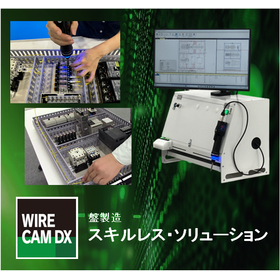
Enabling high-quality board manufacturing for everyone! Skill-less solution for board manufacturing.

The manufacturing support solution centered around the board manufacturing support system "WIRE CAM DX" enables high-quality board manufacturing for anyone.

The skill-less solution for panel manufacturing is a system that enables high-quality work even by inexperienced operators in the panel manufacturing process, which has traditionally required skilled workers. It allows for the inheritance of the "skills" of experienced technicians while facilitating the establishment of a digitalized manufacturing environment. 【Features】 ● Short-term implementation: Can utilize existing equipment for implementation, achieving a quick startup. ● Reduced lead time: By parallelizing preliminary setups through prior simulations, manufacturing periods are shortened. ● Skill inheritance: Reflects the know-how of skilled technicians in data, promoting the visualization of technology. ● Reduced difficulty: By digitizing work instructions from technicians, a process that does not require specific operators is realized. ● Accurate work assistance: The system processes tasks such as wiring and screw tightening, leading appropriate work. ● Quality assurance: Reduces quality variations by providing work instructions via PC, ensuring traceability of work and establishing an inspection-free environment. ● Centralized data management: Reuses panel manufacturing work as data. It can be utilized for maintenance such as modifications through the productivity of repeat items and information reuse.

  • Other CAD
  • Document and Data Management

Added to bookmarks

Bookmarks list

Bookmark has been removed

Bookmarks list

You can't add any more bookmarks

By registering as a member, you can increase the number of bookmarks you can save and organize them with labels.

Free membership registration

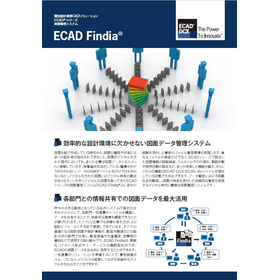
Drawing Management System "ECAD Findia"

Centralized management of numerous drawings! A drawing management system that significantly reduces management workload.

ECAD Findia is a system that stores drawing files and drawing information created with the electrical design CAD product 'ECAD' on a server, allowing for efficient management of drawing data. It addresses the efficient use of drawing data and risks such as revision errors through lifecycle management of drawings utilizing commands like check-in/check-out/approval, revision management of drawing files, and rapid file search capabilities. It can also be used in environments where the ECAD main application is not installed, facilitating smooth sharing of drawing information within the company. 【Features】 - Drawing storage and lifecycle management - Quick drawing search - Flexible access rights settings - Management of the latest versions For more details, please contact us or download the catalog.

  • Other CAD
  • Document and Data Management

Added to bookmarks

Bookmarks list

Bookmark has been removed

Bookmarks list

You can't add any more bookmarks

By registering as a member, you can increase the number of bookmarks you can save and organize them with labels.

Free membership registration

Streamlining Cabinet Procurement! ECAD-Cabista Collaboration System

Eliminate double entry of CAD and cabinet data by utilizing CAD drawing data! With ECAD for panel design, Nitto Kohki cabinet processing becomes easy and has a short delivery time.

You can directly upload the hole processing drawings created with the electrical design CAD 'ECAD DCX/' and 'ECAD dio' to Nitto Kohki's cabinet hole processing web ordering system 'Cabista'. Customers who have previously issued hole processing instructions on CAD and also on 'Cabista' will no longer need to duplicate data creation tasks. (1) Download cabinet data from Nitto Kohki's data download site 'N-TEC' (Can be downloaded without logging in from the ECAD link) *In the ECAD 2023 series, pre-download from N-TEC is not required due to new features. (2) Create cabinet hole processing drawings and output data in ECAD ■ Create outline drawings ■ Determine processing feasibility ■ Create hole processing drawings based on outline drawings ■ Output processing data (3) Upload the hole processing data created in ECAD to Nitto Kohki's cabinet hole processing drawing and web order system 'Cabista'. *For more details, please refer to the PDF materials or feel free to contact us.

  • 2D CAD Electrical
  • Other CAD related software

Added to bookmarks

Bookmarks list

Bookmark has been removed

Bookmarks list

You can't add any more bookmarks

By registering as a member, you can increase the number of bookmarks you can save and organize them with labels.

Free membership registration

Information about the ECAD Series Support Services

Rich parts library and comprehensive support system.

The dedicated CAD software for electrical design, "ECAD Series," offers a support service called 'Support Contract' to minimize the impact on your business from unforeseen accidents. By subscribing to this service, you will have access to comprehensive support services, including free provision of upgraded versions with added features and improved stability, an exclusive 'ECAD Customer Support Site' for ECAD users, training at special prices or for free, and free replacement of failure protectors and installation media. We recommend subscribing to the support contract to ensure you achieve the best results in the best environment.

  • 2D CAD Electrical
  • Other CAD related software

Added to bookmarks

Bookmarks list

Bookmark has been removed

Bookmarks list

You can't add any more bookmarks

By registering as a member, you can increase the number of bookmarks you can save and organize them with labels.

Free membership registration

Control Panel Manufacturing Work Style Reform Guidebook: Looking Ahead to 5 and 10 Years

Even if we understand the necessity of work style reform, what exactly should we do? Here are hints for work style reform in control panel manufacturing that we should tackle in the future, as seen in successful case studies!

We are currently offering a free guidebook for those considering reforming the way control panel manufacturing works, with an eye toward the next 5 to 10 years, to help you find starting points for your reforms! This digest version introduces general challenges in control panel manufacturing, points that can be resolved through standardization and labor-saving by utilizing IT, and examples of companies that have actively engaged in reforms and achieved results. [Contents] ■ Challenges faced by various panel manufacturers ■ Points that can be resolved by utilizing IT ■ Advanced examples of work style reform *For more details, please refer to the PDF document. Feel free to contact us with any inquiries.

  • Other FA equipment
  • Other CAD related software

Added to bookmarks

Bookmarks list

Bookmark has been removed

Bookmarks list

You can't add any more bookmarks

By registering as a member, you can increase the number of bookmarks you can save and organize them with labels.

Free membership registration

Starting Now! Control Panel Manufacturing Work Style Reform Guidebook [Design Edition]

Even if we understand the necessity of work style reform, what exactly should we do? Here are hints for work style reform in control panel manufacturing that we should tackle in the future, as seen in successful case studies!

We are currently offering a free guidebook for those considering reforming the way control panel manufacturing works, with an eye towards the next 5 to 10 years, to help you find the starting point for your reforms! In this design section, we introduce the challenges faced by the design department in control panel manufacturing, points that can be resolved through standardization and labor-saving by utilizing IT, and case studies of companies that have actively engaged in reforms and achieved results. [Contents] ■ Challenges faced by the design department ■ Points that can be resolved by utilizing IT ■ Integrated database-type CAD that will become mainstream in the future ■ Case studies of work style reforms in the design department ■ Features of electrical design CAD 'ECAD DCX' *For more details, please refer to the PDF document. Feel free to contact us with any inquiries.

  • 2D CAD Electrical
  • Other CAD related software

Added to bookmarks

Bookmarks list

Bookmark has been removed

Bookmarks list

You can't add any more bookmarks

By registering as a member, you can increase the number of bookmarks you can save and organize them with labels.

Free membership registration

Starting now! Control Panel Manufacturing Work Style Reform Guidebook [Procurement Edition]

Even if we understand the necessity of work style reform, what exactly should we do? Here are hints for work style reform in control panel manufacturing that we should tackle in the future, based on successful examples!

We are currently offering a free guidebook for those considering reforming the way control panel manufacturing works, looking ahead to 5 and 10 years from now, to help you find the starting point for your reforms! In this procurement edition, we introduce the challenges faced by the procurement department in control panel manufacturing, points that can be resolved through standardization and labor-saving by utilizing IT, and case studies of companies that have actively engaged in reforms and achieved results. [Contents] ■ Challenges faced by the procurement department ■ Points that can be resolved using IT ■ Integrated database-type CAD that will become mainstream in the future ■ Case studies of work style reforms in the procurement department ■ Features of the electrical design CAD 'ECAD DCX' *For more details, please refer to the PDF materials. Feel free to contact us as well.

  • 2D CAD Electrical
  • Other CAD related software

Added to bookmarks

Bookmarks list

Bookmark has been removed

Bookmarks list

You can't add any more bookmarks

By registering as a member, you can increase the number of bookmarks you can save and organize them with labels.

Free membership registration

Starting now! Control Panel Manufacturing Work Style Reform Guidebook [Manufacturing Edition]

Even if you understand the necessity of work style reform, what exactly should you do? Here are hints for work style reform in control panel manufacturing that you should focus on in the future, as seen in successful case studies!

We are currently offering a free guidebook for those considering reforming the work style in control panel manufacturing, looking ahead to 5 and 10 years from now, to help you find the starting point for your reforms! In this manufacturing edition, we introduce the challenges faced by the manufacturing department in control panel production, points that can be resolved through standardization and labor-saving by utilizing IT, and case studies of companies that have actually undertaken reforms and achieved results. [Contents] ■ Challenges faced by the manufacturing department ■ Points that can be resolved by utilizing IT ■ Data integration between integrated database-type CAD and the manufacturing department, which will become mainstream in the future ■ Case studies of work style reforms in the manufacturing department (1) and (2) ■ Features of the panel manufacturing support system 'WIRE CAM DX' *For more details, please refer to the PDF document. Feel free to contact us with any inquiries.

  • 2D CAD Electrical
  • Other CAD related software

Added to bookmarks

Bookmarks list

Bookmark has been removed

Bookmarks list

You can't add any more bookmarks

By registering as a member, you can increase the number of bookmarks you can save and organize them with labels.

Free membership registration

ECAD DCX Implementation Case Study <Takashima Engineering Co., Ltd.>

We will introduce examples of business efficiency improvements from design to procurement and manufacturing, as well as adaptations to changes during times of material shortages!

At Takashima Engineering Co., Ltd., a manufacturer of control panels/distribution boards, we will introduce the challenges faced until now and the points and effects that could be resolved through the introduction of the electrical design CAD 'ECAD DCX.' ■ Background of Introduction - The drawing methods were dependent on individuals due to individual design rules, leading to inconsistencies in the drawings. - When arranging hole-processing cabinets with Nitto Kohki's Cabista, it was necessary to create hole processing drawings again for ordering. - Since the arrangement of parts and processing data was done manually, it led to extra work and input errors or incorrect orders. ■ Reasons for Adopting ECAD DCX - The collaboration with Nitto Kohki's Cabista, which is integrated into the ECAD series, supported the introduction of ECAD DCX to improve collaboration and operational efficiency from design to subsequent processes. ■ Effects After Introduction - The construction and standardization of the parts master allowed for the sharing and accumulation of know-how, turning it into an asset. - Collaboration with Nitto Kohki's Cabista reduced man-hours and shortened the time until ordering. - Since parts lists and processing data can be output from the drawings, manual input work has been reduced, significantly decreasing the chances of incorrect orders. - Even when substituting with different parts due to material shortages, changes to related areas are automatically reflected in bulk, reducing the effort and mistakes in corrections.

  • Other CAD

Added to bookmarks

Bookmarks list

Bookmark has been removed

Bookmarks list

You can't add any more bookmarks

By registering as a member, you can increase the number of bookmarks you can save and organize them with labels.

Free membership registration

ECAD DCX Implementation Case Study <Nihon Eidenki Co., Ltd.>

Introducing a case where transitioning from general-purpose CAD has improved drawing quality and productivity, while also reducing stress for the staff!

We would like to introduce the issues that were challenges at Nichei Electric Co., Ltd., a manufacturer of control panels/distribution boards, and the points and effects that were resolved through the introduction of the electrical design CAD 'ECAD DCX.' ■ Background of Introduction - The previous general-purpose CAD required transcription to 100 pages = 100 files, resulting in a significant amount of work beyond design. - Although an add-on software for electrical design for general-purpose CAD was introduced, it was difficult to register the vast amount of component data on our own, leading to a lack of operational success. - Picking components from paper drawings took a whole day of work and resulted in many mistakes. ■ Reasons for Adopting ECAD DCX - After hearing from other companies at a seminar about how they achieved efficiency in panel manufacturing using ECAD, we decided to introduce ECAD DCX to reduce design workload, prevent mistakes, and enhance overall operational efficiency through production collaboration. ■ Effects After Introduction - We can now perform transcription, modifications, PDF output, and printing all at once, significantly reducing the workload outside of design. - The automatic creation of various reports has greatly reduced the workload and mistakes in component procurement. - With user-oriented support services for implementation, we were able to start using the system smoothly, improving drawing quality and productivity while reducing stress for the staff.

  • Other CAD

Added to bookmarks

Bookmarks list

Bookmark has been removed

Bookmarks list

You can't add any more bookmarks

By registering as a member, you can increase the number of bookmarks you can save and organize them with labels.

Free membership registration

ECAD DCX Implementation Case Study <Tomi Industrial Co., Ltd.>

Reduce drawing time by 20%! By automatically outputting parts list data from drawings, we can reduce ordering mistakes, and by outputting data for sheet metal processing, we can also reduce the man-hours required for processing.

With over 70 years of proven experience, Tomii Engineering Co., Ltd. is a manufacturer of distribution boards that currently handles cubicle-type distribution boards, control panels, distribution panels, terminal boards, and more. They have transitioned from general-purpose CAD to electrical design CAD 'ECAD'. 【Trigger for Introducing ECAD DCX】 For 25 years, they had been using a customized general-purpose CAD, but they considered changing systems at the time of the end of development and support. The decrease in skilled technicians and the need for recovery through increased productivity were also factors. 【Deciding Factor for Introducing ECAD DCX】 Among several systems, the expectation of reducing design errors through an integrated database and the fact that many other panel manufacturers in the same industry had successfully implemented it were the key reasons for adoption. 【Effects of Introducing ECAD DCX】 ■ By creating design procedure manuals, all designers acquired skills in a short period. ■ The quality of drawings improved due to the integrated database. ■ The establishment of a unique parts master achieved a reduction in man-hours, a decrease in errors, and leveling of workloads.

  • 2D CAD Electrical

Added to bookmarks

Bookmarks list

Bookmark has been removed

Bookmarks list

You can't add any more bookmarks

By registering as a member, you can increase the number of bookmarks you can save and organize them with labels.

Free membership registration

ECAD DCX Implementation Case Study <Mitsuba Manufacturing Co., Ltd.>

Introducing a case where the transition from ECAD dio to ECAD DCX was completed within six months, along with the establishment of an operational system that improved productivity and reduced workload!

We will introduce the challenges faced by Mitsuba Seisakusho Co., Ltd., a manufacturer of extrusion molding machines and wire coating devices, and the points and effects that were resolved through the introduction of the electrical design CAD 'ECAD DCX.' ■ Background of Introduction - Designed about 150 control panels for in-house products such as rubber extruders and wire coating devices annually. - There was a need to improve the efficiency and labor-saving of design work and enhance quality. - A situation arose where flexible and speedy responses to specification changes were required. ■ Reasons for Adopting ECAD DCX - Although CAD for the machines and devices in use was considered, ECAD DCX was adopted for its rich specialized functions, inheriting the operability of the previously used ECAD dio in electrical design, as well as its actual usability, parts management functions, and integration with sheet metal processing machines. - It was determined that a rapid establishment of the design environment was necessary for improving the quality, reliability, and cost performance of in-house products, and startup support services were also utilized. ■ Effects After Introduction - The rich features that enhance efficiency and prevent mistakes have improved the productivity and quality of design. - Standardization of drawings and reduction of maintenance man-hours have been achieved. - Various functions, such as creating parts lists, have been utilized, reducing the workload of designers.

  • Other CAD

Added to bookmarks

Bookmarks list

Bookmark has been removed

Bookmarks list

You can't add any more bookmarks

By registering as a member, you can increase the number of bookmarks you can save and organize them with labels.

Free membership registration

ECAD DCX Implementation Case Study <Daiichi Seidenki Co., Ltd.>

Reduction of lead time through improvement of drawing quality and efficiency of design work.

At Daiichi Seidenki Co., Ltd., there were processes that involved human intervention, such as the creation of parts lists and layout diagrams, as well as visual checks of circuit diagrams. In such tasks, simple errors like data entry mistakes and oversight in checks inevitably occurred. As a result, a significant amount of time was spent on checking data and drawings. The electrical design CAD 'ECAD DCX' is a CAD solution specifically for electrical design that utilizes a database, allowing for the creation of circuit diagrams and arrangement/manufacturing data based on centrally managed component information. Furthermore, when information is updated, it is reflected in related items, eliminating simple mistakes such as incorrect data entry or transcription errors. This significantly reduces the man-hours previously required for creating and updating arrangement/manufacturing data, which has been recognized as a benefit. 【Implementation Effects】 - Improved drawing quality - Reduced checking man-hours by half - Dramatically decreased man-hours for creating arrangement/manufacturing data - Reduced rework and manufacturing losses For more details, please contact us or download the catalog.

  • Other CAD

Added to bookmarks

Bookmarks list

Bookmark has been removed

Bookmarks list

You can't add any more bookmarks

By registering as a member, you can increase the number of bookmarks you can save and organize them with labels.

Free membership registration

ECAD Implementation Case Study <Aiden Co., Ltd.>

Achieving innovation through IWS (I-DEN Wiring Solution) with wiring measurement functionality.

In the past, manufacturing sites used boards with nail wiring for wiring measurement and processed electrical wires. Additionally, wiring information was created on-site from drawings, and experienced workers were essential for the tasks. Moreover, when mistakes in the drawings were found on-site, it led to rework after correcting the drawings, significantly impacting delivery times. However, after the introduction of this product, verification of drawings, measurement, and consideration of wiring routes can now be done in advance on a PC, eliminating mistakes on-site. What surprised us after the implementation was that even workers who joined this year could perform wiring for control panels without being able to interpret circuit diagrams. The combination of this product and the Wiring Monitor (a monitor equipped with touch functionality) has proven that anyone can perform tasks in a short time while ensuring a certain level of quality. 【Implementation Effects】 ○ Reduced mistakes on-site and achieved shorter delivery times ○ Non-skilled workers can perform wiring for control panels while ensuring a certain level of quality *For more details, please refer to the PDF document or feel free to contact us.

  • Other CAD

Added to bookmarks

Bookmarks list

Bookmark has been removed

Bookmarks list

You can't add any more bookmarks

By registering as a member, you can increase the number of bookmarks you can save and organize them with labels.

Free membership registration

ECAD Implementation Case Study <Omori Machinery Industry Co., Ltd.>

Successfully standardized the process from design to procurement!

In selecting the introduction of the electrical design CAD 'ECAD dio', not only was the electrical design CAD considered, but also the current challenges in electrical design were examined simultaneously. ECAD dio was highly praised for its ease of use and the advantage of automatically placing registered components. Additionally, with the goal of creating a "system that can be used in 10 years," the system was evaluated, resulting in proposals for ECAD that meet requirements such as "any designer can design with the same quality and within the same time," "managing drawing numbers, which had been done individually and on paper, through data for sharing and paperless operations," and "integrating with core systems for drawing number management and cost management." As a result, we adopted 20 licenses of ECAD dio along with implementation support services and program development support. [Implementation Results] - Standardization of design to unify the drawing methods across the company - Creation and internal dissemination of a unique "design procedure manual" - Consistent systemization from design to procurement - Reduction of working hours - Cost management of electrical design For more details, please contact us or download the catalog.

  • 2D CAD Electrical

Added to bookmarks

Bookmarks list

Bookmark has been removed

Bookmarks list

You can't add any more bookmarks

By registering as a member, you can increase the number of bookmarks you can save and organize them with labels.

Free membership registration
Prev 1 Next
  • 【イプロス初主催】AIを活用したリアル展示会!出展社募集中

    【イプロス初主催】AIを活用したリアル展示会!出展社募集中

  • 首都圏最大級の工業技術・製品の総合見本市 テクニカルショウヨコハマ2026 第47回 工業技術見本市 時代をひらく新たな技術 2026年2/4(水)・5(木)・6(金) 10:00-17:00 来場者募集中
  • 展示会に出展したいけど準備が大変 展示会の情報をまとめて知りたい そんな展示会のお悩み 展サポ(R)で解決! ブース装飾で実績豊富 展示会情報を多数掲載 出展前~後まで支援
    • Contact this company

      Contact Us Online

    Products

    • Search for Products

    Company

    • Search for Companies

    Special Features

    • Special Features

    Ranking

    • Overall Products Ranking
    • Overall Company Ranking

    support

    • site map
    IPROS
    • privacy policy Regarding external transmission of information
    • terms of service
    • About Us
    • Careers
    • Advertising
    COPYRIGHT © 2001-2026 IPROS CORPORATION ALL RIGHTS RESERVED.
    Please note that the English text on this page is automatically translated and may contain inaccuracies.