Achieve the desired smoothness with ThinkDesign! Tips for optimizing modeling with 'degree' settings.
T3Japan
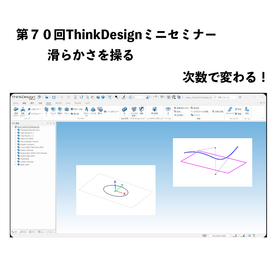
Welcome to the 70th ThinkDesign Mini Seminar! This time, we will thoroughly explain the essential concept of "degree," which is crucial for achieving high-quality modeling.
In ThinkDesign, when creating curves and surfaces, there are many instances where you are required to specify "degree, continuity, and number of segments" within the commands. Are you setting these values based on a vague intuition? In fact, these numbers are the key determinants of the "beauty" and "usability" of the elements.
In this video, we will particularly focus on "degree" and introduce it to you!
- How does changing the degree affect the curve?
- The relationship with control points and the underlying calculations
- How to choose the appropriate degree that is useful in practice
We will clearly explain these points again. By correctly understanding the meaning of degree, you will be able to create smooth surfaces without any bumps and develop smart data that is resilient to modifications. This content is a must-see for those who want to acquire a higher level of modeling skills.
Please watch until the end and utilize it to improve the quality of your daily design workflow!
Inquiry about this news
Contact Us OnlineMore Details & Registration
Details & Registration
Related Links
There are many introduction videos for ThinkDesign.
Distributors