We have compiled a list of manufacturers, distributors, product information, reference prices, and rankings for CAD.
ipros is IPROS GMS IPROS One of the largest technical database sites in Japan that collects information on.

CAD(図面) - List of Manufacturers, Suppliers, Companies and Products | IPROS GMS

Last Updated: Aggregation Period:Mar 18, 2026~Apr 14, 2026
This ranking is based on the number of page views on our site.

CAD Product List

151~180 item / All 210 items

Displayed results

[BIM Software Implementation Case] Pepper Tree Quarry

Conducted 3D laser scanning and integrated it as a point cloud on the reconstructed Tekla model!

In 2013, Sandvik received a project from their client Boral for a quarry located in Pepper Tree. The factory, located in Sydney, Australia, is equipped with six crushers, nine screening machines (vibrating screens), a conveyor belt approximately 3.4 km long, and a fully automated loading system. This project was one of the more complex ones undertaken by the company. The main challenge was integrating the complex new equipment into the existing factory, which had not been designed for it, and not all existing blueprints were available. By importing from other applications, utilizing past Tekla models, and performing rough modeling of the remaining parts, a complete three-dimensional model of the factory was reconstructed in "Tekla Structure" using the existing model and drawing information. Scanning the existing factory with Trimble's 3D laser scanner made it possible to compare the model with the actual factory, serving as the foundation for the design of the new equipment. *For more details, please feel free to contact us. ⇩ The catalog can be downloaded from the special website below ⇩

  • 3D CAD
  • antenna
  • 2D CAD Construction
  • CAD

Added to bookmarks

Bookmarks list

Bookmark has been removed

Bookmarks list

You can't add any more bookmarks

By registering as a member, you can increase the number of bookmarks you can save and organize them with labels.

Free membership registration

ThinkDesign 【3D CAD with excellent freeform surface capabilities】

Achieving high-quality reverse engineering through full hybrid modeling.

"ThinkDesign" is a hybrid 3D CAD that allows designers to create 3D models exactly as they envision. With the innovative design approach "Target-Driven Design," users can create freeform 3D models without complex operations or mathematical knowledge. The hybrid 3D modeling environment that merges surfaces and solids is exceptionally effective for creating and editing product shapes. ThinkDesign is utilized for various applications, including the creation of high-quality curved 3D models, generating CAD models from scan data, deforming 3D models that include meshes, automatic deformation prediction for press molds, and countermeasures for springback.

  • Other CAD
  • 3D CAD
  • CAD

Added to bookmarks

Bookmarks list

Bookmark has been removed

Bookmarks list

You can't add any more bookmarks

By registering as a member, you can increase the number of bookmarks you can save and organize them with labels.

Free membership registration

Mid-range 3D CAD for mechanical design 'IRONCAD'

3D CAD suitable for mechanical design of devices and jigs.

"IronCAD" is a 3D CAD that boasts exceptional operability. With unique features such as drag-and-drop from the "catalog" and the constraint-free placement tool "TriBall," quick modeling is possible. It allows for treating parts and assemblies the same, making it suitable for conceptual design and enabling ideas to be quickly realized. Its simplicity means that it doesn't take long to learn. In mechanical design for devices and jigs, it enables a significant speed-up in design and a substantial reduction in man-hours. <IronCAD's 7 Strengths> ● Feature-based direct modeling ● No constraints needed for assembly work ● Easy top-down design ● Smooth handling of large assemblies ● High data compatibility ● Editable intermediate files ● Equipped with DWG-compatible 2D CAD

Added to bookmarks

Bookmarks list

Bookmark has been removed

Bookmarks list

You can't add any more bookmarks

By registering as a member, you can increase the number of bookmarks you can save and organize them with labels.

Free membership registration

[BIM Software Implementation Case Study] Subway Extension Line Ranchi Metro

Effectively utilized in various situations! Case study of implementation in one of Finland's largest infrastructure projects.

The Länsimetro is a subway line that connects the city of Helsinki with the neighboring city of Espoo. The construction of eight new stations, each with its own unique characteristics, has enabled passengers to travel using the subway. To realize this large-scale project, the engineering company A-Insinoorit began the design work in 2009. It was clear from the outset that BIM was necessary to manage the construction of the underground stations, which have various aspects. Multiple CAD programs were used for design and equipment planning, but structural design was fully implemented using "Tekla Structures." 【Case Overview】 ■ Implementation Site: Subway Extension Line Länsimetro (One of the largest infrastructure projects in Finland) ■ Implemented Product: Tekla Structures *For more details, please refer to the PDF materials or feel free to contact us. (If the PDF button is not displayed) ⇩The catalog can be downloaded from the special site below⇩

  • 2D CAD Construction
  • 3D CAD
  • Modeler
  • CAD

Added to bookmarks

Bookmarks list

Bookmark has been removed

Bookmarks list

You can't add any more bookmarks

By registering as a member, you can increase the number of bookmarks you can save and organize them with labels.

Free membership registration

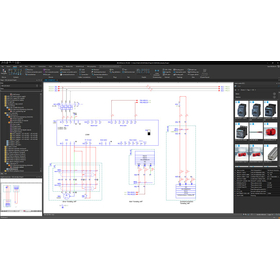
Solve the troubles of electrical designers! "Beginner's Webinar on CAD for Electrical Design"

What improvements in design operations can be achieved by introducing CAD for electrical design? We will answer such questions! Here’s an introduction using "ACAD-DENKI" as an example.

We will hold a webinar titled "Introduction to CAD for Electrical Design" to solve the problems faced by electrical designers. Dear electrical designers, "Checking drawings is done on paper. It takes time and is prone to errors..." "The way drawings are created varies by person in charge. There is a lack of consistency, which increases the effort needed for corrections..." "I manually extract parts. Ordering mistakes happen frequently..." Do you have any such challenges or concerns? This webinar will provide clear answers to the question, "What improvements in design operations can be achieved by introducing CAD for electrical design?" [Overview] ■ Date and Time: Please check this page for the next schedule. https://www.alfatech.jp/seminar/acad-denki_webinar.html ■ Method: Online via Zoom ■ Participation Fee: Free (Pre-registration required) ■ Capacity: 20 participants ■ Registration Deadline: Three days before the event date (Please note that registration may close before the deadline if capacity is reached) *For more details, please refer to the related links or feel free to contact us.

  • Other CAD
  • 2D CAD Electrical
  • CAD

Added to bookmarks

Bookmarks list

Bookmark has been removed

Bookmarks list

You can't add any more bookmarks

By registering as a member, you can increase the number of bookmarks you can save and organize them with labels.

Free membership registration

3D Design CAD System Solid Edge

History modeling and direct modeling: Merging the strengths of both. Solid Edge Synchronous Technology.

Solid Edge is a mid-range 3D CAD system developed and provided by Siemens PLM Software, a leading company in the PLM (Product Lifecycle Management) software industry, achieving top-class operability. With its unique synchronous technology that combines parametric modeling and intuitive editing, it supports efficient design work in all design scenarios. By using Solid Edge's modeling/assembly tools, a wide range of products can be easily developed, from single parts to assemblies composed of thousands of components. 【Key Points for Choosing Solid Edge】 ■ Solid Edge can be implemented and launched in a short period of time ■ Solid Edge operates at a low cost ■ Intuitive operation allows anyone to use it (Solid Edge ST) ■ Features focused on design ○ Tools to support the transition from 2D to 3D ○ Support for large assemblies ○ Tools specifically for sheet metal and drawings ○ Highly reliable analysis (NX Nastran) ■ Scalable design data management product suite

  • Company:TAC
  • Price:Other
  • 3D CAD
  • CAD

Added to bookmarks

Bookmarks list

Bookmark has been removed

Bookmarks list

You can't add any more bookmarks

By registering as a member, you can increase the number of bookmarks you can save and organize them with labels.

Free membership registration

BIM/CIM compatible road design 3D CAD "STRAXcube"

Supports BIM/CIM and i-Construction! A total system for design considerations in road and civil engineering.

■Differences from General-purpose CAD The working time is overwhelmingly different. Let's have the system write the polylines instead of humans! This is a tool that elevates road design engineers to a higher level of professional engineering. ■Usage Record It is implemented in 30% of the top 30 construction consulting companies in the road sector (as of 2023). ■Initiatives for BIM/CIM Registered as certified software by the general incorporated association OCF, which promotes BIM/CIM and construction DX. ■Applications that make up STRAXcube - Map3D [Map Editing] - Alignment [Alignment Design] - Planner [Route Selection, Plan Design, Layout] - Judan [Longitudinal Design, Longitudinal Diagram] - Oudan [Cross-sectional Design, Cross-sectional Diagram] - Drive [Driving Simulation] This is an all-in-one original 3D CAD that incorporates terrain data, designs road alignments, and creates plan diagrams, longitudinal diagrams, cross-sectional diagrams, and various calculation reports. It has strong design capabilities, featuring automatic cut-and-fill calculations for plans and cross-sections, automatic intersection design, automatic reflection of various adjustments, and bulk creation of multiple cross-sections—all functions that road design engineers and operators have been eagerly awaiting.

  • 3D CAD
  • CAD

Added to bookmarks

Bookmarks list

Bookmark has been removed

Bookmarks list

You can't add any more bookmarks

By registering as a member, you can increase the number of bookmarks you can save and organize them with labels.

Free membership registration

[BIM Software Implementation Case Study] Lamprell Company (Marine Structures)

Significant improvement in the efficiency of the structural design department! Introducing the case of Lamprell, which achieved high precision.

Lamprell, a company engaged in the engineering of marine structures, chose "Tekla Structures" with a good understanding of the speed, accuracy, consistency of detailed design, and the interference checking function between steel components, as well as the benefits of visualization. Initially, there were some doubts about the plan to use Tekla software for the fabrication of the barge, but considering the accuracy of the software, it was unanimously decided that utilizing 3D modeling would be the better approach. The modeled barge was able to extract various detailed information, such as platforms and handrails, within approximately 4 to 5 months. The team has a strong trust in the support system of this product and expresses great satisfaction with the ease of managing documentation on the software and the functionality for keeping records of drawing changes. *For more details, please refer to the PDF materials or feel free to contact us. (If the PDF button is not displayed) ⇩The catalog can be downloaded from the special website below⇩

  • Other CAD related software
  • 2D CAD Construction
  • Modeler
  • CAD

Added to bookmarks

Bookmarks list

Bookmark has been removed

Bookmarks list

You can't add any more bookmarks

By registering as a member, you can increase the number of bookmarks you can save and organize them with labels.

Free membership registration

Architectural BIM Software Archicad Collaborate

With an Archicad subscription, you can use BIMcloud and BIMx Pro without limits! All-in-one BIM software.

Archicad Collaborate is a subscription service that packages the BIM software "Archicad," the BIM cloud service "BIMcloud," and the viewer app "BIMx." It reduces initial costs, allows for the utilization of BIM workflows, and offers flexible contract periods that can be chosen annually or monthly. Users can always access the latest version of Archicad, enabling real-time data sharing, smooth consensus building, and efficient design operations, thereby supporting the success of design projects. Additionally, it comes with a comprehensive support service called "Forward." **Benefits of Archicad Collaborate** - Reduces initial investment! - Licenses can be purchased only as needed during busy times! - Always has access to the latest version! - Comes with extensive support services! - Special prices for training programs such as BIM Classes!

  • Other CAD related software
  • CAD

Added to bookmarks

Bookmarks list

Bookmark has been removed

Bookmarks list

You can't add any more bookmarks

By registering as a member, you can increase the number of bookmarks you can save and organize them with labels.

Free membership registration

[BIM Software Implementation Case] Concentrated Solar Power Plant

The main steel structure consists of 16 columns! It is supported by three main platforms!

SteelPro 4 s.r.o. undertook the basic design, general layout creation, and modeling of all connections for a steel structure 3D model of a solar receiver (MSR) with a total weight of approximately 900 tons and a height of 36 meters. The main steel structure will be completed, including secondary structures such as platforms, various walkways, and supports for equipment. Appropriate solutions were required to resolve technical space requirements and interference with the structure. A significant reason for the success of this project was the sharing of the 3D model among members of different professions, which not only allowed for progress tracking but also enabled close collaboration among stakeholders. Additionally, the structure was divided into production units in line with the delivery schedule, and the 3D model was provided to steel trading companies and steel fabricators. This made it possible to create drawings both at the manufacturing plant and on-site. *For more details, please refer to the PDF materials or feel free to contact us. (If the PDF button is not displayed) ⇩ The catalog can be downloaded from the special site below ⇩

  • 3D CAD
  • antenna
  • 2D CAD Construction
  • CAD

Added to bookmarks

Bookmarks list

Bookmark has been removed

Bookmarks list

You can't add any more bookmarks

By registering as a member, you can increase the number of bookmarks you can save and organize them with labels.

Free membership registration

Easy integration of assembly drawings and parts files 3DCAD VariCAD

Reduction of work time through the integration of assembly drawings and parts files 3D CAD VariCAD

Features of 3D CAD VariCAD - Easily create links between assembly part files and part files, allowing edits made in the part files to be reflected in the assembly part drawings. - If there are changes in the design, it can be updated to the latest state immediately, reducing work time. - In the assembly part files, it is easy to check for interference between parts. In addition to assembly functions, VariCAD includes various basic tools such as BOM creation, sheet metal unfolding, and mechanical component calculation functions, all available at a low price starting from around 130,000 yen including one year of support. Furthermore, Ipros members who download the catalog can receive a discount coupon of 5,000 yen. *Download the 30-day free trial version here: https://varicad.add-soft.jp/download/

  • 部品.png
  • 3D CAD
  • 2D CAD machine
  • CAD

Added to bookmarks

Bookmarks list

Bookmark has been removed

Bookmarks list

You can't add any more bookmarks

By registering as a member, you can increase the number of bookmarks you can save and organize them with labels.

Free membership registration

Designer: CAD for creating manufacturing data

The designer specializes in production design CAD, enhancing CAM operability.

You can intuitively operate various modeling functions from solid, surface, and 2D to 3D, create 2D drawings, and perform shape analysis using various analysis commands. Additionally, it offers various modules for surfaces, electrodes, and reverse engineering, as well as a link to Hexagon CAM software, making it a highly versatile CAD. 【Coexistence of Direct Modeling and Parametric Modeling】

  • 2D CAD machine
  • 3D CAD
  • CAD

Added to bookmarks

Bookmarks list

Bookmark has been removed

Bookmarks list

You can't add any more bookmarks

By registering as a member, you can increase the number of bookmarks you can save and organize them with labels.

Free membership registration

[User Case] Implementation of Wiring Support System Achieves Efficiency

Effects of Introducing the Wiring Support System: Shortened delivery times! Improved quality! Cost reduction! We will introduce examples of increased efficiency!

**Client** Manufacturer of distribution boards/control panels/automation panels: Company N **Background of the Wiring Support System Implementation** The company primarily engaged in the design and manufacturing of control panels for its parent company, but in pursuit of future business expansion, it began to manufacture distribution boards and control panels from other companies. However, since it was a latecomer in this field, competitiveness became a challenge. The management requested improvements focused on "efficiency and cost reduction in the processes from design to manufacturing," leading the design group to spend considerable time gathering information while going through trial and error. During this time, they participated in a seminar introducing the wiring support system hosted by Alpha Tech, and upon realizing the potential for significant benefits if successful, they decided to implement it. **Reasons for Choosing the Wiring Support System** - The manufacturer of the electrical control CAD had many years of experience and a proven track record in development, sales, and support. - Through in-house verification before implementation, they identified the potential for a system that could achieve efficiency from design to manufacturing. - A consistent support system was prepared from design to manufacturing operations, providing accurate support from the pre-implementation stage.

Added to bookmarks

Bookmarks list

Bookmark has been removed

Bookmarks list

You can't add any more bookmarks

By registering as a member, you can increase the number of bookmarks you can save and organize them with labels.

Free membership registration

What is CAD specifically for electrical design?

Answers to questions during the introduction consideration!

In creating circuit diagrams for control panels and distribution boards, introducing "Electrical CAD," which is specialized for electrical design, is highly efficient. This article explains the basic information about electrical design CAD and answers common questions when considering its implementation. Please check the full text via the related link URL. Table of Contents 1. What is Electrical Design CAD? 2. Functions of Electrical Design CAD 3. Benefits of Electrical Design CAD - Connecting circuit diagram creation to document creation - Supporting 3D layout design - Integration with PLM - Achieving manufacturing collaboration 4. Background of the Demand for Electrical Design CAD 5. Differences Between Electrical Design CAD and General-purpose CAD 6. Q&A When Considering the Introduction of Electrical Design CAD - Q. How to choose Electrical Design CAD? - Q. What is the difference between free software and paid software? - Q. Standard functions or customization? - Q. How much efficiency can be achieved by introducing Electrical Design CAD? - Q. What to do with past electrical design data when switching Electrical Design CAD? 7. For Efficiency in Electrical Design, Eplan

  • Company:EPLAN
  • Price:Other
  • 3D CAD
  • CAD

Added to bookmarks

Bookmarks list

Bookmark has been removed

Bookmarks list

You can't add any more bookmarks

By registering as a member, you can increase the number of bookmarks you can save and organize them with labels.

Free membership registration

Utilizing rendering features for presentations: 3D CAD "VariCAD"

Utilizing CAD data in presentation materials with rendering features 3DCAD "VariCAD"

Features of 3D CAD VariCAD - It has an extensive rendering function, allowing for settings such as light positioning, smoothness of spheres, surface reflectivity, and perspective. - The rendered 3D view can be output in image file formats such as PNG or JPG. It can be easily incorporated into presentation software, enabling a more realistic conveyance of the product image to customers and business partners through the rendering function. In addition to the rendering function, VariCAD includes various basic tools such as BOM creation, sheet metal unfolding, calculations for mechanical parts, and assembly functions, all at a low price starting from around 130,000 yen including one year of support. Furthermore, for Ipros members who download the catalog, we are currently offering a discount coupon of 5,000 yen. *Download the 30-day free trial version here: https://varicad.add-soft.jp/download/

  • rendering2.png
  • 3D CAD
  • 2D CAD machine
  • CAD

Added to bookmarks

Bookmarks list

Bookmark has been removed

Bookmarks list

You can't add any more bookmarks

By registering as a member, you can increase the number of bookmarks you can save and organize them with labels.

Free membership registration

Komatsu NTC Co., Ltd. 【iCAD】3D CAD Implementation Case Study

Thoroughly analyze the hidden issues in design engineering and significantly reduce design man-hours and lead time in three steps!

We will introduce a case study of business improvement using the specialized 3D CAD "iCAD SX" for mechanical design. At Komatsu NTC Corporation, the design process of transfer machines was thoroughly analyzed, and it was identified that the dedicated design of some modules was a major cause of increased man-hours. (There were covers of both 1500mm and 1510mm.) In order to standardize and regulate the components that require dedicated design, the company decided to transition to 3D design and utilized "iCAD SX," which has lightweight data and easy modifications. In addition to successfully halving the lead time for module design, they have further reduced design man-hours by establishing an automatic drawing system for tooling diagrams. [Main Effects of Implementation] - By converting each part drawing to 3D and standardizing and regulating components, lead time was halved. - The 3D conversion of piping design reduced the total man-hours for piping design and manufacturing by nearly 30%. [Download Materials] - Currently available for limited access on the special site. Please click the link below. ▼▼▼ Download from here ▼▼▼

Added to bookmarks

Bookmarks list

Bookmark has been removed

Bookmarks list

You can't add any more bookmarks

By registering as a member, you can increase the number of bookmarks you can save and organize them with labels.

Free membership registration

Rome Co., Ltd. [3D CAD Implementation Case] i CAD SX

Improve the development speed of semiconductor component manufacturing lines! Achieve quality enhancement with 3D CAD.

We would like to introduce a case study of business improvement using the 3D CAD specialized in mechanical design, "iCAD SX." At "Rohm Co., Ltd.," they have been internalizing semiconductor manufacturing equipment and have been working for many years to transition to 3D design in order to reduce interference and assembly issues. After careful consideration, they initially introduced a 3D CAD but abandoned its operation. They pointed out issues such as the difficulty in handling models due to strict rules when attempting team design, and that it took over 30 minutes to display files for 2,000 parts. Seeking "flexible team design" and "operability and speed akin to drawing with a pencil on paper," they selected "iCAD SX" and successfully improved business efficiency through 3D design. 【Main Effects of Implementation】 - Streamlining of upstream design processes and reduction of design development time - Activation of design reviews with related departments due to improved visibility of drawings - Interference suppression and reduction of man-hours through motion simulation of 6-axis robots 【Download Materials】 - Currently available for limited access on the special website. Please click the link below.    ▼▼▼ Click here ▼▼▼

Added to bookmarks

Bookmarks list

Bookmark has been removed

Bookmarks list

You can't add any more bookmarks

By registering as a member, you can increase the number of bookmarks you can save and organize them with labels.

Free membership registration

Mechanical Design Division

Designing dedicated machines and transport equipment for improving productivity and reducing costs, as well as semi-automatic small devices and jig improvements to accommodate small quantities and a variety of products.

To meet the diverse needs of modern times, we are advancing our efforts in new technologies. However, there are specific design rules unique to our customers, so it may take some time to learn them. This is to ensure smooth business operations and to eliminate unnecessary revisions to drawings. We kindly ask for your understanding as needed. By progressing our work more quickly and accurately, we believe we can reduce costs for our customers and are committed to being of service to them through our daily efforts.

  • 3D CAD
  • 2D CAD machine
  • 3D Printer
  • CAD

Added to bookmarks

Bookmarks list

Bookmark has been removed

Bookmarks list

You can't add any more bookmarks

By registering as a member, you can increase the number of bookmarks you can save and organize them with labels.

Free membership registration

Easy measurement of volume/mass with automatic calculation function 3DCAD VariCAD

Easily measure volume and mass with the automatic calculation feature of 3DCAD VariCAD.

Features of 3D CAD VariCAD - Automatically calculates volume, mass, surface area, and center of gravity with the push of a button. - Easily measure by defining materials and assigning material (mass density) to solids with just a click of a button. - Measurement results can be easily set as attribute values of solids and utilized for BOM creation. - It is possible to measure the entire assembly or only selected components. - In 2D, there are dimension calculation functions for springs, spline shafts, gears, and shafts. In addition to weight and volume calculation functions, VariCAD is equipped with various basic tools such as BOM creation, sheet metal unfolding, mechanical component calculation functions, and assembly functions, all at a low price starting from around 130,000 yen including tax with one year of support. Furthermore, for Ipros members who download the catalog, we are currently offering a 5,000 yen discount coupon. *Download the 30-day free trial version here: https://varicad.add-soft.jp/download/

  • rendering2.png
  • 2D CAD machine
  • 3D CAD
  • CAD

Added to bookmarks

Bookmarks list

Bookmark has been removed

Bookmarks list

You can't add any more bookmarks

By registering as a member, you can increase the number of bookmarks you can save and organize them with labels.

Free membership registration

High functionality and low price! Circuit diagram/PCB design tool "Quadcept"

Next-generation cloud-based electronic CAD system Quadcept, which integrates EDA solutions and the cloud.

Quadcept Inc. is on a mission to gather the voices of users around the world in the EDA industry, prioritize their wishes, and provide a cloud-based electronic CAD that grows together with our customers. Based on feedback from many designers, we developed Quadcept. Quadcept offers a high-performance schematic editor and PCB design CAD with no initial costs. It is an innovative CAD software that continues to evolve based on user feedback. Customization is easy, and we provide real-time support through an open user forum. Additionally, to continuously achieve corporate innovation within the development environment, we swiftly absorb customer requests and provide the highest quality service to meet our customers' business needs through rapid deployment of solutions.

  • Company:Quadcept
  • Price:Less than 10,000 yen
  • Other CAD
  • others
  • CAD

Added to bookmarks

Bookmarks list

Bookmark has been removed

Bookmarks list

You can't add any more bookmarks

By registering as a member, you can increase the number of bookmarks you can save and organize them with labels.

Free membership registration

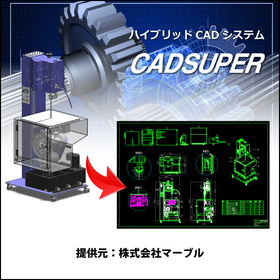
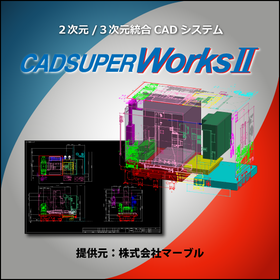
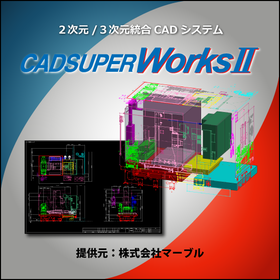
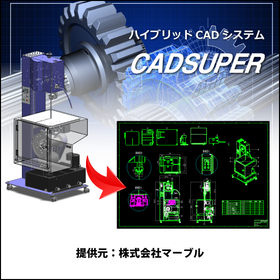
CADSUPER for Mold Manufacturing

Create value-added drawings with barcodes for product management! CADSUPER

In the mold manufacturing industry, accuracy in drawings and efficient management are essential. Particularly in the design of molds with complex shapes and dimensions, creating error-free drawings and managing drawing versions are crucial. Mistakes in drawings can lead to a decline in product quality, rework, and increased costs. CADSUPER is a domestic hybrid 2D CAD system that supports 3D data, providing intuitive drawing operations and data conversion functions for accurate drawing creation. Drawing management is also possible with the optional barcode command. 【Usage Scenarios】 - Creation of mold design drawings - Version management of drawings - Integration with other data formats - Response to design changes 【Benefits of Implementation】 - Reduction in drawing creation time - Decrease in design errors - Streamlining of drawing management - Cost reduction

Added to bookmarks

Bookmarks list

Bookmark has been removed

Bookmarks list

You can't add any more bookmarks

By registering as a member, you can increase the number of bookmarks you can save and organize them with labels.

Free membership registration

Feature: "Reasons Why ACAD-DENKI is Chosen"

What are the attractions of electrical CAD widely used in the electric manufacturing industry!?

■How does it compare to other companies' electrical CAD? 1. It is the No. 1 electrical CAD in Japan based on .dwg. 2. It is a user-oriented electrical CAD that reflects customer requests in the next version. 3. Staff with knowledge of electrical design provide early launch support and comprehensive assistance. 4. It is an electrical CAD that can flexibly accommodate customization. ■What is the difference between general-purpose CAD and ACAD-DENKI? 【In the case of general-purpose CAD】 1. General-purpose CAD takes time to create drawings. 2. General-purpose CAD cannot reuse data. 3. Necessary information cannot be extracted from general-purpose CAD. 4. All drawing checks are done visually with general-purpose CAD. 【In the case of ACAD-DENKI】 1. Efficiently creates drawings using electrical-specific commands. 2. Eliminates waste during drawing creation with commands that support reuse design. 3. Extracts information from drawings and automatically creates parts lists and From-To lists. 4. Automatically checks multiple drawings.

  • 2D CAD Electrical
  • CAD

Added to bookmarks

Bookmarks list

Bookmark has been removed

Bookmarks list

You can't add any more bookmarks

By registering as a member, you can increase the number of bookmarks you can save and organize them with labels.

Free membership registration

[Permanent License + Usable Paper Drawings] Domestic General-purpose 2D Electrical CAD

[OCF Certification Passed] Speed up the creation of finished drawings from construction drawings with easy operations that feel like handwriting! *Demo available.

DynaCAD Electric is a system designed to shorten the working hours for creating drawings in electrical equipment construction and improve operational efficiency. It thoroughly addresses the confusion and hassle of traditional CAD operations, providing an easy-to-use environment that even beginners can quickly adapt to. *DynaCAD Electric is an enhancement to DynaCAD, a 2D general-purpose CAD application, which reduces the time required for drawing creation and application form preparation in electrical equipment construction, thereby improving operational efficiency.* <Features> - Creation of CALS/EC electronic delivery drawings - View drawings from the site or on business trips via a web browser - Real-time utilization of images from the site - Use of paper drawings provided by clients

  • Other CAD
  • CAD

Added to bookmarks

Bookmarks list

Bookmark has been removed

Bookmarks list

You can't add any more bookmarks

By registering as a member, you can increase the number of bookmarks you can save and organize them with labels.

Free membership registration

Integrated CAD System 'SchemELECT' *for electrical control design

<CAD Systems Chosen by Professionals> Flexibly respond to tasks arising from frequent changes in electrical control system design and more! *Implemented in over 20 countries worldwide.

"SchemELECT" is a high-performance electrical design CAD system that has been expanding its achievements in various fields such as industrial equipment and plant engineering, and is also used by professional electrical designers. It has been implemented in over 20 countries worldwide. As basic functions, it includes 2D drawing capabilities, drawing management functions, circuit diagram drawing and editing functions, support for submitting overseas drawings, and IO diagram drawing functions. This time, we will introduce the <drawing management function>. 【Drawing Management Function】 By managing projects in a one-folder format, electrical control drawings and other data can be easily accessed. By utilizing drawing management support tools, such as flexible search condition settings and drawing previews, you can efficiently utilize design data accumulated throughout the product lifecycle. ■ Project drawing search ■ Project drawing explorer ■ Abundant project output *For more details, please refer to the PDF materials or feel free to contact us.

Added to bookmarks

Bookmarks list

Bookmark has been removed

Bookmarks list

You can't add any more bookmarks

By registering as a member, you can increase the number of bookmarks you can save and organize them with labels.

Free membership registration

2D/3D CAD DraftBoardVer2.0Hybrid

Design and drafting software that anyone can easily use to create accurate drawings.

We have updated to the easy and convenient design tool "Design FreeQ." For more details, please feel free to contact us.

  • 3D CAD
  • Other CAD
  • Other CAD related software
  • CAD

Added to bookmarks

Bookmarks list

Bookmark has been removed

Bookmarks list

You can't add any more bookmarks

By registering as a member, you can increase the number of bookmarks you can save and organize them with labels.

Free membership registration

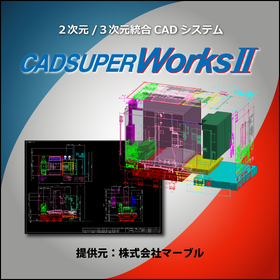
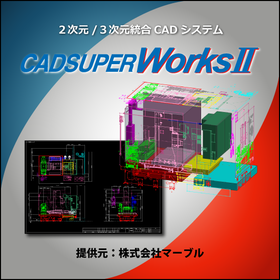
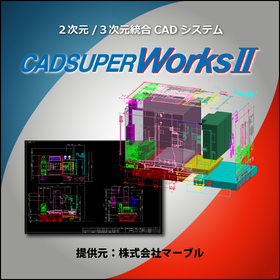
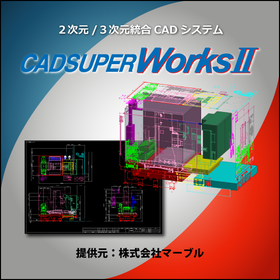
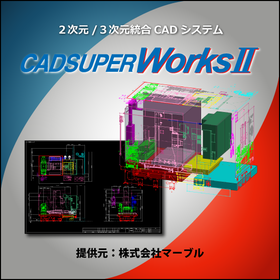
3D/2D CAD CADSUPERWorks Premium

A model that adds analysis functions such as linear static analysis and mechanism analysis to the professional model features.

CADSUPERWorks is an integrated CAD system that has evolved alongside customers for 22 years since its launch in 1985. It combines the domestically produced bestselling 2D CAD "CADSUPER" with the globally used 3D CAD "SolidWorks," providing an excellent 3D design environment. This system allows for the effective utilization of the features of both 2D and 3D design environments, coexisting with "advanced 3D design capabilities" and "highly flexible 2D design/drawing creation capabilities." CADSUPERWorks Premium includes the 2D CAD CADSUPER FX2, as well as features for part design and assembly design in 3D CAD SolidWorks, drawing creation functions, rendering tools, animation tools, viewers, web publishing tools, a 3D standard parts library, model analysis tools, feature recognition tools, design rule check tools, route shape design tools, and structural and motion analysis tools.

  • 2D CAD machine
  • 3D CAD
  • Other CAD
  • CAD

Added to bookmarks

Bookmarks list

Bookmark has been removed

Bookmarks list

You can't add any more bookmarks

By registering as a member, you can increase the number of bookmarks you can save and organize them with labels.

Free membership registration

[User Report] Architectural Design and Drafting CAD DRA-CAD 5

Full utilization of 3D for examining complex structural arrangements!

Kamikawa Structural Design Office Co., Ltd. is a structural design firm with one of the leading track records in the field of water supply and sewage system structural design in Japan. Since its establishment, it has efficiently carried out numerous structural designs utilizing BUS and DRA-CAD. "When the office was first established, we conducted structural calculations using BUS-1 and created drawings by hand. At that time, during a design project for a sewage treatment plant in Koto Ward, Tokyo, the design firm we were working with submitted drawings using DRA-CAD. Upon seeing those drawings, the convenience of making corrections stood out, leading us to the conclusion that we had to adopt DRA-CAD." "I appreciate that DRA-CAD is simple to operate, easy to remember, and easy to teach. Even when new staff join, with some guidance, they can start working with DRA-CAD. After that, they can use it independently while referring to the manual, which is very good. Above all, it is the easiest to handle compared to other products." For more details, please contact us or refer to our catalog.

Added to bookmarks

Bookmarks list

Bookmark has been removed

Bookmarks list

You can't add any more bookmarks

By registering as a member, you can increase the number of bookmarks you can save and organize them with labels.

Free membership registration

Solving the personalization of work through the digital transformation of CAD

Not only can it assist in preventing mistakes and errors, but it can also support the technical skills of CAD users!

The drawing work using CAD is a "manual" task performed by "people," which means the content of the drawings can vary depending on the skill level of the operator. To maintain the accuracy of the drawings, someone must conduct a final check, and the burden and responsibility of this checking task become a significant issue for the entire operation. Customizing CAD "functions" not only helps prevent "errors" and "mistakes" but can also assist in enhancing the "skill level" of CAD users. [Overview] ■ Issues - The content of the drawings varies depending on the operator's skill level. - The burden and responsibility of the final checking task conducted to maintain the accuracy of the drawings. ■ Solution: By implementing technical "know-how," the "functions" can assist the "skill level." *For more details, please download the PDF or feel free to contact us.

Added to bookmarks

Bookmarks list

Bookmark has been removed

Bookmarks list

You can't add any more bookmarks

By registering as a member, you can increase the number of bookmarks you can save and organize them with labels.

Free membership registration

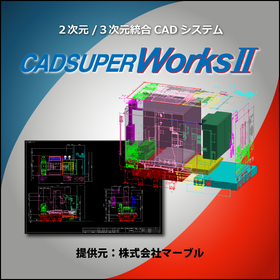
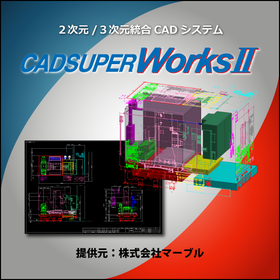
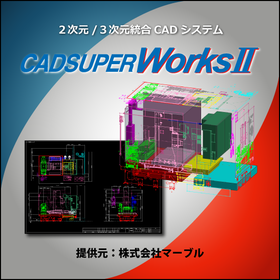
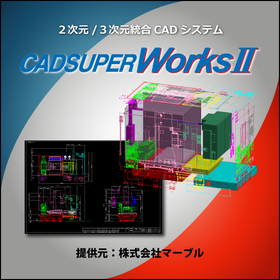
3D CAD/2D CAD CADSUPERWorks Pro

Feel free to request a quote! CADSUPERWorks is a 3D/2D CAD system that supports advanced three-dimensional design.

CADSUPERWorks is an integrated CAD system that has evolved alongside our customers for 22 years since its launch in 1985. It combines the domestically produced bestseller 2D CAD "CADSUPER" with the globally used 3D CAD "SolidWorks," providing an excellent 3D design environment. This system allows for the effective utilization of the unique features of both 2D and 3D design environments, coexisting as an "advanced 3D design environment" and a "flexible 2D design/drawing creation environment." CADSUPERWorks Pro includes the 2D CAD CADSUPER FX2 and features for 3D CAD SolidWorks such as part design/assembly design capabilities, rendering tools, animation tools, viewers, web publishing tools, a 3D standard parts library, model analysis tools, feature recognition tools, route shape design tools, and structural/mechanical analysis tools.

  • 3D CAD
  • 2D CAD machine
  • Other CAD
  • CAD

Added to bookmarks

Bookmarks list

Bookmark has been removed

Bookmarks list

You can't add any more bookmarks

By registering as a member, you can increase the number of bookmarks you can save and organize them with labels.

Free membership registration

Gas Equipment CAD "REPRS" Drawing Function [Live Demo Available]

Contributes to the standardization of drawing. It is a CAD system that allows beginners to easily create drawings.

"REPRS" is a facility design CAD system that supports beginners in using CAD to create gas equipment drawings with minimal learning. Since REPRS is based on mouse operations, even beginners can easily learn to create drawings. Additionally, REPRS comes with default symbols and layers set up. By using standardized symbols and layers for piping and materials, anyone from beginners to experts can create drawings of the same level. 【Features】 ■ Easy drawing with intuitive mouse operations ■ Effective for creating proposal drawings from new construction to renovations ■ Simultaneous drawing of floor plans and 3D views ■ Allows importing raster drawings for use as background images *For more details, please refer to the PDF materials or feel free to contact us.

  • 2D CAD machine
  • CAD

Added to bookmarks

Bookmarks list

Bookmark has been removed

Bookmarks list

You can't add any more bookmarks

By registering as a member, you can increase the number of bookmarks you can save and organize them with labels.

Free membership registration