We have compiled a list of manufacturers, distributors, product information, reference prices, and rankings for CAD.
ipros is IPROS GMS IPROS One of the largest technical database sites in Japan that collects information on.

CAD(図面) - List of Manufacturers, Suppliers, Companies and Products | IPROS GMS

Last Updated: Aggregation Period:Mar 18, 2026~Apr 14, 2026
This ranking is based on the number of page views on our site.

CAD Product List

181~210 item / All 210 items

Displayed results

[Water Master NX Application Introduction Case] Capable of creating more than 8 cases in a day.

A beautifully finished job has also improved the trust in the waterworks department! A case where work efficiency has dramatically improved.

A CAD system for water supply and drainage applications capable of creating water supply applications, drainage applications, and material summaries. We would like to introduce a case study of the implementation of 'ANDES Water Master for Applications, Main Pipe.' Before implementation, we were inputting drawings by hand and could only create about two application drawings per day. As the number of projects increased, it became impossible to handle office tasks manually, so we considered reducing the labor involved in drawing input and digitizing administrative processes. After implementation, we were able to create more than eight drawings per day, significantly improving work efficiency. Additionally, unlike handwritten drawings, CAD produces neat results, which enhanced the trust of the waterworks department. [Key Factors for Implementation] - Specializes in water supply and drainage application tasks - Allows for data exchange with clients due to its CAD format *For more details, please refer to the PDF materials or feel free to contact us. (This is a product of Systems Nakashima Co., Ltd.)

  • Other CAD
  • CAD

Added to bookmarks

Bookmarks list

Bookmark has been removed

Bookmarks list

You can't add any more bookmarks

By registering as a member, you can increase the number of bookmarks you can save and organize them with labels.

Free membership registration

BIM compatible. Free 3D CAD seminar for the construction, equipment, and plant industries.

We introduced 3D CAD for efficiency, but the workload keeps increasing... Many companies share the same concern. Shall we uncover this contradiction?

Are you struggling with problems like these? ■ We introduced 2D CAD for drafting because we can't create drawings with 3D CAD. ■ Every time we modify the 3D model, we have to update the drawings, which is a hassle. We can't keep up with the revisions. ■ Since we can't keep up with the drawing updates, we're managing by making on-site adjustments. ■ There are many missed revisions and mistakes in the updates, leading to numerous complaints from the field. TopSolid solves all of these issues. You may find it surprising, but for companies that feel this way, here's your chance for a solution. Experience a 3D CAD system that contributes to solving your company's challenges. In the seminar, you will get a taste of the smooth operability and the seamless workflow from 'planning and design to the creation of construction drawings.' Feel free to join our free seminar.

Added to bookmarks

Bookmarks list

Bookmark has been removed

Bookmarks list

You can't add any more bookmarks

By registering as a member, you can increase the number of bookmarks you can save and organize them with labels.

Free membership registration

About the compatibility of architectural equipment CAD 'ARCADE NEO' with JWCAD.

Not only can you convert created drawings for JWCAD, but you can also import JWCAD data! Please try it out with the free trial version.

"ARCADE NEO" is a cost-effective ARES-based architectural equipment CAD. We have now made it compatible with ARES Commander 2024 SP2 (build 24.2.1.3136). This product eliminates complex operations and achieves a unified, easy operation, allowing for the creation of drawings and summary tables with minimal training. Additionally, it can convert created drawings into JWCAD format and read JWCAD data. We offer batch conversion features for individual sheets and folders. *For more details, please refer to the PDF materials. ★ A free trial version is available. Please feel free to contact us. ★

  • 2D CAD Construction
  • CAD

Added to bookmarks

Bookmarks list

Bookmark has been removed

Bookmarks list

You can't add any more bookmarks

By registering as a member, you can increase the number of bookmarks you can save and organize them with labels.

Free membership registration

[Many successful implementations in municipalities] Domestic general-purpose 2D CAD for government agencies *Demo available

"Free communication" enables efficient business operations by sharing data transfer, remote drawing verification, and related documents such as schedules and estimates in the cloud!

【DynaCAD Government Version Plus】 This is a package designed for government agencies, featuring easy-to-use functions necessary for public offices, such as support for creating order drawings and change drawings, electronic delivery data checks, and a redline viewer. 〈Features〉 - With strengthened security, it has a proven track record in many municipalities where network authentication is difficult, as well as in those using virtual environments, allowing for tailored proposals to various usage environments! - Choose between a perpetual license and subscription - User-friendly easy operation for beginners - Wide data compatibility (SXF (SFC/SFZ, P21/P2Z, DWG/DXF, JWW, etc.) - Capable of 3D design and data viewing *For more details, please contact us or download the catalog.

  • Other CAD
  • CAD

Added to bookmarks

Bookmarks list

Bookmark has been removed

Bookmarks list

You can't add any more bookmarks

By registering as a member, you can increase the number of bookmarks you can save and organize them with labels.

Free membership registration

CAD customization service optimized for each site [*Case study collection available!*]

The efficiency of CAD software such as AutoCAD and BricsCAD has dramatically improved.

With over 30 years of experience in CAD development, Applied Technology's "CAD Customization Service" can handle a wide range of CAD development, from simple commands to large-scale systems, including customization of industry-standard tools such as "AutoCAD" and "BricsCAD," as well as manufacturing design, construction estimation, and geographic information. We provide optimal proposals tailored to each customer, significantly enhancing operational efficiency! *We are currently offering a catalog with development case studies! Please download it. [Development Case Studies] ■ Continuous output tool for AutoCAD drawings ■ Creation and unification of design simplification commands ■ Automatic drawing generation for production design *For more details, please contact us or download the catalog to view.

  • Software (middle, driver, security, etc.)
  • Other CAD related software
  • CAD

Added to bookmarks

Bookmarks list

Bookmark has been removed

Bookmarks list

You can't add any more bookmarks

By registering as a member, you can increase the number of bookmarks you can save and organize them with labels.

Free membership registration

3DCAD "Creo" Implementation Case | 50% Reduction in Man-Hours with MBD

CNH Industrial: Achieving a 50% reduction in time by moving away from traditional drawing-based methods.

CNH Industrial has reported that by implementing Model-Based Definition (MBD), they have achieved a "50% reduction in time" compared to their previous drawing-based approach. They recognized that creating 2D drawings requires time and cost, and by embedding all information such as tolerances and notes into the 3D CAD model, manufacturers and end-users can gain a deeper understanding of the product's intent. This has improved the efficiency of information transmission and resulted in significant time savings. However, there are challenges in transitioning to MBD, as it has become clear that competing formats (such as Creo View, 3D PDF, QIF, etc.) can disrupt the digital thread, and delays in the transition can occur if support from executives is lacking. Nonetheless, by leveraging MBD, they have significantly streamlined the process from design to manufacturing. *Please refer to the materials for details on the challenges CNH Industrial faced in transitioning to MBD and the specific approaches that led to the 50% time reduction.*

  • 3D CAD
  • CAD

Added to bookmarks

Bookmarks list

Bookmark has been removed

Bookmarks list

You can't add any more bookmarks

By registering as a member, you can increase the number of bookmarks you can save and organize them with labels.

Free membership registration

AutoCAD customization boasting one of the industry's top development achievements.

30 years of experience and know-how in AutoCAD customization! We will turn the requests of designers into reality and propose the optimal system implementation.

Our company has over 30 years of experience in AutoCAD customization. We have built various automated design and drafting systems based on AutoCAD, as well as converting from other CAD software to AutoCAD. We are capable of meeting the needs of clients in all industries, including construction, housing, and manufacturing, regardless of the scale, by not only developing commands for CAD alone but also integrating with web systems, databases, and other systems. We will assist you in creating a CAD system tailored to your needs. - Consulting on business analysis related to AutoCAD, including identifying issues - Development of convenient features such as various command functions - Development of advanced automated drafting/design systems - Effective utilization of design data and data integration - Management of design data, including development/support for drawing management and BOM management systems - Migration from other CAD systems to AutoCAD-based systems *For more details, please request a catalog or view the PDF data available for download.

Added to bookmarks

Bookmarks list

Bookmark has been removed

Bookmarks list

You can't add any more bookmarks

By registering as a member, you can increase the number of bookmarks you can save and organize them with labels.

Free membership registration

[OCF Certification Passed & Electronic Delivery Compatible] General-purpose 2D CAD for Civil Engineering Made in Japan

[OCF Certification Passed] We offer various licensing options with a permanent license, as well as a subscription model where you can choose the duration! *Demo available.

【DynaCAD Civil Plus】 Supports multiple sites and manages measurement points and plot data for each site. Measurement points and plots can not only be obtained through mouse instructions from drawings and plotted (drafted) onto the drawings, but can also be used in various calculations and referenced or utilized through various civil engineering commands. 〈Features〉 - Selectable permanent license - Easy operation friendly for beginners - Wide data compatibility (SXF (SFC/SFZ, P21/P2Z), DWG/DXF, JWW, etc.) - Rich set of civil engineering-specific commands included

  • Other CAD
  • CAD

Added to bookmarks

Bookmarks list

Bookmark has been removed

Bookmarks list

You can't add any more bookmarks

By registering as a member, you can increase the number of bookmarks you can save and organize them with labels.

Free membership registration

[Permanent License + Electronic Delivery Support] Domestic General-purpose 2D CAD *Demo Available

Utilization results in 11 prefectural offices and 204 municipalities nationwide! With the raster editing function, you can effectively utilize previously created drawings!

【DynaCAD】 A versatile 2D CAD system that can be used widely without specific applications. It features natural mouse operations that feel like handwriting, easy-to-use commands, and allows for free changes to settings. You can truly experience its ease of use. Both raster and vector data can be fully edited within DynaCAD! 〈Features〉 - Choose between a perpetual license and subscription - Easy operation friendly for beginners - Wide data compatibility (SXF (SFC/SFZ, P21/P2Z, DWG/DXF, JWW, etc.) - Utilize paper drawings provided by clients *For more details, please download the catalog from below or contact us for more information.

  • Other CAD
  • CAD

Added to bookmarks

Bookmarks list

Bookmark has been removed

Bookmarks list

You can't add any more bookmarks

By registering as a member, you can increase the number of bookmarks you can save and organize them with labels.

Free membership registration

[User Report] Architectural Design and Drafting CAD DRA-CAD 4

From planning and design to detailed design, all drawings are created with DRA-CAD!

The staff of the Architectural Design Department at Daiho Construction Co., Ltd. handles a wide range of architectural design, primarily focusing on condominiums, as well as offices and factories. The design drawings created by the 20 engineers are all designed using DRA-CAD. "We introduced it around 1991-1992, when CAD was not yet widespread. At that time, I believe there were very few CAD software options available, but we decided to adopt DRA-CAD from Structural Systems, a leading manufacturer of architectural design drafting software, because we had confidence in it, and we have continued to use it to this day. There have been suggestions to switch to other companies' software several times, but each time, we concluded that we should maintain productivity with the user-friendly DRA-CAD, and we still use it now. Particularly, since DRA-CAD is a domestically produced CAD, I think it matches the drawing sensibilities of Japanese designers." "The drawings produced in-house range from general drawings to detailed drawings, all created using DRA-CAD. While it is mainly used for drafting tasks, I believe it is a CAD with very high expressive power. It is also very useful for creating planning drawings and is greatly utilized in planning and presentations." For more details, please contact us or refer to the catalog.

Added to bookmarks

Bookmarks list

Bookmark has been removed

Bookmarks list

You can't add any more bookmarks

By registering as a member, you can increase the number of bookmarks you can save and organize them with labels.

Free membership registration

Manage various design information in one folder! Integrated CAD for electrical and control design.

Developed for the purpose of labor-saving and speeding up in the field of electrical and control design!

"SchemELECT" is a high-performance CAD system for electrical design that is expanding its achievements in various fields such as industrial equipment and plant engineering. It integrates various design information from a single project and manages it in one folder. It enables real-time information sharing of various drawings and related data, ensuring the consistency of all data at all times. 【Features】 ■ Integrated management of project information ■ Guarantees complete consistency of project information ■ Effective utilization of design information in downstream processes ■ Achieves problem-solving for issues that arise between ancillary operations and departments *For more details, please refer to the catalog or feel free to contact us.

  • Other CAD related software
  • Other CAD
  • CAD

Added to bookmarks

Bookmarks list

Bookmark has been removed

Bookmarks list

You can't add any more bookmarks

By registering as a member, you can increase the number of bookmarks you can save and organize them with labels.

Free membership registration

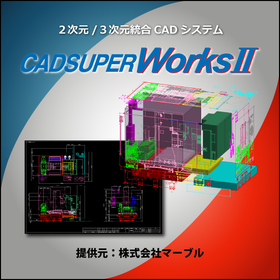
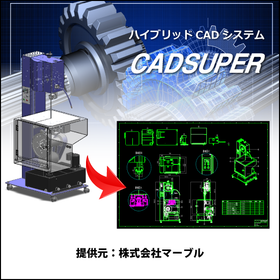
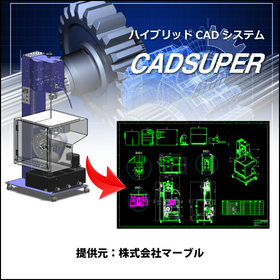
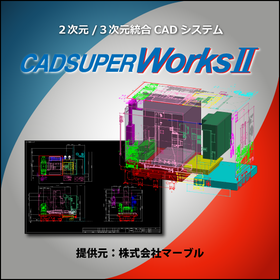
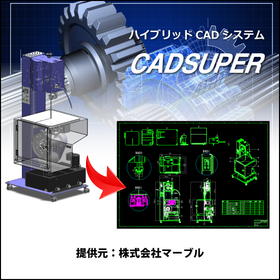
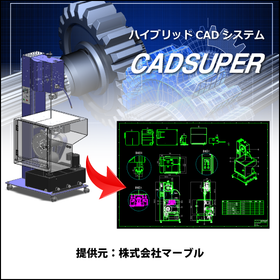
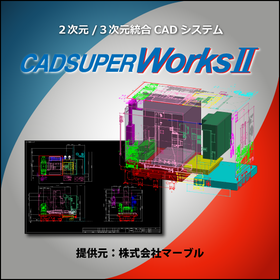
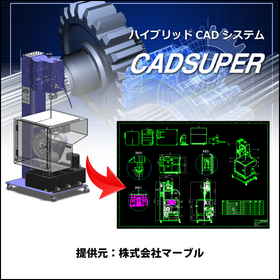
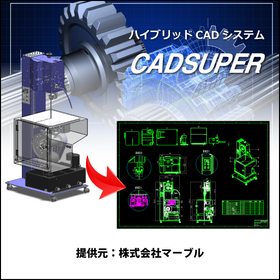
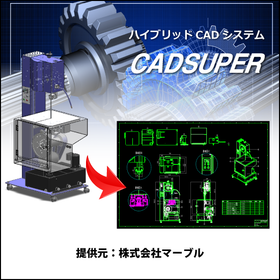
CADSUPER for Automotive and Body Design

Streamline vehicle body design with a domestic hybrid CAD system compatible with 3D data!

In the automotive industry, accuracy and efficiency in body design are essential. The utilization of 3D data, compatibility with other data formats, and flexible responses to design changes are crucial. CADSUPER has been developed as a domestic hybrid 2D CAD system that supports 3D data to meet these needs. With its intuitive operability and customization capabilities that respond to designers' requests, it strongly supports design work. 【Usage Scenarios】 * Creating body drawings * Creating part drawings * Utilizing 3D data * Collaborating with other data formats 【Benefits of Implementation】 * Reduced design time * Decreased design errors * Ensured data compatibility * Flexible customization support

Added to bookmarks

Bookmarks list

Bookmark has been removed

Bookmarks list

You can't add any more bookmarks

By registering as a member, you can increase the number of bookmarks you can save and organize them with labels.

Free membership registration

3DCAD VariCAD makes creating and editing assemblies easy.

VariCAD makes creating and editing assemblies easy.

VariCAD, a 3D CAD software, makes it easy to create and edit assemblies. It allows for simple linking of part files and assembly drawing files, enabling easy reflection of edits made in both on the drawing data. This can reduce work time and improve efficiency. VariCAD is the ideal CAD software for beginners looking for a low-cost yet high-functionality 3D CAD solution. In addition to assembly features, VariCAD includes various basic tools such as batch conversion from 3D to 2D drawings, creation of sheet metal unfolding drawings, and calculation functions for mechanical parts, all available at a low price starting from around 130,000 yen including one year of support. Additionally, for Ipros members who download the catalog, we are currently offering a discount coupon of 5,000 yen. ■ Download the 30-day free full-feature trial version here↓↓↓ *You can download it easily without registering customer information. https://varicad.add-soft.jp/download/

  • rendering2.png
  • 2D CAD machine
  • 3D CAD
  • CAD

Added to bookmarks

Bookmarks list

Bookmark has been removed

Bookmarks list

You can't add any more bookmarks

By registering as a member, you can increase the number of bookmarks you can save and organize them with labels.

Free membership registration

Smooth data exchange with business partners 3DCAD VariCAD

VariCAD, with its rich features and easy operation, facilitates smooth exchanges of drawings with other departments and business partners.

VariCAD, a 3D CAD software, supports input and output in the intermediate STEP file format, output to image file formats, and input and output of AutoCAD's 2D DWG/DXF. It also allows for easy hiding of solids that you don't want your clients to see and simple output of cross-sectional data. In 2D, data can be output depending on the version of AutoCAD, and layer settings are straightforward. A free viewer is also distributed, allowing clients to check the data. VariCAD is the ideal CAD software for beginners seeking low-cost yet high-functionality 3D CAD. In addition to file compatibility, cross-sectional display, and hiding features, VariCAD includes various basic tools such as batch conversion from 3D to 2D drawings, creation of sheet metal development drawings, and calculation functions for mechanical parts, all at a low price starting from around 130,000 yen including one year of support. Furthermore, we are currently offering a 5,000 yen discount coupon exclusively for Ipros members who download the catalog. ■Download the 30-day free full-feature trial version here↓↓↓ https://varicad.add-soft.jp/download/

  • rendering2.png
  • 2D CAD machine
  • 3D CAD
  • CAD

Added to bookmarks

Bookmarks list

Bookmark has been removed

Bookmarks list

You can't add any more bookmarks

By registering as a member, you can increase the number of bookmarks you can save and organize them with labels.

Free membership registration

Gas Equipment CAD "REPRS" Estimation Function [Live Demo Available]

It is possible to create a quotation from the material information registered during the design phase.

"REPRS" is a facility design CAD system that supports first-time CAD users in creating gas equipment drawings with minimal learning. REPRS has a function that aggregates the materials registered during piping design and automatically creates a quotation. The generated quotation can be exported in Excel format. Additionally, as an option, you can import the current unit prices used for estimation into REPRS. 【Features】 ■ Creates quotations based on materials registered during design ■ Allows for the addition of extra construction costs and registration of materials not listed in the drawings ■ Importing unit prices is also possible (optional) ■ Multiple systems such as wood-based and reinforced concrete can be set for unit prices *For more details, please refer to the PDF document or feel free to contact us.

  • 2D CAD machine
  • CAD

Added to bookmarks

Bookmarks list

Bookmark has been removed

Bookmarks list

You can't add any more bookmarks

By registering as a member, you can increase the number of bookmarks you can save and organize them with labels.

Free membership registration

Building Equipment CAD 'Brain Gear Supra' Route Editing Function

Automate the tedious drawing tasks of equipment design to reduce errors and significantly improve productivity!

"Brain Gear Supra" is an AutoCAD-based architectural equipment CAD system. By adopting a design manager, it eliminates complex operations and achieves a unified, easy operation. As a result, designers can create drawings, design documents, and summary tables more quickly with minimal training. Below, we will introduce the routing editing function of "Brain Gear Supra." Routing Editing Function - This function allows you to add sizes to pipes or ducts when drawing routes. Since sizes can also be added after the drawing is completed, it makes corrections easier and improves drawing efficiency. 【Features】 ■ Significant improvement in productivity ■ World standard ■ Easy operability ■ Pursuit of automation ■ Enhanced user interface *For more details, please refer to the PDF materials. ★ A free trial version is available. Please feel free to contact us! ★

  • Other CAD
  • CAD

Added to bookmarks

Bookmarks list

Bookmark has been removed

Bookmarks list

You can't add any more bookmarks

By registering as a member, you can increase the number of bookmarks you can save and organize them with labels.

Free membership registration

Building Equipment CAD 'ARCADE NEO' Sanitary Fixture Table Creation Function

It is equipped with a convenient piping drawing function. Please try it out with the free trial version.

"ARCADE NEO" is a cost-effective ARES-based architectural equipment CAD. We have now made it compatible with ARES Commander 2024 SP2 (build 24.2.1.3136). This product eliminates complex operations and achieves a unified, simple operation, allowing for the creation of drawings and summary tables with minimal training. Below, we will introduce the wiring drawing function of "ARCADE NEO." Sanitary Fixture Table Creation Function - You can create a list of sanitary fixtures within a specified range in the drawing. *For more details, please refer to the PDF materials. ★ A free trial version is available. Please feel free to contact us. ★

  • 2D CAD Construction
  • CAD

Added to bookmarks

Bookmarks list

Bookmark has been removed

Bookmarks list

You can't add any more bookmarks

By registering as a member, you can increase the number of bookmarks you can save and organize them with labels.

Free membership registration

Low implementation costs and operational costs for small and medium-sized enterprises with 3D CAD VariCAD.

VariCAD, a 3D CAD software with low implementation costs and running costs for small and medium-sized enterprises.

The 3D CAD software VariCAD has an initial setup cost starting from around 130,000 yen (including tax) with one year of support and upgrades, making it affordable. The running costs from the second year onwards are in the 50,000 yen range, which includes one year of maintenance support and a license for upgrading to the latest version. Additionally, since it is a one-time purchase license, you can continue to use VariCAD even after one year from the purchase. VariCAD comes equipped with various basic tools such as batch conversion from 3D to 2D drawings, creation of sheet metal unfolding diagrams, calculation functions for machine parts, and a library of machine parts, all featuring a user-friendly interface. Furthermore, a viewer software is provided free of charge, allowing customers to directly check CAD data and design images, facilitating smooth meetings with clients. Additionally, a discount coupon of 5,000 yen is currently being offered exclusively to Ipros members who download the catalog. ■ Download the 30-day free full-feature trial version here: https://varicad.add-soft.jp/download/

  • rendering2.png
  • 2D CAD machine
  • 3D CAD
  • CAD

Added to bookmarks

Bookmarks list

Bookmark has been removed

Bookmarks list

You can't add any more bookmarks

By registering as a member, you can increase the number of bookmarks you can save and organize them with labels.

Free membership registration

3D CAD VariCAD that can create data for 3D printers.

VariCAD makes it easy to create data for 3D printers.

VariCAD, a 3D CAD software, can output data in the .STL format used by 3D printers. By loading the 3D data output from VariCAD into a 3D printer and printing it, you can complete a 3D printed item. VariCAD is the ideal CAD software for beginners looking for low-cost yet high-functionality 3D CAD. In addition to the data output function for 3D printers, VariCAD includes various basic tools such as batch conversion from 3D to 2D drawings, creation of sheet metal development drawings, and calculation functions for mechanical parts, all at a low price starting from around 130,000 yen including one year of support. Furthermore, for Ipros members who download the catalog, we are currently offering a discount coupon of 5,000 yen. ■ Download the 30-day free full-feature trial version here↓↓↓ *You can download it easily without registering customer information. https://varicad.add-soft.jp/download/

  • rendering2.png
  • 2D CAD machine
  • 3D CAD
  • CAD

Added to bookmarks

Bookmarks list

Bookmark has been removed

Bookmarks list

You can't add any more bookmarks

By registering as a member, you can increase the number of bookmarks you can save and organize them with labels.

Free membership registration

[User Report] Architectural Design and Drafting CAD DRA-CAD 2

A CAD software with excellent response time, making a significant impact within the company!

Chiyoda Techno Ace Co., Ltd. specializes in the design and construction of buildings and building facilities, including clean rooms for pharmaceutical factories and general work equipment factories, and has gained significant support in this field due to its high level of specialized technical expertise. In project management, including the Equipment and Electrical Headquarters, DRA-CAD is used as the standard CAD software. "Originally, we were using CAD software from another company, but the time-consuming process of redrawing drawings was a problem, and we were struggling to find software with good operability. That’s when DRA-CAD provided a solution. In terms of operation, its fast response and customizable icon menus make it very user-friendly, which is a major attraction of DRA-CAD. For engineers involved in design, DRA-CAD allows for scaling the drawing frame in a way that feels close to hand-drawn drafting, making it easily accepted by engineers and a significant reason for its company-wide adoption." "DRA-CAD is reportedly working on enhancing its features for the future, so we expect it to become even more convenient and efficient software." For more details, please contact us or refer to the catalog.

Added to bookmarks

Bookmarks list

Bookmark has been removed

Bookmarks list

You can't add any more bookmarks

By registering as a member, you can increase the number of bookmarks you can save and organize them with labels.

Free membership registration

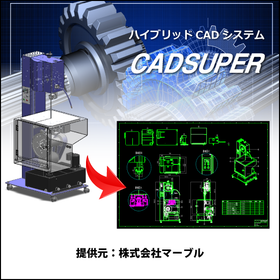
Aerospace CADSUPER

Streamline aircraft design with a hybrid CAD system compatible with 3D data!

In the aerospace industry, aircraft design requires high precision and efficiency. Due to the complexity of shapes and structures, reducing design errors and shortening design periods are crucial. CADSUPER supports design work with intuitive operations and is compatible with 3D data. Its data conversion capabilities for other formats and customization options enable effective utilization of existing design assets and optimization of the design process. 【Usage Scenarios】 * Aircraft structural design * Parts design * Drawing management 【Benefits of Implementation】 * Reduction in design time * Decrease in design errors * Improved data management efficiency

Added to bookmarks

Bookmarks list

Bookmark has been removed

Bookmarks list

You can't add any more bookmarks

By registering as a member, you can increase the number of bookmarks you can save and organize them with labels.

Free membership registration

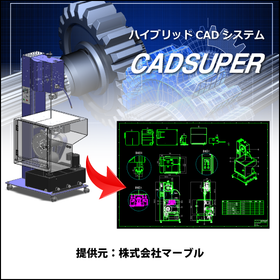
CADSUPER for Shipbuilding

A hybrid CAD system compatible with 3D data that streamlines hull design!

In the shipbuilding industry, hull design requires accurate representation of complex shapes and quick responses to design changes. In particular, the use of 3D data is essential for collaboration with strength calculations and structural analysis. CADSUPER supports 3D data and streamlines the design process with intuitive operations. With data conversion capabilities for other formats and customization options, it provides a flexible design environment tailored to customer needs. 【Usage Scenarios】 - Creation of hull structure drawings - Layout design of outfitting equipment - Interference checks using 3D models 【Benefits of Implementation】 - Reduction in design time - Decrease in design errors - Effective utilization of 3D data

Added to bookmarks

Bookmarks list

Bookmark has been removed

Bookmarks list

You can't add any more bookmarks

By registering as a member, you can increase the number of bookmarks you can save and organize them with labels.

Free membership registration

Until when will we differentiate between 2D CAD and 3D CAD?

Eliminate hassle with complete integration of 2D and 3D CAD 'TopSolid' *Free seminar available.

Do you have any frustrations with your 2D CAD or 3D CAD? ■ The endless cycle of 2D CAD and 3D CAD Fixing this, fixing that Design work isn’t progressing at all, is 3D CAD really that convenient? …With TopSolid, if you design in 3D, both the drawings and parts lists are "done!" So you don’t need to buy 2D CAD, learn it, or hire someone. It’s all good. ■ Data is too heavy and work isn’t progressing Opening assemblies may be quick, but processing takes time and it freezes. We don’t need unwanted break times anymore. …With TopSolid, it responds quickly not only for projecting large assemblies but also for modification tasks. ■ Usability of CAD What designers need is the realization of ideas. There’s no time to be tossed around by tools. …With intuitive operations, learning is a breeze. The operation is simple, but this is a seminar on 3D CAD that can also handle automotive, aerospace, marine, and medical applications. It might be the opportunity to change your common sense. We will introduce it in a free seminar. *Please check the basic information section below for registration to the free seminar.

Added to bookmarks

Bookmarks list

Bookmark has been removed

Bookmarks list

You can't add any more bookmarks

By registering as a member, you can increase the number of bookmarks you can save and organize them with labels.

Free membership registration

Building Equipment CAD 'ARCADE NEO' Side Note Editing Function

It comes with a convenient piping drawing feature. Please try it out with the free trial version.

"ARCADE NEO" is a cost-effective ARES-based architectural equipment CAD. We have now made it compatible with ARES Commander 2024 SP2 (build 24.2.1.3136). This product eliminates complex operations and achieves a unified, easy operation, allowing for the creation of drawings and summary tables with minimal training. Below, we will introduce the wiring drawing function of "ARCADE NEO." Footnote Editing Function - You can edit footnote text replacement, footnote position, footnote size, and more. *For more details, please refer to the PDF document. ★ A free trial version is available. Please feel free to contact us! ★

  • 2D CAD Construction
  • CAD

Added to bookmarks

Bookmarks list

Bookmark has been removed

Bookmarks list

You can't add any more bookmarks

By registering as a member, you can increase the number of bookmarks you can save and organize them with labels.

Free membership registration

3D Design Support CAD System 'TopSolid'Design'

Transforming manufacturing with seamless data integration from design to production. No data conversion is needed, there are no reworks, and there is no waste.

"TopSolid'Design" is a three-dimensional design support system that integrates drafting, calculations, kinematic simulations, and realistic rendering. It enables ultra-fast processing for large-scale assembly design with tens of thousands of parts, rich surface modeling, powerful analysis, and a standard parts library with machining information, along with features for creating drawings compliant with JIS and ISO standards, achieving high-quality design. The integrated Product Data Management (PDM) system prevents assemblies from losing references even when users change part names. 【Features】 ■ Perfect CAD tool ■ Easy to use, easy to learn ■ Overwhelming processing speed ■ Built-in PDM ■ Support for various assembly designs ■ Simulation and analysis ■ High-quality and fast rendering ■ Accumulation and utilization of corporate know-how ■ Open platform ■ Seamless integration from design to manufacturing *For more details, please refer to the PDF materials or feel free to contact us.

Added to bookmarks

Bookmarks list

Bookmark has been removed

Bookmarks list

You can't add any more bookmarks

By registering as a member, you can increase the number of bookmarks you can save and organize them with labels.

Free membership registration

3D Design CAD System Solid Edge

[45-Day Free Trial] Try out all features! Trial guide and case studies available!

Solid Edge is a mid-range 3D CAD system developed and provided by Siemens PLM Software, a leading company in the PLM (Product Lifecycle Management) software industry, which offers top-class operability. By using Solid Edge's modeling/assembly tools, a wide range of products can be easily developed, from individual parts to assemblies composed of thousands of components. [Key Points for Choosing Solid Edge] ■ Solid Edge can be implemented and set up in a short period of time ■ Solid Edge operates at a low cost ■ Intuitive operation allows anyone to use it (Solid Edge ST) ■ Features focused on design ○ Tools to assist in transitioning from 2D to 3D ○ Support for large assemblies ○ Tools specifically for sheet metal and drawings ○ Highly reliable analysis (NX Nastran) ■ Scalable design data management product line You can try the latest version of Solid Edge for free. Right now, we are offering a trial guide and case studies that make it easy to use the trial features! For more details, please download the catalog or contact us.

  • Company:TAC
  • Price:Other
  • 3D CAD
  • CAD

Added to bookmarks

Bookmarks list

Bookmark has been removed

Bookmarks list

You can't add any more bookmarks

By registering as a member, you can increase the number of bookmarks you can save and organize them with labels.

Free membership registration

[User Report] Architectural Design and Drafting CAD DRA-CAD 3

The decision to introduce it 15 years ago was correct! DRA-CAD is a partner in design work.

Kataoka Design Co., Ltd. is an architectural design office established in 1982. Their design projects primarily focus on single-family homes, but they also handle multi-family residences, stores, factories, offices, and hot spring inns, covering a wide area throughout the Kanto region. "When I became independent, I strongly felt that the future of design was in the CAD era, so I introduced computers and CAD software. After consulting with industry professionals and visiting various places, I decided to adopt DRA-CAD, which was already being used by major design firms and general contractors, had a large user base, and was highly regarded for its ease of use. Since it was my first experience with computers, I took foundational courses to learn, but DRA-CAD's operation felt very close to hand-drawing, which was a great help. Purchasing a computer and starting CAD at the age of 45, and still actively drawing plans even after turning 60, makes me feel that my way of thinking and the choice of DRA-CAD were indeed the right decisions." For more details, please contact us or refer to our catalog.

Added to bookmarks

Bookmarks list

Bookmark has been removed

Bookmarks list

You can't add any more bookmarks

By registering as a member, you can increase the number of bookmarks you can save and organize them with labels.

Free membership registration

NFTe, Inc. [3D CAD Implementation Case] i CAD SX

Simultaneously achieving the difficult balance of "shortening delivery times" and "reducing design defects" in 3D CAD.

We will introduce a case study of business improvement using the specialized 3D CAD "iCAD SX" for mechanical design. "NFT" is expanding its business in the design and manufacturing of precision molds for semiconductors, facing various issues due to the increasing complexity and shorter delivery times of the ordered equipment. Having previously experienced unsuccessful transitions to 3D design, the company prioritized "the performance of creating 3D models based on existing 2D drawing data" and selected "iCAD SX" from multiple 3D CAD options. As a result, they have not only reduced the occurrence of design defects associated with shorter delivery times and decreased the man-hours required to produce drawings, but they have also gained significant feedback as a presentation tool. [Main Effects of Implementation] - Man-hours required to produce drawings reduced by up to 20% - Reduction in design defects (zero defects in unit design) - Significant reduction in man-hours for interference checking [Download Materials] - Currently available for limited viewing on the special site. Please click the link below.    ▼▼▼ Click here ▼▼▼

Added to bookmarks

Bookmarks list

Bookmark has been removed

Bookmarks list

You can't add any more bookmarks

By registering as a member, you can increase the number of bookmarks you can save and organize them with labels.

Free membership registration