We have compiled a list of manufacturers, distributors, product information, reference prices, and rankings for CAD.
ipros is IPROS GMS IPROS One of the largest technical database sites in Japan that collects information on.

CAD(扉 3d) - List of Manufacturers, Suppliers, Companies and Products | IPROS GMS

Last Updated: Aggregation Period:May 06, 2026~Jun 02, 2026
This ranking is based on the number of page views on our site.

CAD Product List

181~209 item / All 209 items

Displayed results

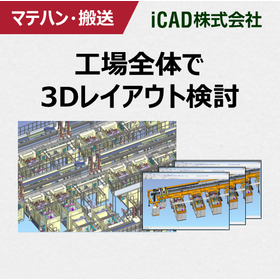
3D CAD for Considering the Overall Layout of Factories for Logistics Systems

Achieving a reduction in equipment development time and front-loading through the 3D modeling of factory layouts and entire lines!

In the logistics system industry, there is a demand for optimizing warehouse layouts and improving the efficiency of transportation systems. In particular, the optimal placement of equipment in limited spaces and automation through robotics are crucial factors that significantly affect operational efficiency. However, traditional design methods have faced challenges, such as the difficulty of detailed examination in 3D and the cumbersome process of making adjustments after placement. iCAD SX, with its ultra-fast response that processes 3 million parts in 0.2 seconds, can handle vast amounts of data, including operational and control information for large-scale models, and allows for control debugging and robot simulation on 3D CAD. This enables an advance in control design, shortening the equipment development period and achieving front-loading. 【Usage Scenarios】 - Consideration of warehouse layouts - Design of transportation systems - Simulation of robot placement 【Benefits of Implementation】 - Reduction in design time - Improvement in operational efficiency through optimized placement - Smoother information sharing among stakeholders using 3D data

Added to bookmarks

Bookmarks list

Bookmark has been removed

Bookmarks list

You can't add any more bookmarks

By registering as a member, you can increase the number of bookmarks you can save and organize them with labels.

Free membership registration

【Logistics Equipment】Optimizing Warehouse Layout with 3D CAD

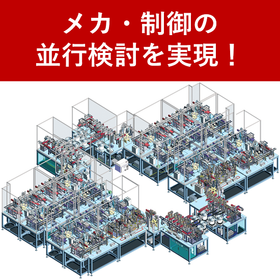
3 million parts in just 0.2 seconds! Simulating warehouse layout with 3D CAD.

In the logistics industry, efficient warehouse operation is a challenge. There are various issues such as labor shortages, effective use of space, and safety in operations. iCAD SX is a 3D CAD that achieves high-speed response, handling 3 million parts in 0.2 seconds. It simulates warehouse layouts in three dimensions and supports optimal design. 【Usage Scenarios】 * Layout design of logistics warehouses * Consideration of introducing transport robots and AGVs * Optimization of work flow and space * Improvement of safety within the warehouse * Overall efficiency of the warehouse 【Effects of Implementation】 By utilizing iCAD SX, optimization of warehouse layouts can be achieved, leading to the following expected effects: * Improved work efficiency through reduced transport distances * Reduction of warehouse area through effective use of space * Resolution of labor shortages through the introduction of transport robots and AGVs * Enhanced safety in operations * Cost reduction through overall efficiency of the warehouse

Added to bookmarks

Bookmarks list

Bookmark has been removed

Bookmarks list

You can't add any more bookmarks

By registering as a member, you can increase the number of bookmarks you can save and organize them with labels.

Free membership registration

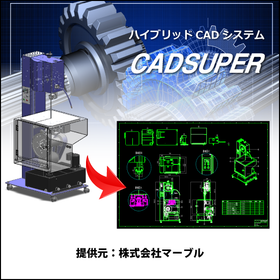
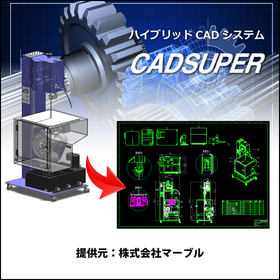
CADSUPER for Shipbuilding

A hybrid CAD system compatible with 3D data that streamlines hull design!

In the shipbuilding industry, hull design requires accurate representation of complex shapes and quick responses to design changes. In particular, the use of 3D data is essential for collaboration with strength calculations and structural analysis. CADSUPER supports 3D data and streamlines the design process with intuitive operations. With data conversion capabilities for other formats and customization options, it provides a flexible design environment tailored to customer needs. 【Usage Scenarios】 - Creation of hull structure drawings - Layout design of outfitting equipment - Interference checks using 3D models 【Benefits of Implementation】 - Reduction in design time - Decrease in design errors - Effective utilization of 3D data

Added to bookmarks

Bookmarks list

Bookmark has been removed

Bookmarks list

You can't add any more bookmarks

By registering as a member, you can increase the number of bookmarks you can save and organize them with labels.

Free membership registration

Shimane Fujitsu Co., Ltd. [3D CAD Implementation Case] i CAD SX

Reduced the startup period of the production line for PCs by 40%! Robot simulation on 3D CAD.

We will introduce a case study of business improvement using the 3D CAD "iCAD SX," specialized in mechanical design. At "Shimane Fujitsu Co., Ltd.," they are in-sourcing the production equipment for laptops and other devices. They decided to transition to 3D design to enable vertical startup during the switch of over 20 models. In response to the challenges of optimal robot placement and the design and manufacturing of jigs that arise with each work change, they designed and virtually verified using iCAD SX, reducing the line startup period by 40%. By shortening the startup period and reducing rework, they were able to secure more time for consideration in the planning phase of the equipment. 【Main Effects of Implementation】 - The startup period after equipment installation was reduced from 5 days to 3 days. - Robot simulation, including surrounding equipment, became possible on the 3D CAD. - Interference was significantly suppressed in 3D design. 【Document Download】 - Currently available for limited access on the "special site." Please click the link below.    ▼▼▼ Click here ▼▼▼

Added to bookmarks

Bookmarks list

Bookmark has been removed

Bookmarks list

You can't add any more bookmarks

By registering as a member, you can increase the number of bookmarks you can save and organize them with labels.

Free membership registration

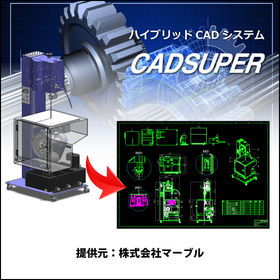
CADSUPER for Automotive and Body Design

Streamline vehicle body design with a domestic hybrid CAD system compatible with 3D data!

In the automotive industry, accuracy and efficiency in body design are essential. The utilization of 3D data, compatibility with other data formats, and flexible responses to design changes are crucial. CADSUPER has been developed as a domestic hybrid 2D CAD system that supports 3D data to meet these needs. With its intuitive operability and customization capabilities that respond to designers' requests, it strongly supports design work. 【Usage Scenarios】 * Creating body drawings * Creating part drawings * Utilizing 3D data * Collaborating with other data formats 【Benefits of Implementation】 * Reduced design time * Decreased design errors * Ensured data compatibility * Flexible customization support

Added to bookmarks

Bookmarks list

Bookmark has been removed

Bookmarks list

You can't add any more bookmarks

By registering as a member, you can increase the number of bookmarks you can save and organize them with labels.

Free membership registration

Low implementation costs and operational costs for small and medium-sized enterprises with 3D CAD VariCAD.

VariCAD, a 3D CAD software with low implementation costs and running costs for small and medium-sized enterprises.

The 3D CAD software VariCAD has an initial setup cost starting from around 130,000 yen (including tax) with one year of support and upgrades, making it affordable. The running costs from the second year onwards are in the 50,000 yen range, which includes one year of maintenance support and a license for upgrading to the latest version. Additionally, since it is a one-time purchase license, you can continue to use VariCAD even after one year from the purchase. VariCAD comes equipped with various basic tools such as batch conversion from 3D to 2D drawings, creation of sheet metal unfolding diagrams, calculation functions for machine parts, and a library of machine parts, all featuring a user-friendly interface. Furthermore, a viewer software is provided free of charge, allowing customers to directly check CAD data and design images, facilitating smooth meetings with clients. Additionally, a discount coupon of 5,000 yen is currently being offered exclusively to Ipros members who download the catalog. ■ Download the 30-day free full-feature trial version here: https://varicad.add-soft.jp/download/

  • rendering2.png
  • 2D CAD machine
  • 3D CAD
  • CAD

Added to bookmarks

Bookmarks list

Bookmark has been removed

Bookmarks list

You can't add any more bookmarks

By registering as a member, you can increase the number of bookmarks you can save and organize them with labels.

Free membership registration

Aerospace Equipment 3DCAD 'iCAD SX'

3 million parts processed in 0.2 seconds! Accelerating aerospace design.

Introducing the specialized 3D CAD software 'iCAD SX' for mechanical design, which addresses the challenges of complex design, massive data management, and shortened development periods in the aerospace sector. 【Usage Scenarios】 - Design of aircraft, spacecraft, satellites, etc. - Design involving complex structures, precision parts, and numerous components - Sharing, managing, and utilizing design data - Shortening development periods and improving design quality 【Benefits of Implementation】 'iCAD SX' streamlines design operations in the aerospace field, achieving shortened development periods and improved design quality. - Facilitates smooth sharing and management of design data, enhancing collaboration across the entire team - Simplifies the design of complex structures, reducing design errors - Improves efficiency in manufacturing, assembly, and maintenance through the use of 3D data

Added to bookmarks

Bookmarks list

Bookmark has been removed

Bookmarks list

You can't add any more bookmarks

By registering as a member, you can increase the number of bookmarks you can save and organize them with labels.

Free membership registration

3DCAD VariCAD makes creating and editing assemblies easy.

VariCAD makes creating and editing assemblies easy.

VariCAD, a 3D CAD software, makes it easy to create and edit assemblies. It allows for simple linking of part files and assembly drawing files, enabling easy reflection of edits made in both on the drawing data. This can reduce work time and improve efficiency. VariCAD is the ideal CAD software for beginners looking for a low-cost yet high-functionality 3D CAD solution. In addition to assembly features, VariCAD includes various basic tools such as batch conversion from 3D to 2D drawings, creation of sheet metal unfolding drawings, and calculation functions for mechanical parts, all available at a low price starting from around 130,000 yen including one year of support. Additionally, for Ipros members who download the catalog, we are currently offering a discount coupon of 5,000 yen. ■ Download the 30-day free full-feature trial version here↓↓↓ *You can download it easily without registering customer information. https://varicad.add-soft.jp/download/

  • rendering2.png
  • 2D CAD machine
  • 3D CAD
  • CAD

Added to bookmarks

Bookmarks list

Bookmark has been removed

Bookmarks list

You can't add any more bookmarks

By registering as a member, you can increase the number of bookmarks you can save and organize them with labels.

Free membership registration

Smooth data exchange with business partners 3DCAD VariCAD

VariCAD, with its rich features and easy operation, facilitates smooth exchanges of drawings with other departments and business partners.

VariCAD, a 3D CAD software, supports input and output in the intermediate STEP file format, output to image file formats, and input and output of AutoCAD's 2D DWG/DXF. It also allows for easy hiding of solids that you don't want your clients to see and simple output of cross-sectional data. In 2D, data can be output depending on the version of AutoCAD, and layer settings are straightforward. A free viewer is also distributed, allowing clients to check the data. VariCAD is the ideal CAD software for beginners seeking low-cost yet high-functionality 3D CAD. In addition to file compatibility, cross-sectional display, and hiding features, VariCAD includes various basic tools such as batch conversion from 3D to 2D drawings, creation of sheet metal development drawings, and calculation functions for mechanical parts, all at a low price starting from around 130,000 yen including one year of support. Furthermore, we are currently offering a 5,000 yen discount coupon exclusively for Ipros members who download the catalog. ■Download the 30-day free full-feature trial version here↓↓↓ https://varicad.add-soft.jp/download/

  • rendering2.png
  • 2D CAD machine
  • 3D CAD
  • CAD

Added to bookmarks

Bookmarks list

Bookmark has been removed

Bookmarks list

You can't add any more bookmarks

By registering as a member, you can increase the number of bookmarks you can save and organize them with labels.

Free membership registration

2D/3D CAD DraftBoardVer2.0Hybrid

Design and drafting software that anyone can easily use to create accurate drawings.

We have updated to the easy and convenient design tool "Design FreeQ." For more details, please feel free to contact us.

  • 3D CAD
  • Other CAD
  • Other CAD related software
  • CAD

Added to bookmarks

Bookmarks list

Bookmark has been removed

Bookmarks list

You can't add any more bookmarks

By registering as a member, you can increase the number of bookmarks you can save and organize them with labels.

Free membership registration

Aerospace CADSUPER

Streamline aircraft design with a hybrid CAD system compatible with 3D data!

In the aerospace industry, aircraft design requires high precision and efficiency. Due to the complexity of shapes and structures, reducing design errors and shortening design periods are crucial. CADSUPER supports design work with intuitive operations and is compatible with 3D data. Its data conversion capabilities for other formats and customization options enable effective utilization of existing design assets and optimization of the design process. 【Usage Scenarios】 * Aircraft structural design * Parts design * Drawing management 【Benefits of Implementation】 * Reduction in design time * Decrease in design errors * Improved data management efficiency

Added to bookmarks

Bookmarks list

Bookmark has been removed

Bookmarks list

You can't add any more bookmarks

By registering as a member, you can increase the number of bookmarks you can save and organize them with labels.

Free membership registration

3DCAD "Creo" Implementation Case | 50% Reduction in Man-Hours with MBD

CNH Industrial: Achieving a 50% reduction in time by moving away from traditional drawing-based methods.

CNH Industrial has reported that by implementing Model-Based Definition (MBD), they have achieved a "50% reduction in time" compared to their previous drawing-based approach. They recognized that creating 2D drawings requires time and cost, and by embedding all information such as tolerances and notes into the 3D CAD model, manufacturers and end-users can gain a deeper understanding of the product's intent. This has improved the efficiency of information transmission and resulted in significant time savings. However, there are challenges in transitioning to MBD, as it has become clear that competing formats (such as Creo View, 3D PDF, QIF, etc.) can disrupt the digital thread, and delays in the transition can occur if support from executives is lacking. Nonetheless, by leveraging MBD, they have significantly streamlined the process from design to manufacturing. *Please refer to the materials for details on the challenges CNH Industrial faced in transitioning to MBD and the specific approaches that led to the 50% time reduction.*

  • 3D CAD
  • CAD

Added to bookmarks

Bookmarks list

Bookmark has been removed

Bookmarks list

You can't add any more bookmarks

By registering as a member, you can increase the number of bookmarks you can save and organize them with labels.

Free membership registration

Urban Planning Support CAD System

Support for improving the efficiency of landscape simulation with automatic checks of design rules!

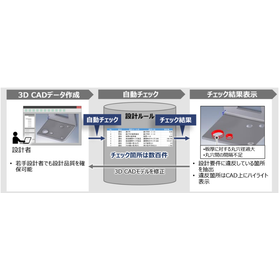
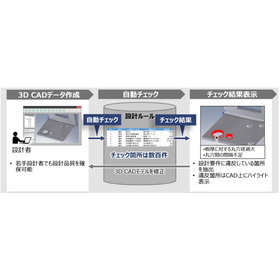
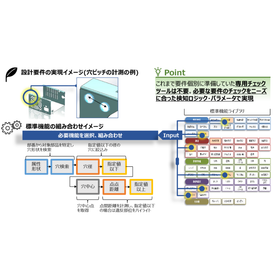
In the urban planning industry, there is a demand for accuracy and efficiency in landscape simulation. Particularly in design reviews for urban development and environmental assessments, the accuracy of 3D models and adherence to design rules are crucial. Manual checks are time-consuming and labor-intensive, often leading to oversights and rework. The awareness-support CAD system addresses these challenges by automatically checking 3D CAD models based on design rules. 【Usage Scenarios】 - Design reviews for urban development projects - Verification of 3D models in environmental assessments - Regulatory checks in architectural design 【Benefits of Implementation】 - Reduction in check time - Prevention of oversight - Improvement in design quality

Added to bookmarks

Bookmarks list

Bookmark has been removed

Bookmarks list

You can't add any more bookmarks

By registering as a member, you can increase the number of bookmarks you can save and organize them with labels.

Free membership registration

Are you having trouble with the integrated management of electrical design data? [Presentation of materials]

A must-see for designers! Based on circuit design, it is possible to manage everything consistently from creating parts lists, 3D layouts, and wiring to construction management using a database!

The integrated engineering tool we handle allows for centralized management of all project information, ensuring the consistency of project data at all times. Conventional tools: - As it is a 2D CAD, it cannot collaborate with other departments for applications such as electrical circuit diagrams. This engineering tool: - Circuit diagrams are linked through 3D models and databases. - Data from circuit diagrams is converted into 3D data. → The actual lengths of wiring needed for construction can be detected during the design phase. → By outputting the detected data as Excel data, it enables consistent management from cutting with processing machines. - Consistent management from design to construction management based on the database. → Paper checks can be verified on the database. → Progress management and inventory management can be managed collectively. This document includes an overview of the "FTZ Engineering Tool," as well as details on "Product Configuration" and "Product Operation Details." [Contents] 1. Overview of FTZ Engineering Tool 2. Product Configuration 3. Product Operation Details *For more details, please refer to the PDF document or feel free to contact us.

Added to bookmarks

Bookmarks list

Bookmark has been removed

Bookmarks list

You can't add any more bookmarks

By registering as a member, you can increase the number of bookmarks you can save and organize them with labels.

Free membership registration

All-in-One Package SHARK FX Ver8.0

A low-cost CAD focused on essential features. Suitable for everyone from students experiencing CAD for the first time to veterans. Please feel free to contact us for pricing.

Competition among companies is intensifying, and how quickly products can be brought to market is becoming increasingly important. However, in product design using 3D CAD software, detailed design CAD systems have been utilized from the conceptual design stage, resulting in many designers spending significant time and effort on system operation and learning to use the software rather than on actual design work. To address this issue, the 3D solid modeler "SHARK FX" for conceptual design was created. By integrating a clean user interface, intuitive input methods, photorealistic rendering, and animation into a single package, "SHARK FX" allows designers to focus on the design itself, improving design efficiency and enabling them to freely express their ideas. It is a new tool born for conceptual design.

Added to bookmarks

Bookmarks list

Bookmark has been removed

Bookmarks list

You can't add any more bookmarks

By registering as a member, you can increase the number of bookmarks you can save and organize them with labels.

Free membership registration

<For Customers> Solving various issues with large-capacity CAD data!

Are you currently having trouble with large-capacity CAD data support?

Recently, the performance of CAD systems and software has improved significantly, greatly increasing their capabilities compared to the past. This has also led to larger file sizes for CAD data itself. Data that poses no issues within native systems can cause problems when used with other brand CAD systems or various CAE/CAM software, leading to inquiries from customers who are experiencing difficulties with loading and processing. Therefore, by using the Simplifier function of our core technology software "3D_Evolution," it is possible to quickly and easily create data containing only the necessary elements for each workflow. This has resulted in positive feedback from many customers. ~~~~~~~~~~~~~~~~ 1-Month Free Trial Available! ~~~~~~~~~~~~~~~~ Our software is not only appealing to end users but also to trading companies, so we would be grateful if you could contact us.

  • Other CAD
  • Data conversion software
  • CAD

Added to bookmarks

Bookmarks list

Bookmark has been removed

Bookmarks list

You can't add any more bookmarks

By registering as a member, you can increase the number of bookmarks you can save and organize them with labels.

Free membership registration

3D CAD "SolidWorks Professional"

Estimates are welcome! Please feel free to consult with us. SolidWorks has a wide range of achievements in industries such as machinery, home appliances, precision equipment, industrial machinery, and machine tools.

The 3D CAD "SolidWorks Professional" is a bundled product that includes the 3D modeler "SolidWorks Standard" along with a total of 11 products, including design communication tools, CAD productivity tools, and data management tools. For more details, please contact us.

Added to bookmarks

Bookmarks list

Bookmark has been removed

Bookmarks list

You can't add any more bookmarks

By registering as a member, you can increase the number of bookmarks you can save and organize them with labels.

Free membership registration

Awareness Support CAD System for the Gaming Industry

Automated checks of design rules shorten the lead time for character modeling!

In the game industry, character modeling requires the efficient production of high-quality 3D models. In particular, the quality of character design and animation is a crucial factor that influences the enjoyment of the game. However, increasing model complexity and overlooking design rules can lead to more rework and a decline in quality. A cognitive support CAD system analyzes design data and the designer's operation history to detect potential issues and inefficient processes in real-time during the design process. By leveraging past design data and best practices, it provides designers with specific improvement suggestions. 【Usage Scenarios】 - Design rule checks in character modeling - Improvement of 3D model quality - Reduction of rework 【Effects of Implementation】 - Shortening of design lead time - Reduction of checking workload - Efficient production of high-quality 3D models

Added to bookmarks

Bookmarks list

Bookmark has been removed

Bookmarks list

You can't add any more bookmarks

By registering as a member, you can increase the number of bookmarks you can save and organize them with labels.

Free membership registration

3D Design CAD System Solid Edge

[45-Day Free Trial] Try out all features! Trial guide and case studies available!

Solid Edge is a mid-range 3D CAD system developed and provided by Siemens PLM Software, a leading company in the PLM (Product Lifecycle Management) software industry, which offers top-class operability. By using Solid Edge's modeling/assembly tools, a wide range of products can be easily developed, from individual parts to assemblies composed of thousands of components. [Key Points for Choosing Solid Edge] ■ Solid Edge can be implemented and set up in a short period of time ■ Solid Edge operates at a low cost ■ Intuitive operation allows anyone to use it (Solid Edge ST) ■ Features focused on design ○ Tools to assist in transitioning from 2D to 3D ○ Support for large assemblies ○ Tools specifically for sheet metal and drawings ○ Highly reliable analysis (NX Nastran) ■ Scalable design data management product line You can try the latest version of Solid Edge for free. Right now, we are offering a trial guide and case studies that make it easy to use the trial features! For more details, please download the catalog or contact us.

  • Company:TAC
  • Price:Other
  • 3D CAD
  • CAD

Added to bookmarks

Bookmarks list

Bookmark has been removed

Bookmarks list

You can't add any more bookmarks

By registering as a member, you can increase the number of bookmarks you can save and organize them with labels.

Free membership registration

Civil Engineering Awareness Support CAD System

Automatic checks of design rules shorten the lead time for ground investigation design!

In the field of ground investigation, accuracy and efficiency in design are required. It is particularly important to accurately understand the characteristics of the ground and to carry out designs based on that understanding. Design errors can potentially impact the safety of structures. The awareness-support CAD system contributes to improving design quality and reducing lead times through automatic checks of 3D CAD models based on design rules. 【Usage Scenarios】 - Design phase in ground investigation - Compliance verification of design rules - Checking of 3D CAD models 【Effects of Implementation】 - Reduction of design errors - Shortening of check times - Reduction of rework tasks

Added to bookmarks

Bookmarks list

Bookmark has been removed

Bookmarks list

You can't add any more bookmarks

By registering as a member, you can increase the number of bookmarks you can save and organize them with labels.

Free membership registration

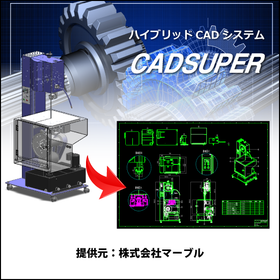
CADSUPER for Mold Manufacturing

Create value-added drawings with barcodes for product management! CADSUPER

In the mold manufacturing industry, accuracy in drawings and efficient management are essential. Particularly in the design of molds with complex shapes and dimensions, creating error-free drawings and managing drawing versions are crucial. Mistakes in drawings can lead to a decline in product quality, rework, and increased costs. CADSUPER is a domestic hybrid 2D CAD system that supports 3D data, providing intuitive drawing operations and data conversion functions for accurate drawing creation. Drawing management is also possible with the optional barcode command. 【Usage Scenarios】 - Creation of mold design drawings - Version management of drawings - Integration with other data formats - Response to design changes 【Benefits of Implementation】 - Reduction in drawing creation time - Decrease in design errors - Streamlining of drawing management - Cost reduction

Added to bookmarks

Bookmarks list

Bookmark has been removed

Bookmarks list

You can't add any more bookmarks

By registering as a member, you can increase the number of bookmarks you can save and organize them with labels.

Free membership registration

Construction Site Support CAD System

Improve construction site safety with automatic checks of design rules!

In the construction industry, the accuracy of 3D models during the design phase is essential for preventing accidents on site. Particularly in the case of complex structures or work in confined spaces, design errors can lead to serious accidents. Our "Awareness Support CAD System" automatically checks the layout of structures and interference between components based on design data, allowing for the early detection of potential collision risks. This facilitates corrections during the design phase and enhances safety on site. 【Usage Scenarios】 - Collision checks of 3D models in construction projects - Improvement of safety during the design phase - Balancing work efficiency and safety on site 【Benefits of Implementation】 - Reduction of rework due to design errors - Decrease in accident risks on site - Overall cost reduction for the project

Added to bookmarks

Bookmarks list

Bookmark has been removed

Bookmarks list

You can't add any more bookmarks

By registering as a member, you can increase the number of bookmarks you can save and organize them with labels.

Free membership registration

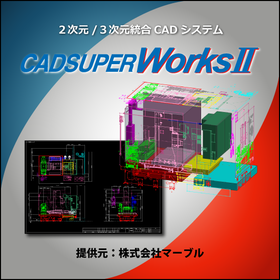
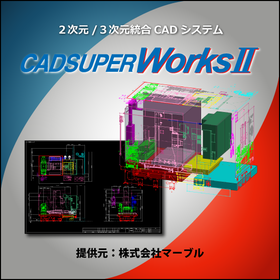
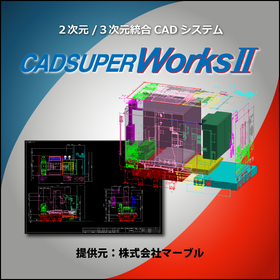
3D CAD/2D CAD CADSUPERWorks Pro

Feel free to request a quote! CADSUPERWorks is a 3D/2D CAD system that supports advanced three-dimensional design.

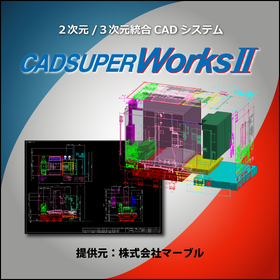
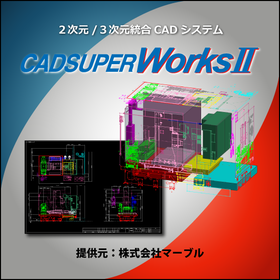
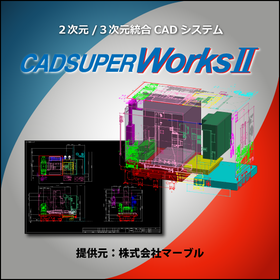
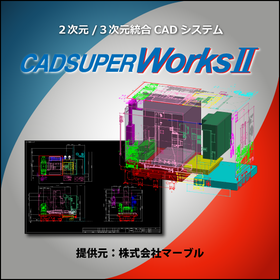
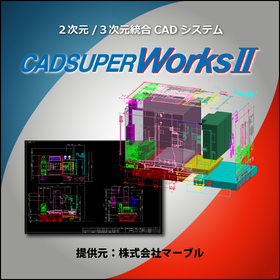
CADSUPERWorks is an integrated CAD system that has evolved alongside our customers for 22 years since its launch in 1985. It combines the domestically produced bestseller 2D CAD "CADSUPER" with the globally used 3D CAD "SolidWorks," providing an excellent 3D design environment. This system allows for the effective utilization of the unique features of both 2D and 3D design environments, coexisting as an "advanced 3D design environment" and a "flexible 2D design/drawing creation environment." CADSUPERWorks Pro includes the 2D CAD CADSUPER FX2 and features for 3D CAD SolidWorks such as part design/assembly design capabilities, rendering tools, animation tools, viewers, web publishing tools, a 3D standard parts library, model analysis tools, feature recognition tools, route shape design tools, and structural/mechanical analysis tools.

  • 3D CAD
  • 2D CAD machine
  • Other CAD
  • CAD

Added to bookmarks

Bookmarks list

Bookmark has been removed

Bookmarks list

You can't add any more bookmarks

By registering as a member, you can increase the number of bookmarks you can save and organize them with labels.

Free membership registration

Awareness Support CAD System for Manufacturing Industry

Achieve efficiency in quality control with automatic checks of design rules!

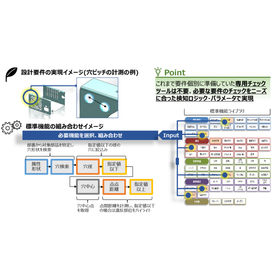
In quality control of the manufacturing industry, it is important to detect deficiencies at the design stage early and prevent rework. Design errors can lead to defective products during the manufacturing process and customer complaints, potentially damaging the company's reputation. The awareness-support CAD system analyzes design data and the designer's operation history to detect design issues in real-time. By automatically checking 3D CAD models based on design requirements, it significantly reduces time and rework compared to manual checks. 【Usage Scenarios】 * Quality checks at the design stage * Confirmation of compliance with design rules * Reduction of rework 【Benefits of Implementation】 * Reduction of checking man-hours * Prevention of oversight in checks * Improvement in quality and cost reduction

Added to bookmarks

Bookmarks list

Bookmark has been removed

Bookmarks list

You can't add any more bookmarks

By registering as a member, you can increase the number of bookmarks you can save and organize them with labels.

Free membership registration

Awareness Support CAD System for Medical Devices

Automated checks of design rules shorten the lead time for medical device design!

In the medical device industry, the precision and safety of products are of utmost importance. A slight mistake in design can have serious implications for product performance and patient safety, making thorough quality management during the design phase essential. Especially for medical devices that handle complex shapes and fine components, adherence to design rules and accurate design are required. The awareness-support CAD system analyzes design data and the designer's operation history to detect potential issues and inefficient processes in real-time during the design process. By utilizing past design data and best practices, it provides specific improvement suggestions to designers. By automatically checking 3D CAD models based on design requirements (design rules and manufacturability), it contributes to improving design quality and reducing lead time. 【Usage Scenarios】 - Design of precision medical devices - Design of components with complex shapes - Compliance with design rules 【Effects of Implementation】 - Reduction of design errors - Decrease in rework - Shortening of design periods

Added to bookmarks

Bookmarks list

Bookmark has been removed

Bookmarks list

You can't add any more bookmarks

By registering as a member, you can increase the number of bookmarks you can save and organize them with labels.

Free membership registration

Home Appliance Support CAD System

Automating design rule checks to streamline the design verification of home appliances!

In the home appliance industry, thorough checks during the design phase are essential to ensure product quality and safety. Particularly with the increasing complexity of designs, verifying compliance with design rules and ease of processing has become a significant challenge that requires time and effort. Visual inspections come with time constraints and the risk of oversight, often leading to rework. The awareness-support CAD system analyzes design data and the designer's operation history to detect potential issues and inefficient processes in real-time during the design process. By automatically checking 3D CAD models based on design requirements, it significantly reduces check time and rework, thereby enhancing the efficiency of design verification. 【Usage Scenarios】 - Design reviews of home appliance products - Verification of compliance with design rules - Validation of manufacturability 【Benefits of Implementation】 - Reduction of design lead time - Decrease in check workload - Reduction of rework

Added to bookmarks

Bookmarks list

Bookmark has been removed

Bookmarks list

You can't add any more bookmarks

By registering as a member, you can increase the number of bookmarks you can save and organize them with labels.

Free membership registration

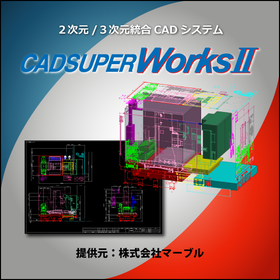
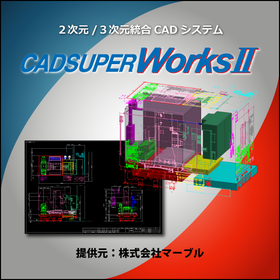
3D/2D CAD CADSUPERWorks Premium

A model that adds analysis functions such as linear static analysis and mechanism analysis to the professional model features.

CADSUPERWorks is an integrated CAD system that has evolved alongside customers for 22 years since its launch in 1985. It combines the domestically produced bestselling 2D CAD "CADSUPER" with the globally used 3D CAD "SolidWorks," providing an excellent 3D design environment. This system allows for the effective utilization of the features of both 2D and 3D design environments, coexisting with "advanced 3D design capabilities" and "highly flexible 2D design/drawing creation capabilities." CADSUPERWorks Premium includes the 2D CAD CADSUPER FX2, as well as features for part design and assembly design in 3D CAD SolidWorks, drawing creation functions, rendering tools, animation tools, viewers, web publishing tools, a 3D standard parts library, model analysis tools, feature recognition tools, design rule check tools, route shape design tools, and structural and motion analysis tools.

  • 2D CAD machine
  • 3D CAD
  • Other CAD
  • CAD

Added to bookmarks

Bookmarks list

Bookmark has been removed

Bookmarks list

You can't add any more bookmarks

By registering as a member, you can increase the number of bookmarks you can save and organize them with labels.

Free membership registration