We have compiled a list of manufacturers, distributors, product information, reference prices, and rankings for CAD.
ipros is IPROS GMS IPROS One of the largest technical database sites in Japan that collects information on.

CAD(図面) - List of Manufacturers, Suppliers, Companies and Products | IPROS GMS

Last Updated: Aggregation Period:Mar 18, 2026~Apr 14, 2026
This ranking is based on the number of page views on our site.

CAD Product List

1~30 item / All 210 items

Displayed results

LPG Gas Dedicated CAD System 'LPGCad R1'

Excellent user interface! It enables the transition from hand-drawn sketches to digital drawings.

"LPGCad R1" is a dedicated CAD system for LPG gas that allows you to create professional and high-quality CAD drawings. With an excellent user interface, it can be easily mastered by anyone, providing a handwritten feel, and enabling an immediate transition from "hand-drawn drawings" to "digital drawings." The digitization of drawings offers many benefits, including easy modification and reuse of drawings, quick retrieval when needed, space-saving, prevention of deterioration and loss, and security measures. 【Features】 ■ Excellent user interface ■ Easy to use for anyone with a handwritten feel ■ Easy modification and reuse of drawings ■ Quick retrieval when needed ■ Space-saving *For more details, please refer to the PDF materials or feel free to contact us.

  • Other CAD
  • Other CAD related software
  • CAD

Added to bookmarks

Bookmarks list

Bookmark has been removed

Bookmarks list

You can't add any more bookmarks

By registering as a member, you can increase the number of bookmarks you can save and organize them with labels.

Free membership registration

Electric CAD "Tried ECAD DCX!" 2

Supports up to 9999 pages in one file! ECAD from the perspective of drawing and page management information.

*Production Cooperation: Hokuryodenko Co., Ltd. https://www.hokuryodenko.co.jp/ We will introduce the basic drawing management functions of ECAD DCX. You can confirm the steps for entering drawing information. Since it is automatically transcribed to the drawing frame, you can manage information without errors. 0:13 - Creating a new drawing and entering drawing management information 0:53 - Professional input of management information 1:20 - Entering page management information 1:59 - Confirming the drawing frame (automatic transcription of input information) 2:13 - Editing input information 2:27 - Transferring information from past drawings

  • 2D CAD Electrical
  • Other CAD related software
  • CAD

Added to bookmarks

Bookmarks list

Bookmark has been removed

Bookmarks list

You can't add any more bookmarks

By registering as a member, you can increase the number of bookmarks you can save and organize them with labels.

Free membership registration

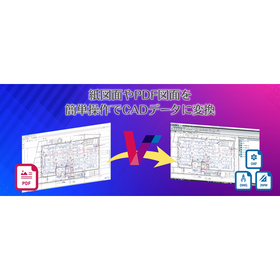
CAD Conversion System VectorMaster

A must-see for those who have given up on reusing PDF drawing data!! Instantly convert PDF drawing data to CAD data!!

VectorMaster is a revolutionary PDF drawing CAD conversion system that restores PDF drawing data, which could not be reused in CAD until now, back to raw CAD data, allowing for editing and processing. The operation is extremely simple! Just select and open the PDF drawing you want to convert to CAD data, and you're good to go! If you've given up on reusing PDF drawings, be sure to take this opportunity to try VectorMaster.

  • Data conversion software
  • Other CAD
  • CAD

Added to bookmarks

Bookmarks list

Bookmark has been removed

Bookmarks list

You can't add any more bookmarks

By registering as a member, you can increase the number of bookmarks you can save and organize them with labels.

Free membership registration

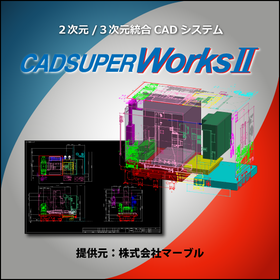
2D/3D Integrated CAD CADSUPERWorks

3DCAD that coexists with a highly advanced 3D design environment and a highly flexible 2D design/drawing creation environment.

Proposal for customers who use 3D models to complement main 2D drawings or 2D drawings to complement main 3D models. For customers primarily using 3D models (time-saving in drawing): - Comprehensive drawing functions for 3D models! - Function to add or remove hidden lines only for the necessary parts from the drawings projected from the 3D model! For customers primarily using 2D drawings (effective utilization of drawings): - Effective use of existing 2D drawing assets! - Unique modeling methods required by the field! For details and features, please feel free to download the catalog or contact us with any questions. Marble Inc. Embedded Product Division, Product Business Department Phone: (03) 3419-6011

Added to bookmarks

Bookmarks list

Bookmark has been removed

Bookmarks list

You can't add any more bookmarks

By registering as a member, you can increase the number of bookmarks you can save and organize them with labels.

Free membership registration

BIM Software [Revit] User Case Vol. 5

Significant automation of construction drawing creation using BIM!

We would like to introduce a case study of how Hi-Big Architectural Drawing Studio utilized Autodesk's BIM software "Revit." <Overview> When creating drawings from a BIM model, manually inputting dimension lines and tags that represent the specifications of components can lead to significant effort in the creation of drawings and design changes. Hi-Big Architectural Drawing Studio successfully automated the drawing creation process significantly by utilizing the BIM software "Revit." <Implementation Results> Please check the PDF materials for more details.

  • 3D CAD
  • 2D CAD Construction
  • Other CAD related software
  • CAD

Added to bookmarks

Bookmarks list

Bookmark has been removed

Bookmarks list

You can't add any more bookmarks

By registering as a member, you can increase the number of bookmarks you can save and organize them with labels.

Free membership registration

Electrical Equipment CAD System "Densho NX"

This is an electrical equipment CAD that can streamline the drafting work of electrical diagrams.

Denko NX is a CAD system designed to streamline various drawing creation tasks related to electrical equipment construction. It incorporates unique know-how developed over many years of CAD development and CAD development for electrical equipment construction, as well as numerous requests received from customers nationwide. This system, honed through practical experience, allows for the quick completion of design drawings, construction drawings, and application documents for power companies related to electrical equipment construction. 【Features】 - Equipped with numerous specialized functions for creating electrical equipment drawings - Streamlines the creation of design and construction drawings - Enhances efficiency in creating application documents for power companies - Improves efficiency in creating layout diagrams, panel diagrams, and system diagrams - Streamlines the process of material takeoff For more details, please contact us.

  • 2D CAD Electrical
  • Data conversion software
  • CAD

Added to bookmarks

Bookmarks list

Bookmark has been removed

Bookmarks list

You can't add any more bookmarks

By registering as a member, you can increase the number of bookmarks you can save and organize them with labels.

Free membership registration

Building Equipment Dedicated CAD Rebro

From a single 3D model data, it is possible to create various drawings such as floor plans, cross-sectional views, and detailed drawings! Streamlining equipment operations from design to construction and maintenance management!

Rebro is a 3D CAD software specifically designed for architectural equipment that supports BIM. The 3D model is linked with floor plans and cross-sections, so when you draw or modify, the related drawings are updated simultaneously. You can create various drawings while ensuring consistency at all times. The integrated version includes functions for designing mechanical equipment (HVAC and sanitary) and electrical equipment. The mechanical equipment (HVAC and sanitary) functions include routing for easily drawing piping and ducts, automatic connection of outdoor and indoor units, batch slope processing, automatic sizing based on flow rate and air volume, automatic placement of equipment and fixtures, and processing of piping, spiral ducts, and rectangular ducts. The electrical equipment functions include batch electrical wiring for multiple fixtures, electrical symbols (JECA symbols), wiring notation tables and legends, wiring management, panel management, illuminance calculations, automatic placement of lighting fixtures, and illuminance distribution diagrams. Additionally, there are many features that facilitate efficient equipment design, such as equipment replacement, beam penetration areas, sleeves, interference checks, quantity takeoff, CG images and movies, and markup.

  • 3D CAD
  • CAD

Added to bookmarks

Bookmarks list

Bookmark has been removed

Bookmarks list

You can't add any more bookmarks

By registering as a member, you can increase the number of bookmarks you can save and organize them with labels.

Free membership registration

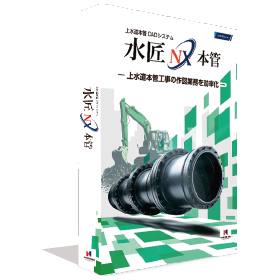
CAD system for water supply main construction "Suishou NX Main Pipe"

It is a CAD system for water supply main construction that allows for easy creation of pipe layout diagrams and daily reports.

The Water Master NX main pipe is a CAD system designed to streamline various drawing creation tasks related to water supply main pipe construction. It incorporates a wealth of unique know-how developed over many years of waterworks and CAD development for water supply main pipe construction, allowing for the quick completion of documents, drawings, daily reports, and more related to water supply main pipe work. By using automated functions, even those without knowledge of main pipe drawings can easily finish the drawings. Additionally, it can be used in various scenarios, such as for road occupation permit applications required during construction, drawings and cross-sections for piping from the main pipe to residences, calculations for road pavement area, and support for electronic submissions (SXF format input/output). 【Features】 ○ CAD system specialized for water supply main pipe construction tasks ○ Streamlines design tasks for water supply main pipe construction ○ Enhances efficiency in creating daily construction reports and pipe allocation drawings ○ Improves efficiency in creating cross-sections and area diagrams ○ Streamlines material usage aggregation and report creation For more details, please contact us.

  • 2D CAD Construction
  • Other CAD
  • CAD

Added to bookmarks

Bookmarks list

Bookmark has been removed

Bookmarks list

You can't add any more bookmarks

By registering as a member, you can increase the number of bookmarks you can save and organize them with labels.

Free membership registration

Until when will we differentiate between 2D CAD and 3D CAD?

Eliminate hassle with the linkage between drawings and models 'CADPAC'

Are you currently using both 2D CAD and 3D CAD and experiencing any of these frustrations? - Going back and forth between 2D CAD and 3D CAD - There's no time on-site, so only the drawings are modified. The drawings are left to stand alone. - You went through the trouble of implementing 3D CAD, but... - You've ended up going back to 2D CAD. With CADPAC3D, models and drawings are linked in real-time. When the model is created, the drawing is also created! ■ CAD Usability What designers need is the realization of their ideas. There's no time to be tossed around by CAD. With intuitive operations, learning is a breeze. You no longer need unwanted breaks. With CADPAC, even modification tasks respond immediately. This could be the opportunity to change your common sense.

  • nws_05.png
  • 3D CAD
  • 2D CAD machine
  • Other CAD
  • CAD

Added to bookmarks

Bookmarks list

Bookmark has been removed

Bookmarks list

You can't add any more bookmarks

By registering as a member, you can increase the number of bookmarks you can save and organize them with labels.

Free membership registration

Lightweight drawing data with independent correction function 'CADSUPER Works'

From quality development upstream to drawing creation! We provide a comprehensive design support environment.

"CADSUPER Works" is an integrated 2D/3D CAD system that coexists with a highly flexible 2D drawing creation environment and advanced feature parametric 3D design. We provide a comprehensive design support environment from quality assurance in the upstream process to drawing creation. 【Features (excerpt)】 ■ Analysis functions ■ Import/Export ■ Dedicated modeling functions ■ Shape interference check ■ Dedicated modeling functions *For more details, please feel free to contact us.

Added to bookmarks

Bookmarks list

Bookmark has been removed

Bookmarks list

You can't add any more bookmarks

By registering as a member, you can increase the number of bookmarks you can save and organize them with labels.

Free membership registration

Urban Gas Internal Pipe CAD System 'GASCad R1'

Introduction of a system equipped with functions such as drawing management, drawing creation, and pressure loss calculation.

"GASCad R1" is a city gas internal pipe CAD system with an excellent user interface that anyone can use. High-quality and authentic CAD drawings can be easily created. It also has the necessary functions for internal pipe CAD, such as pressure loss calculations and material aggregation. 【Drawing Management/Search Function Features】 ■ Operability similar to Windows Explorer ■ Ability to set owners, references, and update users for each folder ■ Search function to find drawings using keywords in properties ■ Directly launch CAD from drawing management, with the save destination automatically set to the specified folder ■ Bulk management of related documents, images, etc., in the same folder *For more details, please refer to the PDF materials or feel free to contact us.

  • Other CAD
  • Other CAD related software
  • CAD

Added to bookmarks

Bookmarks list

Bookmark has been removed

Bookmarks list

You can't add any more bookmarks

By registering as a member, you can increase the number of bookmarks you can save and organize them with labels.

Free membership registration

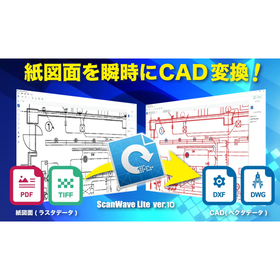
Paper Drawing CAD Conversion System ScanWave lite

High-precision conversion, multi-format support, and affordable. The conversion operation of ScanWaveLite is simple and easy!

It is a raster-to-vector conversion system that does not require drawing tracing and features easy operation.

  • Data conversion software
  • CAD

Added to bookmarks

Bookmarks list

Bookmark has been removed

Bookmarks list

You can't add any more bookmarks

By registering as a member, you can increase the number of bookmarks you can save and organize them with labels.

Free membership registration

Water Supply and Drainage Application CAD System "Mizushou NX Application"

AI reduces the effort of creating drawings. Make application processes smoother!

The Water Master NX application is a CAD system specialized for plumbing work. Aiming to enable those without specialized knowledge to complete drawings, it offers an automatic drawing function for water supply and drainage application diagrams utilizing AI. Furthermore, by integrating with the ANDES Cloud, which includes features such as project management and estimate management, it streamlines business processes and can be used as a total business support solution for plumbing work.

  • 2D CAD Construction
  • Other CAD
  • CAD

Added to bookmarks

Bookmarks list

Bookmark has been removed

Bookmarks list

You can't add any more bookmarks

By registering as a member, you can increase the number of bookmarks you can save and organize them with labels.

Free membership registration

Just organize the drawings. Utilize architectural BIM that allows free navigation between drawings and models.

Introducing a case study of the implementation of architectural BIM "Archicad" at Takato Tamagami Design Co., Ltd. A collection of case studies featuring numerous BIM implementation examples is currently being distributed.

At Takato Tamagami Design, we utilize "Archicad" as a tool to freely traverse between drawings and models, allowing us to depict complex and dynamic spaces. The company has long felt limited by the method of drawing complex forms by manually creating lines for floor plans, elevations, and sections one by one. With the introduction of this software, the process of creating drawings has become significantly easier. By creating a 3D model from the start, the drawings are automatically generated in the background, making it feel like the task is completed without much effort. [Case Overview] ■ Before Implementation - We often displayed multiple 3D perspectives on-site and wrote explanations, which made it difficult to capture the three-dimensional aspect. ■ After Implementation - Being able to view from various angles and cut sections has deepened understanding. - People on-site have commented that "it's convenient to view on an iPad." *For more details, please download the PDF or feel free to contact us.

  • Other CAD related software
  • CAD

Added to bookmarks

Bookmarks list

Bookmark has been removed

Bookmarks list

You can't add any more bookmarks

By registering as a member, you can increase the number of bookmarks you can save and organize them with labels.

Free membership registration

"ACAD-DENKI 2023" New Feature Introduction Part 1

The drawing management feature "Denki Cabin" of ACAD-DENKI has evolved.

Do you have any of these concerns? - Setting up hierarchy for drawing management is troublesome. - Manually moving/copying subfolders/files during hierarchy setup. By using the new features of ACAD-DENKI's drawing management function "Denkiabi," you can reduce such manual tasks and streamline your work. For more details, please check our company website or the downloadable document "New Features Detailed Explanation."

  • 2D CAD Electrical
  • CAD

Added to bookmarks

Bookmarks list

Bookmark has been removed

Bookmarks list

You can't add any more bookmarks

By registering as a member, you can increase the number of bookmarks you can save and organize them with labels.

Free membership registration

3D/2D CAD CADSUPERWorks Basic

A model equipped with 2D CAD CADSUPER FX2 and 3D CAD SolidWorks for parts design/assembly design functions.

CADSUPERWorks is an integrated CAD system that combines the advanced 3D design environment of the globally used 3D CAD "SolidWorks" with the domestically best-selling 2D CAD "CADSUPER," which has continued to evolve alongside customers for 22 years since its launch in 1985. It allows for effective utilization of the unique features of both 2D and 3D design environments, coexisting with a high degree of freedom in 2D design and drawing creation. CADSUPERWorks Basic is a model that includes the essential functions for 3D design, such as 3D part functionality, assembly design functionality, and 2D CAD functionality. It offers excellent 3D design capabilities with user-friendly operation fully compliant with Windows, innovative features, and configuration capabilities. In assembly design, it supports both top-down and bottom-up design methodologies.

  • 2D CAD machine
  • 3D CAD
  • Other CAD
  • CAD

Added to bookmarks

Bookmarks list

Bookmark has been removed

Bookmarks list

You can't add any more bookmarks

By registering as a member, you can increase the number of bookmarks you can save and organize them with labels.

Free membership registration

CAD system "CADPAC NewGeneration"

2D design is dramatically changing! Further evolution will lead to the development of new products.

CADPAC-CREATOR 2D is a domestically produced 2D CAD that has been chosen for over 30 years due to its user-friendly operability that becomes second nature with use, specialized functions that are well-versed in the manufacturing industry, and standard data exchange features. The CADPAC-CREATOR 2D has evolved further, giving birth to a new system called 'CADPAC NewGeneration' that realizes a design process in 2D design without unnecessary effort or waste. - Disassembly and assembly take time and effort, hindering the review of drawings. - It is difficult to confirm whether the correct drawings are being created in 2D design. - There is a desire to reuse and share drawing assets. In response to these challenges, 'CADPAC NewGeneration' improves and resolves design operations through groundbreaking ideas that have not been seen before.

  • ngs_02.png
  • ngs_03.png
  • ngs_04.png
  • ngs_05.png
  • Other CAD
  • 2D CAD machine
  • CAD

Added to bookmarks

Bookmarks list

Bookmark has been removed

Bookmarks list

You can't add any more bookmarks

By registering as a member, you can increase the number of bookmarks you can save and organize them with labels.

Free membership registration

Design, Control, and Electrical CAD Software 'CADCity Series'

■A lineup tailored to your needs! ■Excellent compatibility with other CAD data! ■Increased work efficiency guaranteed!

【Contents】 ◆ CAD for electrical equipment design and construction ◆ CAD for electrical and control design ◆ CAD for air conditioning and sanitary piping equipment design and construction ◆ 2D CAD specifically for architecture This is a comprehensive catalog featuring a total of 14 types of products. The CADCity series comes standard with various functions necessary for creating CAD drawings! It enables beautiful drawing creation and improves work efficiency. 【Standard Functions of the CADCity Series】 ■ Binder Manage multiple drawings in one place. No need to "cross pages for each drawing"! ■ CAD Data Compatibility Standard equipped with various data compatibility functions such as "DWG," "DXF," "JWW," and "SXF." You can rest assured even if "the drawing received from the customer was in another file format"! ■ Drawing and Editing Functions You can create drawings with various expressions. It can also be configured for ease of use according to each customer's needs! ■ Output In addition to user-defined colors and extended color settings during output, PDF/TIFF output functions have been added. ■ CSB An interruptible (event-driven) operation system. It is unlikely that "edits are made automatically and cannot be reverted"!

  • 2D CAD Construction
  • CAD

Added to bookmarks

Bookmarks list

Bookmark has been removed

Bookmarks list

You can't add any more bookmarks

By registering as a member, you can increase the number of bookmarks you can save and organize them with labels.

Free membership registration

[Free trial available] Manufacturing design CAD "ARES Mechanical"

"ARES Mechanical," a CAD designed for manufacturing that caters to the needs of 2D mechanical CAD users and 3D CAD users.

ARES Mechanical" is a DWG-compatible CAD designed for mechanical designers and manufacturers. It provides appropriate tools for "Factory Layout Planners" who consider efficiency in machine installation planning and "Maintenance Engineers" who modify existing DWG drawings. Additionally, "Concept Designers" can quickly create sketches and technical drawings. It allows for the creation of standard drawings with complete DWG compatibility. It supports not only domestic design standards like JIS but also international standards such as ISO and German standards like DIN, along with various countries' scale standards. It includes a tool library for screws, bolts, and essential functions for mechanical design such as BOM and Balloons, which are indispensable for mechanical drawings. ▼ Free Trial Version Available We offer a trial version that allows you to use the latest version for free for 30 days. Please try out the high compatibility and excellent operability of "ARES Mechanical.

  • 2D CAD Construction
  • 2D CAD machine
  • 3D CAD
  • CAD

Added to bookmarks

Bookmarks list

Bookmark has been removed

Bookmarks list

You can't add any more bookmarks

By registering as a member, you can increase the number of bookmarks you can save and organize them with labels.

Free membership registration

Significant reduction in work time with batch printing of drawings 3DCAD VariCAD

Significant reduction in work time with batch printing of drawings!! 3D AD "VariCAD"

Features of 3D CAD VariCAD - By registering the drawings you want to print in a list, you can print multiple drawings at once. - Once registered in the print list, there is no need to set up printing for each individual file; files in the list can be printed without opening them one by one. This significantly reduces the time and effort required when you need to print a large number of drawings. In addition to the batch printing feature, VariCAD comes equipped with various basic tools such as BOM creation, sheet metal unfolding, mechanical part calculation, and assembly functions, all at a low price starting from around 130,000 yen including one year of support. Furthermore, for Ipros members who download the catalog, we are currently offering a discount coupon of 5,000 yen. *Download the 30-day free trial version here: https://varicad.add-soft.jp/download/

  • rendering2.png
  • 3D CAD
  • 2D CAD machine
  • CAD

Added to bookmarks

Bookmarks list

Bookmark has been removed

Bookmarks list

You can't add any more bookmarks

By registering as a member, you can increase the number of bookmarks you can save and organize them with labels.

Free membership registration

Efficiency improvement of routine tasks such as CAD, drawings, and printing - "Software Development"

Improvement of work efficiency, enhancement of productivity, prevention of mistakes, and improvement of quality! We will fulfill a variety of requests.

In Toyohashi's software development, we conduct design and development based on the individual requirements defined by our customers. <Development Examples> - Automation of CAD routine tasks - Standard modeling work - Drafting work - Printing processes, etc. We realize various requests such as improving work efficiency, enhancing productivity, preventing errors, and improving quality. We propose suitable solutions such as original development through advanced programming and customization of packaged software. ■Features - Once a 3D model is created, all types of production drawings and site deployment drawings can be fully automated. - We provide AI and development design together to streamline on-site work. - Automation is possible even without RPA. *For more details, please refer to the related link page or feel free to contact us.

  • Embedded system design service
  • Software (middle, driver, security, etc.)
  • Other contract services
  • CAD

Added to bookmarks

Bookmarks list

Bookmark has been removed

Bookmarks list

You can't add any more bookmarks

By registering as a member, you can increase the number of bookmarks you can save and organize them with labels.

Free membership registration

3D CAD "KEYCREATOR"

Fusion of 3D functionality and 2D drawing capabilities! Comprehensive support for the design trial and error process.

"KEYCREATOR" is a system that allows anyone to easily create 3D models with the feeling of drawing three-view drawings in 2D design. By avoiding careless mistakes during 2D design, it achieves a reduction in design time. By effectively utilizing existing 2D data, it eliminates the hassle of re-entering shapes while referring to 2D drawings, and thanks to interfaces with various 3D CAD systems, smooth work can be done without the need for intermediate file data compatibility. [Features] ■ Direct editing is possible even with data converted from other CAD systems. ■ 2D drawings, 3D wires, surfaces, and solids can all be used together in the same space. ■ Direct shape changes can be made simply by changing the dimension numbers. *For more details, please refer to the PDF materials or feel free to contact us.

Added to bookmarks

Bookmarks list

Bookmark has been removed

Bookmarks list

You can't add any more bookmarks

By registering as a member, you can increase the number of bookmarks you can save and organize them with labels.

Free membership registration

Automatic Function Equipped Water Supply and Drainage Application CAD System 'Kenshin-kun III'

Significantly reduce operational costs! We thoroughly pursued ease of use, work efficiency, and return on investment.

"Ken-shin-kun III" is a CAD system for water supply and drainage applications that eliminates complex command names and ribbon operations, allowing anyone to quickly and easily create application drawings. It has high compatibility with JW-CAD and AutoCAD drawing data, enabling direct reading of raw data commonly used in construction companies. In addition to drawing piping for water supply, it can also create elevation drawings for multiple floors in one go, significantly reducing the workload for drawing production. 【Features】 ■ Direct reading of JW-CAD data ■ Extremely easy modification of water supply elevation drawings ■ Automatic piping function in floor plans ■ Fast calculations and drawings for longitudinal sections ■ Automatic generation of flow (head loss) calculation reports *For more details, please refer to the PDF materials or feel free to contact us.

  • 3D CAD
  • Other CAD
  • Other CAD related software
  • CAD

Added to bookmarks

Bookmarks list

Bookmark has been removed

Bookmarks list

You can't add any more bookmarks

By registering as a member, you can increase the number of bookmarks you can save and organize them with labels.

Free membership registration

ECAD Implementation Case Study <Omori Machinery Industry Co., Ltd.>

Successfully standardized the process from design to procurement!

In selecting the introduction of the electrical design CAD 'ECAD dio', not only was the electrical design CAD considered, but also the current challenges in electrical design were examined simultaneously. ECAD dio was highly praised for its ease of use and the advantage of automatically placing registered components. Additionally, with the goal of creating a "system that can be used in 10 years," the system was evaluated, resulting in proposals for ECAD that meet requirements such as "any designer can design with the same quality and within the same time," "managing drawing numbers, which had been done individually and on paper, through data for sharing and paperless operations," and "integrating with core systems for drawing number management and cost management." As a result, we adopted 20 licenses of ECAD dio along with implementation support services and program development support. [Implementation Results] - Standardization of design to unify the drawing methods across the company - Creation and internal dissemination of a unique "design procedure manual" - Consistent systemization from design to procurement - Reduction of working hours - Cost management of electrical design For more details, please contact us or download the catalog.

  • 2D CAD Electrical
  • CAD

Added to bookmarks

Bookmarks list

Bookmark has been removed

Bookmarks list

You can't add any more bookmarks

By registering as a member, you can increase the number of bookmarks you can save and organize them with labels.

Free membership registration

High-performance general-purpose 2D/3D CAD MicroGDS

A CAD that handles everything from planning and detailed design to presentations, cost estimation/analysis, and facility management all in one.

The idea of creating "things" rather than just making "drawings"... In the fields of architecture, civil engineering, and engineering, databases of drawings and shapes are utilized as the foundation in various business scenarios. With the advancement of IT technology within and between companies, the circulation and maintenance of data tailored to the business lifecycle—from the initial planning and design phase to basic design, detailed design, construction management, and maintenance management—are becoming increasingly important. MicroGDS is a shape database system that is active in a wide range of fields, including the application to architectural design, structure, and equipment, as well as the design and maintenance of infrastructure such as civil engineering, electricity, gas, and water supply. *For more details, please request the materials.

Added to bookmarks

Bookmarks list

Bookmark has been removed

Bookmarks list

You can't add any more bookmarks

By registering as a member, you can increase the number of bookmarks you can save and organize them with labels.

Free membership registration

BIM compatible. Free 3D CAD seminar for the construction, equipment, and plant industries.

We introduced 3D CAD for efficiency, but the workload keeps increasing... Many companies share the same concern. Shall we unravel this contradiction?

Are you facing problems like these? - I introduced 2D CAD because I couldn't create drawings with 3D CAD. - Every time I modify the 3D data, I have to update the drawings, which is a hassle. I can't keep up with the revisions. - There are many missed or incorrect modifications in the drawings, so I'm managing to get by with 'on-site adjustments.' The BIM-compatible 3D CAD system 'TopSolid’Design7' that we will introduce in this seminar solves the issues faced by the construction, equipment, and plant industries. - It can handle the entire workflow from planning and design to the creation of construction drawings within a single system. - The 3D data and 2D drawings are linked, so when there are design changes, you only need to modify the 3D data, and all drawings will be automatically updated, eliminating mistakes and omissions, significantly improving productivity. - It is compatible with BIM, the industry-standard format, allowing you to share 3D data with partner companies.

Added to bookmarks

Bookmarks list

Bookmark has been removed

Bookmarks list

You can't add any more bookmarks

By registering as a member, you can increase the number of bookmarks you can save and organize them with labels.

Free membership registration

Electrical control and electrical design system 'E3.series'

Integrated electrical CAD to support the advanced and complex design of electrical control and cable connections! *Case studies are available.

"E3.series" is an integrated electrical CAD that supports electrical control, electrical equipment, and cable and harness design. By consolidating the design data of one product into a single file, it allows for the sharing of component information and connection/signal information across all design drawings. This feature helps resolve various practical issues, such as transcription errors between drawings that occur during manual work. "E3.series" has a proven track record with over 3,000 companies, primarily among automotive manufacturers and their related equipment companies, as well as machine tool and industrial equipment manufacturers. ★ A new special page has been opened! ★ 【Features】 ■ Symbols, components, terminals, and other necessary items for design are shared as a library. ■ Parent-child relationships between components, such as connectors and pins, and terminal block components and terminals can be established. ■ Connection information can be hierarchically managed from connections on circuit diagrams to connections between components and units. ■ Information required for each drawing can be output in a flexible format. *For more details, please refer to the PDF materials or feel free to contact us.

  • Other food machinery
  • Other CAD
  • CAD

Added to bookmarks

Bookmarks list

Bookmark has been removed

Bookmarks list

You can't add any more bookmarks

By registering as a member, you can increase the number of bookmarks you can save and organize them with labels.

Free membership registration

GIS-compatible hybrid CAD 'ScanSurvey VC6'

Strongly supports various operations! Integrates with existing databases through a wide range of file format input and output.

"ScanSurvey VC6" is the new standard for drawing and ledger management with its 3D data integration feature. It is a hybrid CAD that allows for the combination and editing of various types of drawings, regardless of raster or vector. With a wide range of input and output file formats, it can integrate with existing databases. 【Features】 ■ Raster/vector correction, combination, and CAD functions ■ Various ledger management functions that integrate with existing DB/GIS ■ Report formats and printing ■ Background map download/input/output ■ GPS and geotagged photo linkage ■ Seamless 3D data integration *For more details, please refer to the PDF document or feel free to contact us.

  • Other information systems
  • CAD

Added to bookmarks

Bookmarks list

Bookmark has been removed

Bookmarks list

You can't add any more bookmarks

By registering as a member, you can increase the number of bookmarks you can save and organize them with labels.

Free membership registration

3D CAD for Sheet Metal Specialized Development Drawing 'alfa CAD'

Since it is dedicated to sheet metal, there are few commands to use, and the operation is very simple. It will change your perception of 3D CAD!

"alfa CAD" is a 3D CAD specifically designed for sheet metal that allows you to manage unfolded drawings by linking them to each drawing in the cloud. Similar to 2D CAD, you can create drawings by first drawing the base and then selecting the sides with arrows and entering the dimensions. Selecting bends and joints is also easy. Additionally, after creating a box shape, there is a method to modify the shape on the drawing as if you were carving it. 【Features】 ■ Various drawing methods ■ Easy selection of bends and joints ■ Manage unfolded drawings by linking them to each drawing in the cloud *For more details, please download the PDF or feel free to contact us.

Added to bookmarks

Bookmarks list

Bookmark has been removed

Bookmarks list

You can't add any more bookmarks

By registering as a member, you can increase the number of bookmarks you can save and organize them with labels.

Free membership registration

Kitchen Planning CAD System "KP-CAD"

3D design support CAD system specialized in creating plans for system kitchens and washrooms.

This is a 3D design support CAD system that assists in planning system kitchens and system washbasins. 【Main Features】 ■ It can instantly and automatically create various drawings and estimates, such as perspective drawings needed during the proposal stage, eliminating the need to keep customers waiting during negotiations. ■ Depending on the level of the negotiation, it has the capability to instantly create estimates and drawings for basic plans, as well as an editing function in a dialogue format with customers. ■ Designed for use in sales offices and retail stores, it features a user-friendly GUI that allows for simple operation, reducing running costs such as support labor. ■ It excels in data maintainability, allowing customers to create and edit data themselves. ■ It supports multiple products such as system baths, can create 3D color perspective drawings (CG), and has a presentation board function, enabling feature expansion according to customer requests. ■ It is also possible to link with the CAD systems of the development design department through customization.

  • Software (middle, driver, security, etc.)
  • Other operation management software
  • CAD

Added to bookmarks

Bookmarks list

Bookmark has been removed

Bookmarks list

You can't add any more bookmarks

By registering as a member, you can increase the number of bookmarks you can save and organize them with labels.

Free membership registration