We have compiled a list of manufacturers, distributors, product information, reference prices, and rankings for soft.
ipros is IPROS GMS IPROS One of the largest technical database sites in Japan that collects information on.

soft(cam) - List of Manufacturers, Suppliers, Companies and Products | IPROS GMS

Last Updated: Aggregation Period:May 06, 2026~Jun 02, 2026
This ranking is based on the number of page views on our site.

soft Product List

631~660 item / All 723 items

Displayed results

Improving PCB design efficiency with CAMCORE EX for electronic components.

Centralize the management of drawings and processing data to streamline the editing process of processing data for circuit board design.

In the circuit board design of the electronic components industry, a quick response to design changes and the accuracy of processing data are required. In particular, it is important to address modifications during the prototype stage and to accommodate small-lot, varied production. If editing processing data is cumbersome, it can lead to delays in the design cycle and increased costs. CAMCORE EX facilitates easy changes to processing conditions and paths by managing drawings and processing data in the same file, thereby speeding up NC data creation. 【Usage Scenarios】 - Creation of processing data in circuit board design - Response to design changes during the prototype stage - Accommodation of small-lot, varied production 【Benefits of Implementation】 - Shortening of the design cycle - Increased efficiency in processing data editing tasks - Cost reduction

Added to bookmarks

Bookmarks list

Bookmark has been removed

Bookmarks list

You can't add any more bookmarks

By registering as a member, you can increase the number of bookmarks you can save and organize them with labels.

Free membership registration

CAMCORE EX for Toy Prototyping

Manage drawings and processing data in the same file! Shorten the prototyping period.

In the toy industry, rapid response to design changes is required during the prototyping phase. Particularly, if it takes time to modify processing data for fine-tuning designs or verifying functionality, it can impact the overall schedule of the prototype. CAMCORE EX contributes to shortening the prototyping period by managing drawings and processing data in the same file, making it easier to change processing conditions and paths. 【Usage Scenarios】 - Design prototyping of toys - Shape confirmation before mold production - Production of prototypes for functionality verification 【Benefits of Implementation】 - Reduction in time required for prototyping - Flexible response to design changes - Cost reduction

Added to bookmarks

Bookmarks list

Bookmark has been removed

Bookmarks list

You can't add any more bookmarks

By registering as a member, you can increase the number of bookmarks you can save and organize them with labels.

Free membership registration

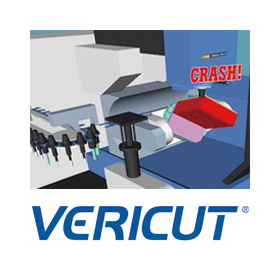
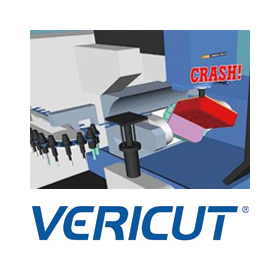
Aerospace Version Vericut 9.6

Improving aircraft safety with AI and precision machining.

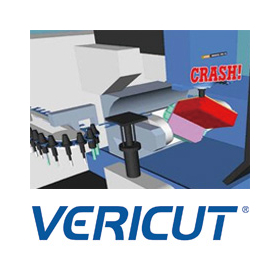
In the aerospace industry, the precision of part machining is extremely important to ensure the safety and reliability of aircraft. In particular, accurate manufacturing without machining errors is required for structural and engine components of aircraft. Vericut 9.6 addresses these challenges by simulating machine tools using G-code NC programs and detecting collisions and machining defects in advance. Vericut supports a wide variety of machine tools, including multi-axis machining such as high-efficiency, high-precision 5-axis machining, as well as lathes, composite machines, and multi-surface machining machines. 【Use Cases】 * Manufacturing of aircraft parts * Machining of complex shapes with high collision risk * Machining of parts requiring high precision 【Benefits of Implementation】 * Reduction of machining errors * Improvement of aircraft safety * Reduction of manufacturing costs

  • Milling machine
  • lathe
  • Other machine tools
  • soft

Added to bookmarks

Bookmarks list

Bookmark has been removed

Bookmarks list

You can't add any more bookmarks

By registering as a member, you can increase the number of bookmarks you can save and organize them with labels.

Free membership registration

Vericut 9.6 for Medical Devices

Improving the safety of medical device manufacturing with AI and precision machining.

In the medical device industry, the safety and reliability of products are the top priorities. CNC-machined medical device parts require high precision and quality, as they directly impact patient safety. Even a slight mistake in machining can lead to product malfunction or risks to patients. Vericut 9.6 reduces these risks by simulating G-code NC programs at the stage of machining to verify accuracy. 【Usage Scenarios】 - Safety verification in CNC machining of medical device parts - Interference checks in machining complex-shaped parts - Cost reduction through optimization of machining time 【Benefits of Implementation】 - Improved product reliability by reducing machining errors - Shortened development time by reducing the number of prototypes - Mitigation of cost increases due to machining defects

  • Milling machine
  • lathe
  • Other machine tools
  • soft

Added to bookmarks

Bookmarks list

Bookmark has been removed

Bookmarks list

You can't add any more bookmarks

By registering as a member, you can increase the number of bookmarks you can save and organize them with labels.

Free membership registration

DesignFlowExtractor for Manufacturing Industry

3D data to 2D drawings! Significantly improve work efficiency.

In the manufacturing industry, the creation of part drawings is essential for product design and manufacturing processes. The conversion from 3D CAD data to 2D drawings has required a lot of time and effort, leading to decreased work efficiency. Particularly in the mold industry, a significant amount of time has been spent on shape verification and angle correction of 3D data, making the transition to 2D drawings challenging. DesignFlowExtractor performs shape verification and angle correction of three-dimensional data, allowing for conversion to two-dimensional data in just 10 clicks. This achieves a reduction in work time and increased efficiency. 【Use Cases】 - Creation of 2D drawings in the mold industry - Modification and updating of part drawings - Shape verification of 3D data 【Benefits of Implementation】 - Reduction in work time - Improvement in operational efficiency - Reduction of errors

Added to bookmarks

Bookmarks list

Bookmark has been removed

Bookmarks list

You can't add any more bookmarks

By registering as a member, you can increase the number of bookmarks you can save and organize them with labels.

Free membership registration

Vericut 9.6 for Watch Manufacturing

Improving the quality and efficiency of watch parts through the fusion of AI and precision machining.

In the watch manufacturing industry, there is a demand for the efficient production of high-quality watch components. Particularly for parts that require complex shapes and fine processing, balancing machining accuracy and productivity is crucial. Machining defects and process delays can lead to a decline in product quality and increased costs. Vericut 9.6 addresses these challenges through AI-powered simulation and optimization features. 【Usage Scenarios】 - Machining of complex-shaped watch components - Optimization of tool paths in fine processing - Simulation of multi-axis machining 【Benefits of Implementation】 - Reduction in machining time - Improvement in machining accuracy - Extension of tool life - Reduction of defective products

  • Milling machine
  • lathe
  • Other machine tools
  • soft

Added to bookmarks

Bookmarks list

Bookmark has been removed

Bookmarks list

You can't add any more bookmarks

By registering as a member, you can increase the number of bookmarks you can save and organize them with labels.

Free membership registration

Beyond CAD, connecting data - Orizuru 3D

Don't just finish with design. Move the CAD data to the next stage.

How to directly link design data to processing and manufacturing preparation. This is an important theme in improving productivity and preventing rework. If 3D data can be smoothly transferred to subsequent processes, it can reduce verification work and expedite estimates and manufacturing preparations. However, the situation on the ground is not that simple. Even if 3D modeling is progressing in the design department, the manufacturing side still faces issues with interpreting drawings and individual confirmations, leading to a disconnect in information. When this gap occurs between design and manufacturing, it results in repeated confirmations of the same shape, leading to variations in judgment and delays in response. The solution to this design-manufacturing gap is 'Orizuru 3D.' Through shape recognition, similarity searches, automatic estimates, and lightweight 3D displays, it expands design data into procurement and manufacturing preparation, accelerates on-site decision-making, and supports the creation of workflows that are less reliant on individual expertise. 【Features】 ■ Automatic estimation ■ Lightweight 3D rendering in a web browser *For more details, please download the PDF. ■ Reference Article What is CAM/CAD? Explaining the differences from CAE and how it is utilized in manufacturing https://www.cct-inc.co.jp/koto-online/archives/330

Added to bookmarks

Bookmarks list

Bookmark has been removed

Bookmarks list

You can't add any more bookmarks

By registering as a member, you can increase the number of bookmarks you can save and organize them with labels.

Free membership registration

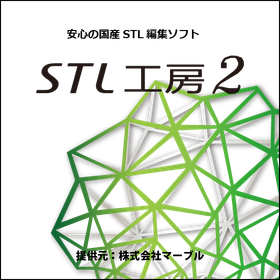
【建築検証向け】STL編集ソフト「STL工房2」

簡単操作でSTLデータを簡略化し、建築検証を効率化!

建築業界における検証作業では、3Dモデルの正確性と効率的なデータ処理が求められます。特に、設計段階でのモデル修正や、構造解析のためのデータ準備において、STLデータの軽量化は重要な課題です。ファイル容量が大きいと、編集や解析に時間がかかり、検証プロセス全体の遅延につながる可能性があります。STL工房2は、STLデータの軽量化を実現し、建築検証におけるデータ処理の効率化を支援します。 【活用シーン】 * 建築設計モデルの検証 * 構造解析用データの準備 * 3Dプリンター出力前のデータ調整 【導入の効果】 * データ処理時間の短縮 * 検証作業の効率化 * 設計・製造プロセスの最適化

Added to bookmarks

Bookmarks list

Bookmark has been removed

Bookmarks list

You can't add any more bookmarks

By registering as a member, you can increase the number of bookmarks you can save and organize them with labels.

Free membership registration

CAMCORE EX for Automotive Parts Manufacturing

Manage drawings and processing data in the same file to streamline the editing of processing data.

In the automotive parts manufacturing industry, a quick response to design changes and high-quality parts processing are required. Particularly in the prototyping stage and low-volume, high-variety production, modifications and optimizations of processing data occur frequently, making work efficiency crucial. CAMCORE EX facilitates easy changes to processing conditions and paths by managing drawings and processing data in the same file, thereby reducing NC data creation time. [Usage Scenarios] - Prototyping of automotive parts - Low-volume, high-variety production - Quick response to design changes [Benefits of Implementation] - Reduction in processing data editing time - Increased efficiency in NC data creation - Achievement of high-quality parts processing

Added to bookmarks

Bookmarks list

Bookmark has been removed

Bookmarks list

You can't add any more bookmarks

By registering as a member, you can increase the number of bookmarks you can save and organize them with labels.

Free membership registration

Lightweight Design Using CAMCORE EX for Aerospace Applications

Centralized management of drawings and processing data to streamline lightweight design of aerospace components.

In the aerospace industry, reducing the weight of components is essential for improving fuel efficiency and performance of aircraft. Achieving weight reduction requires high-precision design and manufacturing. CAMCORE EX facilitates the creation of NC data during design changes by managing drawings and processing data in the same file, contributing to a reduction in the number of prototypes. 【Usage Scenarios】 - Design of aircraft components - Design of components for space exploration vehicles - Design of drone components 【Benefits of Implementation】 - Shortened design and manufacturing periods - Realization of component weight reduction - Cost reduction

Added to bookmarks

Bookmarks list

Bookmark has been removed

Bookmarks list

You can't add any more bookmarks

By registering as a member, you can increase the number of bookmarks you can save and organize them with labels.

Free membership registration

Reduce the burden of inspection work for the aerospace industry! DX methods to start from today.

A system suitable for creating an Excel record sheet for specification confirmation from drawing data.

In the aerospace industry, accurate verification of the detailed specifications listed in drawings is required to ensure product safety and reliability. In particular, the task of manually transcribing complex design information and specifications related to numerous parts into record sheets like Excel is not only time-consuming and labor-intensive but also carries the risk of human error. These challenges can lead to delays in specification verification and decisions based on incorrect information. Our "DrawingExtractor" addresses these issues by efficiently extracting the necessary textual information from drawing data and automating the transcription process to Excel. 【Usage Scenarios】 - Measurement records - Dimension inspection records - Material confirmation documents, etc. 【Benefits of Implementation】 - Increased efficiency in specification verification tasks - Reduction of transcription errors - Faster verification processes

Added to bookmarks

Bookmarks list

Bookmark has been removed

Bookmarks list

You can't add any more bookmarks

By registering as a member, you can increase the number of bookmarks you can save and organize them with labels.

Free membership registration

CADSUPER for Mechanical Parts Design

Create value-added drawings with barcodes for product management! CADSUPER

In the field of mechanical component design, it is essential to respond to design changes and manage drawings accurately. Particularly in the efficiency and quality control of manufacturing processes, the accuracy of drawings is crucial. Errors in drawings can lead to non-conformance of parts and manufacturing delays. CADSUPER is a domestically produced hybrid 2D CAD system that also supports 3D data. It offers intuitive drawing operations, data conversion functions for other formats, mechanical elements, dedicated pro commands, layers, projection drawings, and batch changes, edits, and automatic processing for all tasks, providing indispensable features for designers. This leads to improved design efficiency and streamlined drawing management. 【Usage Scenarios】 - Design of mechanical components - Modification and editing of drawings - Data conversion from other formats - Collaboration with manufacturing sites 【Benefits of Implementation】 - Reduction in design time - Streamlining of drawing management - Decrease in design errors - Increased efficiency in manufacturing processes

Added to bookmarks

Bookmarks list

Bookmark has been removed

Bookmarks list

You can't add any more bookmarks

By registering as a member, you can increase the number of bookmarks you can save and organize them with labels.

Free membership registration

[Latest information updated on Twitter] Test processing information and more are being released as needed.

Software that brings a productivity revolution to the machining industry! Reduced working hours and significantly improved work efficiency.

'ARUMCODE', which realizes complete automation of NC programming, automatically creates estimates and NC programs necessary in the pre-processing stage. By stabilizing machining accuracy and improving productivity, it reduces manual work time and significantly enhances work efficiency. Additionally, it features a simple operability that is easy for new operators to understand. Here, we introduce our Twitter account where you can see the latest information!! [Features] ■ Software that stands apart from CAM ■ 96% reduction in machining program creation time ■ Simple operability that is easy for new operators to understand ■ Select machining modes according to application (choose between manual 3-axis and automatic 3-axis modes) ■ Significant reduction in manual work time and substantial increase in work efficiency * For the latest technical information, please check our Twitter below or feel free to contact us. → We are uploading test machined products daily! Please like and follow us!

  • Other CAD related software
  • soft

Added to bookmarks

Bookmarks list

Bookmark has been removed

Bookmarks list

You can't add any more bookmarks

By registering as a member, you can increase the number of bookmarks you can save and organize them with labels.

Free membership registration

Reduce the burden of inspection tasks for the manufacturing industry! DX methods to start today.

Efficiently transfer part identification information from drawing data to Excel.

In the manufacturing industry, it is essential to accurately and quickly grasp the information presented in drawings for the identification and management of parts. Particularly in the creation of parts lists and the management of inspection records, the manual transcription of textual information from drawings not only consumes time and effort but also carries the risk of human error. To address these challenges, our "Drawing Extractor" significantly streamlines these tasks by extracting the necessary textual information from drawing data and automatically transcribing it into Excel. 【Use Cases】 - Creation of parts lists - Creation of measurement records - Creation of dimensional inspection records - Creation of material confirmation documents 【Benefits of Implementation】 - Reduction of manual transcription tasks - Shortening of work time - Decrease in human errors - Improvement in data management accuracy

Added to bookmarks

Bookmarks list

Bookmark has been removed

Bookmarks list

You can't add any more bookmarks

By registering as a member, you can increase the number of bookmarks you can save and organize them with labels.

Free membership registration

Reduce the burden of inspection work for the construction industry! DX methods to start today.

A system to streamline the creation of Excel record sheets from drawing data.

In the construction industry, accurate recording and management of design information and inspection records are essential for drawing management. In particular, the manual task of transcribing dimension values and measurement records from drawings into Excel not only requires significant time and effort but also carries the risk of delays and misunderstandings due to transcription errors. To address these challenges, our "Drawing Extractor" significantly streamlines these cumbersome tasks by automatically extracting necessary text information from drawing data (DXF/DWG/PDF*) and transcribing it into Excel. 【Use Cases】 - Creation of measurement records - Creation of dimension inspection records - Creation of material confirmation documents 【Benefits of Implementation】 - Reduction of manual transcription tasks - Improvement in data accuracy due to reduced transcription errors - Increased productivity through shortened work time

Added to bookmarks

Bookmarks list

Bookmark has been removed

Bookmarks list

You can't add any more bookmarks

By registering as a member, you can increase the number of bookmarks you can save and organize them with labels.

Free membership registration

Reducing the burden of inspection tasks in the automotive industry! DX methods to start today.

A system suitable for creating Excel data recording sheets from drawing data.

In the automotive industry's design verification process, it is required to accurately and quickly transcribe information from drawings to recording sheets. Particularly in the creation of parts lists and dimension inspection records, manual transcription errors and time losses can lead to delays in the overall verification work. In response to these challenges, our "Drawing Extractor" significantly reduces cumbersome tasks by efficiently extracting and transcribing specified text information from drawing data to Excel, contributing to improved accuracy and speed in design verification operations. 【Usage Scenarios】 - Creation of measurement records - Creation of dimension inspection records - Creation of material confirmation documents 【Benefits of Implementation】 - Time savings through improved efficiency of transcription work - Reduction of manual transcription errors - Centralized data management and promotion of utilization

Added to bookmarks

Bookmarks list

Bookmark has been removed

Bookmarks list

You can't add any more bookmarks

By registering as a member, you can increase the number of bookmarks you can save and organize them with labels.

Free membership registration

Reduce the burden of inspection work for infrastructure! DX methods to start from today.

A system suitable for creating equipment inspection record sheets from drawing data.

In the infrastructure industry's equipment inspection, it is essential to accurately record and manage the on-site conditions. In particular, creating detailed inspection records is crucial for the early detection of equipment aging and abnormalities. However, the task of manually transcribing information from drawings onto recording sheets is time-consuming and labor-intensive, and it also carries the risk of human error. Our "Drawing Extractor" contributes to solving these challenges by efficiently extracting necessary text information from drawing data and assisting in the creation of Excel-format recording sheets. 【Usage Scenarios】 - Measurement records - Dimension inspection records - Material confirmation documents, etc. 【Benefits of Implementation】 - Significant efficiency improvement in creating inspection records - Enhanced record accuracy by reducing transcription errors - Reduced burden on personnel

Added to bookmarks

Bookmarks list

Bookmark has been removed

Bookmarks list

You can't add any more bookmarks

By registering as a member, you can increase the number of bookmarks you can save and organize them with labels.

Free membership registration

Reduce the burden of inspection work for architectural design! DX methods to start from today.

A system suitable for creating Excel record sheets necessary for design confirmation from drawing data.

In the architectural design industry, it is essential to accurately and quickly verify the design information recorded in drawings and create record sheets. Particularly in design changes and information sharing among stakeholders, transcription errors of text information and dimension values on the drawings can lead to rework and discrepancies in understanding. In response to these challenges, our "Drawing Extractor" contributes to improving work accuracy and reducing time by efficiently extracting and transcribing necessary text information from drawing data to Excel. 【Usage Scenarios】 - Extracting design elements from design drawings - Recording change histories - Creating confirmation materials for stakeholders 【Benefits of Implementation】 - Streamlining design verification tasks - Improving accuracy by reducing transcription errors - Accelerating information sharing

Added to bookmarks

Bookmarks list

Bookmark has been removed

Bookmarks list

You can't add any more bookmarks

By registering as a member, you can increase the number of bookmarks you can save and organize them with labels.

Free membership registration

File encryption solution system chosen by the manufacturing industry.

Compatible with various Windows applications, including CAD/CAM systems!

Secward TotalFileGuard (TFG) protects important business data from risks such as loss and leakage. TotalFileGuard quickly encrypts critical data at the OS kernel level using the latest algorithms currently available. ■ Reasons for Choosing Us in the Manufacturing Industry - Does not slow down even when encrypted - File size does not increase even when encrypted - No special operations required for encryption - Does not compromise application functionality - Compatible with various Windows applications, including CAD systems - Usable in China For more details, please download the catalog or contact us. ■ We are currently offering a free trial for the first 5 applicants. For more information, please contact us.

  • Encryption and authentication
  • soft

Added to bookmarks

Bookmarks list

Bookmark has been removed

Bookmarks list

You can't add any more bookmarks

By registering as a member, you can increase the number of bookmarks you can save and organize them with labels.

Free membership registration

Reduce the burden of inspection work for plants! DX methods to start from today.

Efficiently create record sheets by transferring piping information from drawing data to Excel.

In the plant industry, especially in piping tracking, it is essential to accurately and quickly grasp the detailed piping information specified in the drawings. In the maintenance and renovation planning of equipment, the task of manually transcribing information from the drawings to a recording sheet not only takes time and effort but also carries the risk of human error. In response to these challenges, our "Drawing Extractor" significantly streamlines the process of creating recording sheets by extracting necessary textual information (such as piping numbers, materials, sizes, etc.) from drawing data (DXF/DWG/PDF*) and automatically transcribing it to Excel. 【Usage Scenarios】 - Extracting information from piping diagrams of plant equipment - Recording piping materials, sizes, identification numbers, etc. - Creating data for inspection and maintenance records - Organizing information during renovations and expansions 【Benefits of Implementation】 - Reduction in recording time - Improved data accuracy by reducing transcription errors - Alleviation of the burden on personnel - Support for rapid information sharing and decision-making

Added to bookmarks

Bookmarks list

Bookmark has been removed

Bookmarks list

You can't add any more bookmarks

By registering as a member, you can increase the number of bookmarks you can save and organize them with labels.

Free membership registration

Reducing the burden of inspection tasks for medical devices! DX methods to start today.

A system to streamline the creation of Excel record sheets from drawing data.

In the medical device industry, record management during design changes is crucial to ensure product quality and safety. In particular, accurately and quickly transferring design information such as part details and dimensions from drawings to record sheets carries the risk of increased workload and human error. To address these challenges, our "Drawing Extractor" is software that allows for easy extraction and transfer of specified text information from drawing data to Excel. This streamlines the creation of measurement records, dimension inspection records, material confirmation documents, and contributes to reducing the workload associated with design changes. 【Use Cases】 - Creation of record sheets for drawing information due to design changes - Creation and updating of parts lists - Digitization of dimension inspection records - Creation of material confirmation documents 【Benefits of Implementation】 - Significant reduction in manual transcription work from drawings - Improved accuracy of records due to reduced transcription errors - Reduction in data management labor during design changes - Enhanced operational efficiency

Added to bookmarks

Bookmarks list

Bookmark has been removed

Bookmarks list

You can't add any more bookmarks

By registering as a member, you can increase the number of bookmarks you can save and organize them with labels.

Free membership registration

Reduce the burden of inspection work for shipbuilding! DX methods to start from today.

A system suitable for creating Excel record sheets necessary for assembly instructions from drawing data.

In the shipbuilding industry, particularly in outfitting instructions, it is essential to accurately and quickly extract necessary data from complex drawing information and transcribe it onto record sheets. Understanding the textual information on the drawings, such as dimensions, part information, and instructions, and managing it in Excel format is a crucial factor that affects the accuracy and efficiency of the work. Inaccurate transcription can lead to rework and quality issues. Our "DrawingExtractor" is software that allows for easy transcription of specified text data from drawing data (DXF/DWG/PDF*) to Excel, significantly streamlining this cumbersome task. 【Usage Scenarios】 - Creating parts lists for outfitting instructions - Generating measurement records at each stage - Creating dimension inspection records - Preparing material confirmation documents 【Benefits of Implementation】 - Reduction of manual transcription work from drawings - Improvement in quality due to reduced transcription errors - Increased operational efficiency by shortening record sheet creation time

Added to bookmarks

Bookmarks list

Bookmark has been removed

Bookmarks list

You can't add any more bookmarks

By registering as a member, you can increase the number of bookmarks you can save and organize them with labels.

Free membership registration

Fusion360 Experience Course - From Creating Mechanical Parts to Assembly

By modeling parts and creating assemblies, you will be able to experience the design flow using Fusion 360.

Fusion360 is an integrated 3D CAD application that handles CAD, CAM, CAE, and rendering. Among its features, the hybrid modeling capability that supports solid, surface, polygon, and mesh modeling is based on innovative ideas that set it apart from traditional CAD products, earning high praise across various industries. Not only does it offer innovation, but it also includes traditional mechanical 3D CAD functionalities, allowing for advanced mechanical design, including individual part design, product assembly creation, and sheet metal functions, despite its price. In this seminar, you will experience the design flow using Fusion360 by modeling parts and creating assemblies. It is recommended for those considering the active adoption of 3D CAD, those who have hesitated due to cost, and those looking to reduce the operational costs of existing 3D CAD systems. Date: Saturday, May 26, 2018, from 13:30 to 16:30 *Fusion360 2018 will be used. *One computer (Windows) will be provided per person.

  • Technical Seminar
  • 3D CAD
  • 3D CAM
  • soft

Added to bookmarks

Bookmarks list

Bookmark has been removed

Bookmarks list

You can't add any more bookmarks

By registering as a member, you can increase the number of bookmarks you can save and organize them with labels.

Free membership registration

Streamlining Supply Production: Mold Restoration with Reverse Engineering Software

Significantly reduce the man-hours for automobile development! A reverse engineering tool dedicated to accurately CAD modeling complex freeform surfaces, "spScan."

This is a dedicated tool for creating high-quality NURBS surfaces from 3D point cloud and polygon data obtained by non-contact scanners, making it easy to utilize in design and analysis. It excels in modeling complex freeform surfaces, such as automotive bodies and interior components, achieving smooth surface compositions with fewer control points in a short amount of time. 【Use Cases】 - CAD conversion of design clay models In the early stages of development, where shape changes are frequent, it quickly creates high-precision surface data from actual clay models, streamlining design considerations and component layout evaluations. - Feedback of hand-finished mold shapes to design The "partial reverse" function allows for the extraction of only the areas adjusted or modified by craftsmen on-site, enabling minimal effort to reflect these changes in existing CAD data. - Restoration of molds for spare parts and competitive analysis Scanning actual parts from discontinued vehicles or products from other companies and converting them to CAD data for use in remaking spare parts or benchmark analysis. 【Benefits of Implementation】 By allowing modeling while checking for discrepancies with design data, it reduces rework. The created data can be output in common formats such as IGES and STEP, making it usable in subsequent CAD/CAM/CAE systems.

  • Other CAD related software
  • soft

Added to bookmarks

Bookmarks list

Bookmark has been removed

Bookmarks list

You can't add any more bookmarks

By registering as a member, you can increase the number of bookmarks you can save and organize them with labels.

Free membership registration

Reduce the burden of inspection work for real estate! DX methods to start from today.

Assistance in creating Excel record sheets necessary for property assessment from drawing data.

In the real estate industry, particularly in property appraisal, it is essential to accurately and quickly extract and record necessary data from property drawing information. It is necessary to organize a wide range of information, including the current status of the property, past data, and legal regulations, while cross-referencing it with the drawings, and this process can sometimes be time-consuming. Accurate property appraisal is crucial for appropriate pricing and risk assessment, making efficient information management important. DrawingExtractor is software that streamlines the task of transcribing textual data such as property area, layout, and equipment information from drawing data (DXF/DWG/PDF*) into Excel. This reduces the traditionally cumbersome manual transcription work, contributing to faster and more accurate property appraisal operations. 【Usage Scenarios】 - Extracting area, number of rooms, and equipment information from property drawings - Referring to and recording data from past property documents - Verifying and recording drawing information related to legal regulations and ordinances 【Benefits of Implementation】 - Significant reduction in time required for property appraisal - Improved appraisal accuracy by reducing data entry errors - Reduced workload for staff and increased productivity

Added to bookmarks

Bookmarks list

Bookmark has been removed

Bookmarks list

You can't add any more bookmarks

By registering as a member, you can increase the number of bookmarks you can save and organize them with labels.

Free membership registration

[Energy Industry] Reducing the Burden of Inspection Tasks! DX Methods to Start Today

Streamlining the creation of Excel record sheets necessary for maintenance planning from drawing data.

In the energy industry’s maintenance planning, it is essential to accurately and quickly grasp the detailed information recorded in the drawings for equipment maintenance and troubleshooting. In particular, records of aging deterioration and renovation history significantly impact the accuracy of future maintenance plans. Manually transcribing this information from drawings to Excel not only consumes time and effort but also raises concerns about inaccuracies due to transcription errors. Our "Drawing Extractor" addresses these challenges by automatically extracting the necessary textual information from drawing data and transcribing it to Excel, thereby supporting the efficiency and accuracy of information management in maintenance planning. 【Usage Scenarios】 - Creating measurement records during equipment inspections - Managing dimension inspection records for renovation work - Preparing material confirmation documents such as parts replacement history 【Benefits of Implementation】 - Significant reduction in manual transcription work from drawings - Decrease in time and costs associated with record creation - Improvement in the accuracy of information leading to enhanced precision in maintenance planning

Added to bookmarks

Bookmarks list

Bookmark has been removed

Bookmarks list

You can't add any more bookmarks

By registering as a member, you can increase the number of bookmarks you can save and organize them with labels.

Free membership registration

Reducing the burden of inspection work for urban planning! DX methods to start from today.

A system suitable for creating Excel record sheets necessary for area analysis from drawing data.

In the field of urban planning, area analysis requires the extraction of necessary information from extensive drawing data and the creation of record sheets for analysis. In particular, detailed data such as site boundaries, zoning areas, and infrastructure information are crucial, as accurate and rapid extraction directly impacts the precision of the analysis. Manually transcribing this information not only takes time and effort but also carries the risk of human error. Our Drawing Extractor is software that allows for easy transcription of specified text data from drawing files (DXF/DWG/PDF*) to Excel, significantly streamlining this cumbersome task. 【Usage Scenarios】 - Extraction of area boundary lines and land number information - Recording of zoning regulations such as land use, building coverage ratio, and floor area ratio - Organization of infrastructure layout information (roads, water supply and sewage, etc.) - Recording of existing building site area and total floor area 【Benefits of Implementation】 - Acceleration of data collection and recording tasks necessary for area analysis - Reduction of transcription errors caused by manual work - Increased focus time on analysis tasks - Improvement of analysis accuracy through centralized data management

Added to bookmarks

Bookmarks list

Bookmark has been removed

Bookmarks list

You can't add any more bookmarks

By registering as a member, you can increase the number of bookmarks you can save and organize them with labels.

Free membership registration

Case Study of Support for Introducing Business Improvement Subsidies | Care Record Software, Intercom

Amount of business improvement subsidy obtained: 900,000 yen. The time for recording and handover has been shortened, and the quality of care has improved! The hourly wage for care staff has also been increased by 60 yen.

Are you struggling with the introduction costs of care record software and intercoms? "Care records are handwritten, and it takes time to share information among staff, leading to frequent mistakes..." Introducing the latest equipment is key to enhancing a company's competitiveness, but the costs can become a significant barrier. Our company offers "subsidy support" that makes high-cost equipment investments possible. Below, we introduce a case where we supported the introduction of care record software and intercoms using business improvement grants. 【Case Introduction】 ■ Reasons for considering the introduction of care record software and intercoms → Care records were handwritten, and it took time to share information among staff, leading to frequent mistakes. ■ Subsidy support achievements → Amount of business improvement grant obtained: 900,000 yen ■ Effects of introducing care record software and intercoms → Time for recording and handovers was reduced, improving the quality of care. Increased hourly wage for care staff by 60 yen. By utilizing subsidies, it is possible to overcome cost barriers and achieve both technological innovation and business expansion. For more details on subsidy support, please check the catalog download button. Feel free to contact us with any inquiries.

  • Management consultant/Small business consultant
  • Software (middle, driver, security, etc.)
  • soft

Added to bookmarks

Bookmarks list

Bookmark has been removed

Bookmarks list

You can't add any more bookmarks

By registering as a member, you can increase the number of bookmarks you can save and organize them with labels.

Free membership registration

Case Study of Support for Introducing Business Improvement Subsidies | High-Performance PCs, CAD Software

Business improvement subsidy amount: 1.1 million yen. Upgrade the specifications of the PC used for drawing creation to high performance! Drawing creation time reduced by 40%.

Are you struggling with the introduction costs of high-performance PCs and CAD software? "The specifications of the PC used for drawing creation were low, resulting in poor work efficiency. Improving the salaries of the design staff was a challenge..." Introducing state-of-the-art equipment is key to enhancing a company's competitiveness, but the costs can pose a significant barrier. Our company offers "subsidy support" that makes high-cost equipment investment possible. Below, we present a case study where we supported the introduction of high-performance PCs and CAD software using business improvement subsidies. 【Case Study】 ■ Reasons for considering the introduction of high-performance PCs and CAD software → The specifications of the PC used for drawing creation were low, resulting in poor work efficiency. Improving the salaries of the design staff was a challenge. ■ Subsidy support achievements → Amount of business improvement subsidy obtained: 1.1 million yen ■ Effects of introducing high-performance PCs and CAD software → Drawing creation time was reduced by 40%. We were able to raise the salary of the design staff by 10,000 yen per month. By utilizing subsidies, it is possible to overcome cost barriers and achieve both technological innovation and business expansion. For more details on subsidy support, please check the catalog download button. Feel free to contact us with any inquiries.

  • Management consultant/Small business consultant
  • Other CAD
  • soft

Added to bookmarks

Bookmarks list

Bookmark has been removed

Bookmarks list

You can't add any more bookmarks

By registering as a member, you can increase the number of bookmarks you can save and organize them with labels.

Free membership registration