We have compiled a list of manufacturers, distributors, product information, reference prices, and rankings for 3D CAD.
ipros is IPROS GMS IPROS One of the largest technical database sites in Japan that collects information on.

3D CAD(扉 3d) - List of Manufacturers, Suppliers, Companies and Products | IPROS GMS

Last Updated: Aggregation Period:May 06, 2026~Jun 02, 2026
This ranking is based on the number of page views on our site.

3D CAD Product List

1~21 item / All 21 items

Displayed results

3D CAD System SheetPartner 3DSW

SheetPartner 3DSW: 3D CAD system for sheet metal use

This is a top-tier 3D sheet metal unfolding and design tool that leads the sheet metal industry, taking into account years of expertise in sheet metal design and processing. <Features> - It provides improvements in the workflow leading to the product for both designers and manufacturers. As a result, it achieves cost reduction and shorter design times. - Unfolding can be easily done even if the bend areas do not have corner radii added. - In addition to the unfolding calculation methods used for unfolding (such as stretch value tables, K-factors, and formulas [DIN standards]), it is also possible to specify individual stretch values and bend radii for each bend area. - Bend lines are automatically output during unfolding. - The positions of parts to be welded can be pre-indicated and output as marking lines. It is easy to specify by simply selecting one edge of the part to be welded. - Information such as material, plate thickness, and bend angles can be noted on the bend lines of the unfolding diagram, and a bend table can be created. *For more details, please download the PDF or feel free to contact us. *We are currently offering on-site and online demonstrations!

  • 3D CAD
  • 3D CAD

Added to bookmarks

Bookmarks list

Bookmark has been removed

Bookmarks list

You can't add any more bookmarks

By registering as a member, you can increase the number of bookmarks you can save and organize them with labels.

Free membership registration

3D CAD CADSUPERWorks Mini/Lite

A 3D CAD with intuitive operations that allows for smooth componentization.

【Features】 ■ Suitable for 3D printing applications ■ Equipped with interference check function between parts ■ Excellent compatibility with other CAD software ■ Capable of converting 3D information to 2D You can choose from two types: the "Mini model," which has the basic functions necessary for 3D modeling of parts, and the "Lite model," which includes assembly design functions. *For more details, please refer to the PDF catalog. If you would like detailed materials, please contact us at the information below. ■ Contact Marble Co., Ltd. Embedded Product Division, Product Business Department Phone: (03) 3419-6011

Added to bookmarks

Bookmarks list

Bookmark has been removed

Bookmarks list

You can't add any more bookmarks

By registering as a member, you can increase the number of bookmarks you can save and organize them with labels.

Free membership registration

Conceptual Design Support 3D CAD

Conceptual Design Support 3D CAD

Further evolution centered on non-historical technology! Dynamic modeling technology conceptual design support 3D CAD ■□■Features■□■ ■When drawing 2D shapes that form the basis of 2D co-pilot modeling, the co-pilot function provides support, significantly reducing the number of clicks compared to traditional drafting. ■3D co-pilot enhancement: The 3D co-pilot, essential for 3D modeling, has also been enhanced. With the addition of real-time preview and snap functions, operability has improved dramatically. ■The blend function has been further enhanced, making it easy to create gradual blends. ■Sheet metal and mold design support: Unique support functions for sheet metal and mold design. ■Utilizing a database to manage complex 3D CAD data, it is equipped with functions that support the daily tasks of designers. ■Related Services PDM Product Information Management System "Base-Right" https://nsw-manufacturing.jp/baseright/index.html *For more detailed materials, please contact us via the URL above.

Added to bookmarks

Bookmarks list

Bookmark has been removed

Bookmarks list

You can't add any more bookmarks

By registering as a member, you can increase the number of bookmarks you can save and organize them with labels.

Free membership registration

3D CAD for Manufacturing Industry【Autodesk Inventor】

What if a client in the construction industry requests BIM support...?

In the construction industry, a new design concept known as BIM (Building Information Modeling) is becoming widespread. In the design of buildings using BIM, it is essential to have BIM-compatible 3D models that include not only shape information of elements such as doors and windows, but also attribute information such as performance and specifications for equipment like HVAC systems, lighting fixtures, and elevators. Manufacturers of these elements and equipment are also required to adopt BIM practices as part of the manufacturing industry. With Autodesk's 3D CAD "Inventor," not only can efficient 3D design be achieved, but it is also easy to output BIM-compatible models from the designed 3D models.

  • 3D CAD
  • 3D CAD

Added to bookmarks

Bookmarks list

Bookmark has been removed

Bookmarks list

You can't add any more bookmarks

By registering as a member, you can increase the number of bookmarks you can save and organize them with labels.

Free membership registration

Industrial Design 3D CAD ThinkDesign Styling

3D CAD suitable for industrial design through 3D modeling.

"Think Design Styling" is the ideal 3D modeling tool for industrial design work involving products with complex freeform surfaces. It supports surface features including GSM with highlight control, high-quality still image rendering, and drawing creation.

  • 3D CAD
  • Rendering software
  • Other CAD
  • 3D CAD

Added to bookmarks

Bookmarks list

Bookmark has been removed

Bookmarks list

You can't add any more bookmarks

By registering as a member, you can increase the number of bookmarks you can save and organize them with labels.

Free membership registration

Sheet Metal 3D CAD ZW3D (Sheet Metal)

Are you suddenly struggling with receiving 3D CAD data? High functionality! Easy to use! Low price! Solve it with ZW3D, the definitive CAD for sheet metal unfolding!

"I want to introduce 3D CAD, but I don't know which one to choose," "I have already implemented it, but it's difficult to operate and hard to use," "The data formats I can receive are limited," "I can't afford expensive CAD" ... If you have such concerns or challenges, please try ZW3D.

  • 3D CAD
  • Data conversion software
  • Modeler
  • 3D CAD

Added to bookmarks

Bookmarks list

Bookmark has been removed

Bookmarks list

You can't add any more bookmarks

By registering as a member, you can increase the number of bookmarks you can save and organize them with labels.

Free membership registration

3D CAD "KEYCREATOR"

Fusion of 3D functionality and 2D drawing capabilities! Comprehensive support for the design trial and error process.

"KEYCREATOR" is a system that allows anyone to easily create 3D models with the feeling of drawing three-view drawings in 2D design. By avoiding careless mistakes during 2D design, it achieves a reduction in design time. By effectively utilizing existing 2D data, it eliminates the hassle of re-entering shapes while referring to 2D drawings, and thanks to interfaces with various 3D CAD systems, smooth work can be done without the need for intermediate file data compatibility. [Features] ■ Direct editing is possible even with data converted from other CAD systems. ■ 2D drawings, 3D wires, surfaces, and solids can all be used together in the same space. ■ Direct shape changes can be made simply by changing the dimension numbers. *For more details, please refer to the PDF materials or feel free to contact us.

Added to bookmarks

Bookmarks list

Bookmark has been removed

Bookmarks list

You can't add any more bookmarks

By registering as a member, you can increase the number of bookmarks you can save and organize them with labels.

Free membership registration

ThinkDesign 【3D CAD with excellent freeform surface capabilities】

Achieving high-quality reverse engineering through full hybrid modeling.

"ThinkDesign" is a hybrid 3D CAD that allows designers to create 3D models exactly as they envision. With the innovative design approach "Target-Driven Design," users can create freeform 3D models without complex operations or mathematical knowledge. The hybrid 3D modeling environment that merges surfaces and solids is exceptionally effective for creating and editing product shapes. ThinkDesign is utilized for various applications, including the creation of high-quality curved 3D models, generating CAD models from scan data, deforming 3D models that include meshes, automatic deformation prediction for press molds, and countermeasures for springback.

  • Other CAD
  • 3D CAD
  • 3D CAD

Added to bookmarks

Bookmarks list

Bookmark has been removed

Bookmarks list

You can't add any more bookmarks

By registering as a member, you can increase the number of bookmarks you can save and organize them with labels.

Free membership registration

DENSO Co., Ltd. [3D CAD Implementation Case] i CAD SX

Designing over 100 production facilities with 3D CAD! Designing and manufacturing specialized machines filled with unique technology without any setbacks!

We would like to introduce a case study of business improvement using the specialized 3D CAD "iCAD SX" for mechanical design. At Denso Corporation, they are internalizing the production equipment for automotive parts. As the equipment became more complex and large-scale, they felt the limitations of 2D inspection through visual checks and decided to transition to 3D design. After acquiring high-end CAD and several mid-range CAD systems, they conducted actual design and benchmarking, ultimately selecting "iCAD SX" as it could handle the assembly of processing machines with over 10,000 parts. As a result, after a trial introduction period, it was officially adopted as the standard 3D CAD for the entire company. They have achieved "no return" by designing over 100 production facilities in 3D. [Main Effects of Implementation] - Labor-saving from detailed drawing design to assembly and design stages - Improvement in design quality, cost reduction, and enhanced competitiveness - High-precision simulation of equipment, robots, and human movements [Download Materials] - Currently available for limited access on the special site. Please click the link below.    ▼▼▼ Click here ▼▼▼

Added to bookmarks

Bookmarks list

Bookmark has been removed

Bookmarks list

You can't add any more bookmarks

By registering as a member, you can increase the number of bookmarks you can save and organize them with labels.

Free membership registration

3D CAD ZW3D Professional

Mold design functionality, point cloud necessary for reverse engineering, importing STL, surface creation, equipped with part library.

ZW3D Professional is designed for mold design and reverse engineering. In addition to standard features, it includes modules necessary for mold design, such as slope analysis, cavity-core splitting, parting lines & surfaces, and electrode design. It also encompasses point cloud and STL import, as well as surface creation needed for reverse engineering, allowing for the scanning of handmade models and old molds to replicate them as digital data.

  • 3D CAD
  • Data conversion software
  • Modeler
  • 3D CAD

Added to bookmarks

Bookmarks list

Bookmark has been removed

Bookmarks list

You can't add any more bookmarks

By registering as a member, you can increase the number of bookmarks you can save and organize them with labels.

Free membership registration

Point cloud, STL processing, 3D CAD, ZW3D

Point cloud, surface creation function from STL, tessellation of complex point cloud data, easy measurement of errors between shapes and point cloud, STL data.

● Surfaces can be created from point clouds and STL! - (Using point cloud and STL data from 3D measuring devices, we enable the direct creation of smooth surfaces. It is possible to create surfaces that consider not only point cloud information but also continuity with adjacent surfaces. This is effective not only for creating surface models from mock-ups but also for reverse engineering of pressed molded products.) ● Measure the errors between shapes and point cloud/STL data and execute gradient processing with a command! (By specifying the allowable range, we can instantly provide the average value and maximum error value.)

  • 3D CAD
  • Data conversion software
  • 3D CAD

Added to bookmarks

Bookmarks list

Bookmark has been removed

Bookmarks list

You can't add any more bookmarks

By registering as a member, you can increase the number of bookmarks you can save and organize them with labels.

Free membership registration

Fusion 360 - Cloud-based 3D CAD -

A cloud-based product development platform for 3D CAD/CAM/CAE.

Fusion 360 is software that consolidates all the necessary functions for various manufacturing environments into one platform. It is equipped with 3D modeling, assembly, 2D drawing creation, analysis functions, and CAM (Computer-Aided Manufacturing) capabilities for creating cutting tool paths, as well as features for higher-quality product design, such as circuit design and generative design tools that utilize AI. Additionally, by leveraging cloud technology, it enables reduced analysis computation times and data sharing that is not limited by location.

  • 2D CAD machine
  • 3D CAD
  • 3D CAD

Added to bookmarks

Bookmarks list

Bookmark has been removed

Bookmarks list

You can't add any more bookmarks

By registering as a member, you can increase the number of bookmarks you can save and organize them with labels.

Free membership registration

Case studies of product design and analysis using 3DEXPERIENCE [Video Distribution]

Introducing specific examples of analysis utilization that should be conducted in product design! The latest design development tools that can broadly cover the fundamentals to applications of structural analysis!

We have started offering on-demand streaming of the popular presentations from the "SOLIDWORKS / 3DEXPERIENCE Works Simulation Seminar" held in December 2024, free of charge. In recent years, the use of analysis in product development has become increasingly important. Utilizing analysis is essential for shortening development time, reducing development costs, improving design quality, and ensuring safety evaluations in manufacturing. If you are interested in the basic knowledge of stress/strain/displacement in structural analysis, the characteristics and points of caution for various static analyses, and the settings related to SOLIDWORKS Simulation, please watch the presentation videos below. ■ Application for Viewing If you would like to watch the video, please apply via the related link or the URL below. https://www.ccube.co.jp/cadstation/seminar/solidworks-2024-12-movie

  • Technical Seminar
  • Structural Analysis
  • 3D CAD
  • 3D CAD

Added to bookmarks

Bookmarks list

Bookmark has been removed

Bookmarks list

You can't add any more bookmarks

By registering as a member, you can increase the number of bookmarks you can save and organize them with labels.

Free membership registration

[User Case] 3D Design CAD System - Household Appliance Design

Achieving shorter delivery times for high-quality products through the digitalization of the development process!

Solid Edge is a mid-range 3D CAD system developed and provided by Siemens PLM Software, a leading company in the PLM (Product Lifecycle Management) software industry, which achieves top-class operability. Esmaltec, a Brazilian manufacturer of household appliances such as washing machines and gas stoves, utilized Solid Edge to reduce prototype production by 40%. Furthermore, design rework was reduced by 80%! By implementing a development platform combined with Teamcenter, they achieved a 90% reduction in mid-project changes. For more details, please download the catalog or contact us.

  • Company:TAC
  • Price:Other
  • 3D CAD
  • 3D CAD

Added to bookmarks

Bookmarks list

Bookmark has been removed

Bookmarks list

You can't add any more bookmarks

By registering as a member, you can increase the number of bookmarks you can save and organize them with labels.

Free membership registration

3D CAD system 'SolidWorks'

Solidworks is a 3D CAD software designed from the perspective of designers. It enables ideal design and modeling.

Solidworks analyzes the various features of each CAD based on customer requirements and proposes the optimal system.

  • solidworks_ipros_2.jpg
  • solidworks_ipros_3.jpg
  • Other CAD
  • 3D CAD
  • Other CAD related software
  • 3D CAD

Added to bookmarks

Bookmarks list

Bookmark has been removed

Bookmarks list

You can't add any more bookmarks

By registering as a member, you can increase the number of bookmarks you can save and organize them with labels.

Free membership registration

Mechanical Design Division

Designing dedicated machines and transport equipment for improving productivity and reducing costs, as well as semi-automatic small devices and jig improvements to accommodate small quantities and a variety of products.

To meet the diverse needs of modern times, we are advancing our efforts in new technologies. However, there are specific design rules unique to our customers, so it may take some time to learn them. This is to ensure smooth business operations and to eliminate unnecessary revisions to drawings. We kindly ask for your understanding as needed. By progressing our work more quickly and accurately, we believe we can reduce costs for our customers and are committed to being of service to them through our daily efforts.

  • 3D CAD
  • 2D CAD machine
  • 3D Printer
  • 3D CAD

Added to bookmarks

Bookmarks list

Bookmark has been removed

Bookmarks list

You can't add any more bookmarks

By registering as a member, you can increase the number of bookmarks you can save and organize them with labels.

Free membership registration

Until when will we differentiate between 2D CAD and 3D CAD?

Eliminate hassle with the linkage between drawings and models 'CADPAC'

Are you currently using both 2D CAD and 3D CAD and experiencing any of these frustrations? - Going back and forth between 2D CAD and 3D CAD - There's no time on-site, so only the drawings are modified. The drawings are left to stand alone. - You went through the trouble of implementing 3D CAD, but... - You've ended up going back to 2D CAD. With CADPAC3D, models and drawings are linked in real-time. When the model is created, the drawing is also created! ■ CAD Usability What designers need is the realization of their ideas. There's no time to be tossed around by CAD. With intuitive operations, learning is a breeze. You no longer need unwanted breaks. With CADPAC, even modification tasks respond immediately. This could be the opportunity to change your common sense.

  • nws_05.png
  • 3D CAD
  • 2D CAD machine
  • Other CAD
  • 3D CAD

Added to bookmarks

Bookmarks list

Bookmark has been removed

Bookmarks list

You can't add any more bookmarks

By registering as a member, you can increase the number of bookmarks you can save and organize them with labels.

Free membership registration

3D CAD Packaging Design Simulation 'Box-module'

3D CAD/CAM solution equipped with a direct translator standard!

The "Box-module" is developed with a consistent architecture based on ZWsoft's unique kernel, providing many features for manufacturing high-quality products in a short period, along with easy operability and flexible modeling capabilities. It can directly read not only general intermediate format files but also the unique format data (native data) of each CAD system. We offer smooth CAD editing and cutting solutions that are well-suited for cardboard packaging manufacturers. 【Features】 ■ Agile operability and advanced functions through hybrid modeling ■ Effective definition, operation, and management for assembly modeling ■ Realization of quick drawing and quick dimensioning through the fusion of drawing creation from 3D models and 2D CAD technology ■ Strong support for reducing rework losses due to design changes through the integration of CAD and CAM *For more details, please refer to the PDF materials or feel free to contact us.

Added to bookmarks

Bookmarks list

Bookmark has been removed

Bookmarks list

You can't add any more bookmarks

By registering as a member, you can increase the number of bookmarks you can save and organize them with labels.

Free membership registration

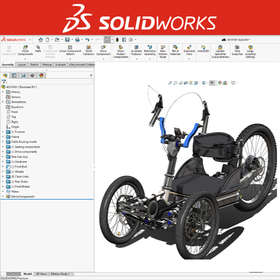
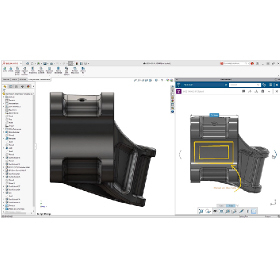
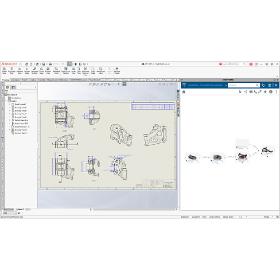
3D CAD SOLIDWORKS

To all users of 2DCAD and other 3DCAD! We will support you in implementing SOLIDWORKS from scratch!

SOLIDWORKS, which debuted in 1995 as the first fully Windows-compliant 3D CAD, continues to be chosen as the most utilized 3D CAD worldwide even after 20 years, thanks to its "immediately noticeable ease of use." We provide a design environment that balances "ease of use" and "rich features." Kōzō Keikaku Kenkyūjo Co., Ltd. is originally a group of simulation engineers that conducted the first computer-based structural calculations for architecture in Japan. We have provided CAD/simulation software to a total of 1,500 companies in the manufacturing industry and have successfully implemented this product in hundreds of companies to date. Additionally, leveraging over 20 years of experience and knowledge in supporting designers, we offer CAE operational support services and high-quality technical support.

  • 3D CAD
  • 3D CAD

Added to bookmarks

Bookmarks list

Bookmark has been removed

Bookmarks list

You can't add any more bookmarks

By registering as a member, you can increase the number of bookmarks you can save and organize them with labels.

Free membership registration

3D CAD "SolidWorks Professional"

Estimates are welcome! Please feel free to consult with us. SolidWorks has a wide range of achievements in industries such as machinery, home appliances, precision equipment, industrial machinery, and machine tools.

The 3D CAD "SolidWorks Professional" is a bundled product that includes the 3D modeler "SolidWorks Standard" along with a total of 11 products, including design communication tools, CAD productivity tools, and data management tools. For more details, please contact us.

  • 3D CAD
  • 3D CAD

Added to bookmarks

Bookmarks list

Bookmark has been removed

Bookmarks list

You can't add any more bookmarks

By registering as a member, you can increase the number of bookmarks you can save and organize them with labels.

Free membership registration