We have compiled a list of manufacturers, distributors, product information, reference prices, and rankings for Design Software.
ipros is IPROS GMS IPROS One of the largest technical database sites in Japan that collects information on.

Design Software(3D CAD) - List of Manufacturers, Suppliers, Companies and Products | IPROS GMS

Last Updated: Aggregation Period:Apr 22, 2026~May 19, 2026
This ranking is based on the number of page views on our site.

Design Software Product List

1~24 item / All 24 items

Displayed results

Nagashima Engineering Co., Ltd. Business Introduction

We will respond to the needs of a wide range of industries based on our rich experience and track record!

At Nagashima Engineering Co., Ltd., we offer design contracting services (from design to prototyping) and engineer dispatch services. In our design contracting services, we leverage our design expertise in customer products (related products), adjacent fields, and different fields to carry out everything from design to prototyping. Additionally, we dispatch skilled engineers with extensive knowledge and veteran engineers well-versed in various specialized fields to provide immediate support across a wide range of areas. 【Main CAD Equipment (Partial)】 ■3D/2D: Solid Works ■3D/2D: CATIA V5 ■3D/2D: 3DEXPERIENCE CATIA (V6) ■3D/2D: Creo Elements/Direct Modeling ■3D/2D: Creo Parametric *For more details, please download the PDF or feel free to contact us.

  • Mechanical Design
  • Temporary staffing business
  • Design Software

Added to bookmarks

Bookmarks list

Bookmark has been removed

Bookmarks list

You can't add any more bookmarks

By registering as a member, you can increase the number of bookmarks you can save and organize them with labels.

Free membership registration

『XVL Studio WR』

Providing new solutions for cable design and wiring operations! No complex operations required, easy to use.

"XVL Studio WR" is an original XVL Studio package from Zuken that enables 3D cable wiring in conjunction with circuit connection information. By creating an XVL of the mechanical assembly to be wired from 3D CAD and reflecting the connection information from the circuit CAD (E3.series) on top of it, wiring design can be performed. Additionally, the designed cable wiring data can be utilized in wiring length lists and manufacturing instructions. 【Features】 ■ Utilizes existing circuit diagram CAD and 3D CAD data ■ No special preparation required, easy to operate ■ Intuitive and simple wiring operations ■ Usable by those without experience in 3D CAD ■ Flexible operation that is not limited to specific departments such as electrical design, mechanical design, and production technology ■ Wide range of applications from design front-loading to the creation of manufacturing instructions *For more details, please refer to the PDF materials or feel free to contact us.

  • Other industrial robots
  • 3D CAD
  • Other CAD
  • Design Software

Added to bookmarks

Bookmarks list

Bookmark has been removed

Bookmarks list

You can't add any more bookmarks

By registering as a member, you can increase the number of bookmarks you can save and organize them with labels.

Free membership registration

Comprehensive Catalog "SheetPartner 3DSW"

Comprehensive catalog featuring a 3D CAD system for sheet metal use.

"SheetPartner 3DSW" is a three-dimensional (3D) sheet metal unfolding and design tool that leads the sheet metal industry, taking into account years of expertise in sheet metal design and processing. It provides improvements in the workflow leading to the product for both designers and manufacturers. As a result, it achieves cost reduction and shorter design times. Additionally, it allows designers to select suitable materials and tools for processing, as well as delegate processing conditions, eliminating defective products and unnecessary processing that may arise from them. [Contents] ■ Modeling with SheetPartner 3DSW ■ Sheet metal functions ■ SheetPartner M-BEND ■ SheetPartner series *For more details, please refer to the PDF materials or feel free to contact us.

  • 3D CAD
  • Design Software

Added to bookmarks

Bookmarks list

Bookmark has been removed

Bookmarks list

You can't add any more bookmarks

By registering as a member, you can increase the number of bookmarks you can save and organize them with labels.

Free membership registration

Control Software Simulator 'XVL VmechSimulator'

Achieving concurrent development of equipment/devices in collaboration with the mech simulator.

"XVL VmechSimulator" is a control software simulator that enables the verification of large-scale equipment/control systems in 3D. This product realizes front-loading of control design, which is one of the trouble factors during the startup of equipment/systems. Additionally, it can connect to a wide variety of control controllers. 【Features】 ■ Front-loading of control design using a 3D mech simulator ■ Verification including existing equipment with CAD + 1 ■ 3D digital twin realized with CAD + 1 ■ Can connect to a wide variety of control controllers *For more details, please refer to the PDF document or feel free to contact us.

  • 3D measuring device
  • Other operation management software
  • Design Software

Added to bookmarks

Bookmarks list

Bookmark has been removed

Bookmarks list

You can't add any more bookmarks

By registering as a member, you can increase the number of bookmarks you can save and organize them with labels.

Free membership registration

Overview of the CAD/CAM Integration Programming Tool 'START'

A seamless DesignCAM that integrates the functionality of staying ahead of the times! Experience the effectiveness of an open database.

"START" is a design software that integrates "CAD/CAM," "2D/3D," and "manual/programming," developed and sold since 1991. It is usable in a Windows environment and is equipped with features specialized for the design of various electronic devices, achieving high efficiency in all design tasks from concept to detail. Additionally, it provides an environment that is easy for users to customize, such as through the publication of databases and dedicated programming languages, supporting the development of unique technical know-how. 【Three Major Features】 ■ Fusion of 2D and 3D ■ Fusion of manual operation and programming ■ Fusion of design and editing *For more details, please refer to the PDF materials or feel free to contact us.

  • 2D CAD Electrical
  • Design Software

Added to bookmarks

Bookmarks list

Bookmark has been removed

Bookmarks list

You can't add any more bookmarks

By registering as a member, you can increase the number of bookmarks you can save and organize them with labels.

Free membership registration

3D Office Designer 11 Professional EX

Ideal for office planning and office furniture proposals. An office layout and simulation software that allows you to create high-quality images and videos with easy operation.

With this software, you can create everything from the office structure diagram (floor plan), layout diagrams with office furniture and equipment arranged, high-quality 3D images after completion, to walkthrough movies of the office space. It includes over 55,000 materials for 3D creation, such as office furniture and equipment, household furniture and facilities increasingly introduced in refresh spaces, parts like ornamental plants, and textures like flooring and wallpaper. By simply placing them with a mouse, you can complete the image of the office space, making it accessible even for sales representatives who have not learned specialized design or CAD operations. Additionally, the software features functions for aggregating and numbering the arranged furniture, which can be utilized for preparing estimates and relocation plans, and it is also possible to transfer the information of the created office space to existing systems or other tools. Furthermore, the 3D data created with the 3D Office Designer can be shared using the app "IeCloud" provided by Megasoft, or you can experience the space with "Megasoft VR Solution" (sold separately).

  • Office furniture
  • Design Software

Added to bookmarks

Bookmarks list

Bookmark has been removed

Bookmarks list

You can't add any more bookmarks

By registering as a member, you can increase the number of bookmarks you can save and organize them with labels.

Free membership registration

[START Feature Introduction] Programming-type 2D/3D Fusion Design Tool

Introducing the design functions required for Co-packaged Optics Design and the functions necessary for manufacturing design from 3D module design.

This document introduces the features of the CAD/CAM integrated programming tool "START." In the construction of the Co-packaged Optics Design environment, we cover important items such as the utilization and customization of "START," the establishment of design flows, and the development of design environments compatible with optical waveguides. Additionally, we also introduce the main functions of 3D module design. We encourage you to read it. [Contents (partial)] ■ Construction of Co-packaged Optics Design environment ■ Design functions required for Co-packaged Optics Design ■ Verification of connection pattern wiring between chips and BGA through 3D structuring ■ Introduction of START case studies… GDS editing/wiring/3D inspection/analysis models ■ Introduction of minimal fab sample data *For more details, please refer to the PDF document or feel free to contact us.

  • 2D CAD Electrical
  • Design Software

Added to bookmarks

Bookmarks list

Bookmark has been removed

Bookmarks list

You can't add any more bookmarks

By registering as a member, you can increase the number of bookmarks you can save and organize them with labels.

Free membership registration

[START Function Introduction] Touch Panel Module 3D Implementation Design Process Design

Customize your own rules for bulk placement! By inputting parameters in Excel, you can automatically create 3D structures and shapes.

This document introduces the touch panel module 3D implementation design/process design of the CAD/CAM integration programming tool 'START'. It enables integrated workflow and centralized management from circuit design/board design/3D structuring/analysis models/manufacturing design/editing/inspection to the output of drawings for factories and customer mechanism verification drawings. Additionally, practical examples of panel design are also included. We encourage you to read it. [Contents (partial)] ■ FPD design/process design tools ■ Direct interface to suitable 3D analysis model Q3D ■ Three-dimensional integration connection checks of various separately designed data ■ Touch panel design/process design tools ■ User customization examples *For more details, please refer to the PDF document or feel free to contact us.

  • 2D CAD Electrical
  • Design Software

Added to bookmarks

Bookmarks list

Bookmark has been removed

Bookmarks list

You can't add any more bookmarks

By registering as a member, you can increase the number of bookmarks you can save and organize them with labels.

Free membership registration

CAD/CAM Integration Design Software [START]

CAD/CAM customizable design software that integrates 2D and 3D.

It supports wiring design for a wide variety of electronic devices with different manufacturing environments and is equipped with features specialized for the design of three-dimensional laminated structures. It achieves high efficiency in all design tasks from conceptual design to manufacturing. The layer configuration and library registration that influence the tool's performance are unlimited, allowing for the creation of unique designs compatible with next-generation electronic devices. In addition to manual operations via a command menu, automation through programming functions enables users to achieve their own time savings and quality improvements. It is equipped with functions to design various electronic devices such as rigid boards, flexible boards, Si interposers, RDL wiring, package design (BGA/CSP/FOWLP/POP/TSV), panel modules (FPD/LCD/PDP/EL), and optical modules.

  • 2D CAD Electrical
  • 2D CAM
  • Data conversion software
  • Design Software

Added to bookmarks

Bookmarks list

Bookmark has been removed

Bookmarks list

You can't add any more bookmarks

By registering as a member, you can increase the number of bookmarks you can save and organize them with labels.

Free membership registration

Solution: FactoryDesignUtilities

Autodesk products provide efficiency in factory layout through the Factory Layout feature.

We would like to introduce the solutions of our "Product Design & Manufacturing Collection." "Factory Design Utilities" can be used as a solution for factory layout, equipment design, and visualization by integrating it with "AutoCAD" and "Inventor." Additionally, before installing equipment in the factory, you can consider factory layout proposals and equipment placement positions in a virtual environment, allowing for more efficient design. 【Features】 <Factory Layout with AutoCAD and Inventor> ■ Efficient design, creation, and management of factory layout drawings in DWG format ■ Easily create accurate digital models during factory layout considerations ■ Automatic generation of 3D models ■ Reflection through modifications and additions to 3D models *For more details, please refer to the PDF materials or feel free to contact us.

  • 3D CAD
  • Other CAD related software
  • Design Software

Added to bookmarks

Bookmarks list

Bookmark has been removed

Bookmarks list

You can't add any more bookmarks

By registering as a member, you can increase the number of bookmarks you can save and organize them with labels.

Free membership registration

Structural optimization design software "HiramekiWorks"

Addressing practical needs on the design site. The prototype model of the optimized result shape can be smoothly created with easy editing of STL data!

HiramekiWorks is an add-in structural optimization design software for 3D CAD SOLIDWORKS, boasting a proven track record in the manufacturing industry. Using the analysis conditions set in SOLIDWORKS, you can complete everything from running the analysis to importing the result model with just one click. Additionally, the optimized result shape can be easily edited into STL data for 3D printing using the included "Geometry Editor," making it simple and smooth to create prototype models. Would you like to try designing something that has never been done before with our software, which incorporates unique know-how? 【Features】 ■ Easy optimization in a familiar environment ■ Addresses practical needs such as weight reduction and stress reduction under various conditions ■ Automatically generates solid models of the optimized result shapes ■ Easily generates STL data for 3D printing using the Geometry Editor *For more details, please refer to the related links or feel free to contact us. We are currently offering the "HiramekiWorks Product Catalog" and "STL Editing Case Studies" (S-Generator Case Studies) for download in PDF format!

  • Structural Analysis
  • Design Software

Added to bookmarks

Bookmarks list

Bookmark has been removed

Bookmarks list

You can't add any more bookmarks

By registering as a member, you can increase the number of bookmarks you can save and organize them with labels.

Free membership registration

[START Function Introduction] From flexible circuit board design to manufacturing design

We will also introduce examples of customizing cutting plotters! Powering up existing equipment to astonishing high performance.

This document introduces the features of the CAD/CAM integration programming tool "START," covering flexible circuit board design to manufacturing design. It includes "high-layer FPC design/manufacturing design/editing/3D wiring connection checks," as well as "functions required for single-sided flexible design and supplied data editing processes," and "three-dimensional integrated structures of conductors and dielectrics from FPC design." Please take a moment to read it. 【Contents (partial)】 ■ High-layer FPC design/manufacturing design/editing/3D wiring connection checks ■ Functions required for single-sided flexible design and supplied data editing processes ■ Three-dimensional integrated structures of conductors and dielectrics from FPC design ■ Data cleaning ■ Layer configuration settings *For more details, please refer to the PDF document or feel free to contact us.

  • 2D CAD Construction
  • Design Software

Added to bookmarks

Bookmarks list

Bookmark has been removed

Bookmarks list

You can't add any more bookmarks

By registering as a member, you can increase the number of bookmarks you can save and organize them with labels.

Free membership registration

Download the 30-day free trial of 3D CAD 'Solid Edge' now.

With parametric design and dynamic modeling capabilities of synchronous technology, we support efficient design work in every scenario.

"Solid Edge" is a 3D CAD system developed by Siemens PLM Software, a leading company in PLM (Product Lifecycle Management) software. It features "Synchronous Technology," which combines fast and easy direct modeling with robust parametric design model control. This greatly enhances productivity by shortening design periods and preventing human errors! ★ A 30-day free trial version is currently available for download. Please apply through "Contact Us" ★ (Note: Internet access is required for installation.) 【Reasons to Choose 'Solid Edge'】 ◎ Quick implementation and low-cost operation are possible ◎ Intuitive operation that anyone can use (Solid Edge ST) ◎ Features focused on design  Tools for transitioning from 2D to 3D / Support for large assemblies /  Dedicated tools for sheet metal and drawings / Highly reliable analysis (NX Nastran) ◎ Scalable design data management product line ↓ You can immediately view technical materials and case studies from "Download" ↓

  • Company:TAC
  • Price:Other
  • 3D CAD
  • Other CAD
  • Other CAD related software
  • Design Software

Added to bookmarks

Bookmarks list

Bookmark has been removed

Bookmarks list

You can't add any more bookmarks

By registering as a member, you can increase the number of bookmarks you can save and organize them with labels.

Free membership registration

Mitarepo [45] Testing the capabilities of BobCAD-CAM's deburring path.

[Mitarepo] I want to automate the troublesome deburring process! What is the capability of BobCAD-CAM's deburring path? | System Create

"Mitarepo" is a series that introduces what can be done using various products with the concept of "I tried doing this!" We will deliver useful information each time from the wide range of product genres handled by System Create. The theme of Vol. 45 is "Testing the capabilities of the deburring tool path in BobCAD-CAM!" Recently, we will actually verify the capabilities of the newly added deburring tool path in "BobCAD-CAM 3AXIS Premium," which was introduced at Marsgo. This time, we collaborated with G-BEC Technology Co., Ltd. and used their dedicated deburring end mill to perform the deburring! We used aluminum for the workpiece. Assuming the processing of flat holes and tolerance holes, we will check the state of each burr and the processing time. "Can low-cost CAD/CAM really handle deburring?" "Will secondary burrs still appear in the end?" We will explain the capabilities of the BobCAD-CAM deburring tool, along with verification photos and comments from the technical staff. *You can download the materials from the button above.

  • 3D CAD
  • Other CAD related software
  • Milling machine
  • Design Software

Added to bookmarks

Bookmarks list

Bookmark has been removed

Bookmarks list

You can't add any more bookmarks

By registering as a member, you can increase the number of bookmarks you can save and organize them with labels.

Free membership registration

3D Architectural System: Daily drawing creation becomes overwhelmingly faster.

Automatically create various drawings! Contributing to speeding up daily drawing creation!

The housing construction software "B-MOS" provided by our company automatically creates detailed floor plans, elevation drawings, site maps, and more. It dramatically speeds up daily drawing creation. 【Features】 ■ Detailed Drawings - Automatically creates 1/100 and 1/50 detailed floor plans - Easily switches wall fill and detail display with mouse operations ■ Elevation Drawings - Supports line and color elevation drawings - Once the floor plan and roof plan are completed, elevation drawings can be easily output automatically ■ Site Maps - Compatible with flat plates, traverses, and GPS - By setting the site boundary lines and elevation values, the input site map is automatically converted to 3D *For more details, please refer to the catalog or feel free to contact us.

  • 3D CAD
  • Design Software

Added to bookmarks

Bookmarks list

Bookmark has been removed

Bookmarks list

You can't add any more bookmarks

By registering as a member, you can increase the number of bookmarks you can save and organize them with labels.

Free membership registration

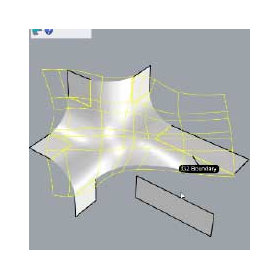
xNURBS for the automotive industry

Complex surfaces, simply and beautifully.

In the automotive industry, it is important to efficiently design smooth curves to achieve a balance between aesthetics and functionality. Particularly in body design, which affects aerodynamic characteristics, and in interior design, which pursues visual beauty, the quality of curves significantly influences the value of the product. Traditional CAD software requires a lot of time and effort to express complex curves, limiting design freedom. xNURBS complements the functionality of Rhinoceros, enabling the generation of complex curves with just a few clicks. This allows designers to approach their designs with greater creative freedom and improves the efficiency of product development. 【Application Scenes】 - Automotive body design - Interior design - Parts design considering aerodynamic characteristics 【Effects of Implementation】 - Reduction in design time - Increased design freedom - Improvement in product quality

  • ipros_xNurbs_top2.jpg
  • Data conversion software
  • Other CAD related software
  • Engineering Plastics
  • Design Software

Added to bookmarks

Bookmarks list

Bookmark has been removed

Bookmarks list

You can't add any more bookmarks

By registering as a member, you can increase the number of bookmarks you can save and organize them with labels.

Free membership registration

3D design software 'Disegna'

【Free download available!】You can create drawings in just 3 steps! You can design safety fences, create estimates, and generate 3D drawings.

AutoCAD customization software 'Disegna' that includes basic information about SATECH products. With a simple and intuitive interface, you can create safety fence designs, estimates, and 3D drawings. Standard file formats such as "DWG," "PDF," and "STEP FILE" can be traced, allowing you to start designing immediately. You can also output a materials list for estimates alongside 2D and 3D drawings. 【Features】 ■ Drawing possible in just three steps ■ Standard file formats can be traced ■ Materials list for estimates can be output alongside 2D and 3D drawings *For more details, please refer to the PDF document or feel free to contact us.

  • Other safety and hygiene products
  • Design Software

Added to bookmarks

Bookmarks list

Bookmark has been removed

Bookmarks list

You can't add any more bookmarks

By registering as a member, you can increase the number of bookmarks you can save and organize them with labels.

Free membership registration

AVEVA P&ID

Intelligent P&ID Creation Management System

It is a plant engineering system that integrates CAD graphics and databases, which is effective in improving design efficiency and quality. Since it adopts AutoCAD as its graphic engine, it has good compatibility with drawing operations and existing P&ID drawings, allowing for smooth intelligentization. Centralized data management prevents human errors and reduces design risks. It also provides functionality to ensure data consistency from the early stages of design. AVEVA P&ID makes it easy to create various lists such as equipment, instrumentation, and line lists, as well as to output connection information data. Data integration with AVEVA's engineering and design products, such as electrical instrumentation design and 3D plant models, is also easy, contributing significantly to the efficiency of design operations as a hub for functional design.

  • Company:AVEVA
  • Price:Other
  • 2D CAD Construction
  • Design Software

Added to bookmarks

Bookmarks list

Bookmark has been removed

Bookmarks list

You can't add any more bookmarks

By registering as a member, you can increase the number of bookmarks you can save and organize them with labels.

Free membership registration

Fusion for Furniture Customization

Streamlining customized furniture design at an overwhelmingly low price.

In the furniture industry, customization to meet diverse customer needs is essential for enhancing competitiveness. However, to accommodate complex shapes and specification changes, flexibility and efficiency in design are required. Fusion seamlessly connects all processes from design to manufacturing, significantly reducing the time from prototyping to mass production. With a cloud-based environment, access to the latest data is available regardless of location or device, facilitating smooth collaboration among teams. 【Usage Scenarios】 - Design of custom-made furniture - Responding to design changes from customers - Creation of prototypes 【Benefits of Implementation】 - Reduction in design time - Improvement in design quality - Increase in customer satisfaction

  • 3D CAD
  • 3D CAM
  • Other CAM related software
  • Design Software

Added to bookmarks

Bookmarks list

Bookmark has been removed

Bookmarks list

You can't add any more bookmarks

By registering as a member, you can increase the number of bookmarks you can save and organize them with labels.

Free membership registration

Business Introduction: 3D Solid Design

Why is it good to receive a model drawing as solid data?

Solid design is most convenient for modifications and changes. If there are parameters and history, that's number one. Even without parameters, it's definitely faster than suf data. The advantages are the Boolean operations of addition and subtraction.

  • 3D CAD
  • Design Software

Added to bookmarks

Bookmarks list

Bookmark has been removed

Bookmarks list

You can't add any more bookmarks

By registering as a member, you can increase the number of bookmarks you can save and organize them with labels.

Free membership registration

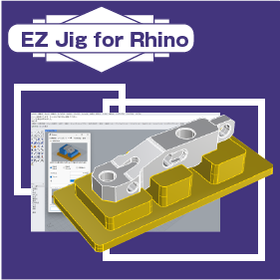
EZ Jig for Rhino for Machine Tools

Fixture design software that strengthens collaboration between designers and the field.

In the machine tool industry, high-precision positioning is a crucial factor that affects product quality and production efficiency. In the case of small-batch production with many variations, the design process can take a long time. Delays in jig design and issues with precision can lead to decreased productivity and the occurrence of defective products. EZ Jig for Rhino allows for intuitive design of assembly jigs, fixtures, and more, simply by placing models, without relying on expertise in 3D CAD. 【Usage Scenarios】 - Inspection jigs and painting jigs - Design of jigs in the machining process - Rapid production of jigs utilizing 3D printers 【Benefits of Implementation】 - Reduction in jig design time - Cost savings in jig production - Achievement of high-precision positioning - Improvement in production efficiency

  • Other CAD related software
  • Inspection fixture
  • Assembly Jig
  • Design Software

Added to bookmarks

Bookmarks list

Bookmark has been removed

Bookmarks list

You can't add any more bookmarks

By registering as a member, you can increase the number of bookmarks you can save and organize them with labels.

Free membership registration

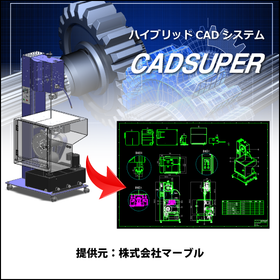
CADSUPER for Furniture

CADSUPER for streamlining furniture strength design.

In the furniture industry, strength calculations and accurate drawing creation at the design stage are essential to ensure product durability and safety. Especially for furniture that is used repeatedly, even a slight mistake in design can lead to product damage or accidents. CADSUPER facilitates intuitive operations for easy design changes and supports accurate drawing creation. This allows for efficient design based on strength calculations, enhancing product safety. 【Application Scenarios】 - Strength design of furniture - Response to design changes - Streamlining drawing management 【Benefits of Implementation】 - Reduced design time - Decreased design errors - Improved product safety

Added to bookmarks

Bookmarks list

Bookmark has been removed

Bookmarks list

You can't add any more bookmarks

By registering as a member, you can increase the number of bookmarks you can save and organize them with labels.

Free membership registration