
List of Design and production support products
- classification:Design and production support
1891~1935 item / All 12553 items


Reduce the workload from handling heavy objects! Here are five case studies that solved customer challenges! We are also accepting free consultations and tests tailored to your work!

- Other conveying machines


Strong cold wind from room temperature to -13°C! Depending on the usage environment, you can choose between the combo type or the separate type!
- Cooling system

April 10, 2024 (Wednesday) to April 12, 2024 (Friday) Notice of Participation in Nagoya Manufacturing World 2024
Sanwa Shiki Ventilator Co., Ltd. will be exhibiting at the 2024 Monozukuri World (Nagoya) held at Port Messe Nagoya. We will also be showcasing our large cooling fans and cool/warm ambient products. Date: April 10, 2024 - April 12, 2024 Opening: 10:00 AM Location: Nagoya Port Messe (Exhibition Hall 1) *Our booth: 19-1 We would be grateful if you could visit us if you have the time.

Standalone version lease monthly fee: 7,400 yen (excluding tax)
- 3D CAD
Standalone version lease monthly fee: 7,400 yen (excluding tax)
- 3D CAD


Recommended for addressing brightness unevenness in home appliances! It helps reduce design time.
- simulator
- Other optical parts
- switch

Recommended for performance evaluation of lighting for machine vision! It helps reduce design time and prototype costs.
- simulator
- Optical Measuring Instruments
- Lighting for image processing

Recommended for performance evaluation of optical fiber optical systems! Aims to improve design efficiency.
- simulator
- Other optical parts
- Endoscopes and fiberscopes
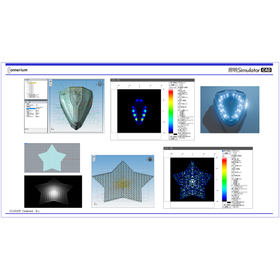
Recommended for brightness analysis of lighting effects for gaming machines and amusement machines, with a license purchase starting at 500,000 yen.
- simulator
- LED Module
- LED lighting

Recommended for first-time lighting and optical analysis! This is a purely domestic simulation software with a reasonable selling price.
- simulator

Try it and be convinced! Free loan of "optical analysis software" is currently available!
Perfect for those starting optical analysis! The "Lighting Simulator CAD," a purely domestic lighting optical simulation software characterized by easy operation and low cost, is the ideal software for performance evaluation of various light application products. For customers considering the introduction of "Lighting Simulator CAD," we offer a one-month free trial key to help you gain a deeper understanding of this product. ● You can confirm in advance whether the necessary analysis is possible. ● We also respond to inquiries during the trial period, so please rest assured. Interested customers, please contact us via the "Contact Form." 〇 Notes - The loan is generally targeted at customers considering introduction within about six months. - A loan application form is required. - The loan is available to corporate customers only. Additionally, please refrain from applying with free email addresses such as Gmail or Hotmail. - There may be cases where we decline loans to competitors or at our discretion. Thank you for your understanding in advance.


From STL data simplification to CAD conversion! Industry-specific model provision!
- 3D CAD
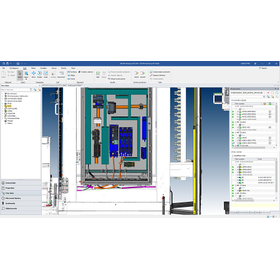

Collaboration between mechanical design and electrical design
- Other CAD

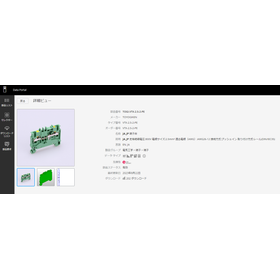
Portal site for component data necessary for electrical design.


- 3D CAD
- 2D CAD Electrical
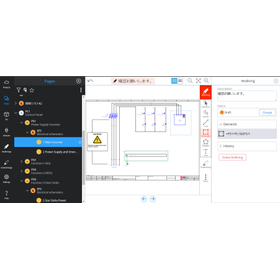
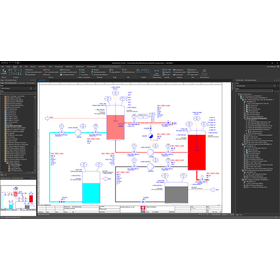
EPLAN Preplanning P&ID and Instrumentation Loop
- Other CAD
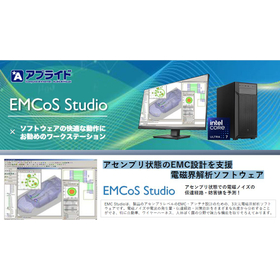

Recommended PC for EMCoS Studio, which strongly supports automotive EMC design.
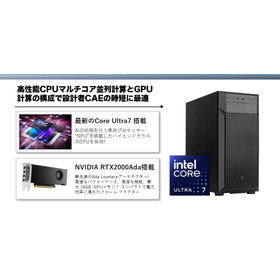
- Magnetic field analysis/electromagnetic wave analysis
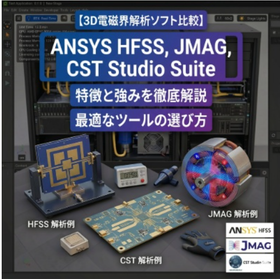
[Blog] <Thorough Comparison> A Comparison and Explanation of Three 3D Electromagnetic Field Analysis Software: "ANSYS HFSS," "JMAG," and "CST Studio Suite"
In the manufacturing industry and advanced research (R&D), as the performance and miniaturization of products progress, the importance of accurately predicting the behavior of electromagnetic fields through "3D electromagnetic field analysis" has never been higher. However, even when we refer to electromagnetic field analysis, the optimal tools differ depending on the frequency range and the purpose of the analysis. This article focuses on three representative 3D electromagnetic field analysis software products that lead the industry: "JMAG," "Ansys HFSS," and "CST Studio Suite." It will provide a detailed explanation of each software's strengths, optimal applications, and how to choose a high-performance computing (HPC) environment that maximizes their capabilities.
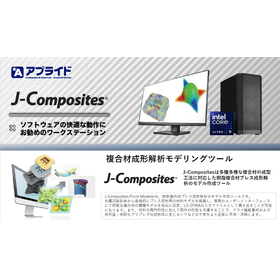
Recommended PC for accelerating composite material analysis, J-Composites
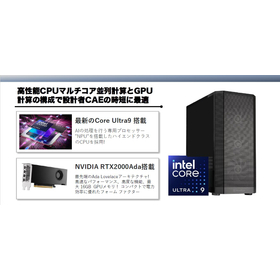
- Stress Analysis
- Structural Analysis
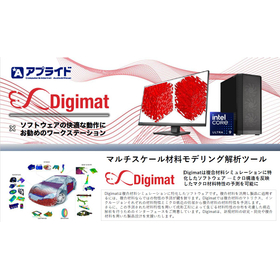
Supporting lightweighting of automobiles through composite material simulation.
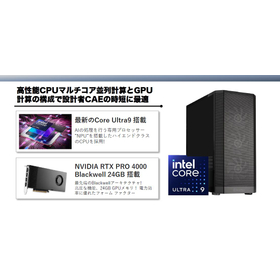
- Structural Analysis
- Mechanism Analysis
- Stress Analysis

Supporting lightweighting of automobiles through property prediction of polymer materials.
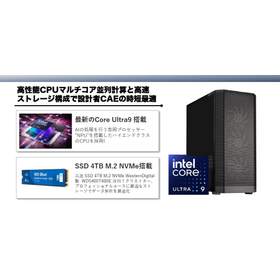
- Structural Analysis
- Mechanism Analysis
- Stress Analysis


Introducing the amazing features of "3AXIS Premium," compatible with 3-axis machining, from "BobCAD-CAM," which can be implemented at a low cost!
- 3D CAM
- Other CAM related software
- 3D CAD
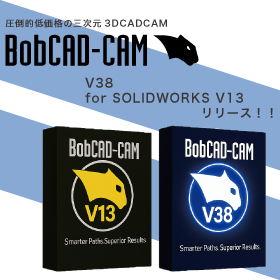
BobCAD-CAM V38/for SOLIDWORKS V13 Japanese version now available!!
The Japanese version of the latest V38 / BobCAM for SOLIDWORKS V13 has been officially released from BobCAD-CAM, which offers overwhelming low prices while being equipped with comprehensive features! This latest version achieves a more intuitive and flexible workflow. ■ Improved usability of the CAM wizard You can now set parameters while displaying the tool path. Automatic calculations and real-time visual feedback during feature creation enhance the speed and accuracy of setup. ■ Context help feature included Simply hovering over parameters will display images, descriptions, and help links, enabling smooth programming. ■ Standardization of work with CAD default settings Users can now save and restore their unique initial values, allowing for precision adjustments down to millimeters. Many other features have also been updated or added. If you would like a detailed introduction to the features or a demo, please feel free to contact us!

Pocket machining that achieves time reduction! "High-speed pocket machining" of 'Overwhelmingly low price & rich features BobCAD-CAM'
- 3D CAM
- 3D CAD

Process STL directly without conversion! The "STL data" import feature of "BobCAD-CAM" with its overwhelming low price and rich functionality is amazing.
- 3D CAD
- 3D CAM

Spiral machining that achieves beautiful cutting surfaces! We will explain the amazing features of "spiral machining" in "BobCAD-CAM," which offers overwhelming low prices and comprehensive functions!
- 3D CAD
- 3D CAM

Achieve both time reduction and quality optimization in rough machining! An explanation of "Rough Machining Pro" from 'Overwhelmingly Low Price & Rich Features BobCAD-CAM'.
- 3D CAM
- Other CAM related software
- Other CAD related software

Efficient processing that eliminates waste through additional processing is possible! This explains the "stock recognition feature" of "BobCAD-CAM," which offers overwhelming low prices and comprehens...
- 3D CAM
- Other CAM related software
- Other CAD related software

Efficient roughing of deep cavity shapes! An explanation of "plunge machining" in 'BobCAD-CAM' | System Create
- 3D CAM
- Other CAM related software
- Other CAD related software

Automatically recognize multiple flat areas and create machining paths! Explanation of "Flat Area Machining" in 'BobCAD-CAM' | System Create
- 3D CAM
- Other CAM related software
- Other CAD related software

Easily perform wire electrical discharge machining with different shapes on the top and bottom! An explanation of "Wire EDM" in 'BobCAD-CAM' | System Create
- 3D CAM
- Other CAM related software
- Other CAD related software

Uniformly finish mixed steep and gentle slopes and curved surfaces! This explains the 'scallop machining' of 'overwhelmingly low price & rich features BobCAD-CAM'.
- 3D CAM
- Other CAM related software
- Other CAD related software

Create 2D machining drawings for turning processes from 3D models! We will explain the "Rotational Profile" of BobCAD-CAM, which offers overwhelming low prices and comprehensive features.
- 3D CAM
- Other CAM related software
- Other CAD related software

Improve quality by easily removing leftover material! An explanation of "leftover machining" in the overwhelmingly low-priced and feature-rich BobCAD-CAM.
- 3D CAM
- Other CAM related software
- Other CAD related software

Easily create gear drawings! An explanation of "GEAR+" from 'Overwhelmingly Low Price & Rich Features BobCAD-CAM'.
- 3D CAM
- Other CAM related software
- Other CAD related software

Automatically adjusts pitch according to shape & streamlines with automatic trim of paths: An explanation of the adaptive pitch and optimal trim of 'overwhelmingly low-priced BobCAD-CAM.'
- 3D CAM
- Other CAM related software
- Other CAD related software

Automatically calculate machining paths from DXF data! Unbeatable low price and comprehensive features. This explains BobCAD-CAM's "Hole Machining from 2D."
- 3D CAM
- Other CAM related software
- Other CAD related software

You can finish without interference using the shortest tool! Overwhelmingly low price and rich features. This explains BobCAD-CAM's "Dynamic Holder Check."
- 3D CAM
- Other CAM related software
- Other CAD related software

Completing surface chamfering through machining! This explains the "chamfering process" of 'BobCAD-CAM' with its overwhelming low price and rich features.
- 3D CAM
- Other CAM related software
- Other CAD related software

Easily convey processing technology! This explains the "template function" of BobCAD-CAM, which offers overwhelming low prices and rich features.
- 3D CAM
- Other CAM related software
- Other CAD related software

Automatically remove leftover material from corners! This explains the "Corner Peg Removal Function" of BobCAD-CAM, which offers overwhelming low prices and comprehensive features.
- 3D CAM
- Other CAM related software
- Other CAD related software

Instant automatic calculation of processing conditions for different materials based on hole shapes! An explanation of 'BobCAD-CAM's automatic tool path for hole shapes.'
- 3D CAM
- Other CAM related software
- Other CAD related software

No need for tedious calculations; you can efficiently create programs! An explanation of the "BobCAD-CAM Contour Roughing and Side Roughing Functions."
- 3D CAM
- Other CAM related software
- Other CAD related software