
List of 2D CAD machine products
- classification:2D CAD machine
151~165 item / All 286 items


It won't break even after 1 million repetitions! A mat switch with reliable operation, high durability, and low price. Suitable for options in machine tools as well. Please consult us about delivery t...
- Sensors


We can accommodate high resistance over 10,000 ohms, with diameters ranging from approximately 30 mm to 8 inches, and we also offer thinning and chip processing arrangements!
- Other semiconductors
- Processing Contract
- Wafer


Simultaneous drawing of floor plans and 3D models! A CAD system that can be used for a long time by beginners to experts.
- 2D CAD machine


"MICRO CADAM One" is a subscription-based license package product for one year!
- 2D CAD machine
- 2D CAD Electrical
- Other CAD related software


Streamlining production management through the integration of VariCAD-BOM and 3D CAD.
- 3D CAD
- 2D CAD machine
- 2D CAD Electrical
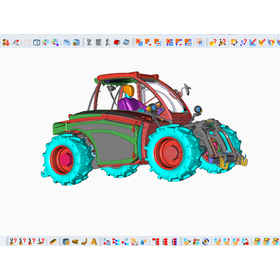
Release of VariCAD 2026 2.0, a 3D CAD software.
VariCAD, Inc. (https://www.varicad.com/) has released the Japanese version of VariCAD 2026 2.0 on February 20, 2026. VariCAD is a versatile CAD software that supports both 3D and 2D, making it an ideal choice for beginners seeking affordable yet high-functionality 3D CAD. The new version, VariCAD 2026 2.0, has improved the conversion/copying function for 3D solids, allowing for the copying of solids in a spiral shape. Additionally, the creation functions for basic solids and holes now allow for dimensional adjustments in 3D space during insertion. Furthermore, enhancements have been made to the functionality for 3D data imported from STL files, and new options have been added to the logical operation functions for solids. In 2D, new options have been added for creating drawing lines, and the ability to read 2D dimensions from DWG/DXF files has been strengthened.

3D CAD VariCAD for creating cross-sectional views and perspective views.

- 3D CAD
- 2D CAD machine
Release of VariCAD 2026 2.0, a 3D CAD software.
VariCAD, Inc. (https://www.varicad.com/) has released the Japanese version of VariCAD 2026 2.0 on February 20, 2026. VariCAD is a versatile CAD software that supports both 3D and 2D, making it an ideal choice for beginners seeking affordable yet high-functionality 3D CAD. The new version, VariCAD 2026 2.0, has improved the conversion/copying function for 3D solids, allowing for the copying of solids in a spiral shape. Additionally, the creation functions for basic solids and holes now allow for dimensional adjustments in 3D space during insertion. Furthermore, enhancements have been made to the functionality for 3D data imported from STL files, and new options have been added to the logical operation functions for solids. In 2D, new options have been added for creating drawing lines, and the ability to read 2D dimensions from DWG/DXF files has been strengthened.

Reduction of work time through the integration of assembly drawings and parts files 3D CAD VariCAD

- 3D CAD
- 2D CAD machine
Release of VariCAD 2026 2.0, a 3D CAD software.
VariCAD, Inc. (https://www.varicad.com/) has released the Japanese version of VariCAD 2026 2.0 on February 20, 2026. VariCAD is a versatile CAD software that supports both 3D and 2D, making it an ideal choice for beginners seeking affordable yet high-functionality 3D CAD. The new version, VariCAD 2026 2.0, has improved the conversion/copying function for 3D solids, allowing for the copying of solids in a spiral shape. Additionally, the creation functions for basic solids and holes now allow for dimensional adjustments in 3D space during insertion. Furthermore, enhancements have been made to the functionality for 3D data imported from STL files, and new options have been added to the logical operation functions for solids. In 2D, new options have been added for creating drawing lines, and the ability to read 2D dimensions from DWG/DXF files has been strengthened.

Easily measure volume and mass with the automatic calculation feature of 3DCAD VariCAD.

- 2D CAD machine
- 3D CAD
Release of VariCAD 2026 2.0, a 3D CAD software.
VariCAD, Inc. (https://www.varicad.com/) has released the Japanese version of VariCAD 2026 2.0 on February 20, 2026. VariCAD is a versatile CAD software that supports both 3D and 2D, making it an ideal choice for beginners seeking affordable yet high-functionality 3D CAD. The new version, VariCAD 2026 2.0, has improved the conversion/copying function for 3D solids, allowing for the copying of solids in a spiral shape. Additionally, the creation functions for basic solids and holes now allow for dimensional adjustments in 3D space during insertion. Furthermore, enhancements have been made to the functionality for 3D data imported from STL files, and new options have been added to the logical operation functions for solids. In 2D, new options have been added for creating drawing lines, and the ability to read 2D dimensions from DWG/DXF files has been strengthened.

Significant reduction in work time with batch printing of drawings!! 3D AD "VariCAD"

- 3D CAD
- 2D CAD machine
Release of VariCAD 2026 2.0, a 3D CAD software.
VariCAD, Inc. (https://www.varicad.com/) has released the Japanese version of VariCAD 2026 2.0 on February 20, 2026. VariCAD is a versatile CAD software that supports both 3D and 2D, making it an ideal choice for beginners seeking affordable yet high-functionality 3D CAD. The new version, VariCAD 2026 2.0, has improved the conversion/copying function for 3D solids, allowing for the copying of solids in a spiral shape. Additionally, the creation functions for basic solids and holes now allow for dimensional adjustments in 3D space during insertion. Furthermore, enhancements have been made to the functionality for 3D data imported from STL files, and new options have been added to the logical operation functions for solids. In 2D, new options have been added for creating drawing lines, and the ability to read 2D dimensions from DWG/DXF files has been strengthened.

Prevent design mistakes with interference checks!! 3D CAD "VariCAD"


- 3D CAD
- 2D CAD machine
Release of VariCAD 2026 2.0, a 3D CAD software.
VariCAD, Inc. (https://www.varicad.com/) has released the Japanese version of VariCAD 2026 2.0 on February 20, 2026. VariCAD is a versatile CAD software that supports both 3D and 2D, making it an ideal choice for beginners seeking affordable yet high-functionality 3D CAD. The new version, VariCAD 2026 2.0, has improved the conversion/copying function for 3D solids, allowing for the copying of solids in a spiral shape. Additionally, the creation functions for basic solids and holes now allow for dimensional adjustments in 3D space during insertion. Furthermore, enhancements have been made to the functionality for 3D data imported from STL files, and new options have been added to the logical operation functions for solids. In 2D, new options have been added for creating drawing lines, and the ability to read 2D dimensions from DWG/DXF files has been strengthened.

Utilizing CAD data in presentation materials with rendering features 3DCAD "VariCAD"

- 3D CAD
- 2D CAD machine
Release of VariCAD 2026 2.0, a 3D CAD software.
VariCAD, Inc. (https://www.varicad.com/) has released the Japanese version of VariCAD 2026 2.0 on February 20, 2026. VariCAD is a versatile CAD software that supports both 3D and 2D, making it an ideal choice for beginners seeking affordable yet high-functionality 3D CAD. The new version, VariCAD 2026 2.0, has improved the conversion/copying function for 3D solids, allowing for the copying of solids in a spiral shape. Additionally, the creation functions for basic solids and holes now allow for dimensional adjustments in 3D space during insertion. Furthermore, enhancements have been made to the functionality for 3D data imported from STL files, and new options have been added to the logical operation functions for solids. In 2D, new options have been added for creating drawing lines, and the ability to read 2D dimensions from DWG/DXF files has been strengthened.

VariCAD makes it easy to create data for 3D printers.

- 2D CAD machine
- 3D CAD
Release of VariCAD 2026 2.0, a 3D CAD software.
VariCAD, Inc. (https://www.varicad.com/) has released the Japanese version of VariCAD 2026 2.0 on February 20, 2026. VariCAD is a versatile CAD software that supports both 3D and 2D, making it an ideal choice for beginners seeking affordable yet high-functionality 3D CAD. The new version, VariCAD 2026 2.0, has improved the conversion/copying function for 3D solids, allowing for the copying of solids in a spiral shape. Additionally, the creation functions for basic solids and holes now allow for dimensional adjustments in 3D space during insertion. Furthermore, enhancements have been made to the functionality for 3D data imported from STL files, and new options have been added to the logical operation functions for solids. In 2D, new options have been added for creating drawing lines, and the ability to read 2D dimensions from DWG/DXF files has been strengthened.

VariCAD allows for easy batch conversion to DXF, DWG, and STEP files.

- 2D CAD machine
- 3D CAD
- Data conversion software
Release of VariCAD 2026 2.0, a 3D CAD software.
VariCAD, Inc. (https://www.varicad.com/) has released the Japanese version of VariCAD 2026 2.0 on February 20, 2026. VariCAD is a versatile CAD software that supports both 3D and 2D, making it an ideal choice for beginners seeking affordable yet high-functionality 3D CAD. The new version, VariCAD 2026 2.0, has improved the conversion/copying function for 3D solids, allowing for the copying of solids in a spiral shape. Additionally, the creation functions for basic solids and holes now allow for dimensional adjustments in 3D space during insertion. Furthermore, enhancements have been made to the functionality for 3D data imported from STL files, and new options have been added to the logical operation functions for solids. In 2D, new options have been added for creating drawing lines, and the ability to read 2D dimensions from DWG/DXF files has been strengthened.

VariCAD makes creating and editing assemblies easy.

- 2D CAD machine
- 3D CAD
Release of VariCAD 2026 2.0, a 3D CAD software.
VariCAD, Inc. (https://www.varicad.com/) has released the Japanese version of VariCAD 2026 2.0 on February 20, 2026. VariCAD is a versatile CAD software that supports both 3D and 2D, making it an ideal choice for beginners seeking affordable yet high-functionality 3D CAD. The new version, VariCAD 2026 2.0, has improved the conversion/copying function for 3D solids, allowing for the copying of solids in a spiral shape. Additionally, the creation functions for basic solids and holes now allow for dimensional adjustments in 3D space during insertion. Furthermore, enhancements have been made to the functionality for 3D data imported from STL files, and new options have been added to the logical operation functions for solids. In 2D, new options have been added for creating drawing lines, and the ability to read 2D dimensions from DWG/DXF files has been strengthened.

VariCAD, with its rich features and easy operation, facilitates smooth exchanges of drawings with other departments and business partners.

- 2D CAD machine
- 3D CAD
Release of VariCAD 2026 2.0, a 3D CAD software.
VariCAD, Inc. (https://www.varicad.com/) has released the Japanese version of VariCAD 2026 2.0 on February 20, 2026. VariCAD is a versatile CAD software that supports both 3D and 2D, making it an ideal choice for beginners seeking affordable yet high-functionality 3D CAD. The new version, VariCAD 2026 2.0, has improved the conversion/copying function for 3D solids, allowing for the copying of solids in a spiral shape. Additionally, the creation functions for basic solids and holes now allow for dimensional adjustments in 3D space during insertion. Furthermore, enhancements have been made to the functionality for 3D data imported from STL files, and new options have been added to the logical operation functions for solids. In 2D, new options have been added for creating drawing lines, and the ability to read 2D dimensions from DWG/DXF files has been strengthened.

VariCAD, a 3D CAD software with low implementation costs and running costs for small and medium-sized enterprises.

- 2D CAD machine
- 3D CAD
Release of VariCAD 2026 2.0, a 3D CAD software.
VariCAD, Inc. (https://www.varicad.com/) has released the Japanese version of VariCAD 2026 2.0 on February 20, 2026. VariCAD is a versatile CAD software that supports both 3D and 2D, making it an ideal choice for beginners seeking affordable yet high-functionality 3D CAD. The new version, VariCAD 2026 2.0, has improved the conversion/copying function for 3D solids, allowing for the copying of solids in a spiral shape. Additionally, the creation functions for basic solids and holes now allow for dimensional adjustments in 3D space during insertion. Furthermore, enhancements have been made to the functionality for 3D data imported from STL files, and new options have been added to the logical operation functions for solids. In 2D, new options have been added for creating drawing lines, and the ability to read 2D dimensions from DWG/DXF files has been strengthened.


Powerful healing features! Efficient sketching and drafting, accurate 2D documentation.
- Other CAD related software
- 3D CAM
- 2D CAD machine