
List of 3D CAM products
- classification:3D CAM
46~90 item / All 352 items


We provide comprehensive support from design to manufacturing and maintenance!


- Contract manufacturing


It won't break even after 1 million repetitions! A mat switch with reliable operation, high durability, and low price. Suitable for options in machine tools as well. Please consult us about delivery t...
- Sensors

Verification of NC data and improvement of processing efficiency through machine simulation.
- Other CAM related software
- simulator
- 3D CAM
Verification of NC data / Optimization of NC data / Machine simulation
- Other CAM related software
- simulator
- 3D CAM
Support for improving the precision of mold processing through NC data verification and optimization.
- Other CAM related software
- simulator
- 3D CAM
Improving the quality and efficiency of automotive parts processing through NC data verification, optimization, and machine simulation.
- Other CAM related software
- simulator
- 3D CAM
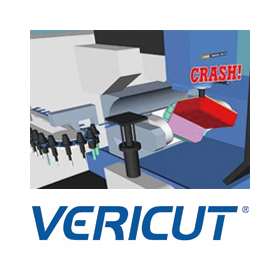
Verification of NC data / Optimization of NC data / Achieving safe machining through machine simulation
- Other CAM related software
- simulator
- 3D CAM

Introducing the amazing features of "3AXIS Premium," compatible with 3-axis machining, from "BobCAD-CAM," which can be implemented at a low cost!
- 3D CAM
- Other CAM related software
- 3D CAD
BobCAD-CAM V38/for SOLIDWORKS V13 Japanese version now available!!
The Japanese version of the latest V38 / BobCAM for SOLIDWORKS V13 has been officially released from BobCAD-CAM, which offers overwhelming low prices while being equipped with comprehensive features! This latest version achieves a more intuitive and flexible workflow. ■ Improved usability of the CAM wizard You can now set parameters while displaying the tool path. Automatic calculations and real-time visual feedback during feature creation enhance the speed and accuracy of setup. ■ Context help feature included Simply hovering over parameters will display images, descriptions, and help links, enabling smooth programming. ■ Standardization of work with CAD default settings Users can now save and restore their unique initial values, allowing for precision adjustments down to millimeters. Many other features have also been updated or added. If you would like a detailed introduction to the features or a demo, please feel free to contact us!

Pocket machining that achieves time reduction! "High-speed pocket machining" of 'Overwhelmingly low price & rich features BobCAD-CAM'
- 3D CAM
- 3D CAD

Process STL directly without conversion! The "STL data" import feature of "BobCAD-CAM" with its overwhelming low price and rich functionality is amazing.
- 3D CAD
- 3D CAM

Spiral machining that achieves beautiful cutting surfaces! We will explain the amazing features of "spiral machining" in "BobCAD-CAM," which offers overwhelming low prices and comprehensive functions!
- 3D CAD
- 3D CAM

Achieve both time reduction and quality optimization in rough machining! An explanation of "Rough Machining Pro" from 'Overwhelmingly Low Price & Rich Features BobCAD-CAM'.
- 3D CAM
- Other CAM related software
- Other CAD related software

Efficient processing that eliminates waste through additional processing is possible! This explains the "stock recognition feature" of "BobCAD-CAM," which offers overwhelming low prices and comprehens...
- 3D CAM
- Other CAM related software
- Other CAD related software

Efficient roughing of deep cavity shapes! An explanation of "plunge machining" in 'BobCAD-CAM' | System Create
- 3D CAM
- Other CAM related software
- Other CAD related software

Automatically recognize multiple flat areas and create machining paths! Explanation of "Flat Area Machining" in 'BobCAD-CAM' | System Create
- 3D CAM
- Other CAM related software
- Other CAD related software

Easily perform wire electrical discharge machining with different shapes on the top and bottom! An explanation of "Wire EDM" in 'BobCAD-CAM' | System Create
- 3D CAM
- Other CAM related software
- Other CAD related software

Uniformly finish mixed steep and gentle slopes and curved surfaces! This explains the 'scallop machining' of 'overwhelmingly low price & rich features BobCAD-CAM'.
- 3D CAM
- Other CAM related software
- Other CAD related software

Create 2D machining drawings for turning processes from 3D models! We will explain the "Rotational Profile" of BobCAD-CAM, which offers overwhelming low prices and comprehensive features.
- 3D CAM
- Other CAM related software
- Other CAD related software

Improve quality by easily removing leftover material! An explanation of "leftover machining" in the overwhelmingly low-priced and feature-rich BobCAD-CAM.
- 3D CAM
- Other CAM related software
- Other CAD related software

Easily create gear drawings! An explanation of "GEAR+" from 'Overwhelmingly Low Price & Rich Features BobCAD-CAM'.
- 3D CAM
- Other CAM related software
- Other CAD related software

Automatically adjusts pitch according to shape & streamlines with automatic trim of paths: An explanation of the adaptive pitch and optimal trim of 'overwhelmingly low-priced BobCAD-CAM.'
- 3D CAM
- Other CAM related software
- Other CAD related software

Automatically calculate machining paths from DXF data! Unbeatable low price and comprehensive features. This explains BobCAD-CAM's "Hole Machining from 2D."
- 3D CAM
- Other CAM related software
- Other CAD related software

You can finish without interference using the shortest tool! Overwhelmingly low price and rich features. This explains BobCAD-CAM's "Dynamic Holder Check."
- 3D CAM
- Other CAM related software
- Other CAD related software

Completing surface chamfering through machining! This explains the "chamfering process" of 'BobCAD-CAM' with its overwhelming low price and rich features.
- 3D CAM
- Other CAM related software
- Other CAD related software

Easily convey processing technology! This explains the "template function" of BobCAD-CAM, which offers overwhelming low prices and rich features.
- 3D CAM
- Other CAM related software
- Other CAD related software

Automatically remove leftover material from corners! This explains the "Corner Peg Removal Function" of BobCAD-CAM, which offers overwhelming low prices and comprehensive features.
- 3D CAM
- Other CAM related software
- Other CAD related software

Instant automatic calculation of processing conditions for different materials based on hole shapes! An explanation of 'BobCAD-CAM's automatic tool path for hole shapes.'
- 3D CAM
- Other CAM related software
- Other CAD related software

No need for tedious calculations; you can efficiently create programs! An explanation of the "BobCAD-CAM Contour Roughing and Side Roughing Functions."
- 3D CAM
- Other CAM related software
- Other CAD related software

Explaining the greatness of "BobCAD-CAM," which has a wide range of processing functions that exceed the price of Marsgo, by module!
- 3D CAM
- Other CAM related software
- 3D CAD
![[Marusugo] Open Edge Detection with...](https://image.mono.ipros.com/public/product/image/434/2000699973/IPROS69190623965126085359.jpeg?w=280&h=280)
Marsugo: 'Overwhelmingly low price! Yet packed with features! It's amazing.' Explaining BobCAD-CAM's 'Open Edge Detection Feature'!
- 3D CAM
- Other CAM related software
- 3D CAD
BobCAD-CAM V38/for SOLIDWORKS V13 Japanese version now available!!
The Japanese version of the latest V38 / BobCAM for SOLIDWORKS V13 has been officially released from BobCAD-CAM, which offers overwhelming low prices while being equipped with comprehensive features! This latest version achieves a more intuitive and flexible workflow. ■ Improved usability of the CAM wizard You can now set parameters while displaying the tool path. Automatic calculations and real-time visual feedback during feature creation enhance the speed and accuracy of setup. ■ Context help feature included Simply hovering over parameters will display images, descriptions, and help links, enabling smooth programming. ■ Standardization of work with CAD default settings Users can now save and restore their unique initial values, allowing for precision adjustments down to millimeters. Many other features have also been updated or added. If you would like a detailed introduction to the features or a demo, please feel free to contact us!

Low-cost, feature-rich CAD/CAM lathe processing module *Demo available
- 3D CAD
- 3D CAM
- 2D CAM
BobCAD-CAM V38/for SOLIDWORKS V13 Japanese version now available!!
The Japanese version of the latest V38 / BobCAM for SOLIDWORKS V13 has been officially released from BobCAD-CAM, which offers overwhelming low prices while being equipped with comprehensive features! This latest version achieves a more intuitive and flexible workflow. ■ Improved usability of the CAM wizard You can now set parameters while displaying the tool path. Automatic calculations and real-time visual feedback during feature creation enhance the speed and accuracy of setup. ■ Context help feature included Simply hovering over parameters will display images, descriptions, and help links, enabling smooth programming. ■ Standardization of work with CAD default settings Users can now save and restore their unique initial values, allowing for precision adjustments down to millimeters. Many other features have also been updated or added. If you would like a detailed introduction to the features or a demo, please feel free to contact us!

Easy, low-cost, feature-rich CAD/CAM wire electrical discharge machining module *Demo available

- 3D CAM
- 2D CAM
- Electric discharge machine
BobCAD-CAM V38/for SOLIDWORKS V13 Japanese version now available!!
The Japanese version of the latest V38 / BobCAM for SOLIDWORKS V13 has been officially released from BobCAD-CAM, which offers overwhelming low prices while being equipped with comprehensive features! This latest version achieves a more intuitive and flexible workflow. ■ Improved usability of the CAM wizard You can now set parameters while displaying the tool path. Automatic calculations and real-time visual feedback during feature creation enhance the speed and accuracy of setup. ■ Context help feature included Simply hovering over parameters will display images, descriptions, and help links, enabling smooth programming. ■ Standardization of work with CAD default settings Users can now save and restore their unique initial values, allowing for precision adjustments down to millimeters. Many other features have also been updated or added. If you would like a detailed introduction to the features or a demo, please feel free to contact us!

Easily create and convert processing programs interactively *Demo available
- 2D CAM
- 3D CAM
- Other CAM related software


Significantly reduced program creation time! Four case studies of successful efficiency improvements in training new employees.
- 3D CAM
- 3D CAD
- 2D CAM
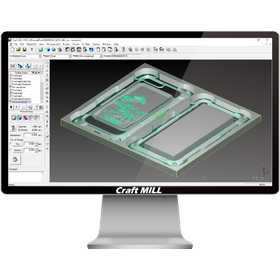

Simple multiple-choice operations that can be used by designers and planners.
- 3D CAM
- Prototype Services
- 3D Printer
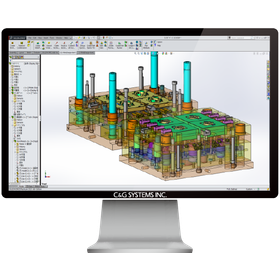
Harness the power of SOLIDWORKS for a comprehensive system in mold design and processing.
- 3D CAD
- 3D CAM
As you wish, just as it is. Free and flexible mold manufacturing.
- 3D CAM
- 3D CAD
Automatic extraction of processed parts. From design to NC, a seamless flow.
- 2D CAD machine
- 3D CAM
- 3D CAD
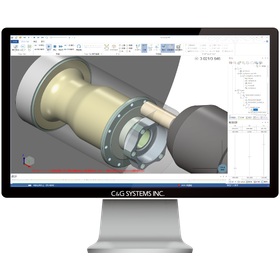
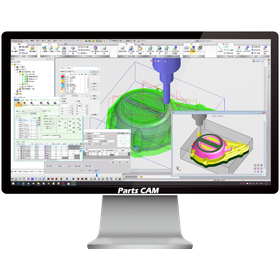
Lathe module "TRUNING" scheduled for release in February 2026.
From turning processing to milling processing—responding to process integration with composite machining centers C&G Systems Co., Ltd. has released the lathe module "TURNING," which realizes the "true process integration" required in the era of composite machining centers. By covering 2D and 3D milling, wire electrical discharge machining, and turning processing, "EXCESS-HYBRID II / Parts CAM" has evolved into an ALL-IN-ONE CAM system that transcends the boundaries of processing fields. The lathe module "TURNING" was developed against the backdrop of voices from the field, where the advancement of high functionality and integration of NC machine tools has led to continued reliance on interactive input and manual programming, resulting in increased man-hours, occurrence of errors, and a shortage of skilled technicians. While composite machining centers have the significant advantage of completing both turning and milling in one machine, the diversification and complexity of processed shapes have made programming advanced and intricate, necessitating measures against interference risks and efficient process design. "TURNING" achieves a reduction in programming time and stable quality reproduction, maximizing the performance of composite machining centers.
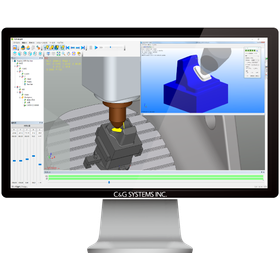
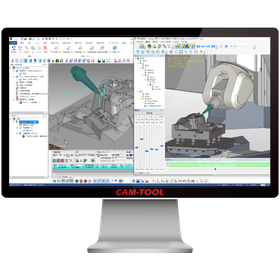
Innovation in manufacturing with "CAM-TOOL" that goes beyond milling!!
- 3D CAM
- Other CAM related software
- 3D Printer


Achieving a reduction of 40 hours per month and 480 hours per year in labor! Cleanup can be completed faster and more accurately compared to conventional methods. *Video available now.
- 3D CAM
- Other CAM related software
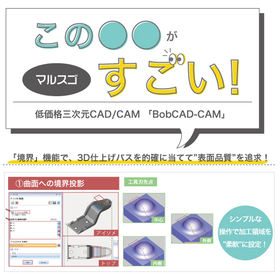
Creating paths that pursue surface quality! This explains the "Boundary" function of "BobCAD-CAM," which offers overwhelming low prices and comprehensive features.
- Other CAD related software
- Other CAM related software
- 3D CAM
![[Information] Smooth 3D press mold ...](https://image.mono.ipros.com/public/product/image/2382/IPROS16397423373233609360.png?w=280&h=280)
We provide an environment specialized for mold design, promoting ease of use and automation!
- 3D CAM
- 3D CAD
- Press Dies
![[Information] Thorough Explanation:...](https://image.mono.ipros.com/public/product/image/2382/IPROS13497532231862347799.png?w=280&h=280)
What are the criteria for choosing CAM as on-site utilization progresses! Here’s how to break free from the easily fallen negative cycle.
- 3D CAM
- 2D CAM
- Other CAM related software
![[Data] Does 3D modeling of mold des...](https://image.mono.ipros.com/public/product/image/2382/IPROS7893748025910588097.png?w=280&h=280)
Utilizing CAD/CAM based on successful case studies from both domestic and international sources! We will also introduce key points to maximize the effects of 3D modeling.
- 3D CAM
- 3D CAD
- Mold Design

An explanation from four points: functionality, scalability, UI/usability, and support! Tips for selecting a CAM system that suits your company.
- 2D CAM
- 3D CAM
- Other CAM related software

Improve efficiency with 3D mold design! Smooth startup with attentive support.
- 3D CAM
- 3D CAD
- Mold Design