GO2designer
CAD for CAM programming of GO2cam
GO2designer is a new CAD for CAM programming. It helps with preparations before CAM programming, such as reading CAD data, drafting, printing, and designing clamp fixtures.
- Company:セイロジャパン
- Price:Other
Last Updated: Aggregation Period:May 06, 2026~Jun 02, 2026
This ranking is based on the number of page views on our site.
1~30 item / All 720 items
CAD for CAM programming of GO2cam
GO2designer is a new CAD for CAM programming. It helps with preparations before CAM programming, such as reading CAD data, drafting, printing, and designing clamp fixtures.
What are the criteria for choosing CAM as on-site utilization progresses! Here’s how to break free from the easily fallen negative cycle.
This document explains the reasons why the introduced CAM is not sufficiently utilized on-site and the measures to address this issue. It analyzes the reasons for the lack of establishment of CAM on-site, such as usability issues and challenges in the implementation process. It introduces how to choose products that fit your company based on three criteria: "UI," "coexistence with business flow," and "support system." This will help prevent the waste of costs and time due to mistakes in CAM selection and facilitate smooth on-site implementation and operational efficiency. [Contents (partial)] ■ About this document ■ Reasons for lack of utilization ■ Common "negative cycle" in CAM implementation ■ Criteria for selecting CAM that promotes on-site utilization ■ What is GO2cam *For more details, please download the PDF or feel free to contact us.
Easy even for beginners! The smoothing function minimizes backlash with smooth operation!
This document is intended for those who are about to start 5-axis machining, those who are currently using other CAM software for 5-axis machining, and customers considering 5-axis compatible CAM software. "What makes the 5-axis functionality of 'hyperMILL' different from other CAM software?" "Why does it boast high evaluations and achievements worldwide?" We will introduce the benefits of using it. We hope this will be helpful in your consideration of the software. [Contents] ■ Simultaneous 5-axis functionality that can be learned in 10 minutes ■ hyperMILL's unique automatic mode ■ Automatic elimination of unnecessary axis movements ■ Smooth simultaneous 5-axis machining ■ Machine simulation based on NC *For more details, please refer to the PDF document or feel free to contact us.
Would you like to utilize the tool data from the WinTool integrated tool library in the CAM system while managing tool information at the machining site?
The WinTool Integrated Tool Library centrally manages tool data used within the company, including combinations of cutting tools, tooling, collets, and managing DXF contours and 3D models. NC programmers can access the WinTool Integrated Tool Library from their CAM systems, allowing them to create NC programs while selecting tool data. By properly managing tool data, it prevents situations where work must be halted due to incorrect tool data during CAM operations. Users of CAM will benefit from the advantages unique to WinTool, such as the ability to quickly identify resident tools on NC machine tools and stocked tools on tool shelves, as well as expedited arrangements through prior confirmation of the availability of inserts, cutting tools, and tooling. This is especially useful when multiple CAM systems are used within the company.
Customizable CAM editing software that utilizes electrical connections and 3D representation.
We maximally support the manufacturing process of electronic devices with CAM functions that utilize electrical connections and 3D settings. It is possible to add unique rules for smooth incorporation of external design data/manufacturing, editing after MRC/MRC, editing of panel layouts and assembly boards, correction functions that allow for the addition of unique rules, and the creation of approval, delivery, and product drawings with centralized data. We are equipped with necessary functions for centralized management of multi-step manufacturing processes and CAM editing required for interfacing with equipment.
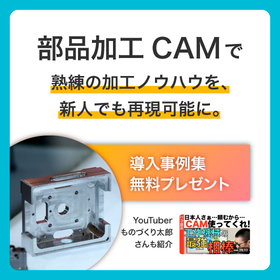
熟練の加工技術も残す。 新人もすぐ使える。 どちらも妥協しないCAM。
複雑な加工技術も簡単な操作で再現可能。 使いやすさとテンプレート化で、 会社独自のノウハウを継承しながら効率化を進めます。 ■ものづくり系YouTuber、ものづくり太郎さんにもおススメいただいています!
Break away from dialog-based NC programming! Package necessary services to provide support.
We would like to introduce our "CAM 3D Project." We use "Fusion," an all-in-one product development cloud platform that includes CAD/CAM/CAE/PCB software. Our company not only implements software but also responds to our customers' startup tasks quickly and packages the necessary services for 3D CAM support. 【Benefits of 3D-CAM】 ■ Data creation is possible without depending on shape ■ NC data creation is possible for those other than machine personnel ■ Control is possible with a post-processor ■ Data management, sharing, and visualization are possible ■ Data creation is possible with various processing patterns *For more details, please refer to the PDF materials or feel free to contact us.
It is a 2D CAD/CAM system that allows for easy creation of NC data due to its low cost, minimal operation, and high functionality!
SheetPartner is a sheet metal 2D CAD/CAM system. It can flexibly accommodate CAD/CAM software for turret punch machines made by Amada, Murata, Komatsu, and Mazak. It is also adopted in the sheet metal industry, as well as in related fields such as architectural plate cutting and steel fabrication. *Currently offering on-site and online demonstrations. <Features> - It can be used with confidence even by beginners in computer use. - Since the system was developed while maximizing the customer's know-how, it is sure to satisfy those who have found turret punch CAD/CAM to be difficult and expensive. - With its rich mold layout and editing functions, it allows users to perform tasks as they wish. Automatic layout of cluster molds can also be done instantly. - In conjunction with the laser module, it can provide processing instructions for deburring and processing instructions for combined turret punch and laser machines. *For more details, please download the PDF or feel free to contact us.
部品加工の効率化のヒントに。加工パス作成時間の短縮、3Dデータの直接活用、設定ノウハウの継承などの事例を紹介
本資料では、部品加工CAM『GO2cam』の活用によって、 業務の効率化や若手・新人への技術継承を実現した事例を紹介しています。 ■熟練の加工技術も残す。新人もすぐ使える。 ■どちらも妥協しない部品加工向けCAD/CAM『GO2cam』とは? 加工条件・工程を登録できる「オペレーションリスト」機能の搭載により、 ノウハウを資産化し、初心者でも容易に複雑な加工条件を設定できるのが大きな特長。 2D図面も3Dモデルも同一操作で運用でき、3Dデータを直接加工用パスに変換することも可能です。 直観的に操作でき、CAD未経験者が1~2か月で使いこなせた事例もあります。 【掲載事例】 ◎GO2camで2次元形状のプログラム作成時間を大幅に削減 ◎加工条件・工程等の登録で、ツールパスの作成時間が大幅に短縮 ◎ホストプロセッサの調整で、若手もベテランも思い通りのパスを描く ◎加工パス作成にかかる工数が半分に。新人教育、図面管理の効率化にも成功 ※<カタログをダウンロード>よりすぐにご覧いただけます。
Simultaneous 3/5/6-axis CAM compatible with milling, hairline cutting, grinding with grinding wheels, and punching processing.
Please contact us for information on tools, processing methods, and precision.
Significantly reduced program creation time! Four case studies of successful efficiency improvements in training new employees.
This document summarizes the success stories of four companies that have implemented the CAD/CAM software "GO2cam." We specifically introduce how companies that were struggling with long programming times for machining processes or faced challenges in training young employees have resolved these issues through the adoption of "GO2cam." We hope this serves as a helpful hint for solving challenges such as improving efficiency in the processing site and developing human resources within your company. [Featured Cases] ■ Haruki Metal Industry Co., Ltd. ■ Itoh Hagane Co., Ltd. ■ Hope Engineering Co., Ltd. ■ Iida Co., Ltd. *For more details, please download the PDF or feel free to contact us.
You can choose suitable software to match the Matsura equipment you have introduced!
We would like to introduce the "CAD/CAM software" that we handle. Starting with "GibbsCAM," which fully supports various machining processes, we also offer "hyperMILL," which supports simultaneous 5-axis machining with innovative algorithms, as well as "CAM-TOOL" and "Vericut." You can choose the most suitable software to match the Matsura equipment you are introducing. 【Product Lineup】 ■GibbsCAM ■hyperMILL ■CAM-TOOL ■Vericut *For more details, please refer to the PDF materials or feel free to contact us.
Standalone 3D CAM software that can easily process complex parts.
"NCG CAM" is a user-friendly 3D CAM software designed from the perspective of the user, allowing for easy operation by the operator. With simple operations, you can create NC data immediately after just one day of training. Additionally, it is well-known for its surface finishing quality, and by increasing machining tolerance and fully utilizing computational capabilities, even more beautiful finishes can be expected. 【Features】 ■ High-speed machining and computation ■ Easy operation ■ Beautiful finishes *For more details, please download the PDF or feel free to contact us.
In machining, deburring is possible! It reduces manual deburring work and allows for automation.
Introducing the CAD/CAM software 'GO2cam' option "Deburring." When you select the machining surface, edges are automatically extracted, and paths are created. By setting a safety distance, interference is automatically checked, resulting in paths that do not cause interference. In the case of a 5-axis machining machine, deburring can be performed while rotating the workpiece. The deburring option is available for both 3-axis and 5-axis. 【Features】 ■ Automatic edge extraction from solids ■ Interference checks are performed automatically ■ Deburring is also possible on 5-axis *For more details, please download the PDF or feel free to contact us.
Proposing solutions for the automation of machining programming in CAD/CAM.
Our company proposes the automation of CAM programming using the modular CAM solution 'hyperMILL', which supports simultaneous 5-axis machining as well as 2D, 2.5D, 3D, turning, and hybrid machining. The automation programming of this software does not require specialized knowledge, making it operable even by those who are not skilled programmers. It is well-suited for similar products, products of different sizes, and workpieces with holes and pockets. 【Features】 ■ High-speed and reliable feature recognition Feature recognition automatically applies not only geometric elements but also machining-related data. ■ Manufacturing know-how stored in macros Job macros and feature macros enable the reuse of machining processes and automatic sorting. ■ NC code-based machine simulation Bridges the gap between the CAM system and the actual machining environment, ensuring safety. *For more details, please refer to the PDF document or feel free to contact us.
It is possible to integrate and use the CAD/CAM software 'hyperMILL' with SOLIDWORKS.
The CAD/CAM software 'hyperMILL' can be integrated and used with the CAD software 'SOLIDWORKS' provided by Dassault Systèmes. After modeling in SOLIDWORKS, users do not need to leave SOLIDWORKS for CAM programming. With 'hyperMILL for SOLIDWORKS', it is possible to operate hyperMILL from within the SOLIDWORKS window. As a result, reliable programming can be performed in a simple work environment that is user-friendly. 【Features】 ■ Powerful CAM functions of hyperMILL are available within SOLIDWORKS ■ The same data model is used in both the CAD and CAM systems ■ Reliable programming is possible in a simple work environment that is user-friendly *For more details, please refer to the PDF document or feel free to contact us.
Global CAM used in over 50 countries worldwide.
"alphacam Router" has long been cherished as one of the few CAM solutions for woodworking, providing a total CAD/CAM solution that meets various needs. In Japan, it is used for a wide range of manufacturing, from simple router-processed parts to complex 5-axis processed furniture. 【Product Lineup】 ■ For 2D processing: ESSENTIAL ■ For 2.5D processing: STANDARD ■ For indexed 3D processing: ADVANCED ■ For simultaneous 4/5-axis 3D processing: ULTIMATE *For more details, please download the PDF or feel free to contact us.
Free and flexible mold manufacturing! Supporting a wide range of mold processing from fine and precision machining to large molds!
"CAM-TOOL" is a multifunctional mold system that integrates CAD/CAM capabilities, featuring surface modeling functions and enabling the transfer of CAD data to the output of NC data. It achieves high-speed and high-precision machining through its unique surface calculation logic. Equipped with various machining modes, it can be utilized in diverse environments, focusing on surface accuracy to high machining efficiency. 【Features】 ■ A unique kernel surface modeler that excels in handling mold-specific shapes ■ An efficient and safe operating environment that integrates 3D CAM for creating machining data ■ Suppresses load fluctuations, providing stable high-speed direct engraving on high-hardness steel ■ Maintains high precision while enabling 5-axis machining with 3-axis operation ■ Support functions that further enhance productivity and safety *For more details, please refer to the PDF document or feel free to contact us.
Supports various machining such as 2D and 2.5D (upper and lower different shapes) gear drawing, taper shapes, and upper and lower different shapes! Equipped with numerous machining patterns and functions focused on precision.
\You can easily make processing instructions unique to wire cutting, such as processing types and approach methods/ For processing patterns and approaches that are difficult to understand with text alone, you can select while checking illustrations, and in the approach condition editing screen, the illustrations change according to the selected pattern. ■Rich processing patterns - From reducing processing time to high-precision processing - Coreless processing - Selection of processing order - Abundant approach methods ■Edit processing trajectories - Corner deformation/taper processing - Insertion of NC programs - Angle calculations for simultaneous processing - Multiple workpiece handling ■Upper and lower different shapes In addition to creating complex shapes, processing with the same R on the upper and lower sides is also possible. ■A wealth of sample posts available Seibu Electric Industry Co., Ltd., Brother Industries, Ltd., Makino Milling Machine Co., Ltd., Fanuc Corporation, Mitsubishi Electric Corporation, and others. *NAZCA5 CAM Wire is a successor product to Nasca Pro Wire. <Trial> We offer a trial version that allows you to test all the features of the official product as many times as you like within the usage period! Please feel free to contact us.
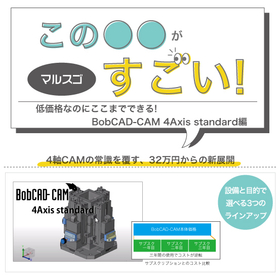
[Mitarepo] I want to automate the troublesome deburring process! What is the capability of BobCAD-CAM's deburring path? | System Create
"Mitarepo" is a series that introduces what can be done using various products with the concept of "I tried doing this!" We will deliver useful information each time from the wide range of product genres handled by System Create. The theme of Vol. 45 is "Testing the capabilities of the deburring tool path in BobCAD-CAM!" Recently, we will actually verify the capabilities of the newly added deburring tool path in "BobCAD-CAM 3AXIS Premium," which was introduced at Marsgo. This time, we collaborated with G-BEC Technology Co., Ltd. and used their dedicated deburring end mill to perform the deburring! We used aluminum for the workpiece. Assuming the processing of flat holes and tolerance holes, we will check the state of each burr and the processing time. "Can low-cost CAD/CAM really handle deburring?" "Will secondary burrs still appear in the end?" We will explain the capabilities of the BobCAD-CAM deburring tool, along with verification photos and comments from the technical staff. *You can download the materials from the button above.
Utilize the part data created with 2D CAD/CAM for label printing!
If you are struggling with the time and effort required by your current CAD/CAM, and have thought about how helpful certain features would be, please feel free to consult with us. 【Issues】 ■ After cutting parts with the processing machine, you are writing the part names by hand. ■ You want to print labels with necessary information such as part drawings, customer names, materials, and thicknesses as product tickets from the CAD/CAM that holds the part information. ■ Regular labels are difficult to remove, leading to complaints from customers. ⇒ Solve your problems with 2D CAD/CAM 'SheetPartner'! 【Contents】 - Easily print part information registered in SheetPartner onto product labels. It saves both time and space! - Using specially designed labels with low adhesive strength, they are easy to remove and leave no residue on the product! - Printing barcodes along with part drawings is also possible! * For more details, please refer to the PDF document or feel free to contact us. * We are currently offering on-site and online demonstrations.
It is a user-friendly CAD/CAM software that thoroughly reflects the voices from the field.
With over 20 years of accumulated experience in G-code programming and know-how related to CNC, we can accommodate all types of machine tools. Our powerful shape creation tools are easy to learn and use. With multiple input and output options, including DXF and IGES, you can quickly import data from existing CAD systems.
High degree of freedom in modeling! It can accommodate various types of curved surfaces.
"Fusion360" is a 3D CAD/CAM/CAE software that has all the necessary functions for manufacturing. It allows the use of various features such as 3D model creation, design, simulation, and CAM. Additionally, with a subscription contract through Fact, you can receive comprehensive support while reducing costs, including "phone support." 【Features】 ■ Capable of creating 3D data that meets actual design requirements ■ Integrated CAD/CAM allows for modifications in CAD to be reflected in CAM ■ Predicts strength and where loads will occur, visualizing the results ■ Facilitates data exchange via the cloud, making it easy to share data with teammates ■ Easily create solid models with a variety of features *For more details, please refer to the PDF document or feel free to contact us.
Let's implement an integrated platform at a great price to achieve efficiency in the manufacturing process.
Fusion360 is equipped with a tool path creation feature that processes 3D models created with CAD functions. The CAM functionality utilizes HSM technology to quickly generate tool paths, reducing cycle times and minimizing wear on machines and tools, thereby enabling the production of high-quality parts. It leverages convenient features such as 2.5-axis, 3-axis, 4-axis, 5-axis machining, probing, turning, mill-turning, and profiling in the manufacturing process. 【CAM Function Features】 ■ Capable of creating a variety of tool paths ■ Easy to understand and operate ■ High-precision tool paths can be easily created ■ Accelerates the process from design to machining *For more details, please feel free to contact us.
2D CAD/CAM Problem-Solving Case Studies - CAD Edition
Related to architectural plate cutting, for steel frame fabricators. Are you having trouble with your CAD/CAM? If you are struggling with the time and effort required for your current CAD/CAM and wish there were features that could help, please feel free to consult with us. 【Issues】 ■ It takes a considerable amount of time to process CAD data from other companies. Is there a way to handle it more easily and quickly? ■ The text written within the parts is not being utilized effectively... ⇒ Solve your problems with 'SheetPartner'! - We have posted challenges before implementation regarding DXF reading and modification, as well as the effects after implementation! - Even with various patterns of drawings received from other companies, you can easily reduce them to only the necessary processing data, cutting the time spent on drawing editing down to one-third of what it used to be! * For more details, please refer to the PDF materials or feel free to contact us. * We are currently offering on-site and online demonstrations.
I will teach you at the seminar: 'A system that can be profitable even without skilled workers!'
In our prototype factory, even newcomers who do not know G-code can create intricate products. The secret lies in the fact that we can seamlessly integrate everything from CAD/CAM to manufacturing. Many companies have introduced 5-axis machining centers and multi-tasking machines, but few are able to utilize them effectively. We receive inquiries such as, "It takes too long to set up the machines," "We cannot fully utilize the machines," and "We have to rely on outsourcing despite low operating rates." Additionally, in many companies where management does not get involved in the selection and operation of CAD/CAM and leaves it to the shop floor, these issues often go unrecognized. As a CAD/CAM vendor, we have been working for 10 years to introduce 5-axis and multi-tasking machines and maximize their effective use. As a result, we have implemented a new manufacturing system that is profitable and free of rework.
CAD/CAM integrated software that meets a wide range of needs from 2D to 3D.
PocketCAM is a CAD/CAM software that comes standard with 2D drawing and 3D surface creation functions, compatible with all NC machining machines from 2-axis machining to simultaneous 5-axis machining.
An acoustic holography analysis system that achieves high dynamic range and wide bandwidth with a high-density microphone arrangement!
The "Acoustic camera CAM64/CAM1K" is a compact and lightweight microphone array with high-sensitivity digital MEMS microphones arranged in a grid pattern, featuring 64 channels or 1024 channels. It enables high-resolution near-field acoustic holography (NAH) analysis with a 2cm microphone spacing. Acoustic holography calculates acoustic intensity from sound pressure, displaying color maps (acoustic intensity, sound pressure, particle velocity) with high resolution from low to high frequencies, unaffected by wavelength. 【Features】 ■ Two types of microphone arrays - Compact and lightweight type: 64 channels, 17×17 cm, weight 0.3 kg, frequency range: 20Hz - 8.5kHz - General-purpose type: 1024 channels, 64×78.5 cm, weight 4.9 kg, frequency range: 20Hz - 8.5kHz ■ Microphone spacing: 2cm ■ Analysis functions: Steady-state NAH, transient NAH (post-analysis), sound pressure color map, BF (real-time) *For more details, please refer to the PDF document or feel free to contact us.
Improving productivity through seamless data integration from design to manufacturing. Utilizing a fully integrated system of 2D and 3D CAD.
This seminar, led by our President Hiroyuki Kodama, will introduce methods for human resource development and technology transfer using the 3D CAD/CAM system TopSolid 7/TopSolid’Cam 7, incorporating real examples. It is aimed at managers and executives in the manufacturing industry, including sectors such as automotive, aerospace, shipbuilding, and medical. We are confident that it will provide valuable information for those seeking to improve efficiency and productivity in their daily operations. We hope you will participate and deepen your understanding of how to utilize 3D CAD/CAM. Seminar Overview: Date: September 19, 2024 (Thursday) 13:00–17:00 (Registration starts at 12:30) Location: Kodama Corporation Prototype Division, Processing Technology Research Institute 3-3-9 Sakae-cho, Hamura City, Tokyo Theme: "Practical Proposals for Executives: 'CAD/CAM as a Management Tool'" Instructor: Hiroyuki Kodama, President of our company Participation Fee: Free (Pre-registration required) As this seminar has limited capacity, we would appreciate it if you could register as soon as possible using the link below.
Task: "I want to enable newcomers to create processing programs in a short period of time."
The manufacturing industry is currently facing various challenges. One of the challenges is the aging workforce. With the retirement of veteran employees, it becomes difficult to maintain the quality of work when the skills and know-how developed over many years are lost. Additionally, there is the reality that there is not enough time to invest in training new employees.