We have compiled a list of manufacturers, distributors, product information, reference prices, and rankings for Design Software.
ipros is IPROS GMS ・ IPROS One of the largest technical database sites in Japan that collects information on.

Design Software Product List and Ranking from 70 Manufacturers, Suppliers and Companies | IPROS GMS

Last Updated: Aggregation Period:Sep 02, 2026~Sep 29, 2026
This ranking is based on the number of page views on our site.

Design Software Manufacturer, Suppliers and Company Rankings

Last Updated: Aggregation Period:Sep 02, 2026~Sep 29, 2026
This ranking is based on the number of page views on our site.

  1. ヒューリンクス Tokyo//software
  2. EPLAN Kanagawa//CAD/CAM
  3. くいんと Tokyo//software
  4. 4 AVEVA Tokyo//software
  5. 5 null/null

Design Software Product ranking

Last Updated: Aggregation Period:Sep 02, 2026~Sep 29, 2026
This ranking is based on the number of page views on our site.

  1. Standardization of Electrical Symbols: Comparison of IEC (New JIS), NFPA, and Old JIS EPLAN
  2. AVEVA P&ID AVEVA
  3. Caliper Brake BMK ASAHI Caliper / Asahi Seiko タツタ
  4. 4 Offline Teaching System "Tokumori-kun" 南海モルディ株式会社(旧:南海鋼材株式会社)
  5. 4 PrintPro 2.0 JBCC

Design Software Product List

121~150 item / All 169 items

Displayed results

Koken Corporation Business Introduction

Total support for your manufacturing! We will continue to deliver new technologies and services.

Koken Co., Ltd. is constantly challenging itself with new initiatives to realize various ideas, such as "It would be nice to have something like this," through various metal surface treatments and the development and sales of automotive and motorcycle parts. We believe in "We can definitely do it" without fearing failure, and we will continue to deliver new technologies, products, and services. As an official dealer of Brembo, Koken Co., Ltd. supports our customers' "manufacturing" comprehensively through four business divisions. 【Business Activities】 ○ Product Sales Division ○ In-house Product Division ○ Surface Treatment Division ○ OEM Division For more details, please contact us or download the catalog.

  • cylinder
  • Design Software

Added to bookmarks

Bookmarks list

Bookmark has been removed

Bookmarks list

You can't add any more bookmarks

By registering as a member, you can increase the number of bookmarks you can save and organize them with labels.

Free membership registration

Application of the alloy design tool Thermo-Calc to magnesium alloys

Introducing analysis examples for magnesium alloys! The alloy design tool Thermo-Calc can be used for material development and various manufacturing processes!

This is a collection of calculation examples for magnesium alloys using the alloy design tool Thermo-Calc. Thermo-Calc allows for the optimization of alloy processes, the impact of processes on microstructure, and the prediction of properties. 【Thermo-Calc】 - Phase diagram of Mg-Al - Pseudo-binary phase diagram of (2/3Mg-1/3Sn)-(0.54Mg-0.46Al) - Liquidus/solidus temperatures for various Mg alloys - Liquid phase projection diagram of Ag-Gd-Mg - Solid phase projection diagram of Gd-Mg-Y and solubility lines - Mg solubility line and stable/metastable precipitate phases in the Mg-Nd system - Hydrogen solubility in Mg-Cu alloys - Solidification calculations for Mg-8Gd-0.6Zr-3(Nd, Y) - Evaluation of viscosity and surface tension in the Al-Mg-Zn system - Evaluation of thermal conductivity and electrical resistivity 【Precipitation Module TC-PRISMA】 - Precipitation of β1-Mg3Nd (D03) phase in Mg-2.4Nd

  • alloy
  • Non-ferrous metals
  • Other metal materials
  • Design Software

Added to bookmarks

Bookmarks list

Bookmark has been removed

Bookmarks list

You can't add any more bookmarks

By registering as a member, you can increase the number of bookmarks you can save and organize them with labels.

Free membership registration

3D design software 'Disegna'

【Free download available!】You can create drawings in just 3 steps! You can design safety fences, create estimates, and generate 3D drawings.

AutoCAD customization software 'Disegna' that includes basic information about SATECH products. With a simple and intuitive interface, you can create safety fence designs, estimates, and 3D drawings. Standard file formats such as "DWG," "PDF," and "STEP FILE" can be traced, allowing you to start designing immediately. You can also output a materials list for estimates alongside 2D and 3D drawings. 【Features】 ■ Drawing possible in just three steps ■ Standard file formats can be traced ■ Materials list for estimates can be output alongside 2D and 3D drawings *For more details, please refer to the PDF document or feel free to contact us.

  • Other safety and hygiene products
  • Design Software

Added to bookmarks

Bookmarks list

Bookmark has been removed

Bookmarks list

You can't add any more bookmarks

By registering as a member, you can increase the number of bookmarks you can save and organize them with labels.

Free membership registration

PCB design software "SmartDesigner"

SmartDesigner is a premium PCB design software developed by a software development team.

This software easily handles commercial 2D PCB design. Get the most affordable PCB design software for your business! 1. A professional PCB design package for all engineers 2. An intuitive user interface makes hassle-free design easy 3. Excellent product support with very competitive pricing 4. Assists in designing commercial applications with key features including automatic and manual routing, DRC, and Gerber file output 5. Software specifications meet the needs of designing most PCBs - Capable of complex PCB design - Excellent routing capabilities - Reduces design time by over 50% - Cost-effective and customizable

  • 3D CAD
  • Design Software

Added to bookmarks

Bookmarks list

Bookmark has been removed

Bookmarks list

You can't add any more bookmarks

By registering as a member, you can increase the number of bookmarks you can save and organize them with labels.

Free membership registration

Standardization of Electrical Symbols: Comparison of IEC (New JIS), NFPA, and Old JIS

Actively responding to globalization from the design stage! Introducing a comparison of IEC (new JIS), old JIS, and NFPA!

The old JIS circuit symbols include unique standards that can be considered a dialect of Japanese, making them difficult for overseas engineers to understand and creating a disadvantage when selling abroad. It is important to actively respond to globalization from the design stage and create circuit diagrams that can be used in any country, making them more acceptable in overseas markets. This document highlights several symbols and provides a comparison of IEC (new JIS), old JIS, and NFPA. Additionally, some symbols that were thought to be old JIS were actually NFPA symbols, and there are cases where the old JIS symbols used are similar to NFPA, so NFPA symbols are also included for reference. [Contents] ■ Standards covered ■ Contacts ■ Switches ■ Coils and sockets *Technical materials are currently available for free! Please download for more details.

  • Company:EPLAN
  • Price:Other
  • 2D CAD Electrical
  • others
  • Design Software

Added to bookmarks

Bookmarks list

Bookmark has been removed

Bookmarks list

You can't add any more bookmarks

By registering as a member, you can increase the number of bookmarks you can save and organize them with labels.

Free membership registration

IoT Counter "Miezirou"

Contributes to reducing labor costs! An IoT counter that can automatically measure the number of shots in a press.

"Seejiro" is an IoT counter that visualizes the operating status of presses. By simply attaching it to the press (press brake), it automatically measures the number of shots. Additionally, various analyses can be performed using the measured data, such as the operating rate of the press and the cost of products. 【Features】 ■ Automatically measures the number of shots of the press just by attaching it ■ Measurement data is sent to a PC via Wi-Fi for recording ■ Various analyses can be performed based on the measured data ■ The included software issues work instructions and assigns a "manufacturing number" for each processed product *For more details, please download the PDF or feel free to contact us.

  • Production Management System
  • counter
  • Other electronic measuring instruments
  • Design Software

Added to bookmarks

Bookmarks list

Bookmark has been removed

Bookmarks list

You can't add any more bookmarks

By registering as a member, you can increase the number of bookmarks you can save and organize them with labels.

Free membership registration

Custom insole design software "Insole G"

The way of working will change with the digital integrated system! We will propose an original system.

We would like to introduce the "Auto Design Insole G," handled by Dream GP. While utilizing the parametric design of the Auto Design Insole, it is possible to incorporate your company's instructions for insole production into the system. Please let us know what kind of design you would like to create, as well as any current issues or requests you may have. We will propose an original system tailored to your needs. 【Features】 ■ The digital integrated system changes the way work is done ■ Customizable because it is developed in-house ■ Utilizes the parametric design of the Auto Design Insole ■ It is possible to incorporate your company's instructions for insole production into the system *For more details, please refer to the PDF document or feel free to contact us.

Added to bookmarks

Bookmarks list

Bookmark has been removed

Bookmarks list

You can't add any more bookmarks

By registering as a member, you can increase the number of bookmarks you can save and organize them with labels.

Free membership registration

Utilizing advanced technology to tackle efficient biopharmaceutical design.

Digital design of biopharmaceuticals with workflows tailored to project needs.

By using cutting-edge computer modeling technology from Schrödinger and an enterprise informatics platform, it becomes possible to rationally design high-quality biopharmaceuticals such as monoclonal antibodies, vaccines, enzymes, and peptides. - Prediction of protein structures, their refinement, and dynamics - Detection and mitigation of physicochemical issues - Prediction and analysis of protein interactions - Protein design through In Silico Mutagenesis - Visualization and analysis of sequences - Analysis of molecular and thermodynamic properties - Design of fusion proteins and linkers *For more details, please feel free to contact us.*

  • Embedded OS
  • Design Software

Added to bookmarks

Bookmarks list

Bookmark has been removed

Bookmarks list

You can't add any more bookmarks

By registering as a member, you can increase the number of bookmarks you can save and organize them with labels.

Free membership registration

Overview of the CAD/CAM Integration Programming Tool 'START'

A seamless DesignCAM that integrates the functionality of staying ahead of the times! Experience the effectiveness of an open database.

"START" is a design software that integrates "CAD/CAM," "2D/3D," and "manual/programming," developed and sold since 1991. It is usable in a Windows environment and is equipped with features specialized for the design of various electronic devices, achieving high efficiency in all design tasks from concept to detail. Additionally, it provides an environment that is easy for users to customize, such as through the publication of databases and dedicated programming languages, supporting the development of unique technical know-how. 【Three Major Features】 ■ Fusion of 2D and 3D ■ Fusion of manual operation and programming ■ Fusion of design and editing *For more details, please refer to the PDF materials or feel free to contact us.

  • 2D CAD Electrical
  • Design Software

Added to bookmarks

Bookmarks list

Bookmark has been removed

Bookmarks list

You can't add any more bookmarks

By registering as a member, you can increase the number of bookmarks you can save and organize them with labels.

Free membership registration

[START Function Introduction] Touch Panel Module 3D Implementation Design Process Design

Customize your own rules for bulk placement! By inputting parameters in Excel, you can automatically create 3D structures and shapes.

This document introduces the touch panel module 3D implementation design/process design of the CAD/CAM integration programming tool 'START'. It enables integrated workflow and centralized management from circuit design/board design/3D structuring/analysis models/manufacturing design/editing/inspection to the output of drawings for factories and customer mechanism verification drawings. Additionally, practical examples of panel design are also included. We encourage you to read it. [Contents (partial)] ■ FPD design/process design tools ■ Direct interface to suitable 3D analysis model Q3D ■ Three-dimensional integration connection checks of various separately designed data ■ Touch panel design/process design tools ■ User customization examples *For more details, please refer to the PDF document or feel free to contact us.

  • 2D CAD Electrical
  • Design Software

Added to bookmarks

Bookmarks list

Bookmark has been removed

Bookmarks list

You can't add any more bookmarks

By registering as a member, you can increase the number of bookmarks you can save and organize them with labels.

Free membership registration

[Information] Eight Elements to Leverage SOLIDWORKS for Business Growth

SOLIDWORKS is a highly flexible solution that can be tailored to meet the needs of each business!

SOLIDWORKS is the industry standard for 3D design and mechanical CAD. It enhances team efficiency and process agility with a reliable solution, making it easier to respond to the ever-changing market demands and facilitating business expansion. This document explains eight elements that demonstrate how SOLIDWORKS addresses the unique needs for product innovation now and in the future while supporting business growth. [Contents (excerpt)] ■ Shortening time to market ■ Industry-recognized certifications ■ Reflecting user feedback ■ Easy and seamless connectivity ■ Access to more tools *For more details, please download the PDF or feel free to contact us.

Added to bookmarks

Bookmarks list

Bookmark has been removed

Bookmarks list

You can't add any more bookmarks

By registering as a member, you can increase the number of bookmarks you can save and organize them with labels.

Free membership registration

iBwave

You can export layout plans to AutoCAD! Supports the design of public safety networks.

iBwave provides solutions for the design and deployment of indoor wireless networks. iBwave Design is software specialized for designing indoor wireless networks. Components are automatically assigned to hierarchies on the design plan. Additionally, licenses can be managed through a web-based portal. Features of iBwave Design Enterprise: - Software for designing large-scale and complex indoor wireless networks - Capable of designs that accommodate multiple technologies and buildings - Supports technologies such as 5G and Wi-Fi 6 - Licenses can be managed through a web-based portal - Progress and quality of projects can be tracked For more details, please refer to the related links or feel free to contact us.

  • Company:B7
  • Price:Other
  • Other network tools
  • Design Software

Added to bookmarks

Bookmarks list

Bookmark has been removed

Bookmarks list

You can't add any more bookmarks

By registering as a member, you can increase the number of bookmarks you can save and organize them with labels.

Free membership registration

[Example] Centrifugal pump impeller design with a specific speed of 320 'AIPump'

Input the necessary design parameters! It is possible to quickly obtain 3D design results.

We will introduce a case study of impeller design for a centrifugal pump with a specific speed of 320 using the pump-specific design software "AIPump." By simply inputting the necessary design parameters, you can quickly obtain the three-dimensional design results of the pump impeller. Additionally, through high-speed performance analysis of the design results, it is possible to instantly check key data such as efficiency. Furthermore, a high-speed performance analysis was conducted on the created impeller with a specific speed of 320, and the analysis results showed that the efficiency is 82.04. 【Design Parameters】 ■ Flow Rate (Q): 180m³/h ■ Head (H): 40m ■ Rotational Speed (n): 2950rpm ■ Impeller Outlet Diameter (D2): 194.678mm ■ Impeller Outlet Width (b2): 22.347mm ■ Impeller Inlet Diameter (Dj): 105.858mm *For more details, please download the PDF or feel free to contact us.

  • 1.PNG
  • 2.PNG
  • 4.PNG
  • 5.PNG
  • 6.PNG
  • Other analysis software
  • Design Software

Added to bookmarks

Bookmarks list

Bookmark has been removed

Bookmarks list

You can't add any more bookmarks

By registering as a member, you can increase the number of bookmarks you can save and organize them with labels.

Free membership registration

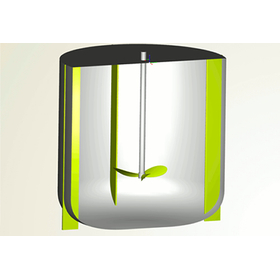
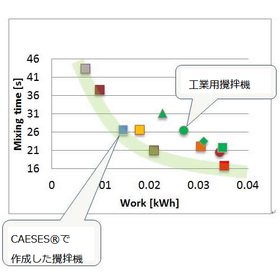
Optimization of the mixer

The results obtained show that the mixing time is 10% to 20% shorter than that of a standard industrial mixer!

The mixer is a widely used device, and its size and shape vary depending on the working environment. The parametric modeling in CAESES makes it easy to adjust its performance and enables optimization. By modeling in CAESES, structural changes can be adjusted by parameters, allowing for the easy acquisition of mixers suitable for various working environments. *For more detailed information, you can view it through the related links. For more details, please download the PDF or feel free to contact us.*

  • 攪拌機の最適化2.jpg
  • 攪拌機の最適化3.png
  • Mixer
  • Design Software

Added to bookmarks

Bookmarks list

Bookmark has been removed

Bookmarks list

You can't add any more bookmarks

By registering as a member, you can increase the number of bookmarks you can save and organize them with labels.

Free membership registration

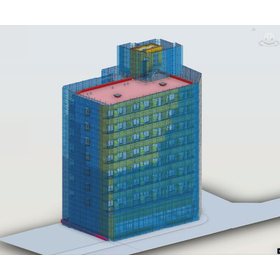
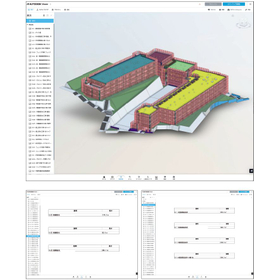
3D modeling generation using BIM and quantity takeoff for renovation work.

The era of manual picking is over. Achieve an accurate budget without waste!

3D modeled data not only allows for accurate quantity estimation but also enables immediate quantity calculations in the event of changes to the construction scope later on. Additionally, it is possible to embed the history of renovations and repairs (such as construction photos and details of repairs) within the 3D modeling data, allowing it to be used as an important record for the building. Why not take this opportunity to recreate those worn-out paper drawings as 3D models?

  • Clipboard08.jpg
  • 3D CAD
  • Design Software

Added to bookmarks

Bookmarks list

Bookmark has been removed

Bookmarks list

You can't add any more bookmarks

By registering as a member, you can increase the number of bookmarks you can save and organize them with labels.

Free membership registration

EPB-compatible electronic parking brake caliper

A solution ideal for vehicles equipped with EPB, featuring high-precision design and stable braking force.

The EPB-compatible parking brake BBK from YARJANG (Yazhang Industrial) is a high-performance brake kit designed for vehicles equipped with an electronic parking brake (EPB) system. Its dedicated design allows for the use of the original motor without compromising functionality, thereby enhancing braking performance. Customization to meet customer specifications and vehicle types is also possible. Please feel free to contact us for technical inquiries or estimates.

Added to bookmarks

Bookmarks list

Bookmark has been removed

Bookmarks list

You can't add any more bookmarks

By registering as a member, you can increase the number of bookmarks you can save and organize them with labels.

Free membership registration

YAR-F660 6-piston forged aluminum brake caliper

Achieving ultimate braking performance with a 3-stage piston - Forged calipers chosen by professionals.

The YAR-F660 is a 6-piston brake caliper precisely machined from forged aluminum, designed for motorsport and high-performance applications. By combining three piston diameters (Ø38 / Ø36 / Ø32), it achieves optimal pressure distribution to the brake pads, providing excellent braking stability and response. It accommodates a wide range of rotor sizes from 330 to 356 mm, fitting various sports vehicles. Additionally, it is available in 16 anodized colors and powder-coated finishes, balancing functionality and design. It is compatible with SC-0914-00 type brake pads, offering excellent fade resistance and reliability even in harsh operating conditions.

  • brake
  • Brake parts
  • Design Software

Added to bookmarks

Bookmarks list

Bookmark has been removed

Bookmarks list

You can't add any more bookmarks

By registering as a member, you can increase the number of bookmarks you can save and organize them with labels.

Free membership registration

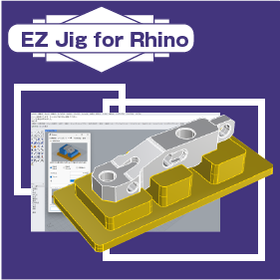
EZ Jig for Rhino for Machine Tools

Fixture design software that strengthens collaboration between designers and the field.

In the machine tool industry, high-precision positioning is a crucial factor that affects product quality and production efficiency. In the case of small-batch production with many variations, the design process can take a long time. Delays in jig design and issues with precision can lead to decreased productivity and the occurrence of defective products. EZ Jig for Rhino allows for intuitive design of assembly jigs, fixtures, and more, simply by placing models, without relying on expertise in 3D CAD. 【Usage Scenarios】 - Inspection jigs and painting jigs - Design of jigs in the machining process - Rapid production of jigs utilizing 3D printers 【Benefits of Implementation】 - Reduction in jig design time - Cost savings in jig production - Achievement of high-precision positioning - Improvement in production efficiency

  • Other CAD related software
  • Inspection fixture
  • Assembly Jig
  • Design Software

Added to bookmarks

Bookmarks list

Bookmark has been removed

Bookmarks list

You can't add any more bookmarks

By registering as a member, you can increase the number of bookmarks you can save and organize them with labels.

Free membership registration

Fusion for Furniture Customization

Streamlining customized furniture design at an overwhelmingly low price.

In the furniture industry, customization to meet diverse customer needs is essential for enhancing competitiveness. However, to accommodate complex shapes and specification changes, flexibility and efficiency in design are required. Fusion seamlessly connects all processes from design to manufacturing, significantly reducing the time from prototyping to mass production. With a cloud-based environment, access to the latest data is available regardless of location or device, facilitating smooth collaboration among teams. 【Usage Scenarios】 - Design of custom-made furniture - Responding to design changes from customers - Creation of prototypes 【Benefits of Implementation】 - Reduction in design time - Improvement in design quality - Increase in customer satisfaction

  • 3D CAD
  • 3D CAM
  • Other CAM related software
  • Design Software

Added to bookmarks

Bookmarks list

Bookmark has been removed

Bookmarks list

You can't add any more bookmarks

By registering as a member, you can increase the number of bookmarks you can save and organize them with labels.

Free membership registration

Structural Optimization Design Software for Improving Rigidity and Strength: Case Studies for Problem Solving

Attention those struggling with rigidity and strength improvements! We are currently offering a collection of case studies that summarize examples of shape optimization considering the rigidity of multiple components and shape optimization considering interference!

This case study collection introduces problem-solving examples using the structural optimization design software 'OPTISHAPE-TS.' It includes optimization examples of arms considering interference conditions, as well as optimization examples with different stress constraints based on model components. From the analysis model to optimization conditions, results, and discussions, everything is explained in detail using figures and tables. Please feel free to download and take a look. [Contents] ■ Shape optimization to match natural frequencies with experimental measurement results ■ Lightweight design of rotating parts considering rigidity and manufacturing requirements ■ Topology optimization considering manufacturing requirements ■ Shape optimization considering rigidity in multiple component layout patterns ■ Shape optimization considering interference with other components ■ Shape optimization considering stress ■ Shape optimization to improve natural frequencies ■ Stress reduction through optimization of fillet shapes ■ Shape optimization of spot-welded flat plate stiffeners ■ Topology optimization to reduce spot welding ■ Shape optimization to equalize reaction forces *For more details, please refer to the PDF document or feel free to contact us.

  • Structural Analysis
  • Design Software

Added to bookmarks

Bookmarks list

Bookmark has been removed

Bookmarks list

You can't add any more bookmarks

By registering as a member, you can increase the number of bookmarks you can save and organize them with labels.

Free membership registration

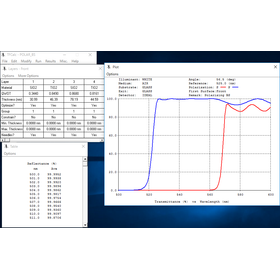
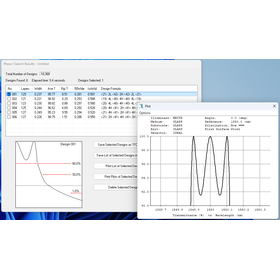
Calculation of Optical Thin Film Coating Properties for Semiconductors 'TFCalc'

Calculate the properties of optical thin film coatings and optimize anti-reflective design.

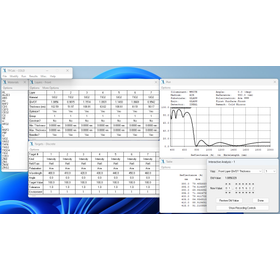
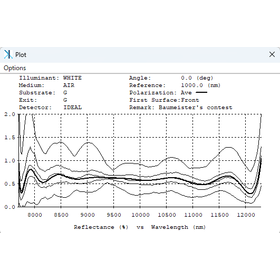
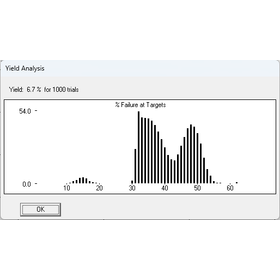
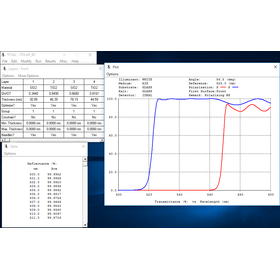
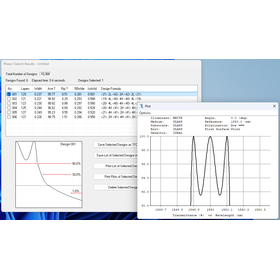
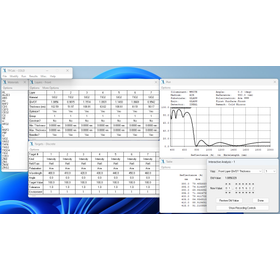
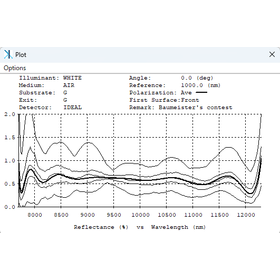
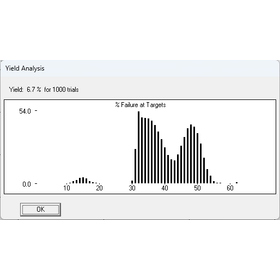
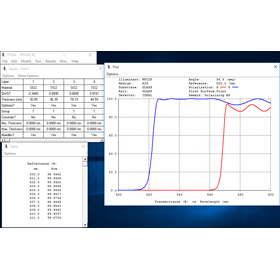
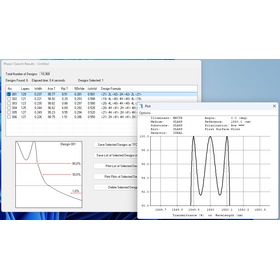
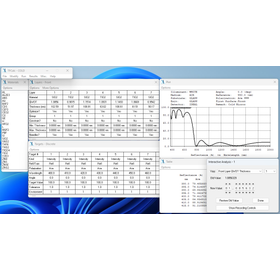
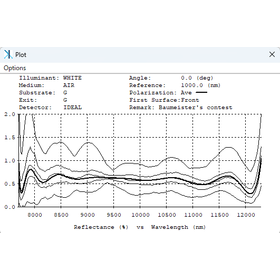
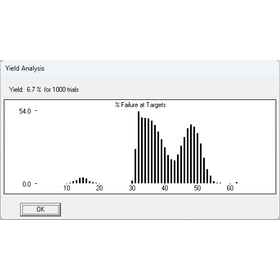
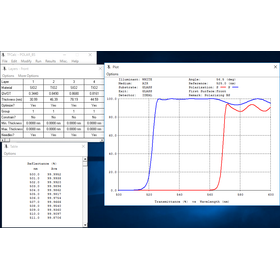
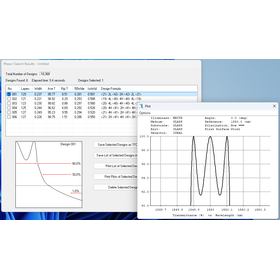
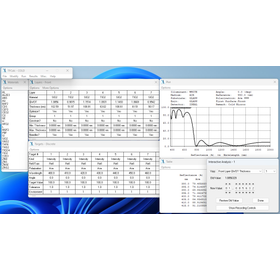
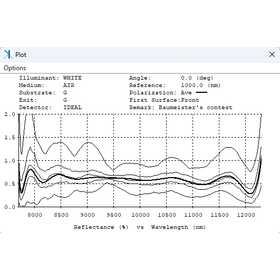
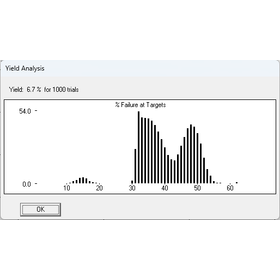
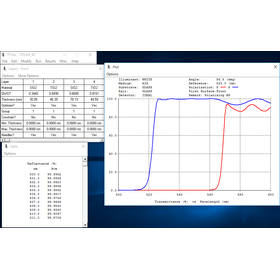
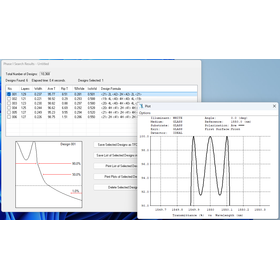
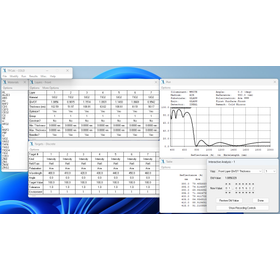
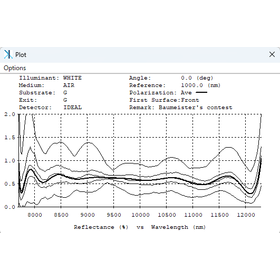
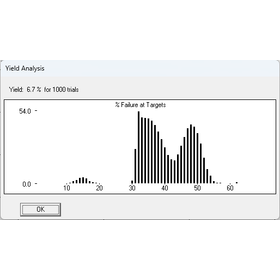
In the semiconductor industry, technologies to suppress light reflection are essential for improving device performance and yield. Particularly as density increases, it becomes crucial to minimize the effects of light interference. TFCalc assists in the design and simulation of optical thin film coatings, optimizing coatings to minimize reflectance. 【Usage Scenarios】 - Design of anti-reflective films in the semiconductor manufacturing process - Design of anti-reflective coatings for optical components (lenses, filters, etc.) - Reflection countermeasures for various sensor devices 【Benefits of Implementation】 - Reduces reflectance and contributes to improved device performance - Streamlines and optimizes coating design - Reduces the number of prototypes and lowers costs

  • 1.wdm.png
  • 2.screenshot.png
  • 3.sensitivity.png
  • 4.RunYield_sc.png
  • TFCalc_1110_350-1024x323.png
  • Circuit Board Inspection Equipment
  • Thin Film Evaporation Apparatus
  • Circuit board design and manufacturing
  • Design Software

Added to bookmarks

Bookmarks list

Bookmark has been removed

Bookmarks list

You can't add any more bookmarks

By registering as a member, you can increase the number of bookmarks you can save and organize them with labels.

Free membership registration

Thin film coating calculation for cameras 'TFCalc'

Calculate optical thin film coatings with an easy-to-use Windows standard interface.

In the camera industry, achieving high image quality requires the light transmission rate of lenses and filters to be important. In particular, it is necessary to ensure a high transmission rate across a wide wavelength range from visible light to infrared. A low transmission rate can lead to decreased brightness and contrast in images, potentially adversely affecting image quality. TFCalc supports optimal coating design to achieve high transmission rates through the design and simulation of optical thin film coatings. 【Application Scenarios】 - Camera lenses - Filters for image sensors - Optical filters 【Benefits of Implementation】 - Improved image quality - Shortened design period - Reduced prototyping costs

  • 1.wdm.png
  • 2.screenshot.png
  • 3.sensitivity.png
  • 4.RunYield_sc.png
  • TFCalc_1110_350-1024x323.png
  • Circuit Board Inspection Equipment
  • Thin Film Evaporation Apparatus
  • Circuit board design and manufacturing
  • Design Software

Added to bookmarks

Bookmarks list

Bookmark has been removed

Bookmarks list

You can't add any more bookmarks

By registering as a member, you can increase the number of bookmarks you can save and organize them with labels.

Free membership registration

Optimal Design of Optical Thin Film Coatings for Automotive AR: 'TFCalc'

Strongly supports the design of AR head-up displays!

In the automotive industry, AR (augmented reality) technology, particularly AR head-up displays (HUD), visually provides drivers with the information necessary for driving. The performance of this technology is influenced by the precision of optical thin-film coatings. In AR HUDs, advanced optical design is required to clearly display information while suppressing reflections from external light. TFCalc enables detailed simulation of the properties of optical thin-film coatings in the design of such AR HUDs, allowing for optimal design. 【Usage Scenarios】 - AR head-up displays (HUD) - AR glasses - In-vehicle displays 【Benefits of Implementation】 - Improved visibility of AR displays - Reduced design time - Cost savings

  • 1.wdm.png
  • 2.screenshot.png
  • 3.sensitivity.png
  • 4.RunYield_sc.png
  • TFCalc_1110_350-1024x323.png
  • Circuit Board Inspection Equipment
  • Thin Film Evaporation Apparatus
  • Circuit board design and manufacturing
  • Design Software

Added to bookmarks

Bookmarks list

Bookmark has been removed

Bookmarks list

You can't add any more bookmarks

By registering as a member, you can increase the number of bookmarks you can save and organize them with labels.

Free membership registration

Optimization of Optical Thin Film Coating Design for Aircraft - 'TFCalc'

Calculation of the properties of optical thin film coatings. User-friendly Win standard interface.

In the aviation industry, weight reduction is a crucial challenge for improving fuel efficiency and aircraft performance. In particular, aircraft components require materials that balance durability and lightweight properties. Optical thin film coatings can control the optical characteristics of materials by reflecting or transmitting specific wavelengths of light, contributing to weight reduction. TFCalc optimizes the design of optical thin film coatings, aiding in the lightweighting and performance enhancement of aircraft. 【Application Scenarios】 - Lightweighting of aircraft windows - Lightweighting of optical components for radar and sensors - Efficiency improvement of solar panels 【Effects of Implementation】 - Improved fuel efficiency through weight reduction - Enhanced durability of components - Improved aircraft performance

  • 1.wdm.png
  • 2.screenshot.png
  • 3.sensitivity.png
  • 4.RunYield_sc.png
  • TFCalc_1110_350-1024x323.png
  • Circuit Board Inspection Equipment
  • Thin Film Evaporation Apparatus
  • Circuit board design and manufacturing
  • Design Software

Added to bookmarks

Bookmarks list

Bookmark has been removed

Bookmarks list

You can't add any more bookmarks

By registering as a member, you can increase the number of bookmarks you can save and organize them with labels.

Free membership registration

Calculation of Optical Thin Film Coating Properties for Defense - 'TFCalc'

Calculate the properties of optical thin film coatings to enhance stealth performance.

In the defense industry, stealth technology is essential for protecting against enemy radar and infrared detection. To enhance stealth performance, special coatings that absorb and scatter electromagnetic waves and light are crucial. TFCalc supports the design and optimization of such coatings. It enables the simulation of reflectivity, transmittance, absorbance, and electric field strength, allowing for coating designs that maximize stealth performance. 【Application Scenarios】 - Coating design for stealth fighters and drones - Development of radar wave absorbing materials - Research on infrared signature reduction technologies 【Benefits of Implementation】 - Improvement of stealth performance - Streamlining of the design process - Reduction of research and development time

  • 1.wdm.png
  • 2.screenshot.png
  • 3.sensitivity.png
  • 4.RunYield_sc.png
  • TFCalc_1110_350-1024x323.png
  • Circuit Board Inspection Equipment
  • Thin Film Evaporation Apparatus
  • Circuit board design and manufacturing
  • Design Software

Added to bookmarks

Bookmarks list

Bookmark has been removed

Bookmarks list

You can't add any more bookmarks

By registering as a member, you can increase the number of bookmarks you can save and organize them with labels.

Free membership registration

PADS

PADS

The CAD with the highest number of units in use since its establishment. It has a rich library and can design in a short delivery time.

  • others
  • Design Software

Added to bookmarks

Bookmarks list

Bookmark has been removed

Bookmarks list

You can't add any more bookmarks

By registering as a member, you can increase the number of bookmarks you can save and organize them with labels.

Free membership registration

Allegro (ALLEGRO/ORCADPCB)

Allegro (ALLEGRO/ORCADPCB)

A CAD with excellent functionality that has been used for many years. It has a rich library and allows for design in a short delivery time.

  • others
  • Design Software

Added to bookmarks

Bookmarks list

Bookmark has been removed

Bookmarks list

You can't add any more bookmarks

By registering as a member, you can increase the number of bookmarks you can save and organize them with labels.

Free membership registration