

CICAM
CICAM
Used for substrate surface mounting and GERBER editing tasks.
- Company:アーセルデザイン
- Price:Other
Last Updated: Aggregation Period:Sep 02, 2026~Sep 29, 2026
This ranking is based on the number of page views on our site.
Last Updated: Aggregation Period:Sep 02, 2026~Sep 29, 2026
This ranking is based on the number of page views on our site.
Last Updated: Aggregation Period:Sep 02, 2026~Sep 29, 2026
This ranking is based on the number of page views on our site.
151~169 item / All 169 items
CICAM
Used for substrate surface mounting and GERBER editing tasks.

Design tools for next-generation device developers. Seamless design, editing, and repurposing design modeling are possible with an open database.
"START" is a heterogeneous integration EDA tool that supports wiring design for a wide variety of electronic devices in different manufacturing environments. It is equipped with features specialized for the design of three-dimensional laminated structures, contributing to the high efficiency of various design tasks from conceptual design to manufacturing. It can handle LSI, PKG, and Co-Packaged Optics on a single sheet, allowing for seamless design, editing, and reuse design modeling. 【Features】 ■ Seamless design and editing across multiple layers such as Chip, PKG, CPO, FPC, and PWB ■ Equipped with features specialized for the design of three-dimensional laminated structures ■ In addition to manual operations via a command menu, automation through programming functions allows for unique time savings for users ■ Unlimited layer configuration and library registration *For more details, please refer to the materials. Feel free to contact us with any inquiries.

Transforming application utilization from "email exchanges" to "controlled business flows." This includes designing for rejections, exceptions, and audits.
The operation of a B2B portal collapses when applications and approvals rely on "human memory." When application details are insufficient, there are more rejections; when approval criteria are vague, disputes arise; when history is not recorded, it cannot withstand audits; and when exceptions are handled by individuals. If this is left unaddressed, only the workload at the site increases while quality declines. In this service, we will organize the design of application form items and the approval flow (first/second, deadlines, rejections, exceptions) as business requirements, and design them in a way that can be incorporated into member sites, agency portals, and internal operations. We will clarify the flow and rules at a **"operationally feasible level."** ■ Provided Content (3 points) 1. Application form design (required items, branching, attachments, input assistance) 2. Approval flow design (state transitions, approvers, deadlines, rejections) 3. Operation and audit design (exceptions, permissions, logs, inventory) Deliverables: A complete set of application form and approval flow design documents. *First, please tell us "what you want to apply for (e.g., agency registration/discount/document viewing/quotation)." We will optimize for each type of application.*

"Please provide a quote" will be turned into a "project." We will design a flow that does not stagnate, from collecting necessary information → internal allocation → creating the quote → submission → follow-up.
Although we have received requests for estimates, the projects are not progressing. The reason for this is that the estimate requests are treated the same as inquiries, leading to internal actions being taken without the necessary information, resulting in delays and setbacks. In this service, we design the estimate request as a workflow, collecting the necessary conditions at the time of the request, and creating a series of processes for assignment, confirmation, estimate creation, approval, submission, and follow-up within the company. As a result, we reduce instances of "estimates not being provided/delayed/inconsistent" and increase the order rate. ■ Provided Content (3 Points) 1. Design of the estimate request form (reducing the return of missing information) 2. Design of the internal workflow (assignment, approval, deadlines, notifications) 3. Design of the follow-up process (ensuring competitive follow-up) Deliverable: Complete set of estimate request workflow design documents (items + state transitions + operations) *First, please let us know the "estimate target (web production/EC/maintenance/system)" and the "granularity of the estimate (rough/formal/split)." We will refine it into the optimal workflow.
![[Market Report] Global Market for PCB Design Software](https://image.mono.ipros.com/public/product/image/0a7/2000947288/IPROS39073653470941826936.jpeg?w=280&h=280)
Strengthening Innovation: The global PCB design software market is pioneering the development of next-generation electronics.
The global PCB design software market is at the forefront of technological innovation in electronics development, empowering engineers and designers to create cutting-edge products that reshape the industry. PCB design software equipped with intuitive tools and advanced features is revolutionizing the conceptualization, design, and manufacturing processes of electronic components. The global PCB design software market serves as a catalyst for creativity and precision in electronics design. Engineers can seamlessly transform their ideas into complex circuit layouts, leveraging the power of intelligent routing and component placement to achieve optimal performance. You can check the application method by clicking the [PDF Download] button or apply directly through the related links.

An example of a function optimization problem! Introduction to a technical column on structural optimization design software.
As mentioned in previous articles, non-parametric structural optimization reduces to the problem of finding the optimal function. In fact, when it comes to gradient methods, they are applied not only in design problems such as shape optimization and topology optimization but also in various fields of function optimization. This time, I will briefly introduce one example of identifying muscle activity during human swallowing movements. Please feel free to download and take a look. [Contents] ■ Episode 31: On Function Optimization and Its Applications *For more details, please refer to the PDF document or feel free to contact us.
![[Video] 2D/3D Analysis and Design Software APSYS for Semiconductor Devices](https://image.mono.ipros.com/public/product/image/7b7/2000337707/IPROS6441226248171423349.jpg?w=280&h=280)
A semiconductor device simulator equipped with a variety of materials and physical models, capable of various analyses. Free trial version available!
■A demo video of the "Trial Guide" is currently available on the YouTube link below! ■To request a trial version, please use the "Trial Version Application Form." (For product details, please refer to the catalog or contact us.)
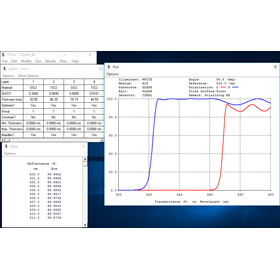
Calculate the properties of optical thin film coatings and assist in laser wavelength selection.
In the laser industry, the design of optical elements that selectively transmit and reflect specific wavelengths is crucial. Since it affects the efficiency and performance of lasers, precise design is required. TFCalc enables the calculation of optical thin film coating characteristics, allowing for optimal coating designs for laser applications. 【Usage Scenarios】 - Laser oscillators - Laser processing machines - Optical filters 【Benefits of Implementation】 - Improved performance of laser systems - Optimization of wavelength selection - Reduction of design time
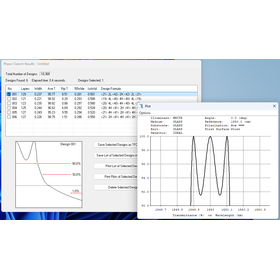
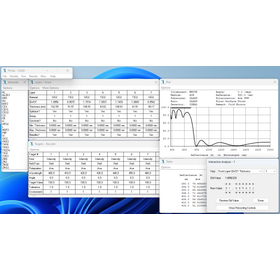
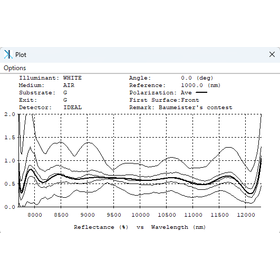
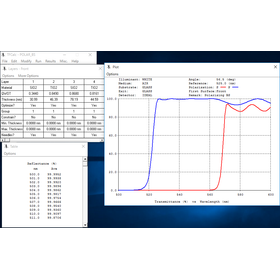
Calculating the properties of optical thin film coatings.
In the field of space development, ensuring the reliability of equipment in harsh environments is essential. In particular, environmental factors such as temperature changes, radiation, and vacuum in outer space can lead to the degradation of optical component performance. Optical thin film coatings are crucial for protecting optical components from these environments and controlling the transmission and reflection rates of light at specific wavelengths. TFCalc enables the design and performance evaluation of these optical thin film coatings, contributing to the improvement of optical system reliability in space development. 【Use Cases】 - Optical systems of satellites - Sensors of space probes - Windows of space stations 【Benefits of Implementation】 - Improved durability of optical components - Optimization of optical performance - Reduction of development time
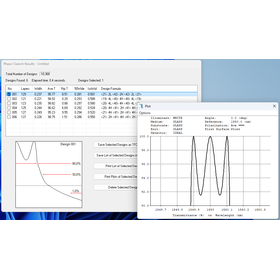
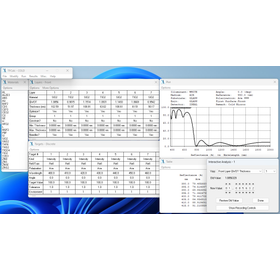
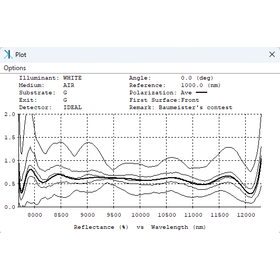
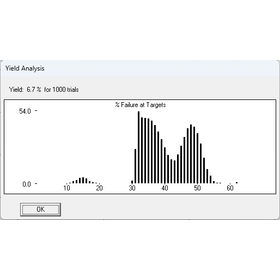
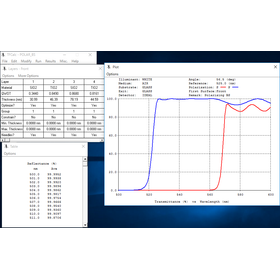
Calculating the properties of optical thin film coatings.
In the optical fiber industry, the design of optical fiber coatings is crucial for maximizing the transmission efficiency and reliability of optical signals. In particular, it is essential to precisely control the reflection and transmission characteristics of light to minimize losses. TFCalc addresses these challenges by calculating the properties of optical thin-film coatings in detail, enabling optimal design. 【Application Scenarios】 - Manufacturing of optical fibers - Design of optical communication systems - Development of optical components 【Effects of Implementation】 - Improvement in optical fiber performance - Reduction in transmission losses - Shortening of product development time
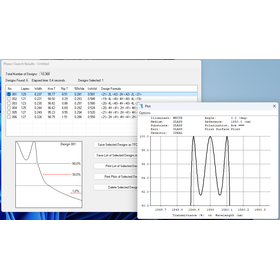
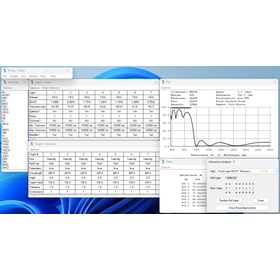
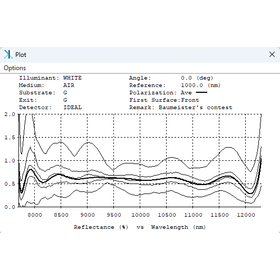
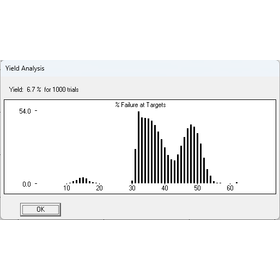
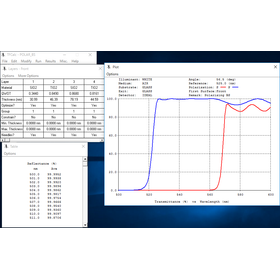
Calculate the properties of optical thin film coatings.
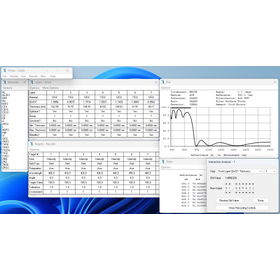
In the solar cell industry, precise design of optical thin film coatings is required to maximize the efficiency of solar energy utilization. In particular, it is important to enhance the absorption rate of sunlight and minimize reflection losses. Inadequate coating design can potentially reduce the power generation efficiency of solar cells. TFCalc supports the design of optical thin film coatings that influence the performance of solar cells. 【Application Scenarios】 - Design of anti-reflective coatings for solar cells - Coating design tailored to the solar spectrum - Color adjustment of solar cell modules 【Benefits of Implementation】 - Improved power generation efficiency of solar cells - Cost reduction through optimization of coating design - Acceleration of research and development through simulation of diverse optical properties
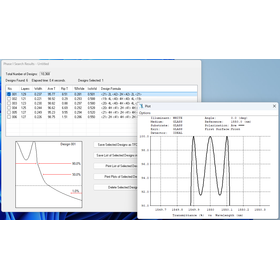
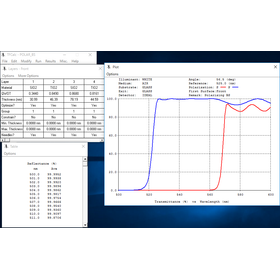
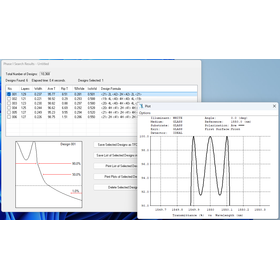
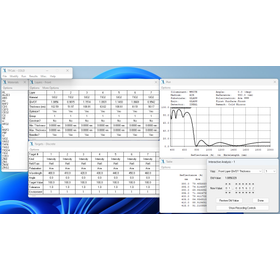
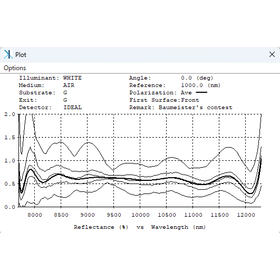
Supporting high-sensitivity observations! Precise calculations of optical thin film properties.
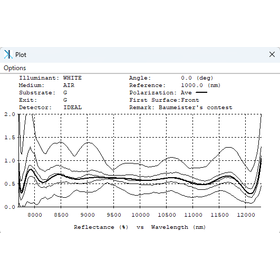
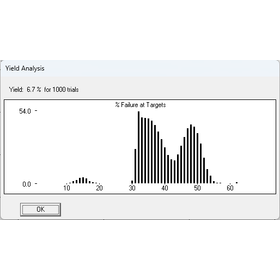
In the field of astronomy, high-sensitivity observations to capture weak light are essential. The performance of optical thin film coatings used in optical systems greatly influences observation accuracy. In particular, high-efficiency reflection and transmission characteristics across a wide wavelength range from visible light to infrared are required. TFCalc supports the design and performance evaluation of optical thin film coatings, enabling high-sensitivity observations. 【Application Scenarios】 - Coating design for lenses and mirrors of telescopes - Design of spectrometers and filters - Design of optical systems for space observation sensors 【Benefits of Implementation】 - Optimization of optical characteristics necessary for high-sensitivity observations - Improvement of observation efficiency - Reduction of research and development time
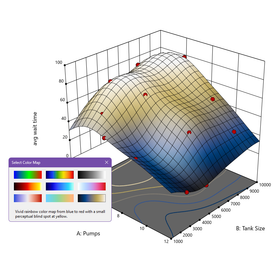
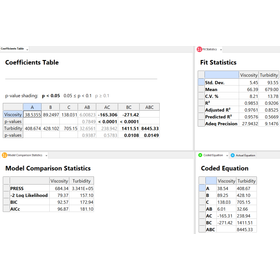
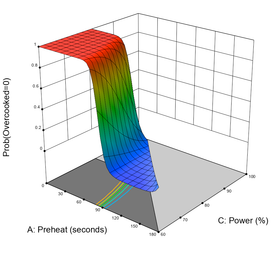
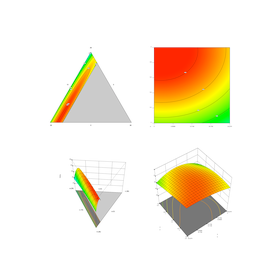
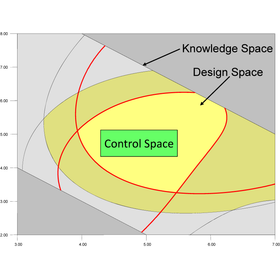
A tool for constructing experimental designs to support prescription optimization.
In the pharmaceutical industry, formulation optimization requires the establishment of ingredient combinations and manufacturing processes that maximize the effectiveness and stability of products. Finding optimal conditions, especially when multiple factors interact in complex ways, is directly linked to the efficiency and quality of product development. Inappropriate formulation design can lead to prolonged development periods and the risk of not achieving the expected effects. The graphical design of experiments (DOE) tool 'Design-Expert' contributes to solving these challenges by identifying critical factors and supporting the optimal product composition and ideal process configuration. 【Application Scenarios】 - Formulation consideration in new drug development - Improvement and stability enhancement of existing products - Optimization of manufacturing processes - Factor analysis in quality control 【Benefits of Implementation】 - Reduction of development time - Improvement in product quality - Cost reduction - High reproducibility in formulation design


With advanced rendering technology, we achieve overwhelming beauty and processing speed in building perspectives! It also features VR functionality and is eligible for IT subsidies!
Our residential construction software "B-MOS V-Ray" features advanced rendering technology that allows for photo-realistic beauty, even in CG! With CPU rendering, it achieves processing speeds over twice that of traditional graphics cards! Additionally, by creating 360° images with B-MOS V-Ray, it enables VR environments to be experienced on clients' smartphones without the need for app installation! 【Features】 ■ Equipped with rendering technology that achieves photo quality ■ Processing time reduced by half with CPU rendering! ■ Hassle-free one-touch operation ■ No app needed, VR on your smartphone! *For more details, please refer to the catalog or feel free to contact us.

PC-AUTOCAM
Used for substrate surface mounting and GERBER editing work.

CAD data conversion
We will convert the CAD data between Allegro PCB, CR5000/BD(DF), and PADS.
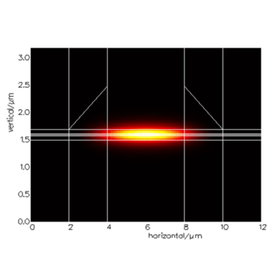
HAROLD Fabry-Pérot (FP) quantum well laser design software
It is an advanced heterostructure simulator for modeling Fabry-Pérot and VCSEL quantum well lasers. Calculations can be performed in both 1D and 2D, allowing for 2D transverse (XY) calculations of laser cross-sections and the effects of lateral structures in both ridge waveguide lasers and SOI hybrid lasers. - XY Module It can perform 2D transverse (XY) simulations. The cross-section can include stepped etching layers and insulating layers, making it ideal for studying the effects of lateral structures such as ridge waveguide lasers and SOI hybrid lasers. - EAM Module Calculations can include a quantum confined Stark effect (QCSE) model, allowing for the computation of electro-absorption modulators and electro-refractive modulators. - VCSEL Module It is capable of calculating multiple optical resonator modes, electric drift diffusion, thermal flow, and electron-photon interactions in a complete 3D model. It provides a comprehensive integrated design environment for various VCSEL variations, including QW materials and current blocking.
