iPROS Manufacturing
  • Search for products by classification category

    • Electronic Components and Modules
      Electronic Components and Modules
      61660items
    • Machinery Parts
      Machinery Parts
      75915items
    • Manufacturing and processing machinery
      Manufacturing and processing machinery
      102013items
    • Scientific and Physics Equipment
      Scientific and Physics Equipment
      36331items
    • Materials
      Materials
      37790items
    • Measurement and Analysis
      Measurement and Analysis
      55144items
    • Image Processing
      Image Processing
      15365items
    • Control and Electrical Equipment
      Control and Electrical Equipment
      54550items
    • Tools, consumables, and supplies
      Tools, consumables, and supplies
      65602items
    • Design and production support
      Design and production support
      12662items
    • IT/Network
      IT/Network
      45643items
    • Office
      Office
      14182items
    • Business support services
      Business support services
      25226items
    • Seminars and Skill Development
      Seminars and Skill Development
      6558items
    • Pharmaceutical and food related
      Pharmaceutical and food related
      34118items
    • others
      75346items
  • Search for companies by industry

    • Manufacturing and processing contract
      7337
    • others
      4984
    • Industrial Machinery
      4446
    • Machine elements and parts
      3330
    • Other manufacturing
      2883
    • Trading company/Wholesale
      2649
    • IT/Telecommunications
      2571
    • Industrial Electrical Equipment
      2319
    • Building materials, supplies and fixtures
      1816
    • software
      1667
    • Electronic Components and Semiconductors
      1587
    • Resin/Plastic
      1502
    • Service Industry
      1478
    • Testing, Analysis and Measurement
      1130
    • Ferrous/Non-ferrous metals
      986
    • environment
      699
    • Chemical
      641
    • Automobiles and Transportation Equipment
      581
    • Printing Industry
      513
    • Information and Communications
      465
    • Consumer Electronics
      412
    • Energy
      331
    • Rubber products
      317
    • Food Machinery
      308
    • Optical Instruments
      279
    • robot
      273
    • fiber
      254
    • Paper and pulp
      230
    • Pharmaceuticals and Biotechnology
      173
    • Electricity, Gas and Water Industry
      167
    • Warehousing and transport related industries
      149
    • Glass and clay products
      139
    • Food and Beverage
      130
    • CAD/CAM
      124
    • retail
      108
    • Medical Devices
      107
    • Educational and Research Institutions
      107
    • Ceramics
      98
    • wood
      87
    • Transportation
      84
    • Petroleum and coal products
      63
    • Medical and Welfare
      62
    • Shipbuilding and heavy machinery
      51
    • Aviation & Aerospace
      48
    • Fisheries, Agriculture and Forestry
      41
    • equipment
      40
    • Materials
      33
    • Public interest/special/independent administrative agency
      31
    • Research and development equipment and devices
      29
    • Government
      24
    • self-employed
      24
    • Mining
      17
    • cosmetics
      15
    • Finance, securities and insurance
      14
    • Restaurants and accommodations
      10
    • Individual
      10
    • Police, Fire Department, Self-Defense Forces
      7
    • Laboratory Equipment and Consumables
      5
    • Raw materials for reagents and chemicals
      4
    • Contracted research
      3
  • Special Features
  • Ranking

    • Overall Products Ranking
    • Overall Company Ranking
Search for Products
  • Search for products by classification category

  • Electronic Components and Modules
  • Machinery Parts
  • Manufacturing and processing machinery
  • Scientific and Physics Equipment
  • Materials
  • Measurement and Analysis
  • Image Processing
  • Control and Electrical Equipment
  • Tools, consumables, and supplies
  • Design and production support
  • IT/Network
  • Office
  • Business support services
  • Seminars and Skill Development
  • Pharmaceutical and food related
  • others
Search for Companies
  • Search for companies by industry

  • Manufacturing and processing contract
  • others
  • Industrial Machinery
  • Machine elements and parts
  • Other manufacturing
  • Trading company/Wholesale
  • IT/Telecommunications
  • Industrial Electrical Equipment
  • Building materials, supplies and fixtures
  • software
  • Electronic Components and Semiconductors
  • Resin/Plastic
  • Service Industry
  • Testing, Analysis and Measurement
  • Ferrous/Non-ferrous metals
  • environment
  • Chemical
  • Automobiles and Transportation Equipment
  • Printing Industry
  • Information and Communications
  • Consumer Electronics
  • Energy
  • Rubber products
  • Food Machinery
  • Optical Instruments
  • robot
  • fiber
  • Paper and pulp
  • Pharmaceuticals and Biotechnology
  • Electricity, Gas and Water Industry
  • Warehousing and transport related industries
  • Glass and clay products
  • Food and Beverage
  • CAD/CAM
  • retail
  • Medical Devices
  • Educational and Research Institutions
  • Ceramics
  • wood
  • Transportation
  • Petroleum and coal products
  • Medical and Welfare
  • Shipbuilding and heavy machinery
  • Aviation & Aerospace
  • Fisheries, Agriculture and Forestry
  • equipment
  • Materials
  • Public interest/special/independent administrative agency
  • Research and development equipment and devices
  • Government
  • self-employed
  • Mining
  • cosmetics
  • Finance, securities and insurance
  • Restaurants and accommodations
  • Individual
  • Police, Fire Department, Self-Defense Forces
  • Laboratory Equipment and Consumables
  • Raw materials for reagents and chemicals
  • Contracted research
Special Features
Ranking
  • Overall Products Ranking
  • Overall Company Ranking
  • privacy policy
  • terms of service
  • About Us
  • Careers
  • Advertising
  1. Home
  2. Industrial Electrical Equipment
  3. 新盛インダストリーズ
  4. Product/Service List
Industrial Electrical Equipment
  • Added to bookmarks

    Bookmarks list

    Bookmark has been removed

    Bookmarks list

    You can't add any more bookmarks

    By registering as a member, you can increase the number of bookmarks you can save and organize them with labels.

    Free membership registration

新盛インダストリーズ

EstablishmentJuly, 1931
capital3500Ten thousand
addressTokyo/Kita-ku/4-12-15 Horifune
phone03-3913-0131
  • Special site
  • Official site
last updated:Sep 02, 2026
新盛インダストリーズlogo
  • Contact this company

    Inquiry Form
  • Company information
  • Products/Services(79)
  • catalog(26)
  • news(0)

新盛インダストリーズ Product Lineup

  • category

1~45 item / All 79 items

Displayed results

Filter by category

ラベルプリンター ラベルプリンター
インクジェットプリンター インクジェットプリンター
ハンドラベラー ハンドラベラー
class="retina-image"

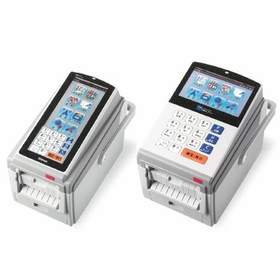
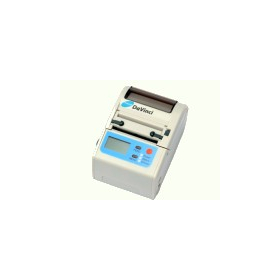
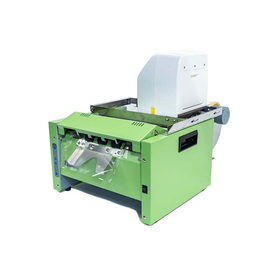
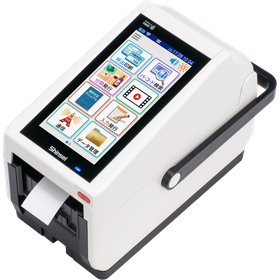
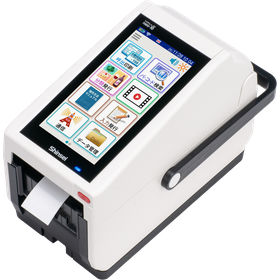
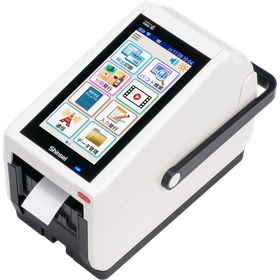
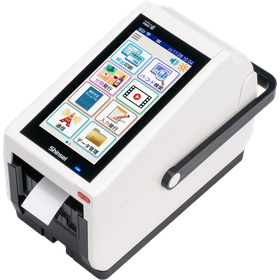
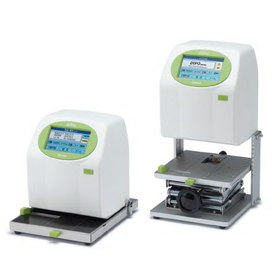
New Label Printer neo-10 for Beauty Use - Streamlining Product Management

Smart management of beauty salon products. Easy label issuance for anyone with neo-10.

In the beauty industry, creating and replacing product labels takes a lot of time. When there are price changes or new product arrivals, labels are created by hand or on a computer, which can lead to mistakes in placement or incorrect information. With the new label printer "neo-10," labels for product names, prices, ingredient lists, expiration dates, and more can be issued quickly. It supports accurate product management and improves operational efficiency. - Recreating labels every time there is a price change - Mistakes in handwritten information or incorrect placements occur - Inventory management and stocktaking take a lot of time - Easily issue necessary labels on the spot - Improved management accuracy with a unified and easy-to-read display - Reduced working time, allowing focus on customer service and treatments - Issuing product labels for cosmetics and beauty devices - Creating ingredient lists and expiration date labels - Issuing inventory management labels for stores and warehouses The neo-10 smartly transforms product management for beauty salons and beauty shops.
  • Printer
  • Printer/marker
  • Commercial printers

Added to bookmarks

Bookmarks list

Bookmark has been removed

Bookmarks list

You can't add any more bookmarks

By registering as a member, you can increase the number of bookmarks you can save and organize them with labels.

Free membership registration

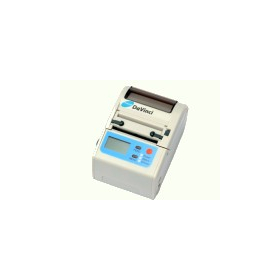
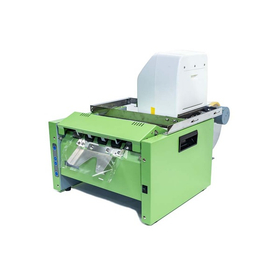
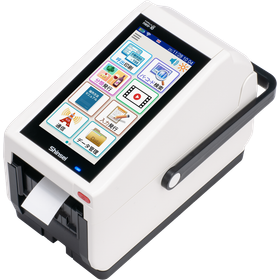
New Label Printer neo-10 for Logistics - Streamlining Delivery Management

Eliminate bottlenecks at the shipping site. Neo-10 streamlines label issuance and enhances the overall productivity of logistics.

In the logistics field, responding to the increase in shipment volume and labor shortages has made the efficiency of shipping, sorting, and inventory management a critical issue. Among these, the label issuance process is a key step that affects delivery quality and productivity. Delays or errors in label issuance can lead to stagnation in sorting operations and misdeliveries, which can decrease the overall efficiency of the site. The neo-10 is a label printer that streamlines logistics operations with rapid and accurate label issuance. It supports a wide range of tasks from shipping to inventory management, enhancing productivity and ensuring stable site operations. ■ Use Cases and Implementation Benefits - Issuance and attachment of shipping labels - Creation of sorting labels by delivery destination - Issuance of inventory management and stocktaking labels - Printing of barcode and tracking management labels - Reduction of label issuance time - Decrease in misdeliveries and attachment errors - Improvement in shipping capacity and work efficiency - Achieving stable operations even during peak seasons Optimizing label issuance to realize "faster and more accurate" logistics operations. That is the neo-10. We also offer demo units for loan. For inquiries regarding implementation or product details, please feel free to contact us. *For more details, please refer to the materials.

  • Printer
  • Label printing
  • Commercial printers

Added to bookmarks

Bookmarks list

Bookmark has been removed

Bookmarks list

You can't add any more bookmarks

By registering as a member, you can increase the number of bookmarks you can save and organize them with labels.

Free membership registration

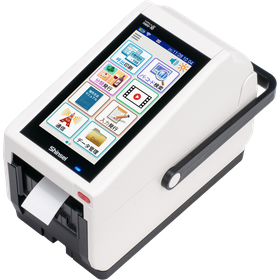
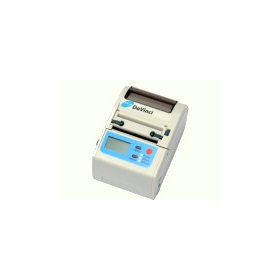
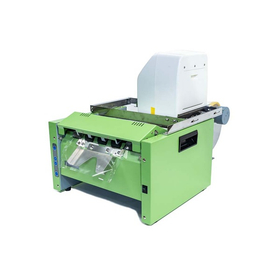
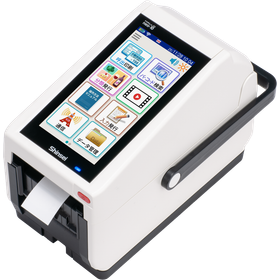
■Corresponds to the consumption tax rate! New label printer neo-10 [Achieving efficiency]

Make the sales operations of food supermarkets smart! Neo-10 efficiently issues price tags and product labels. A printer designed for ease of use, strong in the field!

Are you finding it cumbersome to change price tags and product labels every time there is a change in the consumption tax rate or price revision? The new label printer "neo-10" flexibly accommodates changes in consumption tax rates and prices. It allows for smooth issuance of price tags and product labels, reducing the workload for store staff. Equipped with Android OS, wireless LAN, and Bluetooth as standard features, it streamlines label issuance in sales areas and backyards, making daily store operations smarter. 【Recommended for the following situations】 - Issuing labels during consumption tax rate and price changes - Issuing product labels for prepared foods and fresh produce - Issuing labels in sales areas and backyards 【Benefits of implementation】 - Smooth response to tax rate and price changes - Increased efficiency in label issuance tasks - Reduced burden on store staff If you would like to "try it out" or "hear more details," please feel free to consult with us. We are always available for implementation support, product explanations, and lending demo units. Please feel free to contact us first.

  • Printer
  • Label printing
  • Printer/marker

Added to bookmarks

Bookmarks list

Bookmark has been removed

Bookmarks list

You can't add any more bookmarks

By registering as a member, you can increase the number of bookmarks you can save and organize them with labels.

Free membership registration

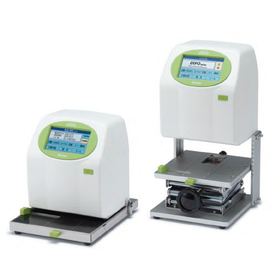
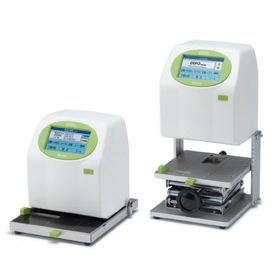
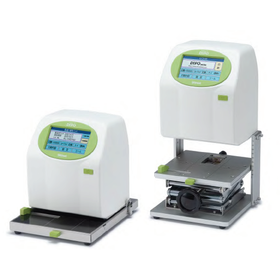
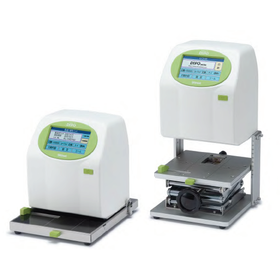
Operation is easy! The inkjet printer 'DiPO' was featured on TV.

With camera integration, personalizing various baby products is easy and speedy.

"Do you think that inkjet printers seem difficult to operate?" In fact, the HALLO DiPO series is an inkjet printer that anyone can easily use to print on various items. This DiPO series was featured on the TOKYO MX television program "Ee Janai Ka!!" The program introduced the features of DiPO, such as quick-drying ink, printing on various shapes, and the ease of speedy printing, along with actual demonstrations of its operation. What is particularly noteworthy is its simplicity, which allows for operation with almost no rehearsal. Its intuitive usability overturns the image that "you can't use it without specialized knowledge." Bringing ideas like "Can I print on something like this?" closer to you. If you want to easily achieve printing text, numbers, logos, and more on products, be sure to check out the possibilities of DiPO! For more details, please see the article below.

  • Commercial printers
  • Printer
  • Inkjet printer

Added to bookmarks

Bookmarks list

Bookmark has been removed

Bookmarks list

You can't add any more bookmarks

By registering as a member, you can increase the number of bookmarks you can save and organize them with labels.

Free membership registration

Solving the hassle of UV exposure! Examples of automation and labor-saving in inkjet printing.

Trouble with UV irradiation after printing? We solve that problem! By automating UV irradiation, we reduce the workload while achieving stable printing quality.

"Isn't it a hassle to perform UV irradiation after printing?" When printing expiration dates on canned goods, using UV inks with strong resistance requires UV irradiation after printing to cure the ink. This is where an automated system that combines an inkjet printer, UV irradiator, and conveyor system can be utilized. By installing a UV irradiator on the conveyor and transporting the canned goods, the printed products automatically undergo UV irradiation as they pass under the irradiator. This reduces the manual labor previously required for the irradiation process. The dedicated UV irradiator is designed to match UV curing inks, and in Auto mode, it allows for smooth automation of the process. This can reduce the burden on operators while achieving stable UV irradiation. This is recommended for those who want to use UV inks but find the subsequent processes challenging. By streamlining not only the printing but also the following processes, you can aim for a smoother manufacturing environment. For more details, please see the article below.

  • Commercial printers
  • Printer
  • Inkjet printer

Added to bookmarks

Bookmarks list

Bookmark has been removed

Bookmarks list

You can't add any more bookmarks

By registering as a member, you can increase the number of bookmarks you can save and organize them with labels.

Free membership registration

Easily print names on golf balls! Utilizing inkjet printers.

Easy printing of personalized golf balls starting from just one piece! Solve your problems with an inkjet printer and achieve original printing! Also enhances added value.

Are you having trouble with printing names or logos on golf balls? There are various uses for printing on golf balls, such as company logos, designs for commemorative tournaments, and personal identification markers. Traditionally, methods included outsourcing or using stamps for printing. However, there are challenges such as needing to place large orders, preparing stamps for each design, and the time it takes for ink to dry. The solution to these problems is an inkjet printer and a dedicated gauge! By using a dedicated gauge, you can securely set the round golf balls and easily align the printing position. With an inkjet printer, there's no need to remake stamps even if you change the design, and you can print on-demand, starting from just one piece whenever needed. This is also convenient if you want to "print just a small amount" or "print an original design." You can achieve name printing on golf balls more easily and quickly. For more details, please see the article below.

  • Inkjet printer

Added to bookmarks

Bookmarks list

Bookmark has been removed

Bookmarks list

You can't add any more bookmarks

By registering as a member, you can increase the number of bookmarks you can save and organize them with labels.

Free membership registration

Make printing on cylindrical products easy! How to utilize inkjet printers.

Printing on cylindrical products like cans and cream containers can be challenging when it comes to alignment... We solve that problem! Determine the center position with a dedicated gauge and print beautifully.

- Are you having trouble printing on cylindrical products like cream cans and round cans? Unlike flat products, cylindrical ones can easily misalign during printing, making it difficult to achieve a clean alignment. - The solution to your problem is an inkjet printer and a dedicated "cylindrical object gauge"! - By simply aligning the product with the V-shaped stopper of the gauge, you can easily set cylindrical products to the center position. - This can be utilized for printing on various cylindrical products, including canned goods, bottled items, hand cream cans, small containers, and stationery. - Even if you think "printing is difficult because it's cylindrical" or "I'm managing with handwriting or stamps," creating a custom gauge tailored to the material and shape can make the printing process much easier and neater. For more details, please refer to the article below.

  • Inkjet printer

Added to bookmarks

Bookmarks list

Bookmark has been removed

Bookmarks list

You can't add any more bookmarks

By registering as a member, you can increase the number of bookmarks you can save and organize them with labels.

Free membership registration

Easy stand pack printing! Direct printing on the side gussets with inkjet.

The side of the stand pack is difficult to print on... We solve that problem! By using a dedicated gauge, you can easily and beautifully print directly on the curved sides.

- Do you have trouble aligning the print on the side gusset of stand-up pouches? Stand-up pouches are widely used for snacks, side dishes, cosmetics, and more, but the curved gusset area is difficult to print on with a standard inkjet printer. - The solution to this printing challenge is an inkjet printer combined with a dedicated original gauge! - By using the dedicated gauge "DG-00037," you can set the stand-up pouch in the designated position, allowing for accurate printing on the curved gusset area. It also accommodates printing in areas like the bottom right back for expiration dates and lot numbers. This is convenient for products that require printing in small quantities. Even in cases where "printing is not possible with a standard printer" or "we are using stamps or handwriting," creating a custom gauge tailored to the material and shape can expand your printing possibilities. For more details, please see the article below.

  • Inkjet printer
  • Commercial printers

Added to bookmarks

Bookmarks list

Bookmark has been removed

Bookmarks list

You can't add any more bookmarks

By registering as a member, you can increase the number of bookmarks you can save and organize them with labels.

Free membership registration

Easily solve the printing of jelly and pudding containers with an inkjet printer.

Printing on containers with edges is difficult... We solve that problem! By using a dedicated gauge, you can easily and neatly align the printing position.

Are you having trouble printing on containers with edges, such as jelly, pudding, or chawanmushi? Even if you want to print expiration dates on the top surface, it can be difficult to align the printing position depending on the shape of the container, and manual work may not yield consistent results. The solution to this problem is an inkjet printer combined with a dedicated original gauge! Simply place the edge of the container on the gauge and insert it all the way in to easily fix the printing position. Furthermore, when the sensor detects the container, it automatically starts printing, allowing anyone to work smoothly. Once printing is complete, you just need to pull out the container, making the process simple. You can efficiently print expiration dates and more while minimizing misalignment of the printing position. If you find that "it's difficult to print with a regular printer" or "we're using stamps or handwriting," this can be resolved by creating an original gauge tailored to the material and shape. For more details, please see the article below.

  • Commercial printers
  • Printer
  • Inkjet printer

Added to bookmarks

Bookmarks list

Bookmark has been removed

Bookmarks list

You can't add any more bookmarks

By registering as a member, you can increase the number of bookmarks you can save and organize them with labels.

Free membership registration

Easily print on closure bands! Direct printing with an inkjet printer.

It's difficult to handwrite on the small tags of closure bands, and the stickers peel off... Solve this problem easily and beautifully by directly printing with an inkjet printer!

- Are you having trouble adding text to the small tag portion of tagged zip ties? Handwriting can be difficult to read, and using stickers or labels can be cumbersome to create and apply, and they may peel off over time. - The solution to this problem is direct printing with an inkjet printer! By using a dedicated original gauge, you can easily and neatly set the tagged zip ties in the designated position and print. - Since you only need to select the print data and print, it streamlines the process compared to handwriting. There’s no worry about peeling off like with stickers since it’s direct printing. - Furthermore, by combining it with an external sensor, you can automatically start printing just by inserting the zip tie all the way into the gauge. - For small tag personalization or identification displays, printing that is difficult to achieve with stamps or handwriting can be resolved with an original gauge tailored to the material and shape. For more details, please see the article below.

  • Inkjet printer

Added to bookmarks

Bookmarks list

Bookmark has been removed

Bookmarks list

You can't add any more bookmarks

By registering as a member, you can increase the number of bookmarks you can save and organize them with labels.

Free membership registration

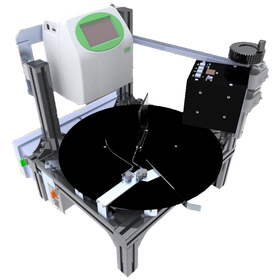
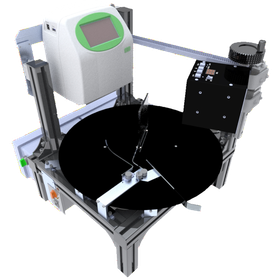
Streamlining the printing of canned and bottled products! Improving efficiency with inkjet printers.

We solve your concerns about printed work for canned and bottled products being "labor-intensive," "inefficient," and "having no space for equipment" with semi-automation and space-saving design!

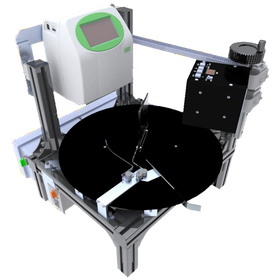
Are you having trouble with printing on cylindrical products such as cans and bottles? The semi-automatic printing system "TDU-45" is here to solve your concerns, such as wanting to reduce the number of workers, streamline the printing process, or having limited space for equipment. The TDU-45 is a turntable-type device that combines an inkjet printer and a UV curing machine. When you place a product on the table, the sensor detects it and automatically performs printing and UV curing. A major feature is that the printed product returns to the original position where it was placed. This allows for smooth operations from printing to collection and even packing without the operator having to move. The speed of the turntable can be adjusted continuously with just a twist of a knob. This adaptability to the work pace enables labor reduction and improved work efficiency. Compared to conveyor systems, it is easier to minimize installation space and initial costs. Therefore, it is recommended for those who want to start canning production or streamline their printing processes. For more details, please see the article below.

  • Commercial printers
  • Printer
  • Inkjet printer

Added to bookmarks

Bookmarks list

Bookmark has been removed

Bookmarks list

You can't add any more bookmarks

By registering as a member, you can increase the number of bookmarks you can save and organize them with labels.

Free membership registration

A unit that allows you to check the printing position of an inkjet printer with your smartphone.

It's difficult to check the printing position and there's no place to put the computer... Solve those problems with your smartphone! Make inkjet printing more convenient!

- I want to work while checking the printing position, but there's no place to put a dedicated computer, and it's a hassle to connect to the PC every time... The solution to this problem is the "smartphone dedicated camera unit." - By combining it with the "camera unit," you can use your smartphone as a camera monitor. You can place your smartphone under the LCD screen of the inkjet printer DiPO, allowing you to check the camera feed close to the printing area. - A significant advantage is that you can check the printing position without increasing the installation area and keep it close at hand. There's no need to prepare a separate monitor for the computer. - Furthermore, by using an original gauge in conjunction, you can align the printing position and angle more accurately. This is especially recommended for printing on expensive products or for printing tasks where position and angle adjustments are crucial. By utilizing your smartphone, you can achieve a more convenient and intuitive printing environment. For more details, please see the article below.

  • Commercial printers
  • Printer
  • Inkjet printer

Added to bookmarks

Bookmarks list

Bookmark has been removed

Bookmarks list

You can't add any more bookmarks

By registering as a member, you can increase the number of bookmarks you can save and organize them with labels.

Free membership registration

For cable identification! Direct printing with a fast-drying inkjet printer.

With the original gauge, printing on various materials is easy and speedy! Installation and maintenance are also simple, allowing for long-term use.

Have you ever experienced confusion about what a cable is by asking, "What kind of code is this cable?" Many power cords and cables look similar, making it difficult to identify the necessary cable. HALLO DiPO and the original gauge are helpful for identifying such cables! By directly printing the part number and usage on the cable itself, you can easily confirm "what kind of cable it is" at a glance. The original gauge securely holds the cable with a clip. Since the printable area is framed, you can visually check the position before printing, allowing anyone to print easily and neatly in the same spot. A key feature is its compatibility with cables of varying thicknesses. Additionally, DiPO allows you to choose from fast-drying ink and UV-curable ink, as well as black and white inks according to your needs. You can achieve clear and visible prints that match the material and color. This is recommended for those who find it difficult to manage with handwritten labels or stickers and want to print directly on the cables. It's also possible to create original gauges tailored to the material and shape. Why not solve your printing "troubles" with DiPO? For more details, please see the article below.

  • Commercial printers
  • Printer
  • Inkjet printer

Added to bookmarks

Bookmarks list

Bookmark has been removed

Bookmarks list

You can't add any more bookmarks

By registering as a member, you can increase the number of bookmarks you can save and organize them with labels.

Free membership registration

Smart printing for craft products. Flexibly accommodates difficult shapes!

With the original gauge, printing on various materials is easy and speedy. Installation and maintenance are also simple! You can expect an increase in added value. Great cost performance!

In the field of crafts and wooden parts, personalized engraving and certification printing are required to demonstrate the originality of the works. Particularly for pieces that have unique shapes and thicknesses, achieving uniform and stable printing can be challenging with traditional printing methods. Handwriting responses are labor-intensive and raise concerns about quality variability. Our company, HALLO DiPO, supports printing on special shapes and materials such as wooden tags and wooden parts, realizing efficiency and quality stabilization in work certification and personalization tasks. 【Usage Scenarios】 - Printing the artist's name, work title, and production year on one-of-a-kind wooden pieces - Printing logos and item numbers on wooden accessories and miscellaneous goods - Printing information that should not be prominently displayed on the back or sides of the work - Uniform printing on multiple works with different shapes and thicknesses 【Benefits of Implementation】 - Time savings by freeing from handwritten tasks - Increased work value through stabilized printing quality - Easier personalization and certification printing that adds originality - Improved work efficiency and reduction of human errors

  • Commercial printers
  • Printer
  • Inkjet printer

Added to bookmarks

Bookmarks list

Bookmark has been removed

Bookmarks list

You can't add any more bookmarks

By registering as a member, you can increase the number of bookmarks you can save and organize them with labels.

Free membership registration

Easy printing with inkjet for real estate. Flexible support for displaying property information!

With the original gauge, printing property information on various materials is easy and speedy!

In the real estate industry, it is essential to convey the appeal and detailed information of properties accurately and understandably. Particularly, the display of information on various materials and shapes, such as wooden tags that indicate property characteristics and plates used during on-site guidance, is important. However, conventional printers often face challenges such as printing on these materials, misalignment due to differences in shape and thickness, and difficulties in height adjustment. Our HALLO DiPO addresses these challenges, allowing for the printing of names, logos, and product numbers on previously difficult-to-print items with precise alignment and height adjustment using original gauges. This enables handwritten or previously abandoned displays to be efficiently printed, improving work efficiency and stabilizing quality. 【Usage Scenarios】 - Printing names and features on wooden tags for properties - Printing logos and product numbers on wooden plates used in model rooms - Printing information on wooden guidance boards used during on-site tours - Printing on other materials is also possible 【Benefits of Implementation】 - Improved visibility of property information and creation of a cohesive image - Increased operational efficiency by reducing handwritten tasks - Enhanced brand image through high-quality printing

  • Commercial printers
  • Printer
  • Inkjet printer

Added to bookmarks

Bookmarks list

Bookmark has been removed

Bookmarks list

You can't add any more bookmarks

By registering as a member, you can increase the number of bookmarks you can save and organize them with labels.

Free membership registration

Smart printing with inkjet printers for tourist facilities!

Easily and quickly print on various materials with the original gauge. Enhance added value and increase visitor numbers with logo printing! Printing is also possible on various products.

In tourist facilities, information printing on various wooden items such as signage and souvenirs is required. In particular, uniform printing on wooden, metal, and plastic items of different shapes and thicknesses, as well as the display of highly designed logos and product numbers, is essential for enhancing the facility's brand image and providing clear information to visitors. Traditional handwritten methods and printing techniques have posed challenges such as being labor-intensive and lacking stable positioning. Our HALLO DiPO flexibly accommodates special shapes and materials, such as wooden tags and wooden parts, achieving precise alignment with original gauges (dedicated jigs). This leads to improved work efficiency, stabilized quality, enhanced added value for tourist facilities, and an increase in visitor numbers. 【Usage Scenarios】 - Signage within the facility (area names, numbers, etc.) - Personalization and logo printing on souvenirs and gifts - Creation of original wooden tags for events and exhibitions - Information printing on wooden signs and decorations - Printing on plastic and metal products is also possible 【Benefits of Implementation】 - Liberation from handwritten tasks and increased efficiency - Stabilization of printing quality and professional finish - Flexible response to diverse designs and information - Creation of unique souvenirs and signage

  • Commercial printers
  • Printer
  • Inkjet printer

Added to bookmarks

Bookmarks list

Bookmark has been removed

Bookmarks list

You can't add any more bookmarks

By registering as a member, you can increase the number of bookmarks you can save and organize them with labels.

Free membership registration

Inkjet printer capable of printing on various parts for the manufacturing industry.

Easily and quickly print on various materials with the original gauge. Recommended for parts and inventory management! Easy to introduce and maintain. Great cost performance!

In the manufacturing industry, accurate information display is required for part identification and ensuring traceability. In particular, printing on materials such as wooden tags, wooden parts, and metal components, which are difficult to print with standard printers, poses significant challenges for improving work efficiency and stabilizing quality. Products that previously relied on handwritten labels or were abandoned for printing can now expect enhanced efficiency and quality stability thanks to our technology. If you are struggling with specialized equipment or complex processes, please consult us first. 【Usage Scenarios】 - Printing part numbers and lot numbers on components of varying shapes and thicknesses - Printing names or logos - Printing when height adjustments are necessary to match the product - Accurate positioning using original gauges (specialized jigs) 【Benefits of Implementation】 - Increased efficiency by eliminating handwritten tasks - Reduction of errors through stabilized printing quality - Improved traceability - Enhanced added value to products

  • Commercial printers
  • Printer
  • Inkjet printer

Added to bookmarks

Bookmarks list

Bookmark has been removed

Bookmarks list

You can't add any more bookmarks

By registering as a member, you can increase the number of bookmarks you can save and organize them with labels.

Free membership registration

Smart printing and efficiency with inkjet printers for construction sites.

Streamline material management. Printing on wooden tags is easy and speedy. Affordable and easy to implement and maintain. Great cost performance.

At construction sites, accurate and easy-to-understand information display is required for the identification and management of materials. In particular, materials such as wood often have varying shapes and thicknesses, making it difficult to address these issues with conventional printing methods or resulting in time-consuming handwritten solutions. This can lead to an increased risk of misidentification and management burdens. Our product provides a solution that can flexibly print on various shapes and thicknesses of materials, such as wooden tags and wooden parts, supporting the efficiency and quality stabilization of material management. 【Usage Scenarios】 - Printing part numbers and lot numbers on materials - Printing management codes on wood - Temporary material displays on-site - Accommodating materials with different shapes and thicknesses 【Benefits of Implementation】 - Improved accuracy in material management - Enhanced work efficiency - Reduction of handwritten errors - Prevention of misidentification through highly visible displays

  • Commercial printers
  • Printer
  • Inkjet printer

Added to bookmarks

Bookmarks list

Bookmark has been removed

Bookmarks list

You can't add any more bookmarks

By registering as a member, you can increase the number of bookmarks you can save and organize them with labels.

Free membership registration

Smart printing and device identification with inkjet printers for the IT industry.

Achieve accurate and speedy identification information printing on various devices! Easy to introduce and maintain. Streamline various operations! Great for inventory and equipment management too!

In the IT industry, accurate and highly visible information printing is required when managing and identifying numerous devices. Particularly for devices with diverse installation locations and shapes, or for devices that are frequently moved, handwritten labels or standard labels can suffer from peeling, deterioration, and visibility issues. These challenges can lead to misidentification of devices and management errors, potentially resulting in decreased operational efficiency. Our HALLO DiPO can flexibly and accurately print identification information on objects that are difficult to print using traditional methods, such as wooden tags and specially shaped device parts. 【Usage Scenarios】 - Printing serial numbers on devices within server racks - Printing IP addresses and MAC addresses on network devices - Printing logos and part numbers on customized IT equipment - Printing identification information on IT device parts of various shapes and materials 【Benefits of Implementation】 - Improved accuracy in device identification and reduction of management errors - Enhanced work efficiency and reduction of human errors - Rapid device identification through highly visible printing - Long-term information retention through durable printing

  • Commercial printers
  • Printer
  • Inkjet printer

Added to bookmarks

Bookmarks list

Bookmark has been removed

Bookmarks list

You can't add any more bookmarks

By registering as a member, you can increase the number of bookmarks you can save and organize them with labels.

Free membership registration

Instead of a pen, smart printing on wooden plaques. Flexibly accommodates difficult shapes!

With the original gauge, printing on various materials is easy and speedy! Installation and maintenance are also simple, allowing for long-term use.

"Can't print with this shape?" "The printing position is unstable due to different thicknesses." — Do you have such concerns? With HALLO DiPO, we can flexibly handle products like wooden tags and wooden parts that are difficult to manage with conventional printers. - Printing on products with different shapes and thicknesses - Printing names, logos, part numbers, etc. - Height adjustments tailored to the product - Positioning with original gauges (dedicated jigs) Products that you may have previously given up on, thinking "I can only do this by hand" or "Printing is difficult," can now expect improved efficiency and stabilized quality through printing. If you're struggling with specialized equipment or complex processes, please consult us first. Inquiries like "Can you print on this shape?" are also very welcome! For more details, please refer to the official blog below.

  • Commercial printers
  • Printer
  • Inkjet printer

Added to bookmarks

Bookmarks list

Bookmark has been removed

Bookmarks list

You can't add any more bookmarks

By registering as a member, you can increase the number of bookmarks you can save and organize them with labels.

Free membership registration

[For Wedding Planners] Logo Printing with Inkjet Printers

Enhance brand value with original invitations. Easy to implement and customize. Achieve efficiency! Can be applied in various ways, such as small items and gifts!

In the wedding industry, there is a demand for customization to give invitations originality and express individuality. In particular, clearly printing brand logos or unique marks on handmade invitations is important for enhancing the added value of the work and improving the creator's brand image. Blurry printing or peeling can compromise the quality of the work. Our inkjet printer, the 'DiPO series,' can print directly on various materials, eliminating the hassle of labeling and making it easy to change logos and designs. 【Usage Scenarios】 - Direct printing of logos and signatures on invitations - Design printing on original wedding items - Customization that brings out the individuality of the work 【Benefits of Implementation】 - Improved work efficiency by reducing the labeling process - Easy changes to logos and designs, accommodating small-batch production of various types - Enhanced quality of the work through clear and readable printing - Capability for direct printing on various materials

  • Inkjet printer

Added to bookmarks

Bookmarks list

Bookmark has been removed

Bookmarks list

You can't add any more bookmarks

By registering as a member, you can increase the number of bookmarks you can save and organize them with labels.

Free membership registration

Inkjet printer for cosmetics (handmade) - Easy logo printing

Enhance brand value with logo printing on handmade cosmetics. Easily create container labels.

In the field of handmade cosmetics, customization is required to give originality to the products and express individuality. In particular, clearly printing brand logos or unique marks on handmade cosmetic containers is important for enhancing the added value of the products and improving the creator's brand image. Blurry prints or peeling can compromise the texture of the products. Our inkjet printer, the 'DiPO Series,' can print directly on various materials, eliminating the hassle of labeling and making it easy to change logos and designs. 【Usage Scenarios】 - Direct printing of logos or signs on handmade cosmetic containers - Design printing on original cosmetics - Customization that brings out the individuality of the products 【Benefits of Implementation】 - Improved work efficiency by reducing the labeling process - Easy changes to logos and designs, accommodating small-batch production of various types - Enhanced product quality through clear and readable printing - Capability for direct printing on various materials

  • Inkjet printer

Added to bookmarks

Bookmarks list

Bookmark has been removed

Bookmarks list

You can't add any more bookmarks

By registering as a member, you can increase the number of bookmarks you can save and organize them with labels.

Free membership registration

[For DIY and Crafts] Inkjet Printer - Easy Logo Printing

Enhance brand value with logo printing on original products. Easy to implement and customize. Achieve efficiency! Cost performance is excellent!

In the DIY and craft field, customization is required to give works originality and express individuality. In particular, clearly printing brand logos or unique marks on handmade works is important for enhancing the added value of the pieces and improving the creator's brand image. Blurry prints or peeling can compromise the texture of the work. Our inkjet printer, the 'DiPO Series,' can print directly on various materials, eliminating the hassle of labeling and making it easy to change logos and designs. 【Usage Scenarios】 - Direct printing of logos or signs on handmade works - Design printing on original goods - Customization that brings out the individuality of the work 【Benefits of Implementation】 - Improved work efficiency by reducing the labeling process - Easy changes to logos and designs, accommodating small-batch production of various types - Enhanced quality of works through clear and readable printing - Direct printing on various materials is possible

  • Inkjet printer

Added to bookmarks

Bookmarks list

Bookmark has been removed

Bookmarks list

You can't add any more bookmarks

By registering as a member, you can increase the number of bookmarks you can save and organize them with labels.

Free membership registration

Exhibit management and easy issuance with a cultural property label printer for temples and shrines!

Streamline cultural asset management! Android-equipped label printer. Standard wireless LAN & Bluetooth! Easy to install and maintain!

In temples and shrines, accurate information display and management of cultural properties are important for promoting understanding among visitors and preserving materials. In particular, the ability to identify a wide range of cultural properties and respond quickly to changes in exhibition content is essential for smooth operations. Inadequate management of cultural properties can lead to delays in information transmission and the provision of incorrect information. This product, equipped with Android OS and standard wireless LAN and Bluetooth, can be flexibly utilized in various environments, supporting the efficiency of cultural property management. 【Usage Scenarios】 - Label display for cultural property names, explanations, and acquisition years - Creation of management labels for collections and equipment - Affixing identification labels to exhibits 【Benefits of Implementation】 - Easier identification of cultural properties, reducing management work time - Decreased risk of loss or misuse - Smooth updates of cultural property information

  • Printer
  • Label printing
  • Commercial printers

Added to bookmarks

Bookmarks list

Bookmark has been removed

Bookmarks list

You can't add any more bookmarks

By registering as a member, you can increase the number of bookmarks you can save and organize them with labels.

Free membership registration

【For Libraries】Streamline Rare Book Management and Easy Issuance with Label Printers!

Streamline precious book management! Android-equipped label printer. Standard wireless LAN & Bluetooth included! Easy to install and maintain!

In libraries, accurate information display and management of rare books are important for providing information to visitors and preserving materials. In particular, the identification of a wide range of rare books and the ability to respond quickly to changes in exhibition content are essential for smooth operations. Inadequate management of rare books can lead to delays in information transmission and the provision of incorrect information. This product, equipped with Android OS and standard wireless LAN and Bluetooth, can be flexibly utilized in various environments, supporting the efficiency of rare book management. 【Usage Scenarios】 - Label display of rare book titles, descriptions, and acquisition years - Creation of management labels for collections and equipment - Affixing identification labels to exhibits 【Benefits of Implementation】 - Easier identification of rare books, reducing management work time - Reduced risk of loss or misuse - Smooth updates of rare book information

  • Printer
  • Label printing
  • Printing/Publishing

Added to bookmarks

Bookmarks list

Bookmark has been removed

Bookmarks list

You can't add any more bookmarks

By registering as a member, you can increase the number of bookmarks you can save and organize them with labels.

Free membership registration

Easily display expiration dates with the latest label printer for bakeries!

Ideal for bakery expiration date labeling! Easy management with an Android-equipped label printer. Simple to install and maintain! Excellent cost performance.

In bakeries, appropriate expiration date labeling is required to maintain product freshness while providing customers with peace of mind. Particularly when expiration dates fluctuate based on daily production conditions and ingredient status, quick and accurate labeling becomes crucial. Inappropriate labeling can lead to customer misunderstandings and a decline in trust. Our new label printer, equipped with Android OS and standard wireless LAN and Bluetooth, allows for easy standalone operation and integration with existing systems. This enables improved efficiency and accuracy in expiration date labeling. 【Usage Scenarios】 - Expiration date labeling for freshly baked bread - Expiration date labeling for sweet and savory breads - Expiration date labeling for takeout products 【Benefits of Implementation】 - Increased efficiency in expiration date labeling tasks - Improved customer satisfaction through reduced labeling errors - Enhanced reliability

  • Printer
  • Label printing
  • Labeller

Added to bookmarks

Bookmarks list

Bookmark has been removed

Bookmarks list

You can't add any more bookmarks

By registering as a member, you can increase the number of bookmarks you can save and organize them with labels.

Free membership registration

Easy origin and expiration date labeling with the latest label printer for meat shops!

Perfect for indicating the origin of meat at butcher shops! Easy management with an Android-equipped label printer. We support your sales increase! Easy to introduce and maintain. Great cost performance!

In a meat shop, accurate indication of the origin is required to ensure that customers can choose products with confidence. This is especially important when the origin may change due to purchasing conditions or seasons, making prompt and accurate labeling essential. Inappropriate labeling can lead to customer misunderstandings and a decline in trust. Our new label printer, equipped with Android OS and standard wireless LAN and Bluetooth, allows for easy standalone operation and integration with existing systems. This enables the efficiency and accuracy of origin labeling to be improved. 【Usage Scenarios】 - Indication of meat origin - Indication of processed meat origin - Indication of takeout product origin 【Benefits of Implementation】 - Increased efficiency in origin labeling tasks - Improved customer satisfaction due to reduced labeling errors - Enhanced reliability

  • Printer
  • Label printing
  • Labeller

Added to bookmarks

Bookmarks list

Bookmark has been removed

Bookmarks list

You can't add any more bookmarks

By registering as a member, you can increase the number of bookmarks you can save and organize them with labels.

Free membership registration

Easy display of catch date with the latest label printer for fish shops!

Perfect for displaying catch dates! Easy management with an Android-equipped label printer. Supporting an increase in fresh fish sales! Easy to introduce and maintain!

In fish markets, accurate labeling of the catch date is required to convey the freshness of fish that has just been caught. Particularly, quick and precise labeling is essential depending on the daily catch conditions and types of fish. Inappropriate labeling can lead to customer misunderstandings and loss of sales opportunities. Our new label printer, equipped with Android OS and standard wireless LAN and Bluetooth, allows for easy standalone operation and integration with existing systems. This enables improved efficiency and accuracy in displaying catch dates. [Usage Scenarios] - Displaying catch dates for fresh fish - Displaying expiration dates for sashimi packs - Displaying prices and catch dates for take-home fresh fish [Benefits of Implementation] - Streamlining the catch date labeling process - Increasing customer satisfaction by reducing labeling errors - Minimizing loss of sales opportunities through freshness appeal

  • Printer
  • Label printing
  • Labeller

Added to bookmarks

Bookmarks list

Bookmark has been removed

Bookmarks list

You can't add any more bookmarks

By registering as a member, you can increase the number of bookmarks you can save and organize them with labels.

Free membership registration

Easy food labeling with the latest label printer for takeout specialty stores.

Perfect for displaying takeout products! Easily manage with an Android-equipped label printer. We support your sales increase. Installation and maintenance are also simple!

In takeout specialty stores, appropriate labeling is required to maintain the freshness of products while offering attractive prices to customers. Particularly when prices fluctuate based on daily sales and the status of ingredients, quick and accurate labeling becomes crucial. Inadequate labeling can lead to customer misunderstandings and loss of sales opportunities. Our new label printer, equipped with Android OS and standard wireless LAN and Bluetooth, allows for easy standalone operation and integration with existing systems. This enables improved efficiency and accuracy in displaying product names and prices. 【Usage Scenarios】 - Price labeling for takeout products - Issuing discount stickers just before closing - Displaying product names for takeout items 【Benefits of Implementation】 - Increased efficiency in labeling tasks - Improved customer satisfaction by reducing labeling errors - Mitigation of lost sales opportunities

  • Printer
  • Label printing
  • Labeller

Added to bookmarks

Bookmarks list

Bookmark has been removed

Bookmarks list

You can't add any more bookmarks

By registering as a member, you can increase the number of bookmarks you can save and organize them with labels.

Free membership registration

Inkjet printer for food and beverages - printing expiration dates and logos!

Basic operation is screen touch! Support for enhancing brand value with expiration date printing! Easy to install and maintain, and you can start using it right away!

In the food and beverage industry, it is essential to display product information and expiration dates accurately and efficiently. In particular, clear and durable printing on diverse materials and shapes of packaging is crucial for enhancing product identification and traceability. Blurry printing or peeling can lead to miscommunication of information and quality control issues. Our inkjet printer, the 'DiPO series,' allows for direct printing on packaging, eliminating the need for labeling and making it easy to change printed content. 【Usage Scenarios】 - Printing expiration dates and consumption dates on various packages - Printing designs and logos - Direct printing of manufacturing dates, lot numbers, and barcodes 【Benefits of Implementation】 - Cost reduction through the elimination of labeling processes - Easy changes to printed content, accommodating small-batch production of various items - Improved quality control through clear and readable printing - Capability for direct printing on various materials

  • Inkjet printer

Added to bookmarks

Bookmarks list

Bookmark has been removed

Bookmarks list

You can't add any more bookmarks

By registering as a member, you can increase the number of bookmarks you can save and organize them with labels.

Free membership registration

Value-added with logo display for toy-oriented inkjet printers.

Easy age indication! Support brand value enhancement with logo printing. Easily print lot numbers. Simple installation and maintenance! Excellent cost performance.

In the toy industry, it is required to accurately and clearly display age labels indicating product safety, product information, lot numbers, and more. Especially on packaging for products that children directly interact with, clear and durable printing is crucial to prevent misinformation and quality control issues. Blurry printing or peeling can hinder accurate information delivery to parents. Our inkjet printer, the 'DiPO series,' can print directly on toy packaging, eliminating the hassle of labeling and making it easy to change age labels and designs. 【Usage Scenarios】 - Direct printing of age labels on various toy packaging - Printing of manufacturing dates and lot numbers - Printing of character logos and designs 【Benefits of Implementation】 - Cost reduction by eliminating the labeling process - Easy changes to age labels and designs, accommodating small-batch production of various types - Improved quality control through clear and readable printing - Capability for direct printing on various materials

  • Inkjet printer

Added to bookmarks

Bookmarks list

Bookmark has been removed

Bookmarks list

You can't add any more bookmarks

By registering as a member, you can increase the number of bookmarks you can save and organize them with labels.

Free membership registration

Retail-oriented inkjet printer with added value through logo display.

Perfect for printing promotion codes! Supporting brand value and sales improvement. Easy to implement and maintain! Also suitable for POP printing. Excellent cost performance!

In the retail industry, it is essential to display promotion codes and campaign information accurately and clearly. In particular, clear and durable printing on various packages and promotional materials is important for enhancing customer purchasing motivation. Blurry printing or peeling can lead to miscommunication and a decrease in campaign effectiveness. Our inkjet printer, the 'DiPO Series', allows for direct printing on packages and promotional materials, eliminating the hassle of labeling and making it easy to change printed content. 【Usage Scenarios】 - Direct printing of promotion codes and campaign information on various packages - Printing of designs and logos - Printing on promotional materials for event announcements 【Benefits of Implementation】 - Cost reduction by eliminating the labeling process - Easy changes to printed content, accommodating small-batch production of various types - Improved brand image through clear and readable printing - Capability for direct printing on various materials

  • Inkjet printer

Added to bookmarks

Bookmarks list

Bookmark has been removed

Bookmarks list

You can't add any more bookmarks

By registering as a member, you can increase the number of bookmarks you can save and organize them with labels.

Free membership registration

Value-added with logo display for inkjet printers for stationery.

Direct printing on stationery design decorations! Supporting brand value enhancement with logos. Easy to introduce and maintain! Excellent cost performance.

In the stationery industry, adding personality to products through design and logo display contributes to enhancing customers' brand value. In particular, clear and durable printing on stationery made from diverse materials and shapes is crucial for increasing product appeal. Blurry prints or peeling can undermine the intent of the design. Our inkjet printer, the 'DiPO Series', allows for direct printing on stationery, eliminating the hassle of labeling and making design changes easy. 【Usage Scenarios】 - Direct printing of designs and logos on various stationery - Printing of limited designs or characters - Displaying brand logos on packaging 【Benefits of Implementation】 - Cost reduction through the elimination of labeling processes - Easy design changes, accommodating small-batch production of various types - Enhanced design expressiveness through clear and legible printing - Direct printing on various materials is possible

  • Inkjet printer

Added to bookmarks

Bookmarks list

Bookmark has been removed

Bookmarks list

You can't add any more bookmarks

By registering as a member, you can increase the number of bookmarks you can save and organize them with labels.

Free membership registration

[For logistics and warehouses] Inkjet printer with added value for logo display ◎

Streamline delivery destination identification! Support brand value enhancement with logo display. Easy to implement and maintain! Compatible with various packaging. Cost-effective!

In the logistics and warehousing industry, accurate and prompt information transmission to delivery destinations is essential. In particular, clear and durable printing on various packages and packaging materials is crucial for preventing misdeliveries and enhancing traceability. Blurry prints or peeling can lead to incorrect information transmission and issues in the logistics process. Our inkjet printer, the 'DiPO series', allows for direct printing on packaging materials, eliminating the need for labels and making it easy to change printed content. 【Usage Scenarios】 - Direct printing of delivery destination information and lot numbers on various packaging materials - Printing of tracking barcodes - Printing of brand logos 【Benefits of Implementation】 - Cost reduction through the elimination of the labeling process - Easy changes to printed content, accommodating small-batch production of various items - Improved logistics management through clear and readable printing - Capability for direct printing on various materials

  • Inkjet printer

Added to bookmarks

Bookmarks list

Bookmark has been removed

Bookmarks list

You can't add any more bookmarks

By registering as a member, you can increase the number of bookmarks you can save and organize them with labels.

Free membership registration

Easy printing with commercial inkjet printers for plastic parts.

Easily print molding information with a screen touch. Compatible with various materials, ensuring accuracy without mistakes. Installation and maintenance are also simple.

In the plastic parts manufacturing industry, accurate printing of molding information and lot numbers is required to ensure product quality control and traceability. Particularly, depending on the type and shape of the plastic material, the visibility and durability of the print become important. Our inkjet printer, the 'DiPO series', can print directly on various plastic parts materials and shapes, meeting these needs. 【Usage Scenarios】 - Printing molding information and lot numbers on the main body of parts - Printing manufacturing dates and lot numbers on packaging materials - Printing identification codes on plastic parts 【Benefits of Implementation】 - Increased efficiency in printing molding information - Reduction of printing errors - Improved product traceability - Clarification of information transmission through highly visible printing

  • Inkjet printer

Added to bookmarks

Bookmarks list

Bookmark has been removed

Bookmarks list

You can't add any more bookmarks

By registering as a member, you can increase the number of bookmarks you can save and organize them with labels.

Free membership registration

Efficient management of exhibits with a label printer for museums - easy issuance!

Streamline display item management! Android-equipped label printer. Standard equipped with Wi-Fi and Bluetooth! Easy to install and maintain.

In museums, the accurate display and management of information about exhibits is crucial for providing information to visitors and preserving materials. In particular, the identification of a wide range of exhibits and the ability to respond quickly to changes in exhibition content are essential for smooth operations. Inadequate management of exhibits can lead to delays in information transmission and the provision of incorrect information. This product, equipped with Android OS and standard wireless LAN and Bluetooth, can be flexibly utilized in various environments and supports the efficiency of exhibit management. 【Usage Scenarios】 - Label display of exhibit names, descriptions, acquisition years, etc. - Creation of management labels for collections and equipment - Affixing identification labels to exhibits 【Benefits of Implementation】 - Easier identification of exhibits, reducing management work time - Reduced risk of loss or misuse - Smooth updating of exhibit information

  • Printer
  • label
  • Printing/Publishing

Added to bookmarks

Bookmarks list

Bookmark has been removed

Bookmarks list

You can't add any more bookmarks

By registering as a member, you can increase the number of bookmarks you can save and organize them with labels.

Free membership registration

[For Packaging] Inkjet Printer - Added Value with Logo Display ◎

Basic operation is screen touch! Direct printing with models tailored to your needs. Support for enhancing the added value of your brand with logo display! Easy installation and maintenance.

In the packaging industry, it is essential to display product information and lot numbers accurately and efficiently. In particular, clear and durable printing on diverse materials and shapes of packaging is crucial for enhancing product identification and traceability. Blurry printing or peeling can lead to miscommunication of information and quality control issues. Our inkjet printer, the 'DiPO Series,' allows for direct printing on packaging, eliminating the hassle of labeling and making it easy to change printed content. 【Usage Scenarios】 - Direct printing of manufacturing dates, lot numbers, and barcodes on various packages - Printing of expiration dates and best-before dates - Printing of designs and logos 【Benefits of Implementation】 - Cost reduction by reducing the labeling process - Easy changes to printed content, accommodating small-batch production of various types - Improved quality control through clear and legible printing - Capability for direct printing on various materials

  • Inkjet printer

Added to bookmarks

Bookmarks list

Bookmark has been removed

Bookmarks list

You can't add any more bookmarks

By registering as a member, you can increase the number of bookmarks you can save and organize them with labels.

Free membership registration

Easy food labeling and discount display with the latest label printer for delicatessens!

Perfect for discount displays at deli shops! Easy management with an Android-equipped label printer. We support increasing your deli sales! Installation and maintenance are also simple.

In a deli, appropriate discount displays are required to maintain product freshness while offering attractive prices to customers. Particularly when discount rates fluctuate based on daily sales and ingredient conditions, quick and accurate displays become crucial. Inappropriate displays can lead to customer misunderstandings and potential loss of sales opportunities. Our new label printer, equipped with Android OS and standard wireless LAN and Bluetooth, allows for easy standalone operation and integration with existing systems. This enables the streamlining of discount displays and improves accuracy. 【Usage Scenarios】 - Price display during discounted sales of deli items - Issuing discount stickers just before closing - Discount displays for takeout products 【Benefits of Implementation】 - Increased efficiency in discount display tasks - Improved customer satisfaction by reducing display errors - Mitigation of lost sales opportunities

  • Printer
  • Label printing
  • Labeller

Added to bookmarks

Bookmarks list

Bookmark has been removed

Bookmarks list

You can't add any more bookmarks

By registering as a member, you can increase the number of bookmarks you can save and organize them with labels.

Free membership registration

Latest label printer for food processors to manage and streamline expiration dates!

Support your business efficiency with a standalone label printer that streamlines expiration date and ingredient management! Easy to install and maintain for long-term use!

In the food processing industry, accurate management of expiration dates is essential to ensure product safety and maintain consumer trust. In particular, quick and precise expiration date labeling on the production line is crucial for reducing food waste and preventing compliance issues. Improper management can lead to quality problems and a decline in brand image. Our new label printer, equipped with Android OS and standard wireless LAN and Bluetooth, supports flexible operations and information sharing on-site, streamlining expiration date management. 【Usage Scenarios】 - Expiration date labeling and visualization at each manufacturing stage - Affixing expiration date labels to products, improving on-site work efficiency - Recording expiration date information (history management) 【Benefits of Implementation】 - Increased productivity through the visualization of expiration date management - Reduction of management errors through real-time information sharing - Decreased work errors and maintenance of quality

  • Printer
  • Labeller
  • Label printing

Added to bookmarks

Bookmarks list

Bookmark has been removed

Bookmarks list

You can't add any more bookmarks

By registering as a member, you can increase the number of bookmarks you can save and organize them with labels.

Free membership registration

Label printer for design/power display and inventory management for eyewear stores.

A label printer that streamlines prescription management for eyewear stores. Enables customer management and cost reduction! Easy to install and maintain, allowing for long-term use!

In an eyewear store, it is essential to accurately manage each customer's prescription and lens information. Particularly when dealing with a large inventory and customer data, precise printing of information and swift management are crucial. Inadequate prescription management can lead to decreased customer satisfaction and the associated hassle of redoing orders. This product is equipped with Android OS and comes standard with Wi-Fi and Bluetooth, allowing for standalone operation or integration with existing systems. This supports the efficiency of prescription management tasks in eyewear stores. 【Usage Scenarios】 - Issuing prescription labels for glasses - Lens inventory management - Creating barcode labels for customer records 【Benefits of Implementation】 - Improved accuracy in prescription management - Increased efficiency in inventory management tasks - Reduction of human errors - Decrease in operational costs

  • Printer
  • Labeller
  • Other printing machines and peripheral equipment

Added to bookmarks

Bookmarks list

Bookmark has been removed

Bookmarks list

You can't add any more bookmarks

By registering as a member, you can increase the number of bookmarks you can save and organize them with labels.

Free membership registration

Label printer for product display, inventory management, and variety identification for florists.

Accurate variety identification. Simplifying and speeding up product display and inventory management for florists. Easy to implement and maintain, and can be used for a long time!

In the operation of a flower shop, the identification of a wide variety of species and accurate information management are required. In particular, fresh flowers require careful management of freshness, making it important to accurately print information for each species and streamline management. Insufficient species identification can lead to the provision of incorrect information to customers and complicate inventory management. This product is equipped with Android OS and comes standard with wireless LAN and Bluetooth, allowing for standalone operation or integration with existing systems. This supports the efficiency of inventory management tasks, including species identification in flower shops. 【Usage Scenarios】 - Issuing species labels in-store - Identifying species upon arrival - Creating barcode labels - Issuing care information labels 【Benefits of Implementation】 - Improved accuracy of species identification - Streamlined inventory management tasks - Reduction of human errors - Reduction of operational costs

  • Printer
  • Label printing
  • Labeller

Added to bookmarks

Bookmarks list

Bookmark has been removed

Bookmarks list

You can't add any more bookmarks

By registering as a member, you can increase the number of bookmarks you can save and organize them with labels.

Free membership registration

Label printer for product display and purchase management for recycling shops.

A label printer that streamlines the management of purchased items. Quick issuance with easy operation. Also suitable for products and POP displays! Easy to install and maintain.

In the purchasing operations of a recycling shop, it is essential to accurately record and manage the product information for each item. Particularly when dealing with a wide variety of purchased items, it is important to print and manage detailed information for each product accurately to streamline management. Inadequate management of purchased items can lead to loss of products or delays in providing accurate information to customers. This product is equipped with Android OS and comes standard with wireless LAN and Bluetooth, allowing for standalone operation or integration with existing systems. This supports the efficiency of purchased item management operations. 【Usage Scenarios】 - Creation of barcode labels for purchased items - Issuance of labels for product management - Printing of information during inspection - Display of used goods 【Effects of Implementation】 - Improved accuracy of purchased item management - Increased efficiency in inspection and management tasks - Reduction of human errors - Decrease in operational costs

  • Printer
  • Label printing
  • label

Added to bookmarks

Bookmarks list

Bookmark has been removed

Bookmarks list

You can't add any more bookmarks

By registering as a member, you can increase the number of bookmarks you can save and organize them with labels.

Free membership registration

Label printer for inventory management, product display, and stocktaking for home appliance retail stores.

A label printer that streamlines serial management. Quickly issues labels with easy operation. Supports clear product display and inventory management. Easy to install and maintain!

In electronics retail stores, accurate understanding of a wide variety of products and rapid inventory management are required. Especially for products that require individual serial number management, accurate information printing and efficient management are crucial. Inadequate inventory management can lead to stockouts, excess inventory, and the associated opportunity losses. This product is equipped with Android OS and comes standard with wireless LAN and Bluetooth, allowing for standalone operation and integration with existing systems. This supports the efficiency of serial management operations in electronics retail stores. 【Usage Scenarios】 - Issuing product serial labels in stores - Inventory counting in warehouses - Creating barcode labels - Displaying POP (Point of Purchase) materials - Managing repair report information and forms 【Benefits of Implementation】 - Improved accuracy in inventory management - Increased efficiency in inventory counting tasks - Reduction of human errors - Decrease in operational costs

  • Printer
  • Labeller
  • Label printing

Added to bookmarks

Bookmarks list

Bookmark has been removed

Bookmarks list

You can't add any more bookmarks

By registering as a member, you can increase the number of bookmarks you can save and organize them with labels.

Free membership registration

Label printer capable of displaying pharmaceuticals and managing inventory for drugstores.

A label printer that streamlines pharmaceutical identification. Quick issuance with easy operation. Supports inventory and stock management! Easy to install and maintain!

In drugstores, the accurate identification and management of pharmaceuticals directly relate to customer safety and trust. Especially in stores that handle a wide variety of medications, it is important to accurately print information for each product and streamline management. Inadequate inventory management can lead to incorrect product provision or stockouts. This product is equipped with Android OS and comes standard with Wi-Fi and Bluetooth, allowing for standalone operation or integration with existing systems. This supports the efficiency of inventory management tasks, including pharmaceutical identification. 【Usage Scenarios】 - Issuing pharmaceutical product labels - Inventory counting - Creating barcode labels - Issuing expiration date labels 【Benefits of Implementation】 - Improved accuracy in inventory management - Streamlined inventory counting tasks - Reduction of human errors - Reduction of operational costs

  • Printer
  • Label printing
  • Labeller

Added to bookmarks

Bookmarks list

Bookmark has been removed

Bookmarks list

You can't add any more bookmarks

By registering as a member, you can increase the number of bookmarks you can save and organize them with labels.

Free membership registration

Label printer for products, POP displays, and inventory management for general merchandise stores.

A label printer that streamlines product identification for general stores. Easy to use with simple management. Installation and maintenance are also straightforward. It enables value addition and cost reduction.

In a general store, it is important to accurately print and manage information for each product due to the wide variety of items handled. Inadequate inventory management can lead to stockouts, excess inventory, and the associated opportunity losses. This product is equipped with Android OS and comes standard with Wi-Fi and Bluetooth, allowing for standalone operation or integration with existing systems. This supports the efficiency of product identification tasks. 【Usage Scenarios】 - Issuing product labels in stores - Creating barcode labels 【Benefits of Implementation】 - Improved accuracy in inventory management - Reduction of human errors - Decrease in operational costs

  • Printer
  • Label printing
  • Labeller

Added to bookmarks

Bookmarks list

Bookmark has been removed

Bookmarks list

You can't add any more bookmarks

By registering as a member, you can increase the number of bookmarks you can save and organize them with labels.

Free membership registration
Prev 12 Next
  • 排気熱風なく気温-4.1℃の冷風を 工事不要で暑さ対策 店舗・工場の安全対策に! 気化式スポットクーラー Pure Drive
  • 竹中直人と対談しませんか? 出演企業募集中!
    • Contact this company

      Inquiry Form

    Products

    • Search for Products

    Company

    • Search for Companies

    Special Features

    • Special Features

    Ranking

    • Overall Products Ranking
    • Overall Company Ranking

    support

    • site map
    IPROS
    • privacy policy Regarding external transmission of information
    • terms of service
    • About Us
    • Careers
    • Advertising
    IPROS Services
    • >IPROS GMS | Search site for the manufacturing industry
    • >IPROS | Search site for the B2B industry
    COPYRIGHT © 2001-2026 IPROS CORPORATION ALL RIGHTS RESERVED.
    Please note that the English text on this page is automatically translated and may contain inaccuracies.