1~27 item / All 27 items
Displayed results
Filter by category

Added to bookmarks
Bookmarks listBookmark has been removed
Bookmarks listYou can't add any more bookmarks
By registering as a member, you can increase the number of bookmarks you can save and organize them with labels.
Free membership registration
Contact this company
Inquiry Form1~27 item / All 27 items
Filter by category
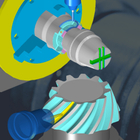
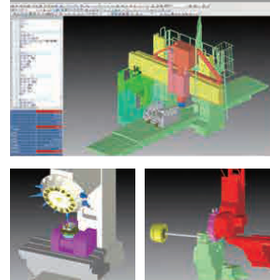
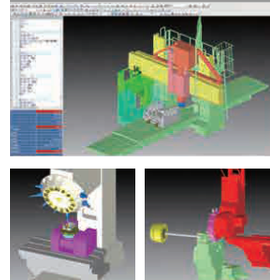
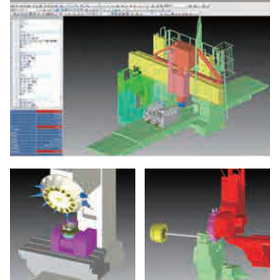
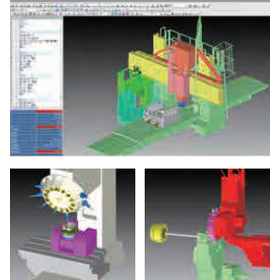
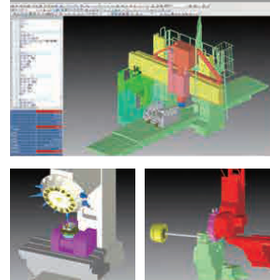
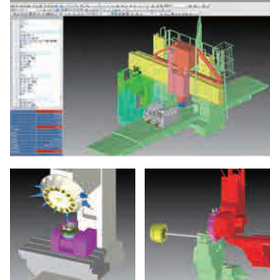
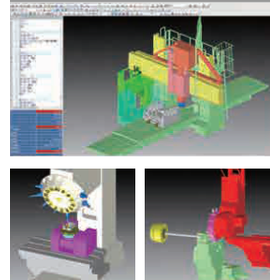
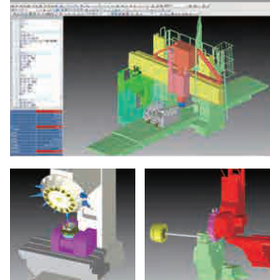
Do you have any of these concerns with NC macro programs? ● I'm anxious because I can't confirm the operation just from the program editing screen... ● The previous macro developer has left the company, and I can't perform detailed verification... ● I want to apply an existing macro, but I don't know how to adjust it... ⇒ These concerns can be resolved with the debugging feature 'Macro Debugger' of the NC machine tool simulator NCVIEW! *What is the Macro Debugger?* The Macro Debugger is an optional feature of the NC machine tool processing simulator NCVIEW that allows you to verify G-code NC macro programs clearly, accurately, and efficiently. You can check the operation while editing the program through tool paths and cutting simulations. For more details, please check the URL above. ~ [Free] Trial Information ~ We have prepared a sample simulation. Please experience it through the link below!
Added to bookmarks
Bookmarks listBookmark has been removed
Bookmarks listYou can't add any more bookmarks
By registering as a member, you can increase the number of bookmarks you can save and organize them with labels.
Free membership registration
Do you have any of these concerns with NC macro programs? ● I can't confirm the operation just with the program editing screen, and I'm anxious... ● The predecessor of the macro has left the company, and I can't perform detailed verification... ● I want to apply an existing macro, but I don't know how to adjust it... ⇒ These concerns can be resolved with the debugging feature 'Macro Debugger' of the NC simulator NCVIEW for machine tools! *What is the Macro Debugger? The Macro Debugger is an optional feature of the NC machining simulator NCVIEW that allows you to verify G-code NC macro programs clearly, accurately, and efficiently. You can check the operation while editing the program through tool paths and cutting simulations. For more details, please check the URL above. ~ [Free] Trial Information ~ We have prepared a sample simulation. Please experience it through the link below!
Added to bookmarks
Bookmarks listBookmark has been removed
Bookmarks listYou can't add any more bookmarks
By registering as a member, you can increase the number of bookmarks you can save and organize them with labels.
Free membership registration
"NCVIEW Neo" is a simulation software that reproduces NC program processing for multi-axis machine tools, helping to prevent accidents and improve productivity. It allows you to check tool shapes, tool paths, and the cutting shapes of workpieces as standard, and it can simulate not only 3-axis milling but also indexing and simultaneous 5-axis processing, 5-sided machining on gantry machines, inclined surface machining, and processing controlled by the tool tip. You can expand its functionality by adding options to the main unit (basic module). By adding a turning option, it also supports lathe and compound machining, enabling cutting simulations for various machine tools with just NCVIEW Neo. [Implementation Effects] ■ Realization of safe processing without accidents ■ Reduction of wear on machines, tools, and materials ■ Improved machine operating rates without the need for dry runs ■ Enhanced quality and work efficiency ■ Safe training ■ Accurate support unique to domestic software *For more details, please download the PDF or contact us.
Added to bookmarks
Bookmarks listBookmark has been removed
Bookmarks listYou can't add any more bookmarks
By registering as a member, you can increase the number of bookmarks you can save and organize them with labels.
Free membership registration
"NCVIEW MC3" is a simulation software that reproduces NC program machining for machine tools, helping to prevent accidents and improve productivity. It is a high-cost performance product specialized for 3-axis machining center processing, packaged with convenient features. You can check tool shapes, tool paths, and the cutting shapes of workpieces as standard. Additional options can be added to the main body (basic module) to expand its functionality. It also supports undercut machining with T-slot tools and setup change simulation. The software comes standard with useful features such as tool and holder interference checks, macro debuggers, and model comparisons. 【Benefits of Implementation】 ■ Achieving safe machining without accidents ■ Reducing wear on machines, tools, and materials ■ Improving machine operating rates without the need for dry runs ■ Enhancing quality and work efficiency ■ Safe training ■ Accurate support unique to domestic software *For more details, please download the PDF or contact us.
Added to bookmarks
Bookmarks listBookmark has been removed
Bookmarks listYou can't add any more bookmarks
By registering as a member, you can increase the number of bookmarks you can save and organize them with labels.
Free membership registration
"NCVIEW TURNwatch" is a simulation software that reproduces the NC program processing of machine tools, helping to prevent accidents and improve productivity. As a solid simulator for 2-axis lathe processing, it allows you to check tool shapes, tool paths, and the cutting shapes of workpieces as standard. It supports nose R correction, enabling accurate representation of even the smallest differences between the virtual cutting edge trajectory and the cutting shape. You can expand functionality by adding options to the main unit (basic module). Since the workpiece fixture also becomes a rotating body during turning, interference checks can be performed according to stationary and turning conditions through the optional tool and holder interference check. 【Benefits of Implementation】 ■ Realization of safe processing without accidents ■ Reduction of wear on machines, tools, and materials ■ Improved machine operating rate without the need for dry runs ■ Enhanced quality and work efficiency ■ Safe training ■ Accurate support unique to domestic software *For more details, please download the PDF or contact us.
Added to bookmarks
Bookmarks listBookmark has been removed
Bookmarks listYou can't add any more bookmarks
By registering as a member, you can increase the number of bookmarks you can save and organize them with labels.
Free membership registration
The "NCVIEW TOOLwatch" is a simulation software that reproduces the NC program processing of machine tools, helping to prevent accidents and improve productivity. It supports processing with up to 9 axes, including additional axes, and allows for the standard verification of tool shapes and tool paths. Functionality can be expanded by adding options to the main unit (basic module). Our NCVIEW series is developed based on this TOOLwatch. The main unit alone can smoothly simulate and verify tool paths for 2-axis lathes, 3-axis, simultaneous 5-axis, complex, and 5-face machining. 【Benefits of Implementation】 ■ Realization of safe processing without accidents ■ Reduction of wear on machines, tools, and materials ■ Improved machine operating rate without the need for dry runs ■ Enhanced quality and work efficiency ■ Safe training ■ Accurate support unique to domestic software *For more details, please download the PDF or contact us.
Added to bookmarks
Bookmarks listBookmark has been removed
Bookmarks listYou can't add any more bookmarks
By registering as a member, you can increase the number of bookmarks you can save and organize them with labels.
Free membership registration
In the shipbuilding industry, unexpected troubles and processing errors in the complex NC machining of large components can directly lead to delays in construction schedules and increased costs. Particularly in the machining of large parts, the risk of load on machines and tools, as well as interference, increases, making prior verification essential. Our NC data simulation system, the 'NCVIEW series,' faithfully reproduces the machining of NC programs, allowing for the early identification and avoidance of these risks, thereby achieving safe and highly productive machining. 【Usage Scenarios】 - Interference checks in complex multi-axis machining of large components - Accurate calculation of machining time and optimization of process planning - Improvement of machine operating rates by reducing trial cutting and dry runs - Inheritance of know-how from skilled technicians and training of younger staff 【Benefits of Implementation】 - Realization of safe machining without accidents - Reduction of wear on machines, tools, and materials - Improved machine operating rates without the need for dry runs - Enhanced quality and increased work efficiency - Safe training
Added to bookmarks
Bookmarks listBookmark has been removed
Bookmarks listYou can't add any more bookmarks
By registering as a member, you can increase the number of bookmarks you can save and organize them with labels.
Free membership registration
In the robotics industry, arm control is a crucial factor that directly affects product quality and production efficiency. Complex motion programs and unexpected interferences can lead to risks such as equipment damage and production line stoppages. To prevent these risks in advance and achieve safe and efficient arm control, precise simulation of NC data is essential. The NCVIEW series faithfully reproduces NC program processing, detects potential troubles in arm control beforehand, and contributes to accident prevention and productivity improvement. 【Usage Scenarios】 - Verification of robot arm motion trajectories - Interference checks with jigs and surrounding equipment - Validation of complex multi-axis control programs - Offline programming and verification 【Benefits of Implementation】 - Reduction of accident risks in arm control - Mitigation of wear on equipment and tools - Increased machine operating rates by eliminating the need for dry runs - Improvement in work efficiency and productivity - Safe operator training
Added to bookmarks
Bookmarks listBookmark has been removed
Bookmarks listYou can't add any more bookmarks
By registering as a member, you can increase the number of bookmarks you can save and organize them with labels.
Free membership registration
In the verification of NC data for machine tools, it is important to prevent unexpected troubles during processing, along with associated wear and a decrease in productivity. Particularly in complex shapes and multi-axis machining, accurate verification of NC data is essential, and relying on test machining or dry runs can lead to increased time and costs, as well as opportunity losses. Our NC data simulation system, the 'NCVIEW series,' reproduces the NC program processing of machine tools in a virtual space, reducing these risks. 【Usage Scenarios】 - Confirmation of NC program operation - Interference checks with tools and machine structures - Pre-calculation of processing time - Operation verification using a macro debugger - Provision of a safe training environment 【Benefits of Implementation】 - Realization of safe processing without accidents - Reduction of wear on machines, tools, and materials - Improved machine operating rates by eliminating the need for dry runs - Enhanced quality and improved work efficiency
Added to bookmarks
Bookmarks listBookmark has been removed
Bookmarks listYou can't add any more bookmarks
By registering as a member, you can increase the number of bookmarks you can save and organize them with labels.
Free membership registration
In the mold manufacturing industry, accurate verification of NC data is essential due to the demand for complex shape processing and precise dimensional accuracy. In particular, interference with tools and machine structures can lead to significant problems such as damage to molds and machine tools, processing defects, and production delays. To prevent these risks in advance and achieve safe and efficient processing, a system that can faithfully simulate the NC data itself is necessary. The "NCVIEW" series is a simulation software that reproduces the NC program processing of machine tools, helping to prevent accidents and improve productivity. It can simulate NC data at ultra-high speed, from 2-axis lathes for CAM, automatic programming, and manual creation to simultaneous 5-axis and up to 9-axis with additional axes. 【Usage Scenarios】 - Interference checks with tools, jigs, and machine structures for complex mold shapes - Pre-confirmation of interference risks in multi-axis processing - Reduction of rework through verification of processing programs - Improvement of machine operating rates by eliminating the need for dry runs 【Benefits of Implementation】 - Realization of safe mold processing without accidents - Reduction of wear on molds, machines, and tools - Improvement of processing quality and work efficiency - Cost reduction through the reduction of test processing and dry runs
Added to bookmarks
Bookmarks listBookmark has been removed
Bookmarks listYou can't add any more bookmarks
By registering as a member, you can increase the number of bookmarks you can save and organize them with labels.
Free membership registration
In the medical device industry, precision machining of parts with fine and complex shapes is required. Particularly for components that come into direct contact with the human body or are implanted within it, even slight machining errors are unacceptable, and high precision and safety are essential. Inappropriate machining due to incorrect NC data can lead to defective parts, reprocessing, and even serious issues related to product safety. Our NC data simulation system, the 'NCVIEW series,' accurately reproduces the machining of NC programs in advance, helping to prevent these risks and supporting the production of safe and high-quality medical devices. 【Usage Scenarios】 - Precision machining of complex-shaped medical device parts - Avoiding risks of interference and collisions in micro-machining - Verification and optimization of new machining programs - Accurate prediction of machining time 【Benefits of Implementation】 - Achieving safe machining without accidents - Reducing wear on machines, tools, and materials - Improving machine operating rates by eliminating the need for dry runs - Enhancing quality and improving work efficiency - Providing safe operator training
Added to bookmarks
Bookmarks listBookmark has been removed
Bookmarks listYou can't add any more bookmarks
By registering as a member, you can increase the number of bookmarks you can save and organize them with labels.
Free membership registration
In the semiconductor manufacturing industry, jig design requires precise machining accuracy and the realization of complex shapes. Particularly, because it involves handling fine components, even slight machining errors can significantly impact product performance. If sufficient NC data machining simulations are not conducted during the jig design phase, unexpected interferences or shape defects may occur during actual machining, potentially leading to rework and production delays. The NCVIEW series faithfully reproduces the machining of NC programs, helping to prevent these risks and supporting the process from jig design to manufacturing. 【Usage Scenarios】 - NC data verification for jigs used in semiconductor manufacturing with complex shapes - Interference checks with tools and machine structures in jig design - Efficient jig design considering machining time and material wear - Reduction of rework through NC data verification before prototyping 【Benefits of Implementation】 - Prevention of accidents and machining errors in jig processing - Reduction of wear on machines, tools, and materials - Improved machine utilization rate by eliminating the need for dry runs - Enhanced jig quality and improved work efficiency - Provision of a safe training environment
Added to bookmarks
Bookmarks listBookmark has been removed
Bookmarks listYou can't add any more bookmarks
By registering as a member, you can increase the number of bookmarks you can save and organize them with labels.
Free membership registration
In the aerospace industry, it is essential to accommodate complex shapes and special materials in the processing of parts that require high precision and reliability. Unexpected troubles during processing and deficiencies in NC data can lead to waste of expensive materials, a decline in product quality, and even serious safety issues. To prevent these risks in advance, accurate simulation of NC programs is crucial. The 'NCVIEW' series is a simulation software that reproduces the processing of NC programs for machine tools, helping to prevent accidents and improve productivity. It can simulate NC data at ultra-high speed, from 2-axis lathes for CAM, automatic programming, and manual creation, to simultaneous 5-axis and up to 9-axis with additional axes, supporting the verification of complex part processing in the aerospace field. 【Usage Scenarios】 - Verification of NC data for complex-shaped parts - Interference checks in multi-axis processing - Accuracy confirmation of processing programs - Processing simulation during the prototype stage - Data verification in quality management processes 【Benefits of Implementation】 - Realization of safe processing without accidents - Reduction of wear on machines, tools, and materials - Improved machine operating rates without the need for dry runs - Enhanced quality and work efficiency - Safe training
Added to bookmarks
Bookmarks listBookmark has been removed
Bookmarks listYou can't add any more bookmarks
By registering as a member, you can increase the number of bookmarks you can save and organize them with labels.
Free membership registration
In the automotive manufacturing industry, mold processing requires complex shapes and high-precision machining, making accurate verification of NC data essential. Inappropriate NC data can lead to serious issues such as tool damage, machine breakdowns, and processing defects, potentially resulting in production line stoppages and delays in delivery. To proactively prevent these risks and achieve safe and efficient mold processing, our NC data simulation system, the 'NCVIEW series,' faithfully reproduces the machining of NC programs and identifies potential problems in advance. 【Usage Scenarios】 - Interference checks in complex 5-axis machining and compound processing - Precise shape verification and dimensional checks of mold components - Pre-forecasting of machining time and cutting load - Operational verification of NC data, including macro programs 【Benefits of Implementation】 - Reduction of accidents and machining errors in mold processing - Improved machine operating rates by reducing the number of test cuts and dry runs - Mitigation of tool and machine wear - Stabilization of processing quality and reduction of rework
Added to bookmarks
Bookmarks listBookmark has been removed
Bookmarks listYou can't add any more bookmarks
By registering as a member, you can increase the number of bookmarks you can save and organize them with labels.
Free membership registration
The NCVIEW series is a simulation software that reproduces NC program machining for machine tools, helping to prevent accidents and improve productivity. It simulates NC data at ultra-high speed, from 2-axis lathes for CAM, automatic programming, and manual creation, to simultaneous 5-axis and up to 9-axis with additional axes. 【Product Lineup】 NCVIEW Neo … Multi-axis machining compatible simulator NCVIEW MC3 … 3-axis machining specialized simulator NCVIEW TURNwatch … Lathe machining dedicated simulator NCVIEW TOOLwatch … Tool trajectory display simulator To allow you to choose according to the machines and purposes in use, you can expand functionality by adding options to the main unit (basic module). 【Implementation Effects】 ■ Realization of safe machining without accidents ■ Reduction of wear on machines, tools, and materials ■ Improved machine operating rate without the need for dry runs ■ Enhanced quality and work efficiency ■ Safe training ■ Accurate support unique to domestic software *For more details, please download the PDF or contact us.
Added to bookmarks
Bookmarks listBookmark has been removed
Bookmarks listYou can't add any more bookmarks
By registering as a member, you can increase the number of bookmarks you can save and organize them with labels.
Free membership registration
"NCVIEW" is a domestic NC data simulation system that reproduces machine tools in a virtual space and simulates NC data precisely and at high speed. It continuously monitors interference accidents, which are the most undesirable troubles in machining, and notifies the situation with an alarm if any abnormalities occur. It is also excellent for verifying machining using macro programs. 【Features】 ■ Precise and high-speed simulation of NC data ■ Continuous monitoring of interference accidents, with alarm notifications for any abnormalities ■ Excellent for verifying machining with macro programs ■ Equipped with a wealth of features to improve machining productivity ■ Actively responds to customization requests *For more details, please refer to the PDF materials or feel free to contact us.
Added to bookmarks
Bookmarks listBookmark has been removed
Bookmarks listYou can't add any more bookmarks
By registering as a member, you can increase the number of bookmarks you can save and organize them with labels.
Free membership registration
The NC macro program is particularly useful in cases where there are many types of processing (similar shapes but with slightly different dimensions). For example, it allows for the efficient creation of programs that can process shapes with different dimensions simply by setting dimension values in macro variables, as shown below. Editing the NC program each time reduces work efficiency and increases the likelihood of errors. By using macro programs, you can process complex shapes such as plate cams through control statements like IF and WHILE, arithmetic operations, trigonometric functions, and G65 subroutine calls. If there is a sequence that is always commanded in the same way before and after tool changes, it is common to prepare a tool change macro to avoid input errors. For instance, you can set M66 as a macro call for M codes and execute the tool change macro program with the command TxxM66. Macros are also used for tasks such as determining standard processing surfaces and probe movements for position verification. NCVIEW, with its macro debugger, enables accurate simulation of these macro operations and provides an efficient debugging environment, improving the verification efficiency of processing through macros.
Added to bookmarks
Bookmarks listBookmark has been removed
Bookmarks listYou can't add any more bookmarks
By registering as a member, you can increase the number of bookmarks you can save and organize them with labels.
Free membership registrationAccording to the data from the Central Labor Accident Prevention Association (Chuo Rosai Bo), there were 3,755 labor accidents in the metal products manufacturing industry in fiscal year 2020, with 884 of these accidents related to metal processing machinery, accounting for approximately 24% of the total. (Source: Central Labor Accident Prevention Association Labor Accident Analysis Data) Furthermore, the most common type of labor accident was "caught in or between" with 1,237 cases (about 33%), followed by "falling or flying objects" with 459 cases (about 12%), indicating a trend that aligns with the types of troubles commonly occurring in machining. The rate of NC (Numerical Control) implementation in machine tools is high, and it can be estimated that human errors such as NC data mistakes and setting errors are significant contributing factors. With NCVIEW, various troubles such as NC data format errors, tool setting mistakes, and interference accidents can be pre-validated and improved.
Added to bookmarks
Bookmarks listBookmark has been removed
Bookmarks listYou can't add any more bookmarks
By registering as a member, you can increase the number of bookmarks you can save and organize them with labels.
Free membership registration
In the current era of advancing CAM technology, why do mistakes in NC data persist? The methods for creating NC data have diversified, including "manually input NC data," "CAM and interactive," "NC macros," and "mixed CAM and NC macros." While CAM has evolved significantly, it has not yet reached a level where it can automatically convert the processing know-how of skilled technicians into NC data in an optimal form. The complexity of metal processing hinders this. Final checks must be performed by humans, and the system that allows for efficient execution of this is 'NCVIEW.' **Causes of Trouble** - In the processing site, it is essential to search for appropriate cutting conditions by listening to sounds and feeling vibrations. - Because changes are made to the NC data during this process, final verification of the NC data is necessary. → This is one reason why verification using only the intermediate file (CL data) generated before post-processing by CAM is insufficient. *For more details, please refer to the PDF document or feel free to contact us.*
Added to bookmarks
Bookmarks listBookmark has been removed
Bookmarks listYou can't add any more bookmarks
By registering as a member, you can increase the number of bookmarks you can save and organize them with labels.
Free membership registration
Even if you create NC data through CAM after modeling in CAD, if there are errors in the data input into the CAD/CAM, you will not obtain correct NC data. Even if the NC data is accurate, mistakes in the NC macro program, incorrect tool compensation settings, or errors in the workpiece's position, orientation, or coordinate system settings can lead to significant problems, such as reduced operational efficiency and quality defects, and in some cases, even interference accidents. By using 'NCVIEW,' which allows simulations in an environment similar to the actual machining setup and has a macro debugger, you can efficiently verify machining troubles. [Causes of Problems] ■ If there are errors in the data input into CAD/CAM, correct NC data cannot be obtained. ■ Mistakes in the NC macro program. ■ Tool compensation settings are not correctly set. ■ Errors in the workpiece's position, orientation, or coordinate system settings. → This can lead to significant problems, such as reduced operational efficiency and quality defects, and in some cases, even interference accidents. *For more details, please refer to the PDF document or feel free to contact us.
Added to bookmarks
Bookmarks listBookmark has been removed
Bookmarks listYou can't add any more bookmarks
By registering as a member, you can increase the number of bookmarks you can save and organize them with labels.
Free membership registration
To suppress tool deflection and chatter and improve processing efficiency, we want to keep the protrusion length as short as possible. However, if it is too short, it will cause interference with the holder or spindle. By using the tool length optimization feature of 'NCVIEW', you can find the shortest protrusion length, allowing you to avoid interference with the holder or spindle. Please feel free to contact us if you need assistance. [Cause of Trouble] ■ Suppressing tool deflection and chatter to improve processing efficiency - For that, we want to keep the protrusion length as short as possible - If it is too short, it will cause interference with the holder or spindle * For more details, please refer to the PDF document or feel free to contact us.
Added to bookmarks
Bookmarks listBookmark has been removed
Bookmarks listYou can't add any more bookmarks
By registering as a member, you can increase the number of bookmarks you can save and organize them with labels.
Free membership registration
Hole processing is one of the machining processes where achieving precision is difficult due to the complex interplay of various factors. If, for any reason, the hole becomes eccentric, it will affect subsequent reaming, tapping, and counterboring operations. With 'NCVIEW', you can pre-verify and improve various troubles such as NC data format errors, tool setting errors, and interference accidents. 【Overview of Hole Processing】 ■ Tool accuracy such as drill shoulder height, blade angle, and thinning ■ Compatibility of tool, workpiece, and coolant properties ■ Tool deflection, chatter, wear, chip clogging, and friction heat ■ Hole depth, diameter, positioning, and accuracy of pilot holes ■ Feed rate and backlash → Achieving precision is difficult due to the complex interplay of various factors. *For more details, please refer to the PDF document or feel free to contact us.
Added to bookmarks
Bookmarks listBookmark has been removed
Bookmarks listYou can't add any more bookmarks
By registering as a member, you can increase the number of bookmarks you can save and organize them with labels.
Free membership registration
Chip removal is an important issue in drilling processes, but the situation can change depending on factors such as the workpiece, tools, coolant, and cutting conditions. When chips get clogged, it can cause the tool to vibrate radially, negatively affecting machining dimensions and tool life, and there is also a risk of damaging the product. With 'NCVIEW', various troubles such as NC data format errors, tool setting mistakes, and interference accidents can be pre-verified and improved. [Causes of Troubles] ■ The situation changes depending on the workpiece, tools, coolant, and cutting conditions ■ Chips get clogged → The tool vibrates radially, negatively affecting machining dimensions and tool life → There is a risk of damaging the product *For more details, please refer to the PDF document or feel free to contact us.
Added to bookmarks
Bookmarks listBookmark has been removed
Bookmarks listYou can't add any more bookmarks
By registering as a member, you can increase the number of bookmarks you can save and organize them with labels.
Free membership registration
Even when proceeding carefully with drilling and tapping operations, processing troubles often occur where the tool breaks into the workpiece. When a tool breaks, it becomes necessary to either remake the workpiece, ask a skilled worker to remove it, or melt it away with discharge machining, which results in significant losses in terms of delivery time, cost, and quality. To shorten working hours and ensure quality, 'NCVIEW' is useful as it automatically verifies and reports on hole processing thoroughly. [Causes of Troubles] <Drilling and Tapping> ■ Processing troubles often occur where the tool breaks into the workpiece. ■ It is necessary to remake the workpiece, ask a skilled worker to remove it, or melt it away with discharge machining. → This results in significant losses considering delivery time, cost, and quality. <Processing with Many Holes> ■ It becomes unclear which holes have been checked, leading to overlooked holes. ■ Visual confirmation alone always raises concerns. *For more details, please refer to the PDF document or feel free to contact us.
Added to bookmarks
Bookmarks listBookmark has been removed
Bookmarks listYou can't add any more bookmarks
By registering as a member, you can increase the number of bookmarks you can save and organize them with labels.
Free membership registration
When tool or holder interference and structural interference occur, it can even damage the spindle. The spindle is a crucial component that determines machining accuracy, making it one of the troubles we particularly want to avoid in machining accidents. Repair costs are high, and during the repair period, the machine cannot operate, resulting in significant economic losses. The 'NCVIEW' machine structure simulation is helpful for checking interference of the spindle and table, as well as for checking axis stroke over. [Causes of Trouble] ■ Tool or holder interference, structural interference → Can even damage the spindle ■ Repair costs are high, and during the repair period, the machine cannot operate, leading to significant economic losses. *For more details, please refer to the PDF document or feel free to contact us.
Added to bookmarks
Bookmarks listBookmark has been removed
Bookmarks listYou can't add any more bookmarks
By registering as a member, you can increase the number of bookmarks you can save and organize them with labels.
Free membership registration
Internal diameter cutting on a lathe makes it difficult to confirm the tool's entry, often resulting in holder interference. "NCVIEW" detects such interferences. When exploring methods to avoid interference, you can observe the tool's movements for internal diameter processing and the state of the workpiece in real-time while displaying the workpiece cross-section on the turning solid screen. [Causes of Trouble] - Internal diameter cutting on a lathe makes it difficult to confirm the tool's entry. - Holder interference occurs. *For more details, please refer to the PDF document or feel free to contact us.
Added to bookmarks
Bookmarks listBookmark has been removed
Bookmarks listYou can't add any more bookmarks
By registering as a member, you can increase the number of bookmarks you can save and organize them with labels.
Free membership registration
There may be mistakes in NC data or manual operations that cause tools to collide with workpieces, jigs, or machine structures, which can lead to spindle damage and is considered a dangerous accident, also referred to as tool interference. Additionally, various factors such as the type of workpiece, the number of cutting edges, material and shape of the tool, coolant, cutting speed, rotation speed, and poor chip removal can also lead to tool breakage. Preventing and predicting these issues requires the expertise of skilled metalworking professionals, but the tool and holder interference check in 'NCVIEW' makes this possible. [Causes of Trouble] ■ Mistakes in NC data ■ Manual operations causing tools to collide with workpieces, jigs, or machine structures → A dangerous accident that can lead to spindle damage, known as tool interference ■ Various factors such as the type of workpiece, the number of cutting edges, material and shape of the tool, coolant, cutting speed, rotation speed, and poor chip removal → Tool breakage *For more details, please refer to the PDF document or feel free to contact us.
Added to bookmarks
Bookmarks listBookmark has been removed
Bookmarks listYou can't add any more bookmarks
By registering as a member, you can increase the number of bookmarks you can save and organize them with labels.
Free membership registration