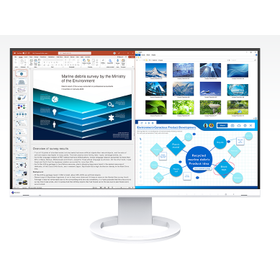
46~90 item / All 117 items
Displayed results
Added to bookmarks
Bookmarks listBookmark has been removed
Bookmarks listYou can't add any more bookmarks
By registering as a member, you can increase the number of bookmarks you can save and organize them with labels.
Free membership registration
Contact this company
Contact Us Online46~90 item / All 117 items

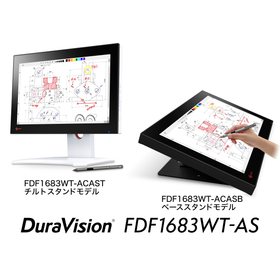
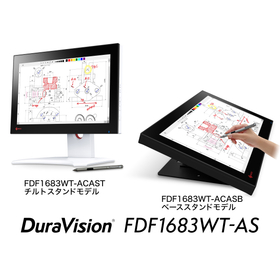
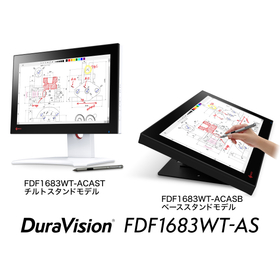
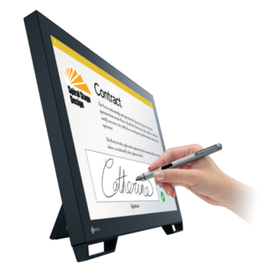
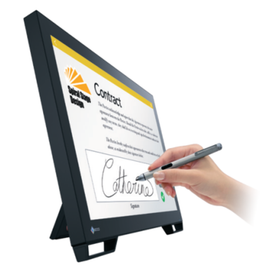
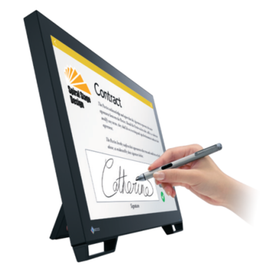
The DuraVision FDF1782T is a 17.0-inch touch panel monitor using projected capacitive (PCAP) technology. ■ Touch Operation - It supports 10-point multi-touch, allowing multiple users to draw and perform pinch operations with their fingers. - Additionally, it is compatible with stylus input, enabling smooth execution of detailed operations such as dragging and flicking. ■ Touch Operation for Various Scenarios - As a communication terminal in clinics and pharmacies - As a control terminal for various systems in fire departments, police, factories, and more ■ Extensive Lineup - It adopts the "projected capacitive (PCAP) technology," which combines high operability and quality. Models in different sizes, including 23-inch and 21.5-inch, are also available in the same technology. - EIZO also offers the 17.0-inch touch panel monitor "DuraVision FDF1721T," which supports touch operation with gloves and features a durable "Surface Acoustic Wave (SAW) technology." For more details, please download the PDF materials or feel free to contact us. ★ PDF case studies related to this product are also available!
Added to bookmarks
Bookmarks listBookmark has been removed
Bookmarks listYou can't add any more bookmarks
By registering as a member, you can increase the number of bookmarks you can save and organize them with labels.
Free membership registration
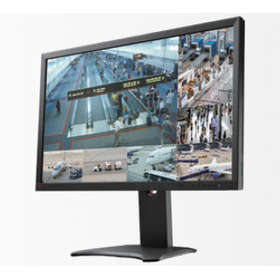
<Materials being distributed!> ● Comprehensive catalog of the 'DuraVision Series' products for monitoring and security ● Case studies introducing ways to utilize the products <Factory Edition> ● Case studies on the introduction of EIZO's IP monitor/touch panel products ◆ For displaying IP camera footage. Ideal for real-time monitoring ⇒ IP monitor / IP decoding box ◆ For displaying surveillance footage ⇒ Full HD monitor with HDMI / Monitor with BNC connector ◆ For enhancing image clarity ⇒ Image enhancement system / Image enhancement software ◆ For capturing footage ⇒ Ultra-sensitive camera capable of capturing clear color images even in low-light environments ● For more details, please download the PDF materials or feel free to contact us.
Added to bookmarks
Bookmarks listBookmark has been removed
Bookmarks listYou can't add any more bookmarks
By registering as a member, you can increase the number of bookmarks you can save and organize them with labels.
Free membership registration
The "FlexScan S2134" is a square monitor with a 21.3-inch UXGA (1600×1200) resolution. The S2134 inherits the basic performance of its predecessor, the S2133-H, while adopting a higher brightness and higher contrast ratio LCD panel, allowing for clear visibility of displayed content even in brightly lit environments. We plan to continue the stable supply of the 21.3-inch square model, making it a reliable choice for various devices and systems. ◆Improved work efficiency with a screen size that fits A3 dimensions◆ Frequent window switching and scrolling are minimized, enhancing work efficiency. ◆Eye-friendly features for desk work fatigue◆ It includes the Auto EcoView function, which automatically adjusts screen brightness to reduce eye strain from glare or overly dark displays, and a Paper mode that cuts blue light and changes the screen to a paper-like texture. ◆Equipped with both digital and analog input terminals◆ It features input terminals for digital signals, including DisplayPort and DVI-D, as well as an analog signal input terminal, D-Sub 15 pin (mini). ●For more details, please visit the EIZO website.
Added to bookmarks
Bookmarks listBookmark has been removed
Bookmarks listYou can't add any more bookmarks
By registering as a member, you can increase the number of bookmarks you can save and organize them with labels.
Free membership registration
EIZO's IP monitor/IP decoding box can connect network cameras (IP cameras) via LAN cables and hubs, allowing simultaneous display of video from up to 32 cameras on a single screen. Since it does not require a PC or dedicated software, installation and equipment management are made easier. Additionally, it features an "event notification function" that allows you to set actions for the monitor and network devices in response to specific events. It reduces the operational burden in factories, provides a safe and secure environment for employees working in the factory, and protects the factory's valuable assets. This document introduces specific examples of use in factories. Please take a look at the detailed materials and feel free to contact us.
Added to bookmarks
Bookmarks listBookmark has been removed
Bookmarks listYou can't add any more bookmarks
By registering as a member, you can increase the number of bookmarks you can save and organize them with labels.
Free membership registration
EIZO's IP monitor/IP decoding box can connect network cameras (IP cameras) solely through LAN cables and hubs, allowing simultaneous display of video from up to 32 cameras on a single screen. Since it does not require a PC or dedicated software, installation and equipment management are made easier. Additionally, it is equipped with an "event notification function" that allows users to set actions for monitors and network devices in response to specific events. We propose solutions that enhance operational efficiency while ensuring the safety and security of people in all facilities related to railway operations, such as stations, train control centers, and train depots. This document introduces specific examples of utilizing the event notification function in railway-related facilities. Please take a look at the detailed materials and feel free to contact us.
Added to bookmarks
Bookmarks listBookmark has been removed
Bookmarks listYou can't add any more bookmarks
By registering as a member, you can increase the number of bookmarks you can save and organize them with labels.
Free membership registration
EIZO's IP monitor/IP decoding box can connect network cameras via LAN cables and hubs, allowing simultaneous display of video from up to 32 cameras on a single screen. It eliminates the need for PCs or dedicated software, making installation and equipment management easier. It contributes to crime prevention and operational efficiency. Additionally, it features an "event notification function" that allows you to set actions for the monitor and network devices in response to specific events. In hospitals, it enables quick and reliable understanding of the situation within the facility and of patients, facilitating prompt support. It also significantly reduces the burden on in-house staff. This document presents specific examples of utilization in hospitals. Please take a look at the detailed materials and feel free to contact us.
Added to bookmarks
Bookmarks listBookmark has been removed
Bookmarks listYou can't add any more bookmarks
By registering as a member, you can increase the number of bookmarks you can save and organize them with labels.
Free membership registration
The stand equipped with EIZO's LCD monitors is designed to withstand seismic vibrations as much as possible. In this article, we will introduce the results of seismic tests conducted using a vibration testing machine that generated strong tremors. (Please note that these results are based on our testing environment and do not guarantee performance during actual earthquakes.) We invite you to read on. [Contents (partial)] ■ Test Conditions ■ Vertical Vibration ■ Horizontal Vibration *For detailed information, please refer to the related links. For further inquiries, feel free to contact us.
Added to bookmarks
Bookmarks listBookmark has been removed
Bookmarks listYou can't add any more bookmarks
By registering as a member, you can increase the number of bookmarks you can save and organize them with labels.
Free membership registration
EIZO has established an optical bonding processing line on its headquarters premises in Ishikawa Prefecture. By having an in-house processing line, we can flexibly and quickly respond to more advanced needs in specific markets and special usage environments, such as improving the visibility and durability of LCD monitors. In this article, we introduce features of optical bonding, such as "clear display" and "reduction of distracting reflections." Please take a moment to read it. [Contents] ■ What is Optical Bonding ■ Features of Optical Bonding *For more details, you can view them through the related links. Please feel free to contact us for more information.
Added to bookmarks
Bookmarks listBookmark has been removed
Bookmarks listYou can't add any more bookmarks
By registering as a member, you can increase the number of bookmarks you can save and organize them with labels.
Free membership registration
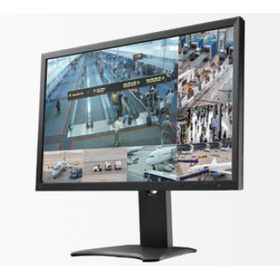
Recently, the performance of monitors has improved, but if the monitor is not set up correctly, you cannot fully utilize its capabilities. On the contrary, it may end up putting unnecessary strain on your eyes, so it's something to be cautious about. In this article, we will introduce contrast and brightness. Please take a moment to read it. 【Contents】 ■ What are contrast and brightness? ■ What happens if contrast and brightness are not set correctly...? ■ Check contrast and brightness! *For detailed information, please refer to the related links. Feel free to contact us for more details.
Added to bookmarks
Bookmarks listBookmark has been removed
Bookmarks listYou can't add any more bookmarks
By registering as a member, you can increase the number of bookmarks you can save and organize them with labels.
Free membership registration
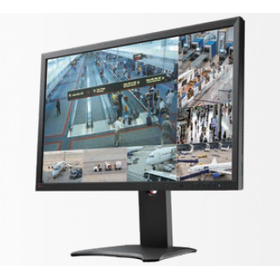
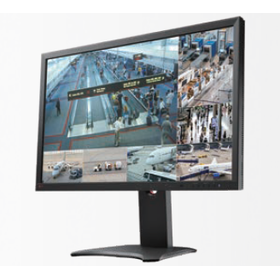
The monitor comes with various adjustment features. If the monitor feels too bright and makes it difficult to read documents, lowering the brightness should make it easier to read. However, the issue is that what is displayed on the monitor is not just documents. In daily life, we display various things such as websites, videos, and photos, and the appropriate display settings differ for each. In this article, we will introduce the mechanism and benefits of the "Paper mode," which adjusts the display to have a paper-like texture. Please take a moment to read it. [Contents (partial)] ■ Why are documents on the monitor hard to see? ■ The monitor needs adjustments depending on what you are viewing ■ The monitor that comes as a bonus with your PC has its limitations ■ Paper mode simply switches to a pre-set configuration! *For more details, you can view them through the related links. Please feel free to contact us for more information.
Added to bookmarks
Bookmarks listBookmark has been removed
Bookmarks listYou can't add any more bookmarks
By registering as a member, you can increase the number of bookmarks you can save and organize them with labels.
Free membership registration
LCD monitors have a characteristic where displaying the same screen for an extended period can result in ghosting of that image. This is different from the burn-in phenomenon associated with CRT monitors (where the displayed image becomes permanently etched onto the CRT surface), as it can be removed by changing the displayed image or turning off the monitor. In this article, we will explain the principles behind ghosting and methods for its removal. Please take a moment to read it. [Contents] ■ Principles of Ghosting *For detailed information, please refer to the related links. For further inquiries, feel free to contact us.
Added to bookmarks
Bookmarks listBookmark has been removed
Bookmarks listYou can't add any more bookmarks
By registering as a member, you can increase the number of bookmarks you can save and organize them with labels.
Free membership registration
What do the monitor's "recommended resolution" and "pixel pitch" refer to? In this article, we will explain how each of these relates to the appearance of the monitor, with examples. Please take a moment to read it. [Contents] ■ Displaying a 1280×1024 image on a monitor with a recommended resolution of 1920×1200 ■ How to set the monitor resolution ■ Differences in pixel pitch (image) ■ Image when enlarged *For more details, you can view them through the related links. Please feel free to contact us for more information.
Added to bookmarks
Bookmarks listBookmark has been removed
Bookmarks listYou can't add any more bookmarks
By registering as a member, you can increase the number of bookmarks you can save and organize them with labels.
Free membership registration
"Considering the purchase of a high pixel density (HiDPI) monitor to enjoy high-resolution and smooth displays," but did you know that even with a HiDPI monitor, there can be cases where it appears blurry depending on the combination with a laptop and the applications used? In this article, we will explain the key points to know for achieving HiDPI display with the popular combination of "laptop + external HiDPI monitor (EV2785)." Please take a moment to read it. [Contents] ■ Blurry text despite being a HiDPI monitor ■ What is DPI Awareness? ■ DPI Awareness compatibility chart by application ■ Useful links ■ Recommended models *You can view detailed content through the related links. For more information, please feel free to contact us.
Added to bookmarks
Bookmarks listBookmark has been removed
Bookmarks listYou can't add any more bookmarks
By registering as a member, you can increase the number of bookmarks you can save and organize them with labels.
Free membership registration
"Eye strain from PC work" is inevitable, as you are staring at the screen up close for long periods of time, so naturally, the level of fatigue is greater than that from watching television. So, is there a way to alleviate this fatigue? Our company has pursued the "ideal monitor" for a comfortable PC life and has examined the causes of eye strain. [Contents (partial)] ■Verification 1: LED backlight ■Verification 2: Bright screen ■Verification 3: Blue light *For detailed information, please refer to the related links. Feel free to contact us for more information.
Added to bookmarks
Bookmarks listBookmark has been removed
Bookmarks listYou can't add any more bookmarks
By registering as a member, you can increase the number of bookmarks you can save and organize them with labels.
Free membership registration
Are you experiencing issues such as "the office atmosphere is too dark and quiet," "I can't make progress on documents with my laptop," or "meetings are dragging on"? In this article, we will introduce EIZO monitors, including our "product lineup," "case studies," and "compatibility with laptops." Feel free to consult us about choosing monitor sizes and resolutions, as well as combinations with laptops. 【Contents】 ■ Product Lineup ■ Case Studies ■ Compatibility with Laptops *For more details, you can view them through the related links. Please feel free to contact us for more information.
Added to bookmarks
Bookmarks listBookmark has been removed
Bookmarks listYou can't add any more bookmarks
By registering as a member, you can increase the number of bookmarks you can save and organize them with labels.
Free membership registration
Due to changes in social conditions, work styles have diversified, and the adoption of telework is increasing. In this context, there are also voices expressing that efficiency has decreased while working from home. In fact, one of the reasons is working on a small display of a laptop. With "laptop + monitor," telework can become much more comfortable. In this article, we will introduce three reasons why EIZO is chosen for monitors. Please take a moment to read it. [Content] ■ Three reasons why EIZO is chosen for telework *For more details, you can view them through the related links. Please feel free to contact us for more information.
Added to bookmarks
Bookmarks listBookmark has been removed
Bookmarks listYou can't add any more bookmarks
By registering as a member, you can increase the number of bookmarks you can save and organize them with labels.
Free membership registration
- EIZO's IP monitors/IP decoding boxes are compatible with IP cameras from Panasonic, i-PRO, and AXIS, and also comply with the industry standard for security devices, ONVIF. - They also support displaying camera footage via RTSP, allowing connection to even more cameras. ◇EIZO has confirmed compatibility with IP cameras, so you can implement them with confidence◇ Compatibility results are published on the EIZO website. ● For more details, please download the PDF document or feel free to contact us.
Added to bookmarks
Bookmarks listBookmark has been removed
Bookmarks listYou can't add any more bookmarks
By registering as a member, you can increase the number of bookmarks you can save and organize them with labels.
Free membership registration
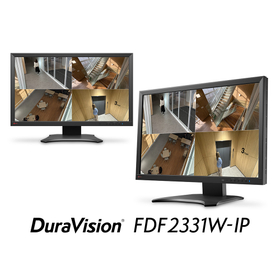
EIZO's 23-inch IP monitor "DuraVision FDF2312W-IP" can directly connect IP cameras via a LAN cable and hub, allowing simultaneous display of video from up to 32 cameras on a single screen. It can register a maximum of 48 IP cameras. ■ Can be connected without a PC, easy to install, and effective for enhancing security ■ Equipped with an "event notification function" that allows you to set actions for the monitor and network devices in response to specific events ● For more details, please download the PDF document or feel free to contact us.
Added to bookmarks
Bookmarks listBookmark has been removed
Bookmarks listYou can't add any more bookmarks
By registering as a member, you can increase the number of bookmarks you can save and organize them with labels.
Free membership registration
The EIZO 27-inch IP monitor "DuraVision FDF2712W-IP" allows for direct connection of IP cameras via LAN cables and hubs, enabling simultaneous display of video from up to 32 cameras on a single screen. It can register up to 48 IP cameras. ■ Can be connected without a PC, easy to install, and effective for enhancing security ■ Equipped with an "event notification function" that allows you to set actions for the monitor and network devices in response to specific events ● For more details, please download the PDF document or feel free to contact us.
Added to bookmarks
Bookmarks listBookmark has been removed
Bookmarks listYou can't add any more bookmarks
By registering as a member, you can increase the number of bookmarks you can save and organize them with labels.
Free membership registration
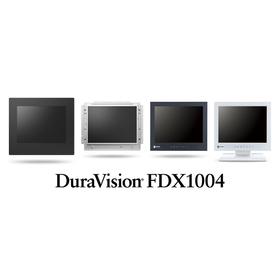
EIZO's industrial video solution "DuraVision" offers a lineup of various touch panel monitors. We provide a wide variety of options in screen size, touch method, and mounting specifications. We cater to various customer needs, including multi-touch operation, operation with gloves, integration into equipment, and dust and water resistance. Please feel free to contact us. We will propose the most suitable model for you. <Touch Methods and Sizes> ■ Projected Capacitive (PCAP) Method 23-inch / 21.5-inch / 17-inch ■ Surface Acoustic Wave (SAW) Method 21.5-inch / 19-inch / 17-inch ■ Analog Method 15-inch / 12.1-inch / 10.4-inch <EIZO Assurance> ■ Reliable domestic in-house production ■ Comprehensive after-sales support - Long-term warranty of 2 years or 3 years for continuous use of 24 hours - Free loan units during the repair period - Maintenance contracts available ● For more details, please download the PDF document or feel free to contact us.
Added to bookmarks
Bookmarks listBookmark has been removed
Bookmarks listYou can't add any more bookmarks
By registering as a member, you can increase the number of bookmarks you can save and organize them with labels.
Free membership registration
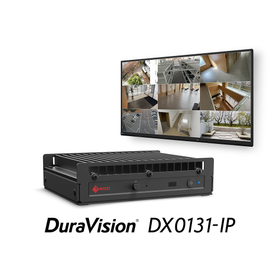
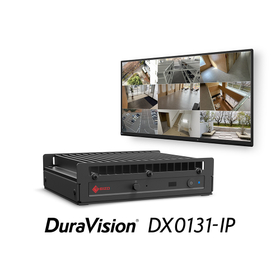
EIZO's IP decoding box "DuraVision DX0212-IP" allows for direct connection of IP cameras via LAN cables and hubs, enabling video output to connected monitors. ◆ Decoding display on monitors of any size with just one HDMI cable, creating a display environment tailored to the installation location and purpose. ◆ Up to 48 IP cameras can be registered, with the ability to simultaneously display video from up to 32 cameras on one screen. ◆ Equipped with an "event notification function" that allows you to set actions for monitors and network devices in response to specific events. For more details, please download the PDF document or feel free to contact us.
Added to bookmarks
Bookmarks listBookmark has been removed
Bookmarks listYou can't add any more bookmarks
By registering as a member, you can increase the number of bookmarks you can save and organize them with labels.
Free membership registration
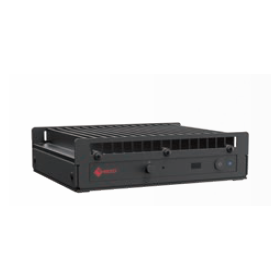
【Lineup】 ■IP Monitor (23-inch, 27-inch) Directly connect IP cameras via LAN or hub to display multiple camera feeds in a list. ■IP Decoding Box Directly connect IP cameras via LAN or hub to display camera feeds on a monitor connected via HDMI. 【Case studies available!】 Hokuden Information Technology, which operates a data center business, has installed approximately 100 IP cameras in their building and displays the feeds on monitors in the surveillance room. ★For more details, please download the PDF or contact us.
Added to bookmarks
Bookmarks listBookmark has been removed
Bookmarks listYou can't add any more bookmarks
By registering as a member, you can increase the number of bookmarks you can save and organize them with labels.
Free membership registration
We would like to introduce our IP monitor solution. In food factories and cleaning plants, there were challenges such as, "The factory premises are large and there are many blind spots. We want to display company introduction content along with live footage of each manufacturing process." To address this, we converted the output signal from the presentation PC to IP. Now, it is possible to simultaneously display live footage of each manufacturing process along with the visitor guidance monitor. [Overview] ■ Challenges - The factory premises are large and there are many blind spots. - We want to display company introduction content along with live footage of each manufacturing process. ■ Results - Converted the output signal from the presentation PC to IP. - Live footage of each manufacturing process can now be simultaneously displayed on the visitor guidance monitor. For more details, please refer to the PDF document or feel free to contact us.
Added to bookmarks
Bookmarks listBookmark has been removed
Bookmarks listYou can't add any more bookmarks
By registering as a member, you can increase the number of bookmarks you can save and organize them with labels.
Free membership registration
◆Do you have any of these troubles?◆ When an abnormality occurs on the production line, it is necessary to go to the site each time to check the situation. ▶By utilizing EIZO's IP solution... - You can display camera footage from the production line on monitoring monitors in the office, enabling remote monitoring. - In the event of an abnormality, the camera footage of the affected production line is automatically enlarged, allowing for immediate understanding of the situation on-site. For more details, please download the materials or feel free to contact us. ◆EIZO's IP Solution◆ This is EIZO's unique solution that streamlines monitoring and security operations. Compatible products can display camera footage on monitors simply by connecting IP cameras via LAN cables and hubs. <Compatible Products> ■IP Monitor Monitors designed for the security market with built-in IP decoding functionality. Available in three sizes: 23-inch, 27-inch, and 46-inch. ■IP Decoding Box A box-shaped product that consolidates the functions of IP monitors. Depending on the application, you can select monitors and display footage up to 4K on two monitors.
Added to bookmarks
Bookmarks listBookmark has been removed
Bookmarks listYou can't add any more bookmarks
By registering as a member, you can increase the number of bookmarks you can save and organize them with labels.
Free membership registration
We would like to introduce our IP monitor solution. In industries such as machinery and metal products, there has been a challenge where "the monitors for regular operations and the monitors for line monitoring are separate, making it difficult to notice abnormalities in the line immediately." To address this, we have implemented a wipe display of the line monitoring camera footage on the regular operations monitor. This allows for monitoring tasks to be conducted concurrently while performing regular operations. 【Overview】 ■ Challenges - Regular operations monitors and line monitoring monitors are separate - Difficult to notice abnormalities in the line immediately ■ Results - Wipe display of line monitoring camera footage on the regular operations monitor - Enables concurrent monitoring tasks while performing regular operations For more details, please refer to the PDF document or feel free to contact us.
Added to bookmarks
Bookmarks listBookmark has been removed
Bookmarks listYou can't add any more bookmarks
By registering as a member, you can increase the number of bookmarks you can save and organize them with labels.
Free membership registration
◆Do you have any of these troubles?◆ In an office away from the production line, it is difficult to notice abnormalities in production line equipment, making immediate response challenging. ▶By utilizing EIZO's IP solutions... You can receive alerts from IP cameras that detect abnormalities and take various actions. (Example) Change the display on the monitor, trigger network speakers, adjust camera PTZ, activate warning lights, etc. For more details, please download the materials or feel free to contact us. ◆EIZO's IP Solutions◆ This is EIZO's unique solution to streamline monitoring and security operations. Compatible products can display camera footage on a monitor simply by connecting via IP cameras and LAN cables/hubs. <Compatible Products> ■IP Monitor A monitor designed for the security market with built-in IP decoding functionality. Available in three sizes: 23-inch, 27-inch, and 46-inch. ■IP Decoding Box A box-shaped product that consolidates the functions of an IP monitor. Depending on the application, you can choose a monitor and display video up to 4K on two monitors.
Added to bookmarks
Bookmarks listBookmark has been removed
Bookmarks listYou can't add any more bookmarks
By registering as a member, you can increase the number of bookmarks you can save and organize them with labels.
Free membership registration
◆Do you have any of these troubles?◆ In the production line, existing cameras (SDI) and newly installed cameras (IP) are mixed, requiring separate dedicated equipment to monitor both video feeds. ▶By utilizing EIZO's IP solutions... The video from the SDI camera is converted to IP using the IP encoder "NVT-SDI" and displayed simultaneously on the monitor along with the IP camera's video. >>>This reduces equipment costs and installation space! For more details, please download the materials or feel free to contact us. ◆EIZO's IP Solutions◆ EIZO's unique solution that streamlines monitoring and security operations. Compatible products can display camera video on a monitor simply by connecting IP cameras via LAN cables and hubs. <Compatible Products> ■IP Monitor Monitors designed for the security market with built-in IP decoding functionality. Available in three sizes: 23-inch, 27-inch, and 46-inch. ■IP Decoding Box A box-shaped product that consolidates the functions of an IP monitor. Depending on the application, you can choose a monitor and display video up to 4K on two monitors.
Added to bookmarks
Bookmarks listBookmark has been removed
Bookmarks listYou can't add any more bookmarks
By registering as a member, you can increase the number of bookmarks you can save and organize them with labels.
Free membership registration
We would like to introduce our IP monitor solution. In chemical plants and similar facilities, there were challenges such as, "We cannot grasp the operational status of each factory from the remote headquarters (office). Additionally, the factory's FAPC is outdated and cannot connect to the network." To address this, we converted and transmitted the PC's video output signal over the network. The PC itself does not need to be connected to the network, allowing for secure transmission and enabling remote transmission of the operational status management screens of each factory. 【Overview】 ■ Challenges - Unable to grasp the operational status of each factory from the remote headquarters (office) - The factory's FAPC is outdated and cannot connect to the network ■ Results - Converted and transmitted the PC's video output signal over the network - The PC itself does not need to be connected to the network, allowing for secure transmission - Enabled remote transmission of the operational status management screens of each factory For more details, please refer to the PDF document or feel free to contact us.
Added to bookmarks
Bookmarks listBookmark has been removed
Bookmarks listYou can't add any more bookmarks
By registering as a member, you can increase the number of bookmarks you can save and organize them with labels.
Free membership registration
EIZO's ultra-sensitive cameras "SSZ-9700" and "SSC-9700" can capture clear color images even in low-light environments of 0.004lx (for the SSZ-9700; 0.003lx for the SSC-9700) thanks to their highly sensitive image sensors. Unlike infrared cameras, they allow for clear color differentiation, enabling more advanced surveillance. The "SSZ-9700" comes equipped with a zoom lens, while the "SSC-9700" is a C-mount camera without a lens, allowing you to choose based on your needs. ★ Case studies are currently available on the EIZO website. ● For more details, please download the PDF document or feel free to contact us.
Added to bookmarks
Bookmarks listBookmark has been removed
Bookmarks listYou can't add any more bookmarks
By registering as a member, you can increase the number of bookmarks you can save and organize them with labels.
Free membership registration
The DuraVision FDS1903-A is a 19-inch LCD monitor designed for surveillance and security, equipped with HDMI and composite (BNC) terminals. It features one HDMI terminal for digital connections to recording devices such as hard disk recorders and PCs, and one composite (BNC) terminal for connecting to analog devices like analog cameras. This allows for the connection of various surveillance equipment. The panel resolution is SXGA (1280×1024), but it supports full HD video signal input when connected via HDMI (the video display is downscaled to 1280×1024). A more compact 17-inch monitor, the DuraVision FDS1703-A, with the same terminals is also available. <Reassuring After-Sales Support> - 2-year long-term warranty for continuous use of 24 hours - Free loaner units during the repair period - Maintenance contracts available We offer maintenance services to reduce system maintenance costs and budgeting when introducing large quantities or high-end products, and to ensure that you can use the products with peace of mind in case of any unexpected troubles. ● For more details, please download the PDF document or feel free to contact us.
Added to bookmarks
Bookmarks listBookmark has been removed
Bookmarks listYou can't add any more bookmarks
By registering as a member, you can increase the number of bookmarks you can save and organize them with labels.
Free membership registration
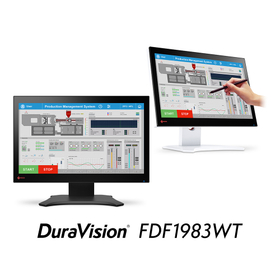
The "DuraVision FDF2182WT" is a projected capacitive (PCAP) touch panel monitor. It supports 10-point multi-touch, allowing multiple users to write simultaneously, as well as detailed writing with a pen. [Examples of Use] - Communication terminals in clinics and pharmacies - Control terminals for various systems in fire departments, police, factories, etc. The "DuraVision FDF2121WT-A" is a surface acoustic wave (SAW) touch panel monitor. It allows touch operations with fingers or pens, and even while wearing gloves. [Examples of Use] - Operation terminals such as ATMs - Reception areas in public facilities - Inspection devices, etc. <EIZO for Peace of Mind> ■ Reliable domestic in-house production ■ Comprehensive after-sales support - Standard 3-year long warranty for continuous use of 24 hours - Free loan units available during repair periods - Maintenance contracts available to extend the warranty up to 7 years ● For more details, please download the PDF document or feel free to contact us.
Added to bookmarks
Bookmarks listBookmark has been removed
Bookmarks listYou can't add any more bookmarks
By registering as a member, you can increase the number of bookmarks you can save and organize them with labels.
Free membership registration
The DuraVision FDF2121WT-A is a 21.5-inch touch panel monitor that uses ultrasonic surface acoustic wave (SAW) technology. In addition to pen input, it supports touch input while wearing gloves. It is ideal for operation terminals such as ATMs, reception areas in public facilities, and inspection devices. It employs a touch method that is resistant to scratches and has high transparency, utilizing the "ultrasonic surface acoustic wave (SAW) technology." We also offer 19-inch and 17-inch models in the same technology. Additionally, EIZO provides the "DuraVision FDF2182WT," which supports 10-point multi-touch using "PCAP (Projected Capacitive) technology" in the 21.5-inch size. For more details, please download the PDF document or feel free to contact us.
Added to bookmarks
Bookmarks listBookmark has been removed
Bookmarks listYou can't add any more bookmarks
By registering as a member, you can increase the number of bookmarks you can save and organize them with labels.
Free membership registration
EIZO's latest IP monitor/IP decoding box can connect to up to 32 network cameras (IP cameras) via LAN cables and hubs, allowing simultaneous display on one screen. Since no PC or dedicated software is required, installation and equipment management are made easier. Additionally, it features an "event notification function" that allows you to set actions for the monitor and network devices in response to specific events. Through the network, EIZO's IP monitor/IP decoding box can perform pre-set actions (such as changing screen layouts, displaying warnings on the screen, or showing alerts with a patrol light) in response to alerts notified by access control systems, IP cameras, fire alarms, and VMS (Video Management Systems/Software). The event notification function is utilized in various settings such as hospitals, railways, factories, and banks. ⇒ We are currently offering detailed materials! Please feel free to download them. ⇒ We have released a video introducing how to utilize it in factories! ● For more details, please feel free to contact us.
Added to bookmarks
Bookmarks listBookmark has been removed
Bookmarks listYou can't add any more bookmarks
By registering as a member, you can increase the number of bookmarks you can save and organize them with labels.
Free membership registration
EIZO's "DuraVision FDF2123W" is a 21.5-inch monitor specifically designed for railway use, featuring a wide screen that is easy to view and equipped with AHD-compatible BNC input and output terminals suitable for monitoring passenger boarding and alighting at railway platforms. With a high brightness display of 1300 cd/m², it allows for clear visibility of images even in environments like railway platforms where natural light is present. Its wide viewing angle minimizes color variation even when used in vertical three-sided configurations, making it versatile in terms of installation direction and location. ● For more details, please download the PDF document or feel free to contact us.
Added to bookmarks
Bookmarks listBookmark has been removed
Bookmarks listYou can't add any more bookmarks
By registering as a member, you can increase the number of bookmarks you can save and organize them with labels.
Free membership registration
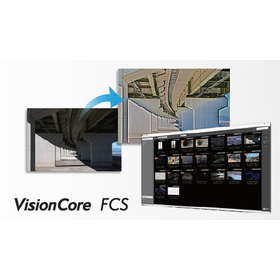
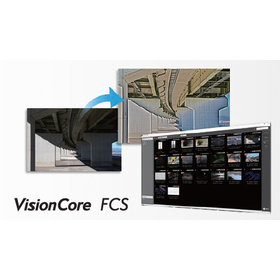
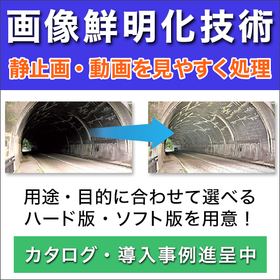
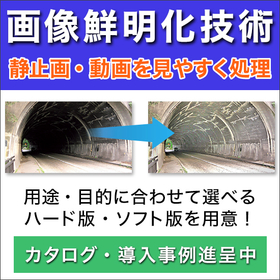
EIZO's visibility enhancement systems "DuraVision EVS1VX" and "DuraVision EVS1VS" connect to cameras and video recorders via HDMI cables to perform visibility enhancement processing on input images, displaying them clearly on monitors. This system allows for real-time display of corrected images without significantly altering existing systems, making it useful in various locations and situations. Additionally, two models are available for selection based on application. <Examples of Use> - Maintenance operations for social infrastructure such as roads, tunnels, railways, and power transmission facilities - Routine monitoring for processes in factories and security operations <Benefits of Implementation> ■ When verification is done by the human eye ⇒ It becomes easier for monitors to detect abnormalities ■ When AI detection is implemented ⇒ Abnormality detection by AI becomes easier <New Feature> An optional feature that allows capturing any scene of the corrected image as a still image and saving it to a USB memory (the first in the industry, as of March 2021, according to our research) has been added. ● For more details, please download the PDF document or feel free to contact us.
Added to bookmarks
Bookmarks listBookmark has been removed
Bookmarks listYou can't add any more bookmarks
By registering as a member, you can increase the number of bookmarks you can save and organize them with labels.
Free membership registration
The DuraVision FDF2182WT is a 21.5-inch touch panel monitor using projected capacitive (PCAP) technology. It supports 10-point multi-touch, allowing multiple users to draw and perform pinch operations with their fingers. Additionally, it is compatible with stylus input for text entry, enabling smooth execution of detailed operations such as dragging and flicking. It can be used as a communication terminal in clinics and pharmacies, as well as a control terminal for various systems in fire departments, police, factories, and other scenarios requiring touch operations. The monitor adopts the "projected capacitive (PCAP) technology," which combines high operability and quality, and we also offer 23-inch and 17-inch models in the same technology. Furthermore, EIZO provides the "DuraVision FDF2121WT-A," which supports touch with gloves and features a scratch-resistant "Surface Acoustic Wave (SAW) technology" for the 21.5-inch model. For more details, please download the PDF document or feel free to contact us.
Added to bookmarks
Bookmarks listBookmark has been removed
Bookmarks listYou can't add any more bookmarks
By registering as a member, you can increase the number of bookmarks you can save and organize them with labels.
Free membership registration
The DuraVision FDF2307W is a 23-inch Full HD LCD monitor designed for monitoring and security purposes. With a 23-inch size and Full HD (1920×1080) display capability, it can connect to recorders and cameras to display full high-definition images dot by dot. It features two HDMI input terminals that support both video and PC signals, allowing for connection with recording and playback devices such as video cameras and recorders. Additionally, it is equipped with DVI and D-Sub input terminals for PC connections, enabling the connection of various monitoring devices. <Reassuring After-Sales Support> - A long-term warranty of 2 years for continuous use of 24 hours. - Free loaner units during the repair period To minimize the impact on your daily use, we provide free loaner units during the repair period, regardless of whether it is within or outside the warranty period. - Maintenance contracts available We offer maintenance services to reduce system maintenance costs and budgeting when introducing large quantities or high-end products, ensuring you can use the product with peace of mind in case of any unexpected issues. For more details, please download the PDF document or feel free to contact us.
Added to bookmarks
Bookmarks listBookmark has been removed
Bookmarks listYou can't add any more bookmarks
By registering as a member, you can increase the number of bookmarks you can save and organize them with labels.
Free membership registration
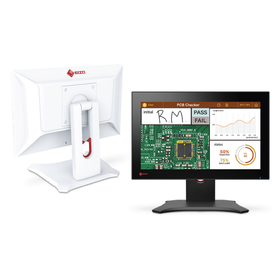
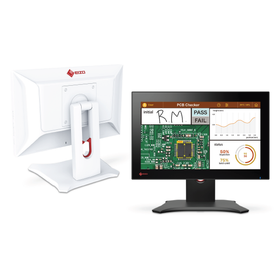
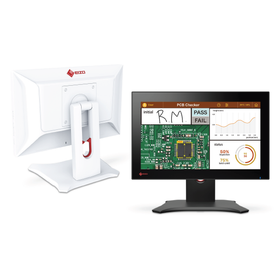
The "FlexScan EV2480" is a 23.8-inch frameless monitor from EIZO that supports USB Type-C connectivity. With the introduction of the EV2480, the need for complicated cable management is eliminated, transforming your work environment! ◆ What you can do with USB Type-C ◆ By simply connecting your laptop with a single USB Type-C cable, you can achieve the following: - Power delivery to the laptop (up to 70W) - USB hub (with 4 Type-A ports) … You can connect not only a mouse and keyboard but also a webcam and external storage simultaneously. - Video display - Audio playback When returning to a free-address office from outside or starting telework from home, you can immediately begin comfortable PC work by connecting just one cable from your laptop. ◇ A white model that brightens up the office is also available.
Added to bookmarks
Bookmarks listBookmark has been removed
Bookmarks listYou can't add any more bookmarks
By registering as a member, you can increase the number of bookmarks you can save and organize them with labels.
Free membership registration
"One cable, instant focus mode." With the introduction of EIZO's 24-inch LCD monitor "FlexScan 2495," you can eliminate the need for complicated cable wiring, completely transforming your work environment! By simply connecting the EV2495 to your laptop with a single USB Type-C cable, you can achieve multi-monitor setup, power delivery to your laptop, audio playback, wired LAN, and USB hub functionality. When you return to your desk from an internal meeting or outing, you can start comfortable PC work immediately by connecting just one cable from your laptop. Why not introduce the EV2495 and achieve a tidy workspace? ● For more details, please download the PDF document or feel free to contact us.
Added to bookmarks
Bookmarks listBookmark has been removed
Bookmarks listYou can't add any more bookmarks
By registering as a member, you can increase the number of bookmarks you can save and organize them with labels.
Free membership registration
"One cable, instant focus mode." With the introduction of EIZO's 27-inch LCD monitor "FlexScan 2795," you can eliminate the need for complicated cable wiring, transforming your work environment! By simply connecting the EV2795 to your laptop with a single USB Type-C cable, you can achieve multi-monitor setup, power supply to your laptop, audio playback, wired LAN, and USB hub functionality. When you return to your desk from a company meeting or outing, you can start comfortable PC work immediately by connecting just one cable from your laptop. Why not enhance your workspace with the EV2795? ● For more details, please download the PDF document or feel free to contact us.
Added to bookmarks
Bookmarks listBookmark has been removed
Bookmarks listYou can't add any more bookmarks
By registering as a member, you can increase the number of bookmarks you can save and organize them with labels.
Free membership registration
The IP decoding box "DuraVision DX0212-IP" can decode and display video from IP cameras (network cameras) on monitors of any size. It allows for easy installation by connecting multiple IP cameras using only LAN cables and hubs. You can register up to 48 IP cameras and simultaneously display monitoring footage from up to 32 cameras on a single screen. Additionally, it supports input of 4K video signals (3840×2160/30fps) from cameras and can output up to 4K (3840×2160) to monitors. For more details, please download the PDF document or feel free to contact us.
Added to bookmarks
Bookmarks listBookmark has been removed
Bookmarks listYou can't add any more bookmarks
By registering as a member, you can increase the number of bookmarks you can save and organize them with labels.
Free membership registration
"Screen InStyle Server" is a free software that is convenient for equipment managers managing a large number of monitors. Through the network, it allows for asset management and bulk configuration of monitors, significantly reducing management effort. Additionally, it is possible to export and import information about monitors and PCs in Excel format. Transferring information to asset management software from other companies that you are currently using is also easy. 【Features】 ■ Automatically acquire equipment information for monitors and PCs ■ Easily configure multiple monitors in bulk ■ For large-scale deployments, configure optimal monitor settings remotely in bulk (Supported from Ver.1.1.0) ■ Centralized management for overall energy saving within the company ■ Strengthen security during absences, which is often overlooked *For more details, please refer to the PDF document or feel free to contact us.
Added to bookmarks
Bookmarks listBookmark has been removed
Bookmarks listYou can't add any more bookmarks
By registering as a member, you can increase the number of bookmarks you can save and organize them with labels.
Free membership registration
"Screen InStyle" is a free software designed to make using FlexScan monitors more comfortable. Instead of operating each multi-monitor individually, you can control them all at once. When you turn the power on or off for one monitor or adjust the screen brightness, the other monitors will also respond, saving you the hassle of operating each monitor separately. 【Features】 ■ Easy setting changes without hassle ■ Further reduces eye strain ■ Centralized management of monitors ■ Simple color adjustments on the screen ■ Carry your preferred display settings and have them automatically applied upon connection *For more details, please refer to the PDF document or feel free to contact us.
Added to bookmarks
Bookmarks listBookmark has been removed
Bookmarks listYou can't add any more bookmarks
By registering as a member, you can increase the number of bookmarks you can save and organize them with labels.
Free membership registration
The S1703-AT is an LCD monitor equipped with Auto EcoView, which automatically adjusts the screen brightness according to the surrounding light conditions. The self-adjusting feature that properly adjusts the display helps to suppress annoying screen flicker and misalignment. The monitor cable is developed in-house to minimize noise and is included with the product. 【Features】 ■ Two input systems: digital and analog ■ Long-term supply model ■ Automatic screen brightness adjustment ■ Automatic image adjustment (when using analog input) ■ Approximately 80% reduction in blue light *For more details, please refer to the PDF document or feel free to contact us.
Added to bookmarks
Bookmarks listBookmark has been removed
Bookmarks listYou can't add any more bookmarks
By registering as a member, you can increase the number of bookmarks you can save and organize them with labels.
Free membership registration
The S1934 is an LCD monitor equipped with the Auto EcoView feature, which automatically adjusts the screen brightness to a comfortable level based on the surrounding light conditions. It uses an IPS panel that minimizes changes in color and contrast even when viewed from an angle. Additionally, the anti-glare treatment on the screen surface diffuses reflected light, reducing visibility issues and eye strain caused by glare. 【Features】 ■ Reduces eye strain ■ Up to 3 input sources including DisplayPort ■ Vivid colors across the entire IPS panel ■ Blue light reduction ■ Full-color display with 16.77 million colors using 10bit LUT *For more details, please refer to the PDF document or feel free to contact us.
Added to bookmarks
Bookmarks listBookmark has been removed
Bookmarks listYou can't add any more bookmarks
By registering as a member, you can increase the number of bookmarks you can save and organize them with labels.
Free membership registration