1~45 item / All 212 items
Displayed results
Filter by category

Added to bookmarks
Bookmarks listBookmark has been removed
Bookmarks listYou can't add any more bookmarks
By registering as a member, you can increase the number of bookmarks you can save and organize them with labels.
Free membership registration
Contact this company
Inquiry Form1~45 item / All 212 items
Filter by category

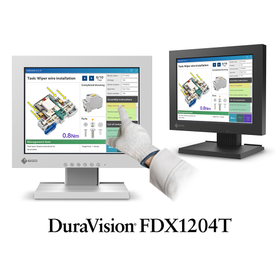
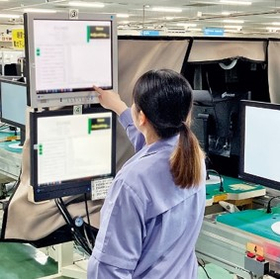
In the food processing industry, operation terminals on manufacturing lines require high environmental resistance to cleaning tasks, water droplets, and dust. It is important to avoid malfunctions and failures caused by moisture and dirt, and to maintain stable operation. The DuraVision FDX1204T, with its panel mount model front that meets IP65 standards, is designed to prevent the intrusion of dust and water droplets, making it ideal as an operation terminal in food processing environments. 【Usage Scenarios】 - Operation panels on food manufacturing lines - Terminals in areas where cleaning tasks are performed - Weighing and packaging processes where dust is likely to occur 【Benefits of Implementation】 - IP65 compliance allows for stable operation even in environments with high levels of water droplets and dust - Accurate touch operation is possible even while wearing thick gloves - Supports continuous use for 24 hours, facilitating long hours of manufacturing line operation
Added to bookmarks
Bookmarks listBookmark has been removed
Bookmarks listYou can't add any more bookmarks
By registering as a member, you can increase the number of bookmarks you can save and organize them with labels.
Free membership registration
In automotive manufacturing production lines, stable operation and precise control are required even in environments where fine dust, oil, and water droplets are dispersed. The operation terminals of the equipment must possess robustness to withstand harsh conditions and usability that does not compromise work efficiency. Our product addresses these challenges in manufacturing sites with its excellent environmental resistance design, supporting long-term stable operation. 【Usage Scenarios】 - Monitoring and operation terminals for automotive manufacturing lines - Manufacturing areas prone to dust and water droplets - Sites where operators wear thick gloves 【Benefits of Implementation】 - IP65 compliant (front of panel mount model) enables stable operation even in harsh environments - Supports operation with gloves or pens, maintaining work efficiency - Designed for continuous 24-hour use, reducing the risk of production line downtime
Added to bookmarks
Bookmarks listBookmark has been removed
Bookmarks listYou can't add any more bookmarks
By registering as a member, you can increase the number of bookmarks you can save and organize them with labels.
Free membership registration
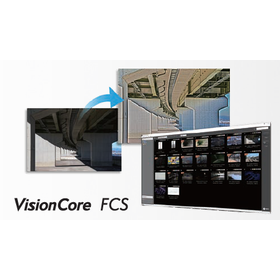
In crime prevention and surveillance, it is essential to accurately identify individuals and situations from recorded footage. Particularly in low visibility scenarios, such as low light or long-distance recordings, reliable identification is crucial. Blurry footage can lead to delays in identification tasks and the risk of misidentification. Our image enhancement software, 'VisionCore FCS,' supports the identification of individuals by making videos and still images clearer and easier to discern through our unique processing technology. 【Usage Scenarios】 - Identifying individuals' faces and clothing from surveillance camera footage - Understanding situations through the analysis of unclear recorded footage - Selecting specific areas on a timeline for enhancement processing 【Benefits of Implementation】 - Increased efficiency in identification tasks through the generation of clear images - One-stop solution for playback, editing, and enhancement with 'VisionCore FCS Viewer' - Achieving detailed analysis by supporting high-resolution files
Added to bookmarks
Bookmarks listBookmark has been removed
Bookmarks listYou can't add any more bookmarks
By registering as a member, you can increase the number of bookmarks you can save and organize them with labels.
Free membership registration
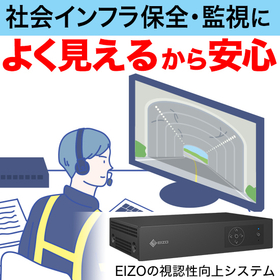
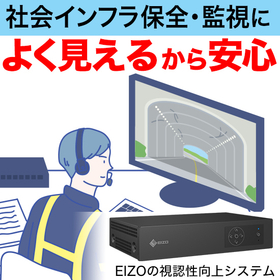
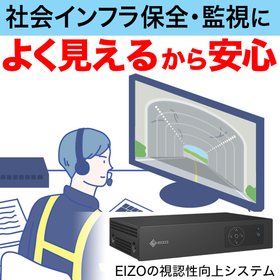
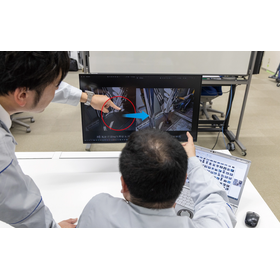
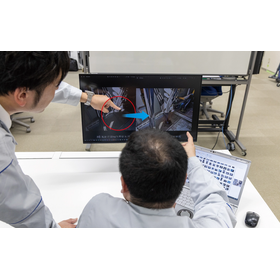
In the drone and aerial photography industry, it is essential to accurately capture the details of the terrain without being affected by the shooting environment or weather conditions. Particularly in extensive surveys or when verifying complex terrains, the visibility of the footage directly impacts the accuracy of the work. If the footage is unclear, there is a risk of overlooking terrain undulations or obstacles. EIZO's visibility enhancement system, "DuraVision EVS1VX," can be connected to existing video transmission systems via HDMI, allowing for real-time correction of the footage and improved visibility. 【Usage Scenarios】 - Wide-area terrain surveys and surveying tasks using drones - Situational awareness from above at disaster sites - Reviewing footage in environments with low visibility, such as forests and mountainous areas 【Benefits of Implementation】 - Improved visibility of the footage allows for more accurate verification of terrain undulations and details - Observers and operators can more easily detect anomalies or changes - When used in conjunction with AI analysis, an improvement in detection accuracy can be expected.
Added to bookmarks
Bookmarks listBookmark has been removed
Bookmarks listYou can't add any more bookmarks
By registering as a member, you can increase the number of bookmarks you can save and organize them with labels.
Free membership registration
In the manufacturing and inspection industry, it is essential to accurately detect minute defects and foreign objects to ensure product quality. Particularly in environments with strict lighting conditions or low contrast of the target objects, there are challenges where the accuracy of visual inspections and AI-based automatic detection decreases. EIZO's visibility enhancement system "DuraVision EVS1VX" connects to existing camera systems and corrects input images in real-time, improving visibility. This contributes to supporting inspectors in detecting anomalies and enhancing the accuracy of AI detection. 【Usage Scenarios】 - Detection of minute defects and foreign objects in manufacturing lines - Process monitoring and security operations within factories - Support for visual inspections in low-contrast environments 【Benefits of Implementation】 - Enhanced clarity of images makes it easier for inspectors to discover anomalies - Optimizes input images for AI detection systems, supporting detection accuracy - Can be implemented without significantly altering existing systems
Added to bookmarks
Bookmarks listBookmark has been removed
Bookmarks listYou can't add any more bookmarks
By registering as a member, you can increase the number of bookmarks you can save and organize them with labels.
Free membership registration
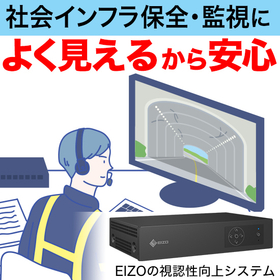
In the traffic infrastructure industry, accident analysis requires accurately identifying the causes of accidents from footage captured in low-visibility environments, such as at night or during bad weather. In particular, reliably confirming the details of evidence footage is essential for prompt and appropriate analysis. Blurry footage can lead to delays in analysis or oversights. EIZO's visibility enhancement system, "DuraVision EVS1VX," contributes to the efficiency of analysis operations by correcting input footage in real-time and displaying it clearly, simply by connecting via an HDMI cable, without significantly altering existing systems. [Usage Scenarios] - Confirming the situation during accidents on roads or in tunnels - Analyzing footage during troubles at railway facilities - Reviewing recorded footage in low-visibility environments, such as during bad weather or at night [Benefits of Implementation] - Clarification processing makes it easier for observers to detect anomalies and detailed situations - Using it in conjunction with AI detection systems supports improved accuracy in anomaly detection - The still image capture function allows for easy saving of important scenes to a USB memory stick.
Added to bookmarks
Bookmarks listBookmark has been removed
Bookmarks listYou can't add any more bookmarks
By registering as a member, you can increase the number of bookmarks you can save and organize them with labels.
Free membership registration
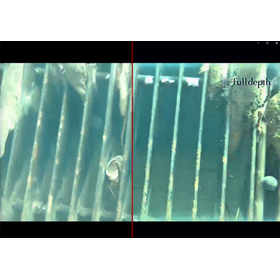
In marine surveys and underwater explorations, situations arise where visibility of objects is difficult due to turbidity and lack of light. To conduct accurate investigations, it is essential to reliably grasp the details from the captured footage. When the visibility of the footage is low, there is a risk of overlooking details or delays in judgment. EIZO's visibility enhancement system "DuraVision EVS1VX" can be connected to existing video systems via an HDMI cable, allowing for real-time correction of input footage and clearer display. 【Usage Scenarios】 - Seafloor surveys using underwater drones or diving cameras - Inspection and exploration of marine structures - Video verification in high turbidity environments 【Benefits of Implementation】 - Improved visibility makes it easier to discover and understand the condition of investigation targets - When used in conjunction with AI detection systems, it contributes to improved accuracy in anomaly detection - The still image capture function allows for immediate saving of important scenes to a USB memory stick.
Added to bookmarks
Bookmarks listBookmark has been removed
Bookmarks listYou can't add any more bookmarks
By registering as a member, you can increase the number of bookmarks you can save and organize them with labels.
Free membership registration
In the field of crime prevention and security, the visibility of surveillance camera footage is extremely important for identifying suspects and early detection of suspicious movements. However, under conditions such as nighttime, bad weather, or backlighting, the footage can become unclear, increasing the risk of missing crucial evidence. EIZO's visibility enhancement system "DuraVision EVS1VX" connects easily to existing systems via HDMI, correcting the footage in real-time and displaying it more clearly. It strongly supports the improvement of accuracy in surveillance operations. 【Usage Scenarios】 - Identification of suspicious individuals or criminals in security operations - Continuous monitoring in environments with reduced visibility, such as at night or in backlighting - Clarification of footage using existing surveillance camera systems 【Benefits of Implementation】 - Makes it easier for monitors to detect anomalies and identify characteristics of individuals - Supports improved detection accuracy when implementing AI detection systems - The still image capture function facilitates easy storage of evidence footage.
Added to bookmarks
Bookmarks listBookmark has been removed
Bookmarks listYou can't add any more bookmarks
By registering as a member, you can increase the number of bookmarks you can save and organize them with labels.
Free membership registration
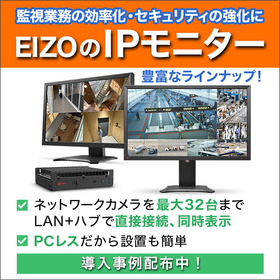
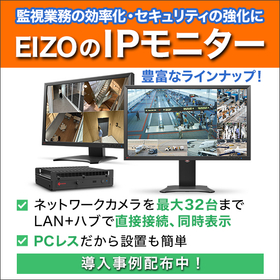
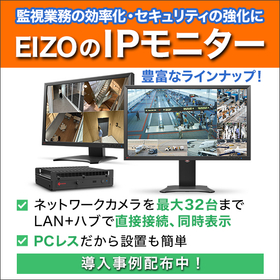
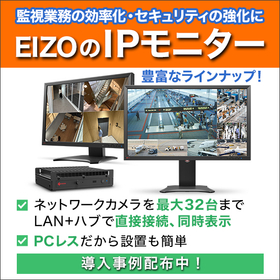
In the financial industry, constant stable video display is required for monitoring ATM corners to maintain security. In particular, a system configuration that does not involve a PC is essential for reducing OS updates and security risks, ensuring stable operation of monitoring tasks. Our IP solution supports safe management of ATM corners by enabling a PC-less monitoring environment through direct connection of IP cameras via LAN. [Usage Scenarios] - Continuous monitoring of security camera footage at ATM corners - Displaying a list of cameras from multiple locations at the monitoring center - Reducing security risks in a PC-less environment [Benefits of Implementation] - Reduces the burden of OS management and security measures since no PC is needed - Streamlines implementation and operation with a simple system configuration - Designed for continuous use 24 hours a day, achieving long-term stable operation
Added to bookmarks
Bookmarks listBookmark has been removed
Bookmarks listYou can't add any more bookmarks
By registering as a member, you can increase the number of bookmarks you can save and organize them with labels.
Free membership registration
In the logistics industry, it is essential to grasp a wide range of situations in real-time to ensure safety and efficiency at loading and unloading sites. In particular, delays in video and the management burden on PCs can become challenges on-site when monitoring the loading and unloading of goods and transportation routes. Our IP solution achieves stable video display by directly connecting IP cameras without going through a PC, thereby reducing the operational burden of the monitoring system. 【Usage Scenarios】 - Real-time monitoring of loading and unloading work areas in logistics warehouses - Checking the entry and exit status of truck berths - Safety management of workers in vast warehouse spaces 【Benefits of Implementation】 - Reduction of management costs and security risks through PC-less operation - Simplified system construction and ease of installation - Establishment of a monitoring system with fewer blind spots through multi-screen display
Added to bookmarks
Bookmarks listBookmark has been removed
Bookmarks listYou can't add any more bookmarks
By registering as a member, you can increase the number of bookmarks you can save and organize them with labels.
Free membership registration
At Shizuoka University of Art and Culture, we have introduced the 23.8-inch LCD monitor "FlexScan EV2460," the 27-inch 4K LCD monitor "FlexScan EV2740S," and the 24.1-inch color management monitor "ColorEdge CG2400S." The impetus for this introduction was a large-scale update of the campus information system conducted every five years. We organized the equipment and operational requirements needed in the educational environment, with a strong emphasis on improving the monitor environment suitable for video production and enhancing color matching accuracy in printing. By adopting the 4K high-resolution "EV2740S" in a single-monitor configuration instead of a dual-monitor setup, we have enabled the coexistence of the work screen and preview screen within one monitor. In video editing, it is necessary to check the video while operating the timeline and various tool panels, and the increased resolution has ensured sufficient working space. [Goals Before Implementation] ■ We want to create a learning environment close to actual production settings. ■ We aim to reduce eye strain and physical burden on students during long hours of production work. *For more details, please download the PDF or feel free to contact us.
Added to bookmarks
Bookmarks listBookmark has been removed
Bookmarks listYou can't add any more bookmarks
By registering as a member, you can increase the number of bookmarks you can save and organize them with labels.
Free membership registration
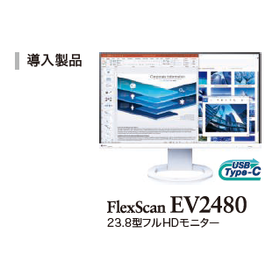
At the Otsu City Hall in Shiga Prefecture, we have introduced 1,700 units of the "FlexScan EV2480," a monitor with a 23.8-inch full HD resolution and USB Type-C connectivity, as part of our DX promotion efforts. Previously, we were conducting our operations solely with 15.6-inch laptops, and when deciding to introduce 2-in-1 computers, we were concerned that the smaller 13-inch screen size would reduce work efficiency. Therefore, we decided to also introduce external monitors. Since it supports USB Type-C, we can connect the computer with just one USB Type-C cable, allowing for video display while simultaneously powering the computer, which helps keep the wiring neat. After the introduction, we were able to work with multiple applications displayed by setting up a dual-screen configuration with the monitor and the 2-in-1 computer. [Effects After Implementation] - By connecting just one USB Type-C cable to the computer, we achieved both video display and power supply to the computer simultaneously. - We were able to create a multi-screen environment with space-saving and tidy wiring, resulting in improved work efficiency. *For more details, please download the PDF or feel free to contact us.
Added to bookmarks
Bookmarks listBookmark has been removed
Bookmarks listYou can't add any more bookmarks
By registering as a member, you can increase the number of bookmarks you can save and organize them with labels.
Free membership registration
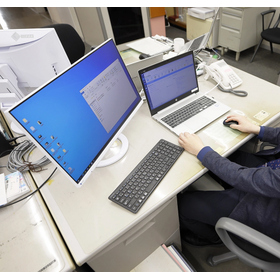
At the Miyagi Prefecture Rifu Town Office, 289 units of the USB Type-C compatible monitor "FlexScan EV2480-Z" with a 23.8-inch Full HD resolution have been introduced as part of the promotion of DX (digital transformation) in administrative operations. Among the DX promotion measures at the office, the digitization of document approvals and accounting processes has significantly contributed to operational efficiency and has been well received by staff. However, since operations were conducted solely on a 15.6-inch laptop, the amount of information that could be displayed at once during document review was limited, leading to the risk of overlooking important information. By establishing a multi-screen environment with the laptop, it became possible to display multiple documents and software simultaneously. The significant reduction in the effort required for screen scrolling and switching has greatly improved operational efficiency, and the increase in screen display area has substantially decreased the number of instances of overlooked documents, which was a previous issue. [Case Summary] - The decision to introduce 289 EIZO monitors was based on their high quality and multifunctionality. - The introduction of EIZO monitors has greatly enhanced the efficiency of administrative operations. - EIZO's commitment to sustainable product development was also a key factor in the decision. *For more details, please download the PDF or feel free to contact us.*
Added to bookmarks
Bookmarks listBookmark has been removed
Bookmarks listYou can't add any more bookmarks
By registering as a member, you can increase the number of bookmarks you can save and organize them with labels.
Free membership registration
At the Hokusei Kanna Town Hall in Hokkaido, as part of the promotion of DX (digital transformation) in administrative operations, 131 units of the 27-inch multifunction monitor "FlexScan EV2795" were introduced. Additionally, the Agricultural Committee within the town hall received one unit each of the 31.5-inch 4K multifunction monitor "FlexScan EV3240X" and the EV2795. The primary reason for the adoption was the feature of being "less tiring on the eyes." Furthermore, staff members who use two PCs found it inconvenient without a switch to toggle between them, but the EIZO monitors come equipped with a PC switching function, which also facilitated the decision to implement them. As anticipated, staff members have reported experiencing reduced eye strain, stating, "It's clearly less tiring than the previous monitor" and "My eyes don't get tired even in the evening." [Requests before monitor implementation] ■ Eye strain occurs after long hours of working on a PC. ■ There were concerns that the introduction of monitors would increase the burden on the town hall due to adjustments and tasks involved. *For more details, please download the PDF or feel free to contact us.
Added to bookmarks
Bookmarks listBookmark has been removed
Bookmarks listYou can't add any more bookmarks
By registering as a member, you can increase the number of bookmarks you can save and organize them with labels.
Free membership registration
At NTT Anode Energy Corporation, we have introduced 113 units of the 27-inch USB Type-C compatible monitor "FlexScan EV2795" and one unit of the 34.1-inch ultra-wide monitor "FlexScan EV3450XC" as part of our office renewal. In selecting the monitors, we considered products that are highly versatile and multifunctional to accommodate various business needs. Since all departments have many tasks that require long hours of monitor use, we prioritized eye comfort, the ability to adjust the screen position according to personal preference, and USB Type-C compatibility for easy connection with just one cable, as employees frequently carry laptops. Since the change, we have experienced less eye dryness and fatigue, and the high-quality performance that clearly displays documents, drawings, and photo data has also been well received. [Requests Before Monitor Introduction] ■ We want to create a comfortable working environment for employees in all departments by adopting a new working style that allows them to choose their workspace and frequently carry laptops. ■ We aim to achieve a tidy office environment with minimal visible wiring. *For more details, please download the PDF or feel free to contact us.
Added to bookmarks
Bookmarks listBookmark has been removed
Bookmarks listYou can't add any more bookmarks
By registering as a member, you can increase the number of bookmarks you can save and organize them with labels.
Free membership registration
In conjunction with the relocation of Mitsubishi Electric Plant Engineering Co., Ltd., which broadly handles the maintenance and renewal of social infrastructure facilities, we have introduced 514 units of the 34.1-inch ultra-wide monitor "FlexScan EV3450XC" and 110 units of the 27-inch multifunction monitor "FlexScan EV2795" for office use. In addition to the peace of mind that comes with domestic quality, the low power consumption, the use of recycled materials in the monitor casing, packaging materials that do not use plastic, and long-term warranties were all comprehensively evaluated, leading to the decision to adopt these environmentally friendly product designs. Furthermore, in the Tokyo office, the white model was adopted, and especially in the floors that feature white interiors and an open design, the white model blended naturally, enhancing the overall unity of the space. [Objectives Before Monitor Introduction] ■ We want to adopt monitors that can be used safely for a long time. ■ In the new office with a free address system, we want to create an environment where employees can choose monitors according to their preferences. ■ We want to adopt environmentally friendly products that are highly compatible with the company's sustainability policy. *For more details, please download the PDF or feel free to contact us.
Added to bookmarks
Bookmarks listBookmark has been removed
Bookmarks listYou can't add any more bookmarks
By registering as a member, you can increase the number of bookmarks you can save and organize them with labels.
Free membership registration
At Eiken Chemical Co., Ltd., which provides reagents and devices used in the clinical testing field, we introduced two models of USB Type-C compatible "EIZO monitors," totaling 220 units, as part of the office environment renewal due to relocation. In selecting the monitors, we conducted evaluations considering actual work scenarios while comparing products from multiple manufacturers. As a result of the evaluations, we adopted the 24.1-inch "FlexScan EV2485" monitor with WUXGA resolution, which offers sufficient workspace and visibility to display multiple A4 documents simultaneously, and the 27-inch large-screen "FlexScan EV2795." The need for frequent scrolling and zooming operations has been eliminated, significantly improving the efficiency of document viewing, data entry, and analysis tasks. [Objectives Before Implementation] - To adopt a work style that allows employees to freely choose their work locations according to their tasks, creating an environment where they can work comfortably at any desk. - To achieve a bright, open, and cohesive space in the new office. - To embody the company's sustainability policy through the selection of environmentally friendly products. *For more details, please download the PDF or feel free to contact us.
Added to bookmarks
Bookmarks listBookmark has been removed
Bookmarks listYou can't add any more bookmarks
By registering as a member, you can increase the number of bookmarks you can save and organize them with labels.
Free membership registration
At Nomura Real Estate Co., Ltd., which develops a wide range of businesses such as condominiums, office buildings, and urban development, we have introduced a total of 1,152 units of five models of "EIZO monitors" to refresh the office environment due to relocation. The most important point in selecting the monitors was USB Type-C compatibility. This not only allows for simultaneous power supply and video display to laptops but also helps organize wiring, contributing to the aesthetic appeal of meeting rooms and workspaces. The monitors introduced for office use come in four sizes: 37.5 inches, 27 inches, 24.1 inches, and 23.8 inches, all of which support USB Type-C. The company adopts a work style that allows employees to freely choose the optimal location based on the nature of their work, without fixed desks for employees as a principle. The sizes were selected to allow employees to choose their seats and monitors according to their work needs. [Requests Before Introduction] ■ While adopting a work style that allows employees to freely choose the optimal location based on their work, we want to enhance work efficiency regardless of where they work. ■ We want to prioritize brightness and cleanliness in the office space to boost employee motivation. *For more details, please download the PDF or feel free to contact us.
Added to bookmarks
Bookmarks listBookmark has been removed
Bookmarks listYou can't add any more bookmarks
By registering as a member, you can increase the number of bookmarks you can save and organize them with labels.
Free membership registration
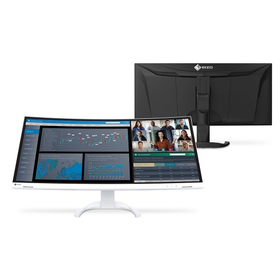
TODA Corporation, which is engaged in construction work, civil engineering, urban development, and renewable energy projects, has introduced 327 "EIZO monitors" during the relocation of its Osaka branch office. Due to a particularly high demand for "ultra-wide monitors," 37.5-inch ultra-wide curved monitor "EV3895" was mainly introduced for the free address seating. In design work, where multiple drawings such as construction diagrams and CAD are often checked simultaneously, it can display information equivalent to about three Full HD monitors at once, significantly improving work efficiency. Additionally, compared to a dual monitor environment, the absence of bezels between monitors allows for smooth eye movement and makes window operations easier. 【Implementation Effects】 ■ Streamlined operations by displaying software and drawings on each screen in a multi-monitor environment ■ Established a dual monitor environment with a daisy chain function, keeping cables and the desk tidy ■ Equipped monitors with LAN ports to create a stable network environment without the need for docks ■ Reduced eye strain after installation due to high display performance *For more details, please download the PDF or feel free to contact us.
Added to bookmarks
Bookmarks listBookmark has been removed
Bookmarks listYou can't add any more bookmarks
By registering as a member, you can increase the number of bookmarks you can save and organize them with labels.
Free membership registration
TODA Corporation is a general construction company engaged in architectural construction, civil engineering, urban development, and renewable energy projects. For many years, we have been using "EIZO monitors," and the monitors that were used at various locations have been relocated to the new headquarters for continued use. While some departments have introduced new monitors, most of the previously used monitors have been functioning without issues, allowing for their relocation and continued use. Some of these monitors have been in use for over 10 years. At the new headquarters, employees from various job roles are using a range of these products, from compact 23.8-inch models to large 37.5-inch models. Depending on the nature of the work and location, there are areas with compact monitors, setups with multi-monitor environments, and sections featuring large ultra-wide monitors, showcasing a wide variety of models and screen configurations. [Usage Examples] - Integration with smart office applications to display employee location information on floor signage. - White monitors have been introduced on the corporate department floor to create a bright atmosphere. *For more details, please download the PDF or feel free to contact us.
Added to bookmarks
Bookmarks listBookmark has been removed
Bookmarks listYou can't add any more bookmarks
By registering as a member, you can increase the number of bookmarks you can save and organize them with labels.
Free membership registration
We introduced 372 units of the "FlexScan EV3450XC" and would like to share a case study demonstrating how it has improved work efficiency regardless of the location. The company realized quality issues by trying products from other manufacturers. By adopting our product, they were able to display multiple pieces of information on a wide-screen monitor, and the absence of bezels between monitors allowed for smoother eye movement even with wide information. Additionally, the curved monitors provide an immersive experience, enabling better concentration on tasks. *For more details, please download the PDF or feel free to contact us.*
Added to bookmarks
Bookmarks listBookmark has been removed
Bookmarks listYou can't add any more bookmarks
By registering as a member, you can increase the number of bookmarks you can save and organize them with labels.
Free membership registration
In the architecture and real estate industry, high-quality and reliable displays are required to accurately and effectively convey the appeal of properties. In particular, clearly displaying the details of a property and explaining them in an easily understandable manner is a crucial factor that influences the closing rate. Complex cable wiring can increase the hassle during presentations and may detract from a smart impression. Our product, the 'FlexScan EV2495', achieves power supply, video output, wired LAN connection, and USB hub functionality to a laptop with just one USB Type-C cable, eliminating messy wiring. This allows you to create a comfortable presentation environment anytime and anywhere. 【Usage Scenarios】 - Displaying detailed property information in high quality - Comparing multiple property information side by side - Online meetings with clients - Creating materials in the office 【Benefits of Implementation】 - Connection completed with one cable, reducing presentation preparation time - A tidy workspace leaves a good impression on clients - High-quality display maximizes the appeal of properties - Daisy-chain connection enables detailed explanations using multiple monitors
Added to bookmarks
Bookmarks listBookmark has been removed
Bookmarks listYou can't add any more bookmarks
By registering as a member, you can increase the number of bookmarks you can save and organize them with labels.
Free membership registration
In remote classes at educational institutions, smooth communication between teachers and students, as well as clear information transmission, is essential. In particular, to accurately convey information to students by displaying multiple materials and videos simultaneously, a highly scalable display environment is important. An inadequate display environment may hinder the understanding of the lesson content. The FlexScan EV2495 allows for easy construction of a multi-monitor environment with just a single USB Type-C cable. This significantly increases the amount of displayed information and addresses these challenges. 【Usage Scenarios】 - Simultaneous display of teaching materials, documents, and web conference screens during online classes - Streamlining the work environment in teachers' research labs or homes - Building a multi-display setup in students' learning environments 【Benefits of Implementation】 - Connection is completed with just one cable, reducing preparation time before class starts - Clear screen display supports improved understanding for students - Space-saving installation effectively utilizes limited space
Added to bookmarks
Bookmarks listBookmark has been removed
Bookmarks listYou can't add any more bookmarks
By registering as a member, you can increase the number of bookmarks you can save and organize them with labels.
Free membership registration
In market analysis within the finance and securities industry, it is essential to accurately and quickly grasp vast amounts of data that fluctuate in real-time. In particular, an environment that allows for the simultaneous display of multiple charts and news feeds, where details can be thoroughly examined, is indispensable for making precise investment decisions. Complex cable wiring can hinder work and potentially diminish concentration. Our product, the 'FlexScan EV2495', enables power supply to a laptop, the establishment of a multi-monitor environment, and wired LAN connection with just one USB Type-C cable, eliminating cumbersome wiring and providing an environment conducive to market analysis. 【Usage Scenarios】 - Simultaneously display multiple market data and news - Connect a laptop to the monitor with a single cable and start analysis immediately - Build a highly expandable multi-monitor environment with daisy chain connections 【Benefits of Implementation】 - Rapid analysis due to improved visibility of market data - Enhanced concentration through organized workspace - Smooth multitasking operations
Added to bookmarks
Bookmarks listBookmark has been removed
Bookmarks listYou can't add any more bookmarks
By registering as a member, you can increase the number of bookmarks you can save and organize them with labels.
Free membership registration
In the manufacturing industry's design and CAD operations, high visibility and work efficiency are required for tasks such as detailed drawing verification and simultaneous use of multiple software. Particularly, to smoothly operate complex design data and CAD software, a stable connection environment and a display that reduces fatigue during long hours of work are essential. Our LCD monitor, the 'FlexScan EV2495', addresses these challenges with a single USB Type-C cable, providing a comfortable design environment. 【Usage Scenarios】 - Connect a laptop and monitor with a single USB Type-C cable to start design work immediately. - Build a multi-monitor environment using daisy chain functionality to improve work efficiency across multiple screens. - Ensure a stable network environment with wired LAN connection for smooth transfer of large data. 【Benefits of Implementation】 - Simplified cable management creates an organized desk space, fostering a focused environment. - Multi-monitor setup enhances efficiency in verifying design data and operating software. - Designed to minimize fatigue during long hours of work, contributing to the maintenance and improvement of productivity.
Added to bookmarks
Bookmarks listBookmark has been removed
Bookmarks listYou can't add any more bookmarks
By registering as a member, you can increase the number of bookmarks you can save and organize them with labels.
Free membership registration
In the field of IT and software development, accurate understanding of code and efficient reviews are essential. Especially when checking complex code or multiple files simultaneously, high visibility and an organized work environment become crucial. Insufficient display space and tangled wiring can lead to oversights and decreased work efficiency. The FlexScan EV2495 connects to a laptop with a single USB Type-C cable, enabling a multi-monitor environment along with wired LAN and USB hub functionality. It allows you to start comfortable PC work immediately upon returning to your desk, providing a focused workspace. 【Usage Scenarios】 - Code reviews with multiple files open - Simultaneous checking of the development environment and documentation - Quickly starting work after moving from a conference room or café 【Benefits of Implementation】 - Reduces oversights in code and improves the quality of reviews - Maintains concentration through an organized work environment - Reduces the hassle of cable connections and shortens the time to start working
Added to bookmarks
Bookmarks listBookmark has been removed
Bookmarks listYou can't add any more bookmarks
By registering as a member, you can increase the number of bookmarks you can save and organize them with labels.
Free membership registration
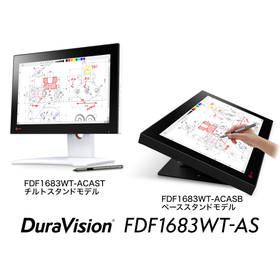
In local government counter services, accurate and prompt responses to residents are required. Handling application documents in paper format takes time for storage and retrieval, and there is also a need to consider the risk of human error. Going paperless is a means to address these challenges and contribute to the efficiency of counter services. The FDF1683WT-AS, a 15.6-inch touch panel monitor, promotes electronic applications and the digitization of documents at the counter, supporting smooth interactions with residents. 【Usage Scenarios】 - Electronic applications at the counter - Electronic signatures - Document digitization 【Benefits of Implementation】 - Improved operational efficiency - Cost reduction - Smoother information sharing
Added to bookmarks
Bookmarks listBookmark has been removed
Bookmarks listYou can't add any more bookmarks
By registering as a member, you can increase the number of bookmarks you can save and organize them with labels.
Free membership registration
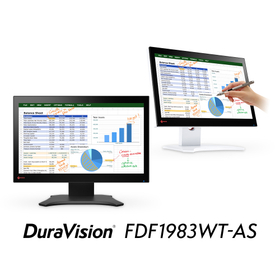
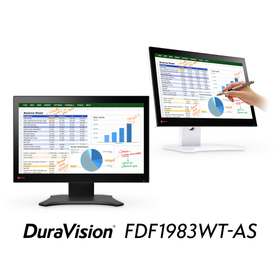
In the front desk reception duties of financial institutions, accurate and prompt information provision to customers is required. Particularly in complex procedures and guidance, clear screen displays and careful text input as needed are important. An inadequate input environment can lead to delays for customers and the possibility of providing incorrect information. Our touch panel monitor 'FDF1983WT-AS' is equipped with high-precision pen input functionality, allowing for smooth writing on explanatory materials for customers and easy note-taking. 【Usage Scenarios】 - Direct writing on explanatory materials for customers - Assistance with simple survey input - Information input tasks at the front desk 【Benefits of Implementation】 - Improved clarity of explanations to customers - Promotion of paperless operations - Increased efficiency in front desk operations
Added to bookmarks
Bookmarks listBookmark has been removed
Bookmarks listYou can't add any more bookmarks
By registering as a member, you can increase the number of bookmarks you can save and organize them with labels.
Free membership registration
In the medical field, accurate and prompt recording of patient information is required. Particularly in the input of electronic medical records, intuitive and high-precision operability is crucial for typing text and writing diagrams. An inadequate input interface increases the risk of missing records or errors, which can affect the quality of care. The touch panel monitor 'FDF1983WT-AS' addresses these challenges with high-precision pen input and a smooth writing experience. 【Usage Scenarios】 - Text input and annotation in electronic medical records - Visual recording of patient information (diagrams, graphs, etc.) - Information sharing among healthcare professionals 【Benefits of Implementation】 - Increased efficiency and accuracy in input tasks - Promotion of paperless practices - Clear recording and sharing of patient information
Added to bookmarks
Bookmarks listBookmark has been removed
Bookmarks listYou can't add any more bookmarks
By registering as a member, you can increase the number of bookmarks you can save and organize them with labels.
Free membership registration
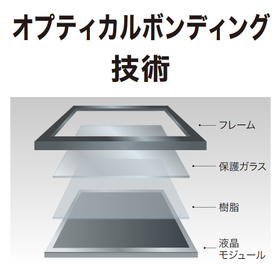
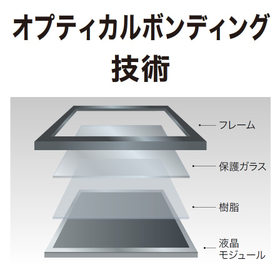
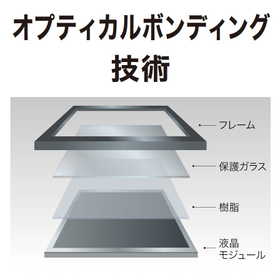
In the medical field, accurate understanding of high-resolution image information is essential for diagnosis and treatment. In particular, clear and distortion-free displays are crucial for the detection of subtle lesions and precise operations during surgery. Blurry displays and reflections can increase the risk of misdiagnosis and operational errors. EIZO's optical bonding technology addresses these challenges and provides an environment where healthcare professionals can work with confidence. 【Usage Scenarios】 - Surgical support systems - Endoscopy systems 【Benefits of Implementation】 - Improved diagnostic accuracy - Enhanced safety in surgeries - Reduced burden on healthcare professionals
Added to bookmarks
Bookmarks listBookmark has been removed
Bookmarks listYou can't add any more bookmarks
By registering as a member, you can increase the number of bookmarks you can save and organize them with labels.
Free membership registration
In automotive applications, stable display and high reliability are required under harsh conditions such as vibrations and temperature changes during operation. In particular, ensuring screen visibility is essential for drivers to safely recognize information. Inadequate displays can lead to incorrect information transmission or operational mistakes. EIZO's optical bonding technology addresses these challenges in automotive environments, enhancing display visibility and durability. 【Usage Scenarios】 - Driving environments with high vibrations - Use in bright outdoor sunlight - Continuous use for long periods 【Benefits of Implementation】 - Clear displays allow for quick verification of necessary information - Reduced glare supports safe driving - Improved screen durability withstands long-term use - Prevents condensation and maintains display clarity
Added to bookmarks
Bookmarks listBookmark has been removed
Bookmarks listYou can't add any more bookmarks
By registering as a member, you can increase the number of bookmarks you can save and organize them with labels.
Free membership registration
In the field of industrial equipment and special usage environments, stable display and high durability under harsh conditions are required. Particularly in environments susceptible to temperature changes, humidity, and vibrations, the risk of decreased screen visibility and failures increases. To address these challenges, EIZO offers products with optical bonding processing, meeting customer needs through improved display visibility and durability. 【Usage Scenarios】 - Manufacturing sites with vibrations and impacts - Outdoor installations with significant temperature changes - High humidity environments - Continuous operation for long hours 【Benefits of Implementation】 - Clear displays reduce misoperations and confirmation errors - Reduced glare enables visibility even in bright locations - Enhanced screen strength protects against physical damage - Suppression of condensation protects internal components - Improved integration of touch panel operation leads to smoother usability
Added to bookmarks
Bookmarks listBookmark has been removed
Bookmarks listYou can't add any more bookmarks
By registering as a member, you can increase the number of bookmarks you can save and organize them with labels.
Free membership registration
In the railway industry, clarity of images is essential for verifying maintenance parts and recording site conditions. Particularly, difficulties in identifying parts due to low light or long distances, as well as degradation over time, can lead to delays and mistakes in work. Accurate part identification and quick situational understanding are crucial for safe operations and efficient maintenance work. Our image enhancement software, "VisionCore FCS," addresses these challenges and supports improved work efficiency. 【Usage Scenarios】 - Photographing in environments where identifying maintenance parts is difficult - Checking the condition of parts from a distance or in low light - Re-evaluating past record photographs 【Benefits of Implementation】 - Improved visibility of photographs, making part identification easier - Reduced effort in re-photographing and correction tasks
Added to bookmarks
Bookmarks listBookmark has been removed
Bookmarks listYou can't add any more bookmarks
By registering as a member, you can increase the number of bookmarks you can save and organize them with labels.
Free membership registration
In the field of semiconductor manufacturing equipment, photography is essential for checking the condition of equipment and recording inspection results. Particularly in manufacturing devices with many fine parts and complex wiring, images can become unclear depending on the shooting environment, making detailed verification difficult. This can lead to spending a lot of time on corrections and reshoots, potentially reducing work efficiency. Our image enhancement software, "VisionCore FCS," automatically sharpens captured images to address these challenges and contributes to improving on-site work efficiency. 【Usage Scenarios】 - Photography during inspections and maintenance of manufacturing equipment - Record photos in the inspection process - Photos for reporting the on-site situation 【Benefits of Implementation】 - Reduces the effort required for image correction and reshooting - Automatically sharpens a large number of photos in a short time
Added to bookmarks
Bookmarks listBookmark has been removed
Bookmarks listYou can't add any more bookmarks
By registering as a member, you can increase the number of bookmarks you can save and organize them with labels.
Free membership registration
In the field of research and development, there is a need to analyze complex simulation results and refer to multiple data sources simultaneously. Particularly in processes that require detailed analysis and repeated trial and error, extensive and high-resolution display capabilities significantly impact work efficiency and accuracy. Insufficient display area or resolution can lead to overlooking data or delays in analysis. Our "FlexScan EV3451X," with its 34.1-inch large screen and UWQHD resolution, allows for the simultaneous display of vast amounts of information, enabling efficient verification and analysis of simulation results. 【Usage Scenarios】 - Displaying simulation results of complex scientific and engineering calculations or structural analyses - Simultaneous confirmation of multiple parameter setting screens and result screens - Displaying 3D models and detailed shape verification 【Benefits of Implementation】 - Easier grasp of the overall picture of simulation results, leading to reduced analysis time - Improved accuracy in design and analysis due to the ability to verify detailed parts - Reduced hassle of switching between multiple windows, enhancing work efficiency
Added to bookmarks
Bookmarks listBookmark has been removed
Bookmarks listYou can't add any more bookmarks
By registering as a member, you can increase the number of bookmarks you can save and organize them with labels.
Free membership registration
In the logistics and warehousing industry, there is a demand for improved work efficiency and reduced errors. This is especially important in picking operations, where accurate communication of instructions and swift actions are crucial. Traditional paper-based work instructions can pose challenges such as the hassle of updates, the risk of loss, and visibility issues on-site. Our touch panel monitor addresses these challenges by facilitating smooth information sharing through digitization and enhancing work efficiency through intuitive operation. 【Usage Scenarios】 - Displaying picking lists - Operating inventory management systems - Recording inspection tasks - Integrating with automated equipment - Real-time updates of work instructions 【Benefits of Implementation】 - Improved picking accuracy - Reduced work time - Cost savings through paperless operations - Visualization of on-site work conditions - Decreased human errors
Added to bookmarks
Bookmarks listBookmark has been removed
Bookmarks listYou can't add any more bookmarks
By registering as a member, you can increase the number of bookmarks you can save and organize them with labels.
Free membership registration
In the architecture and design industry, particularly in BIM collaboration, an environment that allows for the simultaneous display of complex 3D models and numerous drawings, with precise detail verification, is essential. To respond quickly to design changes and facilitate smooth information sharing among stakeholders, a vast workspace and high-resolution display performance are indispensable. Insufficient display capabilities can lead to oversights and misunderstandings, potentially causing design errors. The ultra-wide curved monitor 'FlexScan EV3451X' offers a large 34.1-inch screen and UWQHD resolution, providing a vast workspace where extensive information can be freely arranged, supporting the verification of BIM data. 【Usage Scenarios】 - Simultaneous display of multiple BIM software screens - Parallel verification of detailed 3D models and drawings - Information sharing during design review meetings 【Benefits of Implementation】 - Increased efficiency in design work - Reduction of design errors - Smooth information transmission among stakeholders
Added to bookmarks
Bookmarks listBookmark has been removed
Bookmarks listYou can't add any more bookmarks
By registering as a member, you can increase the number of bookmarks you can save and organize them with labels.
Free membership registration
In the CAD/CAM field, especially in 3D modeling, an environment that can accurately and efficiently display and manipulate complex shapes and detailed design data is essential. Being able to verify the details of the design leads to a reduction in errors and a shortening of work time, which is crucial for improving product quality. Our 'FlexScan EV3451X' meets these needs. 【Usage Scenarios】 - Displaying 3D models from multiple angles in a vast workspace - Simultaneously arranging multiple design tools and windows - Checking detailed shapes and textures 【Benefits of Implementation】 - Increased efficiency and productivity in design work - Reduction of design errors and improvement in quality - Reduced eye strain during long hours of work
Added to bookmarks
Bookmarks listBookmark has been removed
Bookmarks listYou can't add any more bookmarks
By registering as a member, you can increase the number of bookmarks you can save and organize them with labels.
Free membership registration
In the financial industry, to grasp multiple market data in real-time and make quick decisions, a display that can show extensive and detailed information at once is required. Particularly, to accurately capture the ever-changing market trends, a large screen with high visibility and an environment where multiple charts can be compared side by side are essential. Our 'FlexScan EV3451X' is a product that meets these needs. 【Usage Scenarios】 - Simultaneous display and comparison of multiple financial charts - Detailed analysis of market data - Streamlining trading operations 【Benefits of Implementation】 - Reduced risk of overlooking information - Support for quick and accurate trading decisions - Improved work efficiency
Added to bookmarks
Bookmarks listBookmark has been removed
Bookmarks listYou can't add any more bookmarks
By registering as a member, you can increase the number of bookmarks you can save and organize them with labels.
Free membership registration
EIZO Corporation will start offering a "7-year standard warranty" on certain products in the FlexScan EV series from today (June 23, 2026). Since we began offering a "5-year standard warranty" in 2003, we have continued our efforts to ensure that customers can use our products with peace of mind for a long time. By extending the warranty period to 7 years, we aim to contribute to reducing users' TCO (total cost of ownership), promote effective resource utilization and waste reduction, and strive for the realization of a sustainable society. 【Details of the 7-Year Standard Warranty】 ■ Warranty Period: 7 years from the date of purchase and within 30,000 hours of use ■ Warranty Coverage: Free repair costs within the warranty period, free loaner units provided in case of failure ■ Eligible Products: New products released after June 2026, FlexScan EV2740S, EV2720S, EV2410R, and EV2400R released in 2025 *For more details, please download the PDF or feel free to contact us.
Added to bookmarks
Bookmarks listBookmark has been removed
Bookmarks listYou can't add any more bookmarks
By registering as a member, you can increase the number of bookmarks you can save and organize them with labels.
Free membership registration
In manufacturing production lines, real-time video monitoring is required for equipment operating status and worker safety checks. In particular, efficiently grasping numerous camera feeds and enabling early detection of anomalies and rapid responses are essential for maintaining and improving productivity. Our product, which can connect IP cameras directly without a PC, addresses these challenges and achieves enhanced security and efficient monitoring of production lines. 【Usage Scenarios】 - Monitoring the entire production line - Checking the progress of each process - Early detection of anomalies - Ensuring worker safety 【Benefits of Implementation】 - Reduction of installation space for PCs and servers - Simplification of system construction and operation - Centralized management of numerous camera feeds - Rapid response through real-time situational awareness
Added to bookmarks
Bookmarks listBookmark has been removed
Bookmarks listYou can't add any more bookmarks
By registering as a member, you can increase the number of bookmarks you can save and organize them with labels.
Free membership registration
In the retail industry, it is essential to monitor multiple video feeds in real-time to deter misconduct and troubles, and to respond swiftly. Depending on the size of the store, a large number of cameras may need to be installed, making efficient management and monitoring crucial. Our IP cameras connect directly to monitors, allowing for direct connection without a PC and enabling the display of multiple video feeds, thereby contributing to enhanced store security. 【Usage Scenarios】 - Monitoring multiple locations such as store entrances, interiors, and backyards - Early detection of shoplifting and suspicious individuals - Deterrence of employee misconduct - Understanding the situation during incidents 【Benefits of Implementation】 - Reduces installation and operational costs by eliminating the need for PCs or recording devices - Facilitates easy situation assessment with the display of multiple camera feeds - Establishes a flexible monitoring system with remote camera operation
Added to bookmarks
Bookmarks listBookmark has been removed
Bookmarks listYou can't add any more bookmarks
By registering as a member, you can increase the number of bookmarks you can save and organize them with labels.
Free membership registration
In the medical field, ensuring patient safety and quickly understanding the situation is essential. In particular, to detect changes in a patient's condition early and respond appropriately, an environment where multiple surveillance camera feeds can be monitored in real-time is crucial. An inadequate monitoring system may increase the risk of jeopardizing patient safety. Our IP cameras connect directly to monitors, allowing for the display of IP camera footage without the need for a PC, making installation and operation easy, and supporting accurate understanding of patient conditions to realize a safe medical environment. 【Usage Scenarios】 - Real-time monitoring of patients in hospital rooms and shared spaces - Overview of multiple patients' conditions to support rapid response - Efficient monitoring from nurse stations and management rooms 【Benefits of Implementation】 - Improved patient safety - Increased operational efficiency for medical staff - Rapid incident response
Added to bookmarks
Bookmarks listBookmark has been removed
Bookmarks listYou can't add any more bookmarks
By registering as a member, you can increase the number of bookmarks you can save and organize them with labels.
Free membership registration
In the transportation industry, particularly in station monitoring, it is essential to grasp a wide range and numerous camera feeds in real-time and make quick situational judgments. Ensuring safety within the station and responding to incidents requires reliable display of footage and camera operation as needed. Our IP cameras connect directly to monitors, allowing for direct connection without a PC and enabling simultaneous display of multiple feeds, thereby contributing to the efficiency of station monitoring operations and enhancing security. 【Usage Scenarios】 - Monitoring inside the station, on platforms, and at ticket gates - Centralized management of numerous IP camera feeds - Real-time situational awareness and rapid response 【Benefits of Implementation】 - Easy installation and operation without a PC - Ability to view multiple camera feeds simultaneously - Increased efficiency in monitoring operations and improved security levels
Added to bookmarks
Bookmarks listBookmark has been removed
Bookmarks listYou can't add any more bookmarks
By registering as a member, you can increase the number of bookmarks you can save and organize them with labels.
Free membership registration
In manufacturing process management, accurate information input and reliable operation are required. In particular, working while wearing gloves or unintended contact can lead to delays in the production line and a decrease in quality. In response to these challenges, our touch panel monitor 'FDS1783T' prevents erroneous inputs caused by the side of the hand touching the panel with its palm rejection feature, providing a stable operating environment. 【Usage Scenarios】 - Progress management on the production line - Use as an equipment control panel - Input of quality inspection data 【Benefits of Implementation】 - Reduced risk of production stoppage due to erroneous operations - Smooth operability while wearing gloves - Intuitive information confirmation and input on-site
Added to bookmarks
Bookmarks listBookmark has been removed
Bookmarks listYou can't add any more bookmarks
By registering as a member, you can increase the number of bookmarks you can save and organize them with labels.
Free membership registration