We have compiled a list of manufacturers, distributors, product information, reference prices, and rankings for CAD.
ipros is IPROS GMS IPROS One of the largest technical database sites in Japan that collects information on.

CAD Product List and Ranking from 151 Manufacturers, Suppliers and Companies | IPROS GMS

Last Updated: Aggregation Period:Jul 15, 2026~Aug 11, 2026
This ranking is based on the number of page views on our site.

CAD Manufacturer, Suppliers and Company Rankings

Last Updated: Aggregation Period:Jul 15, 2026~Aug 11, 2026
This ranking is based on the number of page views on our site.

  1. iCAD - 機械設計向け3DCAD(3次元CAD)開発元 - Tokyo//CAD/CAM
  2. ECAD Solutions Co., Ltd. Saitama//CAD/CAM
  3. マーブル  エンベデッドプロダクト事業本部 プロダクト事業部 Tokyo//IT/Telecommunications
  4. 4 Design Creation Inc. Tokyo//software
  5. 5 進和電機 Aichi//Consumer Electronics

CAD Product ranking

Last Updated: Aggregation Period:Jul 15, 2026~Aug 11, 2026
This ranking is based on the number of page views on our site.

  1. Electrical design CAD 'Unidraf X / Unidraf G' 進和電機
  2. Mastering 2D! 【 MICRO CADAM Helix 】 CAD SOLUTIONS 本社
  3. 2D3D Integrated CAD CADPAC-CREATOR [Free Trial Version] Design Creation Inc.
  4. 4 Electric CAD "Tried ECAD DCX!" 1 ECAD Solutions Co., Ltd.
  5. 5 3D CAD for Aluminum Products 'apdX' SUS

CAD Product List

421~450 item / All 553 items

Displayed results

Research support solution "ARAYA Research DX"

Streamline data acquisition and analysis! Supported by top-level researchers with extensive experience.

"ARAYA Research DX" is a solution that consolidates Araya's knowledge in AI, programming, and brain, nerve, and cognitive sciences to support the research activities of those active in academia. It supports the development of analysis codes and software tailored to acquired data such as fMRI, EEG, ECoG, and MRG. By outsourcing time-consuming analysis tasks, it significantly reduces the labor involved in research. Additionally, it analyzes a wide variety of complex data all at once. It allows for verification without spending time on preprocessing tasks such as quality checks and noise removal. [Support Contents] ■ Support for building analysis codes and developing analysis software ■ Analysis of brain and biological data ■ Creation of analysis automation software ■ Collaborative projects with Araya in academia and industry *For more details, please refer to the related links or feel free to contact us.

  • Other analysis software
  • Other research software
  • CAD

Added to bookmarks

Bookmarks list

Bookmark has been removed

Bookmarks list

You can't add any more bookmarks

By registering as a member, you can increase the number of bookmarks you can save and organize them with labels.

Free membership registration

AI Implementation Consulting Services

For AI implementation and AI education for small and medium-sized enterprises, leave it to us.

Our company provides hints to companies considering the introduction of AI (artificial intelligence). We offer support menus such as proposals for business plans utilizing AI and methods for setting up computer environments when implementing AI. We mainly conduct seminars for chambers of commerce, commercial associations, financial institutions, tax accountant offices, and companies. Please feel free to contact us if you have any requests. 【Support Menu】 ■ Proposals for business plans utilizing AI ■ Methods for setting up computer environments when implementing AI ■ How to choose AI cloud services ■ Python programming education for utilizing AI *For more details, please download the PDF or feel free to contact us.

  • Management consultant/Small business consultant
  • Other information systems
  • CAD

Added to bookmarks

Bookmarks list

Bookmark has been removed

Bookmarks list

You can't add any more bookmarks

By registering as a member, you can increase the number of bookmarks you can save and organize them with labels.

Free membership registration

[Information] AI/IOT Support Measures for XX Chamber of Commerce

From simple to difficult. We are collaborating with professionals to implement original system construction.

This document introduces the "AI/IOT Support Measures" conducted by i-Link Consultant. It includes topics such as "What You Should Know Before Implementing AI and IOT," "About AI Seminars," and "Application for Manufacturing Subsidies," all presented in 12 pages. Please use this for your consideration of implementing AI/IOT. [Contents] 1. What You Should Know Before Implementing AI and IOT 2. About AI Seminars (Content/Features/Track Record) 3. AI Implementation (Beginner) 4. AI Implementation (Intermediate) 5. Application for Manufacturing Subsidies 6. AI/IOT Implementation *For more details, please refer to the PDF document or feel free to contact us.

Added to bookmarks

Bookmarks list

Bookmark has been removed

Bookmarks list

You can't add any more bookmarks

By registering as a member, you can increase the number of bookmarks you can save and organize them with labels.

Free membership registration

Free trial version of electrical equipment CAD "Brain Gear Supra" available.

Significantly improve work efficiency and create value from CAD data! Introduction to the architectural equipment CAD system.

"Brain Gear Supra Electric Equipment" is a building equipment CAD system that operates on AutoCAD. It standardly supports efficient equipment layout, conduit and wiring routing functions, 3D modeling, material aggregation functions, and interfaces with other CAD systems. It significantly improves work efficiency and creates value for CAD data. 【Features】 ■ Operates on AutoCAD ■ Standard support for efficient equipment layout, conduit and wiring routing functions, 3D modeling, material aggregation functions, and interfaces with other CAD systems ■ Significantly improves work efficiency ■ Creates value for CAD data *For more details, please refer to the PDF document. ★ A trial version is available. Please feel free to contact us. ★

  • 2D CAD Electrical
  • CAD

Added to bookmarks

Bookmarks list

Bookmark has been removed

Bookmarks list

You can't add any more bookmarks

By registering as a member, you can increase the number of bookmarks you can save and organize them with labels.

Free membership registration

BIM modeling construction/creation service

We don't have enough manpower for building/creating BIM models! There's no time to learn from now on! Our company, with abundant experience and achievements, will solve such concerns!

Our company provides high-quality BIM Integration Services to our clients, leveraging our practical experience on construction sites, years of utilizing BIM software, and a proven track record in building BIM models across various fields. We specialize particularly in creating BIM models from 2D drawings and offering Revit family creation services, especially during the initial phase of BIM application. This part of the process can be labor-intensive but is well-suited for outsourcing due to its manageable nature. Additionally, we will respond to CIM applications through our experienced Alliance Partners. Please feel free to contact us if you have any requests. 【Features】 ■ Extensive BIM modeling experience at our headquarters in Taiwan ■ Rich experience in BIM specialization from field-experienced professionals ■ Efficient and effective BIM project management ■ Diverse smart solutions for the construction industry ■ Fast and high-precision Revit family creation *For more details, please download the PDF or feel free to contact us.

  • 3D CAD
  • Other office supplies
  • Virtual Reality Related
  • CAD

Added to bookmarks

Bookmarks list

Bookmark has been removed

Bookmarks list

You can't add any more bookmarks

By registering as a member, you can increase the number of bookmarks you can save and organize them with labels.

Free membership registration

Astraea Software Inc. Company Profile

Automating the CAE and CAM model creation process! Utilizing AI and deep learning technology in the design field.

Our company is engaged in research and development of 3D shape recognition technology using AI and deep learning, aiming to make better use of 3D CAD data in the manufacturing industry. Based on new AI research results, we have successfully developed a 3D AI model capable of recognizing 3D shape data. Our goal is to integrate CAE, AI, and cloud technology, promoting technological penetration from large corporations to small and medium-sized enterprises. We will advance research and development in 3D AI, contributing to the improvement of QCD not only in the manufacturing industry but also across many other sectors. 【Business Content】 ■ Manufacturing, sales, technical support, and education of technical support software *For more details, please refer to the PDF document or feel free to contact us.

Added to bookmarks

Bookmarks list

Bookmark has been removed

Bookmarks list

You can't add any more bookmarks

By registering as a member, you can increase the number of bookmarks you can save and organize them with labels.

Free membership registration

Virtual Space Distribution System "M STUDIO"

You can create a rich presentation with explanations and discussions while showing videos and slides.

"M STUDIO" is a virtual space streaming system that enables dynamic video production for seminars and academic conferences. It allows for side-by-side arrangements during discussions and Q&A sessions, as well as the placement of presentation slides next to the speaker. You can choose a virtual space that suits the concept and atmosphere of the event from templates, and you can also place company logos, event logos, product logos, and more in the background or within the space. 【Features】 ■ Capable of producing visuals and presentations like a TV program ■ Compatible with various streaming platforms ■ Eliminates video stuttering within presentation slides ■ Allows for the insertion of company logos and more into the virtual space ■ Offered at a reasonable price (from 300,000 yen per session) *For more details, please download the PDF or contact us.

  • Seminar
  • Other IT tools
  • CAD

Added to bookmarks

Bookmarks list

Bookmark has been removed

Bookmarks list

You can't add any more bookmarks

By registering as a member, you can increase the number of bookmarks you can save and organize them with labels.

Free membership registration

3D CAD Implementation Consulting Service

Members with "Inventor Professional" and "Fusion 360 User" will provide support!

Our company primarily offers "3D CAD Implementation Consulting Services" using Autodesk's 3D CAD software, "Inventor" and "Fusion 360." We thoroughly explain the advantages and disadvantages of 3D CAD, and after ensuring that you are satisfied with the implementation, we propose appropriate operational methods for 3D CAD tailored to your business activities and workflows. By providing comprehensive training for users and support after implementation, we assist in the "introduction" and "establishment" of 3D CAD. Additionally, we offer remote consulting and support through telework, providing prompt and courteous service nationwide, regardless of location. 【Our Features】 ■ Support from members with Autodesk certification ■ Quick response through remote consulting *For more details, please download the PDF or feel free to contact us.

  • 3D CAD
  • Other services
  • CAD

Added to bookmarks

Bookmarks list

Bookmark has been removed

Bookmarks list

You can't add any more bookmarks

By registering as a member, you can increase the number of bookmarks you can save and organize them with labels.

Free membership registration

Nine Criteria for Selecting a 3D CAD System [Basic Knowledge]

By using an appropriate 3D CAD system, it is possible to lead the project to success and lay the foundation for future growth and innovation.

Whether you are a CAD beginner or an experienced designer, it is essential to choose the right 3D CAD system for the success and efficiency of your project. CAD solutions significantly impact productivity, collaboration, and overall business growth. You can obtain a document explaining "9 criteria for selecting a 3D CAD system" by downloading the catalog below. 【Contents (excerpt)】 ■ Industry-standard solutions ■ Ease of use and intuitive UI ■ CAD data accessible to anyone ■ Centralized management of information in cloud storage ■ Drawings for manufacturing ■ Integrated simulation, etc. \ For more details, please check the "Download Catalog" /

  • 3D CAD
  • Other CAD
  • Other CAD related software
  • CAD

Added to bookmarks

Bookmarks list

Bookmark has been removed

Bookmarks list

You can't add any more bookmarks

By registering as a member, you can increase the number of bookmarks you can save and organize them with labels.

Free membership registration

Research and development

A team of engineers actively challenging new fields and responding to the needs of the next generation!

Our company focuses on the xylene derivatives business and conducts research and development based on the chlorination of toluene and precise distillation technology cultivated since our founding. We develop high-quality new products using cost-effective methods to meet our customers' needs. Please feel free to contact us with any inquiries. 【Our Strengths】 ■ We excel in selectively chlorinating aromatic compounds due to our years of experience. ■ We possess photochemical chlorination equipment, allowing us to produce the chlorinated products requested by our customers. ■ We have various hydrolysis conditions available. ■ We can industrially convert functional groups using hydrochloric acid generated from chlorination and hydrolysis. ■ We have hydrochloric acid treatment facilities and can handle reactions that generate hydrochloric acid. ■ We can also respond to customer requests for various functional group conversions using chlorinated compounds, among other capabilities. *For more details, please feel free to contact us.

  • Public Testing/Laboratory
  • CAD

Added to bookmarks

Bookmarks list

Bookmark has been removed

Bookmarks list

You can't add any more bookmarks

By registering as a member, you can increase the number of bookmarks you can save and organize them with labels.

Free membership registration

CAD system "Mucad"

A pattern creation CAD system capable of creating and processing various pattern designs.

"Mucad" is a CAD system for pattern creation designed for jacquard weaving machines manufactured by Müller, specifically for electronically controlled looms. It responds to the short update cycles of Microsoft OS, and by providing it on a license basis, the software is always kept up to date. [About Pattern Design] ■ Digital data of photos, labels, paintings, landscapes, and portraits can be imported into "Mucad" and applied to pattern data design. ■ Depending on the number of jacquard hooks, you can choose from three types: MICRO (up to 192 hooks), MINI (up to 768 hooks), and BASIC (1536 or more). ■ It is possible to transfer designed data to specific models of looms through the digital platform "mymuenet" in a LAN environment. *For more details, please download the PDF (English version) or feel free to contact us.

  • Other CAD
  • Other CAD related software
  • CAD

Added to bookmarks

Bookmarks list

Bookmark has been removed

Bookmarks list

You can't add any more bookmarks

By registering as a member, you can increase the number of bookmarks you can save and organize them with labels.

Free membership registration

Expressed in virtual space in as little as 3 days with INTEGNANCE VR!

Fully utilize the expertise of the JGC Group! Easily manage maintenance operations online with a 3D viewer for factories and plants.

We offer "INTEGNANCE VR," which assists in the automation and labor-saving of maintenance operations in plants and factories. By constructing plants in a virtual space, it allows for easy online verification of the site and supports the reform of on-site operations. The standout feature is our "Fast Digital Twin," which can represent your plant in a virtual space in as little as three days. Requests for rough estimates for construction/inspection can be completed online. VR also plays a significant role in seismic diagnosis work, allowing for the evaluation of simplified allowable span methods. 【Main Features】 ■ Spatial Simulation Create 3D objects in VR. ■ Piping Navi Visually manage systems and fluids by color-coding. ■ Business Perspective Search and Filtering Search and filter according to business needs. ■ Position Coordinate Management (Marker Function) Manage objects in VR with three-dimensional coordinates. ■ Length Measurement Between Two Points Measure the length between two points in a straight line in VR. *For more details, please download the PDF or feel free to contact us.

  • Other operation management software
  • CAD

Added to bookmarks

Bookmarks list

Bookmark has been removed

Bookmarks list

You can't add any more bookmarks

By registering as a member, you can increase the number of bookmarks you can save and organize them with labels.

Free membership registration

PYTHA 3D CAD

Complete various tasks with just this one! An intuitive user interface that is easy to operate.

"PYTHA 3D CAD" is a system designed for applications such as woodworking, furniture design, and commercial fixtures. The automated system contributes to reducing additional labor costs. It covers everything from design to production with a single software, making it easy to design complex shapes. Additionally, it is compatible with various manufacturers' machines, allowing for the creation of plots, parts lists, and programs for machines. [Strengths] ■ High cost-effectiveness ■ Increased productivity ■ Diverse features *For more details, please download the PDF or feel free to contact us.

Added to bookmarks

Bookmarks list

Bookmark has been removed

Bookmarks list

You can't add any more bookmarks

By registering as a member, you can increase the number of bookmarks you can save and organize them with labels.

Free membership registration

3D CAD for Sheet Metal Specialized Development Drawing 'alfa CAD'

Since it is dedicated to sheet metal, there are few commands to use, and the operation is very simple. It will change your perception of 3D CAD!

"alfa CAD" is a 3D CAD specifically designed for sheet metal that allows you to manage unfolded drawings by linking them to each drawing in the cloud. Similar to 2D CAD, you can create drawings by first drawing the base and then selecting the sides with arrows and entering the dimensions. Selecting bends and joints is also easy. Additionally, after creating a box shape, there is a method to modify the shape on the drawing as if you were carving it. 【Features】 ■ Various drawing methods ■ Easy selection of bends and joints ■ Manage unfolded drawings by linking them to each drawing in the cloud *For more details, please download the PDF or feel free to contact us.

Added to bookmarks

Bookmarks list

Bookmark has been removed

Bookmarks list

You can't add any more bookmarks

By registering as a member, you can increase the number of bookmarks you can save and organize them with labels.

Free membership registration

[DX Development Case] Development of Smartphone Applications

A case where the user activity rate improved and the acquisition rate of new users increased!

We would like to introduce a case of smartphone app development for health management service providers. With the introduction of our app, we achieved a 50% increase in user activity rate, a 35% increase in new user acquisition rate, and a 25% increase in in-app purchase rate. Please feel free to contact us when you need our services. 【Effects】 ■ 50% increase in user activity rate ■ 35% increase in new user acquisition rate ■ 25% increase in in-app purchase rate *For more details, please download the PDF or feel free to contact us.

  • Software (middle, driver, security, etc.)
  • Embedded applications for mobile phones and PDAs
  • CAD

Added to bookmarks

Bookmarks list

Bookmark has been removed

Bookmarks list

You can't add any more bookmarks

By registering as a member, you can increase the number of bookmarks you can save and organize them with labels.

Free membership registration

Strengths of MUKUiL

Proposals are available from both software and hardware! Compatible with IoT/network environments.

We would like to introduce the strengths of Mukuil Co., Ltd. The role of hardware is to maximize the potential of AI software. Our greatest strength is our ability to provide solutions from both software and hardware perspectives. Please feel free to contact us when you need assistance. 【Features】 <Software> ■ Model Development - Conducting requirement definition and data analysis to build appropriate models ■ Software Development - Capable of developing suitable machine learning libraries and analysis tools *For more details, please download the PDF or feel free to contact us.

  • Software (middle, driver, security, etc.)
  • Other contract services
  • CAD

Added to bookmarks

Bookmarks list

Bookmark has been removed

Bookmarks list

You can't add any more bookmarks

By registering as a member, you can increase the number of bookmarks you can save and organize them with labels.

Free membership registration

Electric CAD "Tried ECAD DCX!" 7

Free layout! Creating a tool palette.

*Production Cooperation: Hokuryodenko Co., Ltd. https://www.hokuryodenko.co.jp/ This introduces the tool palette among the basic drawing functions of ECAD DCX. By registering frequently used commands in the tool palette, you can efficiently proceed with drawing operations. 0:18 - User tab settings 1:58 - Checking the configured tool palette 2:23 - Additional settings for the user tab 3:11 - Checking the configured tool palette*

  • 2D CAD Electrical
  • CAD

Added to bookmarks

Bookmarks list

Bookmark has been removed

Bookmarks list

You can't add any more bookmarks

By registering as a member, you can increase the number of bookmarks you can save and organize them with labels.

Free membership registration

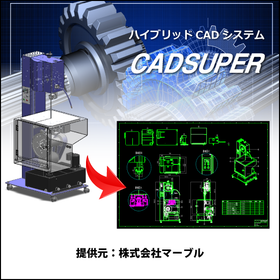
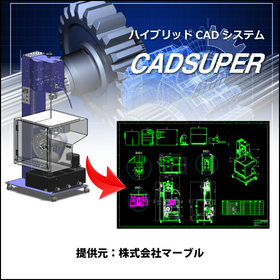
CADSUPER for Shipbuilding

A hybrid CAD system compatible with 3D data that streamlines hull design!

In the shipbuilding industry, hull design requires accurate representation of complex shapes and quick responses to design changes. In particular, the use of 3D data is essential for collaboration with strength calculations and structural analysis. CADSUPER supports 3D data and streamlines the design process with intuitive operations. With data conversion capabilities for other formats and customization options, it provides a flexible design environment tailored to customer needs. 【Usage Scenarios】 - Creation of hull structure drawings - Layout design of outfitting equipment - Interference checks using 3D models 【Benefits of Implementation】 - Reduction in design time - Decrease in design errors - Effective utilization of 3D data

Added to bookmarks

Bookmarks list

Bookmark has been removed

Bookmarks list

You can't add any more bookmarks

By registering as a member, you can increase the number of bookmarks you can save and organize them with labels.

Free membership registration

CADSUPER for Mold Manufacturing

Create value-added drawings with barcodes for product management! CADSUPER

In the mold manufacturing industry, accuracy in drawings and efficient management are essential. Particularly in the design of molds with complex shapes and dimensions, creating error-free drawings and managing drawing versions are crucial. Mistakes in drawings can lead to a decline in product quality, rework, and increased costs. CADSUPER is a domestic hybrid 2D CAD system that supports 3D data, providing intuitive drawing operations and data conversion functions for accurate drawing creation. Drawing management is also possible with the optional barcode command. 【Usage Scenarios】 - Creation of mold design drawings - Version management of drawings - Integration with other data formats - Response to design changes 【Benefits of Implementation】 - Reduction in drawing creation time - Decrease in design errors - Streamlining of drawing management - Cost reduction

Added to bookmarks

Bookmarks list

Bookmark has been removed

Bookmarks list

You can't add any more bookmarks

By registering as a member, you can increase the number of bookmarks you can save and organize them with labels.

Free membership registration

CADSUPER for Furniture Design

Create value-added drawings with barcodes! CADSUPER

In the furniture design industry, accuracy in design and efficient drawing management are essential. Flexibility is particularly important to accommodate diverse designs and respond quickly to changes. CADSUPER supports 3D data and enhances design efficiency through intuitive drawing operations and data conversion functions for other formats. The barcode command option also makes drawing management easier. 【Usage Scenarios】 - Creating design drawings for furniture - Responding to design changes - Managing drawing data 【Benefits of Implementation】 - Reduced design time - Fewer mistakes - Improved efficiency in drawing management

Added to bookmarks

Bookmarks list

Bookmark has been removed

Bookmarks list

You can't add any more bookmarks

By registering as a member, you can increase the number of bookmarks you can save and organize them with labels.

Free membership registration

CADSUPER for Furniture

CADSUPER for streamlining furniture strength design.

In the furniture industry, strength calculations and accurate drawing creation at the design stage are essential to ensure product durability and safety. Especially for furniture that is used repeatedly, even a slight mistake in design can lead to product damage or accidents. CADSUPER facilitates intuitive operations for easy design changes and supports accurate drawing creation. This allows for efficient design based on strength calculations, enhancing product safety. 【Application Scenarios】 - Strength design of furniture - Response to design changes - Streamlining drawing management 【Benefits of Implementation】 - Reduced design time - Decreased design errors - Improved product safety

Added to bookmarks

Bookmarks list

Bookmark has been removed

Bookmarks list

You can't add any more bookmarks

By registering as a member, you can increase the number of bookmarks you can save and organize them with labels.

Free membership registration

CADSUPER for Home Appliances

Streamline miniaturization design! Quickly implement design changes with CADSUPER.

In the home appliance industry, miniaturization design requires flexibility in design and precise drawing creation to achieve optimal product performance within limited space. Frequent design changes necessitate accurate drawings. CADSUPER facilitates easy design modifications with intuitive operations and supports precise drawing creation. The barcode command option also streamlines drawing management, contributing to the overall efficiency of the design process. 【Usage Scenarios】 - Housing design for home appliances - Optimization of component placement - Quick response to design changes 【Benefits of Implementation】 - Reduction in design time - Decrease in design errors - Lower drawing management costs

Added to bookmarks

Bookmarks list

Bookmark has been removed

Bookmarks list

You can't add any more bookmarks

By registering as a member, you can increase the number of bookmarks you can save and organize them with labels.

Free membership registration

CADSUPER for Medical Devices

CADSUPER supporting the design of precision medical devices.

In the medical device industry, precise product design and accurate drawing creation are essential. The accuracy of drawings, which affects the safety and performance of medical devices, directly impacts product quality and patient safety. CADSUPER facilitates design changes with intuitive operations and supports accurate drawing creation. The barcode command option also streamlines drawing management. 【Usage Scenarios】 - Creation of design drawings for medical devices - Response to design changes - Streamlining of drawing management 【Benefits of Implementation】 - Reduction of prototyping time - Decrease in design errors - Reduction of drawing management costs

Added to bookmarks

Bookmarks list

Bookmark has been removed

Bookmarks list

You can't add any more bookmarks

By registering as a member, you can increase the number of bookmarks you can save and organize them with labels.

Free membership registration

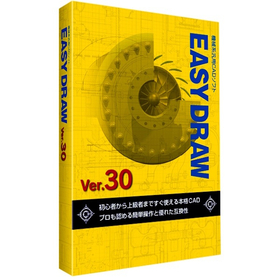
[EASYDRAW for Shipbuilding] Ver30

Streamline drawing creation! 2D CAD that meets the needs of the shipbuilding industry.

In the shipbuilding industry, it is essential to create accurate and efficient design drawings for complex structures. In particular, precision in details such as hull strength calculations and the arrangement of outfitting is crucial. Errors in drawings can lead to rework during the manufacturing process and increased costs. EASYDRAW Ver.30 is equipped with features for editing large drawings and reading PDF drawings, supporting the efficiency of drawing creation in the shipbuilding industry. 【Usage Scenarios】 - Creation of hull structure drawings - Creation of outfitting arrangement drawings - Modification and changes to drawings 【Benefits of Implementation】 - Reduction in drawing creation time - Decrease in design errors - Cost savings

Added to bookmarks

Bookmarks list

Bookmark has been removed

Bookmarks list

You can't add any more bookmarks

By registering as a member, you can increase the number of bookmarks you can save and organize them with labels.

Free membership registration

EASYDRAW Ver30 for Home Appliance Enclosures

A professional 2D CAD that you can use from the day you purchase it!

In the design of home appliance enclosures, the complexity of design is increasing due to the miniaturization and enhancement of product functionality. Changes in the enclosure design have a significant impact on the overall design and functionality of the product, necessitating accurate and efficient CAD software. EASYDRAW Ver.30 is equipped with features for comparing drawings before and after design changes, as well as the ability to read PDF drawings, thereby improving design efficiency. 【Usage Scenarios】 - Design of home appliance enclosures - Comparison of drawings during design changes - Utilization of PDF drawings 【Benefits of Implementation】 - Reduction in design time - Decrease in design errors - Improvement in design quality

Added to bookmarks

Bookmarks list

Bookmark has been removed

Bookmarks list

You can't add any more bookmarks

By registering as a member, you can increase the number of bookmarks you can save and organize them with labels.

Free membership registration

[Energetics Industry] EASYDRAW Ver30

A genuine 2D CAD that can be used from the day of purchase! Perfect for piping design.

In the energy industry, piping design requires safety and efficiency. Particularly, designs that can withstand complex piping layouts and changes in pressure and temperature are crucial. Inadequate design can lead to interruptions in energy supply or accidents. EASYDRAW Ver.30 allows for editing large-scale drawings and displaying multiple drawings simultaneously, making it easy to compare designs before and after changes. This contributes to the efficiency and quality improvement of piping design. 【Usage Scenarios】 - Plant piping design - Gas and water piping design - Design of energy supply facilities 【Benefits of Implementation】 - Reduction in design time - Decrease in design errors - Cost savings

Added to bookmarks

Bookmarks list

Bookmark has been removed

Bookmarks list

You can't add any more bookmarks

By registering as a member, you can increase the number of bookmarks you can save and organize them with labels.

Free membership registration

EASYDRAW Ver30 for Mold Processing

A genuine 2D CAD that you can use from the day you purchase it!

In the mold processing industry, accuracy in design drawings and efficient processing are required. Particularly for molds that demand complex shapes and high precision, the usability and functionality of CAD software are crucial. If modifications and comparisons of drawings cannot be performed smoothly, it may lead to increased processing time and decreased accuracy. EASYDRAW Ver.30 is equipped with large-capacity drawing editing and comparison functions, enhancing design efficiency in mold processing. 【Usage Scenarios】 - Creation of mold design drawings - Comparison of drawings before and after design changes - Importing PDF drawings 【Benefits of Implementation】 - Reduction in design time - Decrease in errors - Cost savings

Added to bookmarks

Bookmarks list

Bookmark has been removed

Bookmarks list

You can't add any more bookmarks

By registering as a member, you can increase the number of bookmarks you can save and organize them with labels.

Free membership registration

Domestic Hybrid 2D CAD for Industrial Machinery

High-precision drawing creation and management that supports mechanical simulation. CADSUPER.

In the industrial machinery sector, precise drawing creation is required for the design of complex mechanisms and accurate simulation of their operation. Particularly in mechanism simulation, the ability to quickly respond to design changes and accurately manage drawings directly impacts development efficiency and product reliability. Inadequacies in drawings can lead to errors in simulation results and rework in the manufacturing process. CADSUPER is a domestically produced hybrid 2D CAD system that supports 3D data, offering essential features for designers such as intuitive drawing operations, data conversion functions for other formats, mechanical elements, dedicated pro commands, layers, projection views, and batch changes, edits, and automated processing of all tasks. This enables improvements in the accuracy of drawings necessary for mechanism simulation and streamlines design and management operations. 【Usage Scenarios】 - Mechanism design for industrial machinery - Creation and modification of drawings for mechanism simulation - Collaboration with CAD data in other formats - Information sharing with the manufacturing department 【Benefits of Implementation】 - Improved accuracy of mechanism simulation - Increased efficiency in design and modification tasks - Reduction of design errors - Shortened development lead times

Added to bookmarks

Bookmarks list

Bookmark has been removed

Bookmarks list

You can't add any more bookmarks

By registering as a member, you can increase the number of bookmarks you can save and organize them with labels.

Free membership registration

Domestic Hybrid 2D CAD for Semiconductor Manufacturing Equipment

High-precision drawing management and design efficiency that supports microfabrication.

In the field of semiconductor manufacturing equipment, high-precision design is required to accommodate fine processing, along with strict drawing management during the manufacturing process. In particular, the accuracy of drawings is directly linked to the quality and lead time of manufacturing, especially in the assembly of small parts and the design of complex piping and wiring. Even slight errors in drawings can lead to decreased equipment performance or manufacturing delays. CADSUPER is a domestically produced hybrid 2D CAD system that supports 3D data, providing essential features for designers such as intuitive drawing operations, data conversion functions for other formats, machine elements, dedicated pro commands, layers, projection drawings, and bulk changes, edits, and automated processing of all tasks. This enables improved design efficiency for semiconductor manufacturing equipment and streamlines drawing management. 【Usage Scenarios】 - Component design for semiconductor manufacturing equipment - Modification and editing of drawings to accommodate fine processing - Integration with data in other formats - Smooth collaboration with manufacturing sites 【Benefits of Implementation】 - Reduction in design time - Streamlining of drawing management - Decrease in design errors - Increased efficiency in the manufacturing process

Added to bookmarks

Bookmarks list

Bookmark has been removed

Bookmarks list

You can't add any more bookmarks

By registering as a member, you can increase the number of bookmarks you can save and organize them with labels.

Free membership registration