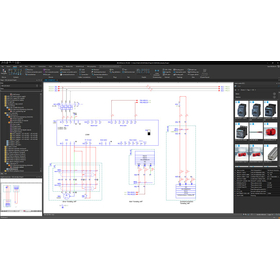
We have compiled a list of manufacturers, distributors, product information, reference prices, and rankings for CAD.
ipros is IPROS GMS IPROS One of the largest technical database sites in Japan that collects information on.

CAD Product List and Ranking from 150 Manufacturers, Suppliers and Companies

Last Updated: Aggregation Period:Jan 14, 2026~Feb 10, 2026
This ranking is based on the number of page views on our site.

CAD Manufacturer, Suppliers and Company Rankings

Last Updated: Aggregation Period:Jan 14, 2026~Feb 10, 2026
This ranking is based on the number of page views on our site.

  1. 進和電機 Aichi//Consumer Electronics
  2. i CAD - 機械設計向け3DCAD(3次元CAD)開発元 - Tokyo//CAD/CAM
  3. ECAD Solutions Co., Ltd. Saitama//CAD/CAM
  4. 4 Design Creation Inc. Tokyo//software
  5. 5 エーディーディー Kyoto//software

CAD Product ranking

Last Updated: Aggregation Period:Jan 14, 2026~Feb 10, 2026
This ranking is based on the number of page views on our site.

  1. Electrical design CAD 'Unidraf X / Unidraf G' 進和電機
  2. 2D3D Integrated CAD CADPAC-CREATOR [Free Trial Version] Design Creation Inc.
  3. 3D CAD for Aluminum Products 'apdX' SUS
  4. 4 [Mechanical Design] Free 3D CAD Seminar for Mechanical Devices and Production Equipment i CAD - 機械設計向け3DCAD(3次元CAD)開発元 -
  5. 5 Socia partition CAD data ソシアパーティション (旧 株式会社コマツパーティション)

CAD Product List

391~420 item / All 541 items

Displayed results

3D Design CAD System Solid Edge

History modeling and direct modeling: Merging the strengths of both. Solid Edge Synchronous Technology.

Solid Edge is a mid-range 3D CAD system developed and provided by Siemens PLM Software, a leading company in the PLM (Product Lifecycle Management) software industry, achieving top-class operability. With its unique synchronous technology that combines parametric modeling and intuitive editing, it supports efficient design work in all design scenarios. By using Solid Edge's modeling/assembly tools, a wide range of products can be easily developed, from single parts to assemblies composed of thousands of components. 【Key Points for Choosing Solid Edge】 ■ Solid Edge can be implemented and launched in a short period of time ■ Solid Edge operates at a low cost ■ Intuitive operation allows anyone to use it (Solid Edge ST) ■ Features focused on design ○ Tools to support the transition from 2D to 3D ○ Support for large assemblies ○ Tools specifically for sheet metal and drawings ○ Highly reliable analysis (NX Nastran) ■ Scalable design data management product suite

  • Company:TAC
  • Price:Other
  • 3D CAD
  • CAD

Added to bookmarks

Bookmarks list

Bookmark has been removed

Bookmarks list

You can't add any more bookmarks

By registering as a member, you can increase the number of bookmarks you can save and organize them with labels.

Free membership registration

[User Case] 3D Design CAD System - Household Appliance Design

Achieving shorter delivery times for high-quality products through the digitalization of the development process!

Solid Edge is a mid-range 3D CAD system developed and provided by Siemens PLM Software, a leading company in the PLM (Product Lifecycle Management) software industry, which achieves top-class operability. Esmaltec, a Brazilian manufacturer of household appliances such as washing machines and gas stoves, utilized Solid Edge to reduce prototype production by 40%. Furthermore, design rework was reduced by 80%! By implementing a development platform combined with Teamcenter, they achieved a 90% reduction in mid-project changes. For more details, please download the catalog or contact us.

  • Company:TAC
  • Price:Other
  • 3D CAD
  • CAD

Added to bookmarks

Bookmarks list

Bookmark has been removed

Bookmarks list

You can't add any more bookmarks

By registering as a member, you can increase the number of bookmarks you can save and organize them with labels.

Free membership registration

[User Case] 3D Design CAD System - Electric Assist Scooter Design

Significantly reduce the design period for electric assist scooters!

Solid Edge is a mid-range 3D CAD system developed and provided by Siemens PLM Software, a leading company in the PLM (Product Lifecycle Management) software industry, achieving top-class operability. Razor USA, known for its iconic kick scooters, also utilizes Solid Edge in its distinctive product design. With the power of synchronous technology, the design period for parts has been reduced from one week to one day, and editing tasks that used to take hours in a history-based system now take just seconds! For more details, please download the catalog or contact us.

  • Company:TAC
  • Price:Other
  • 3D CAD
  • CAD

Added to bookmarks

Bookmarks list

Bookmark has been removed

Bookmarks list

You can't add any more bookmarks

By registering as a member, you can increase the number of bookmarks you can save and organize them with labels.

Free membership registration

[User Case] 3D Design CAD System - Development of Radar Equipment

The defect repair work on the surface that took hours was completed in just a few minutes!

Solid Edge is a mid-range 3D CAD system developed and provided by Siemens PLM Software, a leading company in the PLM (Product Lifecycle Management) software industry, achieving top-class operability. SDL (Space Dynamics Laboratory), a cutting-edge research and development organization supporting the U.S. aerospace industry with over 30 years of history and achievements, also utilizes Solid Edge. In their radar equipment, 30 improvements have been made by leveraging Solid Edge's synchronous technology. Moreover, the time required to correct surface defects (gaps), which previously took hours, has been reduced to just a few minutes. For more details, please download the catalog or contact us.

  • Company:TAC
  • Price:Other
  • 3D CAD
  • CAD

Added to bookmarks

Bookmarks list

Bookmark has been removed

Bookmarks list

You can't add any more bookmarks

By registering as a member, you can increase the number of bookmarks you can save and organize them with labels.

Free membership registration

[User Case] 3D Design CAD System - Next Generation Lightweight Automobile Design

Solid Edge is making a big impact in the design of next-generation lightweight vehicles!

Solid Edge is a mid-range 3D CAD system developed and provided by Siemens PLM Software, a leading company in the PLM (Product Lifecycle Management) software industry, that achieves top-class operability. The design of Edison2, which won a $5 million prize in the next-generation automotive design contest X Prize, utilized Solid Edge. The modification of existing CAD data, which traditionally took several days, was reportedly completed in just a few minutes by leveraging Solid Edge's synchronous technology. For more details, please download the catalog or contact us.

  • Company:TAC
  • Price:Other
  • 3D CAD
  • CAD

Added to bookmarks

Bookmarks list

Bookmark has been removed

Bookmarks list

You can't add any more bookmarks

By registering as a member, you can increase the number of bookmarks you can save and organize them with labels.

Free membership registration

[User Case] 3D Design CAD System - Electrical Component Design

Reduce the design period for electrical components by 80%!

Solid Edge is a mid-range 3D CAD system developed and provided by Siemens PLM Software, a leading company in the PLM (Product Lifecycle Management) software industry, achieving top-class operability. At Elektroschit, a company primarily engaged in electrical engineering services and manufacturing, the use of synchronous technology has resulted in an 80% reduction in design time compared to traditional history-based modeling. This has enhanced the company's reputation and allowed it to stand out from competitors. For more details, please download the catalog or contact us.

  • Company:TAC
  • Price:Other
  • 3D CAD
  • CAD

Added to bookmarks

Bookmarks list

Bookmark has been removed

Bookmarks list

You can't add any more bookmarks

By registering as a member, you can increase the number of bookmarks you can save and organize them with labels.

Free membership registration

[User Case] 3D Design CAD System - Plant Design -

Accelerate boiler design!

Solid Edge is a mid-range 3D CAD system developed and provided by Siemens PLM Software, a leading company in the PLM (Product Lifecycle Management) software industry, achieving top-class operability. At L&T MHI, a manufacturer of high-pressure boilers for power plants, Solid Edge has been utilized to cut the design period by 40% and achieve zero part interference. The ability to quickly create bill of materials (BOM) has also contributed to shortening the design cycle. For more details, please download the catalog or contact us.

  • Company:TAC
  • Price:Other
  • 3D CAD
  • CAD

Added to bookmarks

Bookmarks list

Bookmark has been removed

Bookmarks list

You can't add any more bookmarks

By registering as a member, you can increase the number of bookmarks you can save and organize them with labels.

Free membership registration

[User Case] 3D Design CAD System - Yacht Design -

Quickly translate customer requests into design!

Solid Edge is a mid-range 3D CAD system developed and provided by Siemens PLM Software, a leading company in the PLM (Product Lifecycle Management) software industry, achieving top-class operability. At BackCove Yachts, an engine-powered yacht manufacturer, the use of synchronous technology has drastically shortened the proposal period for design ideas, far beyond what was possible with traditional history-based work. With increased productivity, there is more time to refine designs, allowing for better responses to requests from customers and dealers. For more details, please download the catalog or contact us.

  • Company:TAC
  • Price:Other
  • 3D CAD
  • CAD

Added to bookmarks

Bookmarks list

Bookmark has been removed

Bookmarks list

You can't add any more bookmarks

By registering as a member, you can increase the number of bookmarks you can save and organize them with labels.

Free membership registration

Organical Desktop Scan/ CAD

An information system developed for dental technicians, featuring a compact and intuitive design.

The scanner features a compact design with a built-in PC, allowing it to be used simply by connecting a monitor. It employs LED as a light source, achieving high-precision scanning. With CAD software that is familiar to dental technicians, intuitive design is possible. The milling machine is compact enough to fit on a single desk along with the scanner. By importing STL data and setting the processing material and cutting position, excellent fitting processing is achieved.

  • Company:CCAA
  • Price:5 million yen-10 million yen
  • 3D CAD
  • CAD

Added to bookmarks

Bookmarks list

Bookmark has been removed

Bookmarks list

You can't add any more bookmarks

By registering as a member, you can increase the number of bookmarks you can save and organize them with labels.

Free membership registration

Awareness Support CAD System

Achieve a reduction in design lead time through automatic checks of design rules!

The "Awareness Support CAD System" is a system that analyzes design data and the designer's operation history to detect potential issues and inefficient processes in real-time during the design process. By utilizing past design data and best practices, it provides specific improvement suggestions to designers. It automatically checks 3D CAD models based on design requirements (design rules and ease of processing). Compared to visual checks, it significantly reduces the time required for checks and rework. 【Features】 ■ Real-time problem detection ■ Utilization of knowledge base ■ Analysis of operation history ■ Collaboration features ■ Customizability *For more details, please download the PDF or feel free to contact us.

Added to bookmarks

Bookmarks list

Bookmark has been removed

Bookmarks list

You can't add any more bookmarks

By registering as a member, you can increase the number of bookmarks you can save and organize them with labels.

Free membership registration

Product Design Collection Product Catalog

Autodesk's industry-specific collection for manufacturing, which allows you to use more value, more flexibly, and more simply.

Product Design Collection supports product design, visualization, simulation, and manufacturing. It covers everything from factory layout design. You can now use it to create more value, more flexibly, and more simply. The Product Design Collection consolidates all the tools necessary for innovative manufacturing into one. Start by picking up the catalog and experiencing the appeal of the collection products.

  • 3D CAD
  • Stress Analysis
  • 2D CAD machine
  • CAD

Added to bookmarks

Bookmarks list

Bookmark has been removed

Bookmarks list

You can't add any more bookmarks

By registering as a member, you can increase the number of bookmarks you can save and organize them with labels.

Free membership registration

An affordable and high-performance CAD system that changes plant design.

Many plant design systems are expensive, but AutoCAD Plant 3D offers an affordable 3D design environment.

Plant design with general-purpose CAD is inefficient. AutoCAD Plant 3D comes equipped with the necessary features for plant design. Moreover, it is offered at a low cost and as a subscription, which helps keep initial costs down. Please check the comparison of features between general-purpose CAD and AutoCAD Plant 3D. You can experience efficient design work.

Added to bookmarks

Bookmarks list

Bookmark has been removed

Bookmarks list

You can't add any more bookmarks

By registering as a member, you can increase the number of bookmarks you can save and organize them with labels.

Free membership registration

BIM software [Revit] world standard tool

BIM software that excels in all aspects such as design, structure, equipment, and construction is 'Autodesk Revit'.

◆What is BIM? An abbreviation for Building Information Modeling. It is a "concept" aimed at improving the productivity of building design and construction. The Ministry of Land, Infrastructure, Transport and Tourism is promoting the BIM acceleration project for architecture in 2023 and the application of BIM/CIM principles for civil engineering, leading to the adoption of BIM not only by large general contractors but also by small and medium-sized enterprises. ◆Main Features of Autodesk Revit - A world-standard BIM tool for structural design - Active in all processes including design, structure, equipment, and construction - Prevents rework by creating building models that closely resemble the actual structure - Enables collaboration and modifications anytime and anywhere by utilizing cloud features There are various other functions and benefits! *For more details, please refer to the materials or feel free to contact us.

  • 3D CAD
  • Modeler
  • Workflow System
  • CAD

Added to bookmarks

Bookmarks list

Bookmark has been removed

Bookmarks list

You can't add any more bookmarks

By registering as a member, you can increase the number of bookmarks you can save and organize them with labels.

Free membership registration

3D CAD for Manufacturing Industry【Autodesk Inventor】

What if a client in the construction industry requests BIM support...?

In the construction industry, a new design concept known as BIM (Building Information Modeling) is becoming widespread. In the design of buildings using BIM, it is essential to have BIM-compatible 3D models that include not only shape information of elements such as doors and windows, but also attribute information such as performance and specifications for equipment like HVAC systems, lighting fixtures, and elevators. Manufacturers of these elements and equipment are also required to adopt BIM practices as part of the manufacturing industry. With Autodesk's 3D CAD "Inventor," not only can efficient 3D design be achieved, but it is also easy to output BIM-compatible models from the designed 3D models.

  • 3D CAD
  • CAD

Added to bookmarks

Bookmarks list

Bookmark has been removed

Bookmarks list

You can't add any more bookmarks

By registering as a member, you can increase the number of bookmarks you can save and organize them with labels.

Free membership registration

BIM Software [Revit] User Case Vol. 1

The opening of the "ROOFLAG Rental Housing Future Exhibition Hall," a wooden large-roofed building that is one of the largest in the country, has been realized through the utilization of BIM.

We would like to introduce a case study where Daito Trust Construction Co., Ltd. utilized Autodesk's BIM software "Revit." <Overview> Daito Trust Construction opened the "ROOFLAG Rental Housing Future Exhibition Hall," a facility aimed at considering the future of rental housing. This was their first experience using large CLT panels as beams, and the project progressed in a trial-and-error manner without knowing where the challenges lay. <Issues and Reasons for Implementation> - It was difficult to consider the construction procedures and quality assurance of the large roof using only 2D drawing information. - They wanted to utilize a BIM model to understand the entire building. <Implementation Results> Please check the PDF document for details!

  • 3D CAD
  • 2D CAD Construction
  • CAD

Added to bookmarks

Bookmarks list

Bookmark has been removed

Bookmarks list

You can't add any more bookmarks

By registering as a member, you can increase the number of bookmarks you can save and organize them with labels.

Free membership registration

BIM Software [Revit] User Case Vol. 2

Expansion of telework and improvement of productivity through Revit and BIM360.

We would like to introduce a case study where Sakura Draft Works Co., Ltd. utilized Autodesk's BIM software "Revit." <Overview> In the architecture industry, the demand for equipment design using BIM is rapidly expanding, and Sakura Draft Works, which handles BIM software, is receiving a steady stream of requests for equipment design and modeling both domestically and internationally. The scope of operations and productivity have improved, and they are now considering overseas expansion. <Utilization Methods and Implementation Results> Please check the PDF document for more details.

  • 3D CAD
  • 2D CAD Construction
  • Other CAD related software
  • CAD

Added to bookmarks

Bookmarks list

Bookmark has been removed

Bookmarks list

You can't add any more bookmarks

By registering as a member, you can increase the number of bookmarks you can save and organize them with labels.

Free membership registration

BIM Software [Revit] User Case Vol. 3

Based on the BIM model, analyze the optimal louver angle and pitch using generative design.

We would like to introduce a case study where Sato General Planning Co., Ltd. utilized Autodesk's BIM software "Revit." <Overview> Clients often present conflicting conditions, and in the past, decisions were typically made by selecting one option from two or three proposals. However, this approach did not ensure that the chosen design was truly optimal or that it could be adequately explained to the client. Therefore, the company began developing a new design methodology that seeks optimal design values using Revit. <Issues and Reasons for Implementation> - How to maximize the environmental performance of buildings within a limited budget. - While the shadow analysis function can determine the amount of sunlight entering the building, it is challenging to find the optimal louver angle that meets conflicting conditions such as "warm in winter and cool in summer." <Results of Implementation> For more details, please refer to the PDF document.

  • 3D CAD
  • 2D CAD Construction
  • Other CAD related software
  • CAD

Added to bookmarks

Bookmarks list

Bookmark has been removed

Bookmarks list

You can't add any more bookmarks

By registering as a member, you can increase the number of bookmarks you can save and organize them with labels.

Free membership registration

BIM Software [Revit] User Case Vol. 4

A seamless process from design to construction with a single model incorporating the BIM model. Almost no rework!

We would like to introduce a case study of how Honma Corporation utilized Autodesk's BIM software "Revit." <Overview> Honma Corporation began its design BIM efforts in 2013 and construction BIM efforts in 2018, steadily advancing its use of BIM. The culmination of these efforts was the new construction project for the relocation of Isuzu Motors' Nagaoka branch, completed in 2020. What was the method of utilization that allowed for the project to be completed with almost no rework? <Results> Please check the PDF document for more details.

  • 3D CAD
  • 2D CAD Construction
  • Other CAD
  • CAD

Added to bookmarks

Bookmarks list

Bookmark has been removed

Bookmarks list

You can't add any more bookmarks

By registering as a member, you can increase the number of bookmarks you can save and organize them with labels.

Free membership registration

BIM Software [Revit] User Case Vol. 6

The Future of Architecture and Mobility Illustrated by Takenaka Corporation × Mercedes-Benz EQ House

We would like to introduce a case study of how Takenaka Corporation utilized Autodesk's BIM software "Revit." <Overview> The EQ House, which emerged in Roppongi through a collaboration between Mercedes-Benz and Takenaka Corporation, adopts a spatial configuration that envisions mobility entering the home, creating a place where one can experience the future of living connected to mobility. How were BIM software Revit and BIM360 utilized to realize this project? We will present the case study. <Implementation Results> For more details, please check the PDF document.

  • 3D CAD
  • Other CAD related software
  • 2D CAD Construction
  • CAD

Added to bookmarks

Bookmarks list

Bookmark has been removed

Bookmarks list

You can't add any more bookmarks

By registering as a member, you can increase the number of bookmarks you can save and organize them with labels.

Free membership registration

BIM Software [Revit] User Case Vol. 10

Achieving improved client satisfaction through the implementation of BIM workflows!

We would like to introduce a case study of how TDIndustries (USA) utilized Autodesk's BIM software "Revit." <Overview> In response to increasingly complex projects and the demand for excellent buildings to be completed in a short period, TDIndustries adopted Autodesk's Revit to significantly enhance its competitiveness. The company states, "To deliver better products to our customers, we must evolve alongside technology and make the most of our tools." We will present the methods they used to improve constructability and customer satisfaction. <Implementation Results> Please refer to the PDF document for more details.

  • 3D CAD
  • 2D CAD Construction
  • Other CAD related software
  • CAD

Added to bookmarks

Bookmarks list

Bookmark has been removed

Bookmarks list

You can't add any more bookmarks

By registering as a member, you can increase the number of bookmarks you can save and organize them with labels.

Free membership registration

BIM Software [Revit] User Case Vol. 12

Automating Revit's design functions to improve productivity! A strategy for transitioning from manual work to programming-based BIM.

We would like to introduce a case study of Sato Kogyo Co., Ltd. utilizing Autodesk's BIM software "Revit." <Overview> In preparation for the increasingly severe labor shortage era, Sato Kogyo is working on automating the creation of BIM models and drafting, which were previously done manually, through programming. The tool that serves as their weapon for this is "Dynamo," a visual programming tool developed to automate software like Revit. How did they achieve automation and improve productivity? We will present the case study. <Implementation Results> Please check the PDF document for more details.

  • 2D CAD Construction
  • 3D CAD
  • Other CAD related software
  • CAD

Added to bookmarks

Bookmarks list

Bookmark has been removed

Bookmarks list

You can't add any more bookmarks

By registering as a member, you can increase the number of bookmarks you can save and organize them with labels.

Free membership registration

Integrated CAD for Electrical and Control Design 'SchemELECT'

Rich circuit diagram creation features! A well-balanced CAD that combines productivity and ease of use.

"SchemELECT" is an integrated CAD developed to streamline and expedite the fields of electrical and control design. This product allows for centralized management of all documents related to a project, including circuit diagrams, layout diagrams, cable diagrams, and reports, within a single project folder. Various project conditions can be created using calculation software like Excel, and based on this information, circuit diagrams and other documents can be generated automatically. Additionally, circuits can be registered as standard patterns, enabling the accumulation and sharing of standard data, which enhances project productivity. 【Features】 - Integrated management of project information - Guarantees complete consistency of project information - Effective utilization of design information in downstream processes - Significant reduction in working time - Accurate project creation - Liberation from ancillary tasks related to reports For more details, please contact us or download the catalog.

Added to bookmarks

Bookmarks list

Bookmark has been removed

Bookmarks list

You can't add any more bookmarks

By registering as a member, you can increase the number of bookmarks you can save and organize them with labels.

Free membership registration

Integrated CAD "SchemELECT"

Reduction of man-hours and improvement of quality beyond the design department! Integrated CAD for the field of electrical and control design.

"SchemELECT" is an integrated CAD developed to streamline and expedite the fields of electrical and control design. It centrally manages all project documents, including circuit diagrams, layout diagrams, cable diagrams, and reports, within a single project folder. Through integrated management, various design information related to the project, such as device numbers, component information, wiring material information, and connection status, is stored in a unified database, maintaining consistency even across multiple pages of information. 【Features】 - Integrated management of project information - Guaranteed complete consistency of project information - Effective utilization of design information in downstream processes - Reduction of man-hours and improvement of quality across design departments For more details, please contact us or download the catalog.

Added to bookmarks

Bookmarks list

Bookmark has been removed

Bookmarks list

You can't add any more bookmarks

By registering as a member, you can increase the number of bookmarks you can save and organize them with labels.

Free membership registration

Integrated CAD "SchemELECT" for high-quality design data.

Complete consistency of design data! Integrated CAD for high-quality electrical and control design data.

"SchemELECT" integrates different types of design data and manages them centrally. The symbols for circuit diagrams and outline diagrams are linked through database information, even though they exist on different pages. The information for the outline symbols contains 2D data shapes and 3D data size information. 【Features】 ○ High-quality design data ○ Complete consistency of design data → Edits or changes on one side are automatically reflected on both sides. For more details, please contact us or download the catalog.

Added to bookmarks

Bookmarks list

Bookmark has been removed

Bookmarks list

You can't add any more bookmarks

By registering as a member, you can increase the number of bookmarks you can save and organize them with labels.

Free membership registration

Benefits of Introducing Integrated CAD "SchemELECT"

Complete consistency of design data! Integrated CAD for high-quality electrical and control design data.

In traditional CAD, it was necessary to repeatedly apply modifications to each design data, which was time-consuming. The dedicated integrated CAD automatically reflects all modifications in the design information, allowing for flexible responses to frequent edits and changes. Additionally, it can automatically create drawings such as connection diagrams based on the information from the integrated database, and can extract data for reports like parts lists based on logical data. **Benefits of Introducing Integrated CAD** - Significant reduction in work time through integrated management of design information - Automation of data creation, resulting in overwhelming improvements in productivity For more details, please contact us or download the catalog.

Added to bookmarks

Bookmarks list

Bookmark has been removed

Bookmarks list

You can't add any more bookmarks

By registering as a member, you can increase the number of bookmarks you can save and organize them with labels.

Free membership registration

Integrated CAD "SchemELECT" that solves various challenges.

The use of the integrated CAD "SchemELECT" improves various challenges!

The integrated CAD "SchemELECT" solves various challenges faced in the design field by building an integrated database, including: - The enormous man-hours required for project creation and modification - Issues related to maintaining project quality - The hassle of creating forms and documents 【Problem Solving】 ○ Accelerating business progress → Enables rapid searching and retrieval of drawing information, part information, etc. → Makes it easier to respond to customers and create similar drawings ○ Eliminating human errors and ensuring accurate project creation → Reflects modifications in real-time without omissions ○ Freeing from ancillary tasks related to forms → Achieves smooth inter-departmental collaboration For more details, please contact us or download the catalog.

Added to bookmarks

Bookmarks list

Bookmark has been removed

Bookmarks list

You can't add any more bookmarks

By registering as a member, you can increase the number of bookmarks you can save and organize them with labels.

Free membership registration

Integrated CAD System 'SchemELECT' *for electrical control design

Equipped with a highly flexible modular structure and a powerful macro language as standard! *Implemented in over 20 countries worldwide.

"SchemELECT" is a high-performance electrical design CAD system that has been expanding its achievements in various fields such as industrial equipment and plant engineering, and is also used by professional electrical designers. It has been implemented in over 20 countries worldwide. The basic functions include 2D drawing capabilities, drawing management functions, circuit diagram drawing and editing functions, support for submitting overseas drawings, and IO diagram drawing functions. This time, we will introduce the <2D drawing function>. 【2D Drawing Function - General Mechanical Drawing Function】 ■ Easy operation & excellent usability of the CAD interface - A rich set of drawing and editing commands is provided in a user-friendly Japanese interface. - In addition to the ability to freely customize icons on the toolbar, a keyboard command key assignment allows for a user-friendly CAD interface. ■ Outstanding compatibility - Direct conversion of DXF/DWG data is possible. - A character conversion function that aligns with the counterpart CAD version prevents garbled text and outputs high-quality drawing data. DWG version and character codes can also be set. *For more details, please refer to the PDF materials or feel free to contact us.

Added to bookmarks

Bookmarks list

Bookmark has been removed

Bookmarks list

You can't add any more bookmarks

By registering as a member, you can increase the number of bookmarks you can save and organize them with labels.

Free membership registration

3D Design CAD for Sheet Metal 'MACsheet SEG5'

Bringing sheet metal manufacturing to a higher level of quality! Advanced simulation CAD.

"MACsheet SEG5" is an add-in software that automatically converts shapes created in Solid Edge into sheet metal designs and generates unfolding drawings automatically. Typically, while 3D CAD can create sheet metal shapes, it cannot set bend allowance values. SEG5 allows you to set bend allowance values and is equipped with sheet metal-specific commands, enabling the creation of accurate unfolding drawings. It is also possible to automatically create bend sections and relief holes during the unfolding drawing process. Since most functions are automated, the amount of work required is reduced, and even those who are not proficient with computers or have limited knowledge can operate it easily. 【Features】 ■ Synchronization technology that enables intuitive operation ■ Unfolding drawings can be created with one click from the created model or imported data ■ Easily correct data that is considered sheet metal inconsistencies ■ Easily edit TUBE shapes ■ Automatic creation of 3D models from unfolding drawings using EX-PLUS For more details, please contact us or download the catalog.

Added to bookmarks

Bookmarks list

Bookmark has been removed

Bookmarks list

You can't add any more bookmarks

By registering as a member, you can increase the number of bookmarks you can save and organize them with labels.

Free membership registration

3D Design CAD for Sheet Metal 'MACsheet SEG5' *Video Available

An add-in software that can automatically create unfolded diagrams! Even those who are not good with PCs or have little knowledge can operate it easily. It also automatically generates bend sections and escape holes.

"MACsheet SEG5" is an add-in software that automatically converts shapes created in Solid Edge into sheet metal and generates flat patterns automatically. While 3D CAD can create sheet metal shapes, it cannot set bend allowance values. By using G5, you can set bend allowance values and create accurate flat patterns. Additionally, it can automatically create bend sections and relief holes in the flat patterns. Most functions are automated, significantly reducing labor hours, and it can be easily operated even by those who are not proficient with computers or have limited knowledge. 【Features】 ■ Synchronization technology that enables intuitive operation ■ Flat patterns can be created with one click from the created model or imported data ■ Easily correct data that is considered sheet metal inconsistencies ■ Easily edit TUBE shapes ■ Automatic creation of 3D models from flat patterns using EX-PLUS *For more details, please contact us or download the PDF materials.

Added to bookmarks

Bookmarks list

Bookmark has been removed

Bookmarks list

You can't add any more bookmarks

By registering as a member, you can increase the number of bookmarks you can save and organize them with labels.

Free membership registration

Demo3DVR for CAD Package

Just by pressing a button, you can enable VR viewing! It is expected to contribute to the efficiency of work.

The "Demo3DVR CAD Package" is an add-on feature for 3D CAD. By simply pressing a button added to the CAD software, VR viewing using HMD devices such as HTC Vive and Oculus Quest is possible. Furthermore, this add-on allows for easy definition of joints (movable parts) for each part and assembly, and you can actually move the defined joints using the controllers of the VR equipment. 【Features】 ■ During VR execution, you can move within the model and change the scale of the model. ■ You can look around, dive under objects, climb, and even pass through things. ■ In the virtual environment of VR, you can try things that are impossible in the real world, which is expected to contribute to increased work efficiency. *For more details, please refer to the PDF materials or feel free to contact us.

  • Company:ITAGE
  • Price:Other
  • Other CAD
  • CAD

Added to bookmarks

Bookmarks list

Bookmark has been removed

Bookmarks list

You can't add any more bookmarks

By registering as a member, you can increase the number of bookmarks you can save and organize them with labels.

Free membership registration