iPROS Manufacturing
  • Search for products by classification category

    • Electronic Components and Modules
      Electronic Components and Modules
      60890items
    • Machinery Parts
      Machinery Parts
      75386items
    • Manufacturing and processing machinery
      Manufacturing and processing machinery
      101456items
    • Scientific and Physics Equipment
      Scientific and Physics Equipment
      36039items
    • Materials
      Materials
      37531items
    • Measurement and Analysis
      Measurement and Analysis
      55287items
    • Image Processing
      Image Processing
      15292items
    • Control and Electrical Equipment
      Control and Electrical Equipment
      54060items
    • Tools, consumables, and supplies
      Tools, consumables, and supplies
      65128items
    • Design and production support
      Design and production support
      12585items
    • IT/Network
      IT/Network
      44764items
    • Office
      Office
      14069items
    • Business support services
      Business support services
      25040items
    • Seminars and Skill Development
      Seminars and Skill Development
      6479items
    • Pharmaceutical and food related
      Pharmaceutical and food related
      32928items
    • others
      74560items
  • Search for companies by industry

    • Manufacturing and processing contract
      7332
    • others
      4982
    • Industrial Machinery
      4425
    • Machine elements and parts
      3308
    • Other manufacturing
      2885
    • IT/Telecommunications
      2550
    • Trading company/Wholesale
      2536
    • Industrial Electrical Equipment
      2303
    • Building materials, supplies and fixtures
      1813
    • software
      1648
    • Electronic Components and Semiconductors
      1567
    • Resin/Plastic
      1495
    • Service Industry
      1461
    • Testing, Analysis and Measurement
      1124
    • Ferrous/Non-ferrous metals
      983
    • environment
      697
    • Chemical
      634
    • Automobiles and Transportation Equipment
      569
    • Printing Industry
      510
    • Information and Communications
      463
    • Consumer Electronics
      411
    • Energy
      327
    • Rubber products
      314
    • Food Machinery
      307
    • Optical Instruments
      277
    • robot
      274
    • fiber
      252
    • Paper and pulp
      227
    • Pharmaceuticals and Biotechnology
      168
    • Electricity, Gas and Water Industry
      166
    • Warehousing and transport related industries
      148
    • Glass and clay products
      139
    • Food and Beverage
      130
    • CAD/CAM
      122
    • retail
      108
    • Medical Devices
      103
    • Educational and Research Institutions
      102
    • Ceramics
      98
    • wood
      88
    • Transportation
      82
    • Petroleum and coal products
      63
    • Medical and Welfare
      62
    • Shipbuilding and heavy machinery
      51
    • Aviation & Aerospace
      47
    • Fisheries, Agriculture and Forestry
      41
    • equipment
      35
    • Public interest/special/independent administrative agency
      31
    • Materials
      27
    • Research and development equipment and devices
      26
    • Government
      24
    • self-employed
      24
    • Mining
      17
    • Finance, securities and insurance
      13
    • cosmetics
      13
    • Individual
      10
    • Restaurants and accommodations
      9
    • Police, Fire Department, Self-Defense Forces
      7
    • Laboratory Equipment and Consumables
      4
    • Raw materials for reagents and chemicals
      3
    • Contracted research
      3
  • Special Features
  • Ranking

    • Overall Products Ranking
    • Overall Company Ranking
Search for Products
  • Search for products by classification category

  • Electronic Components and Modules
  • Machinery Parts
  • Manufacturing and processing machinery
  • Scientific and Physics Equipment
  • Materials
  • Measurement and Analysis
  • Image Processing
  • Control and Electrical Equipment
  • Tools, consumables, and supplies
  • Design and production support
  • IT/Network
  • Office
  • Business support services
  • Seminars and Skill Development
  • Pharmaceutical and food related
  • others
Search for Companies
  • Search for companies by industry

  • Manufacturing and processing contract
  • others
  • Industrial Machinery
  • Machine elements and parts
  • Other manufacturing
  • IT/Telecommunications
  • Trading company/Wholesale
  • Industrial Electrical Equipment
  • Building materials, supplies and fixtures
  • software
  • Electronic Components and Semiconductors
  • Resin/Plastic
  • Service Industry
  • Testing, Analysis and Measurement
  • Ferrous/Non-ferrous metals
  • environment
  • Chemical
  • Automobiles and Transportation Equipment
  • Printing Industry
  • Information and Communications
  • Consumer Electronics
  • Energy
  • Rubber products
  • Food Machinery
  • Optical Instruments
  • robot
  • fiber
  • Paper and pulp
  • Pharmaceuticals and Biotechnology
  • Electricity, Gas and Water Industry
  • Warehousing and transport related industries
  • Glass and clay products
  • Food and Beverage
  • CAD/CAM
  • retail
  • Medical Devices
  • Educational and Research Institutions
  • Ceramics
  • wood
  • Transportation
  • Petroleum and coal products
  • Medical and Welfare
  • Shipbuilding and heavy machinery
  • Aviation & Aerospace
  • Fisheries, Agriculture and Forestry
  • equipment
  • Public interest/special/independent administrative agency
  • Materials
  • Research and development equipment and devices
  • Government
  • self-employed
  • Mining
  • Finance, securities and insurance
  • cosmetics
  • Individual
  • Restaurants and accommodations
  • Police, Fire Department, Self-Defense Forces
  • Laboratory Equipment and Consumables
  • Raw materials for reagents and chemicals
  • Contracted research
Special Features
Ranking
  • Overall Products Ranking
  • Overall Company Ranking
  • privacy policy
  • terms of service
  • About Us
  • Careers
  • Advertising
  1. Home
  2. IT/Telecommunications
  3. マーブル  エンベデッドプロダクト事業本部 プロダクト事業部
  4. Product/Service List
IT/Telecommunications
  • Added to bookmarks

    Bookmarks list

    Bookmark has been removed

    Bookmarks list

    You can't add any more bookmarks

    By registering as a member, you can increase the number of bookmarks you can save and organize them with labels.

    Free membership registration

マーブル  エンベデッドプロダクト事業本部 プロダクト事業部

EstablishmentSeptember 9, 1974
capital10000Ten thousand
number of employees8700
addressTokyo/Setagaya-ku/3-1-3 Ikejiri, MUTOH Ikejiri Building
phone03-3419-6011
  • Special site
  • Official site
last updated:Aug 30, 2025
マーブル logo
  • Contact this company

    Inquiry Form
  • Company information
  • Products/Services(215)
  • catalog(37)
  • news(12)

マーブル  Product Lineup

  • category

136~180 item / All 215 items

Displayed results

Filter by category

Quality Management DX - Inspection Report Quality Management DX - Inspection Report
Contract development, CAD customization, digitalization services Contract development, CAD customization, digitalization services
3D CAD 3D CAD
2D CAD 2D CAD
CAM and peripheral equipment for machine tools CAM and peripheral equipment for machine tools
Drawing management and manual creation Drawing management and manual creation
Structural analysis, structural calculation, technical calculation software Structural analysis, structural calculation, technical calculation software
Resin flow analysis Resin flow analysis
Seismic isolation system and environmental measures Seismic isolation system and environmental measures
Data conversion software Data conversion software
Web application development tools Web application development tools
AGV / Edge AI AGV / Edge AI
3D printer and education-related 3D printer and education-related
class="retina-image"

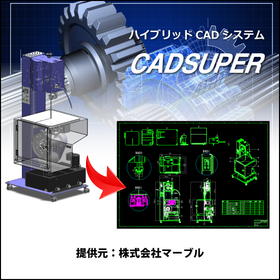
CADSUPER for Mechanical Parts Design

Create value-added drawings with barcodes for product management! CADSUPER

In the field of mechanical component design, it is essential to respond to design changes and manage drawings accurately. Particularly in the efficiency and quality control of manufacturing processes, the accuracy of drawings is crucial. Errors in drawings can lead to non-conformance of parts and manufacturing delays. CADSUPER is a domestically produced hybrid 2D CAD system that also supports 3D data. It offers intuitive drawing operations, data conversion functions for other formats, mechanical elements, dedicated pro commands, layers, projection drawings, and batch changes, edits, and automatic processing for all tasks, providing indispensable features for designers. This leads to improved design efficiency and streamlined drawing management. 【Usage Scenarios】 - Design of mechanical components - Modification and editing of drawings - Data conversion from other formats - Collaboration with manufacturing sites 【Benefits of Implementation】 - Reduction in design time - Streamlining of drawing management - Decrease in design errors - Increased efficiency in manufacturing processes

  • 2D CAD machine

Added to bookmarks

Bookmarks list

Bookmark has been removed

Bookmarks list

You can't add any more bookmarks

By registering as a member, you can increase the number of bookmarks you can save and organize them with labels.

Free membership registration

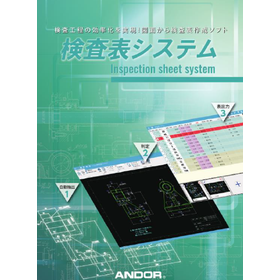
Inspection Sheet System for Manufacturing Industry

Automate the creation of inspection sheets to streamline quality control operations.
In the quality control department of the manufacturing industry, accurate inspection and record-keeping are required to maintain product quality. In particular, creating inspection sheets based on drawings is a time-consuming and labor-intensive task. Manual creation of inspection sheets is prone to human error, which can reduce the efficiency of quality control. Our inspection sheet system addresses these challenges by automatically generating inspection sheets from drawings (DXF/DWG/PDF). 【Use Cases】 * Product dimension inspection * Inspection tasks in the quality control department * Creation of inspection records 【Benefits of Implementation】 * Increased efficiency in inspection tasks * Reduction of human errors * Improvement in quality control

  • Other inspection equipment and devices
  • Other electronic measuring instruments
  • Other measurement, recording and measuring instruments

Added to bookmarks

Bookmarks list

Bookmark has been removed

Bookmarks list

You can't add any more bookmarks

By registering as a member, you can increase the number of bookmarks you can save and organize them with labels.

Free membership registration

Application for the inspection form system trial version (available for 15 days).

Inspection form system! Free download on the Marble official support site.

Inspection Sheet System Free Trial Version Notes 1) You can use it for 15 days after installation. 2) Configuration is required to read DXF/DWG dimension attributes. Please check the instruction manual once. 3) If you have previously installed the trial version, please initialize the settings using the steps below. Steps: Gear icon "Settings" > Backup and Restore > Execute initialization from "Initialize Settings" □ For inquiries regarding explanations or demos Marble Co., Ltd. Embedded Products Division Product Business Department Phone: (03) 3419-6011

  • Other measurement, recording and measuring instruments

Added to bookmarks

Bookmarks list

Bookmark has been removed

Bookmarks list

You can't add any more bookmarks

By registering as a member, you can increase the number of bookmarks you can save and organize them with labels.

Free membership registration

[Free] Application for Trial Version of Inspection Form System (Available for 15 Days)

Free trial version - A testing system that can automatically create inspection reports!

Automatically create inspection reports from CAD data (DXF/DWG) and PDF data! Significantly reduce inspection labor by simply selecting shapes! The 'Inspection Report System' is a dedicated system that reads DXF/DWG/PDF data (*1) without conversion, automatically extracts dimension line attributes by simply enclosing and selecting shapes, and automatically creates inspection reports. (*1) Only PDF data with text information will be automatically extracted. With very simple operations, you can greatly improve the efficiency of the inspection process. Inspection Report System Free Trial Version Notes 1) You can use it for 15 days after installation. 2) Settings are required to read DXF/DWG dimension attributes. Please check the user manual once. 3) If you have previously installed the trial version, please initialize the settings using the steps below. Steps: Gear icon "Settings" > Backup and Restore > Execute initialization from "Initialize Settings" ■ For inquiries about explanations and demos Marble Inc. Embedded Products Division Product Department Phone: (03) 3419-6011

  • Other measurement, recording and measuring instruments

Added to bookmarks

Bookmarks list

Bookmark has been removed

Bookmarks list

You can't add any more bookmarks

By registering as a member, you can increase the number of bookmarks you can save and organize them with labels.

Free membership registration

Dictop 3D Printer Value3DMagix MF-900

Equipped with an independent dual head. A standard model that can also use carbon fiber-infused filament.

【Features】 1. Dual Head: Equipped with dual heads that operate independently. Can be used according to purpose. 2. Compatible with carbon fiber-infused filament. 3. High-resolution print head with a nozzle diameter of 0.2mm. 4. Easy operation with a touch panel. 5. Calibration to correct table distortion. ■ For inquiries Marble Co., Ltd. Embedded Products Division, Product Business Department Phone: (03) 3419-6011

  • 3D Printer

Added to bookmarks

Bookmarks list

Bookmark has been removed

Bookmarks list

You can't add any more bookmarks

By registering as a member, you can increase the number of bookmarks you can save and organize them with labels.

Free membership registration

Desktop 3D Printer Raise3D E2

User-friendly and durable desktop 3D printer.

At an affordable price, it improves production and serves as a new manufacturing resource. 【Features】 1. Build area and layer pitch 2. Simultaneous printing with IDEX (Independent Dual Extruder) 3. Automatic bed leveling 4. Industry-first video assist offset calibration system ■ For inquiries Marble Co., Ltd. Embedded Products Division, Product Business Department Phone: (03) 3419-6011

  • 3D Printer

Added to bookmarks

Bookmarks list

Bookmark has been removed

Bookmarks list

You can't add any more bookmarks

By registering as a member, you can increase the number of bookmarks you can save and organize them with labels.

Free membership registration

Easy flange drawing with five commands.

CADSUPERLite Introducing easy drawing with a video!

We would like to introduce the unique operability of domestically produced CAD. We hope you will take a look. ■ For inquiries Marble Inc. Embedded Products Division Product Department Phone: (03) 3419-6011

  • 2D CAD machine

Added to bookmarks

Bookmarks list

Bookmark has been removed

Bookmarks list

You can't add any more bookmarks

By registering as a member, you can increase the number of bookmarks you can save and organize them with labels.

Free membership registration

DX promotion software for effective utilization of design assets.

Easily copy text, tables, and drawings from the blueprint to Excel.

"DrawingExtractor" is software that allows you to easily transfer specified text data, such as parts lists, from drawing data (DXF/DWG/PDF*) to Excel. It adapts to the ever-changing procurement landscape. It enables each individual to improve productivity. It dramatically enhances the efficiency of complex tasks. It realizes the digital transformation (DX) of companies by effectively utilizing design assets (drawings). * This applies to PDF data that includes font information output from CAD software. Since it is a self-developed product, we can customize the specifications to fit your business needs if they do not match. Please feel free to contact us. Marble Inc. Embedded Product Business Division Product Department Phone: (03) 3419-6011

  • Other CAD related software

Added to bookmarks

Bookmarks list

Bookmark has been removed

Bookmarks list

You can't add any more bookmarks

By registering as a member, you can increase the number of bookmarks you can save and organize them with labels.

Free membership registration

Automatically extract values from CAD drawings! Trial version manual for creating inspection sheets.

Automatically create inspection sheets (inspection reports) from CAD drawings (DXF/DWG/PDF data)!

The "Inspection Sheet System" (Inspection Result Sheet Creation) is a dedicated system that reads DXF/DWG/PDF data without conversion, automatically extracts dimension line attributes by simply selecting shapes, and automatically creates inspection sheets. *PDF data will only be automatically extracted if it is vector data. Furthermore, by clicking on the measurement value position, the "OK/NG judgment" is also executed automatically. With very simple operations, the efficiency of the inspection process can be significantly improved. *For more details, please refer to the catalog. Feel free to contact us with any inquiries. For detailed materials and demos, please contact us at the following: ■ Inquiries to Marble Co., Ltd. Embedded Product Division, Product Business Department Phone: (03) 3419-6011

  • Other measurement, recording and measuring instruments

Added to bookmarks

Bookmarks list

Bookmark has been removed

Bookmarks list

You can't add any more bookmarks

By registering as a member, you can increase the number of bookmarks you can save and organize them with labels.

Free membership registration

Sled Analysis for Product Designers - PD Advisor

A must-see for designers! A system that realizes non-defective design.

We will solve ideas for designing to minimize warping as much as possible during the product design stage, which determines the shape, using PD Advisor. For features and details, please feel free to download the catalog or contact us if you have any questions. ■ Inquiries Marble Inc. Embedded Products Division, Product Business Department Phone: (03) 3419-6011

  • Other analyses

Added to bookmarks

Bookmarks list

Bookmark has been removed

Bookmarks list

You can't add any more bookmarks

By registering as a member, you can increase the number of bookmarks you can save and organize them with labels.

Free membership registration

STL Editing Software STL Studio 2

From STL data simplification to CAD conversion! Industry-specific model provision!

STL files can become extremely large, making them difficult to edit. STL Workshop 2 addresses these issues. (1) Automatic adjustment of parameter values that require expertise (2) User interface compliant with Windows software (3) Efficient display control of large polygon data, incorporating polygon editing algorithms developed by the RIKEN National Research and Development Institute (4) Features tailored to specific industries and sectors If you would like detailed materials, please contact us at the information below. Marble Inc. Embedded Product Division, Product Business Department Phone: (03) 3419-6011

  • 3D CAD

Added to bookmarks

Bookmarks list

Bookmark has been removed

Bookmarks list

You can't add any more bookmarks

By registering as a member, you can increase the number of bookmarks you can save and organize them with labels.

Free membership registration

CADSUPER User Case

Raising on-site capabilities. - The reason why CADSUPER fans continue to increase.

Introduction to the CADSUPER User Case Site

  • 2D CAD machine

Added to bookmarks

Bookmarks list

Bookmark has been removed

Bookmarks list

You can't add any more bookmarks

By registering as a member, you can increase the number of bookmarks you can save and organize them with labels.

Free membership registration

[Processing Demonstration 4] The Revolution of CNC Machining: iMachining!

Incredible machining speed and dramatic tool longevity with iMachining! Amazing machining demonstration of NAK55, considered a 'difficult-to-machine material'.

iMachining is characterized by a unique machining path called "Morphing Spiral" developed by SolidCAM, which enables astonishingly high-speed machining and significantly extends tool life by controlling cutting loads. Please confirm how easily NAK55, which is generally considered a "difficult-to-cut material" (heat-treated with surface assurance), can be machined. For more details, please feel free to contact us. Marble Co., Ltd. Embedded Products Division, Product Business Department Phone: (03) 3419-6011

  • 3D CAM

Added to bookmarks

Bookmarks list

Bookmark has been removed

Bookmarks list

You can't add any more bookmarks

By registering as a member, you can increase the number of bookmarks you can save and organize them with labels.

Free membership registration

Automatic creation of inspection sheets from CAD drawings! Technical documentation

Automatically create inspection sheets (inspection performance reports) from CAD drawings (DXF/DWG/PDF data)! Significantly reduce inspection labor by simply selecting and enclosing shapes!

The "Inspection Sheet System" (Inspection Result Sheet Creation) is a dedicated system that reads DXF/DWG/PDF data without conversion, automatically extracts dimension line attributes just by selecting the shapes, and automatically creates inspection sheets. *PDF data will only be automatically extracted if it is vector data. Furthermore, by clicking on the measurement value position, the "OK/NG judgment" is also executed automatically. With very simple operations, you can significantly improve the efficiency of the inspection process. *For more details, please refer to the catalog. Feel free to contact us as well. ■ Inquiries to: Marble Co., Ltd. Embedded Products Division, Product Business Department Phone: (03) 3419-6011

  • Other inspection equipment and devices

Added to bookmarks

Bookmarks list

Bookmark has been removed

Bookmarks list

You can't add any more bookmarks

By registering as a member, you can increase the number of bookmarks you can save and organize them with labels.

Free membership registration

Danger Zone Assessment: Case Study of Edge AI Development in Video

Danger area determination using pose (human skeletal recognition) technology based on deep learning.

This is a danger area determination system that utilizes pose recognition technology (human skeletal authentication) through deep learning. It estimates a person's position from images captured by a camera and triggers an alarm when they approach a pre-set danger area. The POSE technology can only make determinations in a plane (2D), but by also using depth estimation technology through deep learning, it has enabled determinations in three dimensions (3D). It compares the pre-set danger area with the position of a person's chest in real-time, changing the chest marker from green to red in the case of a danger area. While the area outside the door is designated as a danger zone, it is also possible to specify a certain depth, such as only when passing through the door. ■ For inquiries Marble Inc. Embedded Product Division, Product Business Department Phone: (03) 3419-6011

  • Other embedded systems (software and hardware)

Added to bookmarks

Bookmarks list

Bookmark has been removed

Bookmarks list

You can't add any more bookmarks

By registering as a member, you can increase the number of bookmarks you can save and organize them with labels.

Free membership registration

Detection of Hazardous Areas Using Triangle Cone Recognition: A Case Study of Edge AI Development in Video

Fusion of skeletal recognition (POSE) technology and object recognition technology.

We developed a more flexible danger area detection system by combining object identification in images using deep learning with the aforementioned POSE. In object identification, we can pre-learn triangular cones and identify them within images. In this demo, the "red triangular cone" is considered a danger area, and when a person recognized by POSE approaches the red triangular cone, a warning is displayed on the screen. During the demo video, a red triangular cone will be added. Please note how an area that was previously safe is recognized as a danger area. ■ For inquiries Marble Inc. Embedded Product Division Product Department Phone: (03) 3419-6011

  • Other embedded systems (software and hardware)

Added to bookmarks

Bookmarks list

Bookmark has been removed

Bookmarks list

You can't add any more bookmarks

By registering as a member, you can increase the number of bookmarks you can save and organize them with labels.

Free membership registration

Pose Estimation POSE Edition: Case Studies of Edge AI Development in Videos

Development of edge AI utilizing popular skeletal recognition (POSE) technology in deep learning.

One common example of AI applications is human pose estimation, known as POSE. It infers the joint positions of people in images in real-time and displays their positions in frames. This technology is versatile and can be used for both videos and still images. ■ For inquiries Marble Inc. Embedded Products Division, Product Business Department Phone: (03) 3419-6011

  • Embedded system design service

Added to bookmarks

Bookmarks list

Bookmark has been removed

Bookmarks list

You can't add any more bookmarks

By registering as a member, you can increase the number of bookmarks you can save and organize them with labels.

Free membership registration

[Processing Demonstration 3] The Revolution of CNC Machining: iMachining!

Remarkable machining speed and dramatic tool longevity with iMachining! Amazing machining demonstration of carbon steel material (S50C), which is considered 'difficult to machine'.

iMachining is characterized by a unique machining path called "morphing spiral" developed by SolidCAM, which enables astonishingly high-speed machining and significantly extends tool life by controlling cutting loads. Please confirm that carbon steel materials (S50C), generally considered "difficult to machine," can be processed smoothly. For more details, please feel free to contact us. Marble Co., Ltd. Embedded Products Division, Product Business Department Phone: (03) 3419-6011

  • 2D CAM

Added to bookmarks

Bookmarks list

Bookmark has been removed

Bookmarks list

You can't add any more bookmarks

By registering as a member, you can increase the number of bookmarks you can save and organize them with labels.

Free membership registration

Automated Body Temperature Measurement: Case Study of Edge AI Development in Video

Non-contact body temperature measurement system using edge AI-based skeletal recognition (POSE) technology.

This is a non-contact body temperature measurement system using a thermosensor and POSE. The hardware of this system is configured by serially connecting a thermosensor to a Raspberry Pi system. The thermosensor uses a thermographic camera module. It can detect infrared and measure the temperature at a distance. To enable automatic measurement from the perspective of infection prevention, POSE is used to determine whether the face is in front of the thermosensor. In the demo video, a disposable heat pack is used to confirm operation in the case of elevated body temperature. ■ For inquiries Marble Inc. Embedded Product Division, Product Business Department Phone: (03) 3419-6011

  • Other embedded systems (software and hardware)

Added to bookmarks

Bookmarks list

Bookmark has been removed

Bookmarks list

You can't add any more bookmarks

By registering as a member, you can increase the number of bookmarks you can save and organize them with labels.

Free membership registration

Automatic Generation System for Manuals and e-Manuals PROSPERAS

Efficient creation of similar/multilingual documents tailored for the global market.

In the manufacturing industry, companies are promoting concurrent engineering and collaboration to accurately capture the ever-changing market needs and to ship timely products, working to shorten product development periods. Consequently, the manual production field is also being pressured to shorten delivery times and disclose information earlier. "PROSPERAS" is a product that enables the automatic generation of manuals and e-manuals through the same business process, achieving shorter delivery times and earlier information disclosure in manual production. ■Features■ 1. A system specialized for user manuals and service manuals. 2. Reduction of creation time for similar/multilingual documents, cost savings, and quality improvement. 3. Comprehensive provision of know-how and functions from standardization to initial registration and daily operations. For details on functions or any inquiries, please feel free to contact us or download the catalog. ■For detailed materials and demos, please contact us at the following: Marble Inc. Embedded Product Division Product Business Department Phone: (06) 6135-8911

  • Catalog and manual creation

Added to bookmarks

Bookmarks list

Bookmark has been removed

Bookmarks list

You can't add any more bookmarks

By registering as a member, you can increase the number of bookmarks you can save and organize them with labels.

Free membership registration

AI processing with edge computing - Edge AI

First, please consult with us! Our specialized engineers in edge AI will assist you!

What is Edge AI? It processes AI tasks using the cloud at the location where the data is (the edge). Benefits of Edge AI: 1. Low cost 2. Real-time processing 3. High safety 4. Process optimization Feel free to contact us. Marble Inc. Embedded Product Division, Product Business Department Phone: (03) 3419-6011

  • Image analysis software

Added to bookmarks

Bookmarks list

Bookmark has been removed

Bookmarks list

You can't add any more bookmarks

By registering as a member, you can increase the number of bookmarks you can save and organize them with labels.

Free membership registration

3D Data Management PDM Software SearchManager Pro2

Ready to use! 3D CAD data management features

3D Data Management PDM Software SearchManager Pro2 SearchManager Pro2 automatically applies exclusive control to related files when sharing and using 3D data on servers, eliminating opportunities for loss in design operations. It can automatically analyze assembly files from SOLIDWORKS and CADSUPER Works, checking in and out related sub-assembly and part files in bulk. For estimates or any inquiries, please feel free to contact us. ■ Contact Information Marble Inc. Embedded Product Division, Product Business Department Phone: (03) 3419-6011

  • Document and Data Management

Added to bookmarks

Bookmarks list

Bookmark has been removed

Bookmarks list

You can't add any more bookmarks

By registering as a member, you can increase the number of bookmarks you can save and organize them with labels.

Free membership registration

CADSUPER version option 'Inspection Dimension Table Tool'

Automatically create inspection sheets from CAD drawings! Just select by enclosing the shapes. Significant reduction in inspection labor.

The CADSUPER version of the "Inspection Dimension Table Tool" allows you to simply select multiple shapes, automatically extracting dimension line attributes for each shape and creating an inspection table. Furthermore, by clicking the inspection start button, the "OK/NG judgment" is also executed automatically. With very simple operations, you can significantly improve the efficiency of the inspection process. ■Features■ - Shapes are color-coded for easy identification and visibility - Number confirmation and number drawing buttons enhance usability and clarity - Easy output of dimension line lists (Microsoft Excel / Word) *For more details, please refer to the catalog. Feel free to contact us for inquiries. A "free trial version" is also available (try it free for 30 days). ■If you would like detailed materials, please contact us at the information below. Marble Inc. Embedded Products Division, Product Business Department Phone: (03) 3419-6011

  • Other CAD

Added to bookmarks

Bookmarks list

Bookmark has been removed

Bookmarks list

You can't add any more bookmarks

By registering as a member, you can increase the number of bookmarks you can save and organize them with labels.

Free membership registration

CADSUPER integration for SOLIDWORKS

Batch processing from SOLIDWORKS 3D assembly data to assembly drawings/part drawings! Easily add dimensions to accurately represent arc and line segment elements!

When converting to 2D: - The data size is too large to operate... - I had to rewrite it because I couldn't take the dimensions of the arc... - I want to make the conversion to 2D smoother and utilize it further! For those who feel this way, 'CADSUPER Link for SOLIDWORKS' is the ideal solution. It is a collaborative application designed to efficiently utilize SOLIDWORKS and 2D drawings. 【Features】 - Batch creation of assembly drawings/part drawings from 3D assemblies - Direct projection of high-quality, low-element 2D drawings from 3D data - Easy operation for 3D modeling from existing drawings - 3D design verification for each part from 2D structural drawings - Supports not only stock saving but also saving as imported parts - Facilitates capacity improvement and dimension entry for 2D drawings created from 3D CAD data - Equipped with a drawing projection update function If you are struggling with the integration between 2D drawings and 3D models, please feel free to contact us! * "SOLIDWORKS" and "CADSUPER" are required.

  • 2D CAD machine

Added to bookmarks

Bookmarks list

Bookmark has been removed

Bookmarks list

You can't add any more bookmarks

By registering as a member, you can increase the number of bookmarks you can save and organize them with labels.

Free membership registration

Domestic STL editing software: Simplify STL data with one click!

Simplify large STL data with one click! Smoothing & subdivision

STL files can become extremely large, making them difficult to edit. STL Workshop 2 addresses these issues. (1) Automatic adjustment of parameter values that require expertise (2) User interface compliant with Windows software (3) Efficient display control of large polygon data, incorporating polygon editing algorithms developed by the RIKEN National Research and Development Institute (4) Features tailored to specific industries and sectors ■ For detailed information, please contact us at the following: Marble Inc. Embedded Product Division, Product Business Department Phone: (03) 3419-6011

  • Other information systems

Added to bookmarks

Bookmarks list

Bookmark has been removed

Bookmarks list

You can't add any more bookmarks

By registering as a member, you can increase the number of bookmarks you can save and organize them with labels.

Free membership registration

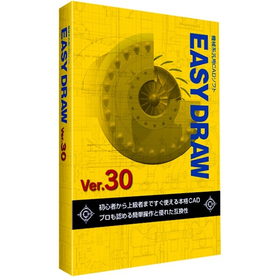
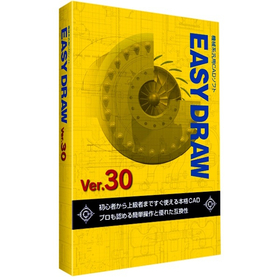
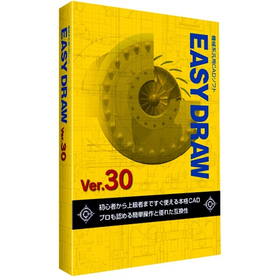
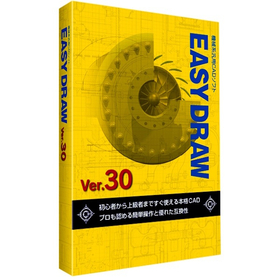
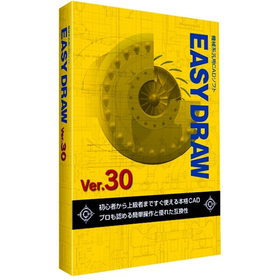
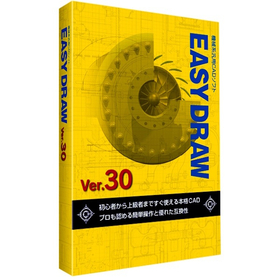
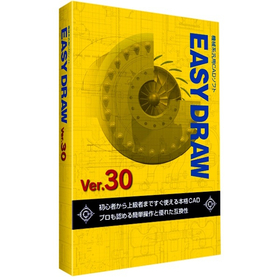
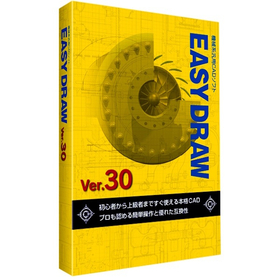
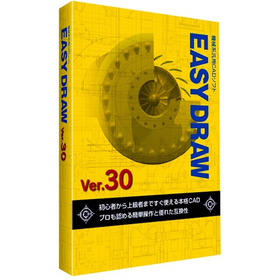
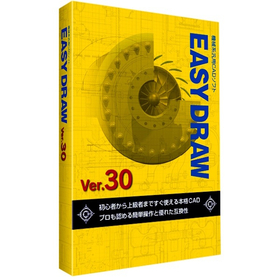
EASYDRAW Ver30 for Packaging Machinery

A genuine 2D CAD that can be used from the day of purchase! Perfect for mechanical design.

In the field of mechanical design for packaging machinery, precise drawing creation and rapid response to design changes are essential to balance product quality and production efficiency. In particular, the interference of high-speed moving machine parts and the need to accommodate various product sizes increase the complexity of design and raise the risk of design errors. EASYDRAW Ver.30 addresses these challenges by providing large-capacity drawing editing, drawing comparison functions, and PDF drawing import capabilities, thereby improving design efficiency and contributing to enhanced design quality. 【Usage Scenarios】 - Mechanical design of packaging machinery - Creation of part drawings - Drawing comparison during design changes - Utilization of PDF drawings 【Benefits of Implementation】 - Reduction in design time - Decrease in design errors - Improvement in design quality - Cost reduction

  • 2D CAD machine

Added to bookmarks

Bookmarks list

Bookmark has been removed

Bookmarks list

You can't add any more bookmarks

By registering as a member, you can increase the number of bookmarks you can save and organize them with labels.

Free membership registration

EASYDRAW Ver30 for Mold Processing

A genuine 2D CAD that you can use from the day you purchase it!

In the mold processing industry, accuracy in design drawings and efficient processing are required. Particularly for molds that demand complex shapes and high precision, the usability and functionality of CAD software are crucial. If modifications and comparisons of drawings cannot be performed smoothly, it may lead to increased processing time and decreased accuracy. EASYDRAW Ver.30 is equipped with large-capacity drawing editing and comparison functions, enhancing design efficiency in mold processing. 【Usage Scenarios】 - Creation of mold design drawings - Comparison of drawings before and after design changes - Importing PDF drawings 【Benefits of Implementation】 - Reduction in design time - Decrease in errors - Cost savings

  • 2D CAD machine

Added to bookmarks

Bookmarks list

Bookmark has been removed

Bookmarks list

You can't add any more bookmarks

By registering as a member, you can increase the number of bookmarks you can save and organize them with labels.

Free membership registration

EASYDRAW Ver30 for Plants

2D CAD that streamlines plant layout design.

In the plant industry, accurate drawing creation and responsiveness to changes are required in equipment layout design. Particularly, efficient arrangement within limited space and compliance with regulations are important. Improper layout can lead to decreased work efficiency and safety issues. EASYDRAW Ver.30, equipped with large-capacity drawing editing and comparison functions, supports solving challenges in plant layout design. 【Usage Scenarios】 - Plant equipment layout design - Consideration of piping and equipment layout - Drawing modifications and version management 【Benefits of Implementation】 - Reduction in design time - Decrease in errors - Realization of efficient space utilization

  • 2D CAD machine

Added to bookmarks

Bookmarks list

Bookmark has been removed

Bookmarks list

You can't add any more bookmarks

By registering as a member, you can increase the number of bookmarks you can save and organize them with labels.

Free membership registration

[Energetics Industry] EASYDRAW Ver30

A genuine 2D CAD that can be used from the day of purchase! Perfect for piping design.

In the energy industry, piping design requires safety and efficiency. Particularly, designs that can withstand complex piping layouts and changes in pressure and temperature are crucial. Inadequate design can lead to interruptions in energy supply or accidents. EASYDRAW Ver.30 allows for editing large-scale drawings and displaying multiple drawings simultaneously, making it easy to compare designs before and after changes. This contributes to the efficiency and quality improvement of piping design. 【Usage Scenarios】 - Plant piping design - Gas and water piping design - Design of energy supply facilities 【Benefits of Implementation】 - Reduction in design time - Decrease in design errors - Cost savings

  • 2D CAD machine

Added to bookmarks

Bookmarks list

Bookmark has been removed

Bookmarks list

You can't add any more bookmarks

By registering as a member, you can increase the number of bookmarks you can save and organize them with labels.

Free membership registration

EASYDRAW Ver30 for Robot Simulation

2D CAD software that accelerates robot design.

In the robotics industry, accurate drawing data is essential for simulations. Creating precise drawings using 2D CAD significantly affects the efficiency of design when verifying robot movements and checking for interferences. EASYDRAW Ver.30 is equipped with features for editing large drawings and importing PDF drawings, streamlining the design process. 【Usage Scenarios】 - Creating design drawings for robots - Generating 2D data for simulations - Verifying the range of motion for robotic arms 【Benefits of Implementation】 - Reduced design time - Improved simulation accuracy - Cost savings

  • 2D CAD machine

Added to bookmarks

Bookmarks list

Bookmark has been removed

Bookmarks list

You can't add any more bookmarks

By registering as a member, you can increase the number of bookmarks you can save and organize them with labels.

Free membership registration

EASYDRAW Ver30 for Semiconductor Manufacturing Equipment

Strongly supports the layout design of semiconductor manufacturing equipment!

In the semiconductor manufacturing equipment industry, the miniaturization and high density of devices are progressing, making the accuracy of layout design crucial. In particular, optimizing component placement, securing wiring paths, and conducting interference checks are required within limited space. EASYDRAW Ver.30 addresses these challenges by providing large-capacity drawing editing, drawing comparison functions, and PDF drawing import capabilities, thereby supporting efficient and accurate layout design. 【Usage Scenarios】 * Layout design for semiconductor manufacturing equipment * Consideration of component placement * Design of wiring paths * Drawing revisions and change management 【Benefits of Implementation】 * Reduction in design time * Decrease in design errors * Cost savings * Improvement in design quality

  • 2D CAD machine

Added to bookmarks

Bookmarks list

Bookmark has been removed

Bookmarks list

You can't add any more bookmarks

By registering as a member, you can increase the number of bookmarks you can save and organize them with labels.

Free membership registration

EASYDRAW Ver30 for Medical Devices

2D CAD supporting precision medical device design

In the medical device industry, precise design is required. Especially for medical devices that involve human lives, the accuracy of the design is crucial. If the usability of CAD software is poor, it can take longer to complete designs and mistakes are more likely to occur. EASYDRAW Ver.30 supports the design of precise medical devices with an interface that is easy for beginners to use. 【Usage Scenarios】 - Design of medical device components - Design of medical device enclosures - Modification of design drawings 【Benefits of Implementation】 - Reduction in design time - Decrease in design errors - Cost savings

  • 2D CAD machine

Added to bookmarks

Bookmarks list

Bookmark has been removed

Bookmarks list

You can't add any more bookmarks

By registering as a member, you can increase the number of bookmarks you can save and organize them with labels.

Free membership registration

EASYDRAW Ver30 for Home Appliance Enclosures

A professional 2D CAD that you can use from the day you purchase it!

In the design of home appliance enclosures, the complexity of design is increasing due to the miniaturization and enhancement of product functionality. Changes in the enclosure design have a significant impact on the overall design and functionality of the product, necessitating accurate and efficient CAD software. EASYDRAW Ver.30 is equipped with features for comparing drawings before and after design changes, as well as the ability to read PDF drawings, thereby improving design efficiency. 【Usage Scenarios】 - Design of home appliance enclosures - Comparison of drawings during design changes - Utilization of PDF drawings 【Benefits of Implementation】 - Reduction in design time - Decrease in design errors - Improvement in design quality

  • 2D CAD machine

Added to bookmarks

Bookmarks list

Bookmark has been removed

Bookmarks list

You can't add any more bookmarks

By registering as a member, you can increase the number of bookmarks you can save and organize them with labels.

Free membership registration

EASYDRAW Ver30 for Machine Tools

2D CAD software that can be used from the day of purchase.

In the machine tool industry, modeling work requires accurate drawing creation and efficient design changes. Particularly when dealing with complex shapes and precise parts, the performance of CAD software greatly influences work efficiency. Compatibility of drawings and responsiveness to design changes are also important factors. EASYDRAW Ver.30 has enhanced its capabilities to meet these needs by strengthening large-capacity drawing editing and drawing comparison functions, as well as incorporating PDF drawing import functionality. 【Usage Scenarios】 - Design of machine tools - Modeling of parts - Modification of drawings - Design changes 【Benefits of Implementation】 - Efficient drawing creation - Reduction in design change time - Utilization of PDF drawings - Improved cost performance

  • 2D CAD machine

Added to bookmarks

Bookmarks list

Bookmark has been removed

Bookmarks list

You can't add any more bookmarks

By registering as a member, you can increase the number of bookmarks you can save and organize them with labels.

Free membership registration

[EASYDRAW for Shipbuilding] Ver30

Streamline drawing creation! 2D CAD that meets the needs of the shipbuilding industry.

In the shipbuilding industry, it is essential to create accurate and efficient design drawings for complex structures. In particular, precision in details such as hull strength calculations and the arrangement of outfitting is crucial. Errors in drawings can lead to rework during the manufacturing process and increased costs. EASYDRAW Ver.30 is equipped with features for editing large drawings and reading PDF drawings, supporting the efficiency of drawing creation in the shipbuilding industry. 【Usage Scenarios】 - Creation of hull structure drawings - Creation of outfitting arrangement drawings - Modification and changes to drawings 【Benefits of Implementation】 - Reduction in drawing creation time - Decrease in design errors - Cost savings

  • 2D CAD machine

Added to bookmarks

Bookmarks list

Bookmark has been removed

Bookmarks list

You can't add any more bookmarks

By registering as a member, you can increase the number of bookmarks you can save and organize them with labels.

Free membership registration

Aerospace Version 30 EASYDRAW

Streamline your analysis work with 2D CAD that you can use from the day of purchase!

In the aerospace industry, the analysis tasks require accuracy and efficient utilization of design data. Particularly in aircraft design and component strength analysis, the compatibility of CAD data and ease of editing are crucial. If data conversion between different CAD systems or editing complex shapes takes too much time, it can lead to delays and errors in analysis. EASYDRAW Ver.30 is equipped with a PDF drawing import function, allowing it to read drawings output from widely used CAD systems in the CAD industry. This supports effective utilization of design data and improves the efficiency of analysis tasks. 【Usage Scenarios】 * Creation of aircraft design drawings * Strength analysis of components * Ensuring compatibility of CAD data * Drawing modification tasks 【Benefits of Implementation】 * Increased efficiency of analysis tasks * Reduction of design errors * Cost savings * Improved data compatibility

  • 2D CAD machine

Added to bookmarks

Bookmarks list

Bookmark has been removed

Bookmarks list

You can't add any more bookmarks

By registering as a member, you can increase the number of bookmarks you can save and organize them with labels.

Free membership registration

EASYDRAW Ver30 for Automotive Design

A genuine 2D CAD that can be used from the day of purchase!

In the field of automotive design, precise drawing creation and quick responses to design changes are required. Particularly in automotive design, which involves a large number of parts, managing drawings and tracking change histories are crucial. Errors in drawings or missed changes can lead to problems in the manufacturing process and increased costs. EASYDRAW Ver.30 is equipped with features for editing large drawings and comparing drawings, enhancing design efficiency. 【Usage Scenarios】 - Design of automotive parts - Body design - Drawing comparison during design changes 【Benefits of Implementation】 - Reduction in design time - Decrease in design errors - Cost savings

  • 2D CAD machine

Added to bookmarks

Bookmarks list

Bookmark has been removed

Bookmarks list

You can't add any more bookmarks

By registering as a member, you can increase the number of bookmarks you can save and organize them with labels.

Free membership registration

CAMCORE EX for Furniture Design

Centralized management of drawings and processing data, flexibly responding to design changes.

In the furniture design industry, there is a demand for both diversification of designs and improvement of manufacturing efficiency. Particularly when the frequency of design changes is high, modifying processing data can be cumbersome, potentially leading to delays in delivery and increased costs. CAMCORE EX facilitates the modification of processing data associated with design changes by managing drawings and processing data in the same file, thereby achieving efficiency in the manufacturing process. 【Usage Scenarios】 - Changes in furniture design - Production of prototypes - Small lot production 【Benefits of Implementation】 - Rapid response to design changes - Reduction in NC data creation time - Decrease in manufacturing costs

  • Other CAM related software

Added to bookmarks

Bookmarks list

Bookmark has been removed

Bookmarks list

You can't add any more bookmarks

By registering as a member, you can increase the number of bookmarks you can save and organize them with labels.

Free membership registration

CAMCORE EX for Toy Prototyping

Manage drawings and processing data in the same file! Shorten the prototyping period.

In the toy industry, rapid response to design changes is required during the prototyping phase. Particularly, if it takes time to modify processing data for fine-tuning designs or verifying functionality, it can impact the overall schedule of the prototype. CAMCORE EX contributes to shortening the prototyping period by managing drawings and processing data in the same file, making it easier to change processing conditions and paths. 【Usage Scenarios】 - Design prototyping of toys - Shape confirmation before mold production - Production of prototypes for functionality verification 【Benefits of Implementation】 - Reduction in time required for prototyping - Flexible response to design changes - Cost reduction

  • Other CAM related software

Added to bookmarks

Bookmarks list

Bookmark has been removed

Bookmarks list

You can't add any more bookmarks

By registering as a member, you can increase the number of bookmarks you can save and organize them with labels.

Free membership registration

Streamlining enclosure design for home appliances with CAMCORE EX

Centralize the management of drawings and processing data to streamline the editing process of processing data for enclosure design.

In the home appliance industry, enclosure design requires flexible responses to design changes and rapid creation of processing data to accommodate product diversification and shorter delivery times. In particular, changes in enclosure shape due to design modifications or additional functions occur frequently, necessitating revisions to processing data each time. CAMCORE EX facilitates easy changes to processing conditions and paths by managing drawings and processing data in the same file, thereby reducing NC data creation time. [Usage Scenarios] - Enclosure design for home appliances - Creation of processing data for prototypes and mass production - Quick response to design changes [Benefits of Implementation] - Increased efficiency in design and manufacturing tasks - Reduced NC data creation time - Shortened prototype and mass production cycles

  • Other CAM related software

Added to bookmarks

Bookmarks list

Bookmark has been removed

Bookmarks list

You can't add any more bookmarks

By registering as a member, you can increase the number of bookmarks you can save and organize them with labels.

Free membership registration

Precision machining realized with CAMCORE EX for medical devices.

Centralized management of drawings and processing data to streamline the precision processing of medical devices.

In the medical device industry, precise machining of components is essential to ensure product safety and reliability. Particularly for products that require high precision, such as implants and surgical instruments, the accuracy of machining data and efficient management are crucial. Errors in machining data or complicated management can lead to a decline in product quality and an increase in manufacturing costs. CAMCORE EX streamlines the editing of machining data by managing drawings and machining data in the same file, making it easier to create NC data. 【Usage Scenarios】 - Precision machining of components such as implants and surgical instruments - Machining of complex-shaped medical device parts - Management of machining data in prototype and small-scale production 【Benefits of Implementation】 - Rapid response to changes in machining data - Reduction in NC data creation time - Improvement in product quality

  • Other CAM related software

Added to bookmarks

Bookmarks list

Bookmark has been removed

Bookmarks list

You can't add any more bookmarks

By registering as a member, you can increase the number of bookmarks you can save and organize them with labels.

Free membership registration

Lightweight Design Using CAMCORE EX for Aerospace Applications

Centralized management of drawings and processing data to streamline lightweight design of aerospace components.

In the aerospace industry, reducing the weight of components is essential for improving fuel efficiency and performance of aircraft. Achieving weight reduction requires high-precision design and manufacturing. CAMCORE EX facilitates the creation of NC data during design changes by managing drawings and processing data in the same file, contributing to a reduction in the number of prototypes. 【Usage Scenarios】 - Design of aircraft components - Design of components for space exploration vehicles - Design of drone components 【Benefits of Implementation】 - Shortened design and manufacturing periods - Realization of component weight reduction - Cost reduction

  • Other CAM related software

Added to bookmarks

Bookmarks list

Bookmark has been removed

Bookmarks list

You can't add any more bookmarks

By registering as a member, you can increase the number of bookmarks you can save and organize them with labels.

Free membership registration

CAMCORE EX for Automotive Parts Manufacturing

Manage drawings and processing data in the same file to streamline the editing of processing data.

In the automotive parts manufacturing industry, a quick response to design changes and high-quality parts processing are required. Particularly in the prototyping stage and low-volume, high-variety production, modifications and optimizations of processing data occur frequently, making work efficiency crucial. CAMCORE EX facilitates easy changes to processing conditions and paths by managing drawings and processing data in the same file, thereby reducing NC data creation time. [Usage Scenarios] - Prototyping of automotive parts - Low-volume, high-variety production - Quick response to design changes [Benefits of Implementation] - Reduction in processing data editing time - Increased efficiency in NC data creation - Achievement of high-quality parts processing

  • Other CAM related software

Added to bookmarks

Bookmarks list

Bookmark has been removed

Bookmarks list

You can't add any more bookmarks

By registering as a member, you can increase the number of bookmarks you can save and organize them with labels.

Free membership registration

Improving PCB design efficiency with CAMCORE EX for electronic components.

Centralize the management of drawings and processing data to streamline the editing process of processing data for circuit board design.

In the circuit board design of the electronic components industry, a quick response to design changes and the accuracy of processing data are required. In particular, it is important to address modifications during the prototype stage and to accommodate small-lot, varied production. If editing processing data is cumbersome, it can lead to delays in the design cycle and increased costs. CAMCORE EX facilitates easy changes to processing conditions and paths by managing drawings and processing data in the same file, thereby speeding up NC data creation. 【Usage Scenarios】 - Creation of processing data in circuit board design - Response to design changes during the prototype stage - Accommodation of small-lot, varied production 【Benefits of Implementation】 - Shortening of the design cycle - Increased efficiency in processing data editing tasks - Cost reduction

  • Other CAM related software

Added to bookmarks

Bookmarks list

Bookmark has been removed

Bookmarks list

You can't add any more bookmarks

By registering as a member, you can increase the number of bookmarks you can save and organize them with labels.

Free membership registration

Improving Path Generation Efficiency with CAMCORE EX for Machining

Centralize the management of drawings and processing data to streamline the editing of processing data.

In the machining industry, efficient path generation is required to balance product quality and delivery times. Particularly when complex shapes or high-precision machining is needed, optimizing path generation is essential for improving productivity. Inadequate path generation can lead to increased machining time and reduced tool life. CAMCORE EX facilitates easy changes to machining conditions and paths by managing drawings and machining data in the same file, thereby speeding up NC data creation. 【Usage Scenarios】 - Machining of complex shapes - High-precision machining - Prototyping and small-scale production 【Benefits of Implementation】 - Reduction in machining time - Shortened NC data creation time - Reduction of errors

  • Other CAM related software

Added to bookmarks

Bookmarks list

Bookmark has been removed

Bookmarks list

You can't add any more bookmarks

By registering as a member, you can increase the number of bookmarks you can save and organize them with labels.

Free membership registration
Prev 12345 Next
  • 排気熱風なく 気温-4.1℃の冷風を 工事不要で暑さ対策 店舗・工場の 安全対策に! 気化式スポットクーラー Pure Drive ピュアドライブ
  • 金属・化学・窯業 食品・医薬品などの ほぐし・解砕 ふるい分けがこれ一台 解砕機構付き佐藤式振動ふるい機 つばさ デモ実施中!
    • Contact this company

      Inquiry Form

    Products

    • Search for Products

    Company

    • Search for Companies

    Special Features

    • Special Features

    Ranking

    • Overall Products Ranking
    • Overall Company Ranking

    support

    • site map
    IPROS
    • privacy policy Regarding external transmission of information
    • terms of service
    • About Us
    • Careers
    • Advertising
    COPYRIGHT © 2001-2026 IPROS CORPORATION ALL RIGHTS RESERVED.
    Please note that the English text on this page is automatically translated and may contain inaccuracies.