91~126 item / All 126 items
Displayed results
Filter by category

Added to bookmarks
Bookmarks listBookmark has been removed
Bookmarks listYou can't add any more bookmarks
By registering as a member, you can increase the number of bookmarks you can save and organize them with labels.
Free membership registration
Contact this company
Inquiry Form91~126 item / All 126 items
Filter by category

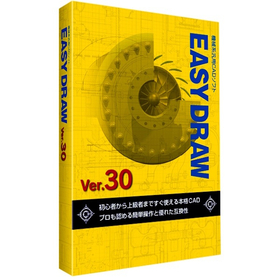
In the design of home appliance enclosures, the complexity of design is increasing due to the miniaturization and enhancement of product functionality. Changes in the enclosure design have a significant impact on the overall design and functionality of the product, necessitating accurate and efficient CAD software. EASYDRAW Ver.30 is equipped with features for comparing drawings before and after design changes, as well as the ability to read PDF drawings, thereby improving design efficiency. 【Usage Scenarios】 - Design of home appliance enclosures - Comparison of drawings during design changes - Utilization of PDF drawings 【Benefits of Implementation】 - Reduction in design time - Decrease in design errors - Improvement in design quality
Added to bookmarks
Bookmarks listBookmark has been removed
Bookmarks listYou can't add any more bookmarks
By registering as a member, you can increase the number of bookmarks you can save and organize them with labels.
Free membership registration
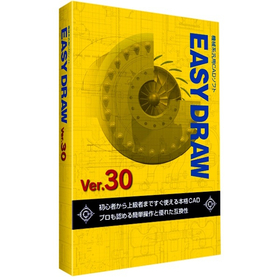
In the machine tool industry, modeling work requires accurate drawing creation and efficient design changes. Particularly when dealing with complex shapes and precise parts, the performance of CAD software greatly influences work efficiency. Compatibility of drawings and responsiveness to design changes are also important factors. EASYDRAW Ver.30 has enhanced its capabilities to meet these needs by strengthening large-capacity drawing editing and drawing comparison functions, as well as incorporating PDF drawing import functionality. 【Usage Scenarios】 - Design of machine tools - Modeling of parts - Modification of drawings - Design changes 【Benefits of Implementation】 - Efficient drawing creation - Reduction in design change time - Utilization of PDF drawings - Improved cost performance
Added to bookmarks
Bookmarks listBookmark has been removed
Bookmarks listYou can't add any more bookmarks
By registering as a member, you can increase the number of bookmarks you can save and organize them with labels.
Free membership registration
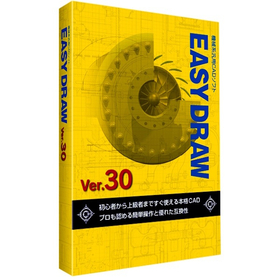
In the shipbuilding industry, it is essential to create accurate and efficient design drawings for complex structures. In particular, precision in details such as hull strength calculations and the arrangement of outfitting is crucial. Errors in drawings can lead to rework during the manufacturing process and increased costs. EASYDRAW Ver.30 is equipped with features for editing large drawings and reading PDF drawings, supporting the efficiency of drawing creation in the shipbuilding industry. 【Usage Scenarios】 - Creation of hull structure drawings - Creation of outfitting arrangement drawings - Modification and changes to drawings 【Benefits of Implementation】 - Reduction in drawing creation time - Decrease in design errors - Cost savings
Added to bookmarks
Bookmarks listBookmark has been removed
Bookmarks listYou can't add any more bookmarks
By registering as a member, you can increase the number of bookmarks you can save and organize them with labels.
Free membership registration
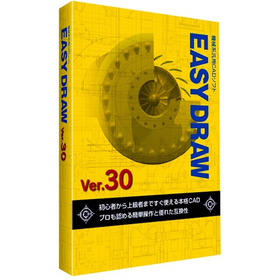
In the aerospace industry, the analysis tasks require accuracy and efficient utilization of design data. Particularly in aircraft design and component strength analysis, the compatibility of CAD data and ease of editing are crucial. If data conversion between different CAD systems or editing complex shapes takes too much time, it can lead to delays and errors in analysis. EASYDRAW Ver.30 is equipped with a PDF drawing import function, allowing it to read drawings output from widely used CAD systems in the CAD industry. This supports effective utilization of design data and improves the efficiency of analysis tasks. 【Usage Scenarios】 * Creation of aircraft design drawings * Strength analysis of components * Ensuring compatibility of CAD data * Drawing modification tasks 【Benefits of Implementation】 * Increased efficiency of analysis tasks * Reduction of design errors * Cost savings * Improved data compatibility
Added to bookmarks
Bookmarks listBookmark has been removed
Bookmarks listYou can't add any more bookmarks
By registering as a member, you can increase the number of bookmarks you can save and organize them with labels.
Free membership registration
In the field of automotive design, precise drawing creation and quick responses to design changes are required. Particularly in automotive design, which involves a large number of parts, managing drawings and tracking change histories are crucial. Errors in drawings or missed changes can lead to problems in the manufacturing process and increased costs. EASYDRAW Ver.30 is equipped with features for editing large drawings and comparing drawings, enhancing design efficiency. 【Usage Scenarios】 - Design of automotive parts - Body design - Drawing comparison during design changes 【Benefits of Implementation】 - Reduction in design time - Decrease in design errors - Cost savings
Added to bookmarks
Bookmarks listBookmark has been removed
Bookmarks listYou can't add any more bookmarks
By registering as a member, you can increase the number of bookmarks you can save and organize them with labels.
Free membership registration
In the furniture design industry, there is a demand for both diversification of designs and improvement of manufacturing efficiency. Particularly when the frequency of design changes is high, modifying processing data can be cumbersome, potentially leading to delays in delivery and increased costs. CAMCORE EX facilitates the modification of processing data associated with design changes by managing drawings and processing data in the same file, thereby achieving efficiency in the manufacturing process. 【Usage Scenarios】 - Changes in furniture design - Production of prototypes - Small lot production 【Benefits of Implementation】 - Rapid response to design changes - Reduction in NC data creation time - Decrease in manufacturing costs
Added to bookmarks
Bookmarks listBookmark has been removed
Bookmarks listYou can't add any more bookmarks
By registering as a member, you can increase the number of bookmarks you can save and organize them with labels.
Free membership registration
In the toy industry, rapid response to design changes is required during the prototyping phase. Particularly, if it takes time to modify processing data for fine-tuning designs or verifying functionality, it can impact the overall schedule of the prototype. CAMCORE EX contributes to shortening the prototyping period by managing drawings and processing data in the same file, making it easier to change processing conditions and paths. 【Usage Scenarios】 - Design prototyping of toys - Shape confirmation before mold production - Production of prototypes for functionality verification 【Benefits of Implementation】 - Reduction in time required for prototyping - Flexible response to design changes - Cost reduction
Added to bookmarks
Bookmarks listBookmark has been removed
Bookmarks listYou can't add any more bookmarks
By registering as a member, you can increase the number of bookmarks you can save and organize them with labels.
Free membership registration
In the home appliance industry, enclosure design requires flexible responses to design changes and rapid creation of processing data to accommodate product diversification and shorter delivery times. In particular, changes in enclosure shape due to design modifications or additional functions occur frequently, necessitating revisions to processing data each time. CAMCORE EX facilitates easy changes to processing conditions and paths by managing drawings and processing data in the same file, thereby reducing NC data creation time. [Usage Scenarios] - Enclosure design for home appliances - Creation of processing data for prototypes and mass production - Quick response to design changes [Benefits of Implementation] - Increased efficiency in design and manufacturing tasks - Reduced NC data creation time - Shortened prototype and mass production cycles
Added to bookmarks
Bookmarks listBookmark has been removed
Bookmarks listYou can't add any more bookmarks
By registering as a member, you can increase the number of bookmarks you can save and organize them with labels.
Free membership registration
In the medical device industry, precise machining of components is essential to ensure product safety and reliability. Particularly for products that require high precision, such as implants and surgical instruments, the accuracy of machining data and efficient management are crucial. Errors in machining data or complicated management can lead to a decline in product quality and an increase in manufacturing costs. CAMCORE EX streamlines the editing of machining data by managing drawings and machining data in the same file, making it easier to create NC data. 【Usage Scenarios】 - Precision machining of components such as implants and surgical instruments - Machining of complex-shaped medical device parts - Management of machining data in prototype and small-scale production 【Benefits of Implementation】 - Rapid response to changes in machining data - Reduction in NC data creation time - Improvement in product quality
Added to bookmarks
Bookmarks listBookmark has been removed
Bookmarks listYou can't add any more bookmarks
By registering as a member, you can increase the number of bookmarks you can save and organize them with labels.
Free membership registration
In the aerospace industry, reducing the weight of components is essential for improving fuel efficiency and performance of aircraft. Achieving weight reduction requires high-precision design and manufacturing. CAMCORE EX facilitates the creation of NC data during design changes by managing drawings and processing data in the same file, contributing to a reduction in the number of prototypes. 【Usage Scenarios】 - Design of aircraft components - Design of components for space exploration vehicles - Design of drone components 【Benefits of Implementation】 - Shortened design and manufacturing periods - Realization of component weight reduction - Cost reduction
Added to bookmarks
Bookmarks listBookmark has been removed
Bookmarks listYou can't add any more bookmarks
By registering as a member, you can increase the number of bookmarks you can save and organize them with labels.
Free membership registration
In the automotive parts manufacturing industry, a quick response to design changes and high-quality parts processing are required. Particularly in the prototyping stage and low-volume, high-variety production, modifications and optimizations of processing data occur frequently, making work efficiency crucial. CAMCORE EX facilitates easy changes to processing conditions and paths by managing drawings and processing data in the same file, thereby reducing NC data creation time. [Usage Scenarios] - Prototyping of automotive parts - Low-volume, high-variety production - Quick response to design changes [Benefits of Implementation] - Reduction in processing data editing time - Increased efficiency in NC data creation - Achievement of high-quality parts processing
Added to bookmarks
Bookmarks listBookmark has been removed
Bookmarks listYou can't add any more bookmarks
By registering as a member, you can increase the number of bookmarks you can save and organize them with labels.
Free membership registration
In the circuit board design of the electronic components industry, a quick response to design changes and the accuracy of processing data are required. In particular, it is important to address modifications during the prototype stage and to accommodate small-lot, varied production. If editing processing data is cumbersome, it can lead to delays in the design cycle and increased costs. CAMCORE EX facilitates easy changes to processing conditions and paths by managing drawings and processing data in the same file, thereby speeding up NC data creation. 【Usage Scenarios】 - Creation of processing data in circuit board design - Response to design changes during the prototype stage - Accommodation of small-lot, varied production 【Benefits of Implementation】 - Shortening of the design cycle - Increased efficiency in processing data editing tasks - Cost reduction
Added to bookmarks
Bookmarks listBookmark has been removed
Bookmarks listYou can't add any more bookmarks
By registering as a member, you can increase the number of bookmarks you can save and organize them with labels.
Free membership registration
In the machining industry, efficient path generation is required to balance product quality and delivery times. Particularly when complex shapes or high-precision machining is needed, optimizing path generation is essential for improving productivity. Inadequate path generation can lead to increased machining time and reduced tool life. CAMCORE EX facilitates easy changes to machining conditions and paths by managing drawings and machining data in the same file, thereby speeding up NC data creation. 【Usage Scenarios】 - Machining of complex shapes - High-precision machining - Prototyping and small-scale production 【Benefits of Implementation】 - Reduction in machining time - Shortened NC data creation time - Reduction of errors
Added to bookmarks
Bookmarks listBookmark has been removed
Bookmarks listYou can't add any more bookmarks
By registering as a member, you can increase the number of bookmarks you can save and organize them with labels.
Free membership registration
In the mold industry, high-precision shape processing is required, and the efficiency of editing processing data is crucial. A CAM system that can flexibly respond to changes in processing conditions and paths contributes to shortening delivery times and reducing costs. CAMCORE EX addresses these challenges by managing drawings and processing data in the same file. 【Usage Scenarios】 - Shape processing of molds - Editing processing data - Changing processing conditions, processing paths, and process sequences 【Benefits of Implementation】 - Increased efficiency in editing processing data - Faster creation of NC data - Shortened delivery times and reduced costs
Added to bookmarks
Bookmarks listBookmark has been removed
Bookmarks listYou can't add any more bookmarks
By registering as a member, you can increase the number of bookmarks you can save and organize them with labels.
Free membership registration
CADCAM features that dramatically improve design and manufacturing work efficiency! User-friendly operation that even beginners can easily handle! By managing drawings and machining data within the same file, it allows for immediate NC data creation after modifying necessary items such as processing conditions, machining paths, and process sequences. For other features and details, please feel free to download the catalog or contact us for any questions or to request a trial version. ■ Contact Information Marble Inc. Embedded Products Division, Product Business Department Phone: (03) 3419-6011
Added to bookmarks
Bookmarks listBookmark has been removed
Bookmarks listYou can't add any more bookmarks
By registering as a member, you can increase the number of bookmarks you can save and organize them with labels.
Free membership registration
With quick processing and high-quality finish, you can easily and swiftly create 5-axis NC programs. 【Features】 Tool paths with fully automated interference checks and avoidance. Supports high-speed simultaneous 5-axis machining for pocket shapes with curvature on the bottom. Generates tool paths that effectively utilize barrel tools, contributing to cost reduction. Utilizes existing tool paths to output new 5-axis tool paths that have undergone interference checks using different tool protrusion lengths and other tools. For more information and details, please feel free to download the catalog or contact us with any questions. Marble Co., Ltd. Embedded Products Division, Product Business Department Phone: (03) 3419-6011
Added to bookmarks
Bookmarks listBookmark has been removed
Bookmarks listYou can't add any more bookmarks
By registering as a member, you can increase the number of bookmarks you can save and organize them with labels.
Free membership registration
It is a function that seamlessly connects a 2D drawing environment with a 3D modeling environment, allowing for the 3D conversion of past drawing assets or the creation of 2D drawings that can be used in manufacturing sites. For details about the features or if you have any questions, please feel free to contact us or download the catalog. Andor Co., Ltd. IT Platform Sales Department Products Sales Section Phone: (03) 3419-6011
Added to bookmarks
Bookmarks listBookmark has been removed
Bookmarks listYou can't add any more bookmarks
By registering as a member, you can increase the number of bookmarks you can save and organize them with labels.
Free membership registration
CADSUPER Viewer is a drawing viewer specifically for CADSUPER format data (CSD, CSP). You can view CADSUPER drawing data on tablets and smartphones such as the iPad.
Added to bookmarks
Bookmarks listBookmark has been removed
Bookmarks listYou can't add any more bookmarks
By registering as a member, you can increase the number of bookmarks you can save and organize them with labels.
Free membership registration
CADSUPERWorks is the result of combining the globally proven SOLIDWORKS with the user-friendly and well-regarded "CADSUPER," creating CADSUPERWorks. Additionally, it is now possible to plug in the new CAM software feature 'iMachining,' allowing us to provide not only design but also innovative machining technologies. iMachining features a unique machining path called "Morphing Spiral" developed by SolidCAM, which enables astonishingly high-speed machining and significantly extends tool life by controlling cutting loads. Tests conducted showed that machining time was reduced to one-fiftieth compared to conventional methods, with minimal tool wear or damage compared to traditional machining paths. This is particularly effective for difficult-to-machine materials such as stainless steel (SUS) and hardened materials (SKD, SKS), as well as for workpieces with high cutting volumes.
Added to bookmarks
Bookmarks listBookmark has been removed
Bookmarks listYou can't add any more bookmarks
By registering as a member, you can increase the number of bookmarks you can save and organize them with labels.
Free membership registration
【Features】 ■ Suitable for 3D printing applications ■ Equipped with interference check function between parts ■ Excellent compatibility with other CAD software ■ Capable of converting 3D information to 2D You can choose from two types: the "Mini model," which has the basic functions necessary for 3D modeling of parts, and the "Lite model," which includes assembly design functions. *For more details, please refer to the PDF catalog. If you would like detailed materials, please contact us at the information below. ■ Contact Marble Co., Ltd. Embedded Product Division, Product Business Department Phone: (03) 3419-6011
Added to bookmarks
Bookmarks listBookmark has been removed
Bookmarks listYou can't add any more bookmarks
By registering as a member, you can increase the number of bookmarks you can save and organize them with labels.
Free membership registration
A CAD viewer with robust features such as in-drawing search, support for different scale data, and extensive data loading capabilities! For other features and details, please feel free to download the catalog or contact us with any questions. Marble Inc. Embedded Products Division, Product Business Department Phone: (03) 3419-6011
Added to bookmarks
Bookmarks listBookmark has been removed
Bookmarks listYou can't add any more bookmarks
By registering as a member, you can increase the number of bookmarks you can save and organize them with labels.
Free membership registration
Super simple, immediately usable ultra-compact data input/output device. Two sets of communication conditions can be stored. Automatic receiving function (Auto input). For other functions and details, please download the catalog or feel free to contact us with any questions. ■ Contact Marble Co., Ltd. Embedded Products Division, Product Business Department Phone: (03) 3419-6011
Added to bookmarks
Bookmarks listBookmark has been removed
Bookmarks listYou can't add any more bookmarks
By registering as a member, you can increase the number of bookmarks you can save and organize them with labels.
Free membership registration
We provide a seamless operating environment that supports milling machines capable of fixed 4/5 axes from 2 axes, simultaneous 5 axes, compound lathes compatible with Y/C/B axes, wire cutting compatible with simultaneous 4 axes, and can be realized by adding to SolidWorks (CADSUPERWorks). For other features and details, please feel free to download the catalog or contact us with any questions. Marble Co., Ltd. Embedded Products Division, Product Business Department Phone: (03) 3419-6011
Added to bookmarks
Bookmarks listBookmark has been removed
Bookmarks listYou can't add any more bookmarks
By registering as a member, you can increase the number of bookmarks you can save and organize them with labels.
Free membership registration
3D Data Creation Service We create three-dimensional representations of various products such as machine parts, wearable devices, and original characters. 3D Model Fabrication Service With fabrication methods tailored to your needs, we offer a prototype fabrication service that shortens product development time and reduces costs! It is ideal for design verification, shape confirmation, meetings, presentations, assembly, and functional testing. We provide significant cost-effectiveness. For service details and inquiries, please feel free to contact us. Marble Inc. Embedded Product Division, Product Business Department Phone: (03) 3419-6011
Added to bookmarks
Bookmarks listBookmark has been removed
Bookmarks listYou can't add any more bookmarks
By registering as a member, you can increase the number of bookmarks you can save and organize them with labels.
Free membership registration
CAD Data Conversion and Drawing Digitization Solutions Leveraging the experience of a CAD development company, our specialized staff will carry out everything from converting paper drawings to electronic drawings to standard scanning services. For details about our solutions, please feel free to contact us. ■ Inquiries Marble Co., Ltd. Embedded Products Division, Product Business Department Phone: (03) 3419-6011
Added to bookmarks
Bookmarks listBookmark has been removed
Bookmarks listYou can't add any more bookmarks
By registering as a member, you can increase the number of bookmarks you can save and organize them with labels.
Free membership registration
You can convert Excel sheets into web applications without programming, enabling integration with Excel-based BI construction services using a backend database. As long as you have a browser, you can reference and update data from anywhere. Additionally, you can utilize many of Excel's features as they are, making calculations using functions and generating graphs easy. For more information about our services and details, please feel free to contact us. Marble Inc. Embedded Product Division, Product Business Department Phone: (03) 3419-6011
Added to bookmarks
Bookmarks listBookmark has been removed
Bookmarks listYou can't add any more bookmarks
By registering as a member, you can increase the number of bookmarks you can save and organize them with labels.
Free membership registration
From the day it is introduced, anyone can use it immediately. With initial settings tailored to usability, there are zero mistakes. The native conversion library is equipped with Spatial's 'InterOp', ensuring top-class high conversion accuracy. Batch conversion of several types of format files with File to File. We have thoroughly minimized operations with a user-friendly interface. For other features and details, please feel free to download the catalog or contact us with any questions. Marble Inc. Embedded Product Division Product Business Department Phone: (03) 3419-6011
Added to bookmarks
Bookmarks listBookmark has been removed
Bookmarks listYou can't add any more bookmarks
By registering as a member, you can increase the number of bookmarks you can save and organize them with labels.
Free membership registration
Are you considering sharing information such as sales data and pricing information, which you currently share as Excel files within your company or with partner companies, over the internet? For details about our services or if you have any questions, please feel free to contact us or download our catalog. Marble Inc. Embedded Products Division Product Business Department Phone: (03) 3419-6011
Added to bookmarks
Bookmarks listBookmark has been removed
Bookmarks listYou can't add any more bookmarks
By registering as a member, you can increase the number of bookmarks you can save and organize them with labels.
Free membership registration
In the plant industry, the creation and management of piping diagrams are essential for efficient project execution. Converting 3D models into 2D drawings is crucial for quickly implementing design changes and modifications on-site. DesignFlowExtractor converts three-dimensional data into "light" and "usable" two-dimensional data compatible with existing CAD systems, contributing to the efficiency of piping diagram creation. 【Usage Scenarios】 - Creating 2D drawings from 3D piping models - Modifying drawings during design changes - On-site drawing verification 【Benefits of Implementation】 - Reduced drawing creation time - Decreased design errors - Increased efficiency of on-site work
Added to bookmarks
Bookmarks listBookmark has been removed
Bookmarks listYou can't add any more bookmarks
By registering as a member, you can increase the number of bookmarks you can save and organize them with labels.
Free membership registration
In the medical device industry, accurate information transmission of products is essential, and the quality of manuals is important. Manuals based on 3D models are visually easy to understand and can clearly convey how to operate the product and important precautions. However, converting 3D data into 2D drawings can be time-consuming and labor-intensive. DesignFlowExtractor assists in converting three-dimensional data into two-dimensional data, streamlining the manual creation process. 【Use Cases】 - Creation of manuals for medical devices - Development of product operation manuals - Creation of part drawings 【Benefits of Implementation】 - Reduction in manual creation time - Creation of manuals that are less likely to cause misunderstandings - Promotion of product understanding
Added to bookmarks
Bookmarks listBookmark has been removed
Bookmarks listYou can't add any more bookmarks
By registering as a member, you can increase the number of bookmarks you can save and organize them with labels.
Free membership registration
In the field of home appliance design, the utilization of 3D data is essential due to the miniaturization and high functionality of products. However, in collaboration with manufacturing sites and partner companies, there are often cases where 2D drawings are necessary, and the task of converting from 3D to 2D can become a burden for designers. DesignFlowExtractor facilitates the process by performing shape verification and angle correction of three-dimensional data, making it easier to expand into two-dimensional data. As a result, designers can proceed with drawing creation more efficiently. 【Usage Scenarios】 - Design of home appliance enclosures - Creation of component drawings - Collaboration with manufacturing departments 【Benefits of Implementation】 - Reduction in design time - Decrease in drawing creation errors - Smooth information sharing
Added to bookmarks
Bookmarks listBookmark has been removed
Bookmarks listYou can't add any more bookmarks
By registering as a member, you can increase the number of bookmarks you can save and organize them with labels.
Free membership registration
In the shipbuilding industry, it is necessary to create accurate schedules based on complex three-dimensional data. In particular, confirming the shape of parts and adjusting angles can take a lot of time, potentially leading to delays in the overall process. DesignFlowExtractor supports the efficiency of schedule creation by converting three-dimensional data into two-dimensional data. It enables the creation of usable two-dimensional drawings from three-dimensional data in just 10 clicks. 【Use Cases】 - Schedule creation for shipbuilding projects - Confirmation of part shapes and drawing creation - Sharing of drawings in material procurement 【Benefits of Implementation】 - Reduction in schedule creation time - Decrease in errors and improvement in quality - Smoother information sharing among stakeholders
Added to bookmarks
Bookmarks listBookmark has been removed
Bookmarks listYou can't add any more bookmarks
By registering as a member, you can increase the number of bookmarks you can save and organize them with labels.
Free membership registration
In the aerospace industry, verifying the shape of 3D data and correcting angles are crucial tasks. These activities influence the accuracy of analyses and also affect efficiency during the design phase. DesignFlowExtractor supports the efficiency of analysis operations by converting 3D data into "lightweight" and "usable" 2D data compatible with existing CAD systems. 【Usage Scenarios】 - Analysis of aircraft components - Analysis of space structures - Creation of 2D drawings for analysis 【Benefits of Implementation】 - Reduction in analysis time - Improvement in analysis accuracy - Increased efficiency during the design phase
Added to bookmarks
Bookmarks listBookmark has been removed
Bookmarks listYou can't add any more bookmarks
By registering as a member, you can increase the number of bookmarks you can save and organize them with labels.
Free membership registration
In the manufacturing industry, the creation of part drawings is essential for product design and manufacturing processes. The conversion from 3D CAD data to 2D drawings has required a lot of time and effort, leading to decreased work efficiency. Particularly in the mold industry, a significant amount of time has been spent on shape verification and angle correction of 3D data, making the transition to 2D drawings challenging. DesignFlowExtractor performs shape verification and angle correction of three-dimensional data, allowing for conversion to two-dimensional data in just 10 clicks. This achieves a reduction in work time and increased efficiency. 【Use Cases】 - Creation of 2D drawings in the mold industry - Modification and updating of part drawings - Shape verification of 3D data 【Benefits of Implementation】 - Reduction in work time - Improvement in operational efficiency - Reduction of errors
Added to bookmarks
Bookmarks listBookmark has been removed
Bookmarks listYou can't add any more bookmarks
By registering as a member, you can increase the number of bookmarks you can save and organize them with labels.
Free membership registration
DesignFLowExtractor allows for shape verification of 3D data and angle correction, unlike regular 3D CAD! It can quickly expand into 2D data! It is available for a wide range of fields, including sales and materials personnel in the mold industry. With just 10 clicks, you can create 2D drawings from 3D data. For other features and details, please feel free to contact us for catalog downloads, inquiries, or trial versions. Marble Inc. Embedded Product Division, Product Business Department Phone: (03) 3419-6011
Added to bookmarks
Bookmarks listBookmark has been removed
Bookmarks listYou can't add any more bookmarks
By registering as a member, you can increase the number of bookmarks you can save and organize them with labels.
Free membership registration
This is a total support CAM system for 2D pockets, hole processing, simultaneous 5-axis machining, lathe processing, machining centers with 4 and 5 axes, wire cutting, and composite lathes. It is equipped with a function that automatically recognizes and distinguishes various shapes on a 3D solid model. It automatically extracts common machining characteristics (pockets, bosses, holes, islands) and lathe processing characteristics (front, outer diameter, inner diameter) found within the solid model. For other features and details, please feel free to download the catalog or contact us if you have any questions. Marble Co., Ltd. Embedded Products Division, Product Business Department Phone: (03) 3419-6011
Added to bookmarks
Bookmarks listBookmark has been removed
Bookmarks listYou can't add any more bookmarks
By registering as a member, you can increase the number of bookmarks you can save and organize them with labels.
Free membership registration