46~90 item / All 104 items
Displayed results
Filter by category

Added to bookmarks
Bookmarks listBookmark has been removed
Bookmarks listYou can't add any more bookmarks
By registering as a member, you can increase the number of bookmarks you can save and organize them with labels.
Free membership registration
Contact this company
Inquiry Form46~90 item / All 104 items
Filter by category
We will solve ideas for designing to minimize warping as much as possible during the product design stage, which determines the shape, using PD Advisor. For features and details, please feel free to download the catalog or contact us if you have any questions. ■ Inquiries Marble Inc. Embedded Products Division, Product Business Department Phone: (03) 3419-6011
Added to bookmarks
Bookmarks listBookmark has been removed
Bookmarks listYou can't add any more bookmarks
By registering as a member, you can increase the number of bookmarks you can save and organize them with labels.
Free membership registration
STL files can become extremely large, making them difficult to edit. STL Workshop 2 addresses these issues. (1) Automatic adjustment of parameter values that require expertise (2) User interface compliant with Windows software (3) Efficient display control of large polygon data, incorporating polygon editing algorithms developed by the RIKEN National Research and Development Institute (4) Features tailored to specific industries and sectors If you would like detailed materials, please contact us at the information below. Marble Inc. Embedded Product Division, Product Business Department Phone: (03) 3419-6011
Added to bookmarks
Bookmarks listBookmark has been removed
Bookmarks listYou can't add any more bookmarks
By registering as a member, you can increase the number of bookmarks you can save and organize them with labels.
Free membership registration
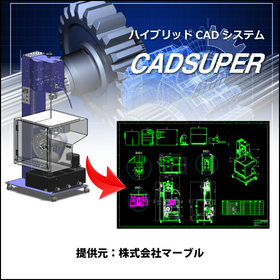
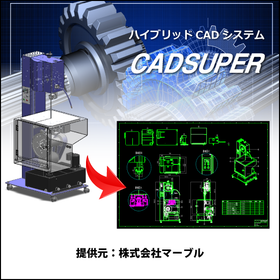
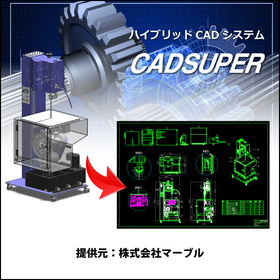
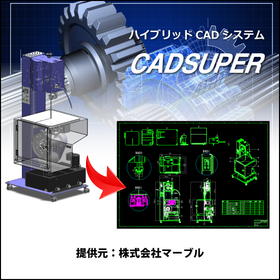
Introduction to the CADSUPER User Case Site
Added to bookmarks
Bookmarks listBookmark has been removed
Bookmarks listYou can't add any more bookmarks
By registering as a member, you can increase the number of bookmarks you can save and organize them with labels.
Free membership registration
iMachining is characterized by a unique machining path called "Morphing Spiral" developed by SolidCAM, which enables astonishingly high-speed machining and significantly extends tool life by controlling cutting loads. Please confirm how easily NAK55, which is generally considered a "difficult-to-cut material" (heat-treated with surface assurance), can be machined. For more details, please feel free to contact us. Marble Co., Ltd. Embedded Products Division, Product Business Department Phone: (03) 3419-6011
Added to bookmarks
Bookmarks listBookmark has been removed
Bookmarks listYou can't add any more bookmarks
By registering as a member, you can increase the number of bookmarks you can save and organize them with labels.
Free membership registration
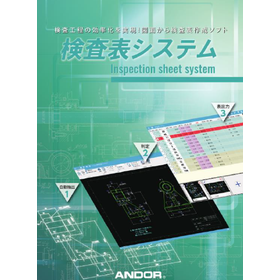
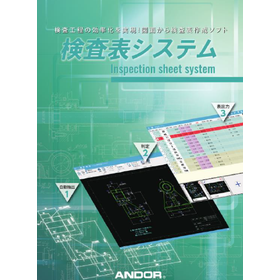
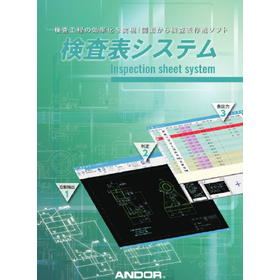
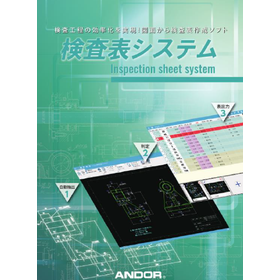
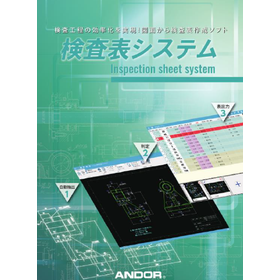
The "Inspection Sheet System" (Inspection Result Sheet Creation) is a dedicated system that reads DXF/DWG/PDF data without conversion, automatically extracts dimension line attributes just by selecting the shapes, and automatically creates inspection sheets. *PDF data will only be automatically extracted if it is vector data. Furthermore, by clicking on the measurement value position, the "OK/NG judgment" is also executed automatically. With very simple operations, you can significantly improve the efficiency of the inspection process. *For more details, please refer to the catalog. Feel free to contact us as well. ■ Inquiries to: Marble Co., Ltd. Embedded Products Division, Product Business Department Phone: (03) 3419-6011
Added to bookmarks
Bookmarks listBookmark has been removed
Bookmarks listYou can't add any more bookmarks
By registering as a member, you can increase the number of bookmarks you can save and organize them with labels.
Free membership registration
This is a danger area determination system that utilizes pose recognition technology (human skeletal authentication) through deep learning. It estimates a person's position from images captured by a camera and triggers an alarm when they approach a pre-set danger area. The POSE technology can only make determinations in a plane (2D), but by also using depth estimation technology through deep learning, it has enabled determinations in three dimensions (3D). It compares the pre-set danger area with the position of a person's chest in real-time, changing the chest marker from green to red in the case of a danger area. While the area outside the door is designated as a danger zone, it is also possible to specify a certain depth, such as only when passing through the door. ■ For inquiries Marble Inc. Embedded Product Division, Product Business Department Phone: (03) 3419-6011
Added to bookmarks
Bookmarks listBookmark has been removed
Bookmarks listYou can't add any more bookmarks
By registering as a member, you can increase the number of bookmarks you can save and organize them with labels.
Free membership registration
We developed a more flexible danger area detection system by combining object identification in images using deep learning with the aforementioned POSE. In object identification, we can pre-learn triangular cones and identify them within images. In this demo, the "red triangular cone" is considered a danger area, and when a person recognized by POSE approaches the red triangular cone, a warning is displayed on the screen. During the demo video, a red triangular cone will be added. Please note how an area that was previously safe is recognized as a danger area. ■ For inquiries Marble Inc. Embedded Product Division Product Department Phone: (03) 3419-6011
Added to bookmarks
Bookmarks listBookmark has been removed
Bookmarks listYou can't add any more bookmarks
By registering as a member, you can increase the number of bookmarks you can save and organize them with labels.
Free membership registration
One common example of AI applications is human pose estimation, known as POSE. It infers the joint positions of people in images in real-time and displays their positions in frames. This technology is versatile and can be used for both videos and still images. ■ For inquiries Marble Inc. Embedded Products Division, Product Business Department Phone: (03) 3419-6011
Added to bookmarks
Bookmarks listBookmark has been removed
Bookmarks listYou can't add any more bookmarks
By registering as a member, you can increase the number of bookmarks you can save and organize them with labels.
Free membership registration
iMachining is characterized by a unique machining path called "morphing spiral" developed by SolidCAM, which enables astonishingly high-speed machining and significantly extends tool life by controlling cutting loads. Please confirm that carbon steel materials (S50C), generally considered "difficult to machine," can be processed smoothly. For more details, please feel free to contact us. Marble Co., Ltd. Embedded Products Division, Product Business Department Phone: (03) 3419-6011
Added to bookmarks
Bookmarks listBookmark has been removed
Bookmarks listYou can't add any more bookmarks
By registering as a member, you can increase the number of bookmarks you can save and organize them with labels.
Free membership registration
This is a non-contact body temperature measurement system using a thermosensor and POSE. The hardware of this system is configured by serially connecting a thermosensor to a Raspberry Pi system. The thermosensor uses a thermographic camera module. It can detect infrared and measure the temperature at a distance. To enable automatic measurement from the perspective of infection prevention, POSE is used to determine whether the face is in front of the thermosensor. In the demo video, a disposable heat pack is used to confirm operation in the case of elevated body temperature. ■ For inquiries Marble Inc. Embedded Product Division, Product Business Department Phone: (03) 3419-6011
Added to bookmarks
Bookmarks listBookmark has been removed
Bookmarks listYou can't add any more bookmarks
By registering as a member, you can increase the number of bookmarks you can save and organize them with labels.
Free membership registration
In the manufacturing industry, companies are promoting concurrent engineering and collaboration to accurately capture the ever-changing market needs and to ship timely products, working to shorten product development periods. Consequently, the manual production field is also being pressured to shorten delivery times and disclose information earlier. "PROSPERAS" is a product that enables the automatic generation of manuals and e-manuals through the same business process, achieving shorter delivery times and earlier information disclosure in manual production. ■Features■ 1. A system specialized for user manuals and service manuals. 2. Reduction of creation time for similar/multilingual documents, cost savings, and quality improvement. 3. Comprehensive provision of know-how and functions from standardization to initial registration and daily operations. For details on functions or any inquiries, please feel free to contact us or download the catalog. ■For detailed materials and demos, please contact us at the following: Marble Inc. Embedded Product Division Product Business Department Phone: (06) 6135-8911
Added to bookmarks
Bookmarks listBookmark has been removed
Bookmarks listYou can't add any more bookmarks
By registering as a member, you can increase the number of bookmarks you can save and organize them with labels.
Free membership registration
What is Edge AI? It processes AI tasks using the cloud at the location where the data is (the edge). Benefits of Edge AI: 1. Low cost 2. Real-time processing 3. High safety 4. Process optimization Feel free to contact us. Marble Inc. Embedded Product Division, Product Business Department Phone: (03) 3419-6011
Added to bookmarks
Bookmarks listBookmark has been removed
Bookmarks listYou can't add any more bookmarks
By registering as a member, you can increase the number of bookmarks you can save and organize them with labels.
Free membership registration
3D Data Management PDM Software SearchManager Pro2 SearchManager Pro2 automatically applies exclusive control to related files when sharing and using 3D data on servers, eliminating opportunities for loss in design operations. It can automatically analyze assembly files from SOLIDWORKS and CADSUPER Works, checking in and out related sub-assembly and part files in bulk. For estimates or any inquiries, please feel free to contact us. ■ Contact Information Marble Inc. Embedded Product Division, Product Business Department Phone: (03) 3419-6011
Added to bookmarks
Bookmarks listBookmark has been removed
Bookmarks listYou can't add any more bookmarks
By registering as a member, you can increase the number of bookmarks you can save and organize them with labels.
Free membership registration
The CADSUPER version of the "Inspection Dimension Table Tool" allows you to simply select multiple shapes, automatically extracting dimension line attributes for each shape and creating an inspection table. Furthermore, by clicking the inspection start button, the "OK/NG judgment" is also executed automatically. With very simple operations, you can significantly improve the efficiency of the inspection process. ■Features■ - Shapes are color-coded for easy identification and visibility - Number confirmation and number drawing buttons enhance usability and clarity - Easy output of dimension line lists (Microsoft Excel / Word) *For more details, please refer to the catalog. Feel free to contact us for inquiries. A "free trial version" is also available (try it free for 30 days). ■If you would like detailed materials, please contact us at the information below. Marble Inc. Embedded Products Division, Product Business Department Phone: (03) 3419-6011
Added to bookmarks
Bookmarks listBookmark has been removed
Bookmarks listYou can't add any more bookmarks
By registering as a member, you can increase the number of bookmarks you can save and organize them with labels.
Free membership registration
When converting to 2D: - The data size is too large to operate... - I had to rewrite it because I couldn't take the dimensions of the arc... - I want to make the conversion to 2D smoother and utilize it further! For those who feel this way, 'CADSUPER Link for SOLIDWORKS' is the ideal solution. It is a collaborative application designed to efficiently utilize SOLIDWORKS and 2D drawings. 【Features】 - Batch creation of assembly drawings/part drawings from 3D assemblies - Direct projection of high-quality, low-element 2D drawings from 3D data - Easy operation for 3D modeling from existing drawings - 3D design verification for each part from 2D structural drawings - Supports not only stock saving but also saving as imported parts - Facilitates capacity improvement and dimension entry for 2D drawings created from 3D CAD data - Equipped with a drawing projection update function If you are struggling with the integration between 2D drawings and 3D models, please feel free to contact us! * "SOLIDWORKS" and "CADSUPER" are required.
Added to bookmarks
Bookmarks listBookmark has been removed
Bookmarks listYou can't add any more bookmarks
By registering as a member, you can increase the number of bookmarks you can save and organize them with labels.
Free membership registration
STL files can become extremely large, making them difficult to edit. STL Workshop 2 addresses these issues. (1) Automatic adjustment of parameter values that require expertise (2) User interface compliant with Windows software (3) Efficient display control of large polygon data, incorporating polygon editing algorithms developed by the RIKEN National Research and Development Institute (4) Features tailored to specific industries and sectors ■ For detailed information, please contact us at the following: Marble Inc. Embedded Product Division, Product Business Department Phone: (03) 3419-6011
Added to bookmarks
Bookmarks listBookmark has been removed
Bookmarks listYou can't add any more bookmarks
By registering as a member, you can increase the number of bookmarks you can save and organize them with labels.
Free membership registration
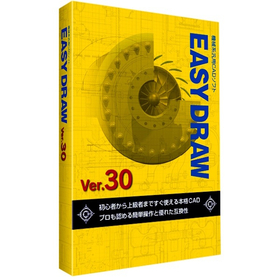
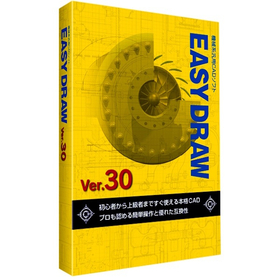
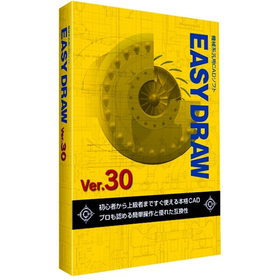
In the field of mechanical design for packaging machinery, precise drawing creation and rapid response to design changes are essential to balance product quality and production efficiency. In particular, the interference of high-speed moving machine parts and the need to accommodate various product sizes increase the complexity of design and raise the risk of design errors. EASYDRAW Ver.30 addresses these challenges by providing large-capacity drawing editing, drawing comparison functions, and PDF drawing import capabilities, thereby improving design efficiency and contributing to enhanced design quality. 【Usage Scenarios】 - Mechanical design of packaging machinery - Creation of part drawings - Drawing comparison during design changes - Utilization of PDF drawings 【Benefits of Implementation】 - Reduction in design time - Decrease in design errors - Improvement in design quality - Cost reduction
Added to bookmarks
Bookmarks listBookmark has been removed
Bookmarks listYou can't add any more bookmarks
By registering as a member, you can increase the number of bookmarks you can save and organize them with labels.
Free membership registration
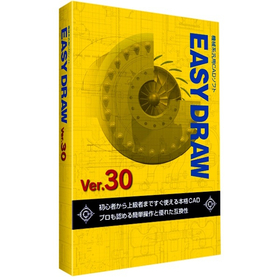
In the mold processing industry, accuracy in design drawings and efficient processing are required. Particularly for molds that demand complex shapes and high precision, the usability and functionality of CAD software are crucial. If modifications and comparisons of drawings cannot be performed smoothly, it may lead to increased processing time and decreased accuracy. EASYDRAW Ver.30 is equipped with large-capacity drawing editing and comparison functions, enhancing design efficiency in mold processing. 【Usage Scenarios】 - Creation of mold design drawings - Comparison of drawings before and after design changes - Importing PDF drawings 【Benefits of Implementation】 - Reduction in design time - Decrease in errors - Cost savings
Added to bookmarks
Bookmarks listBookmark has been removed
Bookmarks listYou can't add any more bookmarks
By registering as a member, you can increase the number of bookmarks you can save and organize them with labels.
Free membership registration
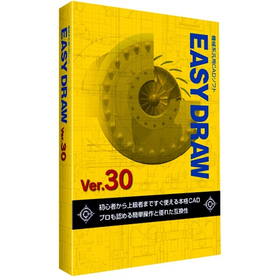
In the plant industry, accurate drawing creation and responsiveness to changes are required in equipment layout design. Particularly, efficient arrangement within limited space and compliance with regulations are important. Improper layout can lead to decreased work efficiency and safety issues. EASYDRAW Ver.30, equipped with large-capacity drawing editing and comparison functions, supports solving challenges in plant layout design. 【Usage Scenarios】 - Plant equipment layout design - Consideration of piping and equipment layout - Drawing modifications and version management 【Benefits of Implementation】 - Reduction in design time - Decrease in errors - Realization of efficient space utilization
Added to bookmarks
Bookmarks listBookmark has been removed
Bookmarks listYou can't add any more bookmarks
By registering as a member, you can increase the number of bookmarks you can save and organize them with labels.
Free membership registration
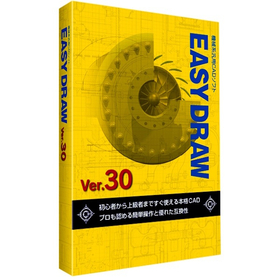
In the energy industry, piping design requires safety and efficiency. Particularly, designs that can withstand complex piping layouts and changes in pressure and temperature are crucial. Inadequate design can lead to interruptions in energy supply or accidents. EASYDRAW Ver.30 allows for editing large-scale drawings and displaying multiple drawings simultaneously, making it easy to compare designs before and after changes. This contributes to the efficiency and quality improvement of piping design. 【Usage Scenarios】 - Plant piping design - Gas and water piping design - Design of energy supply facilities 【Benefits of Implementation】 - Reduction in design time - Decrease in design errors - Cost savings
Added to bookmarks
Bookmarks listBookmark has been removed
Bookmarks listYou can't add any more bookmarks
By registering as a member, you can increase the number of bookmarks you can save and organize them with labels.
Free membership registration
In the robotics industry, accurate drawing data is essential for simulations. Creating precise drawings using 2D CAD significantly affects the efficiency of design when verifying robot movements and checking for interferences. EASYDRAW Ver.30 is equipped with features for editing large drawings and importing PDF drawings, streamlining the design process. 【Usage Scenarios】 - Creating design drawings for robots - Generating 2D data for simulations - Verifying the range of motion for robotic arms 【Benefits of Implementation】 - Reduced design time - Improved simulation accuracy - Cost savings
Added to bookmarks
Bookmarks listBookmark has been removed
Bookmarks listYou can't add any more bookmarks
By registering as a member, you can increase the number of bookmarks you can save and organize them with labels.
Free membership registration
In the semiconductor manufacturing equipment industry, the miniaturization and high density of devices are progressing, making the accuracy of layout design crucial. In particular, optimizing component placement, securing wiring paths, and conducting interference checks are required within limited space. EASYDRAW Ver.30 addresses these challenges by providing large-capacity drawing editing, drawing comparison functions, and PDF drawing import capabilities, thereby supporting efficient and accurate layout design. 【Usage Scenarios】 * Layout design for semiconductor manufacturing equipment * Consideration of component placement * Design of wiring paths * Drawing revisions and change management 【Benefits of Implementation】 * Reduction in design time * Decrease in design errors * Cost savings * Improvement in design quality
Added to bookmarks
Bookmarks listBookmark has been removed
Bookmarks listYou can't add any more bookmarks
By registering as a member, you can increase the number of bookmarks you can save and organize them with labels.
Free membership registration
In the medical device industry, precise design is required. Especially for medical devices that involve human lives, the accuracy of the design is crucial. If the usability of CAD software is poor, it can take longer to complete designs and mistakes are more likely to occur. EASYDRAW Ver.30 supports the design of precise medical devices with an interface that is easy for beginners to use. 【Usage Scenarios】 - Design of medical device components - Design of medical device enclosures - Modification of design drawings 【Benefits of Implementation】 - Reduction in design time - Decrease in design errors - Cost savings
Added to bookmarks
Bookmarks listBookmark has been removed
Bookmarks listYou can't add any more bookmarks
By registering as a member, you can increase the number of bookmarks you can save and organize them with labels.
Free membership registration
In the design of home appliance enclosures, the complexity of design is increasing due to the miniaturization and enhancement of product functionality. Changes in the enclosure design have a significant impact on the overall design and functionality of the product, necessitating accurate and efficient CAD software. EASYDRAW Ver.30 is equipped with features for comparing drawings before and after design changes, as well as the ability to read PDF drawings, thereby improving design efficiency. 【Usage Scenarios】 - Design of home appliance enclosures - Comparison of drawings during design changes - Utilization of PDF drawings 【Benefits of Implementation】 - Reduction in design time - Decrease in design errors - Improvement in design quality
Added to bookmarks
Bookmarks listBookmark has been removed
Bookmarks listYou can't add any more bookmarks
By registering as a member, you can increase the number of bookmarks you can save and organize them with labels.
Free membership registration
In the machine tool industry, modeling work requires accurate drawing creation and efficient design changes. Particularly when dealing with complex shapes and precise parts, the performance of CAD software greatly influences work efficiency. Compatibility of drawings and responsiveness to design changes are also important factors. EASYDRAW Ver.30 has enhanced its capabilities to meet these needs by strengthening large-capacity drawing editing and drawing comparison functions, as well as incorporating PDF drawing import functionality. 【Usage Scenarios】 - Design of machine tools - Modeling of parts - Modification of drawings - Design changes 【Benefits of Implementation】 - Efficient drawing creation - Reduction in design change time - Utilization of PDF drawings - Improved cost performance
Added to bookmarks
Bookmarks listBookmark has been removed
Bookmarks listYou can't add any more bookmarks
By registering as a member, you can increase the number of bookmarks you can save and organize them with labels.
Free membership registration
In the shipbuilding industry, it is essential to create accurate and efficient design drawings for complex structures. In particular, precision in details such as hull strength calculations and the arrangement of outfitting is crucial. Errors in drawings can lead to rework during the manufacturing process and increased costs. EASYDRAW Ver.30 is equipped with features for editing large drawings and reading PDF drawings, supporting the efficiency of drawing creation in the shipbuilding industry. 【Usage Scenarios】 - Creation of hull structure drawings - Creation of outfitting arrangement drawings - Modification and changes to drawings 【Benefits of Implementation】 - Reduction in drawing creation time - Decrease in design errors - Cost savings
Added to bookmarks
Bookmarks listBookmark has been removed
Bookmarks listYou can't add any more bookmarks
By registering as a member, you can increase the number of bookmarks you can save and organize them with labels.
Free membership registration
In the aerospace industry, the analysis tasks require accuracy and efficient utilization of design data. Particularly in aircraft design and component strength analysis, the compatibility of CAD data and ease of editing are crucial. If data conversion between different CAD systems or editing complex shapes takes too much time, it can lead to delays and errors in analysis. EASYDRAW Ver.30 is equipped with a PDF drawing import function, allowing it to read drawings output from widely used CAD systems in the CAD industry. This supports effective utilization of design data and improves the efficiency of analysis tasks. 【Usage Scenarios】 * Creation of aircraft design drawings * Strength analysis of components * Ensuring compatibility of CAD data * Drawing modification tasks 【Benefits of Implementation】 * Increased efficiency of analysis tasks * Reduction of design errors * Cost savings * Improved data compatibility
Added to bookmarks
Bookmarks listBookmark has been removed
Bookmarks listYou can't add any more bookmarks
By registering as a member, you can increase the number of bookmarks you can save and organize them with labels.
Free membership registration
In the field of automotive design, precise drawing creation and quick responses to design changes are required. Particularly in automotive design, which involves a large number of parts, managing drawings and tracking change histories are crucial. Errors in drawings or missed changes can lead to problems in the manufacturing process and increased costs. EASYDRAW Ver.30 is equipped with features for editing large drawings and comparing drawings, enhancing design efficiency. 【Usage Scenarios】 - Design of automotive parts - Body design - Drawing comparison during design changes 【Benefits of Implementation】 - Reduction in design time - Decrease in design errors - Cost savings
Added to bookmarks
Bookmarks listBookmark has been removed
Bookmarks listYou can't add any more bookmarks
By registering as a member, you can increase the number of bookmarks you can save and organize them with labels.
Free membership registration
In the furniture design industry, there is a demand for both diversification of designs and improvement of manufacturing efficiency. Particularly when the frequency of design changes is high, modifying processing data can be cumbersome, potentially leading to delays in delivery and increased costs. CAMCORE EX facilitates the modification of processing data associated with design changes by managing drawings and processing data in the same file, thereby achieving efficiency in the manufacturing process. 【Usage Scenarios】 - Changes in furniture design - Production of prototypes - Small lot production 【Benefits of Implementation】 - Rapid response to design changes - Reduction in NC data creation time - Decrease in manufacturing costs
Added to bookmarks
Bookmarks listBookmark has been removed
Bookmarks listYou can't add any more bookmarks
By registering as a member, you can increase the number of bookmarks you can save and organize them with labels.
Free membership registration
In the toy industry, rapid response to design changes is required during the prototyping phase. Particularly, if it takes time to modify processing data for fine-tuning designs or verifying functionality, it can impact the overall schedule of the prototype. CAMCORE EX contributes to shortening the prototyping period by managing drawings and processing data in the same file, making it easier to change processing conditions and paths. 【Usage Scenarios】 - Design prototyping of toys - Shape confirmation before mold production - Production of prototypes for functionality verification 【Benefits of Implementation】 - Reduction in time required for prototyping - Flexible response to design changes - Cost reduction
Added to bookmarks
Bookmarks listBookmark has been removed
Bookmarks listYou can't add any more bookmarks
By registering as a member, you can increase the number of bookmarks you can save and organize them with labels.
Free membership registration
In the home appliance industry, enclosure design requires flexible responses to design changes and rapid creation of processing data to accommodate product diversification and shorter delivery times. In particular, changes in enclosure shape due to design modifications or additional functions occur frequently, necessitating revisions to processing data each time. CAMCORE EX facilitates easy changes to processing conditions and paths by managing drawings and processing data in the same file, thereby reducing NC data creation time. [Usage Scenarios] - Enclosure design for home appliances - Creation of processing data for prototypes and mass production - Quick response to design changes [Benefits of Implementation] - Increased efficiency in design and manufacturing tasks - Reduced NC data creation time - Shortened prototype and mass production cycles
Added to bookmarks
Bookmarks listBookmark has been removed
Bookmarks listYou can't add any more bookmarks
By registering as a member, you can increase the number of bookmarks you can save and organize them with labels.
Free membership registration
In the medical device industry, precise machining of components is essential to ensure product safety and reliability. Particularly for products that require high precision, such as implants and surgical instruments, the accuracy of machining data and efficient management are crucial. Errors in machining data or complicated management can lead to a decline in product quality and an increase in manufacturing costs. CAMCORE EX streamlines the editing of machining data by managing drawings and machining data in the same file, making it easier to create NC data. 【Usage Scenarios】 - Precision machining of components such as implants and surgical instruments - Machining of complex-shaped medical device parts - Management of machining data in prototype and small-scale production 【Benefits of Implementation】 - Rapid response to changes in machining data - Reduction in NC data creation time - Improvement in product quality
Added to bookmarks
Bookmarks listBookmark has been removed
Bookmarks listYou can't add any more bookmarks
By registering as a member, you can increase the number of bookmarks you can save and organize them with labels.
Free membership registration
In the aerospace industry, reducing the weight of components is essential for improving fuel efficiency and performance of aircraft. Achieving weight reduction requires high-precision design and manufacturing. CAMCORE EX facilitates the creation of NC data during design changes by managing drawings and processing data in the same file, contributing to a reduction in the number of prototypes. 【Usage Scenarios】 - Design of aircraft components - Design of components for space exploration vehicles - Design of drone components 【Benefits of Implementation】 - Shortened design and manufacturing periods - Realization of component weight reduction - Cost reduction
Added to bookmarks
Bookmarks listBookmark has been removed
Bookmarks listYou can't add any more bookmarks
By registering as a member, you can increase the number of bookmarks you can save and organize them with labels.
Free membership registration
In the automotive parts manufacturing industry, a quick response to design changes and high-quality parts processing are required. Particularly in the prototyping stage and low-volume, high-variety production, modifications and optimizations of processing data occur frequently, making work efficiency crucial. CAMCORE EX facilitates easy changes to processing conditions and paths by managing drawings and processing data in the same file, thereby reducing NC data creation time. [Usage Scenarios] - Prototyping of automotive parts - Low-volume, high-variety production - Quick response to design changes [Benefits of Implementation] - Reduction in processing data editing time - Increased efficiency in NC data creation - Achievement of high-quality parts processing
Added to bookmarks
Bookmarks listBookmark has been removed
Bookmarks listYou can't add any more bookmarks
By registering as a member, you can increase the number of bookmarks you can save and organize them with labels.
Free membership registration
In the circuit board design of the electronic components industry, a quick response to design changes and the accuracy of processing data are required. In particular, it is important to address modifications during the prototype stage and to accommodate small-lot, varied production. If editing processing data is cumbersome, it can lead to delays in the design cycle and increased costs. CAMCORE EX facilitates easy changes to processing conditions and paths by managing drawings and processing data in the same file, thereby speeding up NC data creation. 【Usage Scenarios】 - Creation of processing data in circuit board design - Response to design changes during the prototype stage - Accommodation of small-lot, varied production 【Benefits of Implementation】 - Shortening of the design cycle - Increased efficiency in processing data editing tasks - Cost reduction
Added to bookmarks
Bookmarks listBookmark has been removed
Bookmarks listYou can't add any more bookmarks
By registering as a member, you can increase the number of bookmarks you can save and organize them with labels.
Free membership registration
In the machining industry, efficient path generation is required to balance product quality and delivery times. Particularly when complex shapes or high-precision machining is needed, optimizing path generation is essential for improving productivity. Inadequate path generation can lead to increased machining time and reduced tool life. CAMCORE EX facilitates easy changes to machining conditions and paths by managing drawings and machining data in the same file, thereby speeding up NC data creation. 【Usage Scenarios】 - Machining of complex shapes - High-precision machining - Prototyping and small-scale production 【Benefits of Implementation】 - Reduction in machining time - Shortened NC data creation time - Reduction of errors
Added to bookmarks
Bookmarks listBookmark has been removed
Bookmarks listYou can't add any more bookmarks
By registering as a member, you can increase the number of bookmarks you can save and organize them with labels.
Free membership registration
In the mold industry, high-precision shape processing is required, and the efficiency of editing processing data is crucial. A CAM system that can flexibly respond to changes in processing conditions and paths contributes to shortening delivery times and reducing costs. CAMCORE EX addresses these challenges by managing drawings and processing data in the same file. 【Usage Scenarios】 - Shape processing of molds - Editing processing data - Changing processing conditions, processing paths, and process sequences 【Benefits of Implementation】 - Increased efficiency in editing processing data - Faster creation of NC data - Shortened delivery times and reduced costs
Added to bookmarks
Bookmarks listBookmark has been removed
Bookmarks listYou can't add any more bookmarks
By registering as a member, you can increase the number of bookmarks you can save and organize them with labels.
Free membership registration
CADCAM features that dramatically improve design and manufacturing work efficiency! User-friendly operation that even beginners can easily handle! By managing drawings and machining data within the same file, it allows for immediate NC data creation after modifying necessary items such as processing conditions, machining paths, and process sequences. For other features and details, please feel free to download the catalog or contact us for any questions or to request a trial version. ■ Contact Information Marble Inc. Embedded Products Division, Product Business Department Phone: (03) 3419-6011
Added to bookmarks
Bookmarks listBookmark has been removed
Bookmarks listYou can't add any more bookmarks
By registering as a member, you can increase the number of bookmarks you can save and organize them with labels.
Free membership registration
With quick processing and high-quality finish, you can easily and swiftly create 5-axis NC programs. 【Features】 Tool paths with fully automated interference checks and avoidance. Supports high-speed simultaneous 5-axis machining for pocket shapes with curvature on the bottom. Generates tool paths that effectively utilize barrel tools, contributing to cost reduction. Utilizes existing tool paths to output new 5-axis tool paths that have undergone interference checks using different tool protrusion lengths and other tools. For more information and details, please feel free to download the catalog or contact us with any questions. Marble Co., Ltd. Embedded Products Division, Product Business Department Phone: (03) 3419-6011
Added to bookmarks
Bookmarks listBookmark has been removed
Bookmarks listYou can't add any more bookmarks
By registering as a member, you can increase the number of bookmarks you can save and organize them with labels.
Free membership registration
It is a function that seamlessly connects a 2D drawing environment with a 3D modeling environment, allowing for the 3D conversion of past drawing assets or the creation of 2D drawings that can be used in manufacturing sites. For details about the features or if you have any questions, please feel free to contact us or download the catalog. Andor Co., Ltd. IT Platform Sales Department Products Sales Section Phone: (03) 3419-6011
Added to bookmarks
Bookmarks listBookmark has been removed
Bookmarks listYou can't add any more bookmarks
By registering as a member, you can increase the number of bookmarks you can save and organize them with labels.
Free membership registration
CADSUPER Viewer is a drawing viewer specifically for CADSUPER format data (CSD, CSP). You can view CADSUPER drawing data on tablets and smartphones such as the iPad.
Added to bookmarks
Bookmarks listBookmark has been removed
Bookmarks listYou can't add any more bookmarks
By registering as a member, you can increase the number of bookmarks you can save and organize them with labels.
Free membership registration
CADSUPERWorks is the result of combining the globally proven SOLIDWORKS with the user-friendly and well-regarded "CADSUPER," creating CADSUPERWorks. Additionally, it is now possible to plug in the new CAM software feature 'iMachining,' allowing us to provide not only design but also innovative machining technologies. iMachining features a unique machining path called "Morphing Spiral" developed by SolidCAM, which enables astonishingly high-speed machining and significantly extends tool life by controlling cutting loads. Tests conducted showed that machining time was reduced to one-fiftieth compared to conventional methods, with minimal tool wear or damage compared to traditional machining paths. This is particularly effective for difficult-to-machine materials such as stainless steel (SUS) and hardened materials (SKD, SKS), as well as for workpieces with high cutting volumes.
Added to bookmarks
Bookmarks listBookmark has been removed
Bookmarks listYou can't add any more bookmarks
By registering as a member, you can increase the number of bookmarks you can save and organize them with labels.
Free membership registration
【Features】 ■ Suitable for 3D printing applications ■ Equipped with interference check function between parts ■ Excellent compatibility with other CAD software ■ Capable of converting 3D information to 2D You can choose from two types: the "Mini model," which has the basic functions necessary for 3D modeling of parts, and the "Lite model," which includes assembly design functions. *For more details, please refer to the PDF catalog. If you would like detailed materials, please contact us at the information below. ■ Contact Marble Co., Ltd. Embedded Product Division, Product Business Department Phone: (03) 3419-6011
Added to bookmarks
Bookmarks listBookmark has been removed
Bookmarks listYou can't add any more bookmarks
By registering as a member, you can increase the number of bookmarks you can save and organize them with labels.
Free membership registration
A CAD viewer with robust features such as in-drawing search, support for different scale data, and extensive data loading capabilities! For other features and details, please feel free to download the catalog or contact us with any questions. Marble Inc. Embedded Products Division, Product Business Department Phone: (03) 3419-6011
Added to bookmarks
Bookmarks listBookmark has been removed
Bookmarks listYou can't add any more bookmarks
By registering as a member, you can increase the number of bookmarks you can save and organize them with labels.
Free membership registration
Super simple, immediately usable ultra-compact data input/output device. Two sets of communication conditions can be stored. Automatic receiving function (Auto input). For other functions and details, please download the catalog or feel free to contact us with any questions. ■ Contact Marble Co., Ltd. Embedded Products Division, Product Business Department Phone: (03) 3419-6011
Added to bookmarks
Bookmarks listBookmark has been removed
Bookmarks listYou can't add any more bookmarks
By registering as a member, you can increase the number of bookmarks you can save and organize them with labels.
Free membership registration