451~495 item / All 592 items
Displayed results
Filter by category

Added to bookmarks
Bookmarks listBookmark has been removed
Bookmarks listYou can't add any more bookmarks
By registering as a member, you can increase the number of bookmarks you can save and organize them with labels.
Free membership registration
Contact this company
Inquiry Form451~495 item / All 592 items
Filter by category

【Processing School in Progress!】 The "MDX-50" is a 3D milling machine that allows for design, prototyping, additional processing, and in-house jig manufacturing, all on a desktop. It accommodates various resin materials and can perform milling with the same material as the final product. [Features] ■ Balances a large processing area with ease of installation Achieves a large processing range with a compact body size. Operates on a 100V power supply, requiring no additional equipment, making it easy to install. ■ Reduces processing time Equipped with an automatic tool changer (ATC) as standard, allowing for automatic tool exchange without interruption from roughing to finishing. ■ Supports automatic double-sided processing Using an optional rotary axis unit reduces setup time for double-sided processing. ■ Easy processing setup with included software The interactive CAM software "SRP-Player" is included as standard. Even beginners can easily set up processing by simply answering questions. A simplified processing software "ClickMILL," which allows for drilling, surfacing, chamfering, and pocket milling without using 3D CAD, is also included as standard.
Added to bookmarks
Bookmarks listBookmark has been removed
Bookmarks listYou can't add any more bookmarks
By registering as a member, you can increase the number of bookmarks you can save and organize them with labels.
Free membership registration
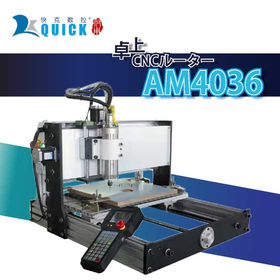
In educational institutions, there is a demand for diverse teaching materials to nurture students' creativity and help them acquire practical skills in manufacturing. In particular, three-dimensional teaching materials made from materials such as wood and acrylic, as well as the processing of complex-shaped parts, are important for deepening students' understanding. However, manual processing is time-consuming and labor-intensive, making it difficult to produce high-precision items. The tabletop CNC router 'AM4036' enables cutting of various materials with its wide processing range of 440×360mm and high-speed spindle. This supports the efficiency of teaching material production in educational settings and fosters students' creativity. 【Usage Scenarios】 * Creation of three-dimensional teaching materials from wood and acrylic sheets * Enhancement of teaching materials' added value through engraving and design processing * Production of jigs and models 【Effects of Implementation】 * Reduction in teaching material production time * Improvement in students' creativity and technical skills * Enhanced learning outcomes through diverse teaching material production
Added to bookmarks
Bookmarks listBookmark has been removed
Bookmarks listYou can't add any more bookmarks
By registering as a member, you can increase the number of bookmarks you can save and organize them with labels.
Free membership registration
The "AM4036" is a tabletop CNC router with a compact body size and a wide processing range. It can perform various tasks such as cutting out panels, producing multiple small parts, engraving, and creating jigs, equipped with the essential functions needed for on-site use. [Features] ■ Wide Processing Range It has a wide processing area of 440×360mm, capable of handling large workpieces as well as cutting out from sheets and processing small parts. ■ High-Speed Spindle The 2.2kW spindle supports a rotation speed of 6,000 to 24,000 min⁻¹. With inverter control, the optimal rotation speed can be set numerically according to the material and tool, allowing for processing while maintaining a constant rotation. ■ Space-Saving Machine Configuration The control box is housed at the back of the unit, and it uses a handheld controller. Machine operation allows for direct G-code transmission from USB to the controller, enabling operation without a PC, thus saving space outside the main unit and making it easier to introduce in limited environments. *You can download the PDF catalog from the button below.
Added to bookmarks
Bookmarks listBookmark has been removed
Bookmarks listYou can't add any more bookmarks
By registering as a member, you can increase the number of bookmarks you can save and organize them with labels.
Free membership registration
The "Mill-key PRO" is a CNC milling machine capable of various machining operations with a maximum spindle speed of 60,000 RPM and a wide processing range. ■ Extensive Size Options We offer a wide lineup from desktop sizes to large models that can accommodate sheets up to 1000×500 in size. [Table Sizes] - 30: 790×390mm - 60: 1,000×700mm - 60L: 1,610×700mm - 60 ATC: 1,080×700mm - 60L ATC: 1,690×700mm ■ Reduced Processing Time with ATC Models We provide models equipped with automatic tool changers that can hold up to 6 tools as standard. Machining can be completed from roughing to finishing without stopping. ■ Various Options to Support Different Machining Needs - Coolant Specification: Improves surface finish and accuracy - Dust Collection Specification: Reduces chip scattering - Vacuum Table: Ideal for routing processing of sheet materials - High Column Z-axis: Accommodates machining of thick workpieces - Half Cover/Full Cover: Measures for chip scattering and safety - Spindle: Selectable RPM for different machining applications - Tool Length Measurement Device: Reduces time for tool length correction *You can download the PDF catalog from the button below.
Added to bookmarks
Bookmarks listBookmark has been removed
Bookmarks listYou can't add any more bookmarks
By registering as a member, you can increase the number of bookmarks you can save and organize them with labels.
Free membership registration
In the automotive industry’s prototyping stage, a quick response to design changes and the ability to process diverse shapes are required. In particular, the quality and delivery time of prototype parts are crucial factors that influence the success or failure of product development. BobCAD-CAM supports a wide range of machining from 2-axis to 5-axis and allows for pre-processing verification through 3D simulation. This reduces rework in prototyping and enables the production of high-quality parts in a short time. 【Usage Scenarios】 - Prototyping of automotive parts - Mold manufacturing - Jig manufacturing 【Benefits of Implementation】 - Shortened prototyping period - Cost reduction - Production of high-quality parts
Added to bookmarks
Bookmarks listBookmark has been removed
Bookmarks listYou can't add any more bookmarks
By registering as a member, you can increase the number of bookmarks you can save and organize them with labels.
Free membership registration
In educational institutions, practical learning using 3D CAD/CAM systems is required. In particular, for students to understand actual manufacturing processes and acquire skills, it is important to have a system that is user-friendly and capable of handling diverse machining tasks. Being low-cost is also crucial for lowering the barriers to implementation. 【Usage Scenarios】 - CAD/CAM education in technical high schools and engineering departments of universities - Acquisition of 3D modeling and machining techniques - Use as teaching materials for practical training 【Effects of Implementation】 - Establishment of a CAD/CAM environment at low cost - Acquisition of practical machining skills - Expansion of learning opportunities through the ability to handle diverse machining tasks
Added to bookmarks
Bookmarks listBookmark has been removed
Bookmarks listYou can't add any more bookmarks
By registering as a member, you can increase the number of bookmarks you can save and organize them with labels.
Free membership registration
In the machining industry, the introduction of CAD/CAM systems is essential for the efficient use of NC machine tools. Especially in cases where complex-shaped parts need to be machined or multi-axis machining is required, without an appropriate CAD/CAM system, machining time will increase and costs will rise. BobCAD-CAM supports a wide range of machining from 2-axis to simultaneous 5-axis, achieving high-quality machining results while reducing machining and programming time. It can be introduced at a low cost and comes standard with 3D simulation, contributing to the efficiency of NC machining. 【Usage Scenarios】 - Machining of metal and resin parts using NC machine tools - Manufacturing of complex-shaped parts through 2-axis to 5-axis machining - Reduction of machining time in prototype and small lot production 【Benefits of Introduction】 - Cost reduction through shortened machining time - Quality improvement through high-quality machining - Verification before machining using 3D simulation - Low-cost system introduction
Added to bookmarks
Bookmarks listBookmark has been removed
Bookmarks listYou can't add any more bookmarks
By registering as a member, you can increase the number of bookmarks you can save and organize them with labels.
Free membership registration
In the field of mold design, there is a demand for shorter design periods and high-precision machining. Particularly in the design of complex-shaped molds, the performance of CAD/CAM systems becomes crucial. BobCAD-CAM, while being low-cost, comes standard with 3D CAD and 3D simulation, providing total support from design to machining. This allows designers to achieve high-quality mold designs in a shorter time. 【Usage Scenarios】 - Mold design - Creation of machining data from 3D models - Reduction of machining time 【Effects of Implementation】 - Shortened design period - Improved machining accuracy - Cost reduction
Added to bookmarks
Bookmarks listBookmark has been removed
Bookmarks listYou can't add any more bookmarks
By registering as a member, you can increase the number of bookmarks you can save and organize them with labels.
Free membership registration
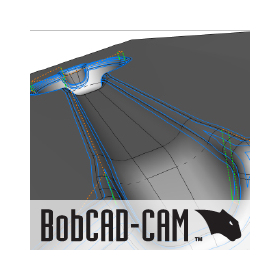
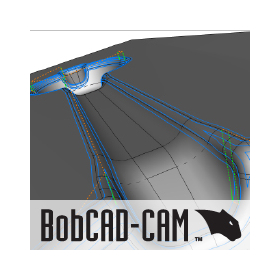
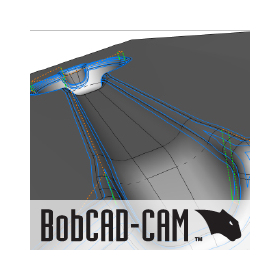
"BobCAD-CAM" is an affordable CAD/CAM solution that meets a wide range of needs. It comes standard with 3D CAD and 3D simulation. With its comprehensive features, it achieves high-quality machining results while reducing machining and programming times. [Features] ■ Low Cost Operates at a low price with a permanent license format that requires no maintenance fees. ■ Wide Range of Machining Supports cutting processes from 2-axis to simultaneous 5-axis machining, lathe machining, and complex machining. ■ High-Quality Finishing - Reduces tool load in finishing processes with leftover machining. - Allows the addition of contour lines and scanning line pitches at any location. - Customizable machining paths for scallops. ■ Reduced Machining Time - High-speed rough machining. - Reduces air cuts through stock shape editing. ■ Quick Tool Path Creation - Automatic classification of hole shapes and batch process creation. - Creates contours from cross-sections of 3D models. - Edge extraction to projection in one command. - Saves machining settings for application to other models. ■ Easy Drawing - Easily edits from 2D to 3D shapes. - Features interactive drawing tools for beginners. ■ 3D Simulation Allows for pre-processing verification, such as interference between tools and holders. Displays machining time as well. *You can download the PDF catalog using the button below.
Added to bookmarks
Bookmarks listBookmark has been removed
Bookmarks listYou can't add any more bookmarks
By registering as a member, you can increase the number of bookmarks you can save and organize them with labels.
Free membership registration
"Mastercam" is a mid-range 3D CAD/CAM software with top-class installation records that meets various machining needs such as milling, turning, multi-tasking turning, and wire EDM. It supports a wide range of industries and machining processes including molds, prototypes, and part machining. [Features] ■ Start various machining processes with minimal investment You can select only the software necessary for machining, allowing for a waste-free implementation. Even if your operational needs change later, you can build the system according to the situation by adding options or upgrading. [Product Lineup] - 2-axis/2.5-axis machining: Mill - 3-axis machining: Mill3D - Multi-axis machining: Multi-Axis (optional) - Turning: Lathe - Combined machining: Lathe&Mill (combination) - Multi-turret/spindle combined machining: Mill TURN - Wire EDM: Wire - Engraving and relief machining: Art - Woodworking: Router ■ Operate with peace of mind We provide a system that allows you to operate with confidence, including technical support, regular training, and post creation. *For details, please refer to the PDF data available via the download button below.
Added to bookmarks
Bookmarks listBookmark has been removed
Bookmarks listYou can't add any more bookmarks
By registering as a member, you can increase the number of bookmarks you can save and organize them with labels.
Free membership registration
In educational institutions, practical CAD/CAM software is required for learning 3D design and manufacturing technologies. Students need to understand the process from design to manufacturing and acquire skills that can be applied to actual product development. Fusion is an all-in-one cloud platform that integrates CAD, CAM, CAE, and PCB, seamlessly connecting all stages from design to manufacturing, thereby reducing the time from prototyping to mass production. Being cloud-based allows access to the latest data regardless of location or device, facilitating smooth collaboration among teams. By consistently handling everything from analysis to the creation of machining data, it enhances design quality while reducing development costs and accelerating the possibilities of product development. 【Usage Scenarios】 - Basic learning of 3D modeling - Creation of machining data using CAM - Exercises in design drafting - Collaborative design within teams 【Benefits of Implementation】 - Acquisition of practical skills from design to manufacturing - Mastery of the latest 3D design and manufacturing technologies - Improved collaboration through teamwork
Added to bookmarks
Bookmarks listBookmark has been removed
Bookmarks listYou can't add any more bookmarks
By registering as a member, you can increase the number of bookmarks you can save and organize them with labels.
Free membership registration
In the furniture industry, customization to meet diverse customer needs is essential for enhancing competitiveness. However, to accommodate complex shapes and specification changes, flexibility and efficiency in design are required. Fusion seamlessly connects all processes from design to manufacturing, significantly reducing the time from prototyping to mass production. With a cloud-based environment, access to the latest data is available regardless of location or device, facilitating smooth collaboration among teams. 【Usage Scenarios】 - Design of custom-made furniture - Responding to design changes from customers - Creation of prototypes 【Benefits of Implementation】 - Reduction in design time - Improvement in design quality - Increase in customer satisfaction
Added to bookmarks
Bookmarks listBookmark has been removed
Bookmarks listYou can't add any more bookmarks
By registering as a member, you can increase the number of bookmarks you can save and organize them with labels.
Free membership registration
In the mold manufacturing industry, there is a demand for efficiency in all processes from design to production. In particular, the ability to respond quickly to design changes and shorten lead times in prototyping and mass production are crucial factors that influence competitiveness. Fusion is an all-in-one cloud platform that integrates CAD, CAM, CAE, and PCB, seamlessly connecting all processes from design to manufacturing and reducing the time from prototyping to mass production. Being cloud-based allows access to the latest data regardless of location or device, facilitating smooth collaboration among teams. 【Usage Scenarios】 - Mold design - Creation of machining data using CAM - Prototyping and mass production 【Benefits of Implementation】 - Improved design quality - Reduced development costs - Shortened product development period
Added to bookmarks
Bookmarks listBookmark has been removed
Bookmarks listYou can't add any more bookmarks
By registering as a member, you can increase the number of bookmarks you can save and organize them with labels.
Free membership registration
In the field of mechanical design, precise design and rapid prototyping are required to balance product performance and efficiency. Especially in mechanical design that includes complex shapes and moving parts, flexible responses to design changes and collaboration with the manufacturing process are crucial. Fusion seamlessly connects all processes from design to manufacturing, significantly reducing the time from prototyping to mass production. The cloud-based environment allows access to the latest data regardless of location or device, facilitating smooth collaboration among teams. 【Usage Scenarios】 - Detailed design using 3D models - Shape verification during the prototyping phase - Data collaboration with the manufacturing department 【Benefits of Implementation】 - Improved design quality - Reduced development costs - Shortened product development cycle
Added to bookmarks
Bookmarks listBookmark has been removed
Bookmarks listYou can't add any more bookmarks
By registering as a member, you can increase the number of bookmarks you can save and organize them with labels.
Free membership registration
"Fusion360" is software that integrates the processes from design to mechanism verification and machining. It allows for the connection and sharing of all processes necessary for product development and machining on a cloud-based platform. It is equipped with CAD functions that can be utilized for various applications such as industrial design and design, CAM functions that enable various machining approaches with 2 to 3 axes, and CAE functions to assist in appropriate design.
Added to bookmarks
Bookmarks listBookmark has been removed
Bookmarks listYou can't add any more bookmarks
By registering as a member, you can increase the number of bookmarks you can save and organize them with labels.
Free membership registration
In the toy industry, it is important to accurately compare design data with the shapes of manufactured products to ensure product quality and safety during design verification. Particularly for toys that require the reproduction of complex shapes and fine details, even slight dimensional differences can significantly impact product quality. Geomagic Control X allows for a quick assessment of design accuracy by comparing 3D scan data with design data and visualizing shape differences. 【Usage Scenarios】 - Design reviews - Evaluation of prototype shapes - Shape verification before mold production 【Benefits of Implementation】 - Early detection of design modifications - Improvement in product quality - Reduction in development time
Added to bookmarks
Bookmarks listBookmark has been removed
Bookmarks listYou can't add any more bookmarks
By registering as a member, you can increase the number of bookmarks you can save and organize them with labels.
Free membership registration
In the automotive industry's quality control, accurate inspection of parts is essential. Dimensional errors and shape defects directly lead to reduced product performance and safety issues. Geomagic Control X addresses these challenges through inspection using 3D scan data. It accommodates everything from simple inspections to the automation of inspection workflows, streamlining the inspection process. 【Usage Scenarios】 * Inspection of completed vehicle parts * Dimensional measurement of prototype parts * Inspection of molds and jigs * Data analysis in quality control departments 【Benefits of Implementation】 * Reduced inspection time * Improved quality * Decreased defective products * Data-driven improvements
Added to bookmarks
Bookmarks listBookmark has been removed
Bookmarks listYou can't add any more bookmarks
By registering as a member, you can increase the number of bookmarks you can save and organize them with labels.
Free membership registration
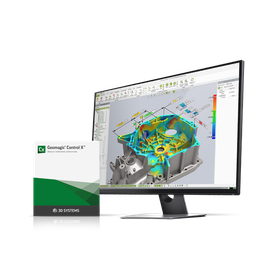
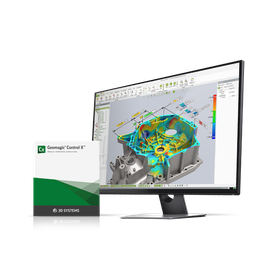
"Geomagic Control X" is a measurement software. It excels in various inspection processes, from quick measurements of desired dimensions on-site to the automation of inspection flows with multiple inspection items set. It reads 3D scan data, inspects multiple items, and creates reports. [Features] ■ Efficient inspections realized The inspection process is maintained based on history, allowing anyone to efficiently confirm and modify content or conduct repeated inspections. ■ Comparison of multiple inspection results By comparing inspection results from different settings or between fitting parts, you can identify causes before problems arise and take countermeasures. ■ Flexible report creation You can create reports while selecting images from any viewpoint or checking designs. Additionally, with the 3D dimension and annotation management features, you can finely configure what to display. ■ High compatibility for input It is capable of reading from a variety of scanners and probing measurement tools. *For more details, please request a catalog or view the PDF data from the download button below.
Added to bookmarks
Bookmarks listBookmark has been removed
Bookmarks listYou can't add any more bookmarks
By registering as a member, you can increase the number of bookmarks you can save and organize them with labels.
Free membership registration
In the toy industry, the prototyping stage requires rapid realization and modification of designs. By creating CAD data from 3D scan data, it is possible to efficiently prototype based on existing toys and design proposals. This shortens the design verification period and accelerates the time to market. Geomagic Design X makes it easier to change and improve toy designs, enhancing the accuracy of prototypes. 【Usage Scenarios】 * 3D digitization of existing toys * Design changes and improvements * Shape verification of prototypes 【Benefits of Implementation】 * Shortened prototyping period * Increased flexibility in design changes * Cost reduction
Added to bookmarks
Bookmarks listBookmark has been removed
Bookmarks listYou can't add any more bookmarks
By registering as a member, you can increase the number of bookmarks you can save and organize them with labels.
Free membership registration
In the home appliance industry's design verification, accurately understanding the product's appearance and structure, and repeatedly prototyping and making modifications, are crucial factors that influence product quality and time to market. By utilizing 3D scanning technology, it is essential to faithfully digitize the actual shape and reflect it in the design as CAD data. Geomagic Design X contributes to the efficiency of design verification by creating CAD data from 3D scan data. 【Usage Scenarios】 - Design reviews of home appliance products - Shape verification of prototypes - Improvement design of existing products 【Benefits of Implementation】 - Accelerated design changes - Reduced prototyping costs - Shortened product development time
Added to bookmarks
Bookmarks listBookmark has been removed
Bookmarks listYou can't add any more bookmarks
By registering as a member, you can increase the number of bookmarks you can save and organize them with labels.
Free membership registration
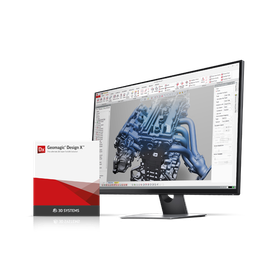
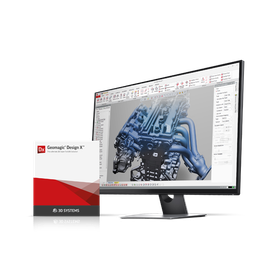
Geomagic Design X is a reverse engineering software that allows 3D modeling from 3D scan data. It reads point cloud data and mesh data to create CAD data. The created data can be used to check deviations from the original scan data, design freeform surfaces, and output to other CAD software. [Features] ■ Easy Design and Modification Feature-based 3D modeling makes design and modification easy. ■ Accurate Modeling Modeling can be done while checking deviations between scan data and CAD data using color mapping. ■ Efficient Design of Freeform Surfaces Modeling of freeform surfaces, which typically requires a lot of time, can be efficiently accomplished through solid extrusion that matches the mesh surface and surface creation in specified areas. ■ High Compatibility for Input and Output Input from various scanners and output to other CAD software is also possible. *For more details, please request a catalog or view the PDF data from the download button below.
Added to bookmarks
Bookmarks listBookmark has been removed
Bookmarks listYou can't add any more bookmarks
By registering as a member, you can increase the number of bookmarks you can save and organize them with labels.
Free membership registration
[Features] ■ Equipment that accommodates a wide range of applications We possess various 3D printers using different fabrication methods such as thermal melting, light curing, inkjet, and powder sintering. We can create with approximately 10 types of materials, including high heat-resistant, transparent, soft, and nylon, in various sizes. We cater to various needs such as shape verification, fitting confirmation, and testing purposes. Additionally, we have started fabricating with metal 3D printers. ■ Appropriate proposals tailored to applications Considering the characteristics of the machinery, materials, and the customer's intended use, we propose suitable combinations of equipment and materials. For larger models that exceed the printing range of the equipment, we can suggest segmented fabrication or hollowing out based on shape and cost, tailored to the customer's requests. *You can download the PDF catalog from the button below.
Added to bookmarks
Bookmarks listBookmark has been removed
Bookmarks listYou can't add any more bookmarks
By registering as a member, you can increase the number of bookmarks you can save and organize them with labels.
Free membership registration
We offer CT scan services using the Shimadzu Corporation's micro-focus X-ray CT system "inspeXio SMX-225CT FPD HR." We provide data that can be utilized by various customers for product development, quality control, and more. [Features] ■ Internal observation of insert molded and assembled products We accommodate the observation of mixed materials such as resin and metal in insert molded products, which were difficult to observe conventionally. This can be used for internal observation and identifying causes of defects. ■ Compatibility with various materials Our CT scanner, equipped with a high-sensitivity flat panel detector, supports a wide range of workpieces from electronic components to metals. ■ Inspection, measurement, and analysis Using the latest inspection and analysis software "VGStudio MAX" and "Geomagic ControlX," we provide data useful for defect improvement, such as confirming the position and size of voids, measuring wall thickness based on molding conditions, and comparing scan data with CAD data. ■ Reverse engineering We also offer the conversion of acquired data into design data (paper drawings, 2D/3D CAD data). This can be utilized for product development and jig creation using existing products.
Added to bookmarks
Bookmarks listBookmark has been removed
Bookmarks listYou can't add any more bookmarks
By registering as a member, you can increase the number of bookmarks you can save and organize them with labels.
Free membership registration
A service utilizing the latest 3D scanner owned by our company. We can create 3D CAD data from physical items such as molds and parts without CAD data, as well as clay and foam models. Additionally, it is possible to compare the 3D scan data with the CAD data used during the design phase.
Added to bookmarks
Bookmarks listBookmark has been removed
Bookmarks listYou can't add any more bookmarks
By registering as a member, you can increase the number of bookmarks you can save and organize them with labels.
Free membership registration
Facteye is a system that allows for easy collection of operational history from various equipment. Based on operational performance data, it enables a wide range of applications such as automatic report generation, operational analysis, and monitoring, making it a "visualization" system. 【Collection of Equipment Operational Performance】 It collects detailed operational performance data such as the operational status of each piece of equipment, various signals, alarm contents, and programs, allowing for the identification of various challenges on-site. 【Real-Time Monitoring of Operational Status】 You can monitor the operational status anytime using a smartphone or PC. Additionally, when an alarm occurs, an email notification is sent, enabling immediate response to any issues that arise. 【Direct Data Acquisition from Various CNCs】 By directly acquiring data from CNC control devices, it is possible to obtain detailed data on operational conditions, types of alarms, programs, and machine statuses. Analyzing this wide range of data allows for clearer identification of issues. 【Centralized Management Regardless of Equipment Manufacturer or Age】 It supports connections with CNCs from six domestic machine tool manufacturers. It also accommodates connections with devices like Patlite and relays, allowing for visualization even with older models that cannot directly acquire data from CNC control devices. This enables centralized management of all equipment within the factory.
Added to bookmarks
Bookmarks listBookmark has been removed
Bookmarks listYou can't add any more bookmarks
By registering as a member, you can increase the number of bookmarks you can save and organize them with labels.
Free membership registration
The laser processing machine "Cut-Key" is a model designed for engraving, equipped with a maximum output of 60W. ■ Versatile Expression By adjusting the laser output, it is capable of engraving characters as small as 2mm for kanji and 1mm for alphanumeric characters, as well as cutting acrylic sheets approximately 7mm thick. ■ Compact Body Despite its desktop-friendly size, it achieves a large processing area. ■ Controller Panel That Does Not Require Constant PC Connection Operations can be performed using the controller panel on the machine, eliminating the need for a PC for data transfer or machine operation. ■ Easy Processing Settings Simply load line data (dxf or ai) or image data (bmp) using the included software, and input values for the head movement speed, laser output, and laser scanning interval. ■ Simple Preparation for Processing Equipped with a red pointer for visual positioning. An optional electric lift table that can automatically focus is also available. *You can download the PDF catalog from the button below.
Added to bookmarks
Bookmarks listBookmark has been removed
Bookmarks listYou can't add any more bookmarks
By registering as a member, you can increase the number of bookmarks you can save and organize them with labels.
Free membership registration
In the electronics industry, enclosures are an important element that balances product protection and design. Acrylic material is often used for enclosures due to its ease of processing and design flexibility. High precision and efficient productivity are required in enclosure processing. The Cut-Key 900N supports the design, prototyping, and mass production of acrylic enclosures. 【Usage Scenarios】 * Prototyping of electronic device enclosures * Small-batch, diverse enclosure manufacturing * Name and logo engraving on enclosures 【Benefits of Implementation】 * Capable of cutting acrylic sheets up to 15mm thick * Wide processing area of 900×600mm, accommodating large enclosures * Simple operation contributes to reduced prototyping time and cost savings
Added to bookmarks
Bookmarks listBookmark has been removed
Bookmarks listYou can't add any more bookmarks
By registering as a member, you can increase the number of bookmarks you can save and organize them with labels.
Free membership registration
In educational institutions, the production of various teaching materials is required to foster students' creativity. In particular, teaching materials made from acrylic are highly effective in visual expression and capturing students' interest. The Cut-Key 900N is a laser processing machine specialized in acrylic cutting, offering a wide processing area of 900×600mm at a low price. It simplifies the production of acrylic teaching materials with easy operation. 【Usage Scenarios】 - Production of teaching materials in schools - Design and craft classes - Experiments in research institutions 【Benefits of Implementation】 - Stimulates students' creativity - Improves efficiency in material production - Enhances expressive ability in educational settings
Added to bookmarks
Bookmarks listBookmark has been removed
Bookmarks listYou can't add any more bookmarks
By registering as a member, you can increase the number of bookmarks you can save and organize them with labels.
Free membership registration
In the sign industry, materials such as acrylic are often cut with high precision to create highly designed signs. Particularly, the accuracy of the cutting machine is crucial for accurately expressing complex shapes and intricate designs. A cutting machine with low precision can lead to a decrease in the quality of the finished product and may compromise customer satisfaction. The Cut-Key 900N accommodates a wide processing range of 900×600mm and can handle acrylic sheets up to 15mm thick, achieving high-precision cutting. The included software allows for easy processing settings, making it adaptable to various designs. 【Usage Scenarios】 - Cutting letters and logos for acrylic signs - Creating highly designed signs - Processing parts for large signs 【Benefits of Implementation】 - High-quality sign production through high-precision cutting - Adaptability to diverse designs - Reduction in work time
Added to bookmarks
Bookmarks listBookmark has been removed
Bookmarks listYou can't add any more bookmarks
By registering as a member, you can increase the number of bookmarks you can save and organize them with labels.
Free membership registration
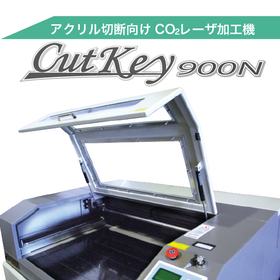
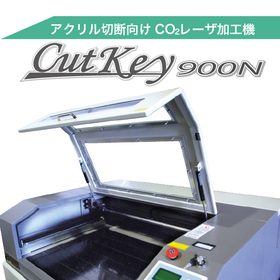
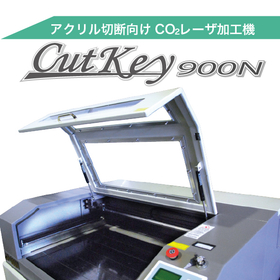
The laser processing machine "Cut-Key 900N" is a cutting model equipped with a maximum output of 130W. ■ Excellent Processing Capability With a wide processing area of 900×600mm, it can cut acrylic sheets up to 15mm thick. It can be utilized for productive processing of large-sized items such as fixtures and jigs, as well as for cutting multiple small parts. ■ Easy Processing Setup Simply load line data (dxf or ai) or image data (bmp) using the included software, and input the head movement speed and laser output values. ■ Easy Preparation for Processing Standard features include a red pointer for visual positioning and an electric lift table that automatically focuses, reducing preparation time for processing. *You can download the PDF catalog from the button below.
Added to bookmarks
Bookmarks listBookmark has been removed
Bookmarks listYou can't add any more bookmarks
By registering as a member, you can increase the number of bookmarks you can save and organize them with labels.
Free membership registration
In the signage industry, there is a high demand for aesthetically pleasing cut letters. However, producing cut letters by hand is time-consuming and labor-intensive, which can lead to increased costs. Additionally, there is a need for processing machines that can handle various materials. KATANA addresses these challenges by efficiently producing high-quality cut letters that accommodate a diverse range of materials. 【Usage Scenarios】 - Sign production using materials such as acrylic, aluminum composite panels, and PVC sheets - Store signs and displays - Event signage 【Benefits of Implementation】 - Reduced working time - Cost savings - High-quality finishes - Compatibility with various materials
Added to bookmarks
Bookmarks listBookmark has been removed
Bookmarks listYou can't add any more bookmarks
By registering as a member, you can increase the number of bookmarks you can save and organize them with labels.
Free membership registration
In the packaging industry, the prototyping stage requires adaptability to various shapes and materials. In particular, prototyping that balances product protection and design can be time-consuming and costly. 'Katana' is equipped to handle a variety of materials and comes standard with reciprocating cutters and scoring tools, making it capable of meeting diverse prototyping needs. It offers basic performance comparable to high-end products at a low price, contributing to the efficiency of packaging prototyping. 【Usage Scenarios】 - Prototyping of cardboard, plastic board, and other packaging materials - Verification of package design - Production of small quantities of diverse packages 【Benefits of Implementation】 - Reduction of prototyping time - Cost savings - Adaptability to various materials - Increased design freedom
Added to bookmarks
Bookmarks listBookmark has been removed
Bookmarks listYou can't add any more bookmarks
By registering as a member, you can increase the number of bookmarks you can save and organize them with labels.
Free membership registration
In the architectural design industry, the creation of accurate models based on design drawings and the production of prototypes for design consideration are required. Especially in the early stages of design, it is important to materialize ideas by experimenting with various materials. However, manual processing can be time-consuming and labor-intensive, potentially hindering an efficient design process. The domestic multi-cutting machine 'KATANA' accommodates various materials and comes standard with a reciprocating cutter and scoring tool, allowing for the rapid and accurate creation of architectural models and design prototypes. 【Usage Scenarios】 - Creation of architectural models - Production of prototypes for design consideration - Creation of interior design samples - Production of signs and displays 【Benefits of Implementation】 - Streamlining the design process - Compatibility with diverse materials - Creation of high-quality models and prototypes - Cost reduction
Added to bookmarks
Bookmarks listBookmark has been removed
Bookmarks listYou can't add any more bookmarks
By registering as a member, you can increase the number of bookmarks you can save and organize them with labels.
Free membership registration
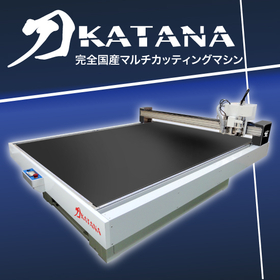
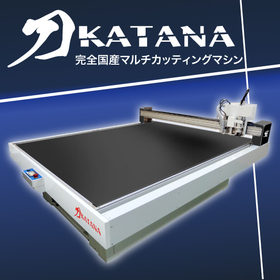
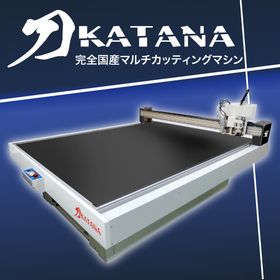
"KATANA" is a low-cost multi-cutting machine made in Japan that supports various materials. It comes standard with a reciprocating cutter and scoring tool, equipped with basic performance that rivals high-end products. Additionally, we offer a wide range of options for customization to suit your specific needs, allowing you to expand its functionality to best fit your processing scenarios.
Added to bookmarks
Bookmarks listBookmark has been removed
Bookmarks listYou can't add any more bookmarks
By registering as a member, you can increase the number of bookmarks you can save and organize them with labels.
Free membership registration
In the precision parts manufacturing of the medical device industry, product quality and safety are the top priorities. Especially in the manufacturing of precision parts with complex shapes, optimizing mold design is essential to suppress the occurrence of defective products and reduce manufacturing costs. CAST-DESIGNER is equipped with CAD functions for gate system design and analysis capabilities, enabling quick adjustments of appropriate gate systems and processing conditions. It also includes GEO-DESIGNER, which allows for rapid initial stage analysis, facilitating design concepts that avoid defect risks. [Usage Scenarios] - Mold design for precision medical device parts - Reducing defect rates in the manufacturing of complex-shaped parts - Reducing manufacturing costs [Effects of Implementation] - Shortening the mold design period - Cost reduction through the decrease of defective products - Stable supply of high-quality medical device parts
Added to bookmarks
Bookmarks listBookmark has been removed
Bookmarks listYou can't add any more bookmarks
By registering as a member, you can increase the number of bookmarks you can save and organize them with labels.
Free membership registration
In the aerospace industry, advanced design and analysis are required to ensure product reliability and safety. Particularly for parts with complex shapes or those that need to withstand high loads, optimal condition settings through gate design and CAE analysis are essential. Inadequate design can lead to decreased product performance and, in the worst case, accidents. CAST-DESIGNER is equipped with gate system design CAD functions and analysis capabilities, enabling optimal condition adjustments in a short time. 【Usage Scenarios】 * Design of parts with complex shapes * Design of parts that withstand high loads * Improvement of product performance 【Benefits of Implementation】 * Reduction of design time * Decrease in defect risk * Shortening of product development period
Added to bookmarks
Bookmarks listBookmark has been removed
Bookmarks listYou can't add any more bookmarks
By registering as a member, you can increase the number of bookmarks you can save and organize them with labels.
Free membership registration
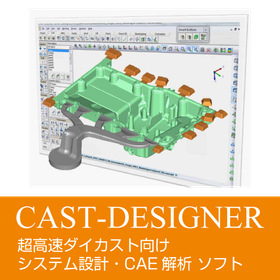
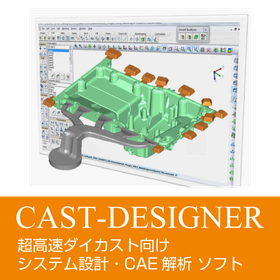
"CAST-DESIGNER" is software equipped with both gate system design CAD functions and analysis functions. It enables the adjustment of appropriate gate systems and processing conditions in a short time. Additionally, it includes the analysis software "GEO-DESIGNER," which allows for rapid initial stage analysis, enabling design concepts that avoid defect risks at an earlier stage than gate design.
Added to bookmarks
Bookmarks listBookmark has been removed
Bookmarks listYou can't add any more bookmarks
By registering as a member, you can increase the number of bookmarks you can save and organize them with labels.
Free membership registration
In the mold industry, early detection of issues and countermeasures during the design phase are essential for reducing manufacturing costs and improving quality. Particularly for molds that require complex shapes and high precision, it is important to minimize design changes and rework. Geo-Designer is a DFM analysis tool that considers the manufacturability of mold design. By conducting analysis quickly in the initial stages, it significantly reduces design changes and rework during the manufacturing process. [Usage Scenarios] - Optimization of riser, feeder, and gate placement in mold design - Verification of thermal distribution during casting [Effects of Implementation] - Reduction of design and processing lead times - Decrease in manufacturing costs - Improvement in quality and yield
Added to bookmarks
Bookmarks listBookmark has been removed
Bookmarks listYou can't add any more bookmarks
By registering as a member, you can increase the number of bookmarks you can save and organize them with labels.
Free membership registration
In the medical device industry, the precision and safety of products are of utmost importance. Particularly in the manufacturing of medical device components with complex shapes, verifying manufacturability during the design phase is essential. Geo-Designer supports the rapid delivery of high-quality medical devices by early identification of issues in the design process and reducing rework in the manufacturing process. 【Usage Scenarios】 - Design of precision parts - Mold design - Optimization of manufacturing processes 【Benefits of Implementation】 - Reduction of design changes and rework - Stable supply of high-quality products - Cost reduction
Added to bookmarks
Bookmarks listBookmark has been removed
Bookmarks listYou can't add any more bookmarks
By registering as a member, you can increase the number of bookmarks you can save and organize them with labels.
Free membership registration
In the aerospace industry, strength analysis of components is essential to ensure product safety and reliability. Particularly for aircraft parts used in harsh environments, strength evaluation during the design phase significantly affects product performance. Geo-Designer greatly enhances productivity in the design process and reduces costs in the manufacturing process. By conducting rapid analysis in the early stages, it significantly reduces design changes and rework during manufacturing, while also serving as a sales tool that allows for quick identification of risks and optimal proposals and estimates. 【Usage Scenarios】 - Design of aircraft components - Analysis of components requiring strength evaluation - Identification of issues in the manufacturing process 【Benefits of Implementation】 - Reduction of design changes and rework - Acceleration of optimal proposals and estimates - Reduction of manufacturing costs
Added to bookmarks
Bookmarks listBookmark has been removed
Bookmarks listYou can't add any more bookmarks
By registering as a member, you can increase the number of bookmarks you can save and organize them with labels.
Free membership registration
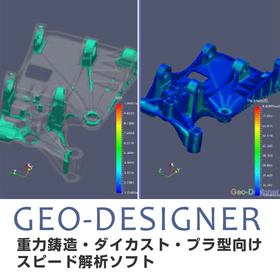
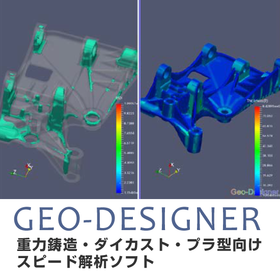
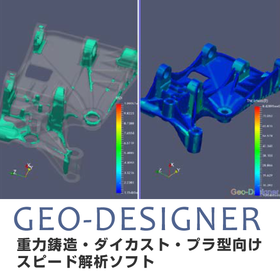
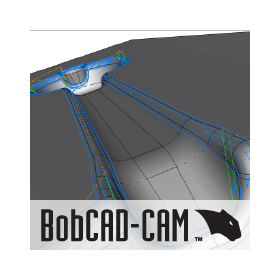
"GEO-DESIGNER" is a powerful Design for Manufacturing (DFM) tool. It has a significant effect on enhancing productivity in the design process and reducing costs in the manufacturing process. By quickly conducting evaluation analyses in the early stages, it greatly reduces design changes and rework during manufacturing, while also serving as a sales tool that allows for rapid identification of risks and optimal proposals and estimates.
Added to bookmarks
Bookmarks listBookmark has been removed
Bookmarks listYou can't add any more bookmarks
By registering as a member, you can increase the number of bookmarks you can save and organize them with labels.
Free membership registration
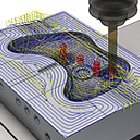
■Mill (2-axis/2.5-axis/Simple 3-axis machining) You can create 2/2.5-axis machining tool paths for contours, pockets, and hole shapes not only from wireframes but also from 3D solid models. Additionally, you can also create 3-axis machining data for a single surface. ■Mill3D (3-axis milling) In addition to the functions of Mill, it is equipped with a variety of simultaneous 3-axis tool paths for roughing to finishing processes on complex surfaces, enabling milling of various shapes and materials. Moreover, by combining modules such as 'Lathe', 'Multi-Axis', and 'Mill-Turn', it can accommodate various complex machining. - 'Mill' + 'Lathe' → Lathe + indexed fixed milling - 'Mill3D' + 'Lathe' → Lathe + indexed milling for three-dimensional machining - 'Mill3D' + 'Multi-Axis' + 'Mill-Turn' → Lathe + simultaneous multi-axis milling
Added to bookmarks
Bookmarks listBookmark has been removed
Bookmarks listYou can't add any more bookmarks
By registering as a member, you can increase the number of bookmarks you can save and organize them with labels.
Free membership registration
■Lathe (Turning) Turning operations are possible with a rich variety of tool paths and detailed settings. The definition of cutting materials and shapes is also extensive, allowing for the creation of efficient paths with minimal air cutting. Additionally, by combining modules such as 'Mill', 'Mill3D', and 'Multi-Axis', it supports various complex machining operations. - 'Mill' + 'Lathe' → Turning + indexed fixed milling - 'Mill3D' + 'Lathe' → Turning + indexed milling for three-dimensional machining - 'Mill3D' + 'Multi-Axis' + 'Mill-Turn' → Turning + simultaneous multi-axis milling
Added to bookmarks
Bookmarks listBookmark has been removed
Bookmarks listYou can't add any more bookmarks
By registering as a member, you can increase the number of bookmarks you can save and organize them with labels.
Free membership registration
■Wire (Wire Electrical Discharge Machining) You can flexibly specify cutting patterns from 2D contours to 4-axis upper and lower irregular shapes. It is possible to call up discharge conditions from a library that considers secondary cuts and other factors. You can also insert control codes at any position during tool path editing, as well as verify the machined shape through replotting and verification.
Added to bookmarks
Bookmarks listBookmark has been removed
Bookmarks listYou can't add any more bookmarks
By registering as a member, you can increase the number of bookmarks you can save and organize them with labels.
Free membership registration
■Design (2D/3D CAD) Equipped with various CAD functions ranging from 2D wireframe drawing to 3D modeling using surfaces and solids. Additionally, it includes analysis functions that take processing steps into consideration.
Added to bookmarks
Bookmarks listBookmark has been removed
Bookmarks listYou can't add any more bookmarks
By registering as a member, you can increase the number of bookmarks you can save and organize them with labels.
Free membership registration