iPROS Manufacturing
  • Search for products by classification category

    • Electronic Components and Modules
      Electronic Components and Modules
      56845items
    • Machinery Parts
      Machinery Parts
      71794items
    • Manufacturing and processing machinery
      Manufacturing and processing machinery
      96335items
    • Scientific and Physics Equipment
      Scientific and Physics Equipment
      33573items
    • Materials
      Materials
      35175items
    • Measurement and Analysis
      Measurement and Analysis
      52898items
    • Image Processing
      Image Processing
      14793items
    • Control and Electrical Equipment
      Control and Electrical Equipment
      50641items
    • Tools, consumables, and supplies
      Tools, consumables, and supplies
      63209items
    • Design and production support
      Design and production support
      11911items
    • IT/Network
      IT/Network
      41359items
    • Office
      Office
      13461items
    • Business support services
      Business support services
      32264items
    • Seminars and Skill Development
      Seminars and Skill Development
      5799items
    • Pharmaceutical and food related
      Pharmaceutical and food related
      25448items
    • others
      60654items
  • Search for companies by industry

    • Manufacturing and processing contract
      7349
    • others
      5031
    • Industrial Machinery
      4425
    • Machine elements and parts
      3283
    • Other manufacturing
      2872
    • IT/Telecommunications
      2530
    • Trading company/Wholesale
      2467
    • Industrial Electrical Equipment
      2315
    • Building materials, supplies and fixtures
      1820
    • software
      1642
    • Electronic Components and Semiconductors
      1564
    • Resin/Plastic
      1485
    • Service Industry
      1428
    • Testing, Analysis and Measurement
      1131
    • Ferrous/Non-ferrous metals
      980
    • environment
      701
    • Chemical
      631
    • Automobiles and Transportation Equipment
      561
    • Printing Industry
      509
    • Information and Communications
      449
    • Consumer Electronics
      420
    • Energy
      322
    • Rubber products
      313
    • Food Machinery
      302
    • Optical Instruments
      280
    • robot
      272
    • fiber
      251
    • Paper and pulp
      231
    • Electricity, Gas and Water Industry
      170
    • Pharmaceuticals and Biotechnology
      166
    • Warehousing and transport related industries
      144
    • Glass and clay products
      141
    • Food and Beverage
      133
    • CAD/CAM
      121
    • retail
      109
    • Educational and Research Institutions
      107
    • Medical Devices
      101
    • Ceramics
      95
    • wood
      89
    • Transportation
      83
    • Medical and Welfare
      62
    • Petroleum and coal products
      60
    • Shipbuilding and heavy machinery
      52
    • Aviation & Aerospace
      49
    • Fisheries, Agriculture and Forestry
      40
    • Public interest/special/independent administrative agency
      29
    • equipment
      24
    • self-employed
      23
    • Government
      20
    • Materials
      19
    • Research and development equipment and devices
      18
    • Mining
      17
    • Finance, securities and insurance
      13
    • Individual
      10
    • Restaurants and accommodations
      8
    • cosmetics
      8
    • Police, Fire Department, Self-Defense Forces
      7
    • Laboratory Equipment and Consumables
      3
    • Contracted research
      3
    • Raw materials for reagents and chemicals
      2
  • Special Features
  • Ranking

    • Overall Products Ranking
    • Overall Company Ranking
Search for Products
  • Search for products by classification category

  • Electronic Components and Modules
  • Machinery Parts
  • Manufacturing and processing machinery
  • Scientific and Physics Equipment
  • Materials
  • Measurement and Analysis
  • Image Processing
  • Control and Electrical Equipment
  • Tools, consumables, and supplies
  • Design and production support
  • IT/Network
  • Office
  • Business support services
  • Seminars and Skill Development
  • Pharmaceutical and food related
  • others
Search for Companies
  • Search for companies by industry

  • Manufacturing and processing contract
  • others
  • Industrial Machinery
  • Machine elements and parts
  • Other manufacturing
  • IT/Telecommunications
  • Trading company/Wholesale
  • Industrial Electrical Equipment
  • Building materials, supplies and fixtures
  • software
  • Electronic Components and Semiconductors
  • Resin/Plastic
  • Service Industry
  • Testing, Analysis and Measurement
  • Ferrous/Non-ferrous metals
  • environment
  • Chemical
  • Automobiles and Transportation Equipment
  • Printing Industry
  • Information and Communications
  • Consumer Electronics
  • Energy
  • Rubber products
  • Food Machinery
  • Optical Instruments
  • robot
  • fiber
  • Paper and pulp
  • Electricity, Gas and Water Industry
  • Pharmaceuticals and Biotechnology
  • Warehousing and transport related industries
  • Glass and clay products
  • Food and Beverage
  • CAD/CAM
  • retail
  • Educational and Research Institutions
  • Medical Devices
  • Ceramics
  • wood
  • Transportation
  • Medical and Welfare
  • Petroleum and coal products
  • Shipbuilding and heavy machinery
  • Aviation & Aerospace
  • Fisheries, Agriculture and Forestry
  • Public interest/special/independent administrative agency
  • equipment
  • self-employed
  • Government
  • Materials
  • Research and development equipment and devices
  • Mining
  • Finance, securities and insurance
  • Individual
  • Restaurants and accommodations
  • cosmetics
  • Police, Fire Department, Self-Defense Forces
  • Laboratory Equipment and Consumables
  • Contracted research
  • Raw materials for reagents and chemicals
Special Features
Ranking
  • Overall Products Ranking
  • Overall Company Ranking
  • privacy policy
  • terms of service
  • About Us
  • Careers
  • Advertising
  1. Home
  2. Industrial Machinery
  3. システムクリエイト
  4. Product/Service List
Industrial Machinery
  • Added to bookmarks

    Bookmarks list

    Bookmark has been removed

    Bookmarks list

    You can't add any more bookmarks

    By registering as a member, you can increase the number of bookmarks you can save and organize them with labels.

    Free membership registration

システムクリエイト

Establishment1992 year
capital1000Ten thousand
number of employees55
addressOsaka/Higashiosaka-shi/1-20 Aramoto Shinmachi
phone06-6618-8555
  • Special site
  • Official site
last updated:Nov 27, 2025
システムクリエイトlogo
  • Contact this company

    Contact Us Online
  • Company information
  • Products/Services(446)
  • catalog(473)
  • news(19)

システムクリエイト List of Products and Services

  • category

46~90 item / All 446 items

Displayed results

Filter by category

Campaign Campaign
Materials for Identifying and Solving Issues in Production Sites Materials for Identifying and Solving Issues in Production Sites
Mitarepo Mitarepo
This ●● is amazing! (Marusugo) This ●● is amazing! (Marusugo)
Software - CAD/CAM Software - CAD/CAM
Software - Modeling Software - Modeling
Software - Translator Software - Translator
Software - Inspection, Analysis, Measurement Software - Inspection, Analysis, Measurement
Software - Processing Simulation Software - Processing Simulation
CNC learning simulation CNC learning simulation
Software - CAD Software - CAD
Software - Slice Software - Slice
Software - Production Business Management Software - Production Business Management
3D printer 3D printer
Machining center Machining center
Tabletop cutting machine Tabletop cutting machine
Cutting and laser processing machine Cutting and laser processing machine
Processing and production support items Processing and production support items
Tabletop vacuum forming machine Tabletop vacuum forming machine
3D technology outsourcing and support services 3D technology outsourcing and support services
Lecture/Seminar Lecture/Seminar
Measuring instrument Measuring instrument
CT scanner CT scanner
IoT system IoT system
DNC system DNC system
UV printer UV printer
Booklet / Introduction Case Studies Booklet / Introduction Case Studies
class="retina-image"

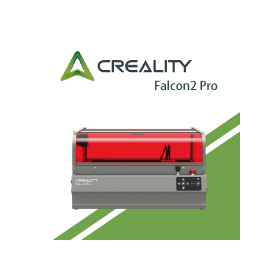
Laser engraving cutting machine "Falcon2 Pro 60W"

Easy-to-start laser processing machine *Demo available

The "Falcon2 Pro 60W" is equipped with a high-power laser of up to 60W, capable of handling a variety of materials. It features a unique flame-retardant cover structure and comprehensive safety functions, making it safe to use in offices and workshops. [Features] ■ Covers both cutting and engraving With adjustable output, it can handle a wide range from powerful cutting of thick materials to delicate engraving. It can be flexibly used according to the application. ■ Equipped with a high-output, high-precision laser head The laser head utilizes FAC spot compression technology, focusing 12 5.5W laser diodes into a single point. With a maximum output of 60W, it achieves clean cuts even in thick materials. ■ Spacious and user-friendly workspace With a large processing area of 400mm x 400mm, it can comfortably accommodate materials equivalent to A3 size. Thanks to a high-resolution camera, accurate positioning can be performed in real-time, making it suitable for simultaneous placement of multiple materials and efficient mass production processing. *For more details, please refer to the PDF data available via the download button below.

  • Laser marker
  • Other metal materials
  • Marking machine

Added to bookmarks

Bookmarks list

Bookmark has been removed

Bookmarks list

You can't add any more bookmarks

By registering as a member, you can increase the number of bookmarks you can save and organize them with labels.

Free membership registration

I tried to simultaneously develop the patterns on the three-dimensional surface.

【Mitarepo】2D unfolding of the surface patterns of 3D models! I tried to see how it changes! | System Create

Mitarepo is a series based on the concept of "Trying out things like this!" where we introduce what can be done using various products. From the wide range of product genres handled by System Create, we deliver useful information each time. In Vol. 114, we examined how straight lines drawn on the surface of a 3D model change after being unfolded into 2D, by varying the position of the lines and unfolding them in three different ways. When printing cut patterns, it can be quite difficult to print the patterns together, right? That's where we introduce the flat unfolding software "ExactFlat for Rhino." It can unfold the textures of 3D models, allowing not just the shape but also the surface patterns to be converted into 2D patterns! The created data takes into account pattern alignment, material properties, and stretch characteristics! In the materials, the performance of the texture unfolding function is simply tested by projecting straight lines onto a three-dimensional surface and examining the changes. We will explain points of interest such as pattern placement and seam consistency, along with the relationship between the 3D model and the position of the lines, as well as images after the actual unfolding. *You can download the materials from the button below.

  • Other CAD related software

Added to bookmarks

Bookmarks list

Bookmark has been removed

Bookmarks list

You can't add any more bookmarks

By registering as a member, you can increase the number of bookmarks you can save and organize them with labels.

Free membership registration

Malsugo: Automatically replenish materials in the necessary amounts! Tumaker
Automatically replenish pellet materials!? Tumaker NX 300/BigFoot 500 Modular "Pellet Feeder"
The 3D printer "Tumaker NX 300 modular/BigFoot 500 Modular" is compact yet capable of 3D printing using pellet materials. We have received numerous inquiries from those wanting to try various materials! This 3D printer allows you to easily start printing by simply loading the material into the hopper, but the storage capacity is about 0.3L. Therefore, when performing long-duration prints, it is necessary to manually refill the material. Some of you might be wondering, "Do I have to refill the material every time I print?" or "I'm worried about when the material will run out..." That's why we are introducing the optional "Pellet Feeder." By switching to the hopper for the feeder, it can detect the remaining amount during printing and automatically supply pellets! The documentation provides a detailed explanation of how the material supply system works, so please take a look. *You can download the documentation using the button below.

  • 3D Printer

Added to bookmarks

Bookmarks list

Bookmark has been removed

Bookmarks list

You can't add any more bookmarks

By registering as a member, you can increase the number of bookmarks you can save and organize them with labels.

Free membership registration

Problem-Solving Materials Productivity Improvement Edition 10 | Thin-Walled Models for 3D Printers

Achieving the creation of a thin meat model!? What is the method for creating shapes that were difficult to produce with a 3D printer? Information on useful materials.

This document is a series that proposes solutions to various challenges faced in production environments, from identifying issues to finding resolutions. We will introduce the challenges and solutions related to creating thin-walled models using 3D printers. [Document Overview] 3D printers used in research and development, with an increasing lineup ranging from low-cost to high-end models, have become more widespread. There are various printing methods such as FDM and SLA, which are operated according to their applications. However, regardless of the printing method, creating "thin-walled models" is considered difficult. You may encounter issues like, "The printing itself is challenging..." or "The quality is not what I expected..." Therefore, this time, we will introduce a method to easily create thin-walled models by utilizing two products: a 3D printer and a vacuum forming machine. While unraveling the factors that make thin-walled models difficult, we will explain how combining multiple products can achieve thin-walled models. *You can download the document using the button below.

  • 3D Printer

Added to bookmarks

Bookmarks list

Bookmark has been removed

Bookmarks list

You can't add any more bookmarks

By registering as a member, you can increase the number of bookmarks you can save and organize them with labels.

Free membership registration

Malsugo: Protects the drive components from high temperatures with an insulating cover! PEEK-250

Protect the drive components from high temperatures with an insulating cover! Super engineering plastic compatible 3D printer "CreatBot PEEK-250"

The "PEEK-250" has been newly added to the "CreatBot PEEK" series of 3D printers capable of shaping super engineering plastics! The biggest feature is its ability to raise the internal temperature up to 200°C. This enables stable shaping of super engineering plastics that require high temperatures. However, simply having a high internal temperature is not enough to achieve the shaping of super engineering plastics. The key point is to "heat only the necessary areas." The PEEK-250 is designed to separate the extruder and drive components from the internal chamber, allowing for shaping without causing thermal issues! This document introduces one of the key features of the PEEK-250, its excellent structure that separates the internal chamber from the drive components. We encourage you to read it. *You can download the document using the button below.

  • 3D Printer

Added to bookmarks

Bookmarks list

Bookmark has been removed

Bookmarks list

You can't add any more bookmarks

By registering as a member, you can increase the number of bookmarks you can save and organize them with labels.

Free membership registration

Malsugo: Intuitive Fixture Design EZ Jig for Rhino

Intuitively design jigs! "EZ Jig for Rhino," a plugin software for "Rhinoceros."

Marsugo is a document that picks up the functions and features of various products and introduces the "amazing" aspects of them. Jigs have various applications, such as processing and assembly of products. However, designing them requires specialized knowledge and experience, which can take time and effort. Have you ever thought, "I wish I could design them more easily..."? The "EZ Jig for Rhino" that we are introducing this time solves that problem! The "EZ Jig for Rhino" is characterized by its interactive modeling capabilities. This allows even those without CAD experience to easily design jigs. Since jig data can be created easily and intuitively, it can lead to immediate jig creation on-site, such as making 3D printed jigs! The document provides a detailed explanation of the steps to complete the jig design with model data, so please take a look. *You can download the document using the button below.

  • Assembly Jig
  • Processing Jig
  • jig

Added to bookmarks

Bookmarks list

Bookmark has been removed

Bookmarks list

You can't add any more bookmarks

By registering as a member, you can increase the number of bookmarks you can save and organize them with labels.

Free membership registration

MARSUGO tabletop-sized CNC lathe

First appearance! Desktop CNC lathe "YORNEW CK140"

Marsgo is a document that highlights the impressive features and characteristics of various products. The full-cover compact CNC lathe "CK140" features a compact tabletop body equipped with specifications for stable turning operations. While conventional tabletop lathes are widely known as general-purpose machines, the CK140 is equipped with a control unit that supports ISO standard G-code, allowing for manual machining and automatic operation using NC data from CAM. It can be installed in a space-saving manner, making it suitable for training and learning for newcomers. The document provides a detailed explanation of CNC devices that can handle various machining tasks, so please take a moment to read it. *You can download the document using the button below.

  • lathe
  • Other machine tools
  • Mechanical Design

Added to bookmarks

Bookmarks list

Bookmark has been removed

Bookmarks list

You can't add any more bookmarks

By registering as a member, you can increase the number of bookmarks you can save and organize them with labels.

Free membership registration

I tried creating my own document template for Mitarépo.

[Mitarepo] Efficiently prepare before processing settings! I tried creating a template that matches the stock size! | System Create

Mitarepo is a series that introduces what can be done using various products, based on the concept of "Trying Out This Kind of Thing!" We deliver useful information each time from the wide range of product genres handled by System Create. BobCAD-CAM can be introduced and operated at a low cost. Despite its overwhelmingly low price, it is well-received because it combines a variety of modules with rich features. One of its features is the ability to set up the environment according to stock sizes! When performing router processing, using standard-sized materials reduces the effort required for material cutting and preparation on the processing site, allowing for efficient work. When using CAM, wouldn't it be great to start creating processing steps immediately if there were formats tailored to stock sizes? This time, we created a document template tailored to standard sizes using BobCAD-CAM! In the materials, we explain how to set the stock size and processing origin, along with the creation methods and images, detailing how many steps are involved in the setup. *You can download the materials from the button below.

  • 3D CAD
  • 3D CAM
  • Other CAD related software

Added to bookmarks

Bookmarks list

Bookmark has been removed

Bookmarks list

You can't add any more bookmarks

By registering as a member, you can increase the number of bookmarks you can save and organize them with labels.

Free membership registration

I tried CT scanning the ceramic print model.

[Mitarepo] Thorough examination of 3D printed ceramics! We tried CT scanning! | System Create

Mitarepo is a series that introduces what can be done using various products with the concept of "I tried doing this!" We deliver useful information each time from the wide range of product genres handled by System Create. In Vol. 112, we investigated what happens to the printed model of the newly introduced ceramic material Alumina 4N after CT scanning and firing. The material Alumina 4N has joined the light-curing printer Form 4. In Mitarepo Vol. 106, we introduced the process from modeling to primary firing, and now we have been able to perform secondary firing! While firing has always been necessary for traditional ceramic creation, what happened to the printed model that was solidified with UV-curable resin after firing? This time, we conducted a CT scan to thoroughly analyze the model that shrank due to high-temperature firing. Is the resin properly removed? Are there any differences compared to conventional ceramics? We will explain these points of interest along with observations of the model, measurement values, and images of the printed model. *You can download the materials from the button below.

  • 3D Printer

Added to bookmarks

Bookmarks list

Bookmark has been removed

Bookmarks list

You can't add any more bookmarks

By registering as a member, you can increase the number of bookmarks you can save and organize them with labels.

Free membership registration

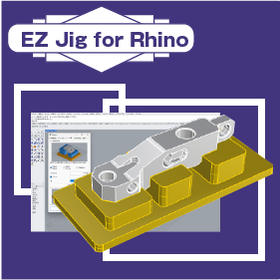
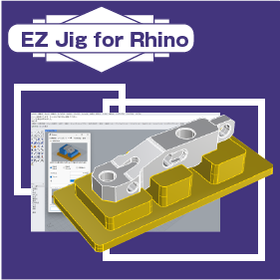
Fixture design software "EZ Jig for Rhino"

It is characterized by the ability to intuitively design jigs. *Demo available.

The "EZ Jig for Rhino" is a plugin software specifically for "Rhinoceros" that allows you to easily design jigs without the need for 3D CAD skills. Complex tasks are unnecessary, and you can proceed with data creation through intuitive operations. By 3D printing, you can quickly create jigs at the necessary timing, enabling further efficiency in your operations. [Features] ■ Can read various CAD data In addition to common 3D data file formats like IGES and STEP, it also supports reading specialized files such as those from Solidworks. ■ Interactive modeling You can simply select the necessary operations according to the guidance displayed on the panel, allowing you to create data without considering the next steps. ■ Easy clearance adjustment Optimal clearance can be easily set according to the precision of the 3D printer and the materials used. ■ Rich output formats The created data supports various output formats, including STL data for 3D printers, as well as IGES, STEP, and DXF.

  • Other CAD related software
  • Inspection fixture
  • Assembly Jig

Added to bookmarks

Bookmarks list

Bookmark has been removed

Bookmarks list

You can't add any more bookmarks

By registering as a member, you can increase the number of bookmarks you can save and organize them with labels.

Free membership registration

I tried doing test processing using ATC!

[Mitarepo] Automatic tool change with a small processing machine! We tested machining with a machine equipped with ATC! | System Create

"Mitarepo" is a series that introduces what can be done using various products with the concept of "I tried doing this!" We deliver useful information each time from the wide range of product genres handled by System Create. In Vol. 111, we conducted a processing test using the YORNEW MX220. The compact 5-axis machining center "YORNEW MX220" fits in a mere 0.7m² of installation space. We have started handling a model with the automatic tool change (ATC) option. With ATC, more complex machining can be performed without increasing the workload. This time, we actually performed machining that involved tool changes in the machining path and conducted measurements to verify the machining accuracy. We will introduce points of interest such as, "How is the ATC attached?" and "Does the accuracy change?" with actual images and diagrams of the cutting process. *You can download the materials from the button below.

  • lathe

Added to bookmarks

Bookmarks list

Bookmark has been removed

Bookmarks list

You can't add any more bookmarks

By registering as a member, you can increase the number of bookmarks you can save and organize them with labels.

Free membership registration

MARS GO firmware update enables high-speed printing D1000HS

Equipped with the firmware Klipper that enables high-speed modeling of large-scale models! Large 3D printer "CreatBot D1000 HS".

Marsgo is a document that picks up the functions and features of various products and introduces the "amazing!" aspects. The 3D printer "CreatBot D1000" can create large models up to 1 meter in size all at once. It has recently undergone an upgrade and has been reborn as the "D1000 HS (High Speed)" to support high-speed printing! The biggest feature is undoubtedly its ability to achieve high-speed printing of up to 300mm/s. This allows for large prints that previously took a long time to be completed in a much shorter time. However, hearing just this might lead to questions like: "How can it print so fast?" "What has changed?" Many people might have such doubts. Therefore, this document provides a thorough explanation of one of the major changes in the D1000 HS: the high-speed printing compatible firmware "Klipper." It details how it differs from conventional printers and why high-speed printing has become possible. We encourage you to read it. *You can download the document using the button below.

  • 3D Printer

Added to bookmarks

Bookmarks list

Bookmark has been removed

Bookmarks list

You can't add any more bookmarks

By registering as a member, you can increase the number of bookmarks you can save and organize them with labels.

Free membership registration

I tried injection molding a lure using a machined resin mold!

[Mita Repo] Resin Molds & Full-scale Injection Molding on a Desktop!? Tried Making Lures! | System Create

"Mitarepo" is a series that introduces what can be done using various products with the concept of "I tried doing this!" From the wide range of product genres handled by System Create, we deliver useful information each time. In Vol. 108, we challenge ourselves to injection molding using a resin mold cut with the desktop injection molding machine "Moiron M2-I." When a certain number of pieces need to be created through cutting, it can be quite challenging to carve each one individually. You might wonder if there’s a more efficient way to produce them... That's where the desktop horizontal injection molding machine "Moiron M2-I" comes in. Since you can use the cut resin plate as a mold, you can produce a large number of molded products at once! This time, we actually challenged ourselves to injection molding using the cut resin mold! "Can we really mold properly with a resin cutting mold?" "What is the quality of the molded products like?" We will explain these points of interest along with the setup of the resin cutting mold, the flow of injection molding, and verification of the actual molded products. *You can download the materials from the button below.

  • Injection Molding Machine
  • Machining Center

Added to bookmarks

Bookmarks list

Bookmark has been removed

Bookmarks list

You can't add any more bookmarks

By registering as a member, you can increase the number of bookmarks you can save and organize them with labels.

Free membership registration

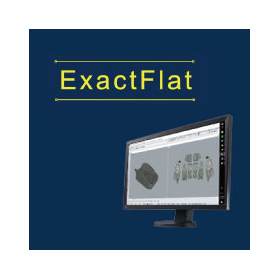
Flat pattern design software "ExactFlat"

We will digitize pattern creation and reduce man-hours. *Demo available.

"ExactFlat" is a flat pattern software that unfolds 3D solid data into a 2D plane. It operates as an add-on to CAD systems "SOLIDWORKS" and "Rhinoceros." [Features] ■ Direct creation of pattern data from 3D models Since the 3D model's solid data can be directly unfolded into pattern data, there is no need to prepare physical samples or conduct prototypes. ■ Abundant material presets Material properties are stored in a database, allowing for the creation of corrected data that takes into account factors such as stretch ratios and fabric thickness by referencing the data. This enables anyone to create stable patterns without relying on experience or intuition. ■ Reduction of man-hours Pattern creation can be completed digitally, making it easy to verify and modify. This eliminates the hassle of repetitive rework, thereby reducing man-hours.

  • Other CAD related software
  • Data conversion software
  • 3D CAD

Added to bookmarks

Bookmarks list

Bookmark has been removed

Bookmarks list

You can't add any more bookmarks

By registering as a member, you can increase the number of bookmarks you can save and organize them with labels.

Free membership registration

I tried changing the scanning speed to investigate the changes in marking.

【Mitarepo】How does the scanning speed of a laser marker affect it? We investigated the changes in marking lines! | System Create

"Mitarepo" is a series that introduces what can be done using various products with the concept of "I tried doing this!" From the wide range of product genres handled by System Create, we deliver useful information each time. In Vol. 110, we used the laser marker "LF50" to investigate how marking changes by altering the scanning speed. Despite being a compact machine, the "LF series" laser marker is equipped with a high-output laser, allowing for clear marking on various metals. In the previous issue, we examined the differences based on laser output, and now we present the second installment of the marking line verification project! This time, we fixed the laser output at 60% and changed the scanning speed to see what changes occur in the marking line when marking on a stainless steel plate. We will introduce points of interest such as, "How does the appearance change with speed?" and "Does it get deeper in proportion to the speed?" along with images of the actual markings and measurement results. *You can download the materials from the button below.

  • Laser marker
  • Marking machine
  • Other markings

Added to bookmarks

Bookmarks list

Bookmark has been removed

Bookmarks list

You can't add any more bookmarks

By registering as a member, you can increase the number of bookmarks you can save and organize them with labels.

Free membership registration

I tried creating a thin-walled transparent bottle using vacuum forming with a resin mold.

[Mitarepo] Thin-walled shapes through vacuum forming with combinations! I tried creating a transparent bottle by vacuum forming from a Form4L resin mold! | System Create

"Mitarepo" is a series that introduces what can be done using various products, based on the concept of "I tried doing this!" We deliver useful information each time from the wide range of product genres handled by System Create. 3D printers have undergone remarkable evolution, making it easier to create high-quality models without post-processing. While it has become possible to create various types of shapes, it is also true that there are models and shapes that are challenging... Thin-walled shapes are one of them. However, this might be overcome by combining it with another product... So this time, we created a mold using the light-curing 3D printer "Form 4L" and used the vacuum forming machine "Vaquform" to create a thin-walled transparent bottle! "Can a 3D printed mold withstand the pulling process?" "What about concerns like distortion?" We will introduce these points of interest along with the process of 3D printing the mold, the flow of vacuum forming, and the actual finished product. *You can download the materials from the button below.

  • Vacuum Equipment
  • 3D Printer

Added to bookmarks

Bookmarks list

Bookmark has been removed

Bookmarks list

You can't add any more bookmarks

By registering as a member, you can increase the number of bookmarks you can save and organize them with labels.

Free membership registration

Marsgo: Reduce processing time with high-speed pocket machining! Bob

Pocket machining that achieves time reduction! "High-speed pocket machining" of 'Overwhelmingly low price & rich features BobCAD-CAM'

Marsugo is a document that picks up the functions and features of various products and introduces the "amazing" aspects. This time, we will introduce one of those functions, the "High-Speed Pocket Machining" of BobCAD-CAM 3Axis Pro. BobCAD-CAM has received positive feedback for being able to be introduced and operated at a low cost. Despite its overwhelmingly low price, it is a three-dimensional CAD/CAM system that is gaining inquiries due to its diverse modules and rich features. One of its characteristics is that it can perform high-speed pocket machining even in 2D processing. When machining deep and narrow grooves or pockets, one might think, "Will it damage the tool or put too much load on it?" or "If only I could shorten the working time more..." The "High-Speed Pocket Machining" of BobCAD-CAM 3Axis Pro reduces processing time by using the entire cutting tool and performing movements that equalize the load on the tool, allowing for deep and rapid cutting. The document provides a detailed explanation of how to set up machining, the movement of the paths, and the benefits, so please take a moment to read it. *You can download the document using the button below.

  • 3D CAM
  • 3D CAD

Added to bookmarks

Bookmarks list

Bookmark has been removed

Bookmarks list

You can't add any more bookmarks

By registering as a member, you can increase the number of bookmarks you can save and organize them with labels.

Free membership registration

Morusgo: Temperature control for molds! Horizontal injection molding machine Moiron.

Pursuing quality with tabletop injection molding! The mold temperature control of the "Moiron M2-I" is amazing.

Marsugo is a document that picks up the functions and features of various products and introduces the "amazing!" aspects. This time, we will introduce the mold temperature control of "Moiron," which can perform genuine injection molding while being desktop-sized. The horizontal injection molding machine "Moiron M2-I" can carry out everything from prototype molding to small lot production in automatic mode on a tabletop. With a compact body designed for space-saving, it condenses all the essential elements necessary for injection molding. It offers robust features that enable genuine molding! In this document, we specifically introduce "mold temperature control," which enhances the finish of molded products. By being able to control the "temperature," which is crucial for injection molding, we can avoid molding defects and thoroughly pursue the surface quality of molded products! The document provides detailed explanations about the relationship between the melting material and cooling speed, as well as methods for mold temperature control, so please take a look. *You can download the document using the button below.

  • Injection Molding Machine

Added to bookmarks

Bookmarks list

Bookmark has been removed

Bookmarks list

You can't add any more bookmarks

By registering as a member, you can increase the number of bookmarks you can save and organize them with labels.

Free membership registration

I tried changing the laser output to investigate the changes in marking.

[Mitarepo] How much does the output of a laser marker change? We investigated the changes in the marking line! | System Create

"Mitarepo" is a series based on the concept of "I tried doing this!" where we introduce what can be done using various products. From the wide range of product genres handled by System Create, we deliver useful information each time. In Vol. 109, we used the laser marker "LF50" to investigate how marking changes by varying the laser output. Despite being a compact machine, the "LF series" laser marker is equipped with a high-output laser, allowing for clear marking on various metals. This time, we examined the changes in marking lines when marking a stainless steel plate by only changing the laser output. We explored questions like, "How much difference is there between maximum output and low output?" and "Can such a difference be attributed solely to the output?" We will present these points of interest along with images of the actual markings and measurement results. *You can download the materials from the button below.

  • Laser marker

Added to bookmarks

Bookmarks list

Bookmark has been removed

Bookmarks list

You can't add any more bookmarks

By registering as a member, you can increase the number of bookmarks you can save and organize them with labels.

Free membership registration

You can directly process STL data! Bob

Process STL directly without conversion! The "STL data" import feature of "BobCAD-CAM" with its overwhelming low price and rich functionality is amazing.

Marsugo is a document that picks up the functions and features of various products and introduces the "amazing" aspects. "BobCAD-CAM," which has received positive feedback for being able to be introduced and operated at a low cost. Despite its overwhelming low price, it boasts a variety of modules and rich features, making it a highly sought-after 3D CAD/CAM system. One of its features is that it can "create machining paths directly from STL data." The "STL" file, which has become widely known due to the proliferation of 3D printers and 3D scanners, represents the shape of a model as a collection of triangular polygons, allowing for high reproducibility of complex shapes and freeform surfaces, and is utilized in a wide range of fields. BobCAD-CAM can read STL data directly and create machining paths from it. You can use all tool paths just like with solid data or surface data! The document provides a detailed explanation of the actual procedures and the machining paths that can be utilized, so please take a moment to read it. *You can download the document using the button below.

  • 3D CAD
  • 3D CAM

Added to bookmarks

Bookmarks list

Bookmark has been removed

Bookmarks list

You can't add any more bookmarks

By registering as a member, you can increase the number of bookmarks you can save and organize them with labels.

Free membership registration

You can output sewing patterns from the 3D model of 【Marusugo】! Exact

You can unfold 3D models onto a 2D plane! "ExactFlat for Rhinoceros" is amazing.

Marsugo is a document that picks up the functions and features of various products and introduces the "amazing!" aspects. This time, we will introduce the software "ExactFlat for Rhinoceros," which can create flat layout data. With the spread of 3D data, the design of curves and surfaces has increased, making it even more difficult to unfold into 2D planes for products like covers. Creating sewing patterns requires a significant amount of time for prototyping, temporary assembly, and revisions, and it has relied on the experience and skills of the workers developed over time. The software "ExactFlat," which can be used as an add-in for Rhinoceros, allows anyone to create optimal 2D sewing pattern data from a 3D model. Based on the saved database, the system automatically performs calculations, so it is not affected by the skills of the draftsman. The document provides a detailed explanation of how to output sewing patterns, so please take a look. *You can download the document using the button below.

  • 3D CAD

Added to bookmarks

Bookmarks list

Bookmark has been removed

Bookmarks list

You can't add any more bookmarks

By registering as a member, you can increase the number of bookmarks you can save and organize them with labels.

Free membership registration

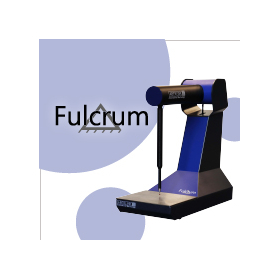
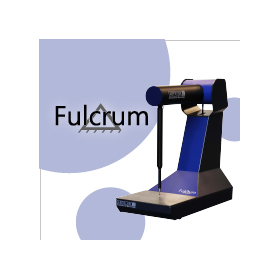
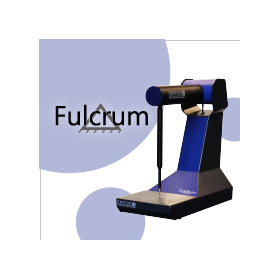
Tabletop 3D Measuring Device 'Fulcrum'

3D measurement anywhere! Desktop 3D measuring instrument.

"Fulcrum" is a compact tabletop 3D measuring device. [Features] ■ Direct measurement on-site No complicated setup is required; simply set the workpiece and start measuring immediately. It can output various types of inspection reports, completing the process from machining to measurement inspection to report output on-site. ■ Stable accuracy The arm section is made of carbon material, allowing it to adapt to changes in temperature and humidity. By registering the temperature environment at the installation site during measurement, you can obtain measurement results that reflect the thermal expansion coefficient of the work material. ■ Diverse measurement menu It is equipped with a variety of measurement menus. By measuring multiple elements, you can check the distances and angles between them, and you can also measure the virtual intersection points between the measured planes. *Please view the PDF data from the download button below.

  • 3D measuring device

Added to bookmarks

Bookmarks list

Bookmark has been removed

Bookmarks list

You can't add any more bookmarks

By registering as a member, you can increase the number of bookmarks you can save and organize them with labels.

Free membership registration

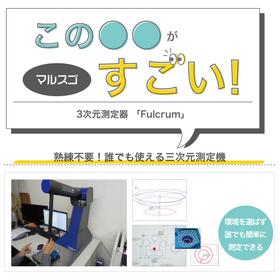
Malsugo: Three-dimensional measurement can be done in ultra space-saving! Fulcrum

3D Measurement in the Office?! The Compact Desktop 3D Measuring Device "Aberlink Fulcrum" is Amazing.

Marsugo is a document that picks up the functions and features of various products and introduces the "amazing" aspects of them. This time, we will introduce the manual CMM "Aberlink Fulcrum," which can perform three-dimensional measurements on a tabletop. Have you ever felt that preparing a large room for environmental control is a barrier when you want to introduce and operate a three-dimensional measuring device? The newly introduced three-dimensional measuring device "Aberlink Fulcrum" can perform three-dimensional measurements without the need for a dedicated room. In addition to its compact footprint of just 335×830mm, it is the world's only tabletop three-dimensional measuring device that allows for manual measurements. The document provides a detailed explanation of the unique body design and measurement methods that achieve space-saving, so please take a look. *You can download the document using the button below.

  • 3D measuring device
  • 3D CAD

Added to bookmarks

Bookmarks list

Bookmark has been removed

Bookmarks list

You can't add any more bookmarks

By registering as a member, you can increase the number of bookmarks you can save and organize them with labels.

Free membership registration

Malsugo: You can optimize overlapping lines on the same coordinates in bulk processing!

Quickly remove unnecessary duplicate lines! This explains the "Cleanup/Optimization" of "BobCAD-CAM," which offers overwhelming low prices and comprehensive features.

Marsugo is a document that highlights the impressive features and characteristics of various products. "BobCAD-CAM," which has received positive feedback for its low-cost implementation and operation. Despite its overwhelmingly low price, the diverse modules and rich features are amazing! This is a three-dimensional CAD/CAM system that is seeing an increase in inquiries. One of its features is that it can "detect and unify overlapping lines of various patterns." When handling provided data in 2D, overlapping lines can be difficult to notice visually, making them hard to distinguish… It’s possible that you only realize it when creating a path. The CAD function of BobCAD-CAM, "Cleanup/Optimization," can detect and integrate any overlaps without missing them, allowing you to create a clean state before path creation without any hassle! The document provides a detailed explanation of the cleanup process and the actual changes in paths, so please take a look. *You can download the document using the button below.

  • 3D CAD
  • 3D CAM

Added to bookmarks

Bookmarks list

Bookmark has been removed

Bookmarks list

You can't add any more bookmarks

By registering as a member, you can increase the number of bookmarks you can save and organize them with labels.

Free membership registration

I tried firing the ceramic model!

【Mita Repo】3D Printing with Ceramic!! Tried modeling with Form 4! | System Create

"Mitarepo" is a series that introduces what can be done using various products with the concept of "I tried doing this!" From the wide range of product genres handled by System Create, we deliver useful information each time. The Form 4, a light-curing printer praised for its ability to create delicate shapes easily, has added the ceramic material "Alumina 4N" to its lineup! Ceramic parts have unique advantages such as heat resistance, high hardness, and chemical resistance. Can we create the desired shapes with 3D printing, which is not a mainstream manufacturing method? This time, we conducted test prints and examined the finish of the resulting models! "Can it be printed using the usual procedures?" "How does it turn out even though it's not plastic?" We will explain these points of interest along with images of the actual printed models, covering the entire process from data creation to model removal. In addition to the "Modeling Edition" document that introduces the printing flow, we will also provide the following "Finishing Edition" and "Sintering Edition." *You can download the materials from the button below.

  • 3D Printer
  • Ceramics

Added to bookmarks

Bookmarks list

Bookmark has been removed

Bookmarks list

You can't add any more bookmarks

By registering as a member, you can increase the number of bookmarks you can save and organize them with labels.

Free membership registration

I tried finishing the ceramic model!

[Mitarepo] 3D Printing with Ceramic!! Tried creating with Form 4! | System Create

"Mitarepo" is a series that introduces what can be done using various products with the concept of "I tried doing this!" From the wide range of product genres handled by System Create, we deliver useful information each time. The Form 4, a light-curing printer praised for its ability to create delicate shapes easily, has added the ceramic material "Alumina 4N" to its lineup! Ceramic parts have unique advantages such as heat resistance, high hardness, and chemical resistance. Can they be shaped as desired using 3D printing, which is not a mainstream manufacturing method? This time, we conducted test prints to examine the finish of the created models! "Can I print using the usual procedures?" "How can it be done if it's not plastic?" We will explain these points of interest along with images of the actual printed models, covering the entire process from data creation to model removal. In addition to the "Modeling Edition" document that introduces the printing flow, we will also provide the subsequent "Finishing Edition" and "Sintering Edition." *You can download the documents from the button below.

  • 3D Printer
  • Ceramics

Added to bookmarks

Bookmarks list

Bookmark has been removed

Bookmarks list

You can't add any more bookmarks

By registering as a member, you can increase the number of bookmarks you can save and organize them with labels.

Free membership registration

I tried shaping ceramic materials!

[Mitarepo] 3D Printing with Ceramic!! Tried modeling with Form 4! | System Create

"Mitarepo" is a series that introduces what can be done using various products with the concept of "I tried doing this!" From the wide range of product categories handled by System Create, we deliver useful information each time. The Form 4, a light-curing printer praised for its ability to create delicate shapes easily, has added the ceramic material "Alumina 4N" to its lineup! Ceramic parts have unique advantages such as heat resistance, high hardness, and chemical resistance. Can they be shaped as desired using 3D printing, which is not a mainstream manufacturing method? This time, we conducted test prints and examined the finish of the resulting models! "Can I print using the usual procedures?" "How will it turn out even though it's not plastic?" We will explain these points of interest, along with images of the actual printed models, covering the entire process from data creation to model removal. In addition to the "Modeling Edition" document that introduces the printing flow, we will also provide the subsequent "Finishing Edition" and "Sintering Edition." *You can download the materials from the button below.

  • 3D Printer
  • Ceramics

Added to bookmarks

Bookmarks list

Bookmark has been removed

Bookmarks list

You can't add any more bookmarks

By registering as a member, you can increase the number of bookmarks you can save and organize them with labels.

Free membership registration

I tried structuring a lattice and creating it with a 3D printer!

[Mitarepo] Tried shelling and lattice structuring a 3D model and printing it with powder molding! | System Create

"Mitarepo" is a series that introduces what can be done using various products with the concept of "I tried doing this!" We deliver helpful information each time from the wide range of product genres handled by System Create. "VoxelDance Additive" is software that can complete various modeling preparations, such as data editing and support generation before 3D printing, all in one package. It also has robust CAD functions for data repair, cutting, and joining, making advanced 3D model editing very easy. The trending lattice structuring can also be done in three steps! This time, to verify how a model structured with lattice using the editing functions of "VoxelDance Additive" is actually printed, we tried modeling it with the powder sintering 3D printer "Fuse1 +30W." We will introduce points of interest such as, "What is the impact of lattice structuring on modeling?" and "What is the inside like?" along with data, completed models, and CT scan images. *You can download the materials from the button below.

  • 3D CAD
  • 3D Printer

Added to bookmarks

Bookmarks list

Bookmark has been removed

Bookmarks list

You can't add any more bookmarks

By registering as a member, you can increase the number of bookmarks you can save and organize them with labels.

Free membership registration

Tabletop CNC Lathe 'YORNEW CK140'

Compact design full-cover CNC lathe

This CNC lathe is recommended for processing small cylindrical shapes and skill development. It can handle a variety of external diameter machining, which is the most commonly used process in lathe machining. [Features] ■ High operability Compatible with ISO standard G-code, it supports general programs, threading cycles, constant surface speed, and constant spindle speed machining commands. ■ Compatible with light metals such as aluminum and brass, as well as resins Equipped with a high-power/high-speed spindle on a cast iron machine base, it can handle materials from light metals like aluminum and brass to resins. ■ Sturdy machine base made of cast iron Combining ball screws with a dovetail structure for the drive unit reduces vibrations during machining, achieving a positioning accuracy of 0.02mm. ■ Space-saving CNC machining It occupies a minimal installation area of just 0.7m², and the main unit is fully covered, allowing for safe and space-efficient machining. *Please refer to the PDF data available via the download button below.

  • lathe

Added to bookmarks

Bookmarks list

Bookmark has been removed

Bookmarks list

You can't add any more bookmarks

By registering as a member, you can increase the number of bookmarks you can save and organize them with labels.

Free membership registration

I tried scanning the AESUB target on the internet!

【Mitarepo】Can you attach a target marker in 20 seconds!? We tried scanning using the AESUB target net! | System Create

"Mitarepo" is a series based on the concept of "I tried doing this!" where we introduce what can be done using various products. From the wide range of products handled by System Create, we deliver useful information each time. The sale of "Target Net" has started from AESUB, a company known for its sublimation spray. When performing 3D scanning, the task of attaching target markers becomes necessary. While it may be manageable in a small area, the task of attaching a large number of markers over a wide area can be quite challenging. The "Target Net" features magnets on the back of the markers and is designed in a net shape, allowing for easy attachment of the markers simply by aligning the net. In this instance, we actually used the Target Net to perform 3D scanning. We will introduce points of interest such as, "How much time does it take to attach?" and "Does it really respond just by using magnets?" along with images of the installation process and the scanned results. *You can download the materials from the button below.

  • Other consumables
  • Adhesive tape

Added to bookmarks

Bookmarks list

Bookmark has been removed

Bookmarks list

You can't add any more bookmarks

By registering as a member, you can increase the number of bookmarks you can save and organize them with labels.

Free membership registration

I tried 3D printing with domestic silicone materials!

【Mitarepo】Challenging 3D Printing with Domestic Silicone Materials! | System Create

"Mitarepo" is a series that introduces what can be done using various products with the concept of "I tried doing this!" We deliver useful information each time from the wide range of product genres handled by System Create. In Vol. 103, we challenged open material printing using the liquid layered 3D printer "Lynxter S300X." The "Lynxter S300X," capable of 3D printing with two-component curing silicone materials, supports open material printing. Since silicone materials are widely available, they can be easily obtained domestically; however, there are few examples of utilizing commercially available silicone in 3D printing. Therefore, this time we used Shin-Etsu Silicone's two-component curing material, which is widely used in Japan, to test whether it can actually be printed! The document explains the process of successfully printing with silicone materials, along with images of the models. *You can download the document using the button below.*

  • 3D Printer
  • Composite Materials

Added to bookmarks

Bookmarks list

Bookmark has been removed

Bookmarks list

You can't add any more bookmarks

By registering as a member, you can increase the number of bookmarks you can save and organize them with labels.

Free membership registration

Mitarepo [102] Verification of how far powder removal and polishing can be achieved through automatic processing.

[Mitarepo] 3 types of materials × Carbon 3D printing! I investigated how much the strength changes with different materials! | System Create

"Mitarepo" is a series that introduces what can be done using various products with the concept of "I tried doing this!" From the wide range of product genres handled by System Create, we deliver useful information each time. The new add-on module "Polishing System" for the powder-based 3D printer "Fuse 1+ 30W" automates post-processing with "Fuse Blast"! Not only does it automatically remove powder through blasting, but it also allows for polishing using specialized polishing media and solvents. It is said that polishing results in a semi-gloss finish for the models! In this edition, we created two types of hollow-shaped models using the powder-based 3D printer "Fuse 1+ 30W." After that, we incorporated the Polishing System into the "Fuse Blast," and investigated how well material removal and polishing could be achieved. "Can the powder be removed cleanly automatically?" "What about the surface?" We focus on these points of interest in the work process and quality, along with images. *You can download the materials from the button below.

  • 3D Printer
  • Composite Materials

Added to bookmarks

Bookmarks list

Bookmark has been removed

Bookmarks list

You can't add any more bookmarks

By registering as a member, you can increase the number of bookmarks you can save and organize them with labels.

Free membership registration

Malsugo can reproduce beautiful cutting surfaces without seams! Bob

Spiral machining that achieves beautiful cutting surfaces! We will explain the amazing features of "spiral machining" in "BobCAD-CAM," which offers overwhelming low prices and comprehensive functions!

Marsugo is a document that picks up the functions and features of various products and introduces the "amazing!" aspects. "BobCAD-CAM," which has received positive feedback for being affordable to implement and operate. Despite its overwhelmingly low price, it boasts a variety of modules and robust features, making it a popular 3D CAD/CAM system with increasing inquiries. One of its features is the ability to perform "spiral machining," which can reproduce seamless cutting surfaces. When cutting in the Z-axis direction like contour lines, have you ever noticed cutter marks left like seams? In such cases, by utilizing the "spiral machining" introduced here, seamless processing can be achieved! By making the cutting motion spiral, it eliminates the action that causes cutter marks to remain at certain depths, allowing for a beautiful cutting surface. The document provides detailed explanations on how to set up machining and the changes in paths when applied, so please take a look. *You can download the document using the button below.

  • 3D CAD
  • 3D CAM

Added to bookmarks

Bookmarks list

Bookmark has been removed

Bookmarks list

You can't add any more bookmarks

By registering as a member, you can increase the number of bookmarks you can save and organize them with labels.

Free membership registration

I tried investigating the strength of 3 types of materials × SETFIL!

[Mitarepo] 3 types of materials × Carbon 3D printing! We investigated how much the strength changes with different materials! | System Create

"Mitarepo" is a series that introduces what can be done using various products with the concept of "I tried doing this!" From the wide range of product genres handled by System Create, we deliver useful information each time. In Vol. 101, we used the carbon composite 3D printer "Composer" to create strength test specimens made from three types of materials: "ABS," "ASA," and "PLA-CF" combined with carbon. We investigated the changes in strength due to the differences in materials. In Mitarepo Vol. 93, we introduced the results of strength tests on models created by blending long fiber carbon material "SETFIL" with PETG. After publication, we received requests from customers who viewed the materials, saying, "I want to see the verification results with other materials!" So, we created test specimens using three types of materials: "ABS," "ASA," and "PLA-CF." We conducted "tensile tests," "bending tests," and "Charpy impact tests" to examine the changes in strength due to the differences in materials! In this document, we will present these test results categorized by material all at once! *You can download the materials using the button below.

  • 3D measuring device
  • 3D CAD
  • Analytical Equipment and Devices

Added to bookmarks

Bookmarks list

Bookmark has been removed

Bookmarks list

You can't add any more bookmarks

By registering as a member, you can increase the number of bookmarks you can save and organize them with labels.

Free membership registration

I tried cutting it with a section cut and assembling the model.

【Mitarepo】Is it easy to split and assemble 3D printed models!? I tried the section cut feature! | System Create

"Mitarepo" is a series that introduces what can be done using various products with the concept of "I tried doing this!" From the wide range of product categories handled by System Create, we deliver useful information each time. In Vol. 100, we tried out the "Section Cut" feature included in the data editing/generation software for 3D printers, "VoxelDance Additive." The "Section Cut" feature of "VoxelDance Additive" allows for easy division operations that take into account the joining parts necessary for assembling the model! You can simply select the division points, and choose from two types of connection methods: lap joints and connector pins. This time, we prepared two types of models and performed the data division, followed by actual printing and assembly. "There seems to be a difficult image associated with data division..." "Can I align the model correctly and neatly...?" We will introduce the actual operations and images of the printed models along with these points of interest. *You can download the materials from the button below.

  • 3D CAD
  • Data conversion software
  • 3D Printer

Added to bookmarks

Bookmarks list

Bookmark has been removed

Bookmarks list

You can't add any more bookmarks

By registering as a member, you can increase the number of bookmarks you can save and organize them with labels.

Free membership registration

I tried scanning using a rotating and tilting table!

[Mitarepo] Fully Automatic Scan! Tried Scanning from All Directions with a Rotating and Tilting Table! | System Create

"Mitarepo" is a series that introduces what can be done using various products with the concept of "I tried doing this!" From the wide range of product genres handled by System Create, we deliver useful information each time. In Vol. 99, we tested how much can be automatically scanned using the 360° rotating ±40° inclined table equipped with the small precision work 3D scanner "IUS3D." The small desktop 3D scanner "IUS3D" features a rotating table that allows for automatic scanning from various directions with 360° rotation and inclination. With a single click, it can automatically scan while rotating from each direction, enabling stable data acquisition regardless of who is operating it! However, in reality, you might wonder, "Can it automatically scan without holes or omissions?" or "Isn't it difficult for shapes with deep irregularities?" Therefore, this time we automatically scanned a workpiece with holes and grooves while applying rotation and inclination! In the materials, we will explain the scanning process and differences in capture quality using images! *You can download the materials from the button below.

  • 3D measuring device
  • 3D CAD
  • Analytical Equipment and Devices

Added to bookmarks

Bookmarks list

Bookmark has been removed

Bookmarks list

You can't add any more bookmarks

By registering as a member, you can increase the number of bookmarks you can save and organize them with labels.

Free membership registration

Large × High Precision × High Speed Achieved: Light-Curing 3D Printer 'Form 4L'

A desktop-sized 3D printer that achieves high-quality and high-speed modeling through its unique technology "LFD," boasting 4.6 times the modeling volume of the 'Form 4.'

The "Form 4L" is a 3D printer that utilizes the "LFD" molding system developed by Formlabs. [Features] ■ High-speed molding with the "Low Force Display" method By adopting a mechanism that masks and irradiates ultraviolet light using an LCD screen instead of traditional laser molding, high-speed molding is achieved. ■ Vertical irradiation of the entire molding area Ultraviolet light from 145 LEDs with an output of 16mW/cm² is uniformly and vertically corrected by a lens array, allowing for high-precision molding across the entire molding area. ■ High-quality molding through reduced release force The unique micro-textured optical film and the two-layer structure of the resin tank create air pathways that reduce release force. ■ Easy print settings for beginners Print settings can be easily completed using the dedicated slicer "PreForm," which features functions that can be set with one click. ■ Automatic resin supply Once molding starts, the supply and stirring of resin begin automatically. Internal sensors measure the resin amount and display the remaining quantity, making resin management easy. *Please view the PDF data from the download button below.

  • 3D Printer
  • Prototype Services

Added to bookmarks

Bookmarks list

Bookmark has been removed

Bookmarks list

You can't add any more bookmarks

By registering as a member, you can increase the number of bookmarks you can save and organize them with labels.

Free membership registration

I tried the open material mode!

[Mitarepo] Tried creating with Form 4×any resin material! | System Create

"Mitarepo" is a series that introduces what can be done using various products with the concept of "I tried doing this!" We deliver helpful information each time from the wide range of product genres handled by System Create. In Vol. 98, we challenged ourselves to create using the newly offered "Open Material Mode" from Formlabs. Formlabs has newly started licensing the "Open Material Mode," which allows for the use of any material for printing with the Form 4, further expanding the possibilities of creation! However, you might have questions about the actual user experience, such as "Can it print nicely?" or "Does it seem difficult to set up?" So this time, we used the weather-resistant resin "Fort Resin" to create a sample model! The materials' settings, configurations in Preform, and the appearance of the model after printing are explained with images in the documentation. *You can download the materials from the button below.

  • 3D Printer
  • Other polymer materials

Added to bookmarks

Bookmarks list

Bookmark has been removed

Bookmarks list

You can't add any more bookmarks

By registering as a member, you can increase the number of bookmarks you can save and organize them with labels.

Free membership registration

Marsgo: A multi-tool library for multiple machine tools is available!

Improving work efficiency with multiple tool library management! Let me explain the greatness of "Multi-Tool Library" in BobCAD-CAM!

Marsugo is a document that picks up the functions and features of various products and introduces the "amazing!" aspects. "BobCAD-CAM," which has received positive feedback for its low-cost implementation and operation. Despite its overwhelmingly low price, it boasts a variety of modules and comprehensive features, making it an impressive 3D CAD/CAM system that is seeing an increase in inquiries. This time, we will introduce the newly added "Multi-Tool Library" feature. The more tools you have, the harder it is to manage them, right? Especially for users who own multiple machines, finding the right tools can be quite a challenge. The Multi-Tool Library is a very convenient feature that allows you to have multiple libraries, as the name suggests. You can manage tools in each library, which you can name, making it easy to see at a glance where each tool is located. This can significantly reduce the time spent searching for specific tools from a long list or changing tool settings. *You can download the document from the button below.

  • 3D CAD
  • 3D CAM

Added to bookmarks

Bookmarks list

Bookmark has been removed

Bookmarks list

You can't add any more bookmarks

By registering as a member, you can increase the number of bookmarks you can save and organize them with labels.

Free membership registration

Preventing load and molding troubles for the 【Marsgo】 model! Form4

Introducing the mechanism of shaping that achieves high speed and low load! We will explain the amazing features of the 3D printer "Form 4"!

Marsgo is a document that picks up the functions and features of various products and introduces the "amazing" aspects. This time, we will introduce the latest stereolithography 3D printer from Formlabs, the "Form 4." A major feature of the Form 4 is that its adoption of a new molding method has significantly shortened the molding speed. Not only that, but the Form 4 also utilizes an LPU (Laser Unit) and a resin tank with a soft film, which reduces the load on the model during the molding process. As a result, it can further improve print speed and prevent troubles during molding! The document provides a detailed explanation of the structure of the resin tank and the mechanism of load-free molding, along with images, so please take a look. *You can download the document from the button below.

  • 3D Printer
  • Other polymer materials

Added to bookmarks

Bookmarks list

Bookmark has been removed

Bookmarks list

You can't add any more bookmarks

By registering as a member, you can increase the number of bookmarks you can save and organize them with labels.

Free membership registration

I tried the smart support for light shaping!

[Mitarepo] A new support to maintain surface quality!? Tried the smart support feature for SLA! | System Create

"Mitarepo" is a series based on the concept of "I tried doing this!" where we introduce what can be done using various products. From the wide range of product categories handled by System Create, we deliver useful information each time. In Vol. 97, we examined the "Smart Support" feature for photopolymerization included in the data editing/generation software for 3D printers, "Voxeldance Additive." Smart Support is a function that adds support only to the underside of the model, avoiding other surfaces during generation. By preventing support from appearing on the model, it helps maintain the surface quality of the upper part of the model while reducing the effort required for post-processing like sanding. Hearing this, you might wonder, "Will the shape collapse even if support is generated only in certain areas?" or "What kind of shape will it take?" This time, we generated two types of support using the same model and conducted the printing to check their characteristics and usefulness. In the materials, we will present the results of support removal along with actual images. *You can download the materials from the button below.

  • 3D Printer
  • Other CAM related software

Added to bookmarks

Bookmarks list

Bookmark has been removed

Bookmarks list

You can't add any more bookmarks

By registering as a member, you can increase the number of bookmarks you can save and organize them with labels.

Free membership registration

Problem-Solving Materials: 3D Data Compatibility Edition 3 | Operating Costs of 3D CAD/CAM

Significant reduction in "CAD/CAM operational costs"! What are the solutions to the challenges of implementation, maintenance, and personnel costs? A resource for identifying and solving issues in the production site.

This document is a series that proposes solutions to various challenges faced in production sites, from identifying issues to finding resolutions. In the "3D Data Support Edition," we will introduce solutions to challenges aimed at "supporting 3D data." [Document Overview] With the expansion of production systems using 3D CAD, the opportunities to utilize 3D CAM have also been increasing. However, while the use of 3D CAD/CAM is becoming essential, there are also challenges related to costs that make implementation and operation difficult, such as the following three cost issues: - Initial costs at the time of implementation - Running costs such as maintenance fees - Costs associated with training new employees Regardless of the implementation and operation status, many may be struggling with various cost-related challenges like these. Therefore, in this document, we will introduce recommended 3D CAD/CAM solutions that are easy to handle even for beginners, while minimizing implementation, expansion, and operational costs. *You can download the document using the button below.

  • 3D CAM

Added to bookmarks

Bookmarks list

Bookmark has been removed

Bookmarks list

You can't add any more bookmarks

By registering as a member, you can increase the number of bookmarks you can save and organize them with labels.

Free membership registration

Marsugo: DNM structural design that achieves stable processing.

You can achieve stable cutting processing with overwhelming cost performance! Let me explain the greatness of the vertical machining center "DN Solution DNM Series"!

Marsugo is a document that highlights the features and characteristics of various products, showcasing the "amazing" aspects. This time, we will introduce the structural design of the vertical machining center "DN Solution DNM Series," which offers high cost performance. There are various manufacturers of machining centers, and there are many deciding factors for their adoption, one of which could be "price." In such cases, we would like to recommend the vertical machining center "DNM Series," which can be introduced starting from around 12 million yen, as one of the options for selecting a machining center. Despite its excellent cost performance, it features uncompromising machine design and stable processing performance. With a 40-taper spindle, a wide processing range, and table load capacity, it can handle heavy workpieces due to its durability and rigidity that allow for long-term use. It is highly versatile and capable of various machining operations. The document introduces the design for stable processing and the structure that achieves high rigidity, so please take a moment to read it. *You can download the document using the button below.*

  • Other machine tools
  • Machining Center

Added to bookmarks

Bookmarks list

Bookmark has been removed

Bookmarks list

You can't add any more bookmarks

By registering as a member, you can increase the number of bookmarks you can save and organize them with labels.

Free membership registration

I created a test piece and measured its dimensions!

I investigated the dimensional reproducibility of a large-scale light-based 3D printer! | System Create

"Mitarepo" is a series that introduces what can be done using various products with the concept of "I tried doing this!" From the wide range of product genres handled by System Create, we deliver useful information each time. In Vol. 96, we investigated the dimensional reproducibility of the large-format light curing machine "ProtoFab." The new "ProtoFab SLA-DLC series" light curing machine promises to achieve large size, high speed, and high quality! It automatically controls the laser output and spot diameter according to the model's shape, reproducing optimal surfaces and edges. How faithfully can the in-house machine "ProtoFab SLA600EX-DLC" reproduce in a 600×600mm build area? This time, we used the entire build area to create test pieces and examined the model's finish and dimensional accuracy! "Can a beautiful model be made with high-speed printing?" "Will the edges not be clean if the build area is large?" We will explain these points of concern along with the measurement values of the actual printed models. *You can download the materials from the button below.

  • 3D Printer
  • Other polymer materials

Added to bookmarks

Bookmarks list

Bookmark has been removed

Bookmarks list

You can't add any more bookmarks

By registering as a member, you can increase the number of bookmarks you can save and organize them with labels.

Free membership registration

I tried to see how much powdered material can be removed through automatic processing.

【Mita Repo】Can the powder removal of SLS printers be done automatically!? I tried using "Fuse Blast"! System Create

"Mitarepo" is a series that introduces what can be done using various products with the concept of "I tried doing this!" From the wide range of product categories handled by System Create, we deliver useful information each time. In Vol. 95, we used "Fuse Blast" to automatically perform post-processing on two types of hollow-shaped models created through powder molding, investigating how much material could be removed. The "Fuse Blast," which automatically performs post-processing for the powder molding 3D printer "Fuse 1+ 30W," has made its debut! By rotating the basket during the blasting process, it can automatically remove the powder attached to the model! So, aren't you curious about how much can be removed? This time, we created two types of hollow-shaped models and investigated how much could be automatically removed. While confirming the performance of Fuse Blast, we will conduct automatic processing and use CT to verify its capabilities. The materials include images of the work process and CT scans. *You can download the materials from the button below.

  • 3D Printer
  • Other polymer materials
  • Other surface treatment equipment

Added to bookmarks

Bookmarks list

Bookmark has been removed

Bookmarks list

You can't add any more bookmarks

By registering as a member, you can increase the number of bookmarks you can save and organize them with labels.

Free membership registration
Prev 12345...10 Next
  • 大型金属造形や低コストな複合加工に。ロボットシステムの資料進呈

    大型金属造形や低コストな複合加工に。ロボットシステムの資料進呈

  • 【イプロス初主催】AIを活用したリアル展示会!出展社募集中

    【イプロス初主催】AIを活用したリアル展示会!出展社募集中

  • 【ホワイトペーパー進呈】機器の開発・製造前に考慮すべきライフサイクルコスト
  • 100%紙製でプラスチックフリー! SDGs達成に貢献する緩衝材 もぐらっぷ クッション性に優れた凹凸形状 落下試験動画を公開中 カットサンプルも配布可能!
    • Contact this company

      Contact Us Online

    Products

    • Search for Products

    Company

    • Search for Companies

    Special Features

    • Special Features

    Ranking

    • Overall Products Ranking
    • Overall Company Ranking

    support

    • site map
    IPROS
    • privacy policy Regarding external transmission of information
    • terms of service
    • About Us
    • Careers
    • Advertising
    COPYRIGHT © 2001-2025 IPROS CORPORATION ALL RIGHTS RESERVED.
    Please note that the English text on this page is automatically translated and may contain inaccuracies.