iPROS Manufacturing
  • Search for products by classification category

    • Electronic Components and Modules
      Electronic Components and Modules
      59269items
    • Machinery Parts
      Machinery Parts
      74882items
    • Manufacturing and processing machinery
      Manufacturing and processing machinery
      99748items
    • Scientific and Physics Equipment
      Scientific and Physics Equipment
      34847items
    • Materials
      Materials
      37117items
    • Measurement and Analysis
      Measurement and Analysis
      54931items
    • Image Processing
      Image Processing
      15057items
    • Control and Electrical Equipment
      Control and Electrical Equipment
      53213items
    • Tools, consumables, and supplies
      Tools, consumables, and supplies
      64412items
    • Design and production support
      Design and production support
      12493items
    • IT/Network
      IT/Network
      43610items
    • Office
      Office
      13754items
    • Business support services
      Business support services
      33264items
    • Seminars and Skill Development
      Seminars and Skill Development
      6326items
    • Pharmaceutical and food related
      Pharmaceutical and food related
      30397items
    • others
      73741items
  • Search for companies by industry

    • Manufacturing and processing contract
      7337
    • others
      4994
    • Industrial Machinery
      4415
    • Machine elements and parts
      3282
    • Other manufacturing
      2890
    • IT/Telecommunications
      2553
    • Trading company/Wholesale
      2470
    • Industrial Electrical Equipment
      2298
    • Building materials, supplies and fixtures
      1810
    • software
      1635
    • Electronic Components and Semiconductors
      1569
    • Resin/Plastic
      1491
    • Service Industry
      1444
    • Testing, Analysis and Measurement
      1129
    • Ferrous/Non-ferrous metals
      983
    • environment
      699
    • Chemical
      629
    • Automobiles and Transportation Equipment
      564
    • Printing Industry
      508
    • Information and Communications
      455
    • Consumer Electronics
      416
    • Energy
      327
    • Rubber products
      313
    • Food Machinery
      307
    • Optical Instruments
      277
    • robot
      271
    • fiber
      250
    • Paper and pulp
      232
    • Electricity, Gas and Water Industry
      169
    • Pharmaceuticals and Biotechnology
      167
    • Warehousing and transport related industries
      145
    • Glass and clay products
      139
    • Food and Beverage
      129
    • CAD/CAM
      125
    • retail
      109
    • Educational and Research Institutions
      105
    • Medical Devices
      103
    • Ceramics
      98
    • wood
      88
    • Transportation
      84
    • Medical and Welfare
      63
    • Petroleum and coal products
      62
    • Shipbuilding and heavy machinery
      51
    • Aviation & Aerospace
      48
    • Fisheries, Agriculture and Forestry
      42
    • Public interest/special/independent administrative agency
      31
    • equipment
      31
    • self-employed
      24
    • Research and development equipment and devices
      24
    • Government
      23
    • Materials
      22
    • Mining
      17
    • Finance, securities and insurance
      13
    • cosmetics
      11
    • Individual
      10
    • Restaurants and accommodations
      9
    • Police, Fire Department, Self-Defense Forces
      7
    • Laboratory Equipment and Consumables
      4
    • Raw materials for reagents and chemicals
      3
    • Contracted research
      3
  • Special Features
  • Ranking

    • Overall Products Ranking
    • Overall Company Ranking
Search for Products
  • Search for products by classification category

  • Electronic Components and Modules
  • Machinery Parts
  • Manufacturing and processing machinery
  • Scientific and Physics Equipment
  • Materials
  • Measurement and Analysis
  • Image Processing
  • Control and Electrical Equipment
  • Tools, consumables, and supplies
  • Design and production support
  • IT/Network
  • Office
  • Business support services
  • Seminars and Skill Development
  • Pharmaceutical and food related
  • others
Search for Companies
  • Search for companies by industry

  • Manufacturing and processing contract
  • others
  • Industrial Machinery
  • Machine elements and parts
  • Other manufacturing
  • IT/Telecommunications
  • Trading company/Wholesale
  • Industrial Electrical Equipment
  • Building materials, supplies and fixtures
  • software
  • Electronic Components and Semiconductors
  • Resin/Plastic
  • Service Industry
  • Testing, Analysis and Measurement
  • Ferrous/Non-ferrous metals
  • environment
  • Chemical
  • Automobiles and Transportation Equipment
  • Printing Industry
  • Information and Communications
  • Consumer Electronics
  • Energy
  • Rubber products
  • Food Machinery
  • Optical Instruments
  • robot
  • fiber
  • Paper and pulp
  • Electricity, Gas and Water Industry
  • Pharmaceuticals and Biotechnology
  • Warehousing and transport related industries
  • Glass and clay products
  • Food and Beverage
  • CAD/CAM
  • retail
  • Educational and Research Institutions
  • Medical Devices
  • Ceramics
  • wood
  • Transportation
  • Medical and Welfare
  • Petroleum and coal products
  • Shipbuilding and heavy machinery
  • Aviation & Aerospace
  • Fisheries, Agriculture and Forestry
  • Public interest/special/independent administrative agency
  • equipment
  • self-employed
  • Research and development equipment and devices
  • Government
  • Materials
  • Mining
  • Finance, securities and insurance
  • cosmetics
  • Individual
  • Restaurants and accommodations
  • Police, Fire Department, Self-Defense Forces
  • Laboratory Equipment and Consumables
  • Raw materials for reagents and chemicals
  • Contracted research
Special Features
Ranking
  • Overall Products Ranking
  • Overall Company Ranking
  • privacy policy
  • terms of service
  • About Us
  • Careers
  • Advertising
  1. Home
  2. Industrial Machinery
  3. システムクリエイト
  4. Product/Service List
Industrial Machinery
  • Added to bookmarks

    Bookmarks list

    Bookmark has been removed

    Bookmarks list

    You can't add any more bookmarks

    By registering as a member, you can increase the number of bookmarks you can save and organize them with labels.

    Free membership registration

システムクリエイト

Establishment1992 year
capital1000Ten thousand
number of employees55
addressOsaka/Higashiosaka-shi/1-20 Aramoto Shinmachi
phone06-6618-8555
  • Special site
  • Official site
last updated:Nov 27, 2025
システムクリエイトlogo
  • Contact this company

    Inquiry Form
  • Company information
  • Products/Services(570)
  • catalog(495)
  • news(25)

システムクリエイト Product Lineup

  • category

271~315 item / All 570 items

Displayed results

Filter by category

Campaign Campaign
Materials for Identifying and Solving Issues in Production Sites Materials for Identifying and Solving Issues in Production Sites
Mitarepo Mitarepo
This ●● is amazing! (Marusugo) This ●● is amazing! (Marusugo)
Software - CAD/CAM Software - CAD/CAM
Software - Modeling Software - Modeling
Software - Translator Software - Translator
Software - Inspection, Analysis, Measurement Software - Inspection, Analysis, Measurement
Software - Processing Simulation Software - Processing Simulation
CNC learning simulation CNC learning simulation
Software - CAD Software - CAD
Software - Slice Software - Slice
Software - Production Business Management Software - Production Business Management
3D printer 3D printer
Machining center Machining center
Tabletop cutting machine Tabletop cutting machine
Cutting and laser processing machine Cutting and laser processing machine
Processing and production support items Processing and production support items
Tabletop vacuum forming machine Tabletop vacuum forming machine
3D technology outsourcing and support services 3D technology outsourcing and support services
Lecture/Seminar Lecture/Seminar
Measuring instrument Measuring instrument
CT scanner CT scanner
IoT system IoT system
DNC system DNC system
UV printer UV printer
Booklet / Introduction Case Studies Booklet / Introduction Case Studies
class="retina-image"

I investigated the temperature changes inside the build chamber!

"[Mitarepo] A thermos structure that is effective for shaping super engineering plastics! Investigating the temperature changes inside the 'PEEK-300'!" | System Create

"Mitarepo" is a series that introduces what can be done using various products under the concept of "I tried doing this!" From the wide range of product genres handled by System Create, we deliver useful information each time. In Vol. 54, we conducted a temperature rise experiment using the "CreatBot PEEK-300," which has a thermos bottle structure and excels in heat retention, and examined the temperature changes inside the chamber. Super engineering plastics have become manageable even in 3D printing. It's great that we can create models with materials that can surpass metals! However, due to their special characteristics, the forming process is not easy... If the model cools down or the surrounding temperature changes rapidly, issues like "warping" and "layer separation" can occur immediately. Therefore, this time we investigated how well we can manage temperature by examining the temperature changes inside the chamber with the "PEEK-300," which can handle super engineering plastics. "Can a high-temperature environment be created quickly?" "How well can the temperature be maintained?" We will explain the crucial aspect of temperature management in forming, along with the verification results using graphs. *You can download the materials from the button below.

  • 3D Printer
  • Engineering Plastics
  • plastic

Added to bookmarks

Bookmarks list

Bookmark has been removed

Bookmarks list

You can't add any more bookmarks

By registering as a member, you can increase the number of bookmarks you can save and organize them with labels.

Free membership registration

Problem-Solving Materials: Productivity Improvement Edition 9 | Sculpting with Glue Sticks

Can it really change this much just with a film!? What is an efficient way to suppress 'warping of models' in FDM 3D printers? A resource for discovering and solving challenges in production sites.

This document is a series that proposes solutions to various challenges faced in production sites, from identifying issues to finding solutions. In the "Productivity Improvement Edition," we offer problem-solving strategies aimed at enhancing productivity by streamlining various manufacturing processes and reducing man-hours and costs. [Document Overview] In FDM 3D printing, "warping of models" is something many people have likely experienced at least once. A commonly known method to improve such warping is to apply stick glue to the table before printing. However, using stick glue can inadvertently increase setup time and man-hours without one realizing it. Therefore, this time we will introduce the features and utilization of "glue specifically designed for 3D printers," which can help suppress model warping while also streamlining the preparation and post-processing steps before printing. We hope this will serve as a hint for those struggling with model warping in FDM 3D printing or those looking to operate their 3D printers more efficiently. *You can download the document using the button below.

  • 3D Printer
  • glue
  • plastic

Added to bookmarks

Bookmarks list

Bookmark has been removed

Bookmarks list

You can't add any more bookmarks

By registering as a member, you can increase the number of bookmarks you can save and organize them with labels.

Free membership registration

Marsgo: Super easy model removal "Build Platform 2"

Remove models with astonishing ease! Let's explain the greatness of the "Build Platform 2" of the Form 3+.

Marsgo is a document that picks up the functions and features of various products and introduces the "amazing" aspects. The light-curing 3D printer "Form 3+" has received praise for its ability to create models with fine details and shapes. The more delicate the model created with the Form 3+, the more nervous you feel when removing it from the build platform. Haven't you ever thought, "Will I scratch the model with a spatula or scraper?" or "I wish it were a bit easier to remove the model..."? That's where we introduce the "Build Platform 2," an option for the Form 3+. The Build Platform 2 allows you to remove models safely and surprisingly easily without using a spatula or scraper, resulting in a clean removal! The document provides an introduction to the structure and usage procedures of the Build Platform 2, so please take a look. *You can download the document from the button above.

  • 3D Printer
  • plastic
  • Other CAD

Added to bookmarks

Bookmarks list

Bookmark has been removed

Bookmarks list

You can't add any more bookmarks

By registering as a member, you can increase the number of bookmarks you can save and organize them with labels.

Free membership registration

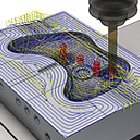
Automatic removal of leftover material at the corner! BobCAD/CAM

Automatically remove leftover material from corners! This explains the "Corner Peg Removal Function" of BobCAD-CAM, which offers overwhelming low prices and comprehensive features.

"BobCAD-CAM" is a three-dimensional CAD/CAM system that is gaining popularity due to its overwhelmingly low price, diverse modules, and rich features! One of its characteristics is that it has many convenient functions. Reducing the time for rough machining is a factor that increases profits, so many customers are implementing various strategies. There are various methods for pocket machining, but many people seem to simply use offset paths for finishing. The technique of "reducing the overlap amount and increasing the cutting volume in one go to shorten processing time" is a common approach for efficiency, but it can sometimes lead to leftover material in the corners. Preparing a path to process these leftovers can, in turn, hinder efficiency. The "Corner Peg Removal" feature in 'BobCAD-CAM 3AXIS Pro' allows you to add a path that can automatically remove such leftovers with just one setting. The documentation explains this "Corner Peg Removal," so please take a moment to read it. *You can download the materials from the button above.

  • 3D CAM
  • Other CAM related software
  • Other CAD related software

Added to bookmarks

Bookmarks list

Bookmark has been removed

Bookmarks list

You can't add any more bookmarks

By registering as a member, you can increase the number of bookmarks you can save and organize them with labels.

Free membership registration

I tried painting a model made with Nylon 12!

"Can beautiful painting be done on sculptures?! We tried painting on 'Fuse1' nylon 12!" | System Create

"Mitarepo" is a series that introduces what can be done using various products with the concept of "I tried doing this!" From the wide range of product genres handled by System Create, we deliver useful information each time. In Vol. 52, we painted a model made of nylon 12 using the powder sintering layered 3D printer "Fuse 1." The "Fuse 1," a powder sintering 3D printer, is highly functional and can be utilized in various scenes. It seems that there are increasing cases where prototypes are not only created for shape confirmation but are also actually incorporated as parts, leveraging their characteristics. In this context, we have received requests to paint models used in proposals and presentations to clarify the feel and completion image. Therefore, this time, we painted a sample of nylon 12 printed with the Fuse 1. "Can I paint it as I imagined?" "What will the texture be like?" We will explain the painting process and the product's texture along with images, addressing any questions or concerns. *You can download the materials from the button below.

  • 3D Printer
  • plastic
  • Prototype Services

Added to bookmarks

Bookmarks list

Bookmark has been removed

Bookmarks list

You can't add any more bookmarks

By registering as a member, you can increase the number of bookmarks you can save and organize them with labels.

Free membership registration

Malsugo: Control the temperature environment with the thermal insulation effect of a vacuum flask structure!

The amazing features of the "CreatBot PEEK-300," a 3D printer that can use super engineering plastics and does not let heat escape!

Marsgo is a document that picks up the functions and features of various products and introduces the "amazing!" aspects. Super engineering plastics are known for their lightweight yet high heat resistance and mechanical strength. Due to these characteristics, they are gaining attention as versatile materials that can replace metals. To use super engineering plastics with high melting points, a printer that can handle high-temperature environments and maintain temperature is necessary. Have you ever thought, "I want to try using super engineering plastics...!" or "I want to suppress warping during molding...!"? In this context, we introduce the thermoplastic filament 3D printer "CreatBot PEEK-300." By using a high-output heater, it quickly heats up and can maintain a high-temperature environment without losing that heat. The document explains the mechanism of the insulation structure and the importance of maintaining temperature, so please take a moment to read it. *You can download the document using the button below.*

  • 3D Printer
  • Engineering Plastics
  • Other polymer materials

Added to bookmarks

Bookmarks list

Bookmark has been removed

Bookmarks list

You can't add any more bookmarks

By registering as a member, you can increase the number of bookmarks you can save and organize them with labels.

Free membership registration

Create hole machining tool paths in one go! 'BobCAD/CAM'

Instant automatic calculation of processing conditions for different materials based on hole shapes! An explanation of 'BobCAD-CAM's automatic tool path for hole shapes.'

Marsugo is a document that picks up the functions and features of various products and introduces the "amazing" aspects. "BobCAD-CAM," which has received positive feedback for being able to be introduced and operated at a low price. Despite its overwhelmingly low price, it is a three-dimensional CAD/CAM system that is gaining inquiries for its diverse modules and rich features! One of its characteristics is that "hole machining tool paths can be created with a single click." This time, we will introduce the "Automatic Tool Path for Hole Shapes" of 'BobCAD-CAM Mill Express.' Hole shapes are automatically recognized and sorted from CAD data, creating a list of features. From there, you can create tool paths with just one click, which is an amazing feature! Tool paths are created based on registered machining conditions, allowing for free customization. You can pattern the machining content according to client instructions or your own company rules. The document explains how tool paths are created in an instant and the information registration that constitutes their components, so please take a look. *You can download the document from the button below.

  • 3D CAM
  • Other CAM related software
  • Other CAD related software

Added to bookmarks

Bookmarks list

Bookmark has been removed

Bookmarks list

You can't add any more bookmarks

By registering as a member, you can increase the number of bookmarks you can save and organize them with labels.

Free membership registration

Marsgo: Definitely dissolving super engineering plastics! Definitely delivering!

The print head of the 3D printer "CreatBot PEEK-300," which can also create super engineering plastics, is amazing.

"Super engineering plastics," which possess excellent properties such as high heat resistance and strength, are attracting attention in various industries as materials that can replace metals. They are also expected to be utilized in the 3D printing industry, and development of these materials is ongoing daily. However, many 3D printers available on the market have a maximum nozzle temperature of below 300°C, making it impossible to print with super engineering plastics, as they cannot reach the necessary melting temperatures. Given this situation, many people might be thinking: "I want a 3D printer that can print at higher temperatures." "I would like to try printing not only with general-purpose plastics but also with engineering plastics." The "CreatBot PEEK-300" is a 3D printer developed as a model capable of printing with super engineering plastics, including PEEK. In the materials, we focus on one of the features of the "PEEK-300," the structure of the print head, and explain why it is possible to print with super engineering plastics, so please take a moment to read it. *You can download the materials from the button below.*

  • 3D Printer
  • Engineering Plastics
  • Other polymer materials

Added to bookmarks

Bookmarks list

Bookmark has been removed

Bookmarks list

You can't add any more bookmarks

By registering as a member, you can increase the number of bookmarks you can save and organize them with labels.

Free membership registration

I tried to see how steep of an angle I can shape without any support.

I tried to see how far I could sculpt without support without it collapsing!

"Mitarepo" is a series that introduces what can be done using various products with the concept of "I tried doing this!" We will deliver useful information each time from the wide range of product genres handled by System Create. The theme of Vol. 50 is "We tried to see how far we could go without support before collapsing!" The Form 3+ has received praise for its ability to create beautiful surfaces and fine detail expression. However, regarding the support needed for the Form 3+'s modeling, we have received feedback expressing a desire to "reduce the effort required for post-processing and finishing." Wouldn't it be great if we could model without support? So this time, we removed the support from the overhang parts and tested how far we could model without collapsing. Questions such as "What angle can we model up to?" and "Does it affect the modeling quality?" will be explained along with verification images and comments from our technical staff. *You can download the materials from the button below.

  • 3D Printer
  • Prototype Services
  • plastic

Added to bookmarks

Bookmarks list

Bookmark has been removed

Bookmarks list

You can't add any more bookmarks

By registering as a member, you can increase the number of bookmarks you can save and organize them with labels.

Free membership registration

Problem-Solving Materials Productivity Improvement Edition 8 | Labor Shortages and Deburring

Streamlining Deburring! What is Automation for Effectively Utilizing Limited Human Resources? A Resource for Identifying and Solving Issues in Production Sites.

This document is a series that proposes solutions to various challenges faced in production sites, from identifying issues to finding resolutions. In the "Productivity Improvement Edition," we offer solutions aimed at enhancing productivity by streamlining various manufacturing processes and reducing man-hours and costs. [Document Overview] The common challenge of "deburring" in various production sites has troubled many customers for years. It's just deburring, but it's not just deburring. Although it tends to be underestimated by clients, it often consumes excessive manpower and time without considering costs. As a result, there may be situations such as: "I have to hire part-time workers for deburring," "There is variability in product finishing depending on the person," "Deburring is lagging behind, causing a decrease in machine operating rates." Therefore, this time, we will introduce "deburring using NC equipment" as a method to reduce human burden and standardize product quality. *You can download the document using the button below.

  • Milling machine
  • Machining Center
  • Other cutting tools

Added to bookmarks

Bookmarks list

Bookmark has been removed

Bookmarks list

You can't add any more bookmarks

By registering as a member, you can increase the number of bookmarks you can save and organize them with labels.

Free membership registration

I tried creating a test piece with Fuse1+30W!

【Mitarepo】I tried creating a test piece with Fuse 1 + 30W!

"Mitarepo" is a series that introduces what can be done using various products with the concept of "I tried doing this!" We will deliver useful information each time from the wide range of product genres handled by System Create. The theme of Vol. 49 is "We tried creating a test piece with Fuse 1 + 30W!" In July, the "Fuse 1 + 30W," equipped with high-output laser and nitrogen filling capabilities, and capable of using high-performance materials with excellent rigidity and strength, was announced as a new addition to the Fuse 1 series. Since then, we have received many inquiries. The first unit of the "Fuse 1 + 30W" has arrived at our company. This time, we will conduct setup, various operation checks, test piece creation, and dimensional reproducibility verification in accordance with the inspection process we carry out for each "Fuse 1" upon arrival. We will explain questions and concerns about the new product, such as "What is different from Fuse 1?" and "Are there differences in operation and print quality?" along with images and measurement results. *You can download the materials from the button below.

  • 3D Printer
  • plastic
  • Prototype Services

Added to bookmarks

Bookmarks list

Bookmark has been removed

Bookmarks list

You can't add any more bookmarks

By registering as a member, you can increase the number of bookmarks you can save and organize them with labels.

Free membership registration

I tried measuring the spindle runout accuracy of the tabletop cutting machine!

I measured the spindle runout accuracy of a tabletop cutting machine that can process aluminum!

"Mitarepo" is a series that introduces what can be done using various products with the concept of "I tried doing this!" We will deliver useful information each time from the wide range of product genres handled by System Create. The theme of Vol. 48 is "I measured the runout accuracy of the spindle of a tabletop cutting machine!" Recently, we started handling the tabletop cutting machine "BANTAM TOOLS," which can process lightweight metals such as aluminum. We quickly set up a demo machine and, while creating various processing samples for testing, I suddenly wondered, "How much runout does the spindle of a tabletop machine have?" So this time, we measured the runout accuracy of the spindle of the tabletop cutting machine "BANTAM TOOLS." "How much runout accuracy can we expect?" "Isn't it unrealistic to expect good runout accuracy from a tabletop machine?" We will explain the runout accuracy of the tabletop cutting machine that piqued our interest, along with images from the actual measurement and comments from the technical department. *You can download the materials from the button below.

  • Milling machine
  • Other machine tools
  • aluminum

Added to bookmarks

Bookmarks list

Bookmark has been removed

Bookmarks list

You can't add any more bookmarks

By registering as a member, you can increase the number of bookmarks you can save and organize them with labels.

Free membership registration

Marsugo CAD data automatic hole shape recognition "BobCAD/CAM"

MARSUGO: Automatic recognition of hole shapes from 3D CAD data! An explanation of the "BobCAD-CAM automatic hole shape recognition feature."

Marsugo is a document that picks up the functions and features of various products and introduces the "amazing" aspects of them. "BobCAD-CAM," which has received positive feedback for being able to be introduced and operated at a low cost. Despite its overwhelmingly low price, it is a three-dimensional CAD/CAM system that is gaining inquiries for its diverse modules and rich features, and one of its characteristics is that "processing shapes can be easily selected." This time, we will introduce the "Automatic Hole Shape Recognition Function" of 'BobCAD-CAM Mill Express.' While hole processing can simplify the program itself by using fixed cycles, it is a challenging task to confirm each hole position on the drawing and understand the types. The "Automatic Hole Shape Recognition Function" automatically recognizes all hole shapes on the CAD with just one click. The recognized hole shapes are grouped according to their types, and features are confirmed, which helps prevent human errors and allows for efficient work. The document explains how easy it is to set up the 'Automatic Hole Shape Recognition Function' using diagrams, so please take a look. *You can download the document from the button below.

  • 3D CAM
  • Other CAM related software
  • Other CAD related software

Added to bookmarks

Bookmarks list

Bookmark has been removed

Bookmarks list

You can't add any more bookmarks

By registering as a member, you can increase the number of bookmarks you can save and organize them with labels.

Free membership registration

No need for troublesome calculations! "BobCAD/CAM"

No need for tedious calculations; you can efficiently create programs! An explanation of the "BobCAD-CAM Contour Roughing and Side Roughing Functions."

Marsugo is a document that picks up the functions and features of various products and introduces the "amazing!" aspects. Despite its overwhelmingly low price, the diverse modules and rich features are impressive! This is a three-dimensional CAD/CAM system that is seeing an increase in inquiries, and one of its characteristics is that "even with detailed settings, program creation can be done efficiently with simple operations." This time, we will introduce the "Contour Roughing and Side Roughing Function" of 'BobCAD-CAM Mill Express.' One of the benefits of utilizing CAM is that it allows for the creation of appropriate tool paths without the need for complicated coordinate calculations or specialized knowledge of G-code. Most of the settings for the "Contour Roughing and Side Roughing Function" are selected by clicking, and the numerical controls correspond to formulas, enabling anyone to easily and efficiently create the desired program. The document explains how easily and clearly programs can be created based on the settings screen of the 'Contour Roughing and Side Roughing Function,' illustrated with diagrams. We encourage you to read it. *You can download the document from the button above.

  • 3D CAM
  • Other CAM related software
  • Other CAD related software

Added to bookmarks

Bookmarks list

Bookmark has been removed

Bookmarks list

You can't add any more bookmarks

By registering as a member, you can increase the number of bookmarks you can save and organize them with labels.

Free membership registration

Add-in software for reverse modeling "Mesh2Surface"

"Mesh2Surface for Rhinoceros" is an add-in that allows you to easily create CAD from 3D scan data. *Demo available.*

"Mesh2Surface for Rhinoceros" is a reverse modeling add-in software specifically for Rhinoceros that can convert 3D scanned mesh data into CAD models. By simply adding it to your usual environment, you can quickly perform high-quality reverse modeling. [Features] ■ Complete reverse modeling within CAD It offers a wealth of features such as position adjustment referencing the shape of scanned data, 2D sketching from cross-sections, and surface creation tools. By using a deviation color map, you can complete reverse modeling while comparing the shape of the scanned data with the CAD data. ■ Cut time and design costs It incorporates high-speed and efficient algorithms. As a result, you can quickly load scanned data, reducing the time required for reverse work and cutting design costs. ■ CAD conversion of organic shapes Even organic shapes can be reversed with simple automatic surfaces. You can easily convert to CAD by just pressing a button. *You can download the materials from the button below.

  • 3D CAD

Added to bookmarks

Bookmarks list

Bookmark has been removed

Bookmarks list

You can't add any more bookmarks

By registering as a member, you can increase the number of bookmarks you can save and organize them with labels.

Free membership registration

With Marsugo Tap, it's easy to create screws that are difficult to make with standard specifications! Threading function.

Explaining the 'screw cutting function' of BobCAD-CAM, which allows for the easy creation of non-standard screws that are difficult to make with taps, featuring overwhelming low prices and comprehensive functions.

Marsugo is a document that picks up the functions and features of various products and introduces the "amazing" aspects of them. The three-dimensional CAD/CAM system "BobCAD-CAM," which has comprehensive features at an overwhelming low price. This time, we will introduce the "thread cutting function" of 'BobCAD-CAM Mill Express.' If the screw diameter and pitch are standard "standard screws," they can be produced using a fixed cycle with a dedicated tap tool. However, a dedicated tap tool is required for each type of screw and material, and precise pilot holes and processing conditions are necessary. In contrast, the "thread cutting function" uses a thread mill to cut threads with a helical motion. This allows for the production of large diameter screws as well as special screws with unique pitches and crest heights, even those that do not have a tap tool available. The document illustrates the creation process and explains various benefits of the 'thread cutting function,' so please take a moment to read it. *You can download the document from the button above. *There is a function-based document on the second page.

  • 3D CAM
  • Other CAM related software
  • 3D CAD

Added to bookmarks

Bookmarks list

Bookmark has been removed

Bookmarks list

You can't add any more bookmarks

By registering as a member, you can increase the number of bookmarks you can save and organize them with labels.

Free membership registration

[Marusugo] A 3D printer that can adapt to special materials! CreatBot

"Marusugo" supports various functional materials! We will explain the amazing capabilities of the FDM 3D printer "CreatBot F430" and special materials.

Marsgo is a document that picks up the functions and features of various products and introduces the "amazing!" aspects. In recent years, the number of materials that can be used for 3D printing has increased, and each material has various characteristics. With more usable materials, the range of things that can be created also expands! This time, we would like to introduce "conductive filament." Unlike insulating resins, this filament conducts electricity and has a moderate softness. It is blended with carbon nanotubes (CNT) using unique technology, allowing it to dissipate static electricity and maintain its conductivity even after printing. Additionally, because it is a soft material, it can be used safely in work environments where there are concerns about ESD-related issues, as it does not scratch parts upon contact. In addition to the conductive filament, we also introduce the "amazing!" features of the CreatBot F430, which has a high-temperature nozzle capable of reaching up to 420°C and other rich functionalities. This document is a must-see for those who want to expand their range of creations using special materials or are considering doing more 3D printing! *You can download the document using the button below.*

  • 3D Printer

Added to bookmarks

Bookmarks list

Bookmark has been removed

Bookmarks list

You can't add any more bookmarks

By registering as a member, you can increase the number of bookmarks you can save and organize them with labels.

Free membership registration

[Marusugo] Easily create authentic vacuum molding on your tabletop! "Vaquform"

Marsugo: Vacuum forming made easy on your tabletop! We explain the amazing features of the easy-to-operate "Vaquform."

Marsugo is a document that picks up the functions and features of various products and introduces the "amazing" aspects. This time, we will introduce "Vaquform," a machine that allows you to easily perform professional-grade vacuum forming on your tabletop. Items made through vacuum forming, such as egg cartons, candy trays, and toothbrush packaging, are actively used in our daily lives. While these products may give the impression that they are made with large-scale equipment and technical expertise, the truth is that you can easily create them yourself! It would be great if you could make original items that enhance convenience a little, right? So, what we are introducing this time is the tabletop vacuum forming machine "Vaquform." It is an amazing machine that can perform professional-grade vacuum forming in a compact size. Even without specialized knowledge about forming, you can achieve optimal vacuum forming for materials with just simple settings, allowing you to create high-quality formed products. The document introduces how it works, so please take a look. *You can download the document using the button below.

  • plastic
  • Vacuum forming machine
  • Vacuum Equipment

Added to bookmarks

Bookmarks list

Bookmark has been removed

Bookmarks list

You can't add any more bookmarks

By registering as a member, you can increase the number of bookmarks you can save and organize them with labels.

Free membership registration

Malsugo: Extend tool life and reduce processing time! Corner deceleration function.

Extend tool life and reduce processing time! An explanation of the "corner deceleration function" of 'overwhelmingly low price & rich features BobCAD-CAM'.

Marsugo is a document that picks up the functions and features of various products and introduces the "amazing" aspects of them. The three-dimensional CAD/CAM system "BobCAD-CAM" offers overwhelming functionality at an incredibly low price. This time, we will introduce the "Corner Deceleration Function" of 'BobCAD-CAM Mill Express'. While it is a very common approach to increase feed rates to shorten processing time in order to enhance productivity, entering corners at the same feed rate as straight lines places a significant load on the machine and tools, and there is even a risk of tool damage. The "Corner Deceleration Function" reduces the feed rate only in areas where the tool experiences load, such as corners, thereby alleviating the burden on the tool while shortening the overall processing time. It may not be a flashy feature, but once you use it, you won't want to let it go, so please take a moment to read about it. *You can download the document from the button above.

  • 3D CAM
  • Other CAM related software
  • 3D CAD

Added to bookmarks

Bookmarks list

Bookmark has been removed

Bookmarks list

You can't add any more bookmarks

By registering as a member, you can increase the number of bookmarks you can save and organize them with labels.

Free membership registration

Form3+ adaptable layer pitch that changes the layer thickness of Marsugo.

Malsugo: Speedy printing on gentle slopes with Form 3+! Explaining the amazing changes in "layer pitch."

Marsgo is a document that picks up the functions and features of various products and introduces the "amazing" aspects of them. This time, we will introduce the "Adaptive Layer Height" of the Form 3+, which changes the layer thickness of 3D printing and optimizes it according to the model shape. The biggest feature of the light-curing method "Form 3+" is that the layering marks that shape the three-dimensional object are hardly noticeable! The model is so intricate that it does not give a sense of layer overlap, earning a solid reputation. However, with the "Form 3+", depending on the shape of the model, layering may be noticeable, especially for models with gentle slopes, which can be affected by the layer thickness. Therefore, what we are introducing this time is the "Adaptive Layer Height" of the Form 3+, which changes the layer thickness according to the model shape. It is an amazing feature that places fine layers only where necessary. You do not need to set the layer thickness distribution yourself; it automatically optimizes according to the model shape. With just a simple setting, you won't have to spend a long printing time, and it is a feature that allows you to pursue the smoothness of the model, so please take a look. *You can download the document from the button below.

  • 3D Printer
  • Other CAD
  • plastic

Added to bookmarks

Bookmarks list

Bookmark has been removed

Bookmarks list

You can't add any more bookmarks

By registering as a member, you can increase the number of bookmarks you can save and organize them with labels.

Free membership registration

BobCAD-CAM has a wide range of processing capabilities that exceed the price of 【Malsugo】.

Explaining the greatness of "BobCAD-CAM," which has a wide range of processing functions that exceed the price of Marsgo, by module!

Marsugo is a document that picks up the functions and features of various products and introduces the "amazing" aspects. The three-dimensional CAD/CAM system "BobCAD-CAM" offers comprehensive features at an overwhelmingly low price. This time, we will introduce the various functions that can be achieved with BobCAD-CAM, along with each module and its capabilities. In short, it is a low-cost three-dimensional CAD/CAM system, but many users are surprised and ask, "Is that price really correct?!" because it has many impressive features that exceed its price. Just because it is low-priced does not mean it has fewer functions. It supports a wide range of machining processes, from 2-axis to simultaneous 5-axis machining, turning, combined lathes, and wire processing. We believe you will feel the potential of BobCAD-CAM, which can perform ordinary machining as a matter of course and even beyond that, so please take a moment to read through it. *You can download the document from the button above.

  • 3D CAM
  • Other CAM related software
  • 3D CAD

Added to bookmarks

Bookmarks list

Bookmark has been removed

Bookmarks list

You can't add any more bookmarks

By registering as a member, you can increase the number of bookmarks you can save and organize them with labels.

Free membership registration

[Marusugo] Reproducing various processing situations! "RenAn"

[Marsugo] "Realistically reproducing machining operations!" Explaining the amazing features of the "stock setting function" in the machine simulator RenAn.

Marsugo is a document that picks up the functions and features of various products and introduces the "amazing" aspects. This time, we will introduce the "Stock Setting Function" of the machine simulator "RenAn," which can realistically reproduce machining operations and allows for safe and secure learning. The "Stock Setting Function" is a feature that allows STL data to be used as stock material. Since it can read arbitrary shapes, it can reproduce various machining patterns, not only from block material but also secondary processing after lathe machining, and additional work on cast and forged products. When the shape to be processed changes, the setup before processing also changes. This feature realistically reproduces differences in the setting points for machining origins and clamping methods using vices, so please take a look. *You can download the document from the button below.

  • Technical and Reference Books
  • simulator
  • Machining Center

Added to bookmarks

Bookmarks list

Bookmark has been removed

Bookmarks list

You can't add any more bookmarks

By registering as a member, you can increase the number of bookmarks you can save and organize them with labels.

Free membership registration

Magigoo, a glue that changes with the temperature for 3D printers.

"Marusugo" easily and effectively suppresses warping in 3D printed models during the shaping process! We will explain the greatness of the 3D printer exclusive adhesive "Magigoo"!

Marsgo is a document that picks up the functions and features of various products and introduces the "amazing" aspects of them. This time, we will introduce "Magigoo," a special adhesive for 3D printers that suppresses warping of models in FDM 3D printing. One of the major concerns for many users of FDM 3D printers is model warping. However, "Magigoo" can effectively address this issue. This Magigoo has the excellent feature of containing components that change adhesive strength with temperature. At room temperature, the adhesive strength is weak, but when the table heats up, the state changes rapidly, and the adhesive strength appears, strongly bonding the model. Therefore, by combining it with the heated bed function, it becomes possible to suppress model warping during printing more effectively! Additionally, there is a rich lineup of products with components adjusted to match different materials, making it effective even for materials that are not commonly used. *You can download the document from the button below.*

  • glue
  • 3D Printer
  • 3D CAD

Added to bookmarks

Bookmarks list

Bookmark has been removed

Bookmarks list

You can't add any more bookmarks

By registering as a member, you can increase the number of bookmarks you can save and organize them with labels.

Free membership registration

[Marusugo] Open Edge Detection with One Click BobCAD-CAM

Marsugo: 'Overwhelmingly low price! Yet packed with features! It's amazing.' Explaining BobCAD-CAM's 'Open Edge Detection Feature'!

Marsugo is a document that picks up the functions and features of various products and introduces the "amazing" aspects of them. The three-dimensional CAD/CAM system "BobCAD-CAM" offers comprehensive features at an overwhelmingly low price. This time, we will introduce one of its features, the "Open Edge Detection Function." The "Open Edge Detection Function" allows users to create features simply by selecting a surface, automatically recognizing open areas, and quickly generating tool paths for open pocket machining. While it may not be a flashy feature, it can shorten the tool path creation process and help prevent mistakes, making it a valuable tool for those looking to improve daily work efficiency. *You can download the document using the button below. *The explanation of the "Open Edge Detection Function" is on the second page.

  • 3D CAM
  • Other CAM related software
  • 3D CAD

Added to bookmarks

Bookmarks list

Bookmark has been removed

Bookmarks list

You can't add any more bookmarks

By registering as a member, you can increase the number of bookmarks you can save and organize them with labels.

Free membership registration

Marsugo: 3D printing that enables environmentally friendly operations with zero material waste.

Zero material waste! We will explain the amazing features of "Fuse 1 & Fuse Sift," which can operate in an environmentally friendly manner for both users and the environment.

Marsugo is a document that picks up the functions and features of various products and introduces the "amazing" aspects of them. This time, we will introduce the powder bed fusion 3D printer "Fuse 1 & Fuse Sift," which enables eco-friendly operations with almost zero waste materials. Nowadays, companies around the world are engaging in activities aimed at achieving the SDGs. In this context, manufacturing with 3D printers has been recognized early on as a concept aligned with the SDGs, as it allows for the production of only the necessary items in the required quantities. However, it is true that conventional 3D printing requires "support materials," and the materials used for supports must be discarded, raising environmental concerns. That’s why we are introducing the "Powder Bed Fusion 3D Printing System Fuse 1 & Fuse Sift." This amazing 3D printing system allows for operations that are friendly to both the environment and users, with "almost zero material waste." Furthermore, the products created have the characteristics of "high functionality and high quality," which can further expand the range of applications for 3D printed products. *You can download the document from the button above.

  • 3D Printer
  • Composite Materials
  • plastic

Added to bookmarks

Bookmarks list

Bookmark has been removed

Bookmarks list

You can't add any more bookmarks

By registering as a member, you can increase the number of bookmarks you can save and organize them with labels.

Free membership registration

I tried using the Form 3 model for vacuum forming!

"Did Form 3 just end with 'just looking at the shape'? We tried using the mold for vacuum forming!" | System Create

"Mitarepo" is a series that introduces what can be done using various products with the concept of "I tried doing this!" From the wide range of product categories handled by System Create, we deliver useful information each time. The theme of Vol. 46 is "Using the Form 3 model as a vacuum forming mold!" The resin printer "Form 3" is often used primarily for purposes such as shape verification and assembly, essentially for "seeing shapes." However, depending on the combination with other tools, it can actually be used in completely different ways! One such method is using the printed model as a "mold." Among these, vacuum forming pairs well with printed models and allows for great flexibility in shape. Therefore, this time, to verify this new usage, we actually vacuum formed the printed model and tested how much power it can exert as a mold. We will explain, along with actual print data and images of the printed model and the formed products, questions like, "How do you create a forming mold?" and "Can it be formed neatly?" *You can download the materials from the button below.

  • 3D Printer
  • Vacuum forming machine
  • plastic

Added to bookmarks

Bookmarks list

Bookmark has been removed

Bookmarks list

You can't add any more bookmarks

By registering as a member, you can increase the number of bookmarks you can save and organize them with labels.

Free membership registration

I tested the effectiveness of a glue specifically for 3D printers!

A Must-See for FDM Users! We Tested the Effectiveness of a 3D Printer-Specific Adhesive! | System Create

"Mitarepo" is a series that introduces what can be done using various products with the concept of "I tried doing this!" We deliver useful information each time from the wide range of product genres handled by System Create. The theme of Vol. 46 is "We tested the effectiveness of 3D printer-specific glue!" We examined how effective the 3D printer-specific glue, which has the characteristic of changing adhesive strength with heat, actually is. Concerns such as "the model doesn't come off the table" and "I damaged the model or table when trying to remove it..." can be effectively resolved with 3D printer-specific glue. However, aren't you curious about how effective 3D printer-specific glue is against warping? This time, we will explain the results of simple tests and comments from technical staff regarding the following three points: 【1】Does the adhesive strength change with heat? 【2】Is it effective for warping-prone ABS? 【3】Can it be easily removed from large models? You can download the materials from the button below.

  • glue
  • Other consumables
  • 3D Printer

Added to bookmarks

Bookmarks list

Bookmark has been removed

Bookmarks list

You can't add any more bookmarks

By registering as a member, you can increase the number of bookmarks you can save and organize them with labels.

Free membership registration

Mitarepo [45] Testing the capabilities of BobCAD-CAM's deburring path.

[Mitarepo] I want to automate the troublesome deburring process! What is the capability of BobCAD-CAM's deburring path? | System Create

"Mitarepo" is a series that introduces what can be done using various products with the concept of "I tried doing this!" We will deliver useful information each time from the wide range of product genres handled by System Create. The theme of Vol. 45 is "Testing the capabilities of the deburring tool path in BobCAD-CAM!" Recently, we will actually verify the capabilities of the newly added deburring tool path in "BobCAD-CAM 3AXIS Premium," which was introduced at Marsgo. This time, we collaborated with G-BEC Technology Co., Ltd. and used their dedicated deburring end mill to perform the deburring! We used aluminum for the workpiece. Assuming the processing of flat holes and tolerance holes, we will check the state of each burr and the processing time. "Can low-cost CAD/CAM really handle deburring?" "Will secondary burrs still appear in the end?" We will explain the capabilities of the BobCAD-CAM deburring tool, along with verification photos and comments from the technical staff. *You can download the materials from the button above.

  • 3D CAD
  • Other CAD related software
  • Milling machine

Added to bookmarks

Bookmarks list

Bookmark has been removed

Bookmarks list

You can't add any more bookmarks

By registering as a member, you can increase the number of bookmarks you can save and organize them with labels.

Free membership registration

Mitarepo [44] How much high temperature can powdered nylon 11 withstand?

I tested how much high temperature the nylon 11 of the powder sintering 3D printer "Fuse1" can withstand!

"Mitarepo" is a series that introduces what can be done using various products with the concept of "I tried doing this!" From the wide range of product categories handled by System Create, we deliver useful information each time. The theme of Vol. 44 is "How much heat can Nylon 11 from a powder sintering 3D printer withstand?" In the materials, we will create three types of test pieces with different thicknesses using the powder material "Nylon 11" from the powder sintering 3D printer "Fuse 1," and heat them at a constant temperature for a certain period to determine at what temperature they become soft. We will also verify whether deformation occurs when bending them. "Will they deform with just a little heat?" "It's hard to understand the actual heat resistance just by looking at the material properties table!" We will explain points of concern and verification processes related to using 3D printers, along with comments from the technical staff. *You can download the materials from the button above.

  • 3D Printer
  • Resin processing machine
  • plastic

Added to bookmarks

Bookmarks list

Bookmark has been removed

Bookmarks list

You can't add any more bookmarks

By registering as a member, you can increase the number of bookmarks you can save and organize them with labels.

Free membership registration

I tried out the latest update in Form 3!

【Mitarepo】Is the modeling time shortened with the Form 3 update!? We thoroughly compared the old and new versions!

"Mitarepo" is a series that introduces what can be done using various products with the concept of "I tried doing this!" We deliver useful information each time from the wide range of product genres handled by System Create. The theme of Vol. 43 is "We tested the latest software update on the Form 3!" In January of this year (2022), a major update for the "Form 3" was announced, featuring improvements such as "increased printing speed" and "reduced post-processing time." This time, we examined how much improvement there actually is due to the changes mentioned above. We will print and compare the print data of the "latest version" and the "old version" created from the same model. We will investigate how the "printing speed," "support shape," and "surface after support removal" have changed due to improvements in the laser system and changes in support shapes. We will provide explanations along with actual print data, details of printing times, and images of the surface after support removal. *You can download the materials from the button below.

  • 3D Printer
  • plastic
  • Prototype Services

Added to bookmarks

Bookmarks list

Bookmark has been removed

Bookmarks list

You can't add any more bookmarks

By registering as a member, you can increase the number of bookmarks you can save and organize them with labels.

Free membership registration

Mitarepo [42] Powdered 3D Printing × Assembly Integrated Forming Challenge Again!

[Mitarepo] Retry! I tried creating a movable assembly in one piece with a powder 3D printer!

"Mitarepo" is a series that introduces what can be done using various products with the concept of "I tried doing this!" We deliver useful information each time from the wide range of product genres handled by System Create. The theme of Vol. 42 is "Re-challenging Powder 3D Printing × Assembly Integrated Modeling!" This time, we re-challenged the movable assembly integrated modeling using the STL data adjusted in Vol. 41, with the support-free SLS printer "Fuse 1." We will check how the three adjustments made for powder 3D printing last time are reflected this time: - Setting clearance between the blocks that were previously stuck together - Modifying the shape to prevent powder from remaining in the movable parts - Adding text to the surface of each block We will explain whether the assembly model moved and provide photos of the verification along with comments from the technical staff regarding the unique finishing details of the "Fuse 1." *You can download the materials from the button below.

  • 3D Printer
  • plastic
  • Prototype Services

Added to bookmarks

Bookmarks list

Bookmark has been removed

Bookmarks list

You can't add any more bookmarks

By registering as a member, you can increase the number of bookmarks you can save and organize them with labels.

Free membership registration

I tried adjusting the 3D data of the assembly for powder molding.

What points should be noted for powder 3D printing? I tried adjusting the 3D data for movable assemblies!

"Mitarepo" is a series that introduces what can be done using various products with the concept of "I tried doing this!" We deliver useful information each time from the wide range of product genres handled by System Create. The theme of Vol. 41 is "I tried adjusting the 3D data of the assembly for powder 3D printing!" In the previous issue, we challenged ourselves to create a solid structure using the STL data of a Rubik's Cube with the powder 3D printer Fuse 1, but unfortunately, it did not rotate... The cause was that it had already been integrated at the stage of the CT scan data. From this result, we learned that "to make 'usable 3D data,' adjustments according to subsequent applications are necessary." Therefore, this time we adjusted the STL data to be suitable for SLS (Selective Laser Sintering) method. "What does it mean to 'make usable 3D data'?" "What should we be careful about in powder 3D printing?" We will explain the considerations during data adjustment, along with verification photos and comments from our technical staff. *You can download the materials from the button below.

  • Other CAD related software
  • 3D Printer
  • Other CAD

Added to bookmarks

Bookmarks list

Bookmark has been removed

Bookmarks list

You can't add any more bookmarks

By registering as a member, you can increase the number of bookmarks you can save and organize them with labels.

Free membership registration

I tried creating an assembly as a single print with a powdered 3D printer!

I tried creating a movable assembly in one piece with the powder 3D printer Fuse 1!

"Mitarepo" is a series that introduces what can be done using various products with the concept of "I tried doing this!" From the wide range of product genres handled by System Create, we deliver useful information each time. The theme of Vol. 40 is "We tried creating an assembly in one piece with a powder 3D printer!" So far, through Mitarepo Vol. 39 and Marusugo, we have shared the process of CT scanning a Rubik's Cube and converting it to STL. This time, using that STL data, we challenged ourselves to create a movable assembly model in one piece with the powder sintering layer method (SLS) 3D printer "Fuse 1"! We tested whether we could maintain the functionality of the assembly through one-piece printing, taking advantage of the SLS method's feature of not requiring supports. How powerful is a powder 3D printer? Does it really work when printed in one piece? We will explain the results of the prints, along with verification photos and comments from our technical staff. *You can download the materials from the button below.

  • 3D Printer
  • Resin processing machine
  • plastic

Added to bookmarks

Bookmarks list

Bookmark has been removed

Bookmarks list

You can't add any more bookmarks

By registering as a member, you can increase the number of bookmarks you can save and organize them with labels.

Free membership registration

Malsugo CT data conversion software "TomoShopViewer"

Easily convert CT images to 3D data! Explaining the greatness of TomoShop Viewer.

Marsugo is a document that picks up the functions and features of various products and introduces the "amazing" aspects of them. This time, we will explain "TomoShop Viewer," which allows you to easily convert CT scan data into 3D data! At first glance, CT scan data looks like 3D data, but in reality, it is a 2D image data made up of hundreds or thousands of overlapping cross-sectional images that appear three-dimensional. Therefore, it cannot be used directly for 3D printing or as CAD data. "TomoShop Viewer" is an amazing software that can easily convert such 2D image data of CT scans into a single 3D data. Moreover, it can be introduced at a "low cost," allowing you to easily expand the use of CT scan data! In Volume 39 of our helpful content "Mitarepo," we provide a detailed explanation of TomoShop Viewer using the "CT scan data of a Rubik's Cube" as an example, so we would be grateful if you could take a look. *You can download the document from the button below.

  • Data conversion software
  • Other CAD related software
  • 3D Printer

Added to bookmarks

Bookmarks list

Bookmark has been removed

Bookmarks list

You can't add any more bookmarks

By registering as a member, you can increase the number of bookmarks you can save and organize them with labels.

Free membership registration

Tabletop Vacuum Forming Machine 'Vaquform DT2'

It is a compact vacuum forming machine with a powerful suction system and built-in ceramic heater. With its simple operability, you can easily perform professional-grade molding. *Demonstrations available.

"Vaquform" is a compact vacuum forming machine that combines ease of use with quality. Even beginners can easily perform professional-grade vacuum forming. [Features] ■ Easy 3-Step Forming With a simple structure and operation, forming is completed in three steps: (1) selecting the material, (2) warming the sheet, and (3) lowering the lever to form and cool. ■ Reliable Quality It is equipped with features such as temperature management via infrared sensors and two-stage vacuum suction to respond to changes in ambient temperature and the characteristics of various materials. This ensures consistent results in forming, producing highly reproducible products. ■ On-the-Spot Forming for Quick Prototyping It allows for the creation of highly original products such as packaging containers, outer covers, and chocolate molds. By using molds like 3D printed models, you can quickly advance processes such as material selection, shape verification, and product packaging considerations. ■ Programmed Material Information Over ten types of material parameters are pre-registered, allowing for reliable forming at optimal temperatures and heating amounts. *For more details, please request a catalog or view the PDF data from the download button below.

  • Vacuum forming machine
  • Vacuum Equipment
  • plastic

Added to bookmarks

Bookmarks list

Bookmark has been removed

Bookmarks list

You can't add any more bookmarks

By registering as a member, you can increase the number of bookmarks you can save and organize them with labels.

Free membership registration

How much of the assembly item can be captured with a CT scan?

[Mitarepo] The internal structure is completely visible! We investigated how much of the assembly, which cannot be seen from the outside, can be captured with a CT scan!

"Mitarepo" is a series that introduces what can be done using various products with the concept of "I tried doing this!" We deliver useful information each time from the wide range of product genres handled by System Create. The theme of Vol. 39 is "We investigated how much of an assembly item can be captured with a CT scan!" CT scans are used in industrial fields, but it can be hard to imagine their actual applications. This time, we tried everything from CT scanning to data analysis! Using a Rubik's Cube as an example of an assembly item, we verified the following: 1) Structural confirmation: Checking how the internal structure can be captured 2) Defect analysis: Confirming the presence of voids inside plastic molded products 3) Verification with the actual item: Disassembling the workpiece to check the contents "What does a structure that can't be seen from the outside look like?" "What can be done with a product's CT scan?" We will explain the visibility and applications of CT scan data, along with verification photos and comments from technical staff. *You can download the materials from the button below.

  • X-ray inspection equipment
  • Defect Inspection Equipment
  • Contract Analysis

Added to bookmarks

Bookmarks list

Bookmark has been removed

Bookmarks list

You can't add any more bookmarks

By registering as a member, you can increase the number of bookmarks you can save and organize them with labels.

Free membership registration

Mitarepo[38] How far can powder 3D printers go in fine expression?

[Review] How capable is the powder sintering 3D printer "Fuse1" in expressing fine details? We tried creating a dinosaur skull!

"Mitarepo" is a series that introduces what can be done using various products with the concept of "I tried doing this!" We deliver helpful information each time from the wide range of product categories handled by System Create. The theme of Vol. 38 is "How finely can powder sintering 3D printers express shapes?" In the materials, we create a detailed model of a Tyrannosaurus skull using the powder material "Nylon 12" from the powder sintering 3D printer "Fuse 1," based on CT scan data. We are testing how finely detailed shapes can be reproduced, including the fine surface textures, small protrusions like teeth, and the complex arrangement of small bones inside the skull. Additionally, we are challenging the expression of raised and recessed lettering as one aspect of detail representation. "Isn't it impossible to achieve fine expressions because the powder is sintered and solidified?" "Even if fine shapes can be reproduced, won't they break?" We will explain these points of concern and verification regarding the use of 3D printers, along with comments from our technical staff. *You can download the materials from the button below.

  • 3D Printer
  • Resin processing machine
  • plastic

Added to bookmarks

Bookmarks list

Bookmark has been removed

Bookmarks list

You can't add any more bookmarks

By registering as a member, you can increase the number of bookmarks you can save and organize them with labels.

Free membership registration

Deburring completed on board with 'BobCAD-CAM'

Introducing the amazing features of "3AXIS Premium," compatible with 3-axis machining, from "BobCAD-CAM," which can be implemented at a low cost!

Marsugo is a document that picks up the functions and features of various products and introduces the "amazing" aspects of them. This time, we will introduce the newly added deburring tool in the CAD/CAM "BobCAD-CAM," which caters to a wide range of needs, specifically in the 3AXIS Premium. The amazing aspect of this 3AXIS Premium is that it can complete deburring, even on the backside, through machining! It can generate tool paths for deburring curved surfaces, which was difficult to address with 2D chamfering paths. With this feature, you can automate the tedious deburring tasks...! For more details, please refer to the document, and we would appreciate it if you could read it. *You can download the document using the button below.

  • 3D CAM
  • Other CAM related software
  • 3D CAD

Added to bookmarks

Bookmarks list

Bookmark has been removed

Bookmarks list

You can't add any more bookmarks

By registering as a member, you can increase the number of bookmarks you can save and organize them with labels.

Free membership registration

Marsugo Hole Processing Pass Automatic Creation Option "FB Drill"

Create multiple types of hole machining paths in no time! Explaining the greatness of 'FB Drill' in BobCAM for SOLIDWORKS!

Marsugo is a document that picks up the functions and features of various products and introduces the "amazing" aspects of them. This time, we will introduce the optional software "FB Drill" from the CAM "BobCAM for SOLIDWORKS," which can be implemented starting from 100,000 yen. The amazing feature of our recommended function "FB Drill" is that it can "automatically distribute holes on the data and create machining paths in an instant!" It supports a wide variety of holes (types, diameters, depths, etc.), allowing for rapid program creation. Moreover, it is not only speedy but also enables "anyone to accurately" output NC data...! For more details, we have explained it in the document, so we would appreciate it if you could take a look. *You can download the document using the button below.

  • 3D CAM
  • Other CAM related software
  • 3D CAD

Added to bookmarks

Bookmarks list

Bookmark has been removed

Bookmarks list

You can't add any more bookmarks

By registering as a member, you can increase the number of bookmarks you can save and organize them with labels.

Free membership registration

How much can we reduce the weight just by changing the materials?

[Mitarepo] Challenging lightweight 3D printing! We tested how much we could reduce weight just by changing the materials!

"Mitarepo" is a series that introduces what can be done using various products with the concept of "I tried doing this!" From the wide range of product genres handled by System Create, we deliver useful information each time. The theme of Vol. 37 is "How much can we reduce weight just by changing materials?" Various types of materials for FDM 3D printers have started to be sold and utilized. Our company also handles a number of materials, but at one point, while going through the TDS, I noticed the "specific gravity" section and suddenly thought, "Wouldn't the weight change if we change the material for the same model?" In this document, we created the same flat model using PLA, which is commonly used in FDM 3D printing, and carbon fiber reinforced nylon material PA12-CF, which has a lower specific gravity than PLA according to the TDS. *You can download the document from the button below.

  • 3D Printer
  • plastic
  • Other polymer materials

Added to bookmarks

Bookmarks list

Bookmark has been removed

Bookmarks list

You can't add any more bookmarks

By registering as a member, you can increase the number of bookmarks you can save and organize them with labels.

Free membership registration

I tried making a lightweight and strong model with Form 3/3L!

【Mitarepo】Model weight reduction and strength enhancement with Form 3L × Form 3! We tried improving it into a more functional model!

"Mitarepo" is a series that introduces what can be done using various products with the concept of "I tried doing this!" From the wide range of product categories handled by System Create, we deliver useful information each time. The theme of Vol.36 is "We tried enhancing the functionality of the model using a combination of Form 3 and 3L!" In the previously introduced Vol.33, we created a model of a magic hand using Form 3L. However, when we actually assembled the model, we discovered issues such as "the main body is heavy" and "the parts lack strength." Therefore, this time we challenged ourselves to improve functionality through weight reduction and strength enhancement. For the magic hand data, we made two changes: - Main body: Weight reduction through hollowing - Parts: Increased toughness using Tough 2000 resin We printed each using Form 3L and Form 3. "Is it possible to create hollow models with the light curing method?" "What does it look like to combine two models?" We will explain the actual verification process along with comments from our technical staff. *You can download the materials from the button below.

  • 3D Printer
  • 3D CAD
  • plastic

Added to bookmarks

Bookmarks list

Bookmark has been removed

Bookmarks list

You can't add any more bookmarks

By registering as a member, you can increase the number of bookmarks you can save and organize them with labels.

Free membership registration

How accurately can powdered nylon molding reproduce dimensions?

How accurately can the powder sintering 3D printer 'Fuse1' reproduce dimensions? We measured it!

"Mitarepo" is a series based on the concept of "I tried doing this!" where we introduce what can be done using various products. From the wide range of product categories handled by System Create, we deliver useful information each time. The theme of Vol. 35 is "How accurately can a powder sintering 3D printer reproduce dimensions?" We measured various shapes of models created with a powder sintering 3D printer to verify the level of dimensional reproducibility it can achieve. In the materials, we created a plate with convex circles and holes using the powder material "Nylon 12" from the powder sintering 3D printer "Fuse 1," and a box shape surrounded by 1mm thick walls with bosses. Each shape and element was measured with a digital caliper. "Isn't powder sintering too powdery to achieve accurate dimensions?" "Isn't a design change necessary for printing?" We will explain these points of concern and the verification process with comments from our technical staff as we utilize 3D printers. *You can download the materials from the button above.

  • 3D Printer
  • Resin processing machine
  • plastic

Added to bookmarks

Bookmarks list

Bookmark has been removed

Bookmarks list

You can't add any more bookmarks

By registering as a member, you can increase the number of bookmarks you can save and organize them with labels.

Free membership registration

I tried to explain the difference in working time due to the differences in spray!

【Mitarepo】How long does it take to scan a car with the disappearing spray "AESUB"?

"Mitarepo" is a series that introduces what can be done using various products with the concept of "I tried doing this!" We deliver useful information each time from the wide range of product categories handled by System Create. The theme of Vol.34 is "Explaining the difference in work time due to different sprays!" We conducted a car scan using the large work spray "AESUB orange," which naturally disappears in 12 to 24 hours, and a powder spray! As a result, the orange spray took "about 85 minutes," while the powder spray took "about 152 minutes." What could be the reason for such a difference? In this document, we will explain the excellent points of AESUB that we discovered through our experience, along with the differences in work processes compared to the powder spray, accompanied by actual photos and comments from the technical staff. *You can download the document from the button below.

  • paint
  • Coating Agent
  • Other consumables

Added to bookmarks

Bookmarks list

Bookmark has been removed

Bookmarks list

You can't add any more bookmarks

By registering as a member, you can increase the number of bookmarks you can save and organize them with labels.

Free membership registration

I tried making 36 parts using the height of Form 3L!

【Mita Repo】Created 36 parts all at once with Form 3L! I tried stacking the model to the maximum height of the print area!

"Mitarepo" is a series that introduces what can be done using various products with the concept of "I tried doing this!" We deliver useful information each time from the wide range of product categories handled by System Create. The theme of Vol. 33 is "We tried making 36 parts utilizing the area height of the Form 3L!" The light-curing 3D printer "Form 3L" supports large-scale printing and has the largest build area among Formlabs 3D printers. This time, we focused on effectively utilizing its wide build area, particularly the "area height," by stacking multiple parts in the Z direction and challenging ourselves to print them all at once. Typically, when printing multiple items, they are arranged horizontally on the table, but with a little ingenuity, we stacked and arranged them in the height direction as well. We attempted to print a total of 36 parts of various sizes together! "How do you arrange the models in the Z direction?" "Can the models be printed properly even if they overlap vertically?" We will explain the actual flow of creating print data along with images of the completed models. *You can download the materials from the button below.

  • 3D Printer
  • 3D CAD
  • Other CAD related software

Added to bookmarks

Bookmarks list

Bookmark has been removed

Bookmarks list

You can't add any more bookmarks

By registering as a member, you can increase the number of bookmarks you can save and organize them with labels.

Free membership registration

I tried making a perfect costume mask with a 3D scan!

【Mitarepo】Perfectly fits existing dimensions and shapes with 3D scanning! I tried making a face mask from 3D data of my face!

"Mitarepo" is a series that introduces what can be done using various products with the concept of "I tried doing this!" From the wide range of product genres handled by System Create, we deliver useful information each time. The theme of Vol.32 is "I tried making a perfect costume mask with 3D scanning!" This time, we are taking on the challenge of mask creation as part of a Halloween project. In this, we will introduce how to utilize a 3D scanner to create design data for dedicated parts that fit existing shapes. This method is used in various industries, such as automotive and machinery parts, allowing for the design of products that fit perfectly with existing products, enabling more accurate and efficient design and product development. In the materials, we provide an example of simple modeling that adds thickness according to facial scan data, showcasing the entire process. "What kind of uses are there for 3D scan data?" "How well did the mask fit?" We will explain the intriguing use cases and the finish of the completed mask, along with photos and comments from the technical staff. *You can download the materials using the button below.

  • 3D measuring device
  • 3D Printer
  • 3D CAD

Added to bookmarks

Bookmarks list

Bookmark has been removed

Bookmarks list

You can't add any more bookmarks

By registering as a member, you can increase the number of bookmarks you can save and organize them with labels.

Free membership registration
Prev 1...678...13 Next
  • 金属・化学・窯業・食品・医療品などのほぐし・解砕・ふるい分けがこれ一台 解砕機構付き佐藤式振動ふるい機 つばさ デモ実施中!
  • あなたの設計時間 CADに奪われていませんか? 制約から解放される新たな設計環境へ
    • Contact this company

      Inquiry Form

    Products

    • Search for Products

    Company

    • Search for Companies

    Special Features

    • Special Features

    Ranking

    • Overall Products Ranking
    • Overall Company Ranking

    support

    • site map
    IPROS
    • privacy policy Regarding external transmission of information
    • terms of service
    • About Us
    • Careers
    • Advertising
    COPYRIGHT © 2001-2026 IPROS CORPORATION ALL RIGHTS RESERVED.
    Please note that the English text on this page is automatically translated and may contain inaccuracies.