1~45 item / All 135 items
Displayed results
Filter by category

Added to bookmarks
Bookmarks listBookmark has been removed
Bookmarks listYou can't add any more bookmarks
By registering as a member, you can increase the number of bookmarks you can save and organize them with labels.
Free membership registration
Contact this company
Inquiry Form1~45 item / All 135 items
Filter by category

Are you facing challenges such as "production plans not progressing as scheduled," "delays in delivery and excess inventory," or "inability to respond to demand fluctuations"? This document provides a clear explanation of the important MPS (Master Production Schedule) in manufacturing production planning, covering everything from basic concepts to practical methods. It organizes the differences between MPS and MRP (Material Requirements Planning) and MRP II (Manufacturing Resource Planning), as well as their relationship with demand and supply planning, and how to create long-term, medium-term, and short-term plans. It also introduces planning that takes into account production capacity and inventory status, along with methods for responding to demand fluctuations. Additionally, it features the characteristics and case studies of the production management system "FUSE," which supports the visualization of production plans and centralized management of information. This document is recommended for production management personnel and site leaders in small and medium-sized manufacturing companies who are working on improving the accuracy of production planning, delivery management, and inventory optimization. *For more details, please download the PDF or feel free to contact us.*
Added to bookmarks
Bookmarks listBookmark has been removed
Bookmarks listYou can't add any more bookmarks
By registering as a member, you can increase the number of bookmarks you can save and organize them with labels.
Free membership registration
In the context of production management, inventory management, and process management in the manufacturing industry, do you face challenges such as "too much data entry," "not knowing the latest information," or "only specific personnel can handle the management spreadsheets"? This document explains five reasons why Excel management is nearing its limits in manufacturing settings and four impacts it has on business operations. It organizes common issues that arise on-site, such as data dispersion, input errors, missed updates, complexity of functions and macros, and reliance on specific individuals. Furthermore, it compares what can be improved through cloud sharing with OneDrive and SharePoint against challenges that are difficult to resolve with sharing alone. It also introduces cases where it is acceptable to continue using Excel, the timing for reconsidering management methods, and specific steps for reevaluation. In the latter part, it includes features and case studies of the production management system "FUSE" aimed at small and medium-sized manufacturers. This document is useful for those considering a shift away from Excel dependency and seeking to improve operational efficiency. *For more details, please download the PDF or feel free to contact us.*
Added to bookmarks
Bookmarks listBookmark has been removed
Bookmarks listYou can't add any more bookmarks
By registering as a member, you can increase the number of bookmarks you can save and organize them with labels.
Free membership registration
We would like to introduce the optional feature "Inter-board Collaboration Function" of our production scheduler 'Freely'. 【Features】 - You can create work instruction cards for the planning board in bulk from tasks set in the planning Gantt chart. Items such as production numbers and quantities are inherited from the task values, and the quantities are distributed according to the number of cards. - The actual results and completion status registered on the planning board are aggregated in the planning Gantt chart and automatically reflected in the progress rate, eliminating the need to re-enter on-site results. - You can check which cards were created from which tasks on both boards, allowing you to track progress for each manufacturing instruction. * The inter-board collaboration function is a paid option (requires prior application). * For more details, please refer to the PDF document or feel free to contact us.
Added to bookmarks
Bookmarks listBookmark has been removed
Bookmarks listYou can't add any more bookmarks
By registering as a member, you can increase the number of bookmarks you can save and organize them with labels.
Free membership registration
Are you spending a lot of time and energy manually entering sales, purchases, and inventory asset data into your accounting software every month during closing tasks? Manual data entry not only leads to input errors but also creates a significant workload for the management department, hindering prompt monthly financial closing. FUSE's "External Accounting System Integration" option completely eliminates these unnecessary manual entries and mistakes. Data on confirmed sales (accounts receivable), purchases (accounts payable), and inventory assets within FUSE can be automatically output with one click in a format compatible with major accounting systems (such as Kakutei Bōgyō, Yayoi Accounting, freee, etc.). This allows for seamless entry into the accounting software, completing the journal entry process without any manual transcription, thus completely eliminating double entry. It dramatically speeds up the work of the management department and strongly supports prompt monthly financial closing and real-time understanding of financial status. *For more details, please download the PDF or feel free to contact us.
Added to bookmarks
Bookmarks listBookmark has been removed
Bookmarks listYou can't add any more bookmarks
By registering as a member, you can increase the number of bookmarks you can save and organize them with labels.
Free membership registration
Another manual entry?" Are you spending a lot of time every day manually transcribing the large volume of order data sent from clients into the system one by one? Manual transcription errors, missed arrangements, and double management are major causes of unnecessary troubles such as delivery delays and rework. FUSE's "Web-EDI Integration" option completely eliminates the waste of manual input and transcription, as well as the risks associated with errors. The biggest feature is the "automatic import" that connects directly to order, preliminary notice, and quotation request data from clients. Data output from customers' external systems or Web-EDI is imported directly and instantly into FUSE. The imported data is smoothly reflected as quotations and order data within FUSE, completely eliminating the need for manual re-entry or transcription work. This resolves the chaos of data entry and transcription errors, dramatically improving the operational efficiency of administrative and management departments. *For more details, please download the PDF or feel free to contact us.
Added to bookmarks
Bookmarks listBookmark has been removed
Bookmarks listYou can't add any more bookmarks
By registering as a member, you can increase the number of bookmarks you can save and organize them with labels.
Free membership registration
Are you struggling with the fact that you want to analyze the trends in this month's operating rate and defect rate, as well as the sales composition by product from multiple angles, but it takes you hours of manual work to aggregate and rearrange graphs in Excel? If you are manually processing data downloaded from the system, by the time you grasp the situation, the information is already outdated, making it impossible to make swift management decisions. FUSE's 'BI Dashboard Integration' option dramatically automates the chaos of advanced analysis and report creation. It automatically formats and outputs data accumulated in FUSE, such as production performance, defect data, sales, and purchases, into an optimal format that can be directly imported into external BI tools like Microsoft Power BI. Users can freely rearrange aggregation axes like in a pivot table and easily create rich graph reports for management meetings. This allows executives and managers to intuitively expose the data from the 'perspective they want to see,' enabling them to quickly detect the health of the factory and transaction trends, and take proactive measures. *For more details, please download the PDF or feel free to contact us.
Added to bookmarks
Bookmarks listBookmark has been removed
Bookmarks listYou can't add any more bookmarks
By registering as a member, you can increase the number of bookmarks you can save and organize them with labels.
Free membership registration
"What was the final cost of this project?" Are you spending several days on that aggregation work? In custom-made production, the costs of purchased parts, outsourcing, and labor hours can vary significantly from project to project. Relying on manual aggregation in Excel or waiting for the accounting closure after completion often leads to issues such as "by the time we noticed, it was too late due to exceeding the expected costs" or "being unable to identify which process or part caused the cost spike." FUSE's "Individual Cost Aggregation" feature eliminates this black box of cost management. It directly links to the actual data generated, automatically aggregating material costs, outsourcing costs, and labor costs calculated on a "production number" basis in real-time. You can grasp the latest actual costs at any time without waiting for completion. By exposing the differences from expectations and the causes of cost increases at the "process and part level," it strongly supports early detection of deficit risks and cost reduction on-site. It also supports Excel output, improving the accuracy of future estimates and plans with accumulated data. *For more details, please download the PDF or feel free to contact us.
Added to bookmarks
Bookmarks listBookmark has been removed
Bookmarks listYou can't add any more bookmarks
By registering as a member, you can increase the number of bookmarks you can save and organize them with labels.
Free membership registration
"How much are this month's sales in the end? Which customers and products are growing?" Are you still manually aggregating sales data from multiple Excel sheets and billing data at the end of the month, rushing to create graphs? The time spent on aggregation means that by the time the materials for the management meeting are ready, the information is outdated... FUSE eliminates the chaos for management departments and executives. FUSE's "Sales Performance Aggregation" feature automatically consolidates data from shipping and sales results, enabling real-time multi-faceted sales analysis. It automatically graphs and visually displays sales composition and trends from various perspectives, such as by customer, product, and department. Additionally, it supports "detailed sales report Excel output" that can be directly used for sales performance reporting and market analysis, completely eliminating the hassle of data transcription, double entry, and aggregation. By graduating from merely checking past numbers and instantly grasping best-selling items and transaction trends, you can strongly support the next sales strategies and rapid decision-making in management. *For more details, please download the PDF or feel free to contact us.
Added to bookmarks
Bookmarks listBookmark has been removed
Bookmarks listYou can't add any more bookmarks
By registering as a member, you can increase the number of bookmarks you can save and organize them with labels.
Free membership registration
Custom-made production poses a significant challenge as projects can extend over a long period, leading to the issue of not truly understanding profits until "the project is completed and the accounts are closed." Unexpected changes in specifications or troubles can arise during manufacturing, and by the time you realize it, losses may already be confirmed, making it too late... Are you experiencing such management chaos repeatedly? FUSE's "Landing Forecast (EAC Management)" feature transcends the traditional realm of "daily report aggregation" that looks back at the past, evolving into a "management navigation system" that predicts the future of ongoing projects. The system automatically aggregates not only the actual costs incurred so far (material costs, labor costs, outsourcing costs) and the remaining costs of orders already placed but also the "unarranged planned costs" that will arise in the future in real-time. It constantly anticipates and visualizes the final profit and loss (landing point) at the completion of the project. This enables early detection of the risk of losses during manufacturing, allowing you to take "the next step to protect profits" before it becomes too late. *For more details, please download the PDF or feel free to contact us.*
Added to bookmarks
Bookmarks listBookmark has been removed
Bookmarks listYou can't add any more bookmarks
By registering as a member, you can increase the number of bookmarks you can save and organize them with labels.
Free membership registration
In custom order production, there are many challenges such as "after completion, we found that the labor and material costs exceeded expectations, resulting in a loss" and "we were unable to analyze which process caused the cost to spike, leading to repeated failures." FUSE's "Individual Cost Aggregation (Performance Management)" feature accurately aggregates the real manufacturing performance on-site, establishing a feedback loop to prevent the recurrence of losses. It collects the actual material costs, labor costs, and outsourcing costs (actual costs) for each project (production number) in real-time and in detail. By being able to deeply analyze which processes or components caused the cost to inflate, it allows for a departure from cost management based on intuition. The accumulated accurate actual cost and labor data directly contributes to improving the accuracy of future estimates and production plans. It strongly supports the transformation of factories into profit-oriented entities, eliminating the issue of "finding out we were in the red after closing the books." *For more details, please download the PDF or feel free to contact us.
Added to bookmarks
Bookmarks listBookmark has been removed
Bookmarks listYou can't add any more bookmarks
By registering as a member, you can increase the number of bookmarks you can save and organize them with labels.
Free membership registration
In the field of custom order production, creating a production plan that avoids delays while considering the operating status of machines, the workload of workers, and frequent specification changes is an extremely challenging task that tends to become personalized. FUSE's "AI Automatic Planning" feature eliminates the chaos of planning and strongly supports the standardization of operations and reliable adherence to deadlines. The system learns about deadlines, equipment capacity, and the workload of personnel, automatically generating the optimal production plan with the push of a button. Since it can base its calculations on the highly accurate "70-point plan" generated by AI, personnel can focus on final adjustments, establishing a system where planning does not stop even in the absence of veterans. Furthermore, even in the event of sudden urgent requests or specification changes, the AI can immediately recalculate and present the optimal rescheduling plan, preventing the site from falling into panic. It transforms planning operations from being "in the heads of veterans" to becoming "a reliable asset of the factory." *For more details, please download the PDF or feel free to contact us.
Added to bookmarks
Bookmarks listBookmark has been removed
Bookmarks listYou can't add any more bookmarks
By registering as a member, you can increase the number of bookmarks you can save and organize them with labels.
Free membership registration
In the field of custom order production, it is extremely difficult to create an optimal production plan without delays while assessing the availability of equipment and personnel. Are you facing challenges such as "planning relies on specific veterans" or "the site goes into a panic every time urgent requests or specification changes occur, requiring a complete rescheduling"? FUSE's "Production Planning Scheduler" feature dramatically smartens up planning tasks and eliminates dependency on individuals. The biggest feature is the "AI Automatic Planning" that creates a base plan with the push of a button. Considering deadlines, equipment capacity, and personnel workload, the system automatically formulates a base plan. Even when sudden interruptions or specification changes occur, it instantly recalculates and proposes a rescheduling plan. Additionally, with an intuitive Gantt chart, you can visually grasp and adjust the planning schedule and workload status of all projects. It transforms the planning know-how that was once in the minds of veterans into a common asset for the factory, strongly supporting reliable deadline compliance. *For more details, please download the PDF or feel free to contact us.
Added to bookmarks
Bookmarks listBookmark has been removed
Bookmarks listYou can't add any more bookmarks
By registering as a member, you can increase the number of bookmarks you can save and organize them with labels.
Free membership registration
In the field of custom order production, are challenges such as "not entering arrangement calculations until the drawings and BOM are 100% complete, which puts pressure on delivery times" and "chaotic material arrangements due to manual complex calculation errors and omissions" becoming the norm? FUSE's "Material Requirements Planning (MRP)" function completely eliminates these time losses and mistakes in arrangement calculations. Linked with demand data and the bill of materials (BOM), the system automatically calculates the required quantities and timing of necessary parts and materials in an instant. Taking into account inventory and expected arrivals, it automatically generates the optimal arrangement plan (planned orders). The greatest strength is the full support for FUSE's standout feature, "staggered arrangements." Without waiting for the completion of the entire BOM, MRP can be run in advance for completed units or parts (line items of the BOM), allowing for proactive arrangement planning. This breaks the bottleneck of "waiting for drawings" and dramatically shortens the overall production lead time. *For more details, please download the PDF or feel free to contact us.
Added to bookmarks
Bookmarks listBookmark has been removed
Bookmarks listYou can't add any more bookmarks
By registering as a member, you can increase the number of bookmarks you can save and organize them with labels.
Free membership registration
In the field of custom order production, the normalization of design changes and the time loss caused by the inability to proceed with arrangements until all drawings are complete are factors that pressure delivery times. When data is fragmented between design and manufacturing, the risks of arrangement errors and excess inventory also increase. FUSE's "Bill of Materials (BOM) Management" function positions the BOM as the "hub of design and manufacturing," serving as the core of concurrent engineering that synchronizes agile arrangements and reliable change communication. The most significant feature is the "line-item status management," which allows for advance arrangements (staggered arrangements) for confirmed units or parts without waiting for the completion of the entire BOM. This dramatically shortens lead times caused by waiting for long-lead-time parts. Furthermore, it enables smooth reflection and differential merging from the "E-BOM," which is accurate for estimates and design, to the "M-BOM," which is accurate for manufacturing. The system automatically detects differences in design changes, preventing communication lapses and arrangement errors between departments. *For more details, please download the PDF or feel free to contact us.
Added to bookmarks
Bookmarks listBookmark has been removed
Bookmarks listYou can't add any more bookmarks
By registering as a member, you can increase the number of bookmarks you can save and organize them with labels.
Free membership registration
In the field of custom order production, are there any quality management issues such as "the same defects occurring repeatedly," "inability to analyze the causes of defects," or "the time-consuming process of creating inspection reports at the time of delivery"? FUSE's "Quality Management" feature provides a system for reliable quality improvement and recurrence prevention without burdening the site. The biggest feature is the "digital defect countermeasures" directly connected to the site. When a defect occurs, causes, photos, and videos can be easily registered on a tablet right on the spot. The data is immediately shared, and before the next work begins, past defect information for the same product and process is automatically alerted on the tablet. The expertise of veterans is also visually shared, preventing the recurrence of the same mistakes. Additionally, inspection checklists and pass/fail histories for each process are centrally managed. When inspections are completed, the necessary "inspection report" for delivery can be generated as a PDF with the push of a button, completely eliminating the hassle of manual work and Excel creation. FUSE's quality management moves away from paper management and enhances the reliability of the factory. *For more details, please download the PDF or feel free to contact us.
Added to bookmarks
Bookmarks listBookmark has been removed
Bookmarks listYou can't add any more bookmarks
By registering as a member, you can increase the number of bookmarks you can save and organize them with labels.
Free membership registration
In the field of custom order production, is there a risk that the "tacit knowledge" of skilled workers and "handwritten notes" on paper drawings are not being shared, leading to delays in the transfer of technology? FUSE's "Drawing and Video Management" is a function that centrally manages drawings and work videos within a system, transforming the skills of veterans into valuable assets for the factory. Drawings (such as PDFs) and specifications can be easily registered by dragging and dropping them into items and processes. It also reliably manages the history of old and new drawings (version control) associated with design changes. Furthermore, the excellent work procedures of skilled workers can be recorded as videos on tablets and registered. On-site workers can instantly reference drawings and work videos from their tablets simply by scanning the barcode on the work instruction sheet. By visually sharing "know-how that cannot be conveyed through paper instructions alone," even younger workers can perform high-quality work without hesitation, strongly supporting the depersonalization of the workplace. *For more details, please download the PDF or feel free to contact us.
Added to bookmarks
Bookmarks listBookmark has been removed
Bookmarks listYou can't add any more bookmarks
By registering as a member, you can increase the number of bookmarks you can save and organize them with labels.
Free membership registration
In the field of custom order production, daily "performance input" is a significant hurdle and the main factor leading to the system's ineffectiveness. Complaints such as "the interface is complicated and input is cumbersome" and "forcing text input reduces on-site productivity" often result in blank daily reports piling up, leading to "rough estimates" of labor and working hours, doesn't it? FUSE's "Work Performance Management" feature minimizes the burden on the site to the utmost, enabling a zero-text input performance collection that makes the site want to "use it" on its own. On-site workers can instantly identify the relevant process by simply scanning the barcode on the instruction sheet with a tablet. Then, they can intuitively record tasks such as "start setup," "start production," and "complete" by tapping large buttons, allowing for easy collaboration and interruptions among multiple people. The entered performance data is automatically aggregated in real-time and visualized as "accurate work hours" for each worker and process. This data can be directly utilized as foundational data for labor cost calculations and work hour analysis, allowing for the accumulation of "live accurate data" without stopping the work on-site, fundamentally supporting the improvement of factory productivity. *For more details, please download the PDF or feel free to contact us.*
Added to bookmarks
Bookmarks listBookmark has been removed
Bookmarks listYou can't add any more bookmarks
By registering as a member, you can increase the number of bookmarks you can save and organize them with labels.
Free membership registration
In the field of custom order production, understanding the progress status is essential for deadline management. However, with analog management using Excel or whiteboards, data updates tend to lag, leading to inefficiencies where, in response to customer inquiries like "What's the status now?", one has to run around the site to directly confirm with the craftsmen to understand the situation. FUSE's "Process Progress Management" feature eliminates the distance between the site and the office, achieving "complete visualization" of real-time progress. Linked with "zero text input" achievement registration via tablets on-site, the progress for each project (production number) and each process is instantly reflected in the system. With visual progress kanban boards and progress overview screens, it becomes easy to see at a glance which parts are at which process, whether they are on schedule or delayed. Early detection of signs of deadline overruns and bottlenecks allows for proactive actions to be taken. Furthermore, data can be exported to Excel with a single click, making the preparation of production meeting materials and progress reports instantaneous. *For more details, please download the PDF or feel free to contact us.
Added to bookmarks
Bookmarks listBookmark has been removed
Bookmarks listYou can't add any more bookmarks
By registering as a member, you can increase the number of bookmarks you can save and organize them with labels.
Free membership registration
In the field of custom order production, manually creating "work instructions" with different processes and materials for each project is a breeding ground for enormous effort and arrangement errors. Transcribing from drawings and arrangement lists into Excel not only takes time but also leads to omissions in arrangements, mix-ups with drawings, and confusion on-site. FUSE's "Work Instruction Management" feature eliminates the chaos of creating these instructions and delivers accurate directives to the site as quickly as possible. By linking with registered process patterns and material information, it automatically generates work instructions by importing the necessary "processes" and "required materials" with the push of a button. Furthermore, it allows for one-click PDF output of work instructions with QR codes that are linked to the latest drawings, past similar caution information, and quality checklists. It also supports the creation of instructions for complex procedures that include outsourced processes and the linked creation of work instructions for subcomponents. This completely eradicates double entry and instantly establishes an environment where the site can operate without confusion. *For more details, please download the PDF or feel free to contact us.*
Added to bookmarks
Bookmarks listBookmark has been removed
Bookmarks listYou can't add any more bookmarks
By registering as a member, you can increase the number of bookmarks you can save and organize them with labels.
Free membership registration
In environments dealing with individual orders and common parts, are you experiencing a vicious cycle where "parts are out of stock only when needed, causing work to stop" and "fear of stockouts leads to holding excess inventory, putting pressure on cash flow"? FUSE's "Inventory Dashboard" feature smartly addresses these issues related to optimal inventory, bringing both stockouts and excess inventory closer to zero simultaneously. The key feature is the "real-time automatic monitoring" of safety stock and its "integration with replenishment arrangements." When the recorded inventory falls below the safety stock or reorder point set for each item, the system automatically notifies an alert on the dashboard. Additionally, it can automatically extract the parts that need replenishment with one click, smoothly linking to the ordering process. By moving away from "order and inventory management based on intuition" relying on paper ledgers or the visual checks of experienced staff, we achieve "proactive supply-demand optimization" that prepares what is needed at the right time. This significantly reduces unnecessary dead stock and strongly supports the improvement of factory cash flow. *For more details, please download the PDF or feel free to contact us.*
Added to bookmarks
Bookmarks listBookmark has been removed
Bookmarks listYou can't add any more bookmarks
By registering as a member, you can increase the number of bookmarks you can save and organize them with labels.
Free membership registration
In the case of custom orders and small-batch production, are you not losing a significant amount of labor to the picking of large quantities of parts that arrive sequentially? Issues such as "not knowing which parts belong to which production number," "spending too much time searching the shelves," and "frequent picking errors and omissions" are factors that lead to the personalization of shipping operations and delays in the manufacturing process. FUSE's "Picking Management" feature completely eliminates these wastes and mistakes during shipping. It directly links to production numbers and shipping instructions, automatically generating a picking list that covers necessary information such as item, quantity, production number, and storage location in Excel or PDF format instantly. On-site, tablets can be used to check "the parts that need to be gathered now" on the screen according to the list, allowing for one-tap operations to record picking results without the need for text input. This enables anyone to gather parts accurately and quickly without confusion, breaking away from reliance on experienced workers for shipping operations. It strongly supports a dramatic reduction in lead time for shipping preparation and improvement in quality. *For more details, please download the PDF or feel free to contact us.
Added to bookmarks
Bookmarks listBookmark has been removed
Bookmarks listYou can't add any more bookmarks
By registering as a member, you can increase the number of bookmarks you can save and organize them with labels.
Free membership registration
In the event of product defects or complaints, are you losing a significant amount of time and costs because you cannot immediately trace "which lot of materials was used and in which products it was incorporated"? FUSE's "Lot Trace Management" feature dramatically improves the resolution of traceability by linking lot information from the arrival of parts to manufacturing and allocation to products with "product numbers" and "lot numbers." The biggest feature is "bidirectional tracing." It supports both "forward tracing," which instantly identifies products or product numbers used from a specific raw material lot, and "backward tracing," which traces back to the component lots used from the products. In the event of a quality issue, the affected range can be accurately identified in just a few minutes, minimizing damage and safeguarding the company's quality reputation. It eliminates the "hassle of lot tracking" by flipping through paper or Excel ledgers, strongly supporting reliable quality assurance and trustworthy manufacturing in small-batch, diverse production. *For more details, please download the PDF or feel free to contact us.
Added to bookmarks
Bookmarks listBookmark has been removed
Bookmarks listYou can't add any more bookmarks
By registering as a member, you can increase the number of bookmarks you can save and organize them with labels.
Free membership registration
In the field of custom order production, the monthly "inventory management" is the most tedious and error-prone labor-intensive task. The analog operation of counting by hand with a paper list and manually entering the data into Excel leads to input errors and mysterious discrepancies between the books and actual inventory, resulting in overtime until late at night and mistakes in material arrangements. FUSE's "inventory management" feature dramatically simplifies this dreaded counting task. The biggest feature is the smart operation that completes the process with "zero data entry." With just one click, you can output an Excel sheet for inventory counting from the system, and by simply inputting the counted numbers and importing them, the system automatically and instantly calculates the "inventory discrepancies" and "impact on valuation" against the books. Furthermore, it fully supports a paperless operation where barcodes can be scanned from a tablet on-site, allowing for direct input of actual numbers right there. The confirmed inventory results are automatically reflected in the book inventory in real-time, calculating the latest inventory valuation instantly. It completely eliminates the waste of handwritten notes and double entries, always visualizing "the correct inventory that can truly be used on-site." *For more details, please download the PDF or feel free to contact us.
Added to bookmarks
Bookmarks listBookmark has been removed
Bookmarks listYou can't add any more bookmarks
By registering as a member, you can increase the number of bookmarks you can save and organize them with labels.
Free membership registration
In the field of custom order production, the management of material and parts "in and out" is extremely complicated. With management done through Excel or paper, it is not possible to see in real-time "where the parts for which production number (project) are currently located," leading to frequent losses and wasted time searching on-site. Additionally, the mixing of common parts (free stock) and project-specific parts (production number stock) can cause excessive inventory and sudden shortages. FUSE's "in and out management" function resolves this confusion and achieves both "zero shortages and inventory reduction." The key features are the "complete linking of production numbers and inventory" and "flexible inventory transfers." Common parts are managed as free stock and can be instantly transferred to specific production number stock as needed. The registration of in and out records is designed with "zero text input," requiring only the scanning of the instruction sheet's barcode and a few taps on a tablet, allowing even craftsmen who are not adept with PCs to record accurately. The in and out history can be completely tracked chronologically by production number (lot trace), enabling immediate identification of the cause in the event of a quality issue. *For more details, please download the PDF or feel free to contact us.
Added to bookmarks
Bookmarks listBookmark has been removed
Bookmarks listYou can't add any more bookmarks
By registering as a member, you can increase the number of bookmarks you can save and organize them with labels.
Free membership registration
In custom order production, suppliers and subcontractors vary widely for each project, and payment deadlines and due dates are also inconsistent. As a result, the monthly accounts payable aggregation, creation of payment schedules, reconciliation of bank transfer data, and clearing tasks become a labor-intensive process fraught with risks of errors for the accounting and management departments. FUSE's "Payment Management" feature seamlessly connects the accounts payable confirmation data to the completion of payments, dramatically improving the accuracy and speed of payment operations. The payment amounts and confirmation statuses for each supplier are centrally managed in real-time through the "Payment Closing Dashboard." Payment amounts are automatically calculated according to the closing date, and considerations for transfer fees, offset processing, and complex payment clearing can be smoothly executed on-screen. Additionally, it supports Excel output of payment list data that can be directly used for cash flow management and accounting integration. It completely eradicates "management oversights" and "rework" regarding payment deadlines and amounts, strongly supporting healthy cash flow management for businesses. *For more details, please download the PDF or feel free to contact us.*
Added to bookmarks
Bookmarks listBookmark has been removed
Bookmarks listYou can't add any more bookmarks
By registering as a member, you can increase the number of bookmarks you can save and organize them with labels.
Free membership registration
In the procurement field of individual orders, are you experiencing chaos such as "the quantity confirmation and inspection of received materials have become dependent on individuals," "input delays prevent real-time understanding of incoming goods," and "defective products have mixed into production, causing rework"? FUSE's "Receiving and Inspection Management" function smartly completes everything from receiving registration to inspection and formal acceptance confirmation on-site. Linked with order data, it allows for easy registration of partial and complete deliveries and lot numbers from the on-site tablet. It also supports the "Inspection and Acceptance Flow," where quality checks are performed after receipt, enabling immediate registration of the number of accepted and rejected items. Only the "correct quantity" that passes inspection is automatically confirmed as the acceptance record, preventing rework due to quantity discrepancies or inspection errors. The entire process, including the issuance of acceptance reports, is automated, thoroughly eliminating the administrative burden and transcription errors associated with receiving and inspection. *For more details, please download the PDF or feel free to contact us.
Added to bookmarks
Bookmarks listBookmark has been removed
Bookmarks listYou can't add any more bookmarks
By registering as a member, you can increase the number of bookmarks you can save and organize them with labels.
Free membership registration
In the field of custom order production, repeated design changes leading to "ordering mistakes" and "delays in material delivery" are the biggest factors that halt operations. With partial management using Excel or paper, changes may not be communicated to purchasing, resulting in unnecessary parts being delivered, or the progress of outsourced processing (backorders) may not be visible, leading to last-minute shortages and panic. FUSE's "Procurement and Outsourcing Management" function completely prevents such procurement troubles. The key feature is "automatic tracking of design changes." When a design change occurs, the system instantly identifies the affected "ordered but not yet delivered" parts and sends an automatic alert to the purchasing staff. This physically prevents rework and dead stock. Furthermore, as a centralized "command center" for managing the progress of purchased parts and outsourcing, it detects risks of backorders and delays early. This allows for proactive measures such as adjusting delivery dates or arranging alternatives before operations are halted. The entire process from order registration to automatic output of purchase orders, receiving, and inspection can be smoothly centralized, completely eliminating double entries and transcription errors. *For more details, please download the PDF or feel free to contact us.*
Added to bookmarks
Bookmarks listBookmark has been removed
Bookmarks listYou can't add any more bookmarks
By registering as a member, you can increase the number of bookmarks you can save and organize them with labels.
Free membership registration
In custom order production, the delivery dates and closing dates vary for each production number (case), which places a significant burden on the accounting and management departments for month-end billing closures, payment reconciliations, and accounts receivable management. Manually creating total invoices from a large volume of shipping records increases the likelihood of transcription errors, and delays in complex payment reconciliations and accounts receivable balance confirmations are critical issues directly impacting cash flow. FUSE's "Billing Management" feature seamlessly connects shipping records to accounts receivable, dramatically streamlining financial operations. It centrally manages the billing status for each customer through a dashboard based on shipping data. With the push of a button, it can batch output total invoices in PDF format that correspond to the closing date. Additionally, the "Payment Reconciliation" feature can flexibly handle complicated transfer fees and discount adjustments, while the "Accounts Receivable Balance Management" visualizes everything from carryovers from the previous month to current month payments, allowing for real-time detection of missed collections and delays. This transforms the process from "not knowing until it's closed" to "reliable cash management that speaks through numbers." *For more details, please download the PDF or feel free to contact us.
Added to bookmarks
Bookmarks listBookmark has been removed
Bookmarks listYou can't add any more bookmarks
By registering as a member, you can increase the number of bookmarks you can save and organize them with labels.
Free membership registration
FUSE's "Shipping Management" feature simply integrates the processes from shipping instructions to performance registration, invoice issuance, and sales linkage. It allows real-time tracking of unshipped details from order data, and intuitive management of remaining quantities for partial shipments (shipping balance), lot numbers, and destination specifications. Creating shipping instructions and issuing documents such as receipts can be completed with a single click. By simply registering shipping performance, the order balance is automatically updated to shipped status, and invoices and receipts compatible with invoicing can be instantly generated. The greatest strength lies in its smart handling of "red and black corrections (cancellations and corrections)." Even if there are input errors or returns, the system automatically generates red and black slips. It seamlessly adjusts sales, billing data, and accounts receivable balances, completely eliminating the need for manual recalculations, handwritten red slips, and the hassle of double entries. *For more details, please download the PDF or feel free to contact us.
Added to bookmarks
Bookmarks listBookmark has been removed
Bookmarks listYou can't add any more bookmarks
By registering as a member, you can increase the number of bookmarks you can save and organize them with labels.
Free membership registration
In the field of custom order production, accurate "production number management" and the elimination of "double entry" for each order are lifelines for business efficiency. Manually transcribing order data from Excel or paper takes time and can lead to transcription errors, missed arrangements, and data fragmentation between departments. FUSE's "Order Management" function eliminates this chaotic input process and connects business operations seamlessly. With just one click, you can elevate and duplicate estimate data into orders, eliminating double entries. Furthermore, at the moment of order confirmation, the system automatically assigns a unique "production number (project number)," allowing for centralized management of the entire flow from shipping to billing, and serving as a powerful starting point for passing information directly to subsequent manufacturing sites. It also supports bulk import of order data from EDI and Excel, dramatically reducing the burden on sales administration. FUSE's order management serves as a reliable command center for the manufacturing industry, supporting everything from error-free shipping and billing to subsequent manufacturing preparations right from the entry point. *For more details, please download the PDF or feel free to contact us.
Added to bookmarks
Bookmarks listBookmark has been removed
Bookmarks listYou can't add any more bookmarks
By registering as a member, you can increase the number of bookmarks you can save and organize them with labels.
Free membership registration
Creating estimates for custom orders often relies on past drawings and memory, frequently guided by the "intuition of veterans," which leads to the risk of task dependency and the possibility of ending up in the red after a project is completed. The "estimate management" feature provided by FUSE's sales management package addresses these on-site challenges and offers a system that transforms past "proposal know-how" into guaranteed "profits." The most notable feature is the "reuse of past estimate data" that standardizes estimate accuracy. When referencing past similar projects, users can copy the estimate structure and calculation data from that time with the push of a button to create a new estimate. Even inexperienced young staff can generate highly accurate estimates without variance, based on reliable past estimate data, thus achieving a reduction in task dependency in the estimating process. Additionally, the created estimate data seamlessly links to orders, shipments, and invoicing, significantly reducing double entry and greatly improving the operational efficiency of administrative and sales departments. *For more details, please download the PDF or feel free to contact us.*
Added to bookmarks
Bookmarks listBookmark has been removed
Bookmarks listYou can't add any more bookmarks
By registering as a member, you can increase the number of bookmarks you can save and organize them with labels.
Free membership registration
Are there any issues in product development such as "frequent rework due to design changes," "slow information sharing between departments," or "inability to shorten development time"? This document explains "concurrent engineering," where departments such as design, production technology, manufacturing, quality assurance, and procurement collaborate from the early stages of development and advance multiple processes simultaneously. It organizes the differences from traditional sequential engineering (step-by-step development) and introduces concepts that lead to reduced development time, decreased rework, improved quality, and cost reduction. Furthermore, it discusses four essential initiatives for practical implementation, such as BOM (Bill of Materials) management, information sharing on design changes, and collaboration between design and production, as well as three common challenges encountered during implementation. In the latter part, it also introduces the functions of the production management system "FUSE," which supports information collaboration between design and manufacturing, along with case studies of its implementation in small and medium-sized manufacturing companies. *For more details, please download the PDF or feel free to contact us.*
Added to bookmarks
Bookmarks listBookmark has been removed
Bookmarks listYou can't add any more bookmarks
By registering as a member, you can increase the number of bookmarks you can save and organize them with labels.
Free membership registration
In manufacturing sites, various changes occur daily, such as urgent requests, changes in delivery dates, equipment failures, personnel changes, and delays in material arrivals. This document organizes the factors that prevent production plans from proceeding as scheduled and explains three key points for creating resilient plans. It covers understanding 4M information, planning with built-in flexibility, and continuous replanning that reflects actual performance, as well as the limitations of operations that rely on Excel and human experience or intuition, and introduces the systematization using AI automated planning and production management systems. This is recommended for those in the manufacturing industry who feel challenges related to the personalization of production planning, the burden of readjustments, and delays in delivery dates. *For more details, please download the PDF or feel free to contact us.*
Added to bookmarks
Bookmarks listBookmark has been removed
Bookmarks listYou can't add any more bookmarks
By registering as a member, you can increase the number of bookmarks you can save and organize them with labels.
Free membership registration
In the manufacturing site, if the production volume and schedule forecasts are unclear, it can lead to inventory shortages or surpluses, delays in processes, and missed deadlines. This document organizes the basics of production planning and the differences from manufacturing planning, explaining three key points for optimization: "management of the 4Ms," "flexible planning," and "rolling plans." Additionally, it introduces useful tools for planning, such as PERT charts, Gantt charts, production management systems, and production schedulers. In the latter half, it features the utilization of the production management system "FUSE" for visualization of progress and information, systematization of operations, and case studies. It is recommended for site leaders and personnel who want to rethink and implement production planning. *For more details, please download the PDF or feel free to contact us.*
Added to bookmarks
Bookmarks listBookmark has been removed
Bookmarks listYou can't add any more bookmarks
By registering as a member, you can increase the number of bookmarks you can save and organize them with labels.
Free membership registration
This document explains the differences between make-to-order (MTO) and make-to-stock (MTS) production methods, and provides a framework for identifying the production method that best suits your company. It compares the characteristics, advantages, and points of caution of both methods, starting from challenges such as excess inventory and stockouts due to demand fluctuations, responses to a wide variety of low-volume and short lead times, and the burden on the production site caused by changes in plans. In addition to the three perspectives of product characteristics, demand stability, and lead time requirements, it also introduces hybrid models that combine MTS and MTO, as well as the customer order decoupling point (CODP). In the latter part, it includes examples of inventory, progress, and performance recording and sharing using the production management system FUSE, visualization of the production site, and measures against reliance on specific individuals. This content is useful for small and medium-sized manufacturing companies looking to review their production methods and improve production management. *For more details, please download the PDF or feel free to contact us.*
Added to bookmarks
Bookmarks listBookmark has been removed
Bookmarks listYou can't add any more bookmarks
By registering as a member, you can increase the number of bookmarks you can save and organize them with labels.
Free membership registration
In the manufacturing field, even when improvement activities are conducted, there are challenges such as "success factors not being retained," "problems being held by individuals," and "improvement measures ending with just 'being careful'." This document provides a clear explanation of the KPT method, which reflects on the three elements of Keep, Problem, and Try, specifically for the manufacturing industry. It introduces a four-step process from the basic concepts to preparing the format, listing Keep and Problem, discussing them, and determining specific Try actions. Examples of utilization for both individuals and teams, such as in new employee training, daily reports, regular reports, quality control, and project improvement, are also included. Furthermore, it introduces the use of the production management system FUSE to continue and verify the decided improvement measures, providing hints to connect reflections to practice. *For more details, please download the PDF or feel free to contact us.*
Added to bookmarks
Bookmarks listBookmark has been removed
Bookmarks listYou can't add any more bookmarks
By registering as a member, you can increase the number of bookmarks you can save and organize them with labels.
Free membership registration
"From a conventional one-month delivery time to two weeks" — While the demand for shorter delivery times is becoming more stringent, the number of long-lead-time components, such as semiconductors and special motors, which take several months to deliver, continues to increase. The traditional approach of arranging parts only after the design is fully completed cannot physically meet the delivery deadlines. This is a challenge faced by many sites engaged in make-to-order production. The semi-order production management system FUSE was developed with the premise of simultaneously advancing design, procurement, and manufacturing. Even if the BOM (Bill of Materials) is incomplete, it allows for the sequential arrangement of units and long-lead-time components that have confirmed designs through a "drip delivery" method, eliminating time loss while waiting for drawings and shortening lead times. Additionally, by managing everything from order to purchasing, manufacturing, and cost with production numbers, it enables real-time understanding of actual performance and deficits without waiting for completion. Detailed features and case studies are summarized in the attached introductory materials. Please download and take a look.
Added to bookmarks
Bookmarks listBookmark has been removed
Bookmarks listYou can't add any more bookmarks
By registering as a member, you can increase the number of bookmarks you can save and organize them with labels.
Free membership registration
At Nagato Co., Ltd., which engages in made-to-order and small-batch, diverse production, changes to the production schedule were left to the discretion of individual staff members, requiring confirmation from each responsible person every time a request for shortening delivery times came in. Additionally, on days when staff members were absent, it was impossible to provide delivery responses, leading to issues with information sharing being overly dependent on individuals. By implementing the production scheduler "Freely," anyone can intuitively change schedules from a tablet, and real-time sharing of machine availability, raw material, and mold information has been achieved. By visualizing information across the entire site, this has led to quicker delivery responses and more flexible adjustments to planning changes. Furthermore, the time taken to create production plans has been reduced from 90 minutes to 45 minutes, achieving approximately a 50% reduction. This is a suitable case study for manufacturing industries aiming to improve the efficiency of production planning and delivery responsiveness in made-to-order and small-batch, diverse production. *For more details, please download the PDF or feel free to contact us.*
Added to bookmarks
Bookmarks listBookmark has been removed
Bookmarks listYou can't add any more bookmarks
By registering as a member, you can increase the number of bookmarks you can save and organize them with labels.
Free membership registration
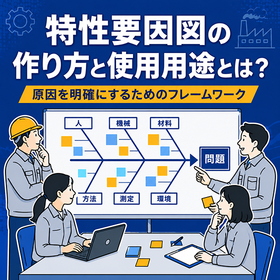
Are you facing challenges such as "not knowing the cause" or "countermeasures becoming dependent on individuals" when quality troubles or defective products occur? This document clearly explains a cause analysis method using the "Fishbone Diagram" (also known as the Ishikawa Diagram), one of the seven quality control tools, from basic knowledge to practical creation steps. It introduces analytical frameworks such as 4M, 5M1E, and 8P, combinations with the "5 Whys" analysis, and points for deriving the root cause. This material is recommended for site leaders and quality control personnel in small and medium-sized manufacturing companies working on quality improvement, process improvement, and preventing recurrence. Additionally, it includes case studies on utilizing the production management system "FUSE" as a mechanism to establish improvements after cause analysis. *For more details, please download the PDF or feel free to contact us.*
Added to bookmarks
Bookmarks listBookmark has been removed
Bookmarks listYou can't add any more bookmarks
By registering as a member, you can increase the number of bookmarks you can save and organize them with labels.
Free membership registration
SakuSaku DX is a service that utilizes generative AI and no-code tools to support business improvement and DX promotion at a low cost. We quickly build applications tailored to your business, such as project management, estimate management, equipment management, and quality management. We provide support in a collaborative manner based on over 40 years of SI experience to address challenges such as "I don't know how to promote DX," "There is no IT personnel," and "The tools we implemented are not being adopted." Through no-code development, we achieve a resilient business environment while keeping construction and modification costs low. *For more details, please download the PDF or feel free to contact us.*
Added to bookmarks
Bookmarks listBookmark has been removed
Bookmarks listYou can't add any more bookmarks
By registering as a member, you can increase the number of bookmarks you can save and organize them with labels.
Free membership registration
This document is a helpful resource for on-site leaders and safety personnel in small and medium-sized manufacturing industries, explaining the basic knowledge and practical methods of KY activities (hazard prediction activities). In manufacturing environments, various near-miss incidents occur, such as falls, being caught or entangled, electric shocks, fires, and heatstroke. This document introduces specific measures that can lead to accident prevention using Heinrich's Law, the six factors of human error, and the KYT 4-round method. Additionally, it includes methods for systematizing on-site improvements, such as sharing near-miss incidents through the production management system "FUSE," visualizing hazardous areas, and supporting technical inheritance. It is ideal for manufacturing industries looking to enhance safety, improve productivity, and standardize education. *For more details, please download the PDF or feel free to contact us.*
Added to bookmarks
Bookmarks listBookmark has been removed
Bookmarks listYou can't add any more bookmarks
By registering as a member, you can increase the number of bookmarks you can save and organize them with labels.
Free membership registration
At Kobe Kasei Co., Ltd., a food additive manufacturer, the sharing of production plans between locations and departments was insufficient, leading to communication errors such as "I didn't hear" or "I didn't know," frequent phone calls, and transcription mistakes. Previously, operations relied on whiteboards and phone calls, resulting in an inefficient system where every change required contacting all locations. The introduction of the production scheduler "Freely" enabled centralized management of plans on the web, achieving real-time information sharing. With a user interface that is intuitive like a whiteboard and high visibility through color coding, it was smoothly adopted on-site. As a result, the time for planning and sharing was significantly reduced, along with a decrease in phone calls and rewriting tasks. It has also contributed to the elimination of human errors and the realization of flexible working styles that are not location-dependent. This is a suitable case for manufacturing industries with multiple locations or those facing challenges in sharing and responding to changes in production plans. *For more details, please download the PDF or feel free to contact us.*
Added to bookmarks
Bookmarks listBookmark has been removed
Bookmarks listYou can't add any more bookmarks
By registering as a member, you can increase the number of bookmarks you can save and organize them with labels.
Free membership registration
Even if you feel that "somehow it's inefficient," it can be difficult to grasp losses such as machine downtime, speed reductions, and defects solely through daily reports or intuition, making it hard to prioritize improvements. This document explains the concept of using Overall Equipment Efficiency (OEE) to visualize equipment efficiency along three axes: "Availability Rate," "Performance Rate," and "Quality Rate." It introduces a method to quantify the often-invisible equipment losses and objectively identify areas for improvement. It includes calculation examples, evaluation perspectives, the relationship with the international standard ISO 22400, the seven types of equipment losses, and improvement approaches, making it suitable for site leaders and personnel in small and medium-sized manufacturing industries who want to shift from intuition-based management to data-driven improvement activities. *For more details, please download the PDF or feel free to contact us.*
Added to bookmarks
Bookmarks listBookmark has been removed
Bookmarks listYou can't add any more bookmarks
By registering as a member, you can increase the number of bookmarks you can save and organize them with labels.
Free membership registration
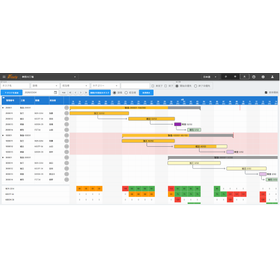
We would like to introduce the main feature of our production scheduler 'Freely': the "Planning Gantt Chart Function." 【Features】 - It visualizes the dependencies between processes and the load rates of equipment and personnel, allowing for planning while grasping the overall planning status at a glance. - Adjustments can be made with intuitive drag-and-drop operations, enabling smooth management of complex processes that were difficult with Excel or whiteboards. - Information can be shared in real-time on the cloud, allowing the entire team to always check the latest planning status regardless of location. *For more details, please refer to the PDF materials or feel free to contact us.
Added to bookmarks
Bookmarks listBookmark has been removed
Bookmarks listYou can't add any more bookmarks
By registering as a member, you can increase the number of bookmarks you can save and organize them with labels.
Free membership registration
Frequent equipment troubles, variations in quality, and the personalization of technology are challenges faced in many manufacturing sites, where "systematizing equipment maintenance" has become a key issue. Autonomous maintenance involves operators themselves performing cleaning, inspections, and preventive measures on the equipment, based on the idea of "protecting one's own equipment." This approach is expected to lead to benefits such as preventing breakdowns and minor stoppages, stabilizing quality, improving productivity, and ensuring safety. This document systematically explains the concept of autonomous maintenance, which is the foundation of TPM activities, the seven steps of autonomous maintenance (preventing deterioration → measuring → standardizing), and specific initiatives that can be utilized on-site (activity boards, meetings, one-point lessons, etc.). Additionally, it addresses the issues of formalism and personalization caused by paper-based management, along with the concept of utilizing digital solutions as a resolution. This material is recommended for companies looking to start improvement activities in manufacturing sites, as well as for site leaders and personnel who wish to systematically understand TPM and equipment maintenance. *For more details, please download the PDF or feel free to contact us.*
Added to bookmarks
Bookmarks listBookmark has been removed
Bookmarks listYou can't add any more bookmarks
By registering as a member, you can increase the number of bookmarks you can save and organize them with labels.
Free membership registration