We have compiled a list of manufacturers, distributors, product information, reference prices, and rankings for Printer.
ipros is IPROS GMS IPROS One of the largest technical database sites in Japan that collects information on.

Printer Product List and Ranking from 632 Manufacturers, Suppliers and Companies | IPROS GMS

Last Updated: Aggregation Period:May 20, 2026~Jun 16, 2026
This ranking is based on the number of page views on our site.

Printer Manufacturer, Suppliers and Company Rankings

Last Updated: Aggregation Period:May 20, 2026~Jun 16, 2026
This ranking is based on the number of page views on our site.

  1. null/null
  2. null/null
  3. 沖電気工業 産業営業本部 産業営業統括室 Tokyo//Information and Communications
  4. 4 システムクリエイト Osaka//Industrial Machinery
  5. 5 マックス Tokyo//Other manufacturing

Printer Product ranking

Last Updated: Aggregation Period:May 20, 2026~Jun 16, 2026
This ranking is based on the number of page views on our site.

  1. Direct Address Printer DA1500+
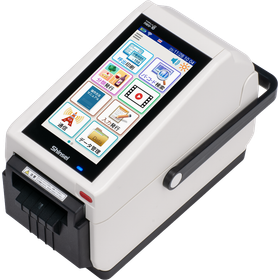
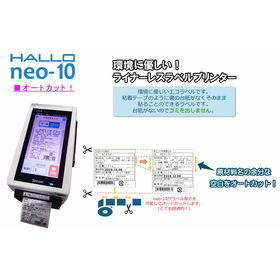
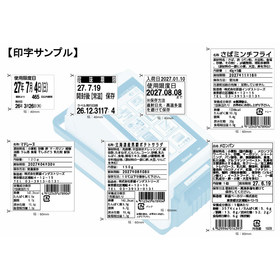
  2. Raw Material Date Management Label - Small Label Printer 新盛インダストリーズ
  3. Efforts of Light Stereolithography 3D Printers, Resin, and AMX AMX
  4. 4 Industrial Inkjet Printer MK-G Series
  5. 5 3D Printer for Manufacturing Sites 'GX-1000 Series'

Printer Product List

1471~1500 item / All 2908 items

Displayed results

Electric Card Imprinter / Model Number M764CA-STM

An electric imprinter ideal for embossed card duplicate printing. It can print quickly even on thick forms with a large number of copies.

An electric imprinter ideal for embossed card duplicate printing. It can quickly print on thick documents with a large number of copies. This is an electric imprinter designed for ease of use.

  • Printer
  • Printer

Added to bookmarks

Bookmarks list

Bookmark has been removed

Bookmarks list

You can't add any more bookmarks

By registering as a member, you can increase the number of bookmarks you can save and organize them with labels.

Free membership registration

Tabletop Box Corner Labeler / Model Number M813B-3LB

Easy-to-use corner label applicator.

●Since it has a built-in AC adapter, it supports input power of 100-240V 50/60Hz. ●By using a DC motor, power consumption has been reduced. ●By reducing the number of parts that require surface treatment, environmental impact has been minimized. ●The control board is equipped with a standard signal output for counting the number of feeds. ●The start of label feeding with a non-contact sensor has improved operational stability and durability. ●With the step sensor, it is now compatible with perforated labels. ●There are various other options available.

  • Other packaging machines
  • Printer

Added to bookmarks

Bookmarks list

Bookmark has been removed

Bookmarks list

You can't add any more bookmarks

By registering as a member, you can increase the number of bookmarks you can save and organize them with labels.

Free membership registration

High-Quality Ridge Inkjet Printer M3407HP-2115CJ

You can easily print high-quality, high-resolution images in small lots with a variety of designs.

● Domestic XY printers and fast-drying, strong adhesion domestic ink cartridges provide reliable support. ● With XY printing, "the image quality is overwhelmingly higher than one-pass methods" and "it's compact and lightweight," making it portable and space-saving. ● The M3407HP-2115CJ is easy to adjust in height and is ideal for printing names on thick objects. ● The M3407HP-2129RJ directly prints on cylindrical objects while rotating them. ● The M3407HP-21250LJ moves along a single guide rail, allowing for printing on long items. ● Inkjet cartridges with nozzles can be easily replaced if clogged, allowing for quick and inexpensive recovery. Additionally, fast-drying ink, adhesive ink, and color ink can be quickly swapped out to match the object being printed on.

  • Stainless steel container
  • Printer

Added to bookmarks

Bookmarks list

Bookmark has been removed

Bookmarks list

You can't add any more bookmarks

By registering as a member, you can increase the number of bookmarks you can save and organize them with labels.

Free membership registration

Large handheld inkjet printer M3407HT2-254P

● Wide handheld printer. Print width is double that of conventional models, 25.4mm ● Ideal for multi-line printing ● Uses quick-drying ink, and ink replacement is easy.

●Wide-width handy printer. Print width is twice that of conventional models, 25.4mm. ●Ideal for multi-line printing as well. ●Uses quick-drying ink, and ink replacement is easy.

  • Stainless steel container
  • Printer

Added to bookmarks

Bookmarks list

Bookmark has been removed

Bookmarks list

You can't add any more bookmarks

By registering as a member, you can increase the number of bookmarks you can save and organize them with labels.

Free membership registration

Table-side printing inkjet printer / Model number M841SP-10T

Tabletop side printing inkjet printer

You can easily print the expiration date and lot number on the sides and bottoms of food packages, cosmetic boxes, bottles, and cans by simply pressing a switch.

  • Stainless steel container
  • Printer

Added to bookmarks

Bookmarks list

Bookmark has been removed

Bookmarks list

You can't add any more bookmarks

By registering as a member, you can increase the number of bookmarks you can save and organize them with labels.

Free membership registration

Handheld Inkjet Printer / Model Number M3407HT-50P

It is suitable for various industries as it can accommodate a wide range of materials and print on all surfaces, including porous, semi-porous, and non-porous.

The M3407HT-50P achieves versatility and high-quality printing with customizable print heights ranging from 2.5mm to 46mm, delivering clear and high-resolution printing at up to 300dpi.

  • Stainless steel container
  • Printer

Added to bookmarks

Bookmarks list

Bookmark has been removed

Bookmarks list

You can't add any more bookmarks

By registering as a member, you can increase the number of bookmarks you can save and organize them with labels.

Free membership registration

Thermal printer with auto feeder M1477F-2634WL

Direct printing on empty bags achieves significant cost reduction.

Labeling the bag ⇒ Reducing label printing and application work Pre-printing on the bag ⇒ Reducing material loss due to changes in display content or discontinuation of production Wide printing area for content display: 106mm (W) × 300mm (L) Compatible with maximum bag size: width 260mm × length 340mm or less Compatible with various bags such as triangular bags and zipper bags

  • Stainless steel container
  • Printer

Added to bookmarks

Bookmarks list

Bookmark has been removed

Bookmarks list

You can't add any more bookmarks

By registering as a member, you can increase the number of bookmarks you can save and organize them with labels.

Free membership registration

Strawberry Bough Fruit Pack Film Printer M2620FP230W

Film cutter equipped with optimal printing functions for attaching film to fruit packs.

The film is automatically conveyed and cut. The harvest date, manufacturing and management number, and QR code are also automatically printed. It is ideal for reducing workload during shipping and for traceability after shipping.

  • Stainless steel container
  • Printer

Added to bookmarks

Bookmarks list

Bookmark has been removed

Bookmarks list

You can't add any more bookmarks

By registering as a member, you can increase the number of bookmarks you can save and organize them with labels.

Free membership registration

Mini Handy Inkjet Printer / M3407MP-B10Y

The M3407MP-B10Y, featuring a wireless detachable design and an ultra-lightweight construction of 195g, is extremely portable.

It fits perfectly in the palm of your hand. Furthermore, with WIFI connectivity, you can print on various items anytime and anywhere, taking the printing experience of logos, barcodes, UPC codes, and more to the next level.
  • Stainless steel container
  • Printer

Added to bookmarks

Bookmarks list

Bookmark has been removed

Bookmarks list

You can't add any more bookmarks

By registering as a member, you can increase the number of bookmarks you can save and organize them with labels.

Free membership registration

Desktop 3D Printer Raise3D E2

User-friendly and durable desktop 3D printer.

At an affordable price, it improves production and serves as a new manufacturing resource. 【Features】 1. Build area and layer pitch 2. Simultaneous printing with IDEX (Independent Dual Extruder) 3. Automatic bed leveling 4. Industry-first video assist offset calibration system ■ For inquiries Marble Co., Ltd. Embedded Products Division, Product Business Department Phone: (03) 3419-6011

Added to bookmarks

Bookmarks list

Bookmark has been removed

Bookmarks list

You can't add any more bookmarks

By registering as a member, you can increase the number of bookmarks you can save and organize them with labels.

Free membership registration

Dictop 3D Printer Value3DMagix MF-900

Equipped with an independent dual head. A standard model that can also use carbon fiber-infused filament.

【Features】 1. Dual Head: Equipped with dual heads that operate independently. Can be used according to purpose. 2. Compatible with carbon fiber-infused filament. 3. High-resolution print head with a nozzle diameter of 0.2mm. 4. Easy operation with a touch panel. 5. Calibration to correct table distortion. ■ For inquiries Marble Co., Ltd. Embedded Products Division, Product Business Department Phone: (03) 3419-6011

Added to bookmarks

Bookmarks list

Bookmark has been removed

Bookmarks list

You can't add any more bookmarks

By registering as a member, you can increase the number of bookmarks you can save and organize them with labels.

Free membership registration

A small high-resolution high-speed edible printer that can print on sweets and cakes.

High-quality, high-speed full-color compact edible ink food printer NE-200H, ideal for small businesses due to its easy operation and minimal size.

The maximum print area is A4 size, 210X297mm. It is possible to print on food items ranging from cookies to macarons with a thickness of 90mm. By printing on edible sheets and placing them on cakes, photo cakes can also be created. The electric actuator drive system allows for more stable printing. It comes standard with "Label Mighty," which makes layout easy for anyone. The ink is the industry's first cartridge type, ensuring that no bacteria or viruses can enter, making it very hygienic. Ink refilling is unnecessary, and it can be easily replaced without getting hands dirty. There is also less nozzle clogging, significantly reducing consumption during cleaning.

  • Food Processing Equipment
  • Printer

Added to bookmarks

Bookmarks list

Bookmark has been removed

Bookmarks list

You can't add any more bookmarks

By registering as a member, you can increase the number of bookmarks you can save and organize them with labels.

Free membership registration

High-quality, high-speed edible printer for medium-sized stores that can print on sweets and cakes.

High-quality, high-speed full-color compact edible ink food printer NE-420F, capable of printing one tray in one minute. Perfect for medium-sized stores!

The maximum print area is 420X420mm. Equipped with a dedicated large head, it achieves high-speed printing at maximum size in the standard mode, which is most commonly used by users, in about one minute. It supports a wide variety of small to large lots, with processing capabilities 2 to 3 times greater than competing products in the same class. Its easy operation allows for high-speed production, making it ideal for medium-sized stores. The operation screen features a 7-inch LCD touch panel, enabling easy operation for checking ink levels, cleaning, and ink flushing without the need for a computer. With an easy-to-understand button layout, even beginners can use it easily from the first day of introduction. Users can check ink usage, allowing for management of ink costs. The often-forgotten waste liquid can also be displayed on the screen, eliminating concerns about ink leakage. The new mode CR Maintenance is equipped, allowing the head to automatically move to a designated position during maintenance, making it easy for anyone to perform maintenance. A dedicated driver is included, allowing settings such as ink volume tailored to specific candies to be saved as "favorites," with easy adjustments of ink volume from 1% to 100%. A dedicated mode suitable for printing on uneven-surfaced candies is also set within the driver. The ink comes in large-capacity 200ml cartridges, preventing the entry of bacteria and viruses, ensuring high hygiene standards.

  • Food Processing Equipment
  • Printer

Added to bookmarks

Bookmarks list

Bookmark has been removed

Bookmarks list

You can't add any more bookmarks

By registering as a member, you can increase the number of bookmarks you can save and organize them with labels.

Free membership registration

A compact printer for full-color wooden tablets, sutra wood, and ema that accommodates long text.

Full-color tablet/wooden plaque/ema printer capable of properly accommodating and printing long text on tablets and wooden plaques used for the memorial service of ancestors and pets at temples and cemeteries.

The memorial tablets and wooden boards must accommodate long inscriptions that include Sanskrit characters, posthumous names, and the names of the donors. Recently, it has often happened that the long names of pets overflow at pet cemeteries. Since Sanskrit characters are not available in computer fonts, mistakes occur, requiring monks to rewrite them multiple times. Recently, there has also been a shortage of monks who can write memorial tablets with a brush. The memorial tablets and wooden boards require not only black lettering but also colors other than black, such as family crests and red seals. The votive tablets are not just in black lettering; they feature vibrant full-color illustrations. This full-color printer allows anyone, even those who are not good with computers, to easily print these memorial tablets, wooden boards, and votive tablets.

  • Printer
  • Printer

Added to bookmarks

Bookmarks list

Bookmark has been removed

Bookmarks list

You can't add any more bookmarks

By registering as a member, you can increase the number of bookmarks you can save and organize them with labels.

Free membership registration

High-quality, high-speed edible printer for small to medium-sized stores that can print on sweets and cakes.

Ideal for small to medium-sized stores! High-quality, high-speed full-color compact edible food printer NE-300H that can print one side of an A3 size tray in 48 seconds.

The maximum print area is 297X420mm. It can print A3 size in just 48 seconds. It supports a wide variety of small to large lots, with processing capabilities 2 to 3 times that of competitors in the same class. Its easy operation allows for high-speed production, making it ideal for medium to small-sized stores. The operation screen uses a liquid crystal touch panel, allowing for easy management of ink levels, cleaning, and ink washing without the need for a computer. The user-friendly button layout makes it easy for beginners to use from the first day of introduction. You can check ink usage, enabling management of ink costs. The often-forgotten waste liquid can also be displayed on the screen, eliminating concerns about ink leakage. It features a new mode called CR Maintenance, which automatically moves the head to a fixed position during maintenance, making it easy for anyone to perform maintenance. It comes with a dedicated driver that allows settings such as ink quantity tailored to specific candies to be saved as "favorites," with easy adjustments from 1% to 100%. There is also a dedicated mode within the driver suitable for printing on uneven candy surfaces. The ink comes in large-capacity 200ml cartridges, preventing the entry of bacteria and viruses, ensuring high hygiene standards.

  • Food Processing Equipment
  • Printer

Added to bookmarks

Bookmarks list

Bookmark has been removed

Bookmarks list

You can't add any more bookmarks

By registering as a member, you can increase the number of bookmarks you can save and organize them with labels.

Free membership registration

High-speed printer Venus 217

High-speed printing: Seed bags of W95×L150, approximately 52 to 55 pieces per minute. Can stock up to 400 pieces.

A high-speed, high-definition printer with a wide range of applications, capable of printing on product tags, price cards, and special labels. 【Features】 ■ Compatible with thin and thick paper ■ Supports various sizes of materials ■ Significant ribbon savings Easily change information such as seed bag certificates, origin, quantity, expiration date, and germination rate.

  • Commercial printers
  • Food Packaging Machinery
  • Printer

Added to bookmarks

Bookmarks list

Bookmark has been removed

Bookmarks list

You can't add any more bookmarks

By registering as a member, you can increase the number of bookmarks you can save and organize them with labels.

Free membership registration

High-speed printer "Venus217"

High-speed printer capable of handling various sizes and materials as an automatic bagging packaging machine.

"Venus217" is a high-speed printer suitable for picture bags, "seed bags," tags, and price cards. It accommodates thin and thick paper, various sizes and materials, and significantly reduces ribbon usage. It can stock approximately 400 sheets, and the replenishment mechanism allows for easy topping up, improving printing efficiency. 【Features】 ■ High-speed printing: W95×L150 ■ Output: Approximately 52-55 sheets per minute ■ Easy modification of picture bag labels: origin, quantity, expiration date, germination rate, etc. ■ Simple input of text and barcodes on the white area ■ Wide version also available *For more details, please refer to the PDF document or feel free to contact us.

  • Printing Machinery
  • Printer

Added to bookmarks

Bookmarks list

Bookmark has been removed

Bookmarks list

You can't add any more bookmarks

By registering as a member, you can increase the number of bookmarks you can save and organize them with labels.

Free membership registration

Industrial Printer "Zebra ZT400 Series"

Smooth integration and operation! It has robust durability suitable for demanding applications.

The "Zebra ZT400 Series" is an industrial printer that maintains operational efficiency for critical business tasks. With a large color touch display, the printer's status is clear at a glance, allowing for quick configuration management. It offers three printing resolutions and two printing widths, making it versatile for various industries, including manufacturing, transportation/logistics, and retail. 【Features】 ■ Versatility to meet evolving needs ■ Compatibility with a wide range of media and applications ■ Highly flexible dual USB host ports ■ Customizable with various media support options ■ Easy operation with a large color touch display *For more details, please refer to the PDF document or feel free to contact us.

Added to bookmarks

Bookmarks list

Bookmark has been removed

Bookmarks list

You can't add any more bookmarks

By registering as a member, you can increase the number of bookmarks you can save and organize them with labels.

Free membership registration

Industrial Printer "Zebra ZT510"

Outstanding performance at an affordable price. This product is suitable for cost-conscious companies.

The "Zebra ZT510" is an industrial printer designed to balance performance and price. In addition to its proven high durability design and structure, it offers advanced management and monitoring features. As a result, you can obtain advanced functionalities and long lifespan that not only ensure constant reliability for smooth business operations but also address various challenges that may arise in the future, all at a specially affordable price. 【Features】 ■ Reduction of downtime due to high reliability ■ High durability even in harsh environments ■ Suitable for cost-conscious companies ■ Upgradeable after purchase ■ Additional features to enhance performance available *For more details, please refer to the PDF materials or feel free to contact us.

Added to bookmarks

Bookmarks list

Bookmark has been removed

Bookmarks list

You can't add any more bookmarks

By registering as a member, you can increase the number of bookmarks you can save and organize them with labels.

Free membership registration

Printer "Zebra ZT200 Series"

Designed with the customer in mind. No tools required, making cleaning and replacement easy.

The "Zebra ZT200 Series" is a printer that features a sophisticated space-saving design, easy setup, intuitive user operation, and straightforward maintenance, similar to the traditional Stripe and S4M printers. It combines ease of use, a wide range of applications, and high-performance features to flexibly meet customer needs. We promise an ideal barcode solution for customers considering barcode operations for the first time or planning an upgrade. 【Features】 ■ Designed with the customer in mind ■ Space-saving design ■ Easy replacement and environment setup ■ Intuitive and simple supply replacement ■ Designed to allow suitable settings for achieving high printing accuracy *For more details, please refer to the PDF materials or feel free to contact us.

Added to bookmarks

Bookmarks list

Bookmark has been removed

Bookmarks list

You can't add any more bookmarks

By registering as a member, you can increase the number of bookmarks you can save and organize them with labels.

Free membership registration

Free rental of the stationary tube printer 'MP-60N' is currently available.

Introducing a space-saving, low-cost desktop tube printer! Free rental available now.

The "MP-60N" is a high-speed multi-printer for electrical wiring that allows easy operation of full cut, half cut, and print position correction via an app. It can print on tubes, nameplates, and labels (long and grid) with just one unit. Compared to conventional models, it has achieved even finer print dots (from 8 dots/mm to 12 dots/mm). Please feel free to contact us when you need assistance. 【Features】 ■ Easy input via PC connection, with simple data saving and retrieval ■ Capable of controlling multiple units ■ Supports a variety of printing options ■ Space-saving and low-cost *For more details, please refer to the PDF document or feel free to contact us.

  • Commercial printers
  • Printer

Added to bookmarks

Bookmarks list

Bookmark has been removed

Bookmarks list

You can't add any more bookmarks

By registering as a member, you can increase the number of bookmarks you can save and organize them with labels.

Free membership registration

Stationary Tube Printer Free Rental Service Mibu Electric Manufacturing Co.

Productivity increased by 200% and costs decreased by 50%! Please give it a try!

We have started a free rental service for tube printers!! Do you have any concerns with tube and label printing or harness processing?? ■ It takes time to input data, and mistakes occur. ■ The introduction and running costs of printers are high. You can solve these issues with Mibu Electric's wiring printer 'MP-60N'!! With 'MP-60N': ◇ Bulk data transfer from CAD data or CSV data! & Input support with abundant features! ◇ Print preview function allows you to check the content before printing! No waste of materials. ◇ Minimal running costs! About 50% of mobile printers!? (According to our research) ◇ Free rental currently available! On-site and web demos are also possible. If you have been using a mobile type printer, we encourage you to try it out at least once!!

  • label
  • Commercial printers
  • Other markings
  • Printer

Added to bookmarks

Bookmarks list

Bookmark has been removed

Bookmarks list

You can't add any more bookmarks

By registering as a member, you can increase the number of bookmarks you can save and organize them with labels.

Free membership registration

I want to print characters without changing the pitch length.

Tube Printer Online Help: Frequently Asked Questions (Q&A)

Q: Question I want to print characters without changing the pitch length. Is there a way to do this? A: Answer It is possible. There are various methods, so please look for the one that best meets your needs. 1. Narrow the character spacing. 2. Create data with a smaller font size. 3. Create data in two lines. If you cannot find an answer, please contact us.

  • Commercial printers
  • Other markings
  • Printer

Added to bookmarks

Bookmarks list

Bookmark has been removed

Bookmarks list

You can't add any more bookmarks

By registering as a member, you can increase the number of bookmarks you can save and organize them with labels.

Free membership registration

Full work: Printed as if the printing has smudged.

Tube Printer Online Help: Frequently Asked Questions (Q&A)

Q: Question The printing appears smudged. A: Answer ■Cause Due to the deterioration of the ribbon transport belt, the belt may be slipping, which could result in the printing ribbon not being wound properly during printing, or the winding speed may have slowed down. ■Countermeasure Since this is caused by wear, please contact your sales representative for an overhaul. As a temporary measure, remove the ribbon from the winding side and reduce its diameter to lessen the load. If you cannot find an answer, please contact us.

  • Commercial printers
  • Other markings
  • Printer

Added to bookmarks

Bookmarks list

Bookmark has been removed

Bookmarks list

You can't add any more bookmarks

By registering as a member, you can increase the number of bookmarks you can save and organize them with labels.

Free membership registration

I want to print on flat tubes and shrink tubes.

Tube Printer Online Help: Frequently Asked Questions (Q&A)

Q: Question Can special tubes such as flat tubes, shrink tubes, Sumi tubes, UL tubes, and ECO tubes be printed on? A: Answer In principle, it is possible. If you inform us of the tubes you plan to use at the time of shipment, we will ship them after inspection with those tubes. *Please provide a sample of about 10 meters. Also, please note that printing may be faint on olefin-based material tubes. Please adjust the printing speed to "clean" and the printing density correction to "dark" on the correction switch screen for use. If you cannot find an answer, please contact us.

  • Commercial printers
  • Other markings
  • Printer

Added to bookmarks

Bookmarks list

Bookmark has been removed

Bookmarks list

You can't add any more bookmarks

By registering as a member, you can increase the number of bookmarks you can save and organize them with labels.

Free membership registration

I want to create a tube without printing.

Tube Printer Online Help: Frequently Asked Questions (Q&A)

Q: Question Can you create tubes without printing? A: Answer Printing is possible. 1. Printing method for all blank (unprinted) tubes Please use the "Tube Fixed Length Cut Mode" from the start menu. If it is not displayed, please check "Tube Fixed Length Cut Mode" under "Select Menu to Display" in the "Options" of the start menu. *This mode does not consume printing ribbon and allows you to create blank tubes. 2. How to create data with only one pole (multiple poles) as unprinted (blank pole) In the data pole, input "space" as in pole number 2, and then proceed to input the next data. If you cannot find the answer, please contact us.

  • Commercial printers
  • Other markings
  • Printer

Added to bookmarks

Bookmarks list

Bookmark has been removed

Bookmarks list

You can't add any more bookmarks

By registering as a member, you can increase the number of bookmarks you can save and organize them with labels.

Free membership registration

Can you print on a black tube?

Tube Printer Online Help: Frequently Asked Questions (Q&A)

Q: Question Can printing be done on the black tube? A: Answer Yes, printing is possible. You can print using our TRW-200 (white ribbon). It may vary depending on the tube manufacturer, but for tubes made of olefin-based materials, there is a possibility of smudging. Therefore, please adjust the printing speed to "clean" and the printing density correction to "dark" on the correction switch screen before printing. If you cannot find the answer, please contact us.

  • Commercial printers
  • Other markings
  • Printer

Added to bookmarks

Bookmarks list

Bookmark has been removed

Bookmarks list

You can't add any more bookmarks

By registering as a member, you can increase the number of bookmarks you can save and organize them with labels.

Free membership registration

The print ribbon runs out.

Tube Printer Online Help: Frequently Asked Questions (Q&A)

Q: Question The printing ribbon is breaking. A: Answer ■ Cause There is a possibility that the output of the printing is too high. * This is particularly likely to occur when printing a thick vertical line (divider line). ■ Countermeasure Please adjust the printing density of the correction switch to "light" for use. If you cannot find an answer, please contact us.

  • Commercial printers
  • Other markings
  • Printer

Added to bookmarks

Bookmarks list

Bookmark has been removed

Bookmarks list

You can't add any more bookmarks

By registering as a member, you can increase the number of bookmarks you can save and organize them with labels.

Free membership registration

[Until the introduction of MP-60N] 1-3・4 Communication confirmation and customer information registration

We have summarized the process of introducing the high-speed multi-printer MP-60N for electrical wiring in a video.

Please connect the power cord and USB cable to the main unit. We will explain the process for communication confirmation and customer information registration. Please turn on the printer main unit. (Note: At this time, the driver will be installed, so communication may take a few seconds.) Next, select 'MP Monitor.' Choose the icon at the top left. If any information is displayed in the four items on the left, communication is possible. For user registration, please select 'Go to User Registration Site' in the item on the right side of the screen. Please follow the instructions on the site to complete the registration. Enter the registration code obtained there in the 'Registration Code' field. This concludes the communication confirmation and customer information registration process.

  • Commercial printers
  • Other markings
  • Printer

Added to bookmarks

Bookmarks list

Bookmark has been removed

Bookmarks list

You can't add any more bookmarks

By registering as a member, you can increase the number of bookmarks you can save and organize them with labels.

Free membership registration