We have compiled a list of manufacturers, distributors, product information, reference prices, and rankings for Printer.
ipros is IPROS GMS IPROS One of the largest technical database sites in Japan that collects information on.

Printer Product List and Ranking from 630 Manufacturers, Suppliers and Companies | IPROS GMS

Last Updated: Aggregation Period:Aug 05, 2026~Sep 01, 2026
This ranking is based on the number of page views on our site.

Printer Manufacturer, Suppliers and Company Rankings

Last Updated: Aggregation Period:Aug 05, 2026~Sep 01, 2026
This ranking is based on the number of page views on our site.

  1. null/null
  2. システムクリエイト Osaka//Industrial Machinery
  3. 沖電気工業 産業営業本部 産業営業統括室 Tokyo//Information and Communications
  4. 4 null/null
  5. 5 マックス Tokyo//Other manufacturing

Printer Product ranking

Last Updated: Aggregation Period:Aug 05, 2026~Sep 01, 2026
This ranking is based on the number of page views on our site.

  1. Industrial Inkjet Printer MK-G Series
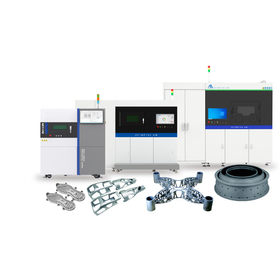
  2. 3D Printer for Manufacturing Sites 'GX-1000 Series'
  3. Industrial 3D Printer 'G-ZERO MP1' グーテンベルク
  4. 4 Water drainage device Air Wiper [Hewitt's Company] 東邦インターナショナル 本社
  5. 5 I want to print the earth mark. 壬生電機製作所

Printer Product List

2581~2610 item / All 2976 items

Displayed results

I want to register a frequently used size.

Tube Printer Online Help: Frequently Asked Questions (Q&A)

Q: Question Can I register several commonly used sizes? A: Answer Yes, it is possible. You can register 30 patterns for each work. The registration method is as follows: (1) Enter the desired settings you want to register. (2) Select the "Frequently Used Sizes" tab. (3) Select any row. (4) Name it. (5) Save. If you cannot find the answer, please contact us.

  • Commercial printers
  • Other markings
  • Printer

Added to bookmarks

Bookmarks list

Bookmark has been removed

Bookmarks list

You can't add any more bookmarks

By registering as a member, you can increase the number of bookmarks you can save and organize them with labels.

Free membership registration

I want to know about the support system in case of a malfunction.

Tube Printer Online Help: Frequently Asked Questions (Q&A)

Q: Question What should I do if the printer breaks down? A: Answer If repair or overhaul is necessary, we will take the main unit for servicing. In that case, we will provide a replacement unit at no cost for the loan of the replacement unit. *Please note that the return shipping cost for the replacement unit will be borne by the customer. Please consult the dealer from whom you purchased the product or your sales representative. 【Repair Service Flow】 1. Inquiry 2. Delivery of replacement unit 3. Shipment of the unit for repair 4. Confirmation of repair areas and estimate 5. Repair request 6. Repair implementation 7. Receipt of repaired unit 8. Return of replacement unit If you cannot find the answer, please contact us.

  • Commercial printers
  • Other markings
  • Printer

Added to bookmarks

Bookmarks list

Bookmark has been removed

Bookmarks list

You can't add any more bookmarks

By registering as a member, you can increase the number of bookmarks you can save and organize them with labels.

Free membership registration

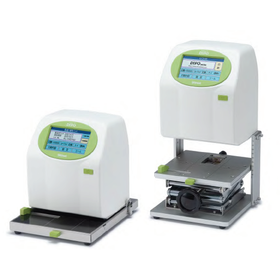
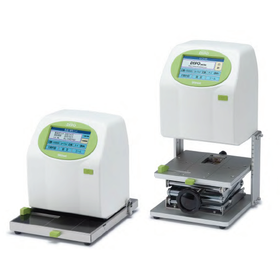
Micro Contact Printer "PA400S"

High-precision contact pressure control! Simple optical nanoimprint experiments are also possible.

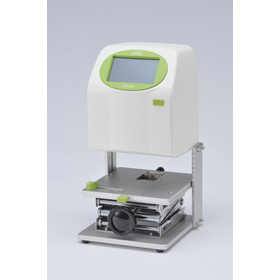
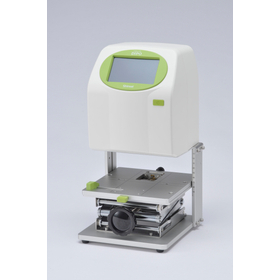
The micro contact printer "PA400S" is a micro contact printing device that supports the mCP (micro contact printing) method, which is gaining attention as a next-generation device fabrication technique, as well as a simplified optical nanoimprint (UV-NIL) method. The mCP method fabricates organic electronics and bio-microstructures that have rapidly developed through the transfer of thiol ink using PDMS stamps. The UV-NIL method produces ultra-fine microdevices using quartz molds and photo-curable resins. Two independent stations for ink replenishment and the printing process allow for programmable control of contact speed, contact pressure, distance, and time using high-precision pressure sensors and Z-axis servo control. Additionally, it can also be used as a mask aligner, providing flexible support for various experiments and production. 【Features】 ■ Programmable control of contact speed and contact pressure ■ Programmable control of distance and time ■ Can be used as a mask aligner, among others *For more details, please refer to the catalog or feel free to contact us.

  • Other medical supplies and cosmetics manufacturing machines
  • Printer

Added to bookmarks

Bookmarks list

Bookmark has been removed

Bookmarks list

You can't add any more bookmarks

By registering as a member, you can increase the number of bookmarks you can save and organize them with labels.

Free membership registration

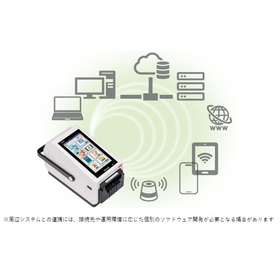
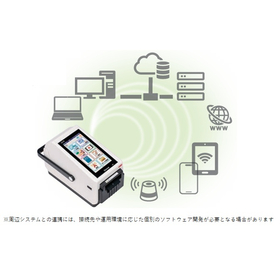
【充実したインターフェース】HALLO neo-10

無線LANとBluetoothを標準搭載!スタンドアロンの安心感とつながってさらにつよく

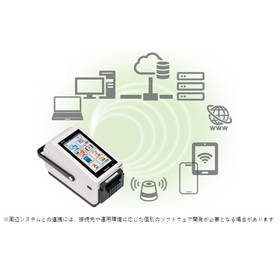
『HALLO neo-10』は、無線LANとBluetoothを標準搭載した ラベルプリンターです。 ユーザー環境にある周辺機器や既存システムとの連携が容易になり、 導入・運用の自由度が大きく広がります。従来機種ではインターフェースごとに 機種が分かれていましたが、本製品では拡張性のあるインターフェースを標準搭載。 ワイヤレススピーカーなど外部デバイスとの連携もスムーズで、従来機よりも 早い通信速度を担保し、ストレスなくつながります。 【特長】 ■無線LANとBluetoothを標準搭載 ■周辺機器や既存システムとの連携が容易 ■導入・運用の自由度が大きく広がる ■拡張性のあるインターフェースを標準搭載 ■外部デバイスとの連携もスムーズ ※詳しくはPDFをダウンロードしていただくか、お気軽にお問い合わせください。

Added to bookmarks

Bookmarks list

Bookmark has been removed

Bookmarks list

You can't add any more bookmarks

By registering as a member, you can increase the number of bookmarks you can save and organize them with labels.

Free membership registration

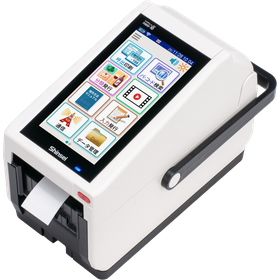
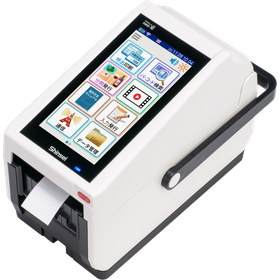
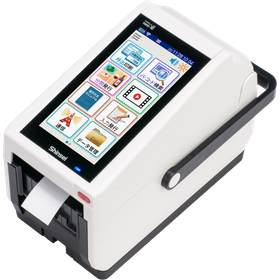
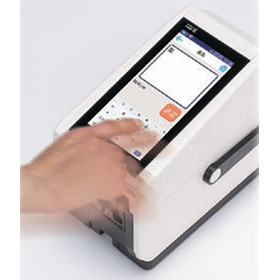
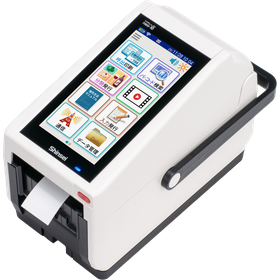
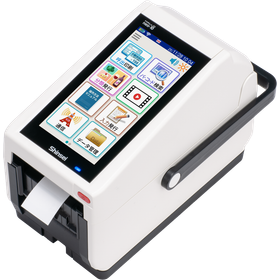
UD Font Label Printer 'HALLO neo-10'

Achieving print quality that is easier to read and prevents misreading! Connecting the peace of mind of being standalone makes it even stronger.

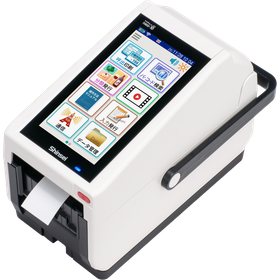
The "HALLO neo-10" is a label printer that adopts UD fonts (Universal Design Fonts). It improves the visibility of label printing content, achieving a printing quality that is easier to read and prevents misreading compared to conventional models. Anyone can now easily and accurately issue labels. It inherits and evolves the operability cultivated in the neo series, pursuing an intuitive and user-friendly screen layout. 【Features】 ■ Adopts UD fonts (Universal Design Fonts) ■ Improves the visibility of label printing content ■ Achieves printing quality that is easier to read and prevents misreading compared to conventional models *For more details, please download the PDF or feel free to contact us.

Added to bookmarks

Bookmarks list

Bookmark has been removed

Bookmarks list

You can't add any more bookmarks

By registering as a member, you can increase the number of bookmarks you can save and organize them with labels.

Free membership registration

Latest Label Printer at the Supermarket Trade Show

Next-generation standalone printer/multi-functional (supports consumption tax, equipped with voice reading function)

a

Added to bookmarks

Bookmarks list

Bookmark has been removed

Bookmarks list

You can't add any more bookmarks

By registering as a member, you can increase the number of bookmarks you can save and organize them with labels.

Free membership registration

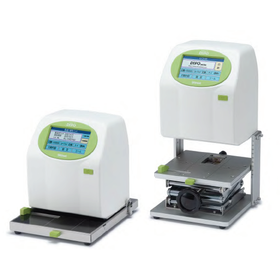
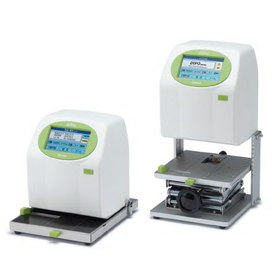
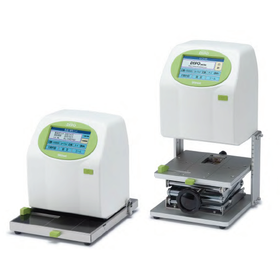
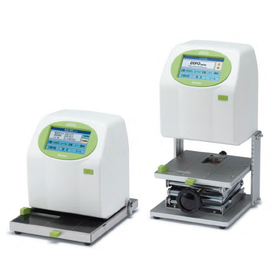
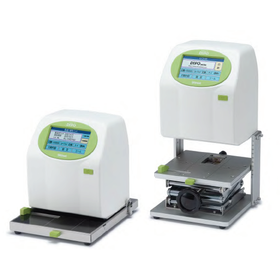
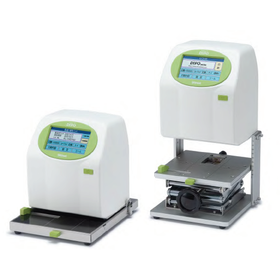
Ideal for printing dates on canned and bottled products - Inkjet Printer DiPO

Easily add dates and serial numbers to cylindrical printed materials.

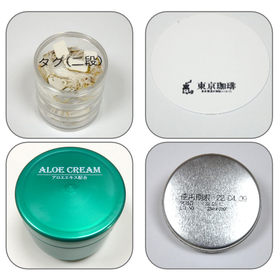
This is an inkjet printer ideal for printing on cylindrical items such as cans and bottles. <Features> By simply pressing it against the guide, you can easily print dates and manufacturing numbers at designated locations. Even if the size of the printed material or the desired printing location changes, you only need to slide the guide. <Automatic Printing with Sensor> By using an optional sensor, printing will automatically start when you press the item you want to print against the original gauge. <Applications> Print expiration dates and lot numbers on cans and bottles. Print manufacturing numbers on cosmetic containers. You can save up to 100 printing contents, such as dates and manufacturing numbers. You can change the content you want to print and the darkness of the print on the screen. 【Features】 ■ Two types of ink tailored to your needs ■ Save up to 100 printing contents ■ Change the content you want to print and the darkness of the print on the screen ■ Edit the characters and numbers you want to print on the screen ■ Predefined phrases can be listed for intuitive selection ■ Created and edited data can be saved to the main unit via USB memory or Bluetooth communication *For more details, please refer to the PDF document or feel free to contact us.

  • Inkjet printer
  • Other cosmetic packaging materials and containers
  • Bottle and can filling machine
  • Printer

Added to bookmarks

Bookmarks list

Bookmark has been removed

Bookmarks list

You can't add any more bookmarks

By registering as a member, you can increase the number of bookmarks you can save and organize them with labels.

Free membership registration

Ideal for printing on filled food bags - Inkjet Printer DiPO

Easily print dates and manufacturing numbers on filled food packages.

This is an inkjet printer ideal for printing on packages filled with food and on vacuum-sealed ingredients. <Features> Prints dates and manufacturing numbers while correcting strong waves in bags containing food. Ensures optimal printing conditions while allowing the contents to escape even when food and ingredients are inside the bag. <Automatic Printing with Sensor Use> By using an optional sensor, printing starts automatically by sliding the item to be printed onto the original gauge. <Applications> For printing consumption and expiration dates or manufacturing numbers near the edges of food pouches and packaging materials. Up to 100 printing contents can be saved, including dates and manufacturing numbers. You can change the printing content and the density of the print on the screen. 【Features】 ■ Two types of ink tailored to applications ■ Save up to 100 printing contents ■ Change the printing content and density on the screen ■ Edit the text or numbers to be printed on the screen ■ Predefined phrases can be listed for intuitive selection ■ Created and edited data can be saved to the main unit via USB memory or Bluetooth communication *For more details, please refer to the PDF document or feel free to contact us.

  • 食品用パック.png
  • Inkjet printer
  • Printer

Added to bookmarks

Bookmarks list

Bookmark has been removed

Bookmarks list

You can't add any more bookmarks

By registering as a member, you can increase the number of bookmarks you can save and organize them with labels.

Free membership registration

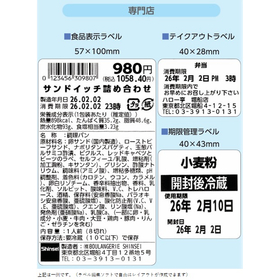
Latest Label Printer for Bakeries

Easily display allergy information with the next-generation standalone printer.

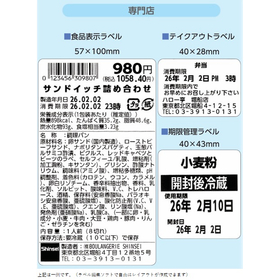
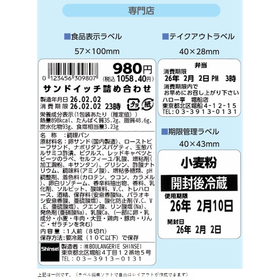
In the bakery industry, accuracy in allergy labeling is essential. This information is related to the health of customers and must be error-free. Allergy labeling is crucial for allowing customers to choose products with confidence. Our latest label printer offers easy-to-read label displays using universal design fonts, and we provide computer editing software that allows customers to easily update registered data. 【Usage Scenarios】 - Creating labels for bread and baked goods that require allergy labeling - Quick response to changes in ingredient labeling 【Benefits of Implementation】 - Improved accuracy of allergy labeling - Prevention of issues caused by labeling mistakes - Gaining trust from customers

Added to bookmarks

Bookmarks list

Bookmark has been removed

Bookmarks list

You can't add any more bookmarks

By registering as a member, you can increase the number of bookmarks you can save and organize them with labels.

Free membership registration

Raw Material Date Management Label - Small Label Printer

Raw Material Date Management Label - Small Label Printer

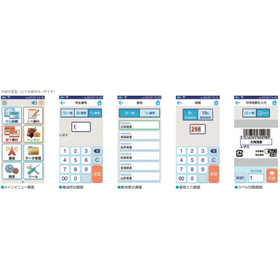
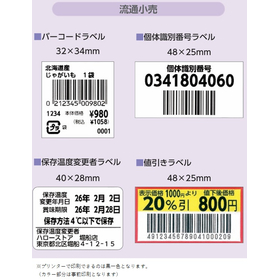
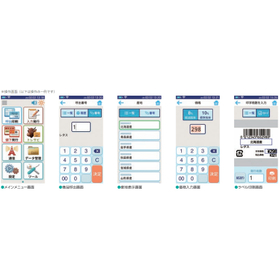
Exhibition Booth: Shinsei Industries Co., Ltd. Exhibition Name: FOOMA JAPAN 2026 Location: Tokyo Big Sight Booth Number: W-1-31-11 (West Hall 1) The functionality and reliability of the neo series, developed over more than 20 years, have evolved into a new form. As a standalone compact label printer equipped with a general-purpose OS, it offers a wide variety of features and enables operations that are closely aligned with the workplace. 【Main Features】 - Product image display + voice reading to reduce label issuance errors - Consumption tax compliance (supports 0% tax rate and reduced tax rate) - Equipped with universal design (UD) font - Runs on Android as a general-purpose OS - Standard equipped with wireless LAN and Bluetooth - Capable of handling both label with backing and linerless labels with a single unit (can be attached to the issuance unit) *For more details, please download the PDF or feel free to contact us.

Added to bookmarks

Bookmarks list

Bookmark has been removed

Bookmarks list

You can't add any more bookmarks

By registering as a member, you can increase the number of bookmarks you can save and organize them with labels.

Free membership registration

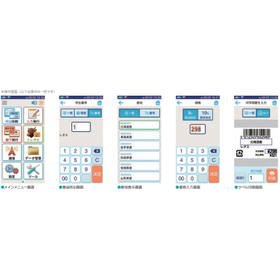
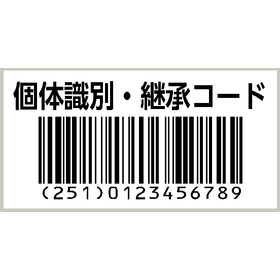
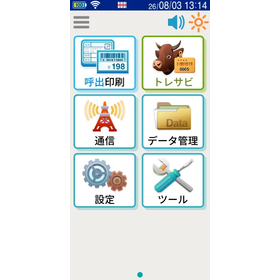
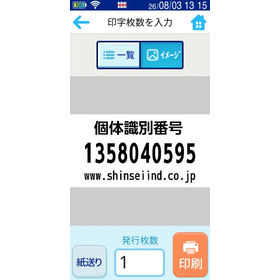
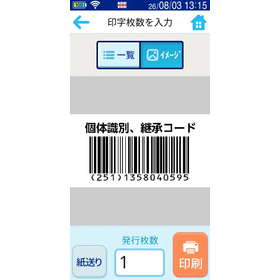
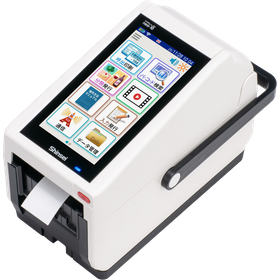
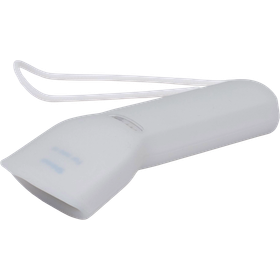
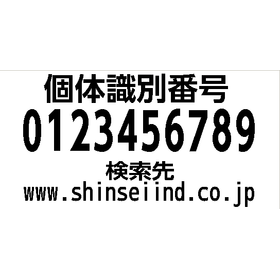
Beef, part code scan individual identification inheritance label printer neo-10

Beef, part code scan individual identification inheritance label printer neo-10

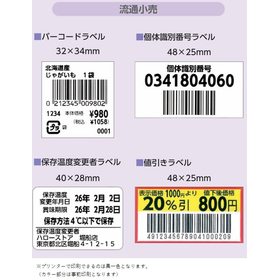
Beef Traceability Proposal for scanning part barcodes to issue individual identification numbers, inheritance codes, and lot number seals. When selling domestically produced beef, it is necessary to display the "individual identification number." *To accurately implement measures to prevent the spread of BSE, cattle are centrally managed by individual identification numbers, and by accurately transmitting individual identification numbers at each stage from production to distribution and consumption, we promote the provision of individual identification information to consumers.

Added to bookmarks

Bookmarks list

Bookmark has been removed

Bookmarks list

You can't add any more bookmarks

By registering as a member, you can increase the number of bookmarks you can save and organize them with labels.

Free membership registration

First In, First Out Food Management, Ingredient Management Label Printer neo-10

Leave food safety, security, trust, and health, as well as first-in, first-out management of food products, to the label printer neo-10! With neo-10, your problems are solved!

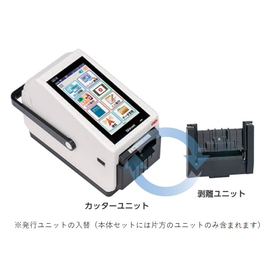
【Features】 - Supports consumption tax (can handle tax rate of 0%, can handle reduced tax rate) - Voice reading function (can connect to built-in speaker or external Bluetooth speaker) - Equipped with universal design (UD) font - Runs on Android as a general-purpose OS - Standard equipped with wireless LAN and Bluetooth - Capable of handling labels with backing and linerless labels with one unit (can be attached to the issuing unit)

Added to bookmarks

Bookmarks list

Bookmark has been removed

Bookmarks list

You can't add any more bookmarks

By registering as a member, you can increase the number of bookmarks you can save and organize them with labels.

Free membership registration

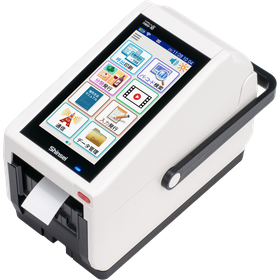
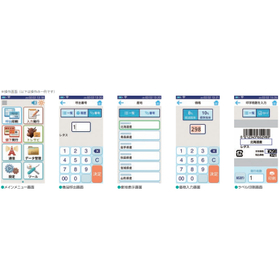
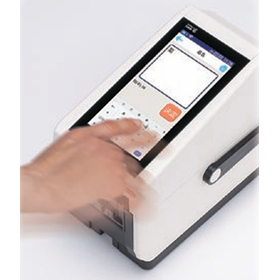
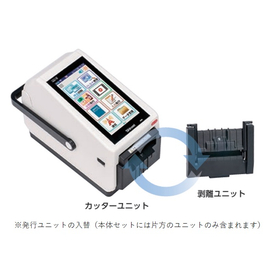
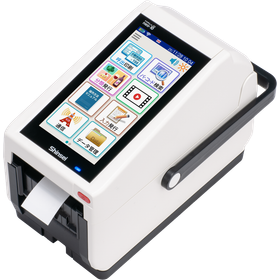
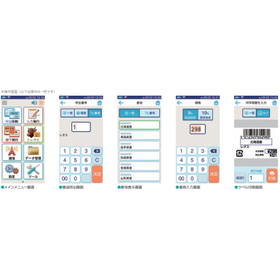
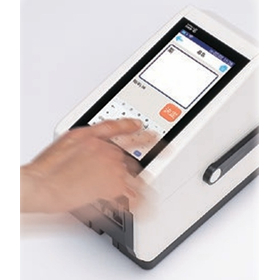
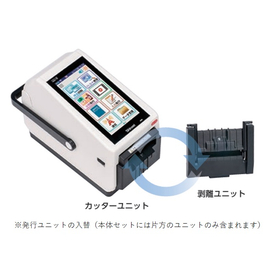
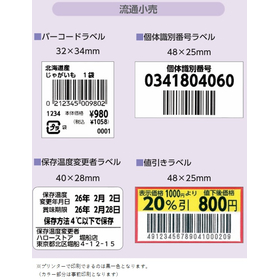
Label printer for products, POP displays, and inventory management for general merchandise stores.

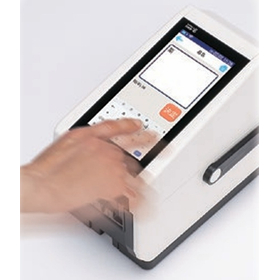
A label printer that streamlines product identification for general stores. Easy to use with simple management. Installation and maintenance are also straightforward. It enables value addition and cost reduction.

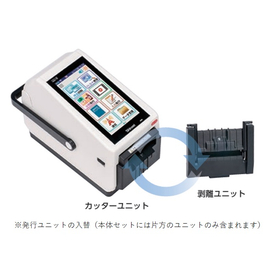
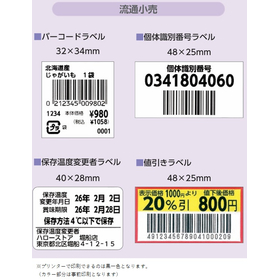
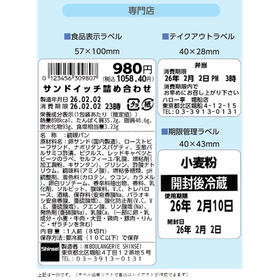
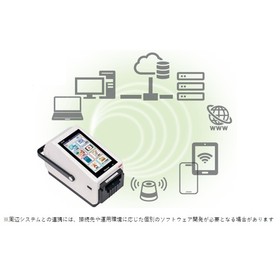
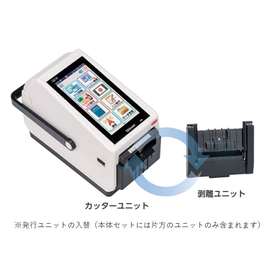
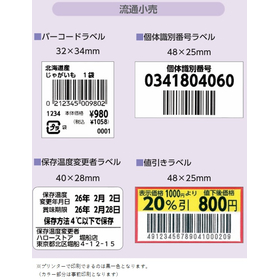
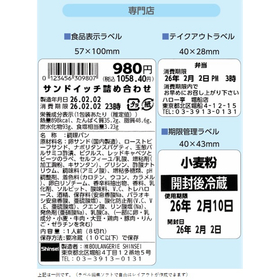
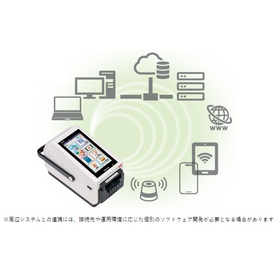
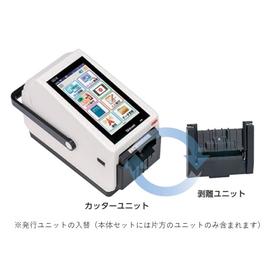
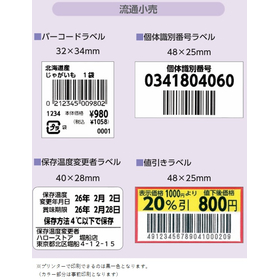
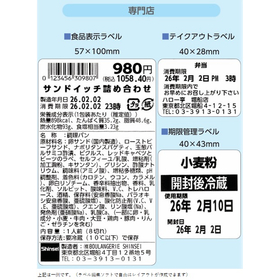
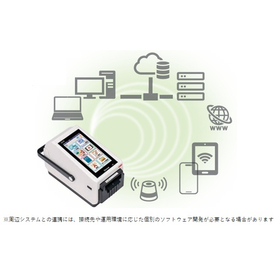
In a general store, it is important to accurately print and manage information for each product due to the wide variety of items handled. Inadequate inventory management can lead to stockouts, excess inventory, and the associated opportunity losses. This product is equipped with Android OS and comes standard with Wi-Fi and Bluetooth, allowing for standalone operation or integration with existing systems. This supports the efficiency of product identification tasks. 【Usage Scenarios】 - Issuing product labels in stores - Creating barcode labels 【Benefits of Implementation】 - Improved accuracy in inventory management - Reduction of human errors - Decrease in operational costs

  • 操作画面.jpg
  • 操作.jpg
  • ユニット交換.jpg
  • ラベルイメージ1.jpg
  • ラベルイメージ2.jpg
  • 連携.jpg
  • Printer
  • Label printing
  • Labeller
  • Printer

Added to bookmarks

Bookmarks list

Bookmark has been removed

Bookmarks list

You can't add any more bookmarks

By registering as a member, you can increase the number of bookmarks you can save and organize them with labels.

Free membership registration

Label printer capable of displaying pharmaceuticals and managing inventory for drugstores.

A label printer that streamlines pharmaceutical identification. Quick issuance with easy operation. Supports inventory and stock management! Easy to install and maintain!

In drugstores, the accurate identification and management of pharmaceuticals directly relate to customer safety and trust. Especially in stores that handle a wide variety of medications, it is important to accurately print information for each product and streamline management. Inadequate inventory management can lead to incorrect product provision or stockouts. This product is equipped with Android OS and comes standard with Wi-Fi and Bluetooth, allowing for standalone operation or integration with existing systems. This supports the efficiency of inventory management tasks, including pharmaceutical identification. 【Usage Scenarios】 - Issuing pharmaceutical product labels - Inventory counting - Creating barcode labels - Issuing expiration date labels 【Benefits of Implementation】 - Improved accuracy in inventory management - Streamlined inventory counting tasks - Reduction of human errors - Reduction of operational costs

  • 操作画面.jpg
  • 操作.jpg
  • ユニット交換.jpg
  • ラベルイメージ1.jpg
  • ラベルイメージ2.jpg
  • 連携.jpg
  • Printer
  • Label printing
  • Labeller
  • Printer

Added to bookmarks

Bookmarks list

Bookmark has been removed

Bookmarks list

You can't add any more bookmarks

By registering as a member, you can increase the number of bookmarks you can save and organize them with labels.

Free membership registration

Inkjet printer for cosmetics (handmade) - Easy logo printing

Enhance brand value with logo printing on handmade cosmetics. Easily create container labels.

In the field of handmade cosmetics, customization is required to give originality to the products and express individuality. In particular, clearly printing brand logos or unique marks on handmade cosmetic containers is important for enhancing the added value of the products and improving the creator's brand image. Blurry prints or peeling can compromise the texture of the products. Our inkjet printer, the 'DiPO Series,' can print directly on various materials, eliminating the hassle of labeling and making it easy to change logos and designs. 【Usage Scenarios】 - Direct printing of logos or signs on handmade cosmetic containers - Design printing on original cosmetics - Customization that brings out the individuality of the products 【Benefits of Implementation】 - Improved work efficiency by reducing the labeling process - Easy changes to logos and designs, accommodating small-batch production of various types - Enhanced product quality through clear and readable printing - Capability for direct printing on various materials

  • Inkjet printer
  • Printer

Added to bookmarks

Bookmarks list

Bookmark has been removed

Bookmarks list

You can't add any more bookmarks

By registering as a member, you can increase the number of bookmarks you can save and organize them with labels.

Free membership registration

[For Wedding Planners] Logo Printing with Inkjet Printers

Enhance brand value with original invitations. Easy to implement and customize. Achieve efficiency! Can be applied in various ways, such as small items and gifts!

In the wedding industry, there is a demand for customization to give invitations originality and express individuality. In particular, clearly printing brand logos or unique marks on handmade invitations is important for enhancing the added value of the work and improving the creator's brand image. Blurry printing or peeling can compromise the quality of the work. Our inkjet printer, the 'DiPO series,' can print directly on various materials, eliminating the hassle of labeling and making it easy to change logos and designs. 【Usage Scenarios】 - Direct printing of logos and signatures on invitations - Design printing on original wedding items - Customization that brings out the individuality of the work 【Benefits of Implementation】 - Improved work efficiency by reducing the labeling process - Easy changes to logos and designs, accommodating small-batch production of various types - Enhanced quality of the work through clear and readable printing - Capability for direct printing on various materials

  • Inkjet printer
  • Printer

Added to bookmarks

Bookmarks list

Bookmark has been removed

Bookmarks list

You can't add any more bookmarks

By registering as a member, you can increase the number of bookmarks you can save and organize them with labels.

Free membership registration

Instead of a pen, smart printing on wooden plaques. Flexibly accommodates difficult shapes!

With the original gauge, printing on various materials is easy and speedy! Installation and maintenance are also simple, allowing for long-term use.

"Can't print with this shape?" "The printing position is unstable due to different thicknesses." — Do you have such concerns? With HALLO DiPO, we can flexibly handle products like wooden tags and wooden parts that are difficult to manage with conventional printers. - Printing on products with different shapes and thicknesses - Printing names, logos, part numbers, etc. - Height adjustments tailored to the product - Positioning with original gauges (dedicated jigs) Products that you may have previously given up on, thinking "I can only do this by hand" or "Printing is difficult," can now expect improved efficiency and stabilized quality through printing. If you're struggling with specialized equipment or complex processes, please consult us first. Inquiries like "Can you print on this shape?" are also very welcome! For more details, please refer to the official blog below.

  • Commercial printers
  • Printer
  • Inkjet printer
  • Printer

Added to bookmarks

Bookmarks list

Bookmark has been removed

Bookmarks list

You can't add any more bookmarks

By registering as a member, you can increase the number of bookmarks you can save and organize them with labels.

Free membership registration

Smart printing and device identification with inkjet printers for the IT industry.

Achieve accurate and speedy identification information printing on various devices! Easy to introduce and maintain. Streamline various operations! Great for inventory and equipment management too!

In the IT industry, accurate and highly visible information printing is required when managing and identifying numerous devices. Particularly for devices with diverse installation locations and shapes, or for devices that are frequently moved, handwritten labels or standard labels can suffer from peeling, deterioration, and visibility issues. These challenges can lead to misidentification of devices and management errors, potentially resulting in decreased operational efficiency. Our HALLO DiPO can flexibly and accurately print identification information on objects that are difficult to print using traditional methods, such as wooden tags and specially shaped device parts. 【Usage Scenarios】 - Printing serial numbers on devices within server racks - Printing IP addresses and MAC addresses on network devices - Printing logos and part numbers on customized IT equipment - Printing identification information on IT device parts of various shapes and materials 【Benefits of Implementation】 - Improved accuracy in device identification and reduction of management errors - Enhanced work efficiency and reduction of human errors - Rapid device identification through highly visible printing - Long-term information retention through durable printing

  • Commercial printers
  • Printer
  • Inkjet printer
  • Printer

Added to bookmarks

Bookmarks list

Bookmark has been removed

Bookmarks list

You can't add any more bookmarks

By registering as a member, you can increase the number of bookmarks you can save and organize them with labels.

Free membership registration

Smart printing with inkjet printers for tourist facilities!

Easily and quickly print on various materials with the original gauge. Enhance added value and increase visitor numbers with logo printing! Printing is also possible on various products.

In tourist facilities, information printing on various wooden items such as signage and souvenirs is required. In particular, uniform printing on wooden, metal, and plastic items of different shapes and thicknesses, as well as the display of highly designed logos and product numbers, is essential for enhancing the facility's brand image and providing clear information to visitors. Traditional handwritten methods and printing techniques have posed challenges such as being labor-intensive and lacking stable positioning. Our HALLO DiPO flexibly accommodates special shapes and materials, such as wooden tags and wooden parts, achieving precise alignment with original gauges (dedicated jigs). This leads to improved work efficiency, stabilized quality, enhanced added value for tourist facilities, and an increase in visitor numbers. 【Usage Scenarios】 - Signage within the facility (area names, numbers, etc.) - Personalization and logo printing on souvenirs and gifts - Creation of original wooden tags for events and exhibitions - Information printing on wooden signs and decorations - Printing on plastic and metal products is also possible 【Benefits of Implementation】 - Liberation from handwritten tasks and increased efficiency - Stabilization of printing quality and professional finish - Flexible response to diverse designs and information - Creation of unique souvenirs and signage

  • Commercial printers
  • Printer
  • Inkjet printer
  • Printer

Added to bookmarks

Bookmarks list

Bookmark has been removed

Bookmarks list

You can't add any more bookmarks

By registering as a member, you can increase the number of bookmarks you can save and organize them with labels.

Free membership registration

Easy printing with inkjet for real estate. Flexible support for displaying property information!

With the original gauge, printing property information on various materials is easy and speedy!

In the real estate industry, it is essential to convey the appeal and detailed information of properties accurately and understandably. Particularly, the display of information on various materials and shapes, such as wooden tags that indicate property characteristics and plates used during on-site guidance, is important. However, conventional printers often face challenges such as printing on these materials, misalignment due to differences in shape and thickness, and difficulties in height adjustment. Our HALLO DiPO addresses these challenges, allowing for the printing of names, logos, and product numbers on previously difficult-to-print items with precise alignment and height adjustment using original gauges. This enables handwritten or previously abandoned displays to be efficiently printed, improving work efficiency and stabilizing quality. 【Usage Scenarios】 - Printing names and features on wooden tags for properties - Printing logos and product numbers on wooden plates used in model rooms - Printing information on wooden guidance boards used during on-site tours - Printing on other materials is also possible 【Benefits of Implementation】 - Improved visibility of property information and creation of a cohesive image - Increased operational efficiency by reducing handwritten tasks - Enhanced brand image through high-quality printing

  • Commercial printers
  • Printer
  • Inkjet printer
  • Printer

Added to bookmarks

Bookmarks list

Bookmark has been removed

Bookmarks list

You can't add any more bookmarks

By registering as a member, you can increase the number of bookmarks you can save and organize them with labels.

Free membership registration

Easily print on closure bands! Direct printing with an inkjet printer.

It's difficult to handwrite on the small tags of closure bands, and the stickers peel off... Solve this problem easily and beautifully by directly printing with an inkjet printer!

- Are you having trouble adding text to the small tag portion of tagged zip ties? Handwriting can be difficult to read, and using stickers or labels can be cumbersome to create and apply, and they may peel off over time. - The solution to this problem is direct printing with an inkjet printer! By using a dedicated original gauge, you can easily and neatly set the tagged zip ties in the designated position and print. - Since you only need to select the print data and print, it streamlines the process compared to handwriting. There’s no worry about peeling off like with stickers since it’s direct printing. - Furthermore, by combining it with an external sensor, you can automatically start printing just by inserting the zip tie all the way into the gauge. - For small tag personalization or identification displays, printing that is difficult to achieve with stamps or handwriting can be resolved with an original gauge tailored to the material and shape. For more details, please see the article below.

  • Inkjet printer
  • Printer

Added to bookmarks

Bookmarks list

Bookmark has been removed

Bookmarks list

You can't add any more bookmarks

By registering as a member, you can increase the number of bookmarks you can save and organize them with labels.

Free membership registration

Make printing on cylindrical products easy! How to utilize inkjet printers.

Printing on cylindrical products like cans and cream containers can be challenging when it comes to alignment... We solve that problem! Determine the center position with a dedicated gauge and print beautifully.

- Are you having trouble printing on cylindrical products like cream cans and round cans? Unlike flat products, cylindrical ones can easily misalign during printing, making it difficult to achieve a clean alignment. - The solution to your problem is an inkjet printer and a dedicated "cylindrical object gauge"! - By simply aligning the product with the V-shaped stopper of the gauge, you can easily set cylindrical products to the center position. - This can be utilized for printing on various cylindrical products, including canned goods, bottled items, hand cream cans, small containers, and stationery. - Even if you think "printing is difficult because it's cylindrical" or "I'm managing with handwriting or stamps," creating a custom gauge tailored to the material and shape can make the printing process much easier and neater. For more details, please refer to the article below.

  • 6bcf4dbdf0f79fe7e14558750387a5af-768x353.png
  • 76f1c15499e4955e8e8af8f7cf038124-768x244.png
  • b4e9efcb2aa335fdd9014517631ddeb1.png
  • Inkjet printer
  • Printer

Added to bookmarks

Bookmarks list

Bookmark has been removed

Bookmarks list

You can't add any more bookmarks

By registering as a member, you can increase the number of bookmarks you can save and organize them with labels.

Free membership registration

Easily print names on golf balls! Utilizing inkjet printers.

Easy printing of personalized golf balls starting from just one piece! Solve your problems with an inkjet printer and achieve original printing! Also enhances added value.

Are you having trouble with printing names or logos on golf balls? There are various uses for printing on golf balls, such as company logos, designs for commemorative tournaments, and personal identification markers. Traditionally, methods included outsourcing or using stamps for printing. However, there are challenges such as needing to place large orders, preparing stamps for each design, and the time it takes for ink to dry. The solution to these problems is an inkjet printer and a dedicated gauge! By using a dedicated gauge, you can securely set the round golf balls and easily align the printing position. With an inkjet printer, there's no need to remake stamps even if you change the design, and you can print on-demand, starting from just one piece whenever needed. This is also convenient if you want to "print just a small amount" or "print an original design." You can achieve name printing on golf balls more easily and quickly. For more details, please see the article below.

  • Inkjet printer
  • Printer

Added to bookmarks

Bookmarks list

Bookmark has been removed

Bookmarks list

You can't add any more bookmarks

By registering as a member, you can increase the number of bookmarks you can save and organize them with labels.

Free membership registration

Solving the hassle of UV exposure! Examples of automation and labor-saving in inkjet printing.

Trouble with UV irradiation after printing? We solve that problem! By automating UV irradiation, we reduce the workload while achieving stable printing quality.

"Isn't it a hassle to perform UV irradiation after printing?" When printing expiration dates on canned goods, using UV inks with strong resistance requires UV irradiation after printing to cure the ink. This is where an automated system that combines an inkjet printer, UV irradiator, and conveyor system can be utilized. By installing a UV irradiator on the conveyor and transporting the canned goods, the printed products automatically undergo UV irradiation as they pass under the irradiator. This reduces the manual labor previously required for the irradiation process. The dedicated UV irradiator is designed to match UV curing inks, and in Auto mode, it allows for smooth automation of the process. This can reduce the burden on operators while achieving stable UV irradiation. This is recommended for those who want to use UV inks but find the subsequent processes challenging. By streamlining not only the printing but also the following processes, you can aim for a smoother manufacturing environment. For more details, please see the article below.

  • Commercial printers
  • Printer
  • Inkjet printer
  • Printer

Added to bookmarks

Bookmarks list

Bookmark has been removed

Bookmarks list

You can't add any more bookmarks

By registering as a member, you can increase the number of bookmarks you can save and organize them with labels.

Free membership registration

Water drainage device Air wiper

If it's something cable-like, we can almost accommodate it!

<Unlike conventional air wipers!> KEIR's air wipers are designed with a wider cable passage (air injection space) compared to traditional models. This allows for the generation of a unique airflow, improving the water drainage effect. We also have demo units available, so please give it a try!

  • Air Tools
  • others
  • Other cable related products
  • Printer

Added to bookmarks

Bookmarks list

Bookmark has been removed

Bookmarks list

You can't add any more bookmarks

By registering as a member, you can increase the number of bookmarks you can save and organize them with labels.

Free membership registration

Compact Receipt Printer T2002UH

A compact thermal printer with excellent price responsiveness. Ideal for receipt printing, ticket printing, and measurement data printing. Power supply voltage: DC 24V specification.

The NP-T2002UH is a compact and slim design small thermal printer. It offers excellent price competitiveness, making it ideal not only for those considering it for the first time but also for those looking to reduce costs from existing products. It allows for easy paper replacement with a drop-in mechanism and drawer control, and printer drivers and OPOS-OCX are also available. It is perfect for printing receipts, tickets, invoices, deposit slips, medical claims, measurement data, etc., and we also welcome custom inquiries. With 35 years of experience and technical expertise, our company provides accurate solutions for those considering using a small printer for the first time or those who have any dissatisfaction with their current printer. *For more details, please contact us or download the catalog. *It is also possible to bring a demo unit directly to you. If you are interested, please feel free to contact us. *We also accept product customization requests. Please feel free to let us know your requirements.

Added to bookmarks

Bookmarks list

Bookmark has been removed

Bookmarks list

You can't add any more bookmarks

By registering as a member, you can increase the number of bookmarks you can save and organize them with labels.

Free membership registration

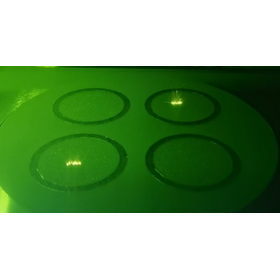
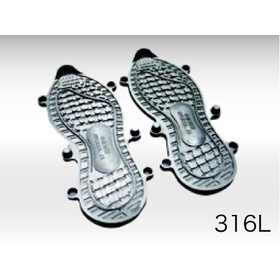
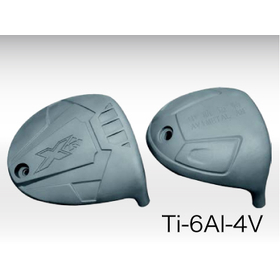
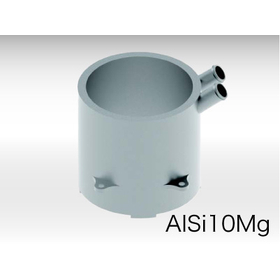
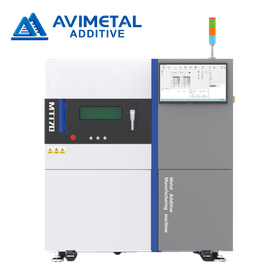
Improvement of cooling efficiency with AVIMETAL MT series for molds.

Metal 3D printer that improves mold cooling efficiency.

In the mold industry, the cooling efficiency of molds has become a crucial issue in achieving both product quality and productivity. Insufficient cooling can lead to product distortion and dimensional defects, resulting in reduced yield. Additionally, increased cooling time can cause delays in the production cycle, leading to higher costs. The AVIMETAL MT-Series significantly improves cooling efficiency by creating complex cooling channels within the mold, addressing these challenges. 【Application Scenarios】 - Design of cooling channels inside the mold - Optimization of cooling efficiency - Reduction of mold manufacturing time 【Benefits of Implementation】 - Improvement in product quality - Increase in productivity - Cost reduction
  • avimetal_custom020_br.jpg
  • avi_smp_0020.jpg
  • avi_smp_0030.jpg
  • avi_smp_0040.jpg
  • avi_smp_0050.jpg
  • avi_smp_0060.jpg
  • avimetal_comingsoon.png
  • Other machine tools
  • Printer

Added to bookmarks

Bookmarks list

Bookmark has been removed

Bookmarks list

You can't add any more bookmarks

By registering as a member, you can increase the number of bookmarks you can save and organize them with labels.
Free membership registration

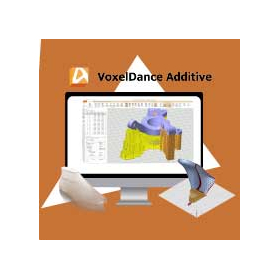
VoxelDance Additive for Toy Mass Production

Maximize the productivity of industrial 3D printers. Streamline the mass production of toys.

In the toy industry, mass production requires the efficient manufacturing of high-quality products. In particular, flexible responses to design changes and timely deliveries are crucial. By utilizing 3D printers, it is easy to produce toys with complex shapes and customized products, but correcting and editing data can sometimes be cumbersome. VoxelDance Additive enables quick resolution of errors during data conversion with its one-click automatic repair function, facilitating smooth modeling. 【Usage Scenarios】 - Manufacturing of toys with complex shapes - Production of customized toys - Timely deliveries 【Benefits of Implementation】 - Reduction in error correction time - Shortening of modeling time - Flexible response to design changes

  • 3D Printer
  • Data conversion software
  • Other CAD related software
  • Printer

Added to bookmarks

Bookmarks list

Bookmark has been removed

Bookmarks list

You can't add any more bookmarks

By registering as a member, you can increase the number of bookmarks you can save and organize them with labels.

Free membership registration

Up to 1400℃ | "Cerlabel/SL" for metal mining such as steel and aluminum.

We introduce labels that have been printed with barcodes on fine ceramic substrates and then fired.

In the harsh environments of metal mining such as steel and aluminum, as well as in heat treatment processes, ceramics and metals come into play. For such high-temperature applications, we offer products like "Cerala Label-100 (up to 800°C)" which features a barcode printed on fine ceramic substrates and then fired, as well as "Cerala Label-200 (up to 1100°C)" and "Cerala Label-300 (up to 1400°C)." Additionally, we have the "Cerala Label SL Series (up to 600°C to 1000°C)," which consists of a thin ceramic film with a printed barcode adhered to a heat-resistant stainless steel substrate, baked at high temperatures to provide heat resistance and impact resistance. 【Features】 ■ Heat resistance ■ Chemical resistance ■ Thermal stability *For more details, please refer to the PDF document or feel free to contact us.

  • Fixed-mount barcode reader
  • Printer

Added to bookmarks

Bookmarks list

Bookmark has been removed

Bookmarks list

You can't add any more bookmarks

By registering as a member, you can increase the number of bookmarks you can save and organize them with labels.

Free membership registration